
I am going to try to keep this easy to understand. Hopefully some of this information below is useful for elfen, even though he is not receiving the death chime.
My story: I got this computer about a few months ago. I cleaned the board, recapped, and still had a death chime indicating ram failure. A few times I didn't get the death chime, but didn't have any video on the screen (even after doing the power on/off/on trick).
The fix:
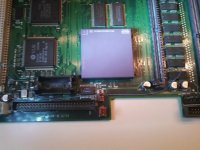
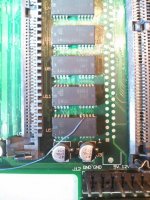
Apple did not make a wise decision with having 8 vias right under one cap (The right cap under U5). It is also difficult that the traces shift as they pass under each ram chip.
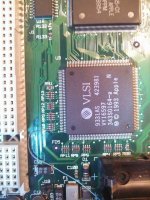
Addresses 0-7 on U5 lead to here (RP9 and RP10). In my case, pin 14 of the ram chip went to the bottom of RP10.
RP12, RP13, and the others.... Not sure where they go, but might be just as important.
This was also very helpful for the pinouts of the RAM: http://www.datasheetarchive.com/dl/Scans-065/DSA2IH00163574.pdf
My story: I got this computer about a few months ago. I cleaned the board, recapped, and still had a death chime indicating ram failure. A few times I didn't get the death chime, but didn't have any video on the screen (even after doing the power on/off/on trick).
The fix:
Apple did not make a wise decision with having 8 vias right under one cap (The right cap under U5). It is also difficult that the traces shift as they pass under each ram chip.
Addresses 0-7 on U5 lead to here (RP9 and RP10). In my case, pin 14 of the ram chip went to the bottom of RP10.
RP12, RP13, and the others.... Not sure where they go, but might be just as important.
This was also very helpful for the pinouts of the RAM: http://www.datasheetarchive.com/dl/Scans-065/DSA2IH00163574.pdf