

Thread
PowerBook 2400c :(cracked screen)
I've uploaded a series of 8 (missing vol 4)
of these E-mu Classic Series sample cds
originally developed for the E-mu Emulator III (EIIIX) (1993)
im not sure if they are converted to kontakt
they are mostly in .bin + .cue format
to be burned onto a CD (700mb size?)
(they expand to full disc images)
if anyone would like to take a crack at converting these to a usefull
format (ie: kontakt, halion, etc)
please check one of them out
they are most likely all the same..
so if one is in kontakt format (.nki) already
the rest probably are the same
i have no idea how to convert..
i think they maybe in e-mu sampler native format
to be used via a scsi cdrom with a E-Mu '90s Sampler
such as E64, E6400, E5000, E4, E4XT, E-4000, ESI-32
heres an example link from one of the discs:
http://web.archive.org/web/20030204001917/www.emu.com/online_shop/cds/esi32_300mblist.asp?REF1=../online_shop/bysound/index.html
they seem to have cross referenced the products on this old 2003 website by compatible product
heres a few example urls but u can just use the dropdown menu top right corner:
http://web.archive.org/web/20030409080418/http://www.emu.com/online_shop/byproduct/esi32_shop.html
http://web.archive.org/web/20010702000925/http://www.emu.com/online_shop/byproduct/eps16plus_shop.html
http://web.archive.org/web/20010818105512/http://www.emu.com/online_shop/byproduct/awe32_shop.html
this site was backed up from 2003 when E-Mu & Ensoniq were the same company and still active
alot of their content coming from https://www.digitalsoundfactory.com/ and http://syntaur.com/default.asp
heres some soundfonts available from digitalsoundfactory: https://www.digitalsoundfactory.com/soundfont_products
they also have kontakt products: https://www.digitalsoundfactory.com/kontakt_products
logic exs24 https://www.digitalsoundfactory.com/exs24_products
digidesign structure https://www.digitalsoundfactory.com/structure_products
reason refills https://www.digitalsoundfactory.com/reason_refill_products
and more
heres a look at the old 2003 era version of syntaurs site:
http://web.archive.org/web/20030728161932/http://www.syntaur.com/
http://web.archive.org/web/20030628170319/http://www.syntaur.com/sampling_cd.html
another url:
http://web.archive.org/web/20040210233311/http://emu.com/products/
http://web.archive.org/web/20040211050212/http://emu.com/products/category.asp?category=632&maincategory=632
big list of cds here:
http://web.archive.org/web/20040215032044/http://emu.com/products/category.asp?category=634&maincategory=632
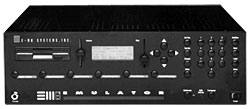
attached is a pic of an e-mu sampler with some of the cds that i have uploaded in the pic
also i found out i do have vol 4 afterall
additional info:
http://www.soundonsound.com/sos/dec01/articles/emuesi.asp
http://tweakheadz.com/cdr/
Quote
• Emulator Standards
The granddaddy of Emu’s sample library, containing some of the original sounds from the first Emulator. A cross-section of instruments from orchestral to brass and percussive that is never hugely cutting-edge but includes some very useful material nonetheless.
• More Emulator Standards
More of the same but this time with perhaps a greater emphasis on orchestral sounds. The arco strings are of particular note as are the ethnic sounds, which include surdos, berimbaus and sitars.
• Orchestral
Pretty much the same type of sounds you will find on the Proteus 2 Protozoa library, but featuring much bigger and better examples of each instrument. Typical banks require 4-8Mb and there is a great range of all types of orchestral instrument from strings through to woodwind, brass and percussion as well as a couple of grand pianos and a wonderful harpsichord.
• Sound FX
Unless a sound effects library is 30 discs long it generally has only token value, but the selection of ambiences, water sounds and domestic noises on this disc might find a use somewhere. A well recorded and welcome inclusion if only to make you want to think about the other SFX disks in the Emu library.
• World Instruments
Like the Orchestral disc this one will be familiar to owners of one of the Proteus modules, this time the Proteus 3, but again it features larger and more comprehensive examples of each instrument. The selection includes kotos, whistles, bagpipes and flutes, and for the most part provides all the ethnic musicality you could ask for. The plucked instruments usually stand out as the best of the bunch.
• World Percussion Ensemble
Filling in all the gaps in the World Instruments disc, this one concentrates solely on ethnic drum and percussion sounds. Far more than just a bit of African drumming, this disc is as wide a study of global drum sounds as you could imagine, featuring sounds from Japan, Indonesia, Nepal, India, South America and many others.
• Emu Classics
A curious inclusion, as half of the disc features pretty much the same as the Protozoa library, namely Proteus 1, 2 and 3 sound sets. In addition, however, there are some great vintage keyboard sounds in the form of DX7s, Rhodes, and Mellotron choirs.
• Vintage
A few classic organs are included on this disc along with Prophet, ARP, Moog, Juno and Oberheim synths. There are also a few interesting guitar sounds and a couple of percussion sets. Not exactly a ground-breaking disc, but the sounds are well recorded and presented.
I took a flyer last week on a PowerBook 2400c on Craigslist, no adapter and untested.
Good news: it boots!
Bad news: screen is totally cracked and wrecked :'( only the lower left corner displays anything correctly.
I hooked it up to an external monitor and booted it, the hard disk has the built-in Password Security enabled. But I was able to boot from a PC Card/CF card, it's the standard 180 MHz and has 48 MB RAM.
Trackpad button doesn't seem to work but keyboard and trackpad are good.
It's highly likely I'll just be selling this machine for parts, but first, does anyone know of any displays for sale? Or if the 2400c shares its display with any other machines? (I see the 5300c is at least the same size but there's a big age difference there)
Also has anyone successfully bypassed password security? I've seen some notes about how to do it but nothing in-depth. I wasn't able to mount the disk from another startup disk, and Disk Setup knew it was password-protected.
Good news: it boots!
Bad news: screen is totally cracked and wrecked :'( only the lower left corner displays anything correctly.
I hooked it up to an external monitor and booted it, the hard disk has the built-in Password Security enabled. But I was able to boot from a PC Card/CF card, it's the standard 180 MHz and has 48 MB RAM.
Trackpad button doesn't seem to work but keyboard and trackpad are good.
It's highly likely I'll just be selling this machine for parts, but first, does anyone know of any displays for sale? Or if the 2400c shares its display with any other machines? (I see the 5300c is at least the same size but there's a big age difference there)
Also has anyone successfully bypassed password security? I've seen some notes about how to do it but nothing in-depth. I wasn't able to mount the disk from another startup disk, and Disk Setup knew it was password-protected.
Depending on the OS on the machine, the Password is in either a Preference files (which you can delete to erase it) or in the PRAM.
I forget the name but there was a little control panel program that erases the password. It's icon was the password control panel with a red circle with a line through it. One of its many names was "Password Killer".
I forget the name but there was a little control panel program that erases the password. It's icon was the password control panel with a red circle with a line through it. One of its many names was "Password Killer".
Good call on the IBM connection, I thought of that earlier but forgot about it.
ThinkWiki lists only one 10.4" 800x600 display, the Hitachi TX26D31VC1CAA.
However, I found a Japanese page showing a 2400c panel replacement from an IBM part, unfortunately I believe that ThinkPad (the 535) was Asia only. Also like half of the pictures are missing from the archive of that page which doesn't help.
The IBM part numbers listed (FRU 46H6709, p/n 39H7160 on the actual panel) don't turn up much either. But maybe that's just the IBM part number for the Hitachi panel? I think I'll need to take the display apart and confirm, hopefully there will be more markings on the back of the panel.
ThinkWiki lists only one 10.4" 800x600 display, the Hitachi TX26D31VC1CAA.
However, I found a Japanese page showing a 2400c panel replacement from an IBM part, unfortunately I believe that ThinkPad (the 535) was Asia only. Also like half of the pictures are missing from the archive of that page which doesn't help.
The IBM part numbers listed (FRU 46H6709, p/n 39H7160 on the actual panel) don't turn up much either. But maybe that's just the IBM part number for the Hitachi panel? I think I'll need to take the display apart and confirm, hopefully there will be more markings on the back of the panel.
Those pinout connectors are fairly standard, most if not all laptops of the same time period had very similar, if not the same connectors. The positions vertically up and down the panel my vary slightly.
I used to have a ton of LCD panels from back then, all good pulls. But tossed them when no one expressed interest.
I used to have a ton of LCD panels from back then, all good pulls. But tossed them when no one expressed interest.
I was able to disable Password Security using Norton Disk Editor (as described at securemac: https://www.securemac.com/powerbooksecurity.php).I took some pictures, I'll write it up when I have a chance.
I didn't open the display up yet, but I'm pretty sure it'll be this unobtainium IBM panel. It's never been my experience that panels will use the same connectors or be compatible at all--physical dimensions, backlight location, connectors, pin outs all vary drastically.
Such a bummer that the display is bad, almost everything else is good (just the trackpad button is bad). I think the battery even works.
I didn't open the display up yet, but I'm pretty sure it'll be this unobtainium IBM panel. It's never been my experience that panels will use the same connectors or be compatible at all--physical dimensions, backlight location, connectors, pin outs all vary drastically.
Such a bummer that the display is bad, almost everything else is good (just the trackpad button is bad). I think the battery even works.
Sorry to hear of the screen troubles... I have a 2400c that I love. If you decide to part this machine out, please let me know.
My 2400c's HD died, and before that, it had a somewhat narcoleptic condition which would cause it to sleep immediately after the OS desktop loaded 9 out of 10 times.
My 2400c's HD died, and before that, it had a somewhat narcoleptic condition which would cause it to sleep immediately after the OS desktop loaded 9 out of 10 times.