
Thread
HTTP block device driver
Well, I've got a working HTTP block device driver. Woohoo.
Basically, it's a block device driver that takes a file on an HTTP server, and presents it as a disk to macos. Access to the "disk" is translated to ranged HTTP GET/PUTs.
I've put a 500MB minivmac disk image on my apache web server, and have mounted it on my pb540c (using the AAUI -> UTP -> Netgear wifi adapter from here) running System 7.6.1 + OpenTransport 1.1.2. The driver is only using MacTCP (.IPP) device driver calls, so it should be fine with MacTCP instead of OT.
This is just kind of the initial proof of concept right now. The IP address of the server (MacTCP's DNS from within a device driver is bad news), server name (for working with http virtual hosts), and the file path are hard coded in the driver at the moment.
I'll try to figure out a control panel and prefs file to be able to configure that stuff.
The snapshot of source is here if anyone is interested.
Basically, it's a block device driver that takes a file on an HTTP server, and presents it as a disk to macos. Access to the "disk" is translated to ranged HTTP GET/PUTs.
I've put a 500MB minivmac disk image on my apache web server, and have mounted it on my pb540c (using the AAUI -> UTP -> Netgear wifi adapter from here) running System 7.6.1 + OpenTransport 1.1.2. The driver is only using MacTCP (.IPP) device driver calls, so it should be fine with MacTCP instead of OT.
This is just kind of the initial proof of concept right now. The IP address of the server (MacTCP's DNS from within a device driver is bad news), server name (for working with http virtual hosts), and the file path are hard coded in the driver at the moment.
I'll try to figure out a control panel and prefs file to be able to configure that stuff.
The snapshot of source is here if anyone is interested.
I haven't run any performance tests at this point. I expect it's abysmal performance, that's why we're using 20yr old gear, right? 
This is currently opening & closing the connection with every request, simply because it was the easiest to get going. Eventually, attempting to reuse the same connection would be an improvement, although it'd then need keepalives, connection close & reopen handling, etc.
But, I don't expect great things from either MacTCP or OT1.1.x.
My particular goal here was to get reasonable storage expansion without AppleShare, since AppleTalk is not routed over most modern wifi AP's, since I usually do most of my classic mac stuff from my pb540c. You'll probably still want to put your normal working set on local disk, but this provides easy access to remote archival storage, and exchange with emulator storage. It has lots of other potential, from read-only classic mac friendly archives on the web, to potentially migrating off MacTCP to direct Enet driver usage for diskless booting off the internet.
Anyway, I'm reading about Control Panels now, so maybe I'll get a configurable interface to this in the next couple days/weeks. Hopefully before I get one of dougg3's ROM SIMM programmers, when I'll be distracted by that project again.
This is currently opening & closing the connection with every request, simply because it was the easiest to get going. Eventually, attempting to reuse the same connection would be an improvement, although it'd then need keepalives, connection close & reopen handling, etc.
But, I don't expect great things from either MacTCP or OT1.1.x.
My particular goal here was to get reasonable storage expansion without AppleShare, since AppleTalk is not routed over most modern wifi AP's, since I usually do most of my classic mac stuff from my pb540c. You'll probably still want to put your normal working set on local disk, but this provides easy access to remote archival storage, and exchange with emulator storage. It has lots of other potential, from read-only classic mac friendly archives on the web, to potentially migrating off MacTCP to direct Enet driver usage for diskless booting off the internet.
Anyway, I'm reading about Control Panels now, so maybe I'll get a configurable interface to this in the next couple days/weeks. Hopefully before I get one of dougg3's ROM SIMM programmers, when I'll be distracted by that project again.
nice, bringing the "cloud backup" to older hardware
diskless booting over the internet would be cool as hell, would eliminate the need for unobtainium SCSI hard drives. I know some modern google laptop setups used to boot from the cloud.
Just put the driver in ROM, and interface it to PRAM. use a control panel to setup PRAM with the parameters to connect to the "startup disk" and reboot. it boots off the web This is something i would HIGHLY support for my personal usage, is network booting an old mac.
diskless booting over the internet would be cool as hell, would eliminate the need for unobtainium SCSI hard drives. I know some modern google laptop setups used to boot from the cloud.
Just put the driver in ROM, and interface it to PRAM. use a control panel to setup PRAM with the parameters to connect to the "startup disk" and reboot. it boots off the web
This is something i would HIGHLY support for my personal usage, is network booting an old mac.Control panel added, along with a demo video.
It's still very unstable, don't use it for anything important, etc. It frequently hangs and I've left Debugger() statements in the error conditions as I'm still trying to debug the thing (Debugger() statements cause it to break into macsbug. If you don't have macsbug installed and it hits one of these statements, you'll get an Unimplemented Trap bomb or something).
But, it's working mostly well enough to get the general idea.
It's still very unstable, don't use it for anything important, etc. It frequently hangs and I've left Debugger() statements in the error conditions as I'm still trying to debug the thing (Debugger() statements cause it to break into macsbug. If you don't have macsbug installed and it hits one of these statements, you'll get an Unimplemented Trap bomb or something).
But, it's working mostly well enough to get the general idea.
I've got the driver working surprisingly reliably now, latest version here
I can copy applications (testing using ResEdit), open the applications on the HTTP Disk, do directory listings, copy files to and from, open & edit files on the disk, etc. without issue at this point.
The macsbug debugging calls have been left in still, so the previous disclaimers on that still apply. They're only in error conditions, and I haven't hit any on my test environment (supporting both read & write) recently, so it does seem fairly reliable.
There are 3 parts to this:
1) The driver. When the driver is opened, it takes some parameters such as the address of the server, the name of the server (to work with ghosts), and the file path on the server. It then does a HEAD request to figure out how big the file is, creates a DriveQEl structure, adds it to the drive queue, and posts a notification that the drive has been attached, and returns to the caller. The system processes the posted diskEvt, does some control calls to get the default icon and some stuff, and then goes on with the reads & writes. The driver then translates the reads & writes to HTTP ranged GET and PUT operations. If the file is not writeable, the PUT operations fail with writErr. The driver exists as a DRVR resource within the Control Panel.
2) The INIT/System Extension. This loads the driver on boot. It only loads the driver, doesn't open it, so the driver is basically doing nothing in RAM. This also displays the Control Panel's icon during the boot process. The INIT is just a resource in the Control Panel, not a separate file.
3) The cdev/Control Panel. This is still a pretty rudimentary UI that asks for the hostname & file path of the file to mount as a disk. On open, the Control Panel opens the DNS resolver (finds a resolver resource in MacTCP or TCP/IP control panel, or MacTCP DNR file inside the System Folder). When you hit the "Mount!" button, it attempts to resolve the hostname, open the HTTP Disk device driver (named ".Webdrv") that was loaded by the INIT at boot time.
There is currently no error reporting by the Control Panel, so when it has problems with opening the DNS resolver resource, or resolving the hostname, etc. it just seems like nothing happened. I usually close the control panel, reopen it, and try again. Fixing this is on my TODO list, but my focus has been getting the driver working reliably. Now that it seems to be working well, I'll try to focus on getting the Control Panel nice and pretty.
The "known-bad" things that I mentioned the driver was doing before was calling MacTCP synchronously. MacTCP is its self a device driver, which then calls the ethernet (or appletalk, in the case of MacIP, or modem or whatever is backing the connection). So when my disk driver called into another driver synchronously, and that driver then calls into other drivers, it would occasionally deadlock the system. The badness of this is described in this tech note. So, I had to restructure/rewrite my straightforward MacTCP calls as an asynchronous state machine. Once I did that, the deadlocks disappeared, and I was able to better handle large read/write requests. I've noticed the File Manager during file copies and other operations can request 256KB in a shot, which is both larger than my network buffers, and MacTCP read/write calls only take a 16bit integer for their calls, so the async state machine handles looping of the MacTCP calls to ensure everything gets read/written.
I can copy applications (testing using ResEdit), open the applications on the HTTP Disk, do directory listings, copy files to and from, open & edit files on the disk, etc. without issue at this point.
The macsbug debugging calls have been left in still, so the previous disclaimers on that still apply. They're only in error conditions, and I haven't hit any on my test environment (supporting both read & write) recently, so it does seem fairly reliable.
There are 3 parts to this:
1) The driver. When the driver is opened, it takes some parameters such as the address of the server, the name of the server (to work with ghosts), and the file path on the server. It then does a HEAD request to figure out how big the file is, creates a DriveQEl structure, adds it to the drive queue, and posts a notification that the drive has been attached, and returns to the caller. The system processes the posted diskEvt, does some control calls to get the default icon and some stuff, and then goes on with the reads & writes. The driver then translates the reads & writes to HTTP ranged GET and PUT operations. If the file is not writeable, the PUT operations fail with writErr. The driver exists as a DRVR resource within the Control Panel.
2) The INIT/System Extension. This loads the driver on boot. It only loads the driver, doesn't open it, so the driver is basically doing nothing in RAM. This also displays the Control Panel's icon during the boot process. The INIT is just a resource in the Control Panel, not a separate file.
3) The cdev/Control Panel. This is still a pretty rudimentary UI that asks for the hostname & file path of the file to mount as a disk. On open, the Control Panel opens the DNS resolver (finds a resolver resource in MacTCP or TCP/IP control panel, or MacTCP DNR file inside the System Folder). When you hit the "Mount!" button, it attempts to resolve the hostname, open the HTTP Disk device driver (named ".Webdrv") that was loaded by the INIT at boot time.
There is currently no error reporting by the Control Panel, so when it has problems with opening the DNS resolver resource, or resolving the hostname, etc. it just seems like nothing happened. I usually close the control panel, reopen it, and try again. Fixing this is on my TODO list, but my focus has been getting the driver working reliably. Now that it seems to be working well, I'll try to focus on getting the Control Panel nice and pretty.
The "known-bad" things that I mentioned the driver was doing before was calling MacTCP synchronously. MacTCP is its self a device driver, which then calls the ethernet (or appletalk, in the case of MacIP, or modem or whatever is backing the connection). So when my disk driver called into another driver synchronously, and that driver then calls into other drivers, it would occasionally deadlock the system. The badness of this is described in this tech note. So, I had to restructure/rewrite my straightforward MacTCP calls as an asynchronous state machine. Once I did that, the deadlocks disappeared, and I was able to better handle large read/write requests. I've noticed the File Manager during file copies and other operations can request 256KB in a shot, which is both larger than my network buffers, and MacTCP read/write calls only take a 16bit integer for their calls, so the async state machine handles looping of the MacTCP calls to ensure everything gets read/written.
There's all kinds of crazy apache configs you can do, but I'm testing with mod_dav and a config like:
But there might other config entries you need to enable mod_dav and give it a lock directory. The specifics of how you do that are somewhat dependent on how your apache is setup.
This also lets anyone have access to the /disks directory, and can write to any file the webserver has permission to write to, so you probably want to check out the apache docs on Allow as well.
Code:
DAVLockDB /var/lock/apache2/DAVLock

       Dav On
Allow from allThis also lets anyone have access to the /disks directory, and can write to any file the webserver has permission to write to, so you probably want to check out the apache docs on Allow as well.
SECURITY ALERT:
Sorry, i just had to. hehe.
might want to add something into the control panel, such as allowing for authentication/htaccess webserver DIRs.
Why? so everyone including joe blow couldnt connect to your server. I guess if its only on your local network, its no big deal. but if you wanted to use this on the go persay, its more important.
Sorry, i just had to. hehe.
might want to add something into the control panel, such as allowing for authentication/htaccess webserver DIRs.
Why? so everyone including joe blow couldnt connect to your server. I guess if its only on your local network, its no big deal. but if you wanted to use this on the go persay, its more important.
Added error dialogs to the control panel when it has an issue, instead of just sitting there, and added a read-only checkbox allowing you to mount the file read-only to prevent anything from even trying to write to it. This is useful if you know ahead of time you don't have write access. Unfortunately, I don't know of a good way to determine dynamically if you have write access other than reading a byte and trying to write it back.
I'm starting to think about the interface with the OS. Right now, it doesn't really do well trying to re-mount a disk after you eject it. Part of this is because all the setup is done at driver Open time, and is kind of a one-time setup. The .Sony floppy driver creates the Drive element at driver Open time but marks it as not available. Then on floppy insertion, it marks the disk as available and posts a diskEvt notification. I'm thinking of doing something similar where the driver is Opened by the INIT, which just sets up an unavailable Drive, then the Control Panel would issue Control calls to the driver to inform it to attach to a specific file. I'm not entirely sure how well that'd work, but it's worth some experimenting.
I'm starting to think about the interface with the OS. Right now, it doesn't really do well trying to re-mount a disk after you eject it. Part of this is because all the setup is done at driver Open time, and is kind of a one-time setup. The .Sony floppy driver creates the Drive element at driver Open time but marks it as not available. Then on floppy insertion, it marks the disk as available and posts a diskEvt notification. I'm thinking of doing something similar where the driver is Opened by the INIT, which just sets up an unavailable Drive, then the Control Panel would issue Control calls to the driver to inform it to attach to a specific file. I'm not entirely sure how well that'd work, but it's worth some experimenting.
If you are using just the GET/PUT commands from HTTP, why would it require DAV being enabled? Are you using the extended commandset of DAV in your implementation? If so, congratulations!
This is interesting because I'm planning on implementing a subversion instance with a subversion hook which will do checksumming of committed files and keep an index of file checksums. This way, i'll immediately know if I have a problem with file X after it sits for a year or two (although I've only had the data corruption issue with Windows 2000 Server, never with CentOS+Samba+Netatalk combo)
This is interesting because I'm planning on implementing a subversion instance with a subversion hook which will do checksumming of committed files and keep an index of file checksums. This way, i'll immediately know if I have a problem with file X after it sits for a year or two (although I've only had the data corruption issue with Windows 2000 Server, never with CentOS+Samba+Netatalk combo)
This is a very cool project! I can see your newest file is from 3th april 2012, but no updates in the thread. What's the latest news, CHANGELOG, TODOs?
Have you tried testing it over a network connection for a long period of time? How does it handle network timeout when its mounted?
Have you tried testing it over a network connection for a long period of time? How does it handle network timeout when its mounted?
If you put the extension and software into the system folder on a system floppy it would boot the system with a HDD in 'the cloud'. Much safer than flashing your ROMJust put the driver in ROM, and interface it to PRAM. use a control panel to setup PRAM with the parameters to connect to the "startup disk" and reboot. it boots off the web
I have a couple questions:
Could this be implemented for use with a Disk Copy disk image?
Also, following up on LOOM's idea, would it be possible to couple this with dougg3's ROM and make a network terminal out of a Macintosh II series? That would be totally awesome! You could hold down the N key like on newer Macs and boot your vintage Mac over a network.
Could this be implemented for use with a Disk Copy disk image?
Also, following up on LOOM's idea, would it be possible to couple this with dougg3's ROM and make a network terminal out of a Macintosh II series? That would be totally awesome! You could hold down the N key like on newer Macs and boot your vintage Mac over a network.
Yea, but somehow the PRAM would need to be loaded with some values before the mac would know what image to fetch, Where its at, and possible/if any credentials to get to it.
Maybe default values in ROM, or a special control panel that takes place of "startup disk" and sets that.
Either that, or make a image server that the mac listens to a broadcast message from. Once found, it locks onto the IP from the broadcast originator, fetches a default boot image and off it goes. But this would only work on a local network, or a VPN network.
But all this requires a ROM level network driver. With many many different network card configurations, the network boot code would almost need to be on the network card ROM like in the PC world. So once the DeclRom gets called and loaded, it adds code into RAM to be able to boot from the network with that particular card. Same way SCSI cards do it that allow you to be able to boot from that particular card, as it patches in overtop of the current SCSImanager inside ROM.
You could patch over the .Sony driver in ROM from the DeclRom if it works that way, I dunno. But one would have to look in a book and find out how SCSI cards did it. And then use that code/method to make it work for NICs.
Macs with on board NICs, just find the DeclRom info on that nic and modify it, or just stick it in main ROM and handle it there. But before boot can even happen, you would have to load the NIC DeclRom, then some sort of low-level ROM based network driver/TCP/IP stack.
Maybe default values in ROM, or a special control panel that takes place of "startup disk" and sets that.
Either that, or make a image server that the mac listens to a broadcast message from. Once found, it locks onto the IP from the broadcast originator, fetches a default boot image and off it goes. But this would only work on a local network, or a VPN network.
But all this requires a ROM level network driver. With many many different network card configurations, the network boot code would almost need to be on the network card ROM like in the PC world. So once the DeclRom gets called and loaded, it adds code into RAM to be able to boot from the network with that particular card. Same way SCSI cards do it that allow you to be able to boot from that particular card, as it patches in overtop of the current SCSImanager inside ROM.
You could patch over the .Sony driver in ROM from the DeclRom if it works that way, I dunno. But one would have to look in a book and find out how SCSI cards did it. And then use that code/method to make it work for NICs.
Macs with on board NICs, just find the DeclRom info on that nic and modify it, or just stick it in main ROM and handle it there. But before boot can even happen, you would have to load the NIC DeclRom, then some sort of low-level ROM based network driver/TCP/IP stack.
The latest news is I haven't played with this much in the last month.
My belief is I can't get writes reliable with the current approach to things. Reads are totally reasonable, but I've been struggling to get the writes reliable and the more I work on it, the more problems I become aware of.
I currently need to focus on packaging up a read-only release with some of the newer improvements I've been working on.
As for testing with long term connections, the driver creates a new connection for each operation. So each read/write translates to a PUT/GET request on its own connection. It is not using HTTP/1.1 keepalive. So long term idleness isn't really an issue, although efficiency is something else entirely.
There's no particular reason this couldn't be modified to work with a diskcopy image. I'm not familiar with the various disk copy image types, but from what little I do know, it seems reasonable.
The big topic on everyone's mind seems to be netbooting. Believe me, this is at the front of my thoughts.
I don't think this would make a good basis for netbooting. But don't despair, there are plans.
Some background (this might be duplicated elsewhere on the forum, but I'll wing it from memory here again), feel free to skip ahead:
It is my belief Declaration ROMs are a good way to add code/drivers in ROM for booting purposes, even the System ROM. All system ROMs from the Mac II up have a "Slot 0" declaration ROM. Using dougg3's ROM SIMM, adding code to the Slot0 DeclROM should be a relatively easy, non-destructive way to add code/drivers (compared to overwriting the .Sony floppy driver like I was doing with the ROMDisk driver).
DeclROMs are basically a directory structure, each entry being a "resource ID" that can contain multiple attributes. All DeclROMs have a resource that provides a description of the board (name, general type such as NIC/Video/etc). It can have supplemental resources, the declroms I've peeked at typically have one resource for each supported resolution/color depth setting for video cards, and SCSI cards have one resource for each SCSI ID in the chain.
When booting from a slot (nubus, pseudoslot, whatever), the PRAM stores both the slot ID and the resource ID within the declrom. So you don't just boot from a slot, you boot from slot+resource. In the case of a SCSI card, if there is one resource per SCSI ID, that's how you know which of the potentially multiple SCSI IDs attached to the card to boot from.
Additionally, when booting, the Start Manager/Slot Manager doesn't just load the device driver from that resource within the declrom at the designated slot, and try to boot from it. It actually loads and runs a different set of code in the resource. Typically, that code loads a driver from its own resource id, and begins the boot process, but really can do anything it wants. Including looking at currently pressed keys to decide whether it wants to be bootable.
So, although this HTTP Disk driver could easily be loaded in this manner, it uses MacTCP, which isn't in ROM. Adding it to ROM too is a problem for multiple reasons: it finds its self inside the System Folder and loads resources from its self in order to do DNS resolution, it looks on disk for network configuration information, and the real kicker ends up being ethernet drivers.
Most ethernet cards do not have drivers for themselves in their declrom. Ethernet drivers aren't DRVR driver resources at all. They're 'enet' resources. There is a .ENET driver, but that's not the same thing, that's more of a generic interface to the various 'enet' resources.
Ultimately, for a bootable solution I'm thinking the approach taken by others back in the day is the way to go: Implement your own 8390 ethernet driver, and a minimal IP stack in a declrom, and then fetch a disk image (protocol is a mere implementation detail here, supposedly ye olde solutions could fetch an image from tftp or AppleShare), and boot it as a RAM disk image.
As for how to find the image to boot from, this is a problem that has been solved over and over again, all differently. People have used more solutions to that problem than I care to contemplate. That part isn't something I'm terribly worried about, and at the moment would lean towards just using existing DHCP options, falling back on PXE-like default server/file naming conventions.
Plus, with a custom IP stack, making this HTTP disk driver writable would be much easier. It's just a Simple Matter Of Programming, right?
My belief is I can't get writes reliable with the current approach to things. Reads are totally reasonable, but I've been struggling to get the writes reliable and the more I work on it, the more problems I become aware of.
I currently need to focus on packaging up a read-only release with some of the newer improvements I've been working on.
As for testing with long term connections, the driver creates a new connection for each operation. So each read/write translates to a PUT/GET request on its own connection. It is not using HTTP/1.1 keepalive. So long term idleness isn't really an issue, although efficiency is something else entirely.
There's no particular reason this couldn't be modified to work with a diskcopy image. I'm not familiar with the various disk copy image types, but from what little I do know, it seems reasonable.
The big topic on everyone's mind seems to be netbooting. Believe me, this is at the front of my thoughts.
I don't think this would make a good basis for netbooting. But don't despair, there are plans.
Some background (this might be duplicated elsewhere on the forum, but I'll wing it from memory here again), feel free to skip ahead:
It is my belief Declaration ROMs are a good way to add code/drivers in ROM for booting purposes, even the System ROM. All system ROMs from the Mac II up have a "Slot 0" declaration ROM. Using dougg3's ROM SIMM, adding code to the Slot0 DeclROM should be a relatively easy, non-destructive way to add code/drivers (compared to overwriting the .Sony floppy driver like I was doing with the ROMDisk driver).
DeclROMs are basically a directory structure, each entry being a "resource ID" that can contain multiple attributes. All DeclROMs have a resource that provides a description of the board (name, general type such as NIC/Video/etc). It can have supplemental resources, the declroms I've peeked at typically have one resource for each supported resolution/color depth setting for video cards, and SCSI cards have one resource for each SCSI ID in the chain.
When booting from a slot (nubus, pseudoslot, whatever), the PRAM stores both the slot ID and the resource ID within the declrom. So you don't just boot from a slot, you boot from slot+resource. In the case of a SCSI card, if there is one resource per SCSI ID, that's how you know which of the potentially multiple SCSI IDs attached to the card to boot from.
Additionally, when booting, the Start Manager/Slot Manager doesn't just load the device driver from that resource within the declrom at the designated slot, and try to boot from it. It actually loads and runs a different set of code in the resource. Typically, that code loads a driver from its own resource id, and begins the boot process, but really can do anything it wants. Including looking at currently pressed keys to decide whether it wants to be bootable.
So, although this HTTP Disk driver could easily be loaded in this manner, it uses MacTCP, which isn't in ROM. Adding it to ROM too is a problem for multiple reasons: it finds its self inside the System Folder and loads resources from its self in order to do DNS resolution, it looks on disk for network configuration information, and the real kicker ends up being ethernet drivers.
Most ethernet cards do not have drivers for themselves in their declrom. Ethernet drivers aren't DRVR driver resources at all. They're 'enet' resources. There is a .ENET driver, but that's not the same thing, that's more of a generic interface to the various 'enet' resources.
Ultimately, for a bootable solution I'm thinking the approach taken by others back in the day is the way to go: Implement your own 8390 ethernet driver, and a minimal IP stack in a declrom, and then fetch a disk image (protocol is a mere implementation detail here, supposedly ye olde solutions could fetch an image from tftp or AppleShare), and boot it as a RAM disk image.
As for how to find the image to boot from, this is a problem that has been solved over and over again, all differently. People have used more solutions to that problem than I care to contemplate. That part isn't something I'm terribly worried about, and at the moment would lean towards just using existing DHCP options, falling back on PXE-like default server/file naming conventions.
Plus, with a custom IP stack, making this HTTP disk driver writable would be much easier. It's just a Simple Matter Of Programming, right?
With a original ROM we would get a chicken and a egg problem, where we can't run the program without MacTCP and the control panel, and we can't load it from anywhere either because the ROM size is too small to include a full system.
One thing I guess you can do with dougg3's ROM is that you can add a system disk with MacTCP on it [1], because the ROM is bigger than normal. That way you can boot the system disk in the ROM, and load a image on a server.
[1] Assuming the machine can read a larger ROM, and the original ROM can be modified to include a full disk with a network protocol/IP stacks and communicating to internal devices on that layer. I'm not familiar with the technical aspects/limits with the ROM modding.
bbraun:
Can you explain about what you said about writes being not reliable? Will the image get corrupted, or not all the data will be written to id[file corruption] or?
One thing I guess you can do with dougg3's ROM is that you can add a system disk with MacTCP on it [1], because the ROM is bigger than normal. That way you can boot the system disk in the ROM, and load a image on a server.
[1] Assuming the machine can read a larger ROM, and the original ROM can be modified to include a full disk with a network protocol/IP stacks and communicating to internal devices on that layer. I'm not familiar with the technical aspects/limits with the ROM modding.
bbraun:
Can you explain about what you said about writes being not reliable? Will the image get corrupted, or not all the data will be written to id[file corruption] or?
As I said, I don't think loading this particular driver in ROM is a good plan. You could put it into a disk image and put the disk image into ROM, and boot the ROM image with my existing ROMDisk driver, and there might even be enough space to do that. The available space for a bootable ROM disk is machine specific. The II/IIx/SE30's system ROM maps in 1MB of ROM address space and uses 256KB of that for the ROM, leaving 768KB to play with. Once the system boots, the OS typically maps in more (dougg3's ROM SIMM holds 2MB). Other models, such as the IIci and Q700, map in more. I'm not sure about the IIfx or IIsi offhand. But when you're using it for booting, you're kind of limited to what the system ROM maps in for you (it is entirely possible to adjust the mappings yourself, but I'm not there yet). Anyway, this is something I intend to play with once I get my hands on one of dougg3's new programmers.
The problem with writes: The image shouldn't necessarily get corrupted. The writes that succeed will be correct. Remember the device driver is operating at a block level though, so if the filesystem required multiple separate block writes to succeed, and only one of them did, the filesystem might be unhappy. If you're concerned about the image getting corrupted in this way, I'd attach it to an emulator and run disk first aid on it. The problem is the system will occasionally hang on a write. Ultimately, this particular problem comes down to MacTCP (and the OT MacTCP compatibility shim, which has subtle differences from actual MacTCP) not really being intended to be called from a device driver, potentially at interrupt time. It also probably doesn't affect UDP, only TCP operations.
The problem with writes: The image shouldn't necessarily get corrupted. The writes that succeed will be correct. Remember the device driver is operating at a block level though, so if the filesystem required multiple separate block writes to succeed, and only one of them did, the filesystem might be unhappy. If you're concerned about the image getting corrupted in this way, I'd attach it to an emulator and run disk first aid on it. The problem is the system will occasionally hang on a write. Ultimately, this particular problem comes down to MacTCP (and the OT MacTCP compatibility shim, which has subtle differences from actual MacTCP) not really being intended to be called from a device driver, potentially at interrupt time. It also probably doesn't affect UDP, only TCP operations.
In case you're taking feedback, I have a couple suggestions... One is to have the CP remember the last address entered and to have the "read only" checkbox enabled be default. I snooped around in ResEdit to change the default address, I wan't able to figure out how to make "read only" enabled by default. Another feature would be to add a checkbox to enable automatic mounts after startup. I am really digging this CP!
It feels like forever, but I did some work on this again.
HTTP Disk 0.4.9.cpt.hqx
The user visible changes are the control panel remembers the last URL mounted (stored in 'STR ' resource 128), and it is read-only (the checkbox is there, selected, grayed out). I've refactored all of the MacTCP code to be less of a mess, which is part of why it's read-only. I haven't gotten to the write code yet so it's #ifdef'd out. I've also included some cleanup fixes as my understanding of MacOS disk drivers continues to be refined.
HTTP Disk 0.4.9.cpt.hqx
The user visible changes are the control panel remembers the last URL mounted (stored in 'STR ' resource 128), and it is read-only (the checkbox is there, selected, grayed out). I've refactored all of the MacTCP code to be less of a mess, which is part of why it's read-only. I haven't gotten to the write code yet so it's #ifdef'd out. I've also included some cleanup fixes as my understanding of MacOS disk drivers continues to be refined.
HTTP Disk 0.5.cpt.hqx
I've refactored the write support just like the read stuff. I've re-enabled the read-only checkbox, marking it as enabled (read-only) by default. The control panel won't remember the state of the checkbox, it'll default to read-only every time.
One of the other changes I've done here is with HTTP header handling. As mentioned before, this is opening and closing a connection every time a request is made. This includes creating and releasing the MacTCP 'stream' object. A 'stream' can't be released until the connection has been closed by both sides. So if the server hasn't closed their side, but we've closed ours, the stream can't be released, which means no other disk read/write operations can occur. To help things out in this regard, I'm sending the 'Connection: close' HTTP header to tell the server to close the connection after our request, we aren't reusing it. This seems to help out reliability a bunch, at least on servers that honor it, and actually do close the connection promptly.
Anyway, what all this means is, I've had good success with both read and write doing this, at least on 7.6.1 with OpenTransport.
I haven't done any testing with actual MacTCP yet. I also know the Control Panel doesn't work in System 6. System 6 has all the control panels inside the one "Control Panel" desk accessory. System 7 has each control panel in its own window. This means all the UI elements in the dialog item list in System 6 are off by however many other UI elements are in the CP Desk Accessory (usually 2). I just need to update all my dialog item list indices to do the right thing here. Once I do that, this will hopefully work on System 6 with MacTCP as well.
I've refactored the write support just like the read stuff. I've re-enabled the read-only checkbox, marking it as enabled (read-only) by default. The control panel won't remember the state of the checkbox, it'll default to read-only every time.
One of the other changes I've done here is with HTTP header handling. As mentioned before, this is opening and closing a connection every time a request is made. This includes creating and releasing the MacTCP 'stream' object. A 'stream' can't be released until the connection has been closed by both sides. So if the server hasn't closed their side, but we've closed ours, the stream can't be released, which means no other disk read/write operations can occur. To help things out in this regard, I'm sending the 'Connection: close' HTTP header to tell the server to close the connection after our request, we aren't reusing it. This seems to help out reliability a bunch, at least on servers that honor it, and actually do close the connection promptly.
Anyway, what all this means is, I've had good success with both read and write doing this, at least on 7.6.1 with OpenTransport.
I haven't done any testing with actual MacTCP yet. I also know the Control Panel doesn't work in System 6. System 6 has all the control panels inside the one "Control Panel" desk accessory. System 7 has each control panel in its own window. This means all the UI elements in the dialog item list in System 6 are off by however many other UI elements are in the CP Desk Accessory (usually 2). I just need to update all my dialog item list indices to do the right thing here. Once I do that, this will hopefully work on System 6 with MacTCP as well.
I've tested it with 7.1 and MacTCP and it doesn't work for a couple reasons, but at least one of them is interesting in why it doesn't work on 7.1 and does on 7.6.1.
When the File Manager on 7.1 does lookups, it does chained async reads. So when it traverses the filesystem, it does a read of one block, and from the completion routine of that read, it inspects the block and issues another read, and so on down the line until it finds what it is looking for. The HTTP Disk driver internally does chained MacTCP operations, so a read of the HTTP Disk issues an async TCPCreate, and from the completion routine of that, issues a TCPOpen, TCPSend, TCPRecv, TCPClose, TCPRelease, and when finally done, calls the original caller's completion routine. That chain gets huge, which means the stack gets huge, runs into the heap and boom hang.
The "solution" is to call the IO's completion routine from IO an interrupt, which is easily accomplished with the Deferred Task Manager. But the catch is, MacTCP processes received packets (indirectly) from the NIC's interrupt handler. The NIC interrupts when it gets a packet, interrupt handler eventually hands the data to MacTCP, etc. So, when the HTTP Disk returns an IO through an interrupt handler in this situation, the File Manager then issues another read operation, which then goes to MacTCP to open a new connection to the server. The TCP SYN goes out, but the SYN ACK is never processed because we're all from an interrupt handler, the TCP open times out, the IO fails, and bad news.
None of this is a problem on 7.6.1 because the File Manager does things differently and the stack never grows too large and there's no problem.
Anyway, knowing is half the battle, right? Now that I know what the problem is, I've got some ideas on what to do to fix it.
When the File Manager on 7.1 does lookups, it does chained async reads. So when it traverses the filesystem, it does a read of one block, and from the completion routine of that read, it inspects the block and issues another read, and so on down the line until it finds what it is looking for. The HTTP Disk driver internally does chained MacTCP operations, so a read of the HTTP Disk issues an async TCPCreate, and from the completion routine of that, issues a TCPOpen, TCPSend, TCPRecv, TCPClose, TCPRelease, and when finally done, calls the original caller's completion routine. That chain gets huge, which means the stack gets huge, runs into the heap and boom hang.
The "solution" is to call the IO's completion routine from IO an interrupt, which is easily accomplished with the Deferred Task Manager. But the catch is, MacTCP processes received packets (indirectly) from the NIC's interrupt handler. The NIC interrupts when it gets a packet, interrupt handler eventually hands the data to MacTCP, etc. So, when the HTTP Disk returns an IO through an interrupt handler in this situation, the File Manager then issues another read operation, which then goes to MacTCP to open a new connection to the server. The TCP SYN goes out, but the SYN ACK is never processed because we're all from an interrupt handler, the TCP open times out, the IO fails, and bad news.
None of this is a problem on 7.6.1 because the File Manager does things differently and the stack never grows too large and there's no problem.
Anyway, knowing is half the battle, right? Now that I know what the problem is, I've got some ideas on what to do to fix it.
Nice to see these updates. I am getting some instability with Basilisk II with "Read Only" disabled, "unimplemented trap", but my emulated environment might just be acting up. I'll test it out with real hardware soon. I have to say this driver is pretty genius, it is so tiny and works really seamlessly with the OS, sort of like a modern dropbox, but without being annoying. :b&w:
One thing I was wondering from a design of a control panel perspective, is do control panels support copy/paste? I don't know if I ever tried pasting something into a control panel, there was probably was never a need. I tried with HTTP Disk and it didn't work... it's not an issue, I am just curious.
One thing I was wondering from a design of a control panel perspective, is do control panels support copy/paste? I don't know if I ever tried pasting something into a control panel, there was probably was never a need. I tried with HTTP Disk and it didn't work... it's not an issue, I am just curious.
The unimplemented traps are undoubtedly Debugger calls when something with networking went unexpectedly. Is there any chance you could install macsbug, and when it happens type:
stdlog will dump a bunch of information to a log file on the desktop, and go will resume execution (which may or may not work, but hey, better than an unimplemented trap. maybe.)
What System version & OT/MacTCP are you using? What server are you connecting to? Apache or a service or?
Control Panels can support copy/paste, but they need to do so explicitly. I haven't added that yet.
Code:
stdlog
goWhat System version & OT/MacTCP are you using? What server are you connecting to? Apache or a service or?
Control Panels can support copy/paste, but they need to do so explicitly. I haven't added that yet.
I can't get MacBug (6.6.3) to work in Basilisk. Instead of a system bomb, when it is installed the program just completely crashes. Sometimes I also get a hostname error after clicking "Mount". Here is what gets dumped in my terminal, perhaps this info is useful:
Code:
Illegal instruction: 4e7a at 03fe789c
Caught SIGSEGV at address 0x74f46163
D0: 001e0100 D1: 000000ff D2: 00000065 D3: 000901e0
D4: 000001c7 D5: 00000000 D6: 00000000 D7: 00040003
A0: 00000c30 A1: 03fe6038 A2: 001dfd30 A3: 0009c278
A4: 0009c278 A5: 03fe6226 A6: 000d0ffa A7: 03fe243c
USP=00000000 ISP=03fe243c MSP=00000000 VBR=00000000
T=00 S=1 M=0 X=0 N=0 Z=0 V=0 C=0 IMASK=7
FP0: nan FP1: nan FP2: nan FP3: nan
FP4: nan FP5: nan FP6: nan FP7: nan
N=0 Z=0 I=0 NAN=0
Segmentation fault


Very nice, I like them both tt and olePigeon. The current icon was whipped up by a friend that is way more graphically inclined than I.
I'll see if I can figure out how to do the GUI magic to scale them down for the smaller icons and generate the icon masks and stuff.
Thanks guys!
I'll see if I can figure out how to do the GUI magic to scale them down for the smaller icons and generate the icon masks and stuff.
Thanks guys!
 But Cloud 7 could be fun, too.
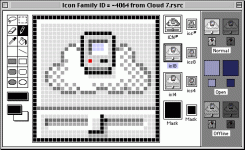
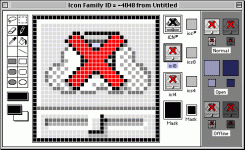
Thanks! That looks awesome. I'll integrate it in this weekend.
How's this for including your graphic, tt?
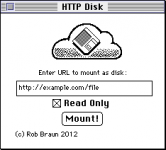
I'll plan on integrating these graphics changes, maybe a couple other minor changes, and throw together a little release on Sunday if my weekend goes as planned.
How's this for including your graphic, tt?
I'll plan on integrating these graphics changes, maybe a couple other minor changes, and throw together a little release on Sunday if my weekend goes as planned.
Cloud 7 0.5.3.cpt.hqx
New version. Changes are:
- Renamed by popular demand
- olePigeon's icon set
- tt's graphic in the CP
- opens the MacTCP driver on demand instead of during boot. This hopefully avoids problems on boot on systems that either don't have MacTCP/OT, or it hasn't loaded yet.
- Fixed up the CP handling to work on System 6. Functionality hasn't been tested, it just shouldn't crash when opening it.
New version. Changes are:
- Renamed by popular demand
- olePigeon's icon set
- tt's graphic in the CP
- opens the MacTCP driver on demand instead of during boot. This hopefully avoids problems on boot on systems that either don't have MacTCP/OT, or it hasn't loaded yet.
- Fixed up the CP handling to work on System 6. Functionality hasn't been tested, it just shouldn't crash when opening it.
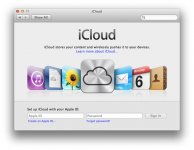
Cool, yeah thanks for including it, I tinkered with the shading a little more. olePigeon, feel free to improve... It does look a lot like iCloud, I was trying to go for a hybrid of 1991 and 2012, so I guess that's what happened. Name-wise CloudFloppy could bridge the eras, but sounds kind of funny. :b&w: bbraun, a tiny suggestion is to center your © and name at the bottom to balance out the rest of the window.

Hi,
I also have a small suggestion regarding the icon vs. full-size window graphic. They're inconsistent. The icon has a small compact Mac in the cloud, while the window graphic has a floppy disk.
Perhaps either replacing the Mac with a disk on the icon, or the disk with the Mac on the window graphic will resolve this. Frankly, I like the floppy better, but I'll leave the decision as to what stays for the designer(s) to figure out.
Other than that, it looks quite good!!
I must download this sometime and try it out.
c
p.s. Maybe the Serial disk driver can be merged into this somehow to make an all-in-one solution for connecting classic Macs to various forms of modern-ish network storage.
I also have a small suggestion regarding the icon vs. full-size window graphic. They're inconsistent. The icon has a small compact Mac in the cloud, while the window graphic has a floppy disk.
Perhaps either replacing the Mac with a disk on the icon, or the disk with the Mac on the window graphic will resolve this. Frankly, I like the floppy better, but I'll leave the decision as to what stays for the designer(s) to figure out.
Other than that, it looks quite good!!
I must download this sometime and try it out.
c
p.s. Maybe the Serial disk driver can be merged into this somehow to make an all-in-one solution for connecting classic Macs to various forms of modern-ish network storage.
It's not so much being picky as trying to be helpful by comrades that aren't able to help in the actual code development process . . .
. . . think of it as a creative focus group/development process for the eventual packaging, we've got a long tradition of collaboration in UI development.
. . . think of it as a creative focus group/development process for the eventual packaging, we've got a long tradition of collaboration in UI development.
Thanks everyone!
Cloud 7 0.5.4.cpt.hqx
This includes tt's updated cloud image, centering-ish of © line, and a bug fix when connecting after a disk image had been mounted, unmounted, remount->sadness.
FWIW, all of the image placement is handled in the resources. If you open up the control panel in ResEdit, 'DITL' resource -4064 is the control panel. Control Panels are a bit weird because everything is shifted right by the same size as the System 6 Control Panel where it had all the different CPs in a vertical list on the left. System 7 maintains the shift for compatibility. Which means all of ResEdit's auto-centering and stuff doesn't really work so good. Additionally, ResEdit displays things in a different font than the system uses for CPs, so the visual alignment in ResEdit doesn't reflect actual use. All of these can be programmatically set at runtime, but I haven't done that, I'm just using the 'DITL' resource for placement.
The cloud graphic is 'PICT' resource 128, although size changes to the graphic need to be reflected in the 'DITL' item.
Anyway, that's just an FYI for anyone that wants to play with the CP layout themselves. If anyone does mess with this, feel free to paste the resources you've changed into a new file, and send it to me.
CC_333: regarding the combination of this and Serial Disk, that's something I can look at down the road. Serial Disk (I feel) is fairly solid right now. I haven't had problems using it in a variety of configurations, etc. While HTTP Disk/Cloud 7 works well in some configurations, I don't feel it is quite to the same quality as the Serial Disk yet. So, for the moment, I'd like to develop them separately. Down the road, if/when they catch up to each other in development, combining them might work well.
Thanks everyone for the suggestions, the graphics, and the interest!
Cloud 7 0.5.4.cpt.hqx
This includes tt's updated cloud image, centering-ish of © line, and a bug fix when connecting after a disk image had been mounted, unmounted, remount->sadness.
FWIW, all of the image placement is handled in the resources. If you open up the control panel in ResEdit, 'DITL' resource -4064 is the control panel. Control Panels are a bit weird because everything is shifted right by the same size as the System 6 Control Panel where it had all the different CPs in a vertical list on the left. System 7 maintains the shift for compatibility. Which means all of ResEdit's auto-centering and stuff doesn't really work so good. Additionally, ResEdit displays things in a different font than the system uses for CPs, so the visual alignment in ResEdit doesn't reflect actual use. All of these can be programmatically set at runtime, but I haven't done that, I'm just using the 'DITL' resource for placement.
The cloud graphic is 'PICT' resource 128, although size changes to the graphic need to be reflected in the 'DITL' item.
Anyway, that's just an FYI for anyone that wants to play with the CP layout themselves. If anyone does mess with this, feel free to paste the resources you've changed into a new file, and send it to me.
CC_333: regarding the combination of this and Serial Disk, that's something I can look at down the road. Serial Disk (I feel) is fairly solid right now. I haven't had problems using it in a variety of configurations, etc. While HTTP Disk/Cloud 7 works well in some configurations, I don't feel it is quite to the same quality as the Serial Disk yet. So, for the moment, I'd like to develop them separately. Down the road, if/when they catch up to each other in development, combining them might work well.
Thanks everyone for the suggestions, the graphics, and the interest!

OlePigeon: I like #130 and 131. Icon #131, in particular, is pretty much what I had in mind (basically a scaled down version of tt's graphic).
Since it has to do with storage, a disk in the icon seems logical to me.
Isn't there a way to get a real copyright symbol (like this: ©), rather than ©? It's Option + G for me on OS X 10.8. Perhaps Systems 6 through 7.5.x are different somehow?
c
Since it has to do with storage, a disk in the icon seems logical to me.
Isn't there a way to get a real copyright symbol (like this: ©), rather than ©? It's Option + G for me on OS X 10.8. Perhaps Systems 6 through 7.5.x are different somehow?
c
 )
