

Okay, so I just got taken to beginner school by the mod. Good call, Bunsen. Turning off extensions on startup allowed the boot to complete.
We are OS 9 live!
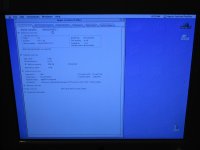
Couple of notes:
1) I'm running a MDD June 2003 single 1.25Ghz CPU/board combo inside what was originally a FW800 box. I'm using one 256MB stick of PC2600 RAM that was on the FW800 board.
2) I booted from my retail Tiger install disk, wiped and partitioned the drive, and installed Tiger.
3) I used the MDD OS9 disk to install an OS9 system folder. According to the documentation on that disk, the OS9 install is for Classic support only under OSX and will not support booting in OS9. But it does.
4) It crashes on startup unless extensions are off.
So all that's left is to find the extensions conflict.
Video-driver conflict has been suggested. I will look into that possibility and keep you all posted.