

Thread
Macintosh IIci VS IIsi
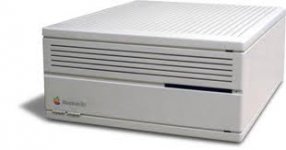
V.S.
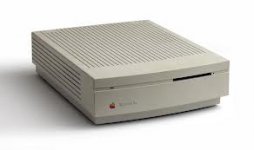
from lem:
"Adding a video card was a popular way to increase performance and free precious RAM; another boost came from adding a level 2 (L2) cache. This proved so popular that Apple eventually made a 32 KB cache standard."
http://lowendmac.com/ii/macintosh-iici.html
So does this mean the IIsi has this Cache built in?
http://lowendmac.com/roadapples/iisi.shtml
"It's debatable whether this is really a Second Class Mac. The IIsi was a bit of an odd duck."
"If it had run at 25 MHz, that would have been nice. (BTW, the IIsi is frequently chipped to 25-28 MHz, which allows it to reach its full potential.)"
Anyways, after installing 64meg of ram in my IIsi, i started getting these Unexpected Errors type "1" show up , Applications closing on me at random times etc, Keep in mind this IIsi has Dougg3's 8mb ROM installed. and bbran's 7.0.1 Image on it, /w applications filling up the rest of the 8mb space.
So after I received this beat up IIci last week(free from captainbob), Re-caped er, washed and scrubbed, finally she is ready for a real use!
This bad boy also has its cache card installed.
Poped in the rom, set the jumper to disable the IIci's onboard rom, and hit the power button! First thing i noticed is the Ram Test was definitely disabled, with 64 megs of ram in this, right away grey screen appeared trying to boot something...
Anyways, Just after using Dougg3's ROM in the IIci, i'd just like to say the IIci seems like a real machine (in general use) Not sure if its just the extra 5mhz, or if its that Cache Card, or the one meg of onboard ram in the IIsi slowing everything down... The IIci is preforming quite well.
I didn't think there would be that much of a difference is all, that is why i posted this.
However i am still getting unexpected Error Type "1" (App/Game Crash) at random times using the Hacked ROM Simm
This is with the machine in 32 bit mode, Tried R and RA, I need to do some more testing in 24 bit mode...
Anyone else think the IIci is a powerhouse?
Yes. Back in 1998, when I got my first ci (one that I found at Boeing Surplus Sales), I noticed that it was a big improvement over the IIsi I'd been using for five years. I still wouldn't mind having another IIsi, but, I'm not actively searching for one.
If you can get a 64K or 128K Daystar cache card, grab it. A bit of an improvement over the stock 32K cache...
-J
If you can get a 64K or 128K Daystar cache card, grab it. A bit of an improvement over the stock 32K cache...
-J
Well, as the IIci was a very expensive, high-end machine, and as the IIsi was designed and marketed as a low cost, consumer machine, the IIci should well and truly be a better one. If I am not mistaken, the price differential between the two was something like three thousand dollars.
Mind you, it can be hard to tell the difference these days, given that we mostly only ever switch them on for a few minutes, rather than use them for hours and days at a stretch. Run a IIsi in System 6 with period software for a few minutes and it still seems plenty fast to a tinkerer, esp. with the IIsi Nubus adapter installed, which has on-board cache as well as an FPU slot.
Mind you, it can be hard to tell the difference these days, given that we mostly only ever switch them on for a few minutes, rather than use them for hours and days at a stretch. Run a IIsi in System 6 with period software for a few minutes and it still seems plenty fast to a tinkerer, esp. with the IIsi Nubus adapter installed, which has on-board cache as well as an FPU slot.
Yeah it just blows my mind to think how much one of these were new,
just like the IIfx!!!!!
Now adays you can get a 21.5 iMac brand new, From microcenter when they have their sale, for 999.00 and were talking about a quad core, 4 gigs ram… nice machine.
my mom was talking about in the middle 80's spending 400 bucks on a 4 head VHS player.
no wonder why the 80's and 90's were roaring
These days its like depression ally. Everyones broke.
just like the IIfx!!!!!
Now adays you can get a 21.5 iMac brand new, From microcenter when they have their sale, for 999.00 and were talking about a quad core, 4 gigs ram… nice machine.
my mom was talking about in the middle 80's spending 400 bucks on a 4 head VHS player.
no wonder why the 80's and 90's were roaring
These days its like depression ally. Everyones broke.
Heh, we paid $400 for a Sharp 2-head mono VHS machine in '84... I think the Sony 4-head VHS HiFi unit that replaced it in '97 was about $250.
*edit* re: computer usage - my IIci sometimes can be on for 2-3 hours at a time. Same with the //e, etc. Depends on what program I'm running. If it's Oregon Trail or another game, it may be on for a while.
-J
*edit* re: computer usage - my IIci sometimes can be on for 2-3 hours at a time. Same with the //e, etc. Depends on what program I'm running. If it's Oregon Trail or another game, it may be on for a while.
-J
I don't see any SRAM for L2 cache on my two NuBus adapters for the IIsi. This may be a red herring again.
There are two IC's not well labeled as U2 and U3 on the silk-screen layer, it almost looks like it says L2 and U3. However the ICs are ID'd in between as 74ALS240, which is an Octal Buffer, not SRAM.
I know the NuBus ChipSet on the board has no built in SRAM, because the DuoDock uses the same ChipSet and has discrete SRAM L2 Cache on the Main Logic Board. It'd be an interesting experiment to see if this Cache works with no DeclROM in the Dock.
Someone likely read the abbreviated U2 designation as L2 with a serif on the L as opposed to a shortened riser on the right had side of the U, which looks a lot like a mirror imaged J.
Or I'm way off base once again. But his is the first mention of cache on the NuBus Adapter I've ever seen.
I haven't given up on hacking L2 Cache into the SuperIIsi™ just yet, however. You can probably figure out the intended source for compatible SRAM . . .
. . . and the rough model for adding that cache to the 68030 PDS! [}
] ]'>Quite right. I should check my facts before blurting things out, but I cold have sworn....
http://www.stevenmatarazzo.com/oldmac/AppleGuides/Macintosh_CPUs_and_Expansion_Cards/Macintosh_IIsi_NuBus_Adapter_Card.pdf
http://www.stevenmatarazzo.com/oldmac/AppleGuides/Macintosh_CPUs_and_Expansion_Cards/Macintosh_IIsi_NuBus_Adapter_Card.pdf
IIRC, there's a red herring out there about L2 Cache being present on the IIsi MoBo. It's a web site/article/whatever I've seen somewhere recently. Found it, researched it in different lists of specifications, debunked it and moved on w/o even looking at the components on my MoBo.
There are four ICs of some sort on the IIsi MoBo boxed in a graphic and identified as being L2 Cache, they certainly are not . . .
. . . now I'm curious . . . but very tired. |)
Did you take a peek at a NuBus adapter and see the stunted U in the designation for component U2? Looks to be part of a trace interfering with the printing.
There are four ICs of some sort on the IIsi MoBo boxed in a graphic and identified as being L2 Cache, they certainly are not . . .
. . . now I'm curious . . . but very tired. |)
Did you take a peek at a NuBus adapter and see the stunted U in the designation for component U2? Looks to be part of a trace interfering with the printing.
well then, that is one thing the IIsi will never have, is L2 Cache.
Maybe . . . and then again, maybe not . . . }
IIci cache card?
Nope, read above & guess! :lol:
my guess is your good but not a miracle worker
Lazy! 
I already said something about testing the SRAM L2 Cache in the DuoDock to see if it remains active without Dock Support. Such is the case with the NuBus SubSystem. If so, mimicking the L2 implementation on the Duo's '030 PDS Docking Connector by hacking it onto the IIsi PDS might prove an interesting exercise . . .
. . . but it'll probably need to be ugleeee! [}] ]'>
I already said something about testing the SRAM L2 Cache in the DuoDock to see if it remains active without Dock Support. Such is the case with the NuBus SubSystem. If so, mimicking the L2 implementation on the Duo's '030 PDS Docking Connector by hacking it onto the IIsi PDS might prove an interesting exercise . . .
. . . but it'll probably need to be ugleeee! [}
] ]'>Google "Applied Engineering Quicksilver IIsi."
THX, beachycove, "Quicksilver IIsi" worked even better!
Now I've got something interesting to do onboard the passive SuperMac IIsi Adapter in the SuperIIsi™ Spec! Very cool hacking prospect!
edit: decided that .TXT needed to be backed up here!
. . . and now . . . to noodle out the how! }
Now I've got something interesting to do onboard the passive SuperMac IIsi Adapter in the SuperIIsi™ Spec! Very cool hacking prospect!
edit: decided that .TXT needed to be backed up here!
I love it when one of my WAGs turns out to have been done before . . . :beige:
. . . and now . . . to noodle out the how! }
with a upgrade like that, the only thing left to do is change the cpu crystal to 50mhz or maybe 55mhz
then she would be runnin on all 8.
then she would be runnin on all 8.
Seven of Eight, but not bad at all! That beats the Meatloaf Ratio by a fair margin. 
The eighth piston was seized by Apple at the soldering of Bank A, but there's no piston rod installed! }
It's lookin' like a new PCB is brewin' up in AI9 after all. I can jumper the SRAM Cache PCB in between the SuperMac's connectors by installing the missing Zeners on it and then soldering both uncut legs of every Zener to the adapter where the connections originate . . .
< . . . zips over to re-activate hacks thread. >
The eighth piston was seized by Apple at the soldering of Bank A, but there's no piston rod installed! }
It's lookin' like a new PCB is brewin' up in AI9 after all. I can jumper the SRAM Cache PCB in between the SuperMac's connectors by installing the missing Zeners on it and then soldering both uncut legs of every Zener to the adapter where the connections originate . . .
< . . . zips over to re-activate hacks thread. >
The only SRAM pinout I have handy is the Intel 5101 256x4 listed in the CMOS CookBook. Does anyone have a recommendation to explore for IIsi L2 Cache of any particular size?
Found the red herring!
I rediscovered the article that identified Cache on the IIsi MoBo. I can't be certain, I don't have the component view of the IIsi's MoBo, the DevNote appears to be borked, or it's not there.
Dollars to doughnuts on my best guess: based upon the block diagram, I think the author is/was looking at the Video Buffering setup for Bank A and interpreting those components as L2 Cache.
The other guess is that those chips ARE Bank A . . . whatever, I'm not looking at the IIsi tonight! g'nite!
zzzzzzzzzzzzzzzzzzzzzzzzzzzzzzzzzzzzzzzzzzzzzzzzzzz
I rediscovered the article that identified Cache on the IIsi MoBo. I can't be certain, I don't have the component view of the IIsi's MoBo, the DevNote appears to be borked, or it's not there.
Dollars to doughnuts on my best guess: based upon the block diagram, I think the author is/was looking at the Video Buffering setup for Bank A and interpreting those components as L2 Cache.
The other guess is that those chips ARE Bank A . . . whatever, I'm not looking at the IIsi tonight! g'nite!
zzzzzzzzzzzzzzzzzzzzzzzzzzzzzzzzzzzzzzzzzzzzzzzzzzz
I now have a second IIci thanks to insaneboy, this one is in good shape just a bad cache card, must of suffered an ESD, its no good...
Anyways using this IIci /wo the cache card feels just like a IIsi. I just wanted to throw that tidbit out there.
Anyways using this IIci /wo the cache card feels just like a IIsi. I just wanted to throw that tidbit out there.
Just a random thought on the IIsi. Since most of us have amounts of memory that would have seemed crazy at the time these machines were introduced, the 1MB of onboard RAM isn't particularly significant. It also has the performance penalty of shared RBV access. The RBV interleaves memory access on Bank A on both the IIsi and the IIci. Losing bank A on a IIci would be unfortunate, but losing the soldered 1MB bank A of the IIsi probably wouldn't be missed.
I'm aware that there's a tool out there that makes a 1MB RAM disk to consume the 1MB of onboard RAM to make sure none of your regularly accessed RAM overlaps with RBV access. But I was toying with the idea of just making that 1MB disappear in ROM. It would still be used by RBV, but just to remove it from use by the memory manager.
I'm aware that there's a tool out there that makes a 1MB RAM disk to consume the 1MB of onboard RAM to make sure none of your regularly accessed RAM overlaps with RBV access. But I was toying with the idea of just making that 1MB disappear in ROM. It would still be used by RBV, but just to remove it from use by the memory manager.
that is a good idea!,
Also what i do is set my disk cache to 1024, and that from what they said on wikipedia. It said the disk cache will eat up that 1mb ram so video doesn't use it.
http://en.wikipedia.org/wiki/Macintosh_IIsi
"David Pogue's book Macworld Macintosh Secrets observed that one could speed up video considerably if one set the disk cache size large enough to force the computer to draw video RAM from faster RAM installed in the SIMM banks."
Also what i do is set my disk cache to 1024, and that from what they said on wikipedia. It said the disk cache will eat up that 1mb ram so video doesn't use it.
http://en.wikipedia.org/wiki/Macintosh_IIsi
"David Pogue's book Macworld Macintosh Secrets observed that one could speed up video considerably if one set the disk cache size large enough to force the computer to draw video RAM from faster RAM installed in the SIMM banks."
Prices on electronics in general have been sliding down a steep slope for decades, owing to automated mass production and ever-increasing integration packing more and more functionality onto smaller and smaller wafers of silicon. Back in the 1950s a typical B&W TV would set you back several months earnings from a good family wage job. There was a reason only the extravagantly rich had more than one. My dad's first electronic calculator was over $400 in the 70s, just a few years later you could buy a similarly capable unit for under $30, and by the 80s they were given away as free promotional items.my mom was talking about in the middle 80's spending 400 bucks on a 4 head VHS player.
no wonder why the 80's and 90's were roaring
These days its like depression ally. Everyones broke.
Everyone may be broke, but look in the dumpiest trailer parks in the poorest areas of the nation and you'll still see a few satellite dishes, flatscreen TVs, DVD and blueray players, mobile phones, video game systems, laptops, etc.