

I have spent most of the day playing with the Quicktake.
Well playing is nor really appropriate
First step was to find the software (i was lucky to find the French one -just for fun as US one will have been ok)
Next step was to get a set of floppies ready, so out the Powermac G4 and the Usb floppy drive (in the end one disk was bad, but anyway...)
Then out the IIsi' s (both units) a keyboard, a mouse, a display...
First try didn't worked (one of the Floppy Drive has gone bad) but in the end i got the software working great.
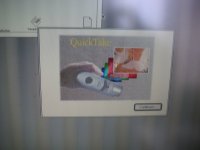
The process is very long and you need 4 floppies for the Quicktake 150 (just 2 for the 100)
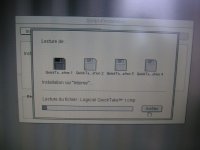
At the end, the software will ask again the first floppy and a reboot.
using the camera is really easy, just plug the serial cable and ask for a connection...nothing more.
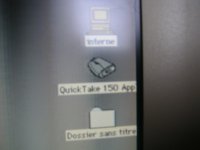
A double click and pictures are there, this little cam is working flawlessly :b&w:
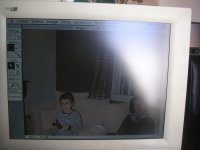
My wife and kid playing Skylander :lol:
Well to be honest, quality looks pretty poor (seems better with the RasterOps card) but the Photoflash software provided will help to improve things a bit...but not much.
Well playing is nor really appropriate
First step was to find the software (i was lucky to find the French one -just for fun as US one will have been ok)
Next step was to get a set of floppies ready, so out the Powermac G4 and the Usb floppy drive (in the end one disk was bad, but anyway...)
Then out the IIsi' s (both units) a keyboard, a mouse, a display...
First try didn't worked (one of the Floppy Drive has gone bad) but in the end i got the software working great.
The process is very long and you need 4 floppies for the Quicktake 150 (just 2 for the 100)
At the end, the software will ask again the first floppy and a reboot.
using the camera is really easy, just plug the serial cable and ask for a connection...nothing more.
A double click and pictures are there, this little cam is working flawlessly :b&w:
My wife and kid playing Skylander :lol:
Well to be honest, quality looks pretty poor (seems better with the RasterOps card) but the Photoflash software provided will help to improve things a bit...but not much.