

Ok. I've removed the drive and took a closer look at it. I've disconnected the circuit board and noticed something:
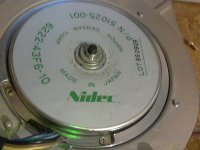
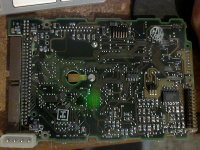
There is some "debris" near the center axle area that contacts a copper fin on the circuit board. Here's a photo of the underside of the circuit board:
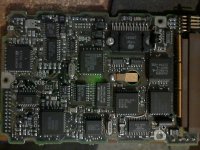
And here's a photo of the top IC. If it has capacitors, it doesn't appear to be using the type prone to leaking:
My main concern is that debris on the center axle. (the whole "disc" area rotates, so it rotates with the platters.
Maybe it's a lubrication issue?
EDIT:
Ok I powered it up with an external power adapter (It came with my IDE/SATA to USB adapter. So it was useful in this case. ).
).
I noticed the LED flashed 8 times. I found this awhile back:
http://stason.org/TULARC/pc/hard-drives-hdd/seagate/ST157N-0-49MB-3-5-HH-SCSI1-SE.html
Flashes -Failures codes
1 | Microprocessor/Internal Memory Test
2 | Microprocessor ROM Checksum Test
3 |Controller Chip Test
4 |Controller Program RAM Test
5 |Data Buffer RAM Test
6 |Spindle Speed Test
...| If the drive is unable to reach and maintain correct
...| spindle speed
8 |Read Operating System Microcode From Drive
...| If the controller is unable to read the operating system
...| from the drive
9 |Read Operating System Microcode From Drive
...| If the controller reads the operating system records,
...| but determines that they are invalid.
So the drive is telling me the error for number 8. "Read Operating System Microcode From Drive - If the controller is unable to read the operating system from the drive"
Not sure what this means exactly. Perhaps a LFF could fix it. Won't know till I get a mouse though.
That rules out motor sticking though as it would have given me error 6 instead if the spindle couldn't get up to speed. (and in that instance I would believe it would power down on that error)
Edit2: Powered it up a second time and it doesn't display a blinking LED code that time. Seems hit and miss. (mac still didn't boot from it though). I left it on and will see what Lido says this time.
There is some "debris" near the center axle area that contacts a copper fin on the circuit board. Here's a photo of the underside of the circuit board:
And here's a photo of the top IC. If it has capacitors, it doesn't appear to be using the type prone to leaking:
My main concern is that debris on the center axle. (the whole "disc" area rotates, so it rotates with the platters.
Maybe it's a lubrication issue?
EDIT:
Ok I powered it up with an external power adapter (It came with my IDE/SATA to USB adapter. So it was useful in this case.
).I noticed the LED flashed 8 times. I found this awhile back:
http://stason.org/TULARC/pc/hard-drives-hdd/seagate/ST157N-0-49MB-3-5-HH-SCSI1-SE.html
Flashes -Failures codes
1 | Microprocessor/Internal Memory Test
2 | Microprocessor ROM Checksum Test
3 |Controller Chip Test
4 |Controller Program RAM Test
5 |Data Buffer RAM Test
6 |Spindle Speed Test
...| If the drive is unable to reach and maintain correct
...| spindle speed
8 |Read Operating System Microcode From Drive
...| If the controller is unable to read the operating system
...| from the drive
9 |Read Operating System Microcode From Drive
...| If the controller reads the operating system records,
...| but determines that they are invalid.
So the drive is telling me the error for number 8. "Read Operating System Microcode From Drive - If the controller is unable to read the operating system from the drive"
Not sure what this means exactly. Perhaps a LFF could fix it. Won't know till I get a mouse though.
That rules out motor sticking though as it would have given me error 6 instead if the spindle couldn't get up to speed. (and in that instance I would believe it would power down on that error)
Edit2: Powered it up a second time and it doesn't display a blinking LED code that time. Seems hit and miss. (mac still didn't boot from it though). I left it on and will see what Lido says this time.