
Thread
Classilla 9.3.2
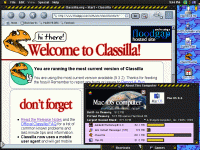

Only my TAM and PowerBook 1400 use VM (actually RAM Doubler) because both of them are severely RAM-impaired; the TAM is limited to 128MB and the 1400 to 64MB, so they need all the help they can get.
But all my other OS 9 systems are crammed with physical RAM and VM is turned off, and as you saw, it makes a massive difference in performance to run everything out of memory. Sadly, there is no easy and safe way to do this with OS X. +1 to Classic.
But all my other OS 9 systems are crammed with physical RAM and VM is turned off, and as you saw, it makes a massive difference in performance to run everything out of memory. Sadly, there is no easy and safe way to do this with OS X. +1 to Classic.
Here's a little bug I just came accross. I thought links were broken last night but today I tested it again.
Downloading files and/or 'Save link target as' create disk activity for a second or two but nothing happens. So in 9.3.2 I cannot download files. How I tested was copy paste the link into Internet explorer 4.5 and it downloads.
Downloading files and/or 'Save link target as' create disk activity for a second or two but nothing happens. So in 9.3.2 I cannot download files. How I tested was copy paste the link into Internet explorer 4.5 and it downloads.
I seem to recall something about virtual memory being beneficial to the performance of Mac OS 9 on PowerPC computers, even in situations where you have enough ram that your data never has to touch it. It had something to do with needing to pull entire large executable files off of the disk and put them in ram in order to run them, rather than being able to start the program quicker and only pull the parts of an application that you need from the disk.
When launching the apps or when running? I haven't run a PowerPC machine in a while so I don't even remember how I used to run.
Classichasclass: the older apple software page on the apple site, and also from macguicity.com..... I can get specific in the morning.. however anything I have tried wont work. After a few reboots I managed to get a "save this file where" dialog... I would see a temp file appear but then just as fast dissapear. Still no luck. I may just trash it and try again.
What happens is that the code fragment of the Mac PEF executable remains on disk in VM mode, and is demand-paged in. This requires less working memory because the entire segment need not be loaded, and as a result appears to make the app start faster, but the application can be paged out -- technically, its in-memory mapped pages will be marked as on-disk to make room for another app to use those RAM pages, since the code fragment is immutable -- as well as paged in which means that overall performance can be worse if a particular code segment is hot. The operating system can also be subject to this operation, worsening overall operation still.
RAMDoubler improves on this somewhat by compressing memory where possible so that more pages can fit in RAM, so it swaps less. If you have to use VM due to low memory (1400 or TAM in my case), use RAMDoubler.
With virtual memory off, everything is loaded into memory, including the OS. This uses significantly more RAM in some cases, but it will be a lot faster in the long run because nothing gets swapped out to disk and everything runs from physical memory. In fact, OS 8/9 won't even let you enable VM if you have 1GB or more of RAM.
Just to complicate things, applications with shared libraries (Classilla has a lot of shlbs) don't have them all mapped at once. The shlb is only mapped or loaded on reference, unlike apps that just have a big honking code frag. Classilla has to load a number of shlbs to get started, and these will all be separately mapped under VM.
If you want real insanity, try browsing the web on a PowerBook 5300 with 8 MB of physical RAM...
Went with a PCMCIA flash drive as boot drive, RAMdoubler, SpeedDoubler, absolute minimum possible system load (System 7.5.5 stripped to the TCP/IP-capable bone,) and iCab. Still unstable as hell...
Went with a PCMCIA flash drive as boot drive, RAMdoubler, SpeedDoubler, absolute minimum possible system load (System 7.5.5 stripped to the TCP/IP-capable bone,) and iCab. Still unstable as hell...
That assumes that the classic VM system is at all logical. Why take the risk? We already know that classic VM is not a typical demand-page system and that loads are non-determinative. So if you have the RAM, why not get around that problem completely?
Besides, you don't get those pages for free. First there's the overhead of VM itself -- with it disabled, the nanokernel turns all loads and stores into direct access. The VM system ages all memory pages using an LRU algorithm every eighth page fault (this got better in 7.5.5, but still occurs in OS 9; see TN 1069), which gets worse as memory increases, and VM uses up file descriptors and disk cache for its data fork loading. There is also maintenance of the backing store which must occur even if nothing is being paged out, and the backing store still exists and is serviced even in the 1MB "file mapping only" VM mode, even though the store is itself not used for the code fragment mapping. None of this happens with VM disabled; it's all real memory and there is no abstraction or overhead.
In fairness, OS 9 did substantially improve code fragment mapping, and OS 9 even has SPIs for letting the app itself control it, but you get this even with VM off. So there's even less of a reason to take the hit.
I'm having a bit of an issue after swapping hard drives. I formatted this guy and copied my older slower HDD to it.
Everything seems to work fine, except classilla. I was using a custom theme so that might be what is screwing it up.
Is there a way to trash my preferences and start clean?
(I've already trashed the Classilla folder, along with the Mozilla DB I found under prefs, but I don't know where else to look)
Thanks guys.

Everything seems to work fine, except classilla. I was using a custom theme so that might be what is screwing it up.
Is there a way to trash my preferences and start clean?
(I've already trashed the Classilla folder, along with the Mozilla DB I found under prefs, but I don't know where else to look)
Thanks guys.
Hello,
i just downloaded classilla 9.3.2 and until now is working great. My system (which i am using it right now) is:
Performa 6116 at 60 mhz with sonnet G3 at 500 mhz installed
136 mb ram
Mac OS 8.1 & 9.0
A pds video card with 1 mb of ram
Macintosh Color Display with 640x480 resolution
Apple M3501 keyboard
Macally adb mouse.
The only problem is that the Greek fonts (i live in Athens, Greece) don't appear correctly. I tried all greek character encodings with no success. Is there a solution for this? Also, is there a way to install greek language and with some key combination to change from one language to another? And finally, is there a way to play youtube videos on this computer system?
i just downloaded classilla 9.3.2 and until now is working great. My system (which i am using it right now) is:
Performa 6116 at 60 mhz with sonnet G3 at 500 mhz installed
136 mb ram
Mac OS 8.1 & 9.0
A pds video card with 1 mb of ram
Macintosh Color Display with 640x480 resolution
Apple M3501 keyboard
Macally adb mouse.
The only problem is that the Greek fonts (i live in Athens, Greece) don't appear correctly. I tried all greek character encodings with no success. Is there a solution for this? Also, is there a way to install greek language and with some key combination to change from one language to another? And finally, is there a way to play youtube videos on this computer system?