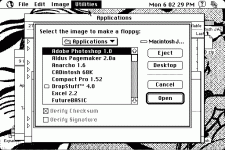
all right well here is the disk copy 6.3.3 screen. you just load up disk copy (4.2 was the same IIRC) goto utilities and click Make a Floppy or Create Floppy, and then find the network access disk image file, insert a floppy disk and then it will do the rest. you will be able to boot that disk afterward then.