
Thread
Internal floppy drive on iMac G3 - Firmware downgrade
Hey, I was working on a project involving putting a iMac G3 Rev.A board in a xbox 360 case and someone happend to tell me that the iMac G3 Rev A / B / C acutualy had a port on the board for a internal floppy drive, a bit of googleing brought up this: viewtopic.php?f=29&t=17920
So it seems it is perfectly possible, but is disabled in newer firmware versions.
So, is there any way to downgrade the firmware? (besides just desoldering the flash chip and re writeing it, which although i have the kit to remove the chip, i don't have anything that could reprogram it)
I would love to be able to do this, just to be able to load floppies into something that looks like a xbox 360
thanks in advance
-max1zz
Just thought I'd post what I sent to max1zzz in PM so it'll be around for future reference...
I didn't actually write a new program, I just modified the B&W G3's firmware updater. As long as we can find an older iMac firmware updater for the same model (which includes a firmware version before the floppy was disabled), it should be possible. I had to do a similar thing to the blue and white G3 firmware updater. If it's anything like the B&W G3 updater, it has a "whitelist" of known firmware versions it's allowed to update. I think if we find out the current firmware version, we can add it to the whitelist and then the older firmware updater will think it is allowed to "update" the newer firmware, thus replacing it with the older version.
It's worth a shot!
Took a little digging (an hour or so) but I seem to have found the 1.0 firmware over at this site
http://www.themacintoshguy.com/eightplustoo.shtml
Made sure it was an active link, and at this present moment it still downloads. Good luck guys.
http://www.themacintoshguy.com/eightplustoo.shtml
Made sure it was an active link, and at this present moment it still downloads. Good luck guys.
Nice find, markyb86! That firmware update is in the exact same format as my Blue and White G3's firmware updater. I'm trying to go back in time to see if I can figure out which firmware version initially added the floppy incompatibility. Here's a MacFixit article dated April 14, 1999 that says the "iMac Firmware Update" broke the floppy compatibility, but they don't mention a version:
Apple posts iMac Firmware Update 1.0 and iMac Update 1.1 (dated December 18, 1998)
Apple Posts iMac Firmware Update 1.2 (dated February 1, 1999)
So the discovery of the floppy breaking was definitely reported after version 1.2. We just have to hope that the problem also didn't exist in firmware update 1.0 Otherwise the only fix would be to find an original iMac that never had any firmware updates installed and dump its firmware, then put it into a firmware update file.
Hopefully downgrading doesn't have any adverse effects--there's always that risk! I'll look at the updater and see if I can force it to allow installing over newer firmware (I'd assume max1zzz's computer currently has Firmware Update 1.2 installed?)
There are three known firmware versions that iMac Firmware Update 1.0 from markyb86's link knows about:
Apple iMac Open Firmware 3.0.f8 built on 08/06/98 at 12:04:16
Apple iMac Open Firmware 3.0.b2 built on 09/17/98 at 15:19:23
Apple iMac Open Firmware 3.0.f3 built on 12/02/98 at 10:25:41
I'm not sure if 3.0.f3 is the version it installs or not...I'd have to do more checking later.
Then I found a couple of more articles:
Apple posts iMac Firmware Update 1.0 and iMac Update 1.1 (dated December 18, 1998)
Apple Posts iMac Firmware Update 1.2 (dated February 1, 1999)
So the discovery of the floppy breaking was definitely reported after version 1.2. We just have to hope that the problem also didn't exist in firmware update 1.0
Otherwise the only fix would be to find an original iMac that never had any firmware updates installed and dump its firmware, then put it into a firmware update file.Hopefully downgrading doesn't have any adverse effects--there's always that risk! I'll look at the updater and see if I can force it to allow installing over newer firmware (I'd assume max1zzz's computer currently has Firmware Update 1.2 installed?)
There are three known firmware versions that iMac Firmware Update 1.0 from markyb86's link knows about:
Apple iMac Open Firmware 3.0.f8 built on 08/06/98 at 12:04:16
Apple iMac Open Firmware 3.0.b2 built on 09/17/98 at 15:19:23
Apple iMac Open Firmware 3.0.f3 built on 12/02/98 at 10:25:41
I'm not sure if 3.0.f3 is the version it installs or not...I'd have to do more checking later.
so i guess i don't need to send you the one i have now? (it's firmware updater 1.0 and seems to have the 3.0.f3 firmware)
And i'm pretty sure it should be working in firmware 1.0, since it was reported working in a feb 1999 copy of macaddict, and as far as i am aware all the firmwares, except 1.2 are dated from before then, so hopefully should work
And yes, my imac is on version 1.2 of the firmware
And i'm pretty sure it should be working in firmware 1.0, since it was reported working in a feb 1999 copy of macaddict, and as far as i am aware all the firmwares, except 1.2 are dated from before then, so hopefully should work
And yes, my imac is on version 1.2 of the firmware
OK, all we need to do take the 1.2 firmware's version string and put it into the 1.0 updater's data fork replacing one of the strings of the firmwares it knows it can update. Then you can run the 1.0 updater and hopefully that will trick it into thinking it can install the 1.0 firmware.
I will work on it later tonight and get a patched updater file to you...
I will work on it later tonight and get a patched updater file to you...
Awesome, thanks again mate
just prepping the imac, got the socket soldered in and am gonna give it a clean install of 8.5 (since it is currently is on 9.2.2, which afaik won't run of firmware revision 1.0, and anyway, it is in German and i can't understand any of it....)
gonna be fun to see if this works
just prepping the imac, got the socket soldered in and am gonna give it a clean install of 8.5 (since it is currently is on 9.2.2, which afaik won't run of firmware revision 1.0, and anyway, it is in German and i can't understand any of it....)
gonna be fun to see if this works
hmm don't know if you have had a chance to look at modifying the updater yet dougg3, but i decided to have a dive into the updaters with resorcerer, more specifically looking at the data fork (not expecting to find anything, as i have never done this kind of modifiaction myself...), and near the end there is what seems to be a list of firmwares:
so i took a look in the 1.2 updater and sure enough near the end:
so presumabley that is the firmware whitelists? the thing that is throwing me is that firmware updater 1.0 has firmware 3.0.f3 in that list, which is firmware update 1.0?
or i could be compleatley wrong, as i say, i am no expert
Code:
Apple iMac Open Firmware 3.0.f8 built on 08/06/98 at 12:04:16 Apple iMac Open Firmware 3.0.b2 built on 09/17/98 at 15:19:23Apple iMac Open Firmware 3.0.f3 built on 12/02/98 at 10:25:41
Code:
Apple iMac Open Firmware 3.0.f8 built on 08/06/98 at 12:04:16 Apple iMac Open Firmware 3.0.b2 built on 09/17/98 at 15:19:23 Apple iMac Open Firmware 3.0.f3 built on 12/02/98 at 10:25:41 Apple iMac Open Firmware 3.0.f9 built on 02/03/99 at 16:45:21 Apple iMac Open Firmware 3.0.f10 built on 03/05/99 at 21:14:19 Apple iMac Open Firmware 3.0.f1 built on 04/01/99 at 16:47:10or i could be compleatley wrong, as i say, i am no expert
I'm just now ready to take a look at it...yep, that's the "whitelist" I'm talking about.
I'm *thinking* that the very last entry matches the firmware version string that it actually installs, but I'm not sure. Is your currently-installed firmware version 3.0.f1? I don't know if there's an easy way to find it, but I think if you run CopyROMs it will dump that firmware into a 4 MB file (four repetitions of the 1 MB firmware) and the version will be a string in it somewhere. It might actually be a good idea to dump your current firmware anyway, just so in case something goes bad we might be able to reflash your chip with the entire contents of what used to be on it (I have a Willem programmer, we could probably figure it out).
Since the original firmware update 1.0 came out in December 18, 1998, and all the rest of the firmwares after 3.0.f3 in the 1.2 list are dated after that date, I'm pretty sure the very last entry in the 1.0 whitelist is the version that it actually installs (and same with the 1.2 whitelist) -- so you probably have version 3.0.f1 currently installed, since that's the latest version in the 1.2 list.
What I would do is replace the very first entry in the 1.0 whitelist ("Apple iMac Open Firmware 3.0.f8 built on 08/06/98 at 12:04:16") with the very last entry in the 1.2 whitelist ("Apple iMac Open Firmware 3.0.f1 built on 04/01/99 at 16:47:10"). Be sure to leave the NULL byte in place that's directly after it, and don't change the size of the data fork at all. Just replace existing characters.
I can whip it up and send you the file in a sec...this is getting exciting! (P.S. it's weird that 3.0.f1 is actually newer than 3.0.f10...I wonder if they meant to call it 3.0.f11...but it's a good thing they did it that way because it would have lengthened the string and made it more difficult to patch)
Edit: here's the link to the patched updater program:
https://www.dropbox.com/s/3ncm464351gpetk/iMac%20Firmware%201.0%20Downgrade.cpt
Extract it (it's a Compact Pro archive) and it'll give you a new iMac Firmware Updater program. Copy the contents of the 1.0 disk image to a folder on your hard drive, but replace the updater application with the one I just bundled, and run it. It should allow it to install the 1.0 firmware over the 1.2 firmware...
I'm pretty sure what I have installed is 3.0.f2, I will cheack that tommrow morning (as I have packed up the iMac for the night, it's in multiple prices atm)
Anyhow, I will grab copyroms tommrow and dump the firmware and see what's on it, if it is f2 rather than f1 it's a simple enough patch
I'm pretty excited about this aswell, gonna be pretty cool if this works, just sucks I will have to wait till the morning to find out....
Anyhow, I will grab copyroms tommrow and dump the firmware and see what's on it, if it is f2 rather than f1 it's a simple enough patch
I'm pretty excited about this aswell, gonna be pretty cool if this works, just sucks I will have to wait till the morning to find out....
Good luck! I'll be excited to hear how it goes. Sorry about not being able to help you until now, it's just that I work during the day
You'll probably have to change the date string to match too. I think it compares against the entire string, so hopefully CopyROMs will let you get the string out of it. Alternatively, I can decode the update file from 1.2 and see what version it actually provides. I might do that...
Edit: Actually, if you open up the "iMac Firmware 3.0" file with a text editor, you can kind of see what firmware it installs, I think:
1.2 says "BuildVersion=0x000013F2" -- matches up with 3.0f2?
1.0 says "BuildVersion=0x000012F3" -- matches up with 3.0f3?
I'm thinking maybe the 1.0 update included its own firmware version in the whitelist, but the 1.2 update didn't...I'd be curious if an iMac with 1.0 firmware allows you to rerun the 1.0 updater over and over again. I bet it does.
One last update:
I decoded the firmware included with 1.2 and you're right, the 1.2 firmware is 3.0f2. Unfortunately the firmware appears to be compressed even after decoding it, so I'm having a hard time extracting the full date. It's something like "04/23/99 at 14:31:0something". The last digit might be 3, but I'm not sure. I think you can see the full string if you boot into Open Firmware. Otherwise, just bruteforce the last digit 0-9 ;-)
I decoded the firmware included with 1.2 and you're right, the 1.2 firmware is 3.0f2. Unfortunately the firmware appears to be compressed even after decoding it, so I'm having a hard time extracting the full date. It's something like "04/23/99 at 14:31:0something". The last digit might be 3, but I'm not sure. I think you can see the full string if you boot into Open Firmware. Otherwise, just bruteforce the last digit 0-9 ;-)
the 1.2 updated dose indeede seem to be f2, take at the "fmwr" resorce in the 1.2 updater, this is what you get:
oddly the 1.0 updater dosen't have this resorce
anyway, i'm gonna dl copyroms and see if i can read the firmware off the imac to get a confirmation of the firmware version
Code:
Apple iMac Open Firmware 3.0.f2 built on 04/23/99 at 14:31:03anyway, i'm gonna dl copyroms and see if i can read the firmware off the imac to get a confirmation of the firmware version
sucess! imac g3 reading a 800kb floppy disc!
the odd thing, i don't think it downgraded the firmware....
gonna grab a second cpu card and see what happens.....
EDIT:
now, you know what. i think we just wasted allot of time....
new cpu card, boot into 8.1, floppy drive works
boot into 9.2.2, it dosen't....
firmware on the card is 1.2
however, i did forget to remove the updater from startup items, so it could have done something to the firmware on the card, but both report 3.0.f2....
Hmm, nice find on the 'fmwr' resource!
I'm not sure why the progress bar doesn't come up...it probably means that something in the updater script failed and it decided not to try replacing the firmware. I think I saw that happen when I had a checksum wrong on my B&W G3 updater, but we haven't messed with the checksums so it's not installing for some other reason. For whatever reason, the Open Firmware script decided it couldn't update the firmware. Hmm. You did power it down, push the paper clip into the programmer's button, power it on, and wait for the long beep, right? Then it acts like it's going to update, but it reboots instead?
It's possible that the 1.2 firmware changed something and now the 1.0 firmware updater script doesn't know how to handle it. That would take more digging in, but since you have the floppy working, it's probably not worth it
I'm glad you got it working! Woohoo! I am not sure what possibly could have re-enabled the floppy drive though if the firmware didn't install. Maybe nobody ever bothered rebooting back into an older OS back in the day to see if that was part of the problem?
Part of the problem may be how the psu is wired for that imac, there is no soft power on, also it dosen't have and speakers, and seems it won't give the startup tones through the headphone socket, so it makes this kinda hard but what i did was:
run the updater, wait for the imac to power down
pull the power
hold the programmers button and plug the power back in
at which point it would sit at a white screen for a bit then reboot
if i kept holding the button it would go to open firmware, if i let go it would just boot normally and prompt the update failed.
i also tried not holding the button, and got the exact same result, and i tried without pulling the power after it shuts down, and got the same resulat
Who knows what made it work, maybe no one ever bothered trying a older version of the os, but i find that hard to believe... i did try a differen't cpu card, bur as i didn't remove the updater from startup items it could have done something to the firmware...
The only way to ever really know is if somone else trys it
it would be intesting to see if it is possible to re enable floppy support in os9, but i have no idea where to even start on that
Thanks and I must thank you guys, especially dougg3, for their help with the firmware (although it turned out to be unnessery)
And I have just tried it under os 8.5 (after allot of fussing, kept freezing as soon as I started the installer...) and it is still working will try it under 8.6 tommrow, I suspect either it or 9.0 will break it
and I must thank you guys, especially dougg3, for their help with the firmware (although it turned out to be unnessery)And I have just tried it under os 8.5 (after allot of fussing, kept freezing as soon as I started the installer...) and it is still working
will try it under 8.6 tommrow, I suspect either it or 9.0 will break itHey, no prob. I'm just glad you got it to work! It'll be good to know for future reference.
I would be really interested in figuring out what it takes to re-enable it. I wonder if we could diff the floppy disk driver between 8.5/8.6 or 8.6/9.0 (whichever breaks it). That would be *awesome* to figure out what to patch so 9.2.2 still had it enabled. You should definitely post your OS test results so we can get a good idea of where to look.
I would be really interested in figuring out what it takes to re-enable it. I wonder if we could diff the floppy disk driver between 8.5/8.6 or 8.6/9.0 (whichever breaks it). That would be *awesome* to figure out what to patch so 9.2.2 still had it enabled. You should definitely post your OS test results so we can get a good idea of where to look.
The onboard floppy port would use a different communication method though; it's not a USB drive. It would be very possible for an OS to quit including support for the onboard iMac floppy port while still supporting USB floppy drives (and still supporting other Macs' onboard floppy drives too).

Good luck, hope it works
And, i have just tried installing 8.6, and it broke floppy support, so make sure you have 8.5 or 8.1 to hand
And as promised markyb86, pics of the floppy connector on the board:


and something odd happend while testing today, seems the imac still has the old style icon for when it can't find a boot disc in it's firmware:

No idea how i got it to do that though....
And, i have just tried installing 8.6, and it broke floppy support, so make sure you have 8.5 or 8.1 to hand
And as promised markyb86, pics of the floppy connector on the board:
and something odd happend while testing today, seems the imac still has the old style icon for when it can't find a boot disc in it's firmware:
No idea how i got it to do that though....
Interesting! So 8.6 broke it. (We can assume 8.5.1 probably still had it enabled?)
I wonder what changed between those operating systems. Does 8.6 still have an iMac System Enabler? I see that 8.5 appears to have System Enabler 462 for the iMac. It contains, among other things, a single driver called .Infra (presumably for the IrDA)
Could the Mac OS ROM file have changed (8.5 has version 1.1.5), and there's something in the newer one that disables the floppy? That would probably get my first guess for where the change occurred, but I wouldn't have the first clue about hacking that file. I was hoping maybe I'd find a DRVR resource called "iMacInternalFloppy" or something that had been removed in 8.6, but no such luck
Another crazy thought -- what about trying a newer Mac OS ROM (like the one that came with 8.6) with Mac OS 8.5? Does that still boot, and if so, does the floppy work? That might be a way to figure out if the ROM file contains the change.
It looks like the Mac OS ROM file starts out as an Open Firmware script and then contains an LZSS compressed ROM image that it decompresses. Decompressing the ROM image manually might allow us to look and see what all it contains...
It looks like the Mac OS ROM file starts out as an Open Firmware script and then contains an LZSS compressed ROM image that it decompresses. Decompressing the ROM image manually might allow us to look and see what all it contains...
Intresting, will try that later, just trying to get my macbook to mount this fricking drive....
EDIT:
It is indeed disabled in the mac os rom, been playing with the mac os 8.1 HDD, if i use mac os rom 1.2, the drive dosen't work, if i use mac os rom 1.1.2, it works just fine.
just a pity 8.6 won't boot with 1.1.2
EDIT:
It is indeed disabled in the mac os rom, been playing with the mac os 8.1 HDD, if i use mac os rom 1.2, the drive dosen't work, if i use mac os rom 1.1.2, it works just fine.
just a pity 8.6 won't boot with 1.1.2
Very nice work! Are there any other public "Mac OS ROM" releases between 1.1.5 and 1.2? We could extract the ROM image from the file and try to find the difference between the last working version and the first nonworking version.
Edit: Looks like that's a negatory.
Edit: Looks like that's a negatory.
would make sense, i also wonder if people where just mixing up "iMac Firmware Update" and "iMac Update" because i must say, i initially thought the iMac update 1.1 was a firmware update.
Anyway, i'm pretty happy with the box booting 8.6, just got to finish off building it now just needs a floppy drive and hdd ordered for it...
Anyway, i'm pretty happy with the box booting 8.6, just got to finish off building it now
just needs a floppy drive and hdd ordered for it...Thanks
If you want to see the build process head over to macintosh garden and i have a thread over there on it, this is the second time i have done this mod, this time i'm trying to make the box a bit neater and with more features
Think i might mount up the floppy drive tommrow, will have to order my 8600 a new FDD and cable...
Cool, looks like i have another forum to join.
Topic link
http://macintoshgarden.org/forum/project-classic-mac-gameing-box-in-a-xbox-360-case?page=1
Topic link
http://macintoshgarden.org/forum/project-classic-mac-gameing-box-in-a-xbox-360-case?page=1
Very cool project max1zzz! I'll be watching that thread too.
I know you're satisfied with 8.6, but this whole mystery of the floppy support piqued my interest. I did some more digging and I think I see what happened. I decompressed several versions of the Mac OS ROM file (thanks to the SheepShaver source code)--1.1.2, 1.1.5, and 1.2. Starting with version 1.2, they removed the .Sony and .MFMFloppy DRVRs from the Mac OS ROM file. I still see their names referenced in places, but the actual DRVRs are no longer there. It didn't affect earlier machines with floppy drives because they use their built-in ROM which still has the floppy drivers, but it definitely affected the iMac.
It does kind of raise the question...would it be possible to bring support back to newer Mac OS versions by adding an extension that installs the .Sony and .MFMFloppy DRVRs on New World machines? The other possibility might be to patch the very newest Mac OS ROM file to include those drivers. Unfortunately, I am not well-versed in classic Mac driver voodoo, but I have to believe it's possible.
Well, I extracted the .Sony and .MFMFloppy drivers out of the Mac OS ROM file version 1.1.5. I'm pretty sure they're complete anyway...can't 100% guarantee it because I don't totally know how to parse the ROM resource list. Anyway, interestingly enough they appear to be written with 68k code rather than PowerPC.
I guess at some point we could try to figure out how to load drivers and see if loading them would re-enable the floppy drive in a newer OS version. Could probably be done from an extension or something rather than patching the Mac OS ROM file. It could also fail miserably though If you're ever interested in trying it, let me know and I can try to figure out how to manually load the drivers from an extension.
I guess at some point we could try to figure out how to load drivers and see if loading them would re-enable the floppy drive in a newer OS version. Could probably be done from an extension or something rather than patching the Mac OS ROM file. It could also fail miserably though
If you're ever interested in trying it, let me know and I can try to figure out how to manually load the drivers from an extension.Unless the iMacs have a similar floppy driver at the Open Firmware level, I doubt they ever were able to boot from that internal floppy port. The floppy driver that I have found is in the Mac OS ROM file, which would only be loaded from an existing boot drive. So there's no real advantage to putting it in Mac OS ROM as opposed to an extension--at least that's my working assumption.
I dunno if it's even possible to fit a system small enough on one anyway
I dunno if it's even possible to fit a system small enough on one anyway
if you wanted to do something like this in a xbox case they can be picked up damn cheap, i won one on ebay for £4.50 once (RRoD Console, so entire caseing, metal cage, and the scrap logicboard)
Out of intrest, did anyone else try this? still a little unsure if the firmware "updater" did anything, or weather no one ever thought of trying a older os / mac os rom before
Out of intrest, did anyone else try this? still a little unsure if the firmware "updater" did anything, or weather no one ever thought of trying a older os / mac os rom before
Although nobody else has chimed in yet, I'm 99.9% sure that the Mac OS ROM file is the culprit considering that several drivers are removed from it in the newer versions that don't work.
And now that I think about it some more, the floppy drive never would have been bootable -- because the Mac OS ROM file is too big to fit on a floppy!
max1zzz: if it isn't too much trouble, it would be useful if you could list the drivers when you're in 8.6 with the older Mac OS ROM that has your floppy drive enabled.
To do that: Download MacRelix, open it up, and in the command prompt type "drvr" (without the quotes). Then hit return, and it should give you a list of drivers. It would be very useful to get the list that it spits out. I'd particularly be interested in knowing if .Sony and .MFMFloppy are in the list. Then, if you did the same thing with a newer Mac OS ROM file that doesn't have the floppy enabled we could confirm whether something's missing from that list.
I'm suspecting .MFMFloppy is going to be present with the older Mac OS ROM and missing with the newer...and making an extension that contains and loads it may be all that's needed. Maybe.
will do tomorrow, presumably that will be the case
I did see some claims it was bootable, and i somhow managed to get the imac to seem to try to boot from the FDD (floppy icon on screen and it didn't boot from the hdd) no idea how i got it to do that. but of coarse you couldn't get os 8 on a floppy anyway.
I did see some claims it was bootable, and i somhow managed to get the imac to seem to try to boot from the FDD (floppy icon on screen and it didn't boot from the hdd) no idea how i got it to do that. but of coarse you couldn't get os 8 on a floppy anyway.
You're probably right -- I don't know of any OS 8 floppies. But no matter what, there's no way a New World Mac could boot from a floppy due to the Mac OS ROM file being too big. It's a moot point though, because the iMac was the only one that actually had a floppy port on the logic board
ok, sorry for takeing so long, been busy then had one hell of a time getting macrelix onto my imac's hdd.
List of drivers with rom 1.1.5 loaded (FDD connected, recognised, and reads discs fine)
and with rom 1.4 loaded (FDD connected, but not recognised, and not reading discs.)
so, i guess it would be the .sony driver
just gotta get it loaded on os 9 now...
List of drivers with rom 1.1.5 loaded (FDD connected, recognised, and reads discs fine)
Code:
Logging in with full privileges...

Welcome to MacRelix.

$ drvr
4: .Sony
5: .AIn
6: .AOut
7: .BIn
8: .BOut
9: .MPP
10: .ATP
40: .XPP
41: .AFPTranslator
48: .EDisk
49: .LANDisk
50: .Display_ATImach64_3DR3
51: .ATALoad
52: .DAVAudio
53: .ATADisk
54: .AppleSoundInput
55: .ASLM
56: .Infra
57: .SLM
58: .DSP
59: .ipp
60: .LeapIn
61: .LeapOut
62: .HDI
63: .swmdrvr
95: .PrinterShare
$
Code:
Logging in with full privileges...

Welcome to MacRelix.

$ drvr
5: .AIn
6: .AOut
7: .BIn
8: .BOut
9: .MPP
10: .ATP
40: .XPP
41: .AFPTranslator
48: .EDisk
49: .LANDisk
50: .Display_ATImach64_3DR3
51: .ATALoad
52: .DAVAudio
53: .ATADisk
54: .AppleSoundInput
55: .ASLM
56: .Infra
57: .SLM
58: .DSP
59: .ipp
60: .LeapIn
61: .LeapOut
62: .HDI
63: .swmdrvr
95: .PrinterShare
$just gotta get it loaded on os 9 now...
Thanks for testing that! That was very helpful...
Except I just realized that both the .Sony driver and the .MFMFloppy driver in the Mac OS ROM file identify themselves as .Sony in the DRVR resource they provide. The .MFMFloppy one just appears with that .MFMFloppy name in a different list. So the 'drvr' command returning .Sony still means it could be the .MFMFloppy driver. That driver has a date of December 1997 in ASCII, so I'm really leaning toward thinking that's the iMac floppy driver.
Tell ya what -- I'll package both of them up as extensions, and you can try them both. I hope it works, but no guarantees!
OK, I have some extensions ready to test, just put one of them into the Extensions folder. I would start by trying these drivers with Mac OS ROM 1.2, and then if that works, maybe newer Mac OS versions will work too! No guarantee that either of these will work...in fact the real .Sony one crashes my G3 Blue and White (Mac OS 9.2) at startup, but the .MFMFloppy one at least loads and appears in the driver list in MacRelix.
Try either of them, but not both at the same time (they each load themselves as DRVR #4). For the same reason, do not run them with Mac OS ROM 1.1.5 or older (DRVR #4 is already in use on them)
Credit should go to bbraun for these extensions. I borrowed his DRVR loading/opening code from his serial disk driver. I'll be crossing my fingers!
Download the test floppy drivers here.
Ok, tested them, but unfortunatley no luck...
i'm testing on os 8.6 using the stock rom from it (1.4)
with just the MFM driver i got .sony in the driver list, but the floppy drive won't read discs and isn't recgonised
With just the sony driver i don't get .sony in the list, and the drive isn't recognised and won't read discs.
With both i get .sony in the list, but the floppy drive won't read discs and isn't recgonised
So i guess there is something else at work stopping it working in newer roms then....
But thanks for putting the drivers together, let me know if you can think of anything else that may be the problem, would still love to see this working on newer roms
Eek, thanks for trying! Sorry it didn't work out. I'm not sure what to try next at this point. We're starting to reach the limit of what I know how to do
If anyone else is interested in figuring out what the heck needs to be done, the file I linked contains extensions with the DRVR resources I extracted from the Mac OS ROM file.
It's very interesting that the normal .Sony driver doesn't appear in the driver list if you use the Sony extension. I wonder if that's a clue. Maybe that one is indeed the correct one and it's having trouble loading for whatever reason.
Thought I would post something interesting I found today
Was trying to get some files on my PowerBook 1400, and hitting the problem of really bad floppies
Just to cheack the drive wasn't to fault I put in my 7.5 network access disk, and it worked, so out of pure curiosity I rebooted with the disk in the drive to see what happend. And you know what, it seemed to boot (but failed as the iMac won't run 7.5)
So maybe it is not the Mac OS rom containing the driver, but it blocking it from loading it from the firmware
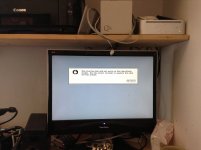
Was trying to get some files on my PowerBook 1400, and hitting the problem of really bad floppies
Just to cheack the drive wasn't to fault I put in my 7.5 network access disk, and it worked, so out of pure curiosity I rebooted with the disk in the drive to see what happend. And you know what, it seemed to boot (but failed as the iMac won't run 7.5)
So maybe it is not the Mac OS rom containing the driver, but it blocking it from loading it from the firmware
And, on further investigation, there appeared to be no floppy driver in the imac's firmware, it's all in the Mac OS rom.
I found there is a 8.1 boot floppy, it is a disk tools one supplied with the 8.1 update on apples website, boots up the iMac fine
However it only boots if there is a hdd connected with Mac OS rom 1.1.5 (or earlier)
And further more, I got the firmware downgraded to work tried it annother couple of times, and eventually I got the progress bar and a message saying update successfull, but no change, won't boot the FDD without a bootable hdd connected and no FDD support under rom 1.4
I found there is a 8.1 boot floppy, it is a disk tools one supplied with the 8.1 update on apples website, boots up the iMac fine
However it only boots if there is a hdd connected with Mac OS rom 1.1.5 (or earlier)
And further more, I got the firmware downgraded to work
tried it annother couple of times, and eventually I got the progress bar and a message saying update successfull, but no change, won't boot the FDD without a bootable hdd connected and no FDD support under rom 1.4Well, still... Booting an iMac from floppy at all is a huge accomplishment!
It seems like downgrading the firmware isn't the answer; somehow getting Mac OS ROM versions > 1.1.5 to support that driver is the key.
Anyway, perhaps I can try this on my Rev. A/B; I did a lousy job soldering on the connector first time 'round, but this inspires me to try again!
c
It seems like downgrading the firmware isn't the answer; somehow getting Mac OS ROM versions > 1.1.5 to support that driver is the key.
Anyway, perhaps I can try this on my Rev. A/B; I did a lousy job soldering on the connector first time 'round, but this inspires me to try again!
c
Let me know how it goes, would be interested to see someone else try this
it dose indeed seem that patching the mac os rom is the way to go, i guess the first thing we would need to do is figure out why the extentions dougg3 made don't work, my guess would be there is something in later roms blocking it (rather than that they just removed the drivers)
it dose indeed seem that patching the mac os rom is the way to go, i guess the first thing we would need to do is figure out why the extentions dougg3 made don't work, my guess would be there is something in later roms blocking it (rather than that they just removed the drivers)
What type of 800k disks are you trying to mount in 9.2.2? Also do you have file sharing enabled? Certain disk formats will not mount on MacOS 9 if sharing is enabled for some reason. I know this applied to ProDOS disks, don't know if it applied to any Mac formats. 400k MFS disks are not supported at all on OS 9.