
Thread
Macintosh IIci + Portrait Display and card
many thanks to Lokki for this 
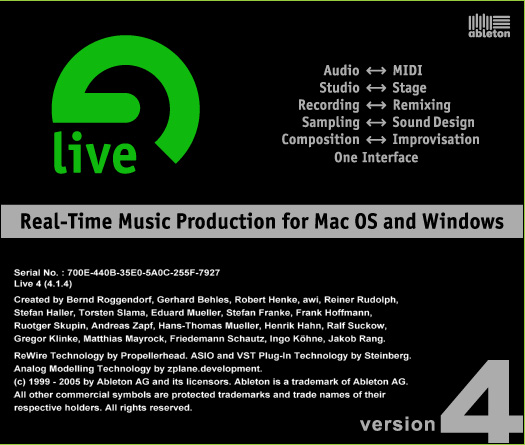
originally released in july of 2004, (v4.14 released around dec2004/jan2005) we now have this mac os 9 version of Ableton
that suports MIDI Clips + MIDI tracks.. and most important of all..** VST instruments **!
(previously in v3 and lower it only supported VST effects like reverb/compressor etc)
this is an amazing piece of software and im every excited that we now have it available to be used
in mac os 9!!
For those of you not so familiar with this program, i urge you to download.. experiment.. drag some loops into tracks and experience what it can do for yourself hands on!! dont think of ableton as a standalone program, this program is used best when used in conjunction with other programs via rewire, f.e. recording/sampling sounds over rewire from another app such as reason.. this is the perfect match for reason v2.5!
if there is any software worth buying for mac os 9 this is it.. but u would not buy it if u didnt understand what it is and what it can do for you, I personally plan on buying ableton 9 but it is a larger investment purchase.. but i would say that of all programs u can buy this one, when learned + used properly, is worth every penny!!!! i have been in contact with ableton and they offered to sell this to me for 200$ (a reduced price for a license because its an older version) so if you have already learned the program and are using this professionally you may feel this program is worth paying for.. keep it in mind to contact ableton and ask to purchase a license for mac os 9.22 and they will most likely extend the same $200 reduced price offer to you!
Here for Download...
http://macos9lives.com/smforum/index.php/topic,3198.0.html
originally released in july of 2004, (v4.14 released around dec2004/jan2005) we now have this mac os 9 version of Ableton
that suports MIDI Clips + MIDI tracks.. and most important of all..** VST instruments **!
(previously in v3 and lower it only supported VST effects like reverb/compressor etc)
this is an amazing piece of software and im every excited that we now have it available to be used
in mac os 9!!
For those of you not so familiar with this program, i urge you to download.. experiment.. drag some loops into tracks and experience what it can do for yourself hands on!! dont think of ableton as a standalone program, this program is used best when used in conjunction with other programs via rewire, f.e. recording/sampling sounds over rewire from another app such as reason.. this is the perfect match for reason v2.5!
if there is any software worth buying for mac os 9 this is it.. but u would not buy it if u didnt understand what it is and what it can do for you, I personally plan on buying ableton 9 but it is a larger investment purchase.. but i would say that of all programs u can buy this one, when learned + used properly, is worth every penny!!!! i have been in contact with ableton and they offered to sell this to me for 200$ (a reduced price for a license because its an older version) so if you have already learned the program and are using this professionally you may feel this program is worth paying for.. keep it in mind to contact ableton and ask to purchase a license for mac os 9.22 and they will most likely extend the same $200 reduced price offer to you!
Here for Download...
http://macos9lives.com/smforum/index.php/topic,3198.0.html
Quote
Release dates
Live 1 30 Oct 2001
Live 1.5 28 Apr 2002
Live 2 22 Dec 2002
Live 2.1 24 Jul 2003
Live 3 10 Oct 2003
Live 4 28 Jul 2004
Live 5 24 Jul 2005
Live 5.2 10 Apr 2006
Live 6 29 Sep 2006
Live 7 29 Nov 2007
Live 8 02 Apr 2009
Live 8.2 22 Sep 2010
Live 8.3 02 April 2012
Live 9 05 March 2013
Live 9.1 20 Nov 2013
-- http://en.wikipedia.org/wiki/Ableton_Live
Hello team 68KMLA
Today I focused on my Macintosh IIci with Portrait display which I bought a few weeks ago. It came with 38mb of RAM, original 160mb SCSI IBM hard drive, IIci Cache card, portrait display card and the worlds longest Nubus Ethernet card. System 7.6 is installed and comes with Photoshop 2.5, Final Cut 4, Macromedia director, Claris and Word 4.0. The plastics have yellowed a bit on the IIci, with the display being slightly darker in yellow.
Now the mission was to acclimate myself to this beautiful compact machine and install a new PRAM battery. With the service guide on screen, I removed the power supply then hard drive + floppy module. Happy to find no battery installed with signs of corrosion. With a brand new battery installed, I fired it up. No chime, no picture but hard drive activity. I used headphones to listen for the chime and it was there - so why no picture? I verified it wasn't the monitor by testing it earlier on a Quadra 800 and it was a beautiful picture.
The massive ethernet card was removed and I moved the Apple Portrait Display card down to another slot to see if that helped. Nope. Trying again with the last slot and nothing. So I connected the display to the built in port and it booted!
Still no chime - must be capacitors. Sure enough after close inspection with a torch and magnifying class I can see a few that have tiny bits of brown corrosion around certain capacitors compared to others which just have some silver/solder.
Anyway I wonder why this portrait display card doesn't want to put out anything?! A visual inspection shows no flaws.
With the portrait display directly connected, I could still choose 16 greys and use the computer just fine. It did seem a bit slow considering the specs so I'd suspect it's using the internal memory for VRAM which is less desired that using the dedicated card.
The full page display is gorgeous though - such a nice white to it and edge to edge sharpness which surprised me given the age. It has a small fan in it too.
Photos are uploaded here: https://plus.google.com/photos/118338589625749894332/albums/6087029219878182881
Enjoy the photos and I hope you did something retro Mac today
Today I focused on my Macintosh IIci with Portrait display which I bought a few weeks ago. It came with 38mb of RAM, original 160mb SCSI IBM hard drive, IIci Cache card, portrait display card and the worlds longest Nubus Ethernet card. System 7.6 is installed and comes with Photoshop 2.5, Final Cut 4, Macromedia director, Claris and Word 4.0. The plastics have yellowed a bit on the IIci, with the display being slightly darker in yellow.
Now the mission was to acclimate myself to this beautiful compact machine and install a new PRAM battery. With the service guide on screen, I removed the power supply then hard drive + floppy module. Happy to find no battery installed with signs of corrosion. With a brand new battery installed, I fired it up. No chime, no picture but hard drive activity. I used headphones to listen for the chime and it was there - so why no picture? I verified it wasn't the monitor by testing it earlier on a Quadra 800 and it was a beautiful picture.
The massive ethernet card was removed and I moved the Apple Portrait Display card down to another slot to see if that helped. Nope. Trying again with the last slot and nothing. So I connected the display to the built in port and it booted!
Still no chime - must be capacitors. Sure enough after close inspection with a torch and magnifying class I can see a few that have tiny bits of brown corrosion around certain capacitors compared to others which just have some silver/solder.
Anyway I wonder why this portrait display card doesn't want to put out anything?! A visual inspection shows no flaws.
With the portrait display directly connected, I could still choose 16 greys and use the computer just fine. It did seem a bit slow considering the specs so I'd suspect it's using the internal memory for VRAM which is less desired that using the dedicated card.
The full page display is gorgeous though - such a nice white to it and edge to edge sharpness which surprised me given the age. It has a small fan in it too.
Photos are uploaded here: https://plus.google.com/photos/118338589625749894332/albums/6087029219878182881
Enjoy the photos and I hope you did something retro Mac today
On the Mac II video cards I had to replace all the axial capacitors to get them working.
Minimum System Requirements
Live 4.0
MAC:
G3/400 MHz;
256 MB RAM;
Mac OS 9.2 or OS X 10.1.5
PC:
Pentium III/600 MHz;
256 MB RAM;
Windows 98, 2000, or XP
Live 4.0
MAC:
G3/400 MHz;
256 MB RAM;
Mac OS 9.2 or OS X 10.1.5
PC:
Pentium III/600 MHz;
256 MB RAM;
Windows 98, 2000, or XP
When capacitors fail they can fail open or shorted, in most cases they fail open - not allowing electricity to flow where it is needed.
I think I made a post long ago of even if you recapped and repaired a board, that it would still fail if the video and other cards needs recapping too. The caps on these cards are just as old as those on the mother board, and they would fail just as equally. And on some video cards I have seen, they have the same 47µf @ 16V caps that fails on most motherboards.
I think I made a post long ago of even if you recapped and repaired a board, that it would still fail if the video and other cards needs recapping too. The caps on these cards are just as old as those on the mother board, and they would fail just as equally. And on some video cards I have seen, they have the same 47µf @ 16V caps that fails on most motherboards.
yes of course but this is to show the original box.. 
im so glad to have an original copy;) my favourite software;)
im so glad to have an original copy;) my favourite software;)
It looks to me like the previous owner must have been Driving the Portrait from the MoBo video. The card you've got looks to be the Rev.1 High Resolution Display Video Card. Even my Rev. 2 ©1988/89 Card is incompatible with the Portrait Display:
http://home.earthlink.net/~gamba2/vid-mon-matrix.html
Give the VidCard a try with a supported Monitor from that list. A good MultiSync CRT or a REALLY good MultiSync LCD with a VGA adapter will do as well. I cannot stress enough how important it is to have at least one high quality MultiSync CRT in a 68k or Rainbow PPC toolkit. That's a much better setup for your situation.
I've picked up at least a half dozen Mac II era VidCards from lots I've snagged over the years. All have tested good at some point over the last couple of years. Yours may need caps to function at all or not, but it will need a recap at some point. I've got to start doing those, I've been procrastinating. :
.
http://home.earthlink.net/~gamba2/vid-mon-matrix.html
Give the VidCard a try with a supported Monitor from that list. A good MultiSync CRT or a REALLY good MultiSync LCD with a VGA adapter will do as well. I cannot stress enough how important it is to have at least one high quality MultiSync CRT in a 68k or Rainbow PPC toolkit. That's a much better setup for your situation.
I've picked up at least a half dozen Mac II era VidCards from lots I've snagged over the years. All have tested good at some point over the last couple of years. Yours may need caps to function at all or not, but it will need a recap at some point. I've got to start doing those, I've been procrastinating. :
.
Thank you all for the well considered replys. @Macdrone - I'm at a loss where to send my boards in Australia. I've looked! @Elfen - When and if the logic b. is done, I'll be sure to have the card inspected too. You're right about the age - both logic and video card are stamped 1989 - 25 years! @Trs-80 - I have a lovely collection of as new apple monitors and 3 different brands of Mac - VGA connectors. I took your advice and the 'Multiple Scan 17' monitor (M2494) and still no video output through the card. In a few days I'll try the next best monitor I have 'Macintosh 12-inch RGB' (M1296) as it's a fail-safe resolution.
The radials on the video cards are super easy. Any radio shack type store and you can get a soldering iron and a few matching capacitors. Cut the resistor out , leave the metal legs, put the new one in (matching direction of current flow) and solder new one to the legs.
The cute lil' RGB is too new for that card to drive. It was low performance color for the IIsi and LC series and has too FEW pixels for the "High Resolution Display Card" to be able to drive it. Timing is everything. Go figure! :
Sorry to resurrect this but is there a manual available for this version of Live?
The link to the Ableton manual v4.14 on the ableton manuals thread is not working
Oh and I guess I should've posted my question on that thread..

http://macos9lives.com/smforum/index.php/topic,525.0.html
yes u should have commented there and been specific + exact
basically requesting the admins to fix this content back where it was put (by me)
broken link : http://www.macos9lives.com/downloads/manuals/live/Live_v414_English.pdf
the entire http://macos9lives.com/downloads/ directory is gone
which has broken the same links i posted on my own site aswell http://www.oldschooldaw.com/forums/index.php/topic,32.0.html