

Thread
MDD 866 Mods
Old article about unleashing the 166 bus on first MDDs
http://www.macbidouille.com/articles/89/page1
http://www.macbidouille.com/news/2002/10/08#3610
http://translate.google.com/translate?u=http%3A%2F%2Fwww.macbidouille.com%2Fniouzcontenu.php%3Fdate%3D2002-10-08%233610+&langpair=fr%7Cen&hl=en&ie=ISO-8859-1&prev=%2Flanguage_tools
http://www.macbidouille.com/articles/89/page1
http://www.macbidouille.com/news/2002/10/08#3610
http://translate.google.com/translate?u=http%3A%2F%2Fwww.macbidouille.com%2Fniouzcontenu.php%3Fdate%3D2002-10-08%233610+&langpair=fr%7Cen&hl=en&ie=ISO-8859-1&prev=%2Flanguage_tools
Quote
Many thanks to Amber's eyes who compared the 2 computers under a magnifying glass for 2h30, Pimus for lending us a brand new G4 Bi-1GHz and Bakayo for his incredible welding skills.
Here are the modifications needed to change the G4 Bi-867's bus clock from 133 to 167MHz.
You'll note that changing the bus speed to 167MHz would overclock the CPU to over 1GHz. To prevent this, you'll have to change the CPU's multiplier coefficient from x6.5 to x6.
WARNING : for your computer to remain stable, you have to use DDR-SDRAM PC2700 modules. The usual PC2100 modules are not certified for working at these kinds of frequencies.
Quote
Note that to get the bus from 133 to 166 Mhz, overclockerait machine more than 1 Ghz. To avoid this, you must retake the multiplier of 6.5x to 6x (see this news )
Watch out !!!!!
To ensure the stability of the machine after changes, it is imperative to have only DDR-SDRAM PC 2700! The strips are not recommended 2100 !!!
Changing bus takes 2 steps:
1) changes on the motherboard (the Word is Amber)
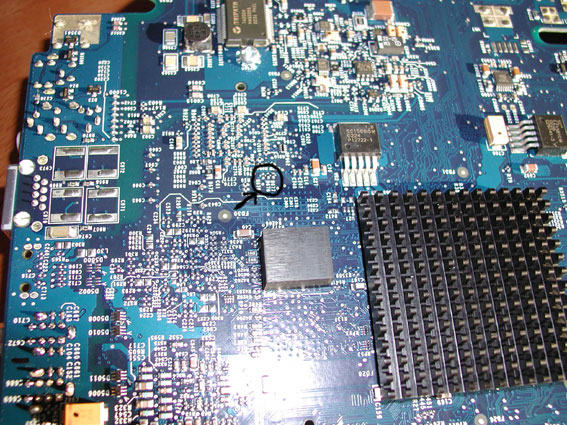
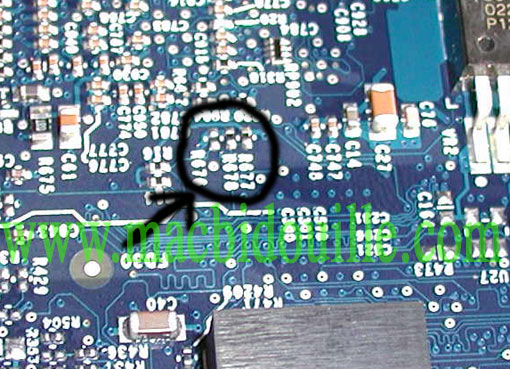
the photo is the underside of the motherboard.
I surrounded the three resistors in question.
They are in order R677, R678 and R676
Quote
a bus for 133mhz: there is a resistor at each location
for a bus to 167MHz: you must turn in the R676
(It's about 100% on because I had 2:30 to scan both cards under the microscope and that's the only difference)
So there must be other possibilities (I have not taken the time to try and ram no longer lends itself to such practices)
Apple has added a second protection on Bi 867 cards If you just change the settings on the motherboard only does it happen in 167 Mhz on the condition to map a 1Ghz or 1.25 bipro Ghz.
So I'll turn it back to Amber:
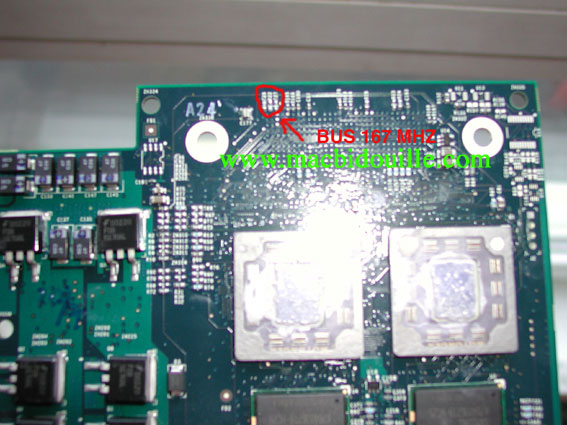
So on the map girl pictured, there is a series of three resistors
numbered as follows.
Bus 167 Mhz
R27 nothing
R22 nothing
Resistor R26
Bus 133 Mhz
R27 nothing
Resistor R22
Resistor R26
So it is a security or a lock over Apple
Quote
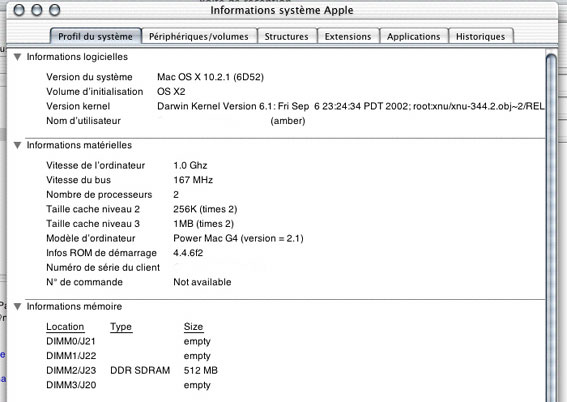
In this screenshot, you see the bus at 167 MHz. The processor board is that of a true dual 1Ghz, not Overclock.
Here is the "bible" of MDD cpu modules overclocks
http://web.archive.org/web/20110722181011/http://bitsandpieces.info/Multipliers.htm
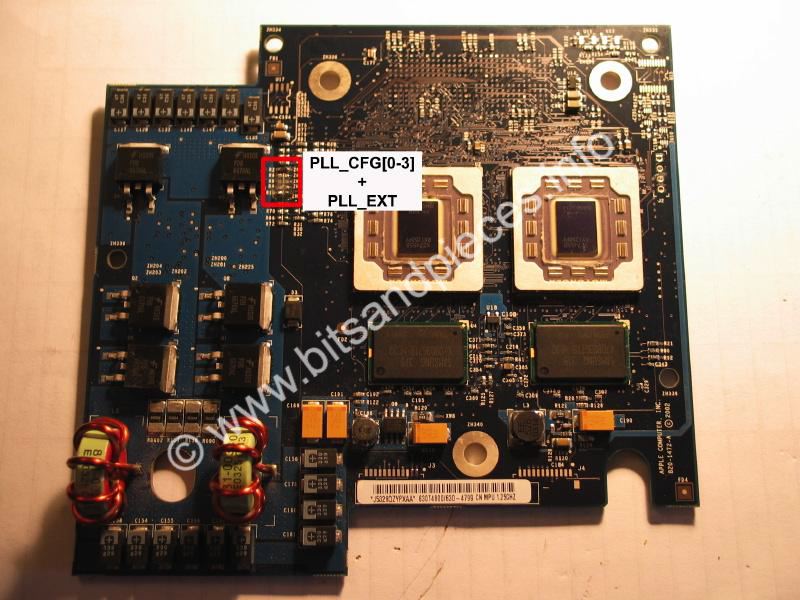
This section refers to 1420MHz modules only
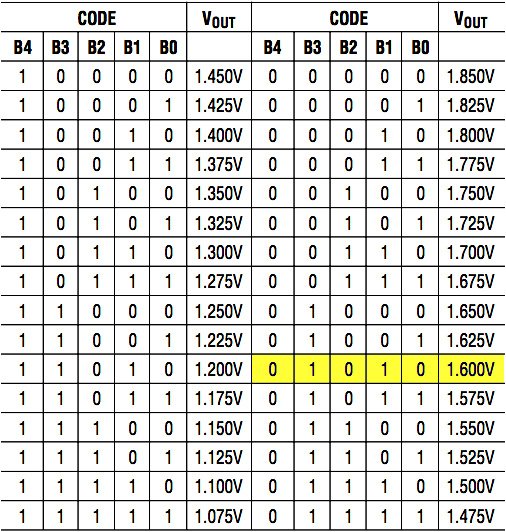
Below is the multiplier table for the 3-Phase LTC3732CG - Note the default voltage for the 1420MHz module is 1.60V
http://web.archive.org/web/20110722181011/http://bitsandpieces.info/Multipliers.htm
This section refers to 1420MHz modules only
Below is the multiplier table for the 3-Phase LTC3732CG - Note the default voltage for the 1420MHz module is 1.60V