
Thread
The chassis expansion anthology for PowerMacs
There are various expansion chassis for Macs:
PCI macs to Nubus
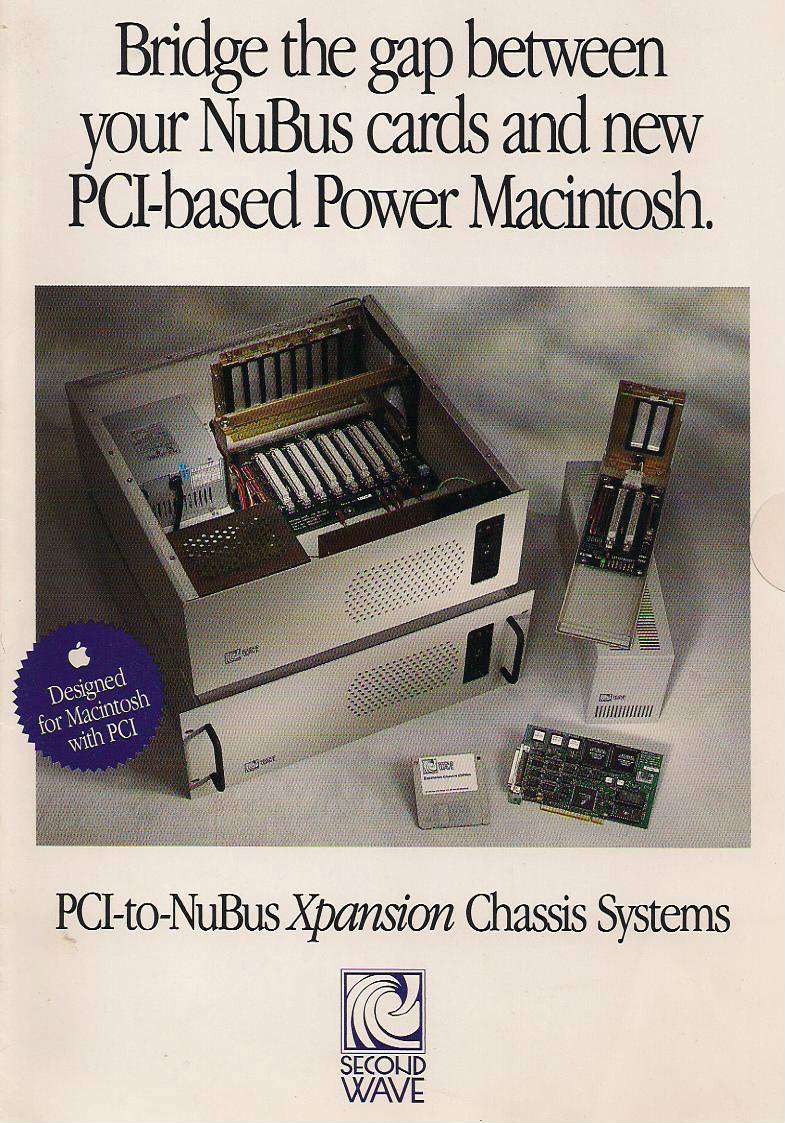
https://68kmla.org/forums/index.php?/topic/13824-second-waves-pci-nubus-expansion-box-others/
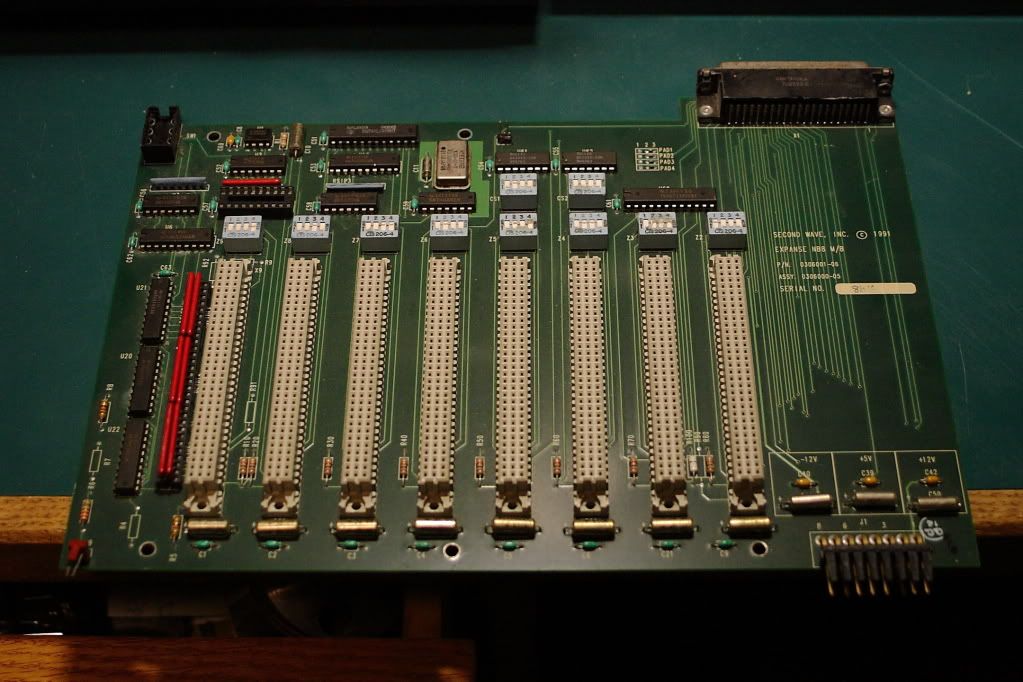
Nubus to Nubus.
Digidesign NuBus Expansion Chassis (12 Slot)
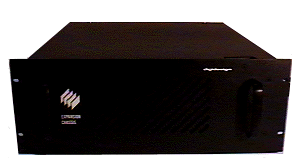
http://archive.digidesign.com/support/propix/DigiChassis.html
For PCI to PCI Magma is the leader:

http://www.magma.com/catalog/classic-pci-expansion
http://www.magma.com/13-slot-pci-expansion


Smaller 7 slot http://www.magma.com/7-slot-pci-expansion

I have seen also some SBS chassis, probably Digidesign/Avid rebranded.
It is important to make a picture catalog of them and the cards. Lots of PowerMacs are sold with one host card! On ebay I have seen lots of incomplete setups without cables or without PSU or only the motherboard on ebay by people who dont have a clue on what is that.
Please Knezzen post info about yours. From SonikArchitects (BT)
PCI macs to Nubus
https://68kmla.org/forums/index.php?/topic/13824-second-waves-pci-nubus-expansion-box-others/
Nubus to Nubus.
Digidesign NuBus Expansion Chassis (12 Slot)
http://archive.digidesign.com/support/propix/DigiChassis.html
For PCI to PCI Magma is the leader:
Quote
PCI Expansion Systems provide an easy way to add multiple PCI and PCI-X cards and drive bays to your computer. A variety of expansion chassis are available ranging from 1 to 13 slot expansion with monitoring and redundant power options. Multiple systems can be daisy-chained for maximum expansion capabilities. Host connection types include standard PCI, Low Profile PCI, CardBus (PCMCIA), PCI Express® and ExpressCard™. Practically any type of PCI card can be used in the Magma expansion chassis ranging from audio processing, video capture, graphics, test & measurement, data-acquisition, SCSI, Fibre Channel, SATA and more.
http://www.magma.com/catalog/classic-pci-expansion
http://www.magma.com/13-slot-pci-expansion
Smaller 7 slot http://www.magma.com/7-slot-pci-expansion
I have seen also some SBS chassis, probably Digidesign/Avid rebranded.
It is important to make a picture catalog of them and the cards. Lots of PowerMacs are sold with one host card! On ebay I have seen lots of incomplete setups without cables or without PSU or only the motherboard on ebay by people who dont have a clue on what is that.
Please Knezzen post info about yours. From SonikArchitects (BT)
I just bought a new 13 Channel PCI13-R chassis from Magma and was completely and totally unable to get my dual 1 to recognize this chassis. We'll Digi, Magma, no one could help. Instead of formatting as a story...I'll include my email to Magma today when I finally pwned this system.
...
I got it working. This is going to be a long email and I’d like to speak to you as I need to order/swap the cards and cables you sent me for older cards and cables. Contrary to the assertion that your devices do not have firmware/REV versions…they most certainly do and I’ve proved it by solving this problem.
SO:
The controller cards you sent to me (host and expansion cards) do not work with any generation of Protools 24 (Mix, Mix IO, Core, Farm etc) cards whatsoever, in any iteration. My Korg Oasis card is the only card that the chassis can see with the new controller cards you guys sent.
This card (I pulled from a 7slot Magma expansion chassis WORKS). However there is a very specific combination of placement, cards, order and specific versions of software that makes Digi Mix 24 cards recognized in a PC13-R Magma chassis.
Expansion Interface card
PCI-EXP 2.1
PYE 3255A4
01-03522-00 REV (left blank)
I need a matching pair of the above cards and 2 cables (one new and a spare) for my other system. I am happy to send back the cards I just purchased to swap for the older cards. I am also happy to pay for the cables.
I was told this system would work with my Protools Mix 24 system. It’s an absolute miracle I was able to figure this out and since I was very specific in my initial correspondence and made a purchase based on the assertion this would work, I am sure Magma will be gracious and accommodating.
Moving on, to make this work the controller card in a 5 slot G4 can ONLY be placed in Slot 2. It will not work in any other slot. After the card is seated properly you have to purge PRAM and reset the NVRAM. It will not work if you do not do this.
The (old) expansion controller card must be in slot one of the expansion chassis. The old (do not know how many pin) cable must be securely connected.
Next you MUST run the OS9 Magma card viewer application. I got this from your website. If you do not do this before running DigiTest the cards will not be recognized.
Finally you have to have followed the Digi recommended hierarchy of card placement. No other iteration that Core(s), Mix Farm(s), DSP farms (s) will work. I am still unsure how much bus power these will draw so until I’ve worked on the rig for a while, I will not know how many of these cards can be in the chassis and working stably.
Okay so next you have to run the very last version of DigiTest. It was made in August of 2002. It’s the last version of DigiTest in OS9. NO OTHER VERSION OF THIS APPLICATION WILL RECOGNIZE THE CARDS AND MAKE THEM AVAILABLE FOR USE. Once you run this, you test the cards…it all works.
i wonder about that, too.
6 powercore cards in one PCI slot would be very nice, but isnt the PCI bandwith for all possible channels (6*48@32/44) reserved?
There seems to be a few different expansion chassis boxes released over time with one of them having the card built into the unit itself. I see one of those on Ebay at the moment but it doesn't come with a PCI card for a powermac as well as the cable for connecting the two. I'm not sure how hard it is to find those things.
That is the reason I started http://macos9lives.com/smforum/index.php?topic=2163.0. We need to have an archive of all the expansion chassis available for ours machines.
I asked there all users to make some photos to know what is it a complete system, to be easier to find parts. Lots of powermacs are sold with the cards inside... We need do differentiate them visually, in case we confuse them with SCSI cards (some systems share same conector?)
There is a brand called Bit-3 that later became SBS (?)
I make some searches on eBay like
http://www.ebay.com/sch/i.html?_from=R40&_trksid=p2050601.m570.l1313.TR0.TRC0.H0.XSBS+chassis&_nkw=SBS+chassis&_sacat=0
http://www.ebay.com/sch/i.html?_from=R40&_trksid=p2050601.m570.l1313.TR0.TRC0.H0.XSBS+expansion&_nkw=SBS+expansion&_sacat=0
http://www.ebay.com/sch/i.html?_from=R40&_trksid=p2050601.m570.l1312.R1.TR10.TRC3.A0.H1.Xexpa&_nkw=Expansion+chassis&_sacat=58058
And from time to time they give results as :
http://www.ebay.com/itm/GE-FANUC-SBS-Technologies-85224042-Backplane-Controller-/200400234186?pt=US_Vintage_Computing_Parts_Accessories&hash=item2ea8c8e6ca
http://www.ebay.com/itm/GE-FANUC-SBS-Technologies-85224045-Backplane-Controller-/200510179276?pt=US_Vintage_Computing_Parts_Accessories&hash=item2eaf5687cc
But most of the time, I do not trust sellers that do not know what parts they are selling. But the truth is that the more ignorant the seller is, the cheaper you bought the part...
I make some searches on eBay like
http://www.ebay.com/sch/i.html?_from=R40&_trksid=p2050601.m570.l1313.TR0.TRC0.H0.XSBS+chassis&_nkw=SBS+chassis&_sacat=0
http://www.ebay.com/sch/i.html?_from=R40&_trksid=p2050601.m570.l1313.TR0.TRC0.H0.XSBS+expansion&_nkw=SBS+expansion&_sacat=0
http://www.ebay.com/sch/i.html?_from=R40&_trksid=p2050601.m570.l1312.R1.TR10.TRC3.A0.H1.Xexpa&_nkw=Expansion+chassis&_sacat=58058
And from time to time they give results as :
http://www.ebay.com/itm/GE-FANUC-SBS-Technologies-85224042-Backplane-Controller-/200400234186?pt=US_Vintage_Computing_Parts_Accessories&hash=item2ea8c8e6ca
http://www.ebay.com/itm/GE-FANUC-SBS-Technologies-85224045-Backplane-Controller-/200510179276?pt=US_Vintage_Computing_Parts_Accessories&hash=item2eaf5687cc
But most of the time, I do not trust sellers that do not know what parts they are selling. But the truth is that the more ignorant the seller is, the cheaper you bought the part...
I looked for a manual for the SBS expansion chassis but couldn't find one. The SBS DD007-R (aka MH477) has the controller card built into the chassis itself so you don't need to install it into a spare slot on it. It apparently comes with an additional PCI card and a cable for connecting the chassis to your powermac but I can't find any info on which card and cable to use.
Let's see if we can get more info on these things...
I'm kind of tempted to pick up an expansion chassis but I won't unless it includes the Host PCI card. None of the ones on Ebay right now do.
And yeah we need Knez and BT to swing by and let us know which cards and cables we need.
And yeah we need Knez and BT to swing by and let us know which cards and cables we need.
How would you connect that to a powerbook?
From taking a look at wikipedia, it seems the old PCI 2.0 standard can pass 133MB/sec. That's definitely fast enough to handle as many tracks as you can probably come up with. However that's for the whole PCI bus, not a single slot. What if you're running a Powermac 9600 with 6 PCI slots?
I don't know if the System Bus speed is a factor in this either, because isn't the system bus speed the thing that dictates basically the entire speed of the machine or something? And I remember IIO saying something about RAM speed playing a factor as well.
I don't know if the System Bus speed is a factor in this either, because isn't the system bus speed the thing that dictates basically the entire speed of the machine or something? And I remember IIO saying something about RAM speed playing a factor as well.
I read that when guys were using accelerator cards for Pro Tools that they had to slow the SCSI accelerator card down by 50% since the card was working too fast for Pro Tools. Maybe that has something to do with it?
knezzens experience is typical for protools, those cards are very picky with bandwith and so it is questionable if you can hook another 100 PCI cards to a system. 
one can also run into trouble with systems which hold one or more PCI graphics card.
i also wonder if it is possible to make up some rules what will work and what not.
one can also run into trouble with systems which hold one or more PCI graphics card.
i also wonder if it is possible to make up some rules what will work and what not.