

SCSI Hard Drives:
The 9600 has two SCSI busses: the internal ‘Fast’ SCSI-2 bus which rates at 10MB/sec (bus 0 as noted by Apple System Profiler), and the external SCSI-1 bus which rates at 5MB/sec (bus 1 as noted by Apple System Profiler). The Powermac 9600 manual states that the external bus is SCSI-1 (originally known as just ‘SCSI’), yet in tech notes it’s referred to as being SCSI-2 compliant. This is because SCSI-1 is usually compatible with SCSI-2 devices, and that’s the case here, but what the external SCSI-1 bus is NOT compatible with is the Fast mode of SCSI-2. This is why it’s only 5MB/sec, which is half of what proper Fast SCSI-2 can do.
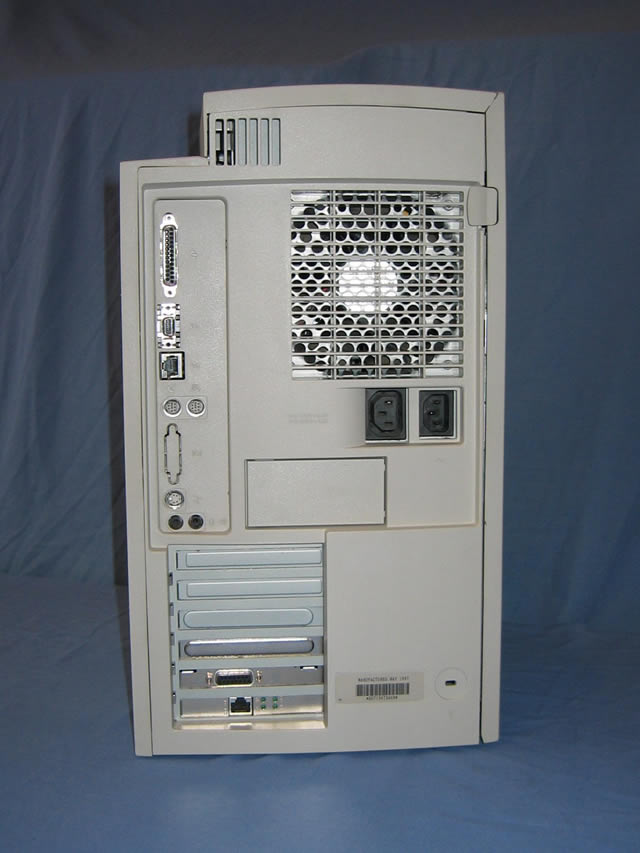
The stock hard drive in the 9600 is an Apple-branded, Fast SCSI (SCSI-2) drive that connects via the internal 50-pin SCSI-2 ribbon cable. The external bus is accessible from the back of the machine via a standard DB25 SCSI cable. The external bus is good for connecting an external SCSI drive for back ups, as well as for running an additional SCSI drive for Pro Tools rigs. You’d also connect your Zip and Jaz drives here, but the 9600 comes stock with a 250MB zip drive on the internal SCSI bus already.
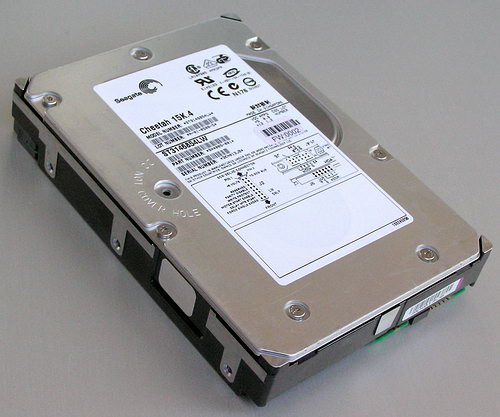
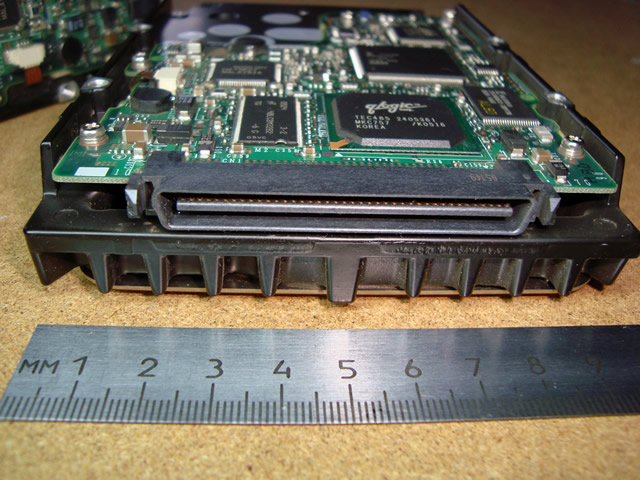
The stock 4GB drive that comes with the 9600 has one of the most annoying high-pitched squeals I’ve ever heard coming from a hard drive. It’s a good idea to replace it. Instead of replacing it with just another standard 50pin SCSI-2 drive though, I opted for a Seagate Cheetah 15k.4 36GB drive. The Cheetah happens to be an Ultra320 SCSI drive which is of a later generation of SCSI technology so that explains why it uses an 80pin SCA connector (Single Connector Attachment).
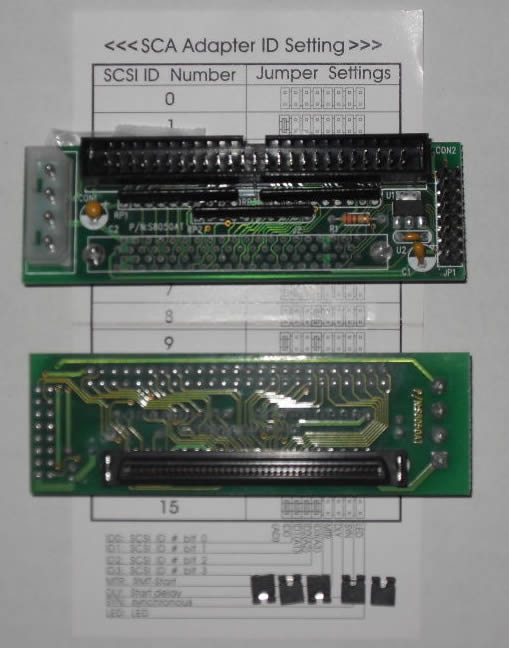
I picked up a cheap 50pin ribbon to 80pin SCA adapter like you see above, connected it to the Cheetah drive, then popped the drive into the 9600, and I thought it wasn’t working at first because I didn’t hear the hard drive spin up. However when I walked into the studio, I saw the hard drive icon appear on the desktop, so that shows you how super quiet these things are.
In total I spent about $50 with shipping for the drive and adapter and I couldn’t be happier with it.
NOTE:
Some software doesn't like it when you take out or disconnect the main SCSI drive because the software is expecting the drive to be there. A prime example of this is MOTU's Unisyn. When you install it, it's going to want to put the invisible hard disk authorization onto the SCSI drive. If it's not there, you'll get an error when running the installer. If you install it on the SCSI drive, then disconnect it, obviously, Unisyn won't launch since the authorization is offline. The funny thing is that this doesn't happen at all with non-SCSI Mac machines. I guess MOTU's software senses whether or not a SCSI drive came stock with the system or not. Try to keep a SCSI drive in your 9600 at all times to avoid weird issues like this.
The 9600 has two SCSI busses: the internal ‘Fast’ SCSI-2 bus which rates at 10MB/sec (bus 0 as noted by Apple System Profiler), and the external SCSI-1 bus which rates at 5MB/sec (bus 1 as noted by Apple System Profiler). The Powermac 9600 manual states that the external bus is SCSI-1 (originally known as just ‘SCSI’), yet in tech notes it’s referred to as being SCSI-2 compliant. This is because SCSI-1 is usually compatible with SCSI-2 devices, and that’s the case here, but what the external SCSI-1 bus is NOT compatible with is the Fast mode of SCSI-2. This is why it’s only 5MB/sec, which is half of what proper Fast SCSI-2 can do.
The stock hard drive in the 9600 is an Apple-branded, Fast SCSI (SCSI-2) drive that connects via the internal 50-pin SCSI-2 ribbon cable. The external bus is accessible from the back of the machine via a standard DB25 SCSI cable. The external bus is good for connecting an external SCSI drive for back ups, as well as for running an additional SCSI drive for Pro Tools rigs. You’d also connect your Zip and Jaz drives here, but the 9600 comes stock with a 250MB zip drive on the internal SCSI bus already.
The stock 4GB drive that comes with the 9600 has one of the most annoying high-pitched squeals I’ve ever heard coming from a hard drive. It’s a good idea to replace it. Instead of replacing it with just another standard 50pin SCSI-2 drive though, I opted for a Seagate Cheetah 15k.4 36GB drive. The Cheetah happens to be an Ultra320 SCSI drive which is of a later generation of SCSI technology so that explains why it uses an 80pin SCA connector (Single Connector Attachment).
I picked up a cheap 50pin ribbon to 80pin SCA adapter like you see above, connected it to the Cheetah drive, then popped the drive into the 9600, and I thought it wasn’t working at first because I didn’t hear the hard drive spin up. However when I walked into the studio, I saw the hard drive icon appear on the desktop, so that shows you how super quiet these things are.
In total I spent about $50 with shipping for the drive and adapter and I couldn’t be happier with it.
NOTE:
Some software doesn't like it when you take out or disconnect the main SCSI drive because the software is expecting the drive to be there. A prime example of this is MOTU's Unisyn. When you install it, it's going to want to put the invisible hard disk authorization onto the SCSI drive. If it's not there, you'll get an error when running the installer. If you install it on the SCSI drive, then disconnect it, obviously, Unisyn won't launch since the authorization is offline. The funny thing is that this doesn't happen at all with non-SCSI Mac machines. I guess MOTU's software senses whether or not a SCSI drive came stock with the system or not. Try to keep a SCSI drive in your 9600 at all times to avoid weird issues like this.