#1- A Mac Os 9 capable computer.
#2- An HFS volume with Mac Os 9 drivers.
#3- A Mac Os 9 System folder.
Notes:
#1- All g3 and most of G4 are Mac Os 9 capable computers. This can be checked at http://www.everymac.com/. Furthermore, some of unsupported Macs can be booted via special procedures ...
#2- An HFS volume can be a Hard Disk, a CD-ROM or an external device connected via USB (including pendrives), Firewire or eSATA.
Drive Setup (in Mac Os 9) and Disk Utility (in Os X) can format HFS+ devices with Mac Os 9 drivers. Gparted (Linux) can create HFS volumes but without Mac Os 9 drives, so aren't bootables.
#3- In the Mac Os 9 system folder, the Mac Os ROM, System and Finder files are the ONLY files needed to boot (well, the Finder isn't really necessary to boot, in fact it can be changed for any other app), the remaining files and folders are optionals and can be fully wiped for troubleshooting procedures.
The System and ROM versions should be the same or later versions from the ones that the computer come with.
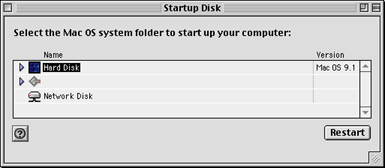
The Startup folder should be selected in the Startup Disk control panel: