
Thread
Brushed 2.1 released
Get it here (7,1 MB)
Lots of diferent fixes:
� 10.2.3 compatibility.
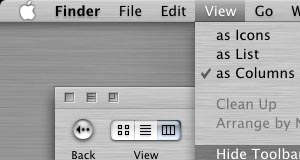
� Updated the brushed background texture to the one used in 10.2. The previous one was from QuickTime, which I discovered was different. The new one is smoother and repeats better.
� Updated the titlebars to go with the new texture.
� Made new aqua titlebar buttons for Metal (brushed) apps. Since Apple decided to have buttons in Metal apps sunken in, I carried this across the theme and Brushed Aqua now have sunken buttons instead of floating. The same buttons are used in Brushed Aqua Widgets.
� Made the Apple menu in Brushed Aqua sunken in.
� Updated bootpanels, made boot logo and added boot progressbar.
� Added "Desktop" icon.
� Changed the loginpanel buttons.
� Changed some menu extras that looked bad on brushed texture.
� Added two dock skins.
� Made it possible to choose from either solid brushed menus or grey transparent menus.
Any feedback will be appreciated!
Right now it's kind of hard to offer more variations though.. I'm really hoping that someone soon will present a theme format that will allow resource swiching, that way I could include all the theme variations I (and users) would like to. Right now each extras.rsrc takes 5 mb (in brushed at least), so I don't want to make more than about 6 variations of each theme.. The ideal format would offer (as I said in "Updating Brushed"-thread) the different resources as options for the user, something like this:
(�) Use brushed menus
( ) Use transparent grey menus
(�) Use rounded titlebars
( ) Use squared titlebars
( ) Use rounded devided titlebars
( ) Use squared devided titlebars
(�) Use sunken aqua titlebar buttons
( ) Use brushed titlebar buttons
( ) Use gradient menu bar for 800x600
( ) Use gradient menu bar for 1024x768
( ) Use gradient menu bar for 1152x870
(�) Use gradient menu bar for 1280xXXXX
( ) Use gradient menu bar for 1600xXXXX
( ) Use gradient menu bar for 1920xXXXX
That format would rock..!
Your so right Max, that would be absolutely fantastic if they would or could do that.
The update looks super nice, so did the original but the little tweaks you made were good choices.
The update looks super nice, so did the original but the little tweaks you made were good choices.
Now, onward to Rapsodized!
Keep up the good work.
CV
Keep up the good work.
CV
Nice improvements. Nice theme. What's not to love.
Great update Max!! I think i'll go back (from Milk) to Brushed for a few days.
Now, i second chris v suggestion for a Rhapsodized update...maybe you could consider the Rhapsodized in a lighter gray shade variation i asked you a while ago.
Now, i second chris v suggestion for a Rhapsodized update...maybe you could consider the Rhapsodized in a lighter gray shade variation i asked you a while ago.
Quote:
|
Originally posted by ARENA: i second chris v suggestion for a Rhapsodized update...maybe you could consider the Rhapsodized in a lighter gray shade variation i asked you a while ago. |
I'm about too update it. I will also look into what it takes to make a lighter version of the theme, since I've gotten multiple requests for it.
Quote:
|
Originally posted by bOOzo: I'm about too update it. I will also look into what it takes to make a lighter version of the theme, since I've gotten multiple requests for it. |
It's good to know that

I'll be expecting it.
Very nice update. I really like the sunken aqua Apple menu.
Very nice theme still Max! What is that Window Pattern in there though? It seems like something that I've been wanting.... a background for icon view finder windows! I don't know how to make it tile and they look pretty stupid with only one little square in there. Am I missing the tile trick, or is this for something completely different?

Quote:
|
Originally posted by wreks:
|
If i'm not mistaken, that cannot be done since images can't be used as window backgrounds in Cocoa apps.
I'ts a shame.
Quote:
| I don't know how to make it tile and they look pretty stupid with only one little square in there. Am I missing the tile trick, or is this for something completely different? |
Hmm.. I forgot about that. I guess you'll have to make a large picture in PS and paste the pattern there and then use that for backgrounds..
Quote:
|
If i'm not mistaken, that cannot be done since images can't be used as window backgrounds in Cocoa apps. I'ts a shame. |
Yep, that's right. Cocoa apps can only have a 8x8 pixel pattern, and that does not look very good so I made it a flat grey instead. I'd recommend using Metallifizer to get all cocoa apps in metal.
It would be nice if some of these theme switchers had some sort of compression support. These themes are getting pretty hefty.
Maybe StuffIt compression and only the resources that are being switched would be extracted and swapped???
Maybe StuffIt compression and only the resources that are being switched would be extracted and swapped???
Max, I'm using ThemeChanger v12 and was wondering if I'm going to need a special Aqua restore theme for every theme out there? or will one like Swiz's Aqua Restore handle all replaced GUI elements by every theme maker?
Thanks!
Thanks!
Quote:
|
Originally posted by headbirth: Max, I'm using ThemeChanger v12 and was wondering if I'm going to need a special Aqua restore theme for every theme out there? or will one like Swiz's Aqua Restore handle all replaced GUI elements by every theme maker? Thanks! |
Hello, desktopper.net's restore theme should work fine. Otherwise I recommend AquaFix which should restore all files.
Thanks! Just grabbed Desktoppers Restore theme....it's amazing how extensively those Japenesse themes swap the GUI.
One other thing....ThemeChanger gives me a warning that Milk 1.5 is not compatible with 10.2.3. Is this correct?
One other thing....ThemeChanger gives me a warning that Milk 1.5 is not compatible with 10.2.3. Is this correct?
Quote:
|
Originally posted by headbirth: One other thing....ThemeChanger gives me a warning that Milk 1.5 is not compatible with 10.2.3. Is this correct? |
Nope, Max just said in the other thread that he tags them 10.2 so they will work with Duality, and you can ignore the warning that ThemeChanger gives you.
Quote:
|
Originally posted by headbirth: It would be nice if some of these theme switchers had some sort of compression support. These themes are getting pretty hefty. Maybe StuffIt compression and only the resources that are being switched would be extracted and swapped??? |
Max, I just wanted to congradulate you on your excellent attention to detail. There are little things in your themes that no one would consciously notice that make OSX look better than Apple even intended. One example that I really appreciate is the new Volume menu items that you made for brushed. To the naked eye they look the same as the normal Aqua ones, but they don't have the white soundwave stripes between the black ones that make Apple's look so sloppy and half baked. You are a great themer! (Hopefully after all this praise it doesn't come out that some other themer did this first!) :-]
Quote:
|
Originally posted by mrtew: Max, I just wanted to congradulate you on your excellent attention to detail. There are little things in your themes that no one would consciously notice that make OSX look better than Apple even intended. One example that I really appreciate is the new Volume menu items that you made for brushed. To the naked eye they look the same as the normal Aqua ones, but they don't have the white soundwave stripes between the black ones that make Apple's look so sloppy and half baked. You are a great themer! (Hopefully after all this praise it doesn't come out that some other themer did this first!) :-] |
Hi
Glad to hear you appreciate my work
I got feedback saying that I should do something about the ugly looking menu items, so I did. Apple probably made white between the "soundwaves" so that they would look good on their striped background.