

MacApp 2.0b5 UGridView Release Notes
MacApp 2.0b5 UGridView Release Notes
Macintosh · 1988 · PDF
| Filename | MacApp_2.0b5_UGridView_Release_Notes_198808.pdf |
|---|---|
| Size | 1.05 MB |
| Year | 1988 |
| Source | Apple Computer |
| Subsection | developer / MacApp / MacApp_2.0b5 |
| Downloads | 10 |
Enjoying MacTrove?
Anonymous downloads are free and unlimited.
Create a free account to track favorites
and contribute metadata corrections.
Reader
Loading…
OCR / Text contents
(
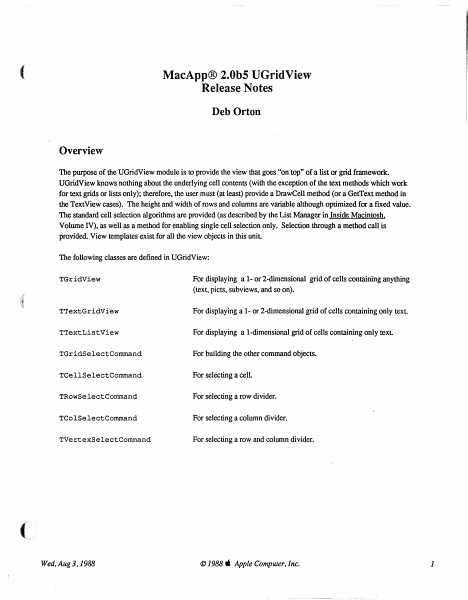
MacApp® 2.0b5 UGridView
Release Notes
Deb Orton
Overview
The purpose of the UGridView module is to provide the view that goes "on top" of a list or grid framework.
UGridView knows nothing about the underlying cell contents (with the exception of the text methods which work
for text grids or lists only); therefore, the user must (at least) provide a DrawCell method (or a GetText method in
the TextView cases). The height and width of rows and columns are variable although optimized for a fIxed value.
The standard cell selection algorithms are provided (as described by the List Manager in Inside Macintosh,
Volume IV), as well as a method for enabling single cell selection only. Selection through a method call is
provided. View templates exist for all the view objects in this unit
The following classes are defIned in UGridView:
TGridView
For displaying a 1- or 2-dimensional grid of cells containing anything
(text, picts. subviews, and so on).
TTextGridView
For displaying a 1- or 2-dimensional grid of cells containing only text.
TTextListView
For displaying a I-dimensional grid of cells containing only text
TGridSelectCommand
For building the other command objects.
TCellSelectCommand
For selecting a cell.
TRowSelectCommand
For selecting a row divider.
TColSelectCommand
For selecting a column divider.
TVertexSelectCommand
For selecting a row and column divider.
Wed, Aug 3,1988
© 1988. Apple Computer, Inc.
1
TGridView
Types
GridCell = Point;
A cell in the grid.
= (badChoice, inCell,
GridViewPart
Used to type mouse clicks.
inRow, inColumn, inVertex);
RunArrayChunk
RunArray contents (private).
RECORD
count:
size:
INTEGER;
INTEGER;
END:
RunArray = ARRAY [0 .. 100000] OF RunArrayChunk;
For casting use (private).
PRunArray
"RunArraYi
Pointer to run array (private).
HRunArray
"PRunArray;
A handle to a run array (private).
Template Types
PACKED RECORD
GridViewTemplate
numOfRows:
INTEGER;
numOfCols:
INTEGER;
INTEGER;
rowHeight:
INTEGER;
colWidth:
INTEGER;
rowInset:
INTEGER;
colInset:
adornRows:
BOOLEAN;
BOOLEAN;
adornCols:
singleSelection:
BOOLEAN;
filler:
O•• 8191;
END;
GridViewTemplateptr = "GridViewTemplate;
TextGridViewTemplate
itsFontFace:
itsFontSize:
itsFontColor:
itsFontName:
END;
PACKED RECORD
Style:
INTEGER;
RGBColori
Str255;
. TextGridViewTemplatePtr
Wed. Aug 3.1988
"TextGridViewTemplate;
© 1988" Apple Computer. Inc.
2
Constants
(
Template identifiers for views defined in this unit
'TGridView'i
kGridView =
'TTextGridView';
kTextGridView
'TTextListView';
kTextListView
For setting column/row width/height in only one row/column:
kOneRow
1i
1;
kOneCol =
Select Command Identifiers:
cCellSelect =
cRowSelect =
cColumnSelect
cVertexSelect
1;
2;
3i
4i
Booleans for SetSelection:
kExtend =
kDontExtend =
kHighlight =
kDontHighlight
kSelect =
kDeSelect
TRUEi
FALSEi
TRUEi
FALSE;
TRUE;
FALSE;
Booleans for CreateHighlightRgn:
kWholeRect =
kNotWholeRect =
TRUE;
FALSE;
Fields
fnumOfRows:
fnumOfCols:
fAdornRows:…
Showing first 3,000 characters of 25,035 total. Open the full document →