

Welcome To The Macintosh Development Environment
Welcome To The Macintosh Development Environment
Macintosh · PDF
| Filename | Welcome_to_the_Macintosh_Development_Environment_19831212.pdf |
|---|---|
| Size | 0.74 MB |
| Source | Apple Computer |
| Subsection | developer / Developer_Pre-Release |
| Downloads | 7 |
Enjoying MacTrove?
Anonymous downloads are free and unlimited.
Create a free account to track favorites,
contribute metadata corrections, and join the
community chat.
Reader
Loading…
OCR / Text contents
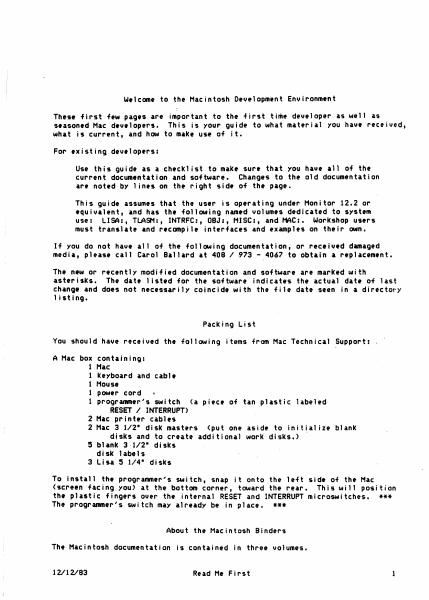
W1lcom1 to the Macintosh Development Environm1nt
These first few pages are important to the first time developer as well as
s1asoned Hae d1v1lopers. This is your guide to what material you have received,
what is current, and how to make use of it.
For existing developers:
Use this guide as a checklist to make sure that you have all of the
current documentation and software. Changes to the old documentation
are noted by 1 ines on the right side of the page.
This guide assumes that the user is operating under Monitor 12.2 or
equivalent, and has th• follCMing named volumes dedicated to system
use: LISA:, TLASM:, INTRFC:, OBJ:, MISC:, and MAC:. Workshop users
must translate and r1compile interfaces and examples on their own.
If you do not have all of the following documentation, or receivtd damaged
media, please call Carol Ballard at 408 I 973 - 4067 to obtain a r1placemtnt.
The new or recently modified documentation and software are marked with
as hr i sks. The date listed for the software indicates the actual date of last
change and does not necessarily coincid1 with the file date seen in a directory
listing.
Packing List
You should have received the following items from Mac Technical Support:
A Mac box containing:
1 Hae:
1 keyboard and cablt
1 Hous1
1 powtr cord
1 progranner's switch <a piect of tan plastic labeled
RESET I INTERRUPT>
2 Mac printer cables
2 Mac 3 112• disk masters (put one asidt to initialize blank
disks and to create additional work disks.>
5 blank 3-112• disks
disk 1abe1 s
3 Lisa 5 114• disks
To install the programmer's switch, snap it onto the left sid1 of the Mac
(screen facing you) at the bottom corner, toward the rear. This will position
th• plastic fingers over the internal RESET and INTERRUPT microswitches. ***
The programmer's switch may already be in place. ***
About the Macintosh Binders
The Macintosh documentation is contained in three volumes.
12112183
Read He First
1
Volum• 1 contains:
R•ad H• First <this not1>
Insid9 Macintosh: A Road Hap
Indtx to Ttchnical OocU111ntation
Macintosh Us•r Inttrface Guidelines
The Resourc1 Hanag1r: A Progranner's Guidt
QuickDr..,.: A Programmer's Guide
Th• Font Hanag1r1 A Progrann1r's Guidi
Th• Event Manager: A Progrann1r's Guidt
Th• WindCM Hanag1r1 A Programmtr's Guid•
Macintosh Control Manager Prograrm11r's Guide
12/12/83 •
8/8/83
10/5/83
10/11/82
10/3/83
3/2/83
4/22/83
6/21/83
8/25/83
3/16/83
Volumt 2 contains:
Tht H1nu Manag1r: A Progrann1r's Guidi
The Dialog Managers A Progranmer's Guide
TtxtEdit: A Programmtr's Guide
Cor1Edit1 A .Programmer's Guide
Thi 01sk Hanag1r: A Programm1r's Guidi
The Toolbox Utiliti1s: A Programm1r'.s Guidi
Macintosh Op•rating System R1f1renc1 Manual
The Segment Loader: A Programmtr's Guide
Th• Scrap Manag1r: A Progranntr's Guidi
Th• Htmory Hanag1r: A Programmer's Guide
Putting Tog1th1r A Macintosh Appl icat,on
Asynchronous Serial Driver
The OS Evint Hanag1r
Macintosh owner's Guidi
11/1/83
11/16/83
9/28/83
8/15/83
9/26/83
5/16/83
2/28/83
6/24/83
10/2…
Showing first 3,000 characters of 23,261 total. Open the full document →