

CH Flightstick Pro Jetstick For Macintosh User Manual Version 1.0
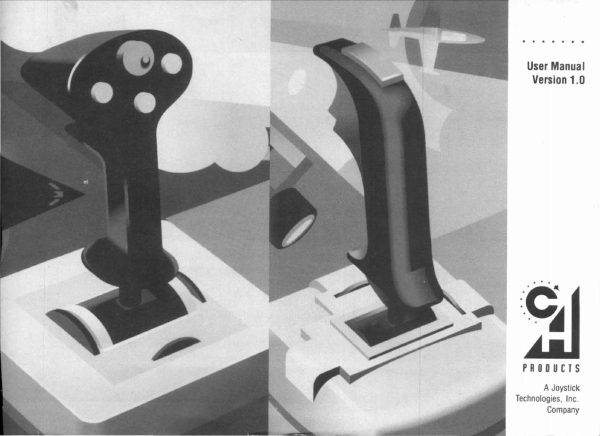
CH Flightstick Pro Jetstick For Macintosh User Manual Version 1.0
ADB · PDF
| Filename | CH_Flightstick_Pro_Jetstick_for_Macintosh_User_Manual_Version_1.0.pdf |
|---|---|
| Size | 1.04 MB |
| Source | Various hardware vendors |
| Subsection | CH_Products |
| Downloads | 16 |
Enjoying MacTrove?
Anonymous downloads are free and unlimited.
Create a free account to track favorites
and contribute metadata corrections.
Reader
Loading…
OCR / Text contents
User Manual
Version 1.0
:SJ
PRODUCTS
A Joystick
Technologies , Inc.
Company
TRB~E OF CONTENTS
F~IGHTSTICH PRO™ FOR MACINTOSH
JETSTICH™ FOR MACINTOSH
User Manual
Version 1.0
Introduction .............................. 2
Package Contents .......................... 3
Connecting the Joystick .................... 3
Installing the software ...................... 3
The Control Panel ......................... 5
Modes ................................... 7
a. The Relative Mouse Mode ............. 7
b. The Absolute Mouse Mode ............. 8
c. The Keyboard Mode ................... 9
Fire Buttons ............................. 10
Stick Trim ............................... 11
Throttle ................................. 12
System Settings .......................... 13
Importing and Exporting Settings ........... 14
Miscellaneous Notes ...................... 15
Troubleshooting .......................... 16
Specifications ............................ 17
Warranty ................................ 18
Trademarks .............................. 19
FCC Notice ............................. 19
•
INTRODUCTION
a. The FLIGHTSTICK PRO for Macintosh
(Figure 1) and the JETSTICK for Macintosh
(Figure 2) are joysticks for the Apple Macintosh
(Mac) family. They connect to the Apple Desktop
Bus (ADB) of the Mac. Each can control the
mouse cursor or emulate keypresses. The
FLIGHTSTICK PRO offers four programmable
buttons, which include a trigger and three fire
buttons. In addition it offers a throttle control and
an eight way switch which are also programmable.
The JETSTICK offers a trigger and one fire button which are programmable.
b. In the basic mode each joystick emulates a
mouse. Each either moves the mouse cursor in
relative mode (i.e., the cursor starts to move in the
direction the stick is pointed) or they can control
the cursor in absolute mode (i.e., releasing the
stick to the center position will center the mouse
cursor on the screen, likewise pulling it to upper
left corner will place the cursor in the upper left
corner of the screen). Additionally, each offers
emulation of the keyboard by translating stick
movement into keypresses.
c. The joysticks can be used simultaneously
with a keyboard, mouse, and other ADB devices.
d. The joysticks come with a Control Panel file
that allows the setting of various parameters such
as speed and key codes. Settings can be saved for
several hundred different programs. When a pro-
Ergonom1cally
3 fire buttons give you - the full range of
combat features and a
profess1onalfeeL
designed trigger
andl1rrnerrest
-fromour#lrated
FUGHTSTICK.
X-Alls
Trim Alljuatment
Responsive
throttle control
lets you command
your speed.
f1netuneyour
aileron and
elevator positions.
•
Figure 1 - The FLIGHTSTICK PRO
Figure 2 - The JETSTICK
gram is started for which settings exist, the settings will be automatically activated.
e. System requirements: Any Macintosh with
ADB except Mac 128, 512, 512e and MacPlus;
System 6.0. 7 or later (also…
Showing first 3,000 characters of 34,837 total. Open the full document →