
ETestTool
ETestTool
NuBus · PDF
| Filename | ETestTool_19881031.pdf |
|---|---|
| Size | 2.95 MB |
| Subsection | apple / 670-0205_3Com_Ethernet |
| Downloads | 4 |
Enjoying MacTrove?
Anonymous downloads are free and unlimited.
Create a free account to track favorites,
contribute metadata corrections, and join the
community chat.
Reader
Loading…
OCR / Text contents
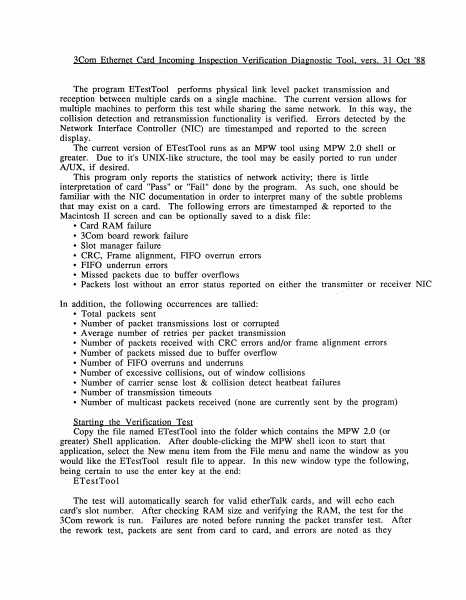
3Com Ethernet Card Incomin~ Inspection Verification Dia~nostic Tool. vers. 31 Oct '88
The program ETestTool performs physical link level packet transmission and
reception between multiple cards on a single machine. The current version allows for
multiple machines to perform this test while sharing the same network. In this way, the
collision detection and retransmission functionality is verified. Errors detected by the
Network Interface Controller (NIC) are timestamped and reported to the screen
display.
The current version of ETestTool runs as an MPW tool using MPW 2.0 shell or
greater. Due to it's UNIX-like structure, the tool may be easily ported to run under
A/UX, if desired.
This program only reports the statistics of network activity; there is little
interpretation of card "Pass" or "Fail" done by the program. As such, one should be
familiar with the NIC documentation in order to interpret many of the subtle problems
that may exist on a card. The following errors are timestamped & reported to the
Macintosh II screen and can be optionally saved to a disk file:
• Card RAM failure
• 3Com board rework failure
• Slot manager failure
• CRC, Frame alignment, FIFO overrun errors
• FIFO underrun errors
• Missed packets due to buffer overflows
• Packets lost without an error status reported on either the transmjtter or receiver NIC
/
In addition, the following occurrences are tallied:
• Total packets sent
• Number of packet transmissions lost or corrupted
• Average number of retries per packet transmission
• Number of packets received with CRC errors and/or frame alignment errors
• Number of packets missed due to buffer overflow
• Number of FIFO overruns and underruns
• Number of excessive collisions, out of window collisions
• Number of carrier sense lost & collision detect heatbeat failures
• Number of transmission timeouts
• Number of multicast packets received (none are currently sent by the program)
Startin~ the Verification Test
Copy the file named ETestTool into the folder which contains the MPW 2.0 (or
greater) Shell application. After double-clicking the MPW shell icon to start that
application, select the New menu item from the File menu and name the window as you
would like the ETestTool result file to appear. In this new window type the following,
being certain to use the enter key at the end:
ETestTool
The test will automatically search for valid etherTalk cards, and will echo each
card's slot number. After checking RAM size and verifying the RAM, the test for the
3Com rework is run. Failures are noted before running the packet transfer test. After
the rework test, packets are sent from card to card, and errors are noted as they
occur. To get the current error accumulatrion status and to pause, hit the mouse
button. Press the mouse button again to continue testing. The cursor will spin a
quarter turn for every 125 packets sent. To stop testing, simultaneously press the
Command (Apple icon) and the period keys. The results may then be…
Showing first 3,000 characters of 100,418 total. Open the full document →