

01 Contents
01 Contents
Lisa · PDF
| Filename | 01_Contents.pdf |
|---|---|
| Size | 0.38 MB |
| Source | Apple Computer |
| Subsection | toolkit_3.0 / Package_2_Examples |
| Downloads | 17 |
Enjoying MacTrove?
Anonymous downloads are free and unlimited.
Create a free account to track favorites
and contribute metadata corrections.
Reader
Loading…
OCR / Text contents
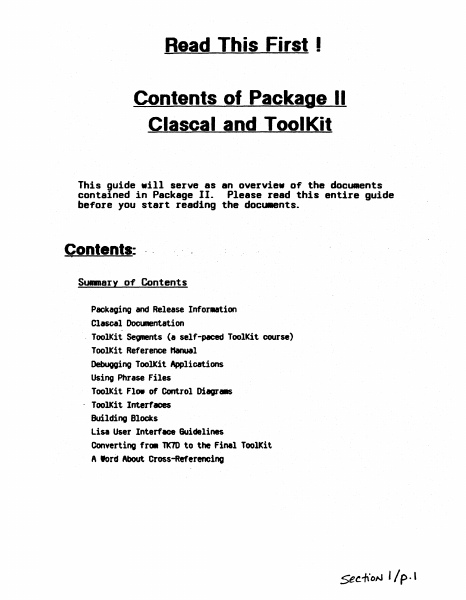
Read This First I
Contents of Package II
elaseal and ToolKit
This guide .ill serve as an overvie. o~ the documents
contained in Package II. Please read this entire guide
before you start reading the docu.ents.
Contents: ..
Summary of Contents
Packaging and Release Infor..tion
Clascal Docllll8l1tation
- ToolKit Se~s (I self-paced ToolKit course)
ToolKit Reference Hanual
Debuooing ToolKit Applications
Using Phrase Files
ToolKit Flo. of Control Diagr. .
- ToolKit Interfaces
Building Blocks
Lisa User Interfeoe Guidelines
Converting fr. TK7D to the Finel ToolKit
A lord About Cross-Referencing
5ee1\ON '/p.'
Packaging and Release Infol1l8tion
1. In thI, package you IhoUld have the followIng piece,:
I.
In~tallition Instruction~
b. The Introduction to Cla.cal Hanual.
c. Clascal Syntax Diagr_.
d. The Lisa ToolKit Self-Paced Training.
e. The Lisa Applications ToolKit Reference "anual.
f. Hore on Debugging.
g. A Phrase File ~t
h. A Printing Document
i. A Class Hierarchy DocuMent
j. lIlbject, lIlr., and ~ interfaces.
k. lIlialog docunentation .-.d interface.
1. UText docl.IIIentation"
and interface for UText. and. WnivText..
.
m.lfstings of SamPle"ToolKit progra.6
n. DocllRentation on converting frOlll older versions of the ToolKit to
ToolKit 3. O.
o. Icon editor documentation.
p. lisa User Interface 6uidelines.
q. Lisa Internals.
r. A Flow of Control DiagraM (poster).
s. Five (5) ToolKit Release Diskettes.
2. To use the ToolJCit, you need to have the folltMfing:
a. A one _gabyte Lisa with A least one 5 t1egabyte profile. Two 5
t1egabyte profiles or one built-in 10 t1egabyte hard disk is better.
Ie stronoly discourage using just one 5 t1egabyte profile; a single
profile leaves very little space 1n which to work.
b. The Lisa Office Syst., version 3. o.
c. The lisa hrkshop develOpMent environMnt. version 3. o.
3. ToolKit 3. 0 HelHSe Notes.. This IIeIK) describes the ToolKit release
you were sent and how to·install it on your MChine along with the
other software you have purchased. Please read it carefully and
CCJRpletely and follow the instructions exactly. This will give your
1/ p. z.
Lisa the standard ToolKit davalopaent configuration a'ld .aka it aasier
to find problellS if they occur.
Clasoal Docu.entation
1.M IntrodUCtion to C16SC~1. This explains the elaseal language and why
we are using it to ~la.ent the ToolKit. (read this first)
2. C1~SC6l Synt6X Di6gT'" This short MnUal contains all the syntax
diagrallS for Clascal.
ToolKit Sea-ents (a salf-paced ToolKit coursa)
The ToolKit Segments are a self-paced tutorial explaining most of the
concepts you need to know to use the ToolKit. You should read this
section after you have ..stered the elaseal documentation above. The
segments start out with the very Simple ToolKit concepts and build
t.Ottards IDOre complicated ·subjects as "your knoWledge of the "ToolKit grad.
Included with the 8egnents are listings of actual ToolKit salllPle
programs. These sMIPle proor- are also included on the disks w…
Showing first 3,000 characters of 12,469 total. Open the full document →