
Lisa BASIC Plus 2.0 Language Jan84
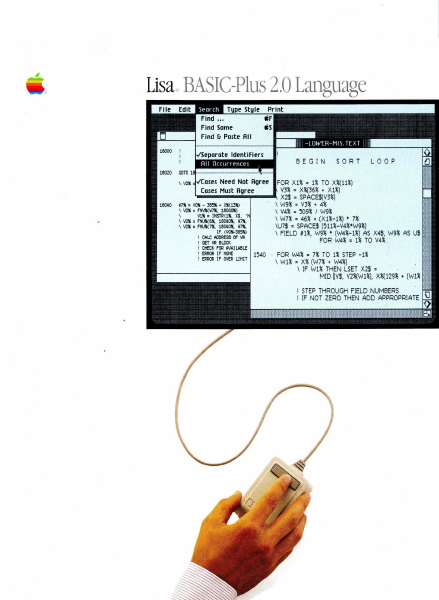
Lisa BASIC Plus 2.0 Language Jan84
Lisa · 1984 · PDF
| Filename | Lisa_BASIC-Plus_2.0_Language_Jan84.pdf |
|---|---|
| Size | 6.46 MB |
| Year | 1984 |
| Subsection | basic-plus_2.0 |
| Downloads | 3 |
Enjoying MacTrove?
Anonymous downloads are free and unlimited.
Create a free account to track favorites,
contribute metadata corrections, and join the
community chat.
Reader
Loading…
OCR / Text contents
'-
Lisar, BASIC-Plus 2.0 Language
BEGIN
Need Not Agree
' - - - -........W7" = 110" - 365lii + X"(ffi)
\ V2" = FNI/!I( W7!I, 1804(11)
\
Vi" = INSTR(l", X$, '
\ V2" = FNUll( 611. 18040!1, W7!I,
\ V2" = FNUll( 7", 18040", W7!I,
IF (VO~385lii)
CA LC ADDRESS Of I<Il
GET IIfl BLDCK
CNECK FOR AVAI LABLE
ERROR IF NONE
ERROR IF OVER LIMIT
SORT
LOOP
FOR X1% = 1% TO X%(11%)
V3% = X%(36% + X1%)
.. X2$ = SPACE$(V3%)
\ W9% = V3% + 4%
\ V4% = 509% I W9%
\ W7% = 46% + (X1%-1%) • 7%
\U7$ = SPACE$ (511%-V4%*W9%)
\ FIELD 81%, W9% + (W4%-1%) AS X4$, W9% AS U$
FOR W4% = 1% TO V4% .
1540 - FOR W4% = 7% TO 1% STEP -1%
\ W1% = X% (W7% + W4%)
\ IF W1% THEN LSET X2$ =
MID tV$, V2%(W1%), X%(129% + (W1%
I STEP THROUGH FIELD NUMBERS .
! IF NOT ZERO THEN ADD APPROPRIATE
BASIC-Plus for the Usa
Release 2.0 Notes
What's In the BASlC-PlUS Release Notes?
These notes deSCribe situations that were brOt.qlt to our attention after it
was too late to dOCt.ment them In tile BASIC-PIUS rncruals.
Insert tt.ese notes In tne baCI< of their respective rncnJals, so that you can
refer to tnem as necessary. InCI~ In tJleSe notes are revised versions Of
the WOIkSl1qJ user's GuIde Appendix B end the B4SlC-PJus user's GuIde
Appendix E to repl~ the copies bOUld In your mcn.aals; take a moment now
to make tile St.btltutlons.
If you haVe a question or a problem that you can't find the a'lSwer to, eltner
In Ute mcn.tals or In theSe notes, you shoUld call the Lisa TelephOne ~rt
line, (800) 553-4000.
J/nI8ry 1984
WOrkstlJp
Chapter 1
TO Install tne Pasoal·ICllgU8ge tI'ld WOrkShOp software from
tne set Of micro diskettes packaged In your ICllgU8ge rnc:nJal
binder, refer to InstalllrYJ the Office system SOftware In
~Ix G, set Up Proceda'es,ln the LIsa 2 owner's QlJde If
you plcrl to use the Office System, you rrust first Install Ule
Office system 2.0 mIcro diskettes. You do not need to Install
tile Office System SOftware If you Intend to do only ICllgU8ge
deVelopment work. Before you Insert the micro diskettes, make
sure you CCfl see the red tabS from the front of the micro
diskettes. Start lnStalllng with steps 1, 2, crld 3 on page G31.
Then follow tills ~
4> Tum the Usa on by pressing the on-off bUtton once. After
a feW secondS, you'l hear a 01101<.; Inmed1ately press the
spaa!Dar.
5) The Usa goes tflrOUtIl a self-test. When a meru Of symbOls
appears In tne ~r left-hcl'ld comer of tne screen, press
8'ld hOld doWn the ~le key While you type a 2 -- on the
main keyboard, not on the runerlo keypad.
6> When the maln meR.I snown (J'I page G32 8R)ears, cliCk the
mouse once on the Install Dox.
7> When the alert box with the message "TIle Usa Is Installlng
s~ SOftware version 2.11' appears, cllCk Don't Erase.
When the first mIcro diskette Is Installed, It Will eject.
COI'ltll"lJ9 Installation by fOllowing the owner's Qdde
Instrootlons frmI step 6, 1nse~ the remaining l~
diSkettes In Order.
WOrkstlOp
Olapter 1
After SOOC8SSfUlly addlrYJ Pascal to a ProFile conta1n1ng the
Office System, If t…
Showing first 3,000 characters of 256,332 total. Open the full document →