
The LisaTalk Report V02 N01
The LisaTalk Report V02 N01
Lisa · 1986 · PDF
| Filename | The_LisaTalk_Report_V02_N01_1986_Spring.pdf |
|---|---|
| Size | 94.04 MB |
| Year | 1986 |
| Subsection | lisaTalkReport |
| Downloads | 4 |
Enjoying MacTrove?
Anonymous downloads are free and unlimited.
Create a free account to track favorites,
contribute metadata corrections, and join the
community chat.
Reader
Loading…
OCR / Text contents
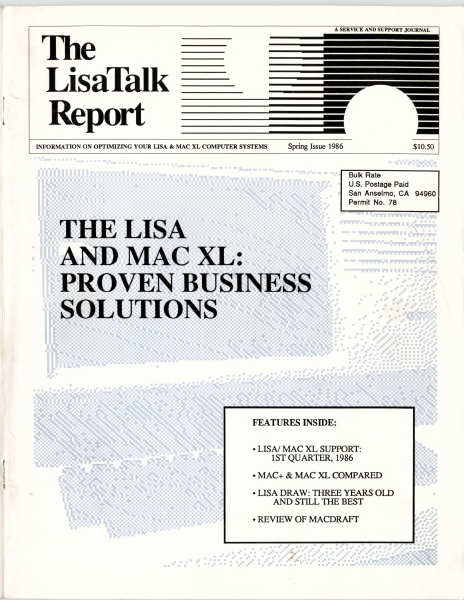
A SERVICE AND SUPPORT JOURNAL
The
LisaTalk
Report
--
INFORMATION ON OPTIMIZING YOUR LISA & MAC XL COMPUTER SYSTEMS
-
Spring Issue 1986
$10.50
Bulk Rate
U.S. Postage Paid
San Anselmo, CA 94960
Permit No. 78
FEATURES INSIDE:
• LISN MAC XL SUPPORT:
lST QUARTER, 1986
•MAC+ & MAC XL COMPARED
•LISA DRAW: THREE YEARS OLD
AND STILL THE BEST
•REVIEW OF MACDRAFr
".
HO"WToMake
Yot.1r Maccing Faster, Easier,
andaLotMore Fun!
Tempo macros
speed your work or
play on the
Macintosh.
Record any series of Macintosh commands or keystrokes and Tempo will
play them back, at top speed, every
time you need them. With a single
key code, you can execute a macro
that replays an unlimited number of
commands.
Add intelligence to
your Macintosh
software
If a macro needs to be
performed 27 times in a row or every
15 minutes, Tempo will do that. If it
depends on whether a number starts
with a "$" or if a name is greater than
'Jones," Tempo will read it and decide which way to branch. Tempo can
even determine if it needs to branch
to another program. Tempo will
close the program you're in, open
the other, and continue replaying
your commands. Automatically.
Exactly as you require.
Intelligent macros for the Macintosh.
Edit your macros
for changes or corrections
You may edit Tempo macros the same way you create them click to edit, click to change, click to save. Tempo has no complex programming language, simply step-by-step menu commands and
dialog boxes.
What you can do with Tempo
• Reduce complex commands to a single keystroke.
• Automate moving information from one program to another.
• Have Tempo wait until the time you specify, then perform
multiple tasks on your Macintosh - unattended.
• Guide new users through programs, prompting them with dialog boxes
along the way.
• Distribute time-saving macros to other members of your company.
• Customize programs to work the way you need them to.
• Simplify, automate, customize, modify, design, and create in a million
different ways!
Macintosh is a trademark licensed to Apple Computer, Inc. Tempo and Affinity are trademarks of
Affinity Microsystems, Ltd.
Other Tempo
features ...
• Pause during a
macro replay to enter
text or make a selection.
• Record macros up to the limits of
your disk space - hard drive or
floppy.
• Assign up to 450 keyboard commands in each application.
• Use Command key codes or
Option key codes.
• Replay in slow motion, in real time,
or at high speed.
• Connect macros together, nested,
branched or sequentially.
• Repeat the macro if or until it sees
the specified text, or for a required
number of times.
• Tempo works with nearly every
Macintosh program.
• For the 512K or larger Macintosh
and Macintosh XL.
• Works with all hard disk drives.
• Tempo is not copy-protected, so
you can easily install it on your
hard drive.
• If you're not absolutely happy with
what Tempo can do for you and
your Mac, return it within 90 days
for a complete refund.
We guarantee your satisfaction.
For $99, you get mor…
Showing first 3,000 characters of 389,687 total. Open the full document →