
LisaTerminal Installation Instructions
LisaTerminal Installation Instructions
Lisa · 1983 · PDF
| Filename | LisaTerminal_Installation_Instructions.pdf |
|---|---|
| Size | 0.11 MB |
| Year | 1983 |
| Subsection | office_system |
| Downloads | 3 |
Enjoying MacTrove?
Anonymous downloads are free and unlimited.
Create a free account to track favorites,
contribute metadata corrections, and join the
community chat.
Reader
Loading…
OCR / Text contents
To run smoothly, LisaTerminal requires installation of Release 1.2 of the Lisa Office
System software prior to installing the LisaTerminal software. The two Office System
diskettes are included in your LisaTerminal binder with your LisaTerminal diskette.
I. INSTALLING OFFICE SYSTEM 1.2
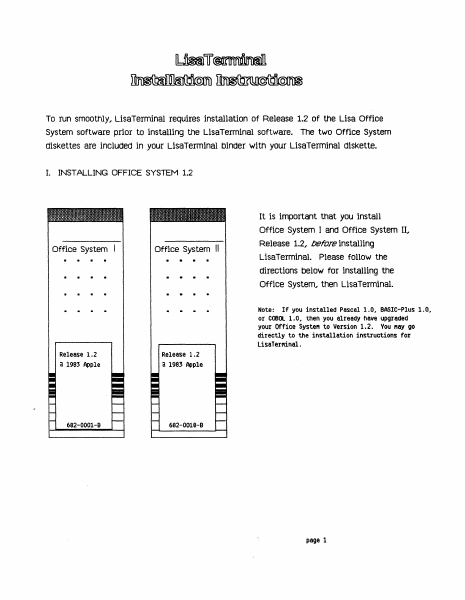
It is important that you install
Office System
Office System II
•
Office System I and Office System II,
Release 1.2, before installing
LisaTerminal. Please follow the
directions below for installing the
Office System, then LisaTerminal.
Note: If you installed Pascal 1.0# BASIC-Plus 1.0,
or COBOl 1.0, then you already have upgraded
your Office Syste" to Version 1.2. You "ay go
directly to the installation instructions for
LisaTerMinal.
Release 1.2
a 1983 Apple
Release 1.2
a 1983 Apple
682-0001-B
682-0018-9
page 1
To install trle office systern software wltnout erasIng trle startup proFile..
1) If the Lisa is on, turn it off by pressing the on-off button once;
2) Insert the diskette labeled Office System I into the upper built-in
floppy disk drive.
3) Insert the diskette labeled Office System II into the lower built-in
floppy disk drive.
4) If the ProFile is off, turn it on. Wait until the ready light stabilizes.
5) Turn on the Lisa by pressing the on-off button once.
6) When you hear a click from the cabinet, hold down the Apple key while
pressing 1 on the main keyboard -- not the 1 on the numeric keypad
on the right of the Keyboard.
wrlen this rnessage appears, clicK install.
•
eJz;:; Office System A4
[ Finished
1983 «apple computer inc.
This diskette is used to repair the Lisa
Office System startup ProFiles and to
install the startup software. The ProFi Ie
is attached to the built-in parallel
connector on the bock of the Lisa.
Repair
Click Finished if you are finished.
Click Repair to Fix any ProFile damage.
CI ick Install to put new startup software
on the ProFile.
Click Restore to restore the ProFile from
backup diskettes.
[
Restore
When this message appears, click Don't Erase.
•
page 2
00 you want the ProF i I e attached to
the built-in parallel connector erased?
Click Erase only if you are starting
new work and want to destroy all
information now on the ProFile!
Erase
When this message appears, click OK.
II
Th.
"or'". 'oft......., b.,n 'o<'nll.d,
..,"
When this message appears, click Finished.
•
e3j;:i Office System R4
1983 «apple computer inc.
This diskette is used to repair the Lisa
Office System startup ProFi les and to
install the startup software. The ProFile
is attached to the built-in parallel
connector on the bock of the Lisa.
Repair
[lick Finished iF you are Finished.
[lick Repair to Fix any ProFile damage.
Install
J
[I ick Install to put new startup software
on the ProFile.
[) ick Restore to restore the ProFi Ie From
backup diskettes.
Restore
When this message appears, click Start Up.
OFF
Should Lisa turn oFF or start up From the
ProFile?
•
This procedure removes the Lisa Office Systern Release 1.0 software
f…
Showing first 3,000 characters of 3,700 total. Open the full document →