

Guide To The Operating System 5.2 Jul82
Guide To The Operating System 5.2 Jul82
Lisa · 1982 · PDF
| Filename | Guide_to_the_Operating_System_5.2_Jul82.pdf |
|---|---|
| Size | 2.81 MB |
| Year | 1982 |
| Source | Apple Computer |
| Subsection | os |
| Downloads | 8 |
Enjoying MacTrove?
Anonymous downloads are free and unlimited.
Create a free account to track favorites
and contribute metadata corrections.
Reader
Loading…
OCR / Text contents
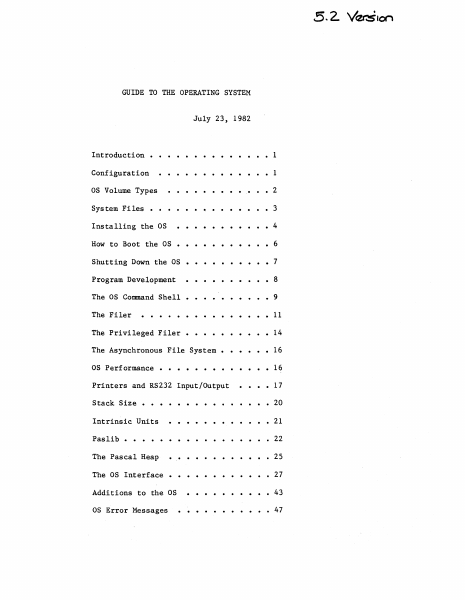
GUIDE TO THE OPERATING SYSTEM
July 23, 1982
.....
Introduction •
1
Configuration
1
as Volume Types
• 2
System Files • • • • • •
Installing the as
How to Boot the as
3
• • • ••
4
•
6
Shutting Down the as
• • • • • • 7
Program Development
8
The as Command Shell
• • • • • • 9
The Filer
11
The Privileged Filer •
14
The Asynchronous File System •
16
as Performance • •
16
Printers and RS232 Input/Output
17
Stack Size •
Intrinsic Units
. . . . 20
21
Paslib • •
• 22
The Pascal Heap
• 25
The as Interface
27
Additions to the as
43
as Error Messages
47
Guide to OS
Confidential
INTRODUCTION
This document explains how to use the 5.2 release of the Operating System.
It includes all relevant material from prior releases and also describes
the new features of this release. The User's Guide does not explain each
feature of the OS in detail; instead, it explains operations such as
installing and booting the system, and presents the details of the Command
Shell and Filer commands (see the Operating System Reference Manual for a
complete description of the Operating system).
Because the Operating System Reference Manual is not updated for each new
release, the User's Guide also contains explanations of any new features or
calls that may not fit into the above topics. The User's Guide assumes
that the Operating System Reference Manual that you have is dated March 1,
1982.
This release of the Operating System boots from a Profile or Twiggy rather
than the'Apple II. The standalone OS is installed and operates differently
than the as that boots from the Apple in several ways. Please read the
paragraphs below that explain the environment that this version of the OS
supports before attempting to install and run it.
CONFIGURATION
The standalone OS boots from either a Profile or a Twiggy. Most people
will boot the standalone OS from a Profile, and use another hard disk for
the Monitor.
The standalone as restricts how you can use the various devices. The OS
treats the Corvus as a source of Monitor files, not as an OS volume; the
Apple, the Disk-II floppies and the Sanyo screen are totally inaccessible
from the OS; the Lisa screen and keyboard are reserved for Applications.
Therefore, readlns and writelns can only be seen on your Soroc~
WARNING: YOU NEED A SOROC, TO USE THE STANDALONE OS! Attach the So roc to
channel A of the Lisa; this channel is the second from the left when you
are standing in front of the system.
When the OS boots from a Profile, that Profile must be attached to the
parallel port (the connector farthest to the right when viewed from the
front). This port is 'PARAPORT' to the OS and '&3' to the Monitor.
Your other hard disks are attached to the N-Port card, which must (for now)
be in Slot 2 (the middle slot). Starting from the bottom of the N-Port
card, the ports are named '&4', '&5', and '&6' by the monitor, and
'SLOT2CHANl', 'SLOT2CHAN2', and 'SLOT2CHAN3' by the as. The monitor gives
preference to disks attach…
Showing first 3,000 characters of 112,670 total. Open the full document →