
Thread
OSX Preferences Manager for Basilisk II and SheepShaver
updating this list of possibilities for adat expansion on interfaces
such as the 2408, or DIGI 001, DIGI 002, etc any interface that features ADAT expansion
http://www.soundonsound.com/sos/jul06/articles/qa0706_4.htm
echo audiofire pre 8 (2010) (also a standalone firewire interface but obviously not mac os 9 compatible due to its lack of age)
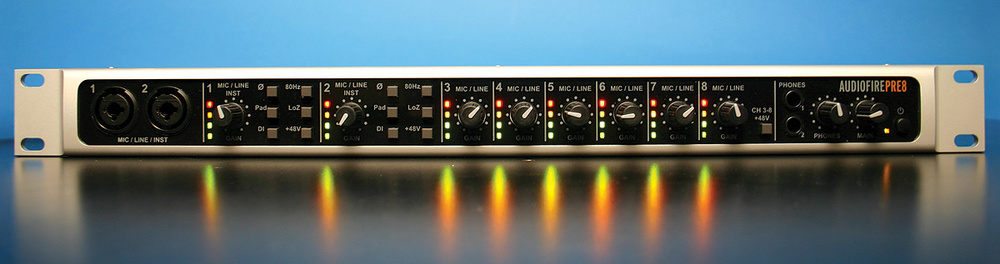

http://www.soundonsound.com/sos/apr10/articles/echoaudiofirepre8.htm
art tube opto 8 (2009)


looks similar to http://www.soundonsound.com/sos/aug09/articles/arttubefire8.htm minus the firewire
Onyx 800R
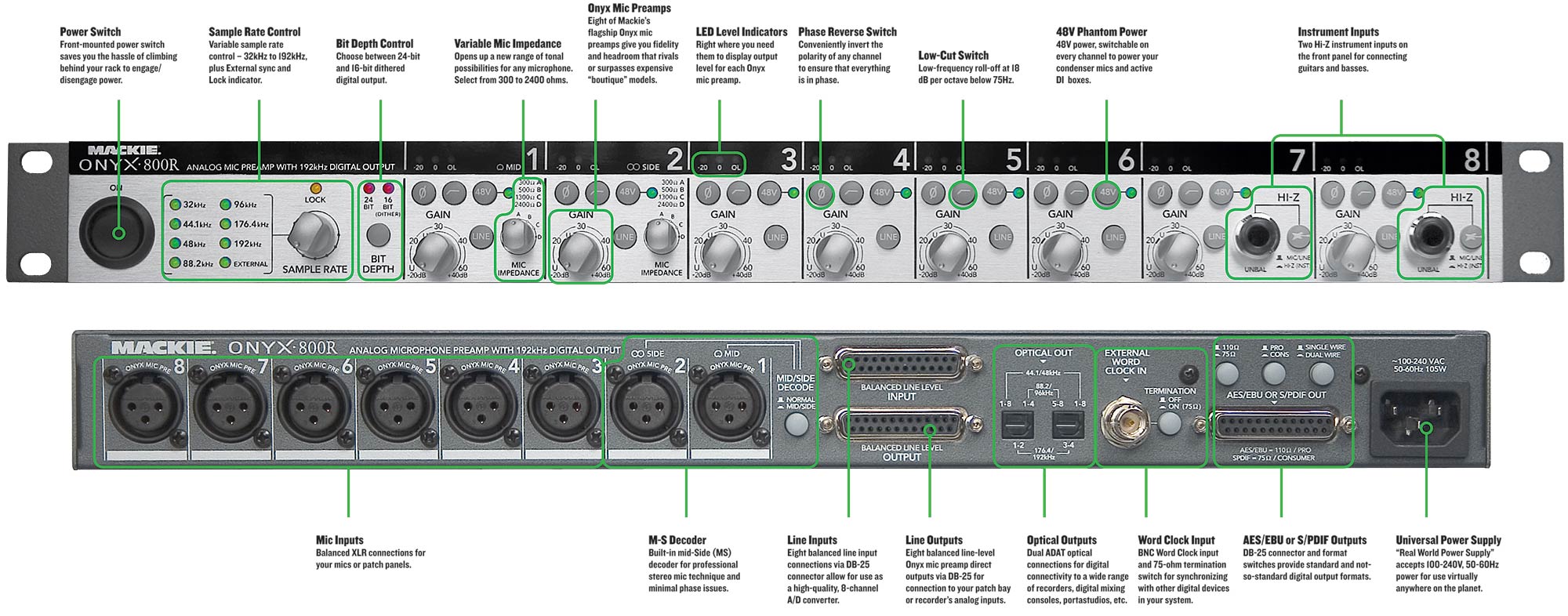
http://www.soundonsound.com/sos/feb05/articles/mackieonyx800r.htm
Behringer ADA8000 (2004)

http://www.soundonsound.com/sos/jun04/articles/behringerada.htm
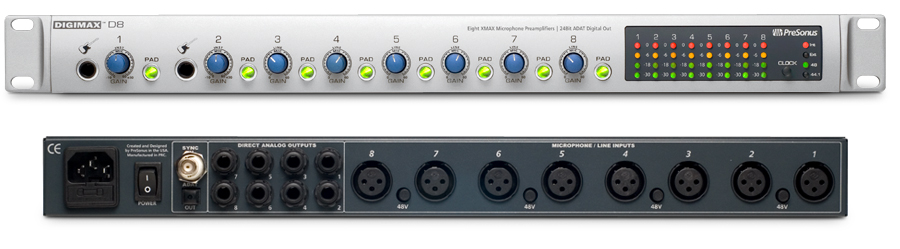
Presonus Digimax D8
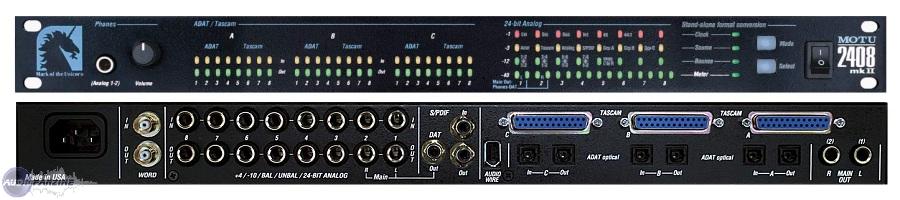
MOTU 2408 (standalone mode)
MOTU 8 PRE (firewire interface + adat extension unit)


http://www.soundonsound.com/sos/apr07/articles/motu8pre.htm
Presonus Firestation (standalone mode)
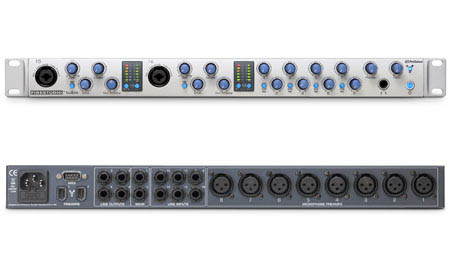
Edirol UA1000 (standalone mode)
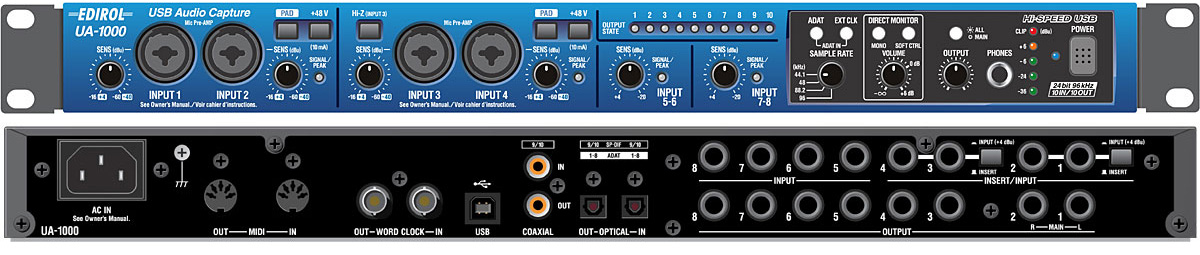
Alesis aI-1 / alesis ai-2 / alesis ai-3

http://www.pgtonstudio.ch/AI1_Manual.pdf
http://alesis.com/ai1 | http://alesis.com/ai2 | http://alesis.com/ai3 | http://alesis.com/ai4
http://www.soundonsound.com/sos/1994_articles/jul94/alesisal1.html
this is a work in progress please feel free to help me grow this information;)
such as the 2408, or DIGI 001, DIGI 002, etc any interface that features ADAT expansion
http://www.soundonsound.com/sos/jul06/articles/qa0706_4.htm
echo audiofire pre 8 (2010) (also a standalone firewire interface but obviously not mac os 9 compatible due to its lack of age)
http://www.soundonsound.com/sos/apr10/articles/echoaudiofirepre8.htm
art tube opto 8 (2009)
looks similar to http://www.soundonsound.com/sos/aug09/articles/arttubefire8.htm minus the firewire
Onyx 800R
http://www.soundonsound.com/sos/feb05/articles/mackieonyx800r.htm
Behringer ADA8000 (2004)
http://www.soundonsound.com/sos/jun04/articles/behringerada.htm
Presonus Digimax D8
MOTU 2408 (standalone mode)
MOTU 8 PRE (firewire interface + adat extension unit)
http://www.soundonsound.com/sos/apr07/articles/motu8pre.htm
Presonus Firestation (standalone mode)
Edirol UA1000 (standalone mode)
Alesis aI-1 / alesis ai-2 / alesis ai-3
http://www.pgtonstudio.ch/AI1_Manual.pdf
http://alesis.com/ai1 | http://alesis.com/ai2 | http://alesis.com/ai3 | http://alesis.com/ai4
http://www.soundonsound.com/sos/1994_articles/jul94/alesisal1.html
this is a work in progress please feel free to help me grow this information;)
Hello,
It's been a long time I don't post anything here on 68kmla, so maybe I should re-introduce myself. I am a developer living in UK, I like classic Mac OS systems very much and I have a collection of Macintosh Systems and all that stuff.
So, I use a lot of Basilisk II and SheepShaver and I get annoyed by how messy it is to go about using several different setups with these emulators and having to take care of these preferences files and invisible files, etc.. I also dislike a lot these GUI made for SheepShaver and Basilisk and I thought I could do better by creating a Cocoa-based GUI myself.
I had to do it in my spare time, so it took long. After 2 years or so, I came to a result I like and I'd like to share it and ask, if that's not much trouble, for some feedback.
I decided to call it Medusa (lots of snakes... basilisk... =D Ah forget it).
Some of the features:
Download is available here:
https://github.com/sentient06/Medusa/releases/tag/v1.2.0b3
You may report bugs in GitHub or on my email. Please remember this is a beta, so there may be a few bugs. I started development on Snow Leopard and continued on Mavericks. As of now, I couldn't test properly on Snow Leopard (my old mac is in the hospital), and I didn't check at all on Lion and Mountain Lion. Any feedbacks on these systems are appreciated.
FYI, there are files generated in the system. It is normal behaviour, but in case you want to flush Medusa completely, they are the following:
Preferences file:
~/Library/Preferences/Giancarlo-Mariot.Medusa.plist
Core-data files dir:
~/Library/Medusa
Application support dir:
~/Library/Application Support/Medusa
Thank you and have fun! I hope you like it.
It's been a long time I don't post anything here on 68kmla, so maybe I should re-introduce myself. I am a developer living in UK, I like classic Mac OS systems very much and I have a collection of Macintosh Systems and all that stuff.
So, I use a lot of Basilisk II and SheepShaver and I get annoyed by how messy it is to go about using several different setups with these emulators and having to take care of these preferences files and invisible files, etc.. I also dislike a lot these GUI made for SheepShaver and Basilisk and I thought I could do better by creating a Cocoa-based GUI myself.
I had to do it in my spare time, so it took long. After 2 years or so, I came to a result I like and I'd like to share it and ask, if that's not much trouble, for some feedback.
I decided to call it Medusa (lots of snakes... basilisk... =D Ah forget it).
Some of the features:
- User-friendly, easy-to-use interface;
- Allows to manage more than one virtual machine (VM);
- Allows to manage different disk images and combine them in any VM;
- Allows to manage different ROM files and change in the VMs;
- Works with any version of Basilisk II and SheepShaver, provided the applications' path;
- It is 100% cocoa;
- No invisible preferences file on the home folder;
- Possibility to import the same preferences file into a new VM;
- Possibility to clone a virtual machine;
- Ability to force-kill the emulator process;
- Ability to delete Basilisk II's XPRAM file automatically;
- Ability to locate (on Finder) the files being used;
- Blocks disk images of a running VM, so any VMs that share these files won't be able to boot, avoiding data corruption;
- Stops emulator from launching if the disk images are being used by another process (it would crash Basilisk II otherwise);
- Keyboard choice preferences with images;
- Ability to choose any macintosh model compatible with emulator and ROM file at the same time (clever interface)
- Open the Assets Manager if it is not open (Window > Assets Manager);
- Go to the Emulators tab and click 'Download automatically';
- Go to the 'Rom Images' tab and drop a ROM image file;
- Go to the 'Disk images' tab and drop a disk image file (suggested DMG and IMG files, but HFV and DSK also possible);
- Go to the main window (Window > Virtual Machine List);
- Click the plus button below the table and give your Virtual Machine a name;
- Click the 'gear' button, choose a ROM file, an emulator and a bootable disk;
- Run it by clicking the power button in the main window (no need to save, it saves on the go)
Download is available here:
https://github.com/sentient06/Medusa/releases/tag/v1.2.0b3
You may report bugs in GitHub or on my email. Please remember this is a beta, so there may be a few bugs. I started development on Snow Leopard and continued on Mavericks. As of now, I couldn't test properly on Snow Leopard (my old mac is in the hospital), and I didn't check at all on Lion and Mountain Lion. Any feedbacks on these systems are appreciated.
FYI, there are files generated in the system. It is normal behaviour, but in case you want to flush Medusa completely, they are the following:
Preferences file:
~/Library/Preferences/Giancarlo-Mariot.Medusa.plist
Core-data files dir:
~/Library/Medusa
Application support dir:
~/Library/Application Support/Medusa
Thank you and have fun! I hope you like it.
art tube opto 8
i should add the octopre dynamic.. this is a very good one.. with compression built in on every cahnnel i believe
http://www.ebay.com/sch/i.html?_trksid=p2050601.m570.l1313.TR0.TRC0.H0.Xoctopre&_nkw=octopre&_sacat=0&_from=R40
was hoping to see some cheap prices on original octopre-- guess again!
i guess that means these guys are still as valuable as they were on day 1 in the studio and are getting used
was hoping to see some cheap prices on original octopre-- guess again!
i guess that means these guys are still as valuable as they were on day 1 in the studio and are getting used
Protools5LEGuy,
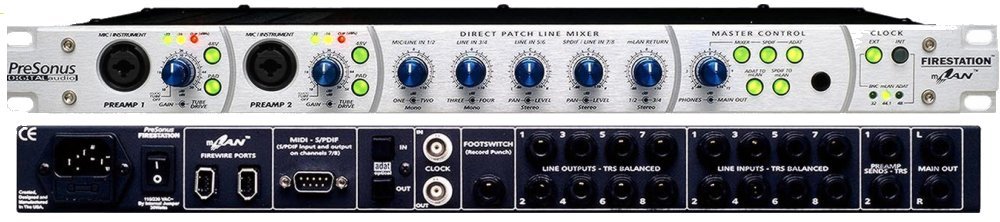
Hmmm… maybe this can get you more inputs as an ADAT slave for a super cheap price ! We talked about the Presonus Firestation in the past, but is suffered as interface due to bugs with it's Mlan implementation. I would like to add it here as an ADAT slave (no drivers necessary). Set it up just like an octpre. it has word clock In BNC and eight channel ADAT light pipe I/O and also some pretty good sounding Pre(s) as I remember… also adjustable gain on the line stuff !
Firestation Specs: http://www.presonus.com/products/FIREstation/features
ebay usual price (less than $125)
http://www.ebay.com/itm/Presonus-Firestation-Audio-MIDI-Interface-No-Reserve-/281305275338?pt=US_Computer_Recording_Interfaces&hash=item417f19dbca&nma=true&si=xmVMozZQAhKdnCfJ6gZ7fAthEWE%253D&orig_cvip=true&rt=nc&_trksid=p2047675.l2557
Sound on Sound Complete review: http://www.soundonsound.com/sos/feb03/articles/presonusfirestation.asp
Forgot it also has a real tube in pre-amp:
I think this counts as the best "bang for the buck" ADAT slave if it works as imaged in your setup
Hmmm… maybe this can get you more inputs as an ADAT slave for a super cheap price ! We talked about the Presonus Firestation in the past, but is suffered as interface due to bugs with it's Mlan implementation. I would like to add it here as an ADAT slave (no drivers necessary). Set it up just like an octpre. it has word clock In BNC and eight channel ADAT light pipe I/O and also some pretty good sounding Pre(s) as I remember… also adjustable gain on the line stuff !
Firestation Specs: http://www.presonus.com/products/FIREstation/features
ebay usual price (less than $125)
http://www.ebay.com/itm/Presonus-Firestation-Audio-MIDI-Interface-No-Reserve-/281305275338?pt=US_Computer_Recording_Interfaces&hash=item417f19dbca&nma=true&si=xmVMozZQAhKdnCfJ6gZ7fAthEWE%253D&orig_cvip=true&rt=nc&_trksid=p2047675.l2557
Sound on Sound Complete review: http://www.soundonsound.com/sos/feb03/articles/presonusfirestation.asp
Forgot it also has a real tube in pre-amp:
Quote
The Firestation includes two preamps which are switchable between solid-state and tube driven. That's right: inside the hi-tech outer skin of this beast lurks a real 12AX7 vacuum tube, for adding "greater warmth and a richer sound
I think this counts as the best "bang for the buck" ADAT slave if it works as imaged in your setup
http://bdm.cc/2014/02/adat-layla/
check this out someone actually modified a layla to be an adat expansion for an RME card!wow thats alot of work

i was trying to think what the most modern setup gear wise on mac os 9 could be
and i got to thinking it would involve
one of these:
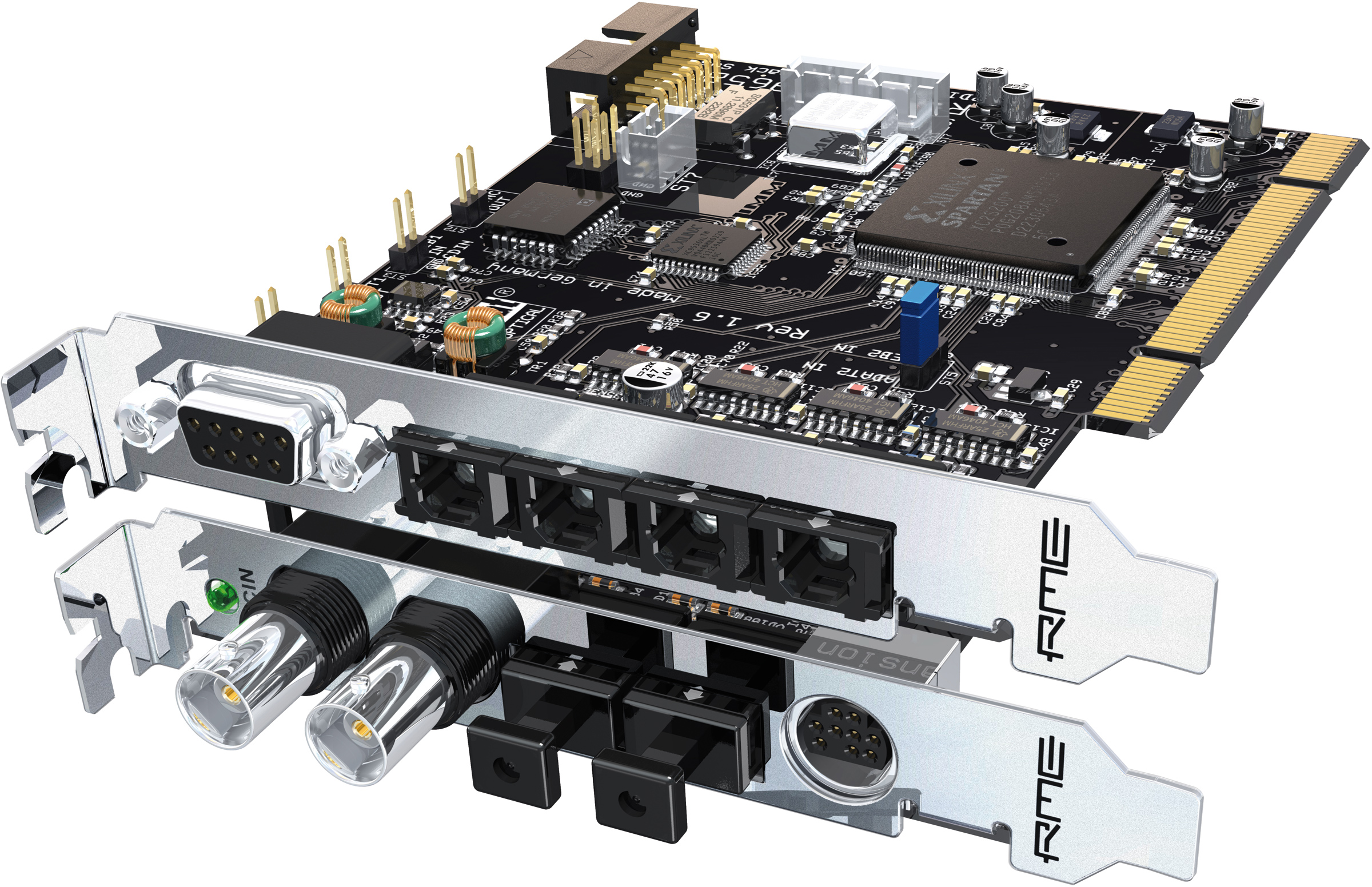
+ 3 new'ish adat mic pre unit i/os clocked off the RME via BNC
heck even just one, would give u updated quality sound of 2014 in mac os 9

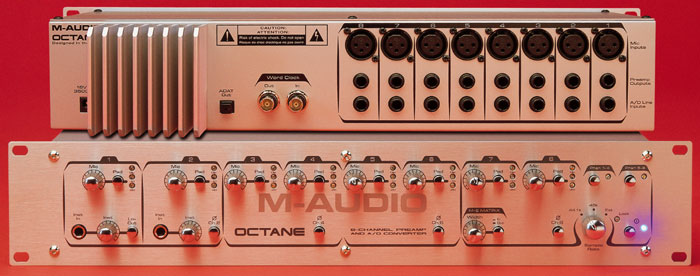
octopre dynamic would do the job nicely;)
couldnt PTLE5guy get similar results by feeding the saffire 56 into the adat in's on the DIGI 001?
i suppose the difference is word clock.. support.. the digi must beable to clock via adat /spdif tho..
the other ultimate mac os set up would be the digi 002 + Adat slave unit
http://www.soundonsound.com/sos/dec02/articles/digi002.asp
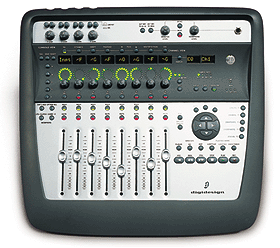
check this out someone actually modified a layla to be an adat expansion for an RME card!wow thats alot of work
i was trying to think what the most modern setup gear wise on mac os 9 could be
and i got to thinking it would involve
one of these:
+ 3 new'ish adat mic pre unit i/os clocked off the RME via BNC
heck even just one, would give u updated quality sound of 2014 in mac os 9
octopre dynamic would do the job nicely;)
couldnt PTLE5guy get similar results by feeding the saffire 56 into the adat in's on the DIGI 001?
i suppose the difference is word clock.. support.. the digi must beable to clock via adat /spdif tho..
the other ultimate mac os set up would be the digi 002 + Adat slave unit
http://www.soundonsound.com/sos/dec02/articles/digi002.asp
looks like theres a new version of the ADA8000 already

http://www.sweetwater.com/store/detail/ADA8200
its lookin mighty fine;)
http://www.sweetwater.com/store/detail/ADA8200
its lookin mighty fine;)
The OS 9 ProTools uses the 'ADAT Bridge' (16 channels of ADAT communication ) to integrate these interfaces/ mixers and whatnot.
http://www.pcrecording.com/wcpci.htm
another converter is the tango 24 by frontier design circa 1996-1998


another converter is the tango 24 by frontier design circa 1996-1998
Quote
Tango24 Specifications
8 analog I/O, 24-bit, 48kHz (Crystal CS4390 Inputs/CS5360 Outputs)
1/4" TRS jacks, jumper selectable +4dBu or -10dBV levels
Switchable input/output level meters
ADAT optical in/out/thru
Internal (44.1 or 48 kHz) and external clock modes
Frequency response: +/- 0.05 dB, 20Hz-20kHz
Dynamic range: 105 dB A-weighted
THD+N: 0.002%
115 dB signal-to-noise-ratio
1U Rack-mountable external converter box