

Quick Scrap 1.2

Quick Scrap
Configuration · v1.2
| Filename | quick-scrap-12.hqx |
|---|---|
| Size | 279.6 KB (286286 bytes) |
| Downloads | 22 |
Enjoying MacTrove?
Anonymous downloads are free and unlimited.
Create a free account to track favorites,
contribute metadata corrections, and join the
community chat.
About
QuickScrap (QS) can do things to make your life so much easier when using your Macintosh. Have you ever wanted to be able to easily store a piece of information from any document you're reading or editing? Here's how it's done with and without QuickScrap:
Without QuickScrap: - select the information - type Command-C to copy - switch to finder or use the apple menu - open your other application or scrapbook - type Command-V to paste in the info - switch back to the first application - continue where you left off
With QuickScrap: - select the info - type your QS hotkey - continue
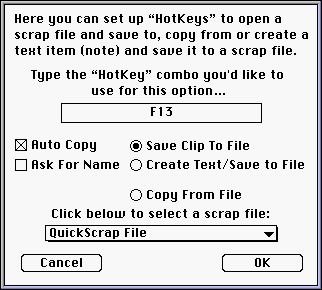
With QuickScrap, you can send the data on the clipboard instantly to a scrapbook file, a ScrapIt Pro file or a QuickScrap file by pressing a key (or keys) of your choice! The QuickScrap file can be used as a multiple clipboard containing as many as 100 items (you choose how many items it will hold). You can have QuickScrap automatically copy any selection you've made in any document you're working on and send the data directly to a scrap file with one keystroke.
Another handy feature of QuickScrap is that you can set a "Hotkey" to allow you to type a quick note (or edit text on the clipboard) and send it to a scrap file without having to leave the application you're currently in.
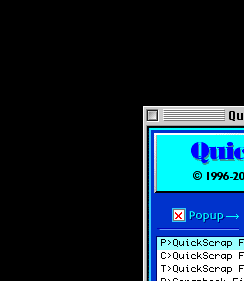
You can set another key to open any scrap file, display all the items in a gallery view or alphabetical list view and allow you to select an item and instantly have it pasted into whatever document you're editing.
Screenshots
File Info
This file is part of the MacTrove archive. See the Thank You page for the upstream mirrors we rely on. It is BinHex encoded — use The Unarchiver to decode it.


