

Thread
Kaleidoscope Scheme to Appearance Theme Conversion
Some very VERRRRY preliminary hacking. The scope of this project shall not include hacking of any Kaleidoscope specific resources until permission is granted or some other justifiable reason. This initially intends only to convert ics8, ics# and cicn resources into pxm# resources. Consequently, themes that utilize the wnd# resource, such as Scherzo, shall not be convertable within this scope, because this requires the electronic parsing of a wnd# resource in a program other than Kaleidoscope, which is apparently forbidden somehow. But we don't have to worry about that yet, there's plenty that we can do without touching that.
So far, it loads a k-scheme resource file into memory, then converts ics8 and ics# window widget resources from memory into their respective pxm# resources. These pxm# resources are a lossless conversion, so they must reference an 8-bit system color palette stored in 'clut' ID 128 (not included). This 'clut' resource is apparently not included in the System file (surprising), so you can get it from inside of Resourcerer's own resource fork, clut ID 72, if you wish to copy the generated pxm# resources into a working theme. Note that you will also probably have to add clut ID 128 to the tdat resource of the modified theme. Details, details....
During the conversion, the new 'pxm#' resources are written to an output text file, output.c. At the end of all conversions, the 'tdat' resource is built and stored in there as well. Output.c is in such a format that it must be built with "Rez", which can be found in /Developer/Tools/ in your Xcode installation. This will turn it into a resource file that can be opened with ResEdit or Resourcerer. This is much easier for me than trying to directly create a resource fork.
Next to do is parsing 'cicn' data. That is a bit of a project in itself due to different color depths. Themes do not support alpha transparency, so schemes that use alpha transparent 'cicn's will not ever be able to be converted properly without creating a system extension. But alpha transparent cicns only work with wnd# resources I think, so for we're probably in the clear for that. Alpha transparency, custom cursors, selectable color variations, and selectable checkbox styles are all of the features of k-schemes that are not supported in themes as far as I am aware. Neither support the Right-to-left interface that is found hidden in themes. This was presumably for localizations with text that reads right-to-left. The only feature existing in themes and not schemes that I'm aware of is the ability to align an image to the top, left corner of the screen. This is useful for large (>16x16) Apple menu icons and alternate selected state icon. You can see that in AquaMaX. I can't imagine any other use.
If anybody has any comments, concerns, praise, hate, etc, I'd like to hear it. I had a pole about this earlier and there didn't seem to be a whole lot of response to it. I think it could be cool, it's definitely quite the curiosity to consider converting schemes to themes. Even converting themes back to schemes might be interesting, as some themes have custom cursors stored in them that would finally spring to life in a scheme.
http://www.d.umn.edu/~bold0070/projects/scheme2theme/
edit
Also to be noted is that schemes properly support separate masks for pressed and unpressed window widget states whereas themes leave artifact of the opposite state in unmasked areas (appearance manager does not redraw the window underneath widgets when they change state). So I have elected to use the ics# mask of the unpressed state for both pressed and unpressed forms of all widgets. The worst-case effect of this is distortion of the pressed state, but this distortion will result in proper-looking unpressed state when the widget is returned to the unpressed state.
Also, all 'ppat' resources can be used DIRECTLY in themes without modification. Only proper referencing must be generated. ('plut' and 'tdat' entries)
So far, it loads a k-scheme resource file into memory, then converts ics8 and ics# window widget resources from memory into their respective pxm# resources. These pxm# resources are a lossless conversion, so they must reference an 8-bit system color palette stored in 'clut' ID 128 (not included). This 'clut' resource is apparently not included in the System file (surprising), so you can get it from inside of Resourcerer's own resource fork, clut ID 72, if you wish to copy the generated pxm# resources into a working theme. Note that you will also probably have to add clut ID 128 to the tdat resource of the modified theme. Details, details....
During the conversion, the new 'pxm#' resources are written to an output text file, output.c. At the end of all conversions, the 'tdat' resource is built and stored in there as well. Output.c is in such a format that it must be built with "Rez", which can be found in /Developer/Tools/ in your Xcode installation. This will turn it into a resource file that can be opened with ResEdit or Resourcerer. This is much easier for me than trying to directly create a resource fork.
Next to do is parsing 'cicn' data. That is a bit of a project in itself due to different color depths. Themes do not support alpha transparency, so schemes that use alpha transparent 'cicn's will not ever be able to be converted properly without creating a system extension. But alpha transparent cicns only work with wnd# resources I think, so for we're probably in the clear for that. Alpha transparency, custom cursors, selectable color variations, and selectable checkbox styles are all of the features of k-schemes that are not supported in themes as far as I am aware. Neither support the Right-to-left interface that is found hidden in themes. This was presumably for localizations with text that reads right-to-left. The only feature existing in themes and not schemes that I'm aware of is the ability to align an image to the top, left corner of the screen. This is useful for large (>16x16) Apple menu icons and alternate selected state icon. You can see that in AquaMaX. I can't imagine any other use.
If anybody has any comments, concerns, praise, hate, etc, I'd like to hear it. I had a pole about this earlier and there didn't seem to be a whole lot of response to it. I think it could be cool, it's definitely quite the curiosity to consider converting schemes to themes. Even converting themes back to schemes might be interesting, as some themes have custom cursors stored in them that would finally spring to life in a scheme.
http://www.d.umn.edu/~bold0070/projects/scheme2theme/
edit
Also to be noted is that schemes properly support separate masks for pressed and unpressed window widget states whereas themes leave artifact of the opposite state in unmasked areas (appearance manager does not redraw the window underneath widgets when they change state). So I have elected to use the ics# mask of the unpressed state for both pressed and unpressed forms of all widgets. The worst-case effect of this is distortion of the pressed state, but this distortion will result in proper-looking unpressed state when the widget is returned to the unpressed state.
Also, all 'ppat' resources can be used DIRECTLY in themes without modification. Only proper referencing must be generated. ('plut' and 'tdat' entries)
rsrc_read.cpp is my very own C++ resource fork parser. This should work for any file with a valid resource fork. It is quite extensively functional for a first rev. Though I'm sure they exist, I wasn't able to find any C++ libraries that would allow me to access individual resource data in a file.
Does anyone know of a library that I could have used instead? I would LOVE to have some easy read/write resource functions.
Does anyone know of a library that I could have used instead? I would LOVE to have some easy read/write resource functions.
Well apparently I can convert 'cicn's now. Look at the window frame! Does this look familiar?  (Onyx)
This is still very preliminary, it only supports 8-bit 'cicn's right now. It extracts the color table from the 'cicn', stores it as a 'clut' resource, and then builds a 'pxm#' resource. the 'pxm#' contains all little trimmed pieces of images from the original 'cicn' and references the new color table. Each displayed pixel is a lossless conversion.
As you'll see, I didn't get to the racing stripes or the title text, and in fact, I also did not do the zoom box or grow box even though those wouldn't normally be on this window. Also, proper collapsing of the window and the small 1-pixel shadow isn't finished. I noticed that Kaleidoscope uses embossed text for the title bar - that's another feature not supported in themes.
Anyway, it's progress. I still haven't touched any resource types created by the Kaleidoscope people, such as 'wnd#'. These are all Apple's own data structures that I'm working with.
(Onyx)This is still very preliminary, it only supports 8-bit 'cicn's right now. It extracts the color table from the 'cicn', stores it as a 'clut' resource, and then builds a 'pxm#' resource. the 'pxm#' contains all little trimmed pieces of images from the original 'cicn' and references the new color table. Each displayed pixel is a lossless conversion.
As you'll see, I didn't get to the racing stripes or the title text, and in fact, I also did not do the zoom box or grow box even though those wouldn't normally be on this window. Also, proper collapsing of the window and the small 1-pixel shadow isn't finished. I noticed that Kaleidoscope uses embossed text for the title bar - that's another feature not supported in themes.
Anyway, it's progress. I still haven't touched any resource types created by the Kaleidoscope people, such as 'wnd#'. These are all Apple's own data structures that I'm working with.
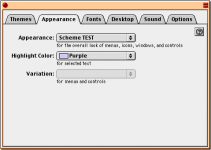
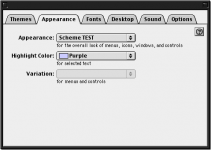
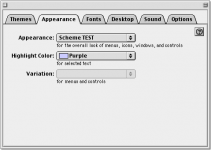
cicn to pxm# conversion has become more robust now, supporting 1, 2, 4, and 8 bit depth. It also allows me to copy rectangle areas from the cicn to the pxm# with a single function call, regardless of bit depth. This expands compatibility from just Onyx to include Ice and Sherbet. Also, shadows and collapse functionality are fixed now.
Ironically, the System 7 scheme that Kaleidoscope comes with, that they copied from Apple would require me to access their wnd# resource to make a conversion into a theme! They can copy from Apple but I can't copy from them? That's a little hypocritical.
Ironically, the System 7 scheme that Kaleidoscope comes with, that they copied from Apple would require me to access their wnd# resource to make a conversion into a theme! They can copy from Apple but I can't copy from them? That's a little hypocritical.
Wow, this is brilliant progress you're making. Though I've noticed that the UI elements (tab and stuff) look normal in the new Onyx pic. Was that from having Kaleidoscope on by accident maybe?
Anyway, great work Dennis. I should go through my MacAddict CDs and find that Scheme Editor I messed around with once.
Though I've noticed that the UI elements (tab and stuff) look normal in the new Onyx pic. Was that from having Kaleidoscope on by accident maybe?Anyway, great work Dennis.
I should go through my MacAddict CDs and find that Scheme Editor I messed around with once. So far, I have only worked on the regular document window frame, which includes the close/collapse/zoom boxes. Everything else defaults to Apple Platinum. However, once the document window is done, the same code can be adapted to much more easily convert all of the other elements, like tabs, pop-up menus, etc.
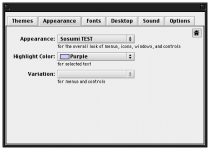
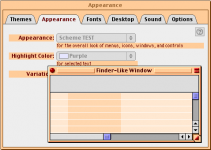
In the first picture, you actually see the Appearance Manager defaulting back to the Sosumi theme for the tabs and things. I had initially built on top of Sosumi, but now I am able to build from scratch and allow Apple Platinum to show through.
The windows that you see are from Kaleidoscope Schemes, but they are being run with Apple's Appearance Manager. Kaleidoscope was not running when I took any of these pictures.
In the first picture, you actually see the Appearance Manager defaulting back to the Sosumi theme for the tabs and things. I had initially built on top of Sosumi, but now I am able to build from scratch and allow Apple Platinum to show through.
The windows that you see are from Kaleidoscope Schemes, but they are being run with Apple's Appearance Manager. Kaleidoscope was not running when I took any of these pictures.
A bit more progress. The racing stripes and title text are working now. It took a fair bit of head smashing to get through all the different behaviors of the title text, it acts a little bit differently depending on if there is a zoom box or not, especially as the window gets too small to display the text. But it's doing well now. Also, I ran into a strange inconsistency between cicn and pxm# data. pxm# requires all image data to exist within an even number of bytes per row, whereas cicn can be any whole number of bytes.
Say that you have a 1-bit image that is 17 pixels wide. In cicn, each row must be a whole number of bytes, so:
bits -> bytes
8 -> 1
16 -> 2
24 -> 3
32 -> 4
The nearest one for cicn is 24 bits, or 3 bytes per row. The remaining 7 bits just go to waste, they're clipped off and you don't see them, but they're in there.
In pxm#, the nearest one is 32 bits, or 4 bytes per row, because it must be an even number of bytes. So this requires more wasted bits (aka padding) that must be inserted.
I got through that one, that took a fair bit of effort but we're good.
The latest image shows working ppat (racing stripes), which proves a functional plut resource, and also it shows a 1-bit transparent pxm# (border around racing stripes). And the growbox.
Themes support separate images for vertical-only and horizontal-only zoom boxes, which is apparently not supported in Kaleidoscope as far as I can tell.
Do have a look at http://www.d.umn.edu/~bold0070/projects/scheme2theme/ for the latest source code. This code does not spit out a working theme file! There are a couple of necessary resources missing that must still be scavenged form a working theme. It does spit out some working theme resources though.
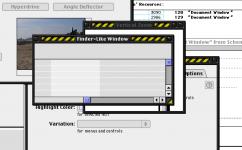
Say that you have a 1-bit image that is 17 pixels wide. In cicn, each row must be a whole number of bytes, so:
bits -> bytes
8 -> 1
16 -> 2
24 -> 3
32 -> 4
The nearest one for cicn is 24 bits, or 3 bytes per row. The remaining 7 bits just go to waste, they're clipped off and you don't see them, but they're in there.
In pxm#, the nearest one is 32 bits, or 4 bytes per row, because it must be an even number of bytes. So this requires more wasted bits (aka padding) that must be inserted.
I got through that one, that took a fair bit of effort but we're good.
The latest image shows working ppat (racing stripes), which proves a functional plut resource, and also it shows a 1-bit transparent pxm# (border around racing stripes). And the growbox.
Themes support separate images for vertical-only and horizontal-only zoom boxes, which is apparently not supported in Kaleidoscope as far as I can tell.
Do have a look at http://www.d.umn.edu/~bold0070/projects/scheme2theme/ for the latest source code. This code does not spit out a working theme file! There are a couple of necessary resources missing that must still be scavenged form a working theme. It does spit out some working theme resources though.
Not much to show for it, but I have made progress creating the clr# (theme text color) resource and have added the ability to update a color in the clr# based on a particular pixel in a cicn. Because cicns have color tables, the "get pixel color" function first finds the pixel based on x, y coordinates, reads the index stored there, and looks up that index in the color table. It returns the 3x16bit color. With that color, you are then able to call another function to overwrite a default color already stored in the clr# resource.
Since this functionality is similar to plut resources, I went ahead and polished plut first. It now supports user and required plut resources. Required pluts start with default values that can be overwritten just like the clr# resource.
The only visible effect is that now the document window's title text is converted to the right color automatically.
I have run into an issue when converting the inactive document window frame in Onyx. The image is 1-bit and for some reason it is not parsing correctly. It ends up being twice the width that it should be.
Since this functionality is similar to plut resources, I went ahead and polished plut first. It now supports user and required plut resources. Required pluts start with default values that can be overwritten just like the clr# resource.
The only visible effect is that now the document window's title text is converted to the right color automatically.
I have run into an issue when converting the inactive document window frame in Onyx. The image is 1-bit and for some reason it is not parsing correctly. It ends up being twice the width that it should be.
That one was nasty. It was 2 problems. First I forgot one of these types of things:
buffer = new unsigned char[1024];
So some memory was being written over. Also, I fixed the excessive width problem - I just had to copy the trimmed width from the cicn to the pxm#. I was using the untrimmed width, which includes the padding. The inactive document window frame should be done in a short period of time now. I'll post it as an edit if it's quick enough, otherwise I'll just make a new post again.
edit
I spy a glitch in the Ice grow box!
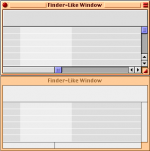
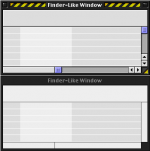
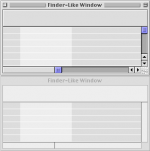
buffer = new unsigned char[1024];
So some memory was being written over. Also, I fixed the excessive width problem - I just had to copy the trimmed width from the cicn to the pxm#. I was using the untrimmed width, which includes the padding. The inactive document window frame should be done in a short period of time now. I'll post it as an edit if it's quick enough, otherwise I'll just make a new post again.
edit
I spy a glitch in the Ice grow box!
The Ice grow box was more padding issues. In some cases, the cicn will have too much padding. The cicn to pxm# converter is now fully-aware of increasing or decreasing padding at the end of each row as necessary.
edit
If anybody else is interested in helping with this project, do chime in. I won't be unemployed forever.
edit
If anybody else is interested in helping with this project, do chime in. I won't be unemployed forever.
All of the window frame types except for utility and side utility windows are done now. Anyone who has played with themes should get a good chuckle from the familiar Theme Checker 3 / AppearanceSamplePPC test messages. :lol:
edit
I went ahead and uploaded the latest code (v0.2). This contains a read-me that steps you through exactly how to try it. You need to have Xcode installed, and classic mode or a Mac OS 8.5 - 9.2.2 Mac to try the converted theme on.
It's a little bit messy code, but for a hack, it works pretty well. Let me know if you try running it and if my instructions were good enough. I tried to make it so that you could do it even if you hadn't programmed or used xcode before.
http://www.d.umn.edu/~bold0070/projects/scheme2theme/
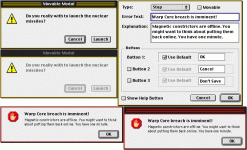
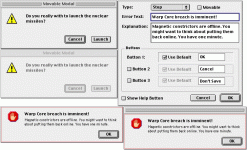
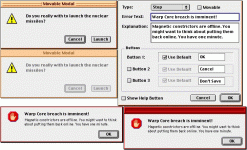
edit
I went ahead and uploaded the latest code (v0.2). This contains a read-me that steps you through exactly how to try it. You need to have Xcode installed, and classic mode or a Mac OS 8.5 - 9.2.2 Mac to try the converted theme on.
It's a little bit messy code, but for a hack, it works pretty well. Let me know if you try running it and if my instructions were good enough. I tried to make it so that you could do it even if you hadn't programmed or used xcode before.
http://www.d.umn.edu/~bold0070/projects/scheme2theme/
 I remember that Apple had their own official utility for converting Kaleidoscope to Apple themes, it was something I always wanted.
 I'm glad you like it! I did work on themes back in the day, at the very end before OS X came out. I was only in high school though. I made several themes, but I didn't have the ability to make a program that accesses resource forks and shifts around bits and bytes the way this one does. I didn't even understand pxm# color tables so all of my old themes are 24-bit color -- way slower and larger file size than they need to be. I mitigated that with the use of color table ppats when possible, but those are only useful for non-transparent images.
More progress. I have rewritten most of the cicn to pxm# converter so it is much more flexible now. The pxm# no longer has to be the same size as the cicn. This allowed me to fix a growbox size bug that you might have seen in Sherbet. Now when you copy a rectangle, you can automatically copy the mask with it if you want, that's a nice feature. Also, its more intuitive to add more indexes to pxm# images. All of the padding conversion hackery is gone now - this is automatically taken care of just by the way that it's written now.
Mostly there has just been a lot of cleanup. I've done a few visible things with text colors and background colors that you can see in the image.
I've discovered a future issue: scroll bar buttons. In schemes, pressed, unpressed, inactive, and disabled versions are each in separate cicns with separate color tables, but in themes, they are REQUIRED to be in the same pxm# resource. So I have to mess with color tables to get these to work, and I think that the only reasonable solution is to use the 32-bit pxm# mode, where each pixel is stored directly with a 32-bit color. If I do that, then I don't even have to use color tables at all. It's not a perfect solution. Doing a whole theme in 32-bit mode makes it less responsive, but for these small parts it may be okay.
I want to work on scroll bars soon because they currently crash the converted theme if you click them...
Mostly there has just been a lot of cleanup. I've done a few visible things with text colors and background colors that you can see in the image.
I've discovered a future issue: scroll bar buttons. In schemes, pressed, unpressed, inactive, and disabled versions are each in separate cicns with separate color tables, but in themes, they are REQUIRED to be in the same pxm# resource. So I have to mess with color tables to get these to work, and I think that the only reasonable solution is to use the 32-bit pxm# mode, where each pixel is stored directly with a 32-bit color. If I do that, then I don't even have to use color tables at all. It's not a perfect solution. Doing a whole theme in 32-bit mode makes it less responsive, but for these small parts it may be okay.
I want to work on scroll bars soon because they currently crash the converted theme if you click them...
The program parses cinf resources now. SHHHHHHHHHHHH! (These are Kaleidoscope proprietary resources.) I won't release the code for this until we at least go to some reasonable effort to get permission from the Kaleidoscope guy if we can find him.
So the converter uses the cinf resource to parse out the cicn images for controls. For example, sliders, tabs, buttons, etc. The image part of it is working already, but there won't be a one-size-fits-all layo resource like there was for window frames, so that has yet to be developed. The layo resource tells themes where to put images and gives them clickable / visible characteristics. So I will have to convert info from the cinf into the layo for each control.
Scroll bar buttons will be a whole separate header and source file I think, I'll put that off. There are other things I can do that affect a whole range or parts in the theme.
Concerning the "wnd#" resources, those are tricky because of stretch and collapse regions. I'm not exactly sure how to translate those into a layo. layos use centering coordinates and collapse items individually, which is more versatile. It seems that this should be possible with some clever hacking. But once again, wnd# is Kaleidoscope-proprietary.
So the converter uses the cinf resource to parse out the cicn images for controls. For example, sliders, tabs, buttons, etc. The image part of it is working already, but there won't be a one-size-fits-all layo resource like there was for window frames, so that has yet to be developed. The layo resource tells themes where to put images and gives them clickable / visible characteristics. So I will have to convert info from the cinf into the layo for each control.
Scroll bar buttons will be a whole separate header and source file I think, I'll put that off. There are other things I can do that affect a whole range or parts in the theme.
Concerning the "wnd#" resources, those are tricky because of stretch and collapse regions. I'm not exactly sure how to translate those into a layo. layos use centering coordinates and collapse items individually, which is more versatile. It seems that this should be possible with some clever hacking. But once again, wnd# is Kaleidoscope-proprietary.
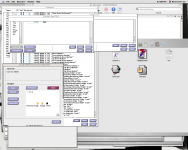
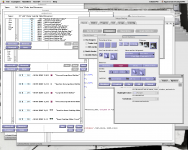
kaleidoscope.net just recently went out of existence. Is this a coincidence, or does anyone think it's related to the development here? Now I have no idea how to get in touch with those people, the email address was @kaleidoscope.net! I would like to talk to those guys but it's a real challenge to find them.
If anything, what we're doing here would bring back interest to Kaleidoscope, I don't know how it would upset anyone, especially considering that it was developed by just a couple of guys who probably care a lot about it.
Would anyone be willing to help track these guys down? Greg Landweber designed the engine and Arlo Rose made some schemes from what I understand. It would be great to move forward with this project, but it's not going to happen if we're upsetting people in the process. This is just for fun, that's the entire point.
edit
I found this page:
http://math.bard.edu/greg/biography.php
I'll fire him a message.
If anything, what we're doing here would bring back interest to Kaleidoscope, I don't know how it would upset anyone, especially considering that it was developed by just a couple of guys who probably care a lot about it.
Would anyone be willing to help track these guys down? Greg Landweber designed the engine and Arlo Rose made some schemes from what I understand. It would be great to move forward with this project, but it's not going to happen if we're upsetting people in the process. This is just for fun, that's the entire point.
edit
I found this page:
http://math.bard.edu/greg/biography.php
I'll fire him a message.
Me likes the looks of this.
I added a bit to the 'layo' builder that eliminates repeat coordinate entries. I went from over 100 coordinates down to 8 on the bevel buttons! Wow. Also some bug reduction concerning the 0th element in 'layo's. I had just skipped it and wasted the memory in the program, though it didn't affect the final output. But it's less likely to cause a bug without that.
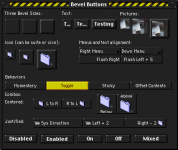
I added a bit to the 'layo' builder that eliminates repeat coordinate entries. I went from over 100 coordinates down to 8 on the bevel buttons! Wow. Also some bug reduction concerning the 0th element in 'layo's. I had just skipped it and wasted the memory in the program, though it didn't affect the final output. But it's less likely to cause a bug without that.
Are there tabs within these glitches? Yay! These act a little bit different with the 'cinf' resource, so it'll take a bit more hacking. The 'cinf's that I've done so far stretch both vertical and horizontal, and these stretch only horizontal, thus the strangeness. Also I'm not exactly sure where to position the text.
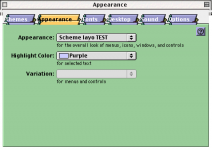
Well, that's it for tonight. Large North Tabs are working but I don't approve of my hackmanship. I have to figure out more detail about this cinf stuff.
I would like to point out again that embossed text is not supported in themes, so this is as good as the tabs can look.
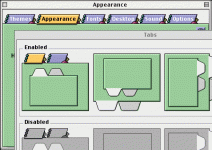
I would like to point out again that embossed text is not supported in themes, so this is as good as the tabs can look.
It's official! We have permission from Greg Landweber to develop this converter! When I get back home on Monday, I'll post the latest source code. It's a pretty big jump from the previous version that I posted.
The scheme seen in the last couple of images is "Scherzo!", which is included with Kaleidoscope. Window frames are 'wnd#' in this scheme, so the window frames won't be working for a while.
I made a Gizmo-like theme a long time ago called Doohickey. There's also one that looks a lot like Mac OS X 10.2. I made only a few themes, but they are high quality:
http://www.d.umn.edu/~bold0070/projects/themes/
You can download, put them in your Mac OS 8.5-9.2.2 "System Folder/Appearance/Themes" folder and select them in the Appearance control panel. These themes are complete and original, ready for everyday use.
The scheme seen in the last couple of images is "Scherzo!", which is included with Kaleidoscope. Window frames are 'wnd#' in this scheme, so the window frames won't be working for a while.
I made a Gizmo-like theme a long time ago called Doohickey. There's also one that looks a lot like Mac OS X 10.2. I made only a few themes, but they are high quality:
http://www.d.umn.edu/~bold0070/projects/themes/
You can download, put them in your Mac OS 8.5-9.2.2 "System Folder/Appearance/Themes" folder and select them in the Appearance control panel. These themes are complete and original, ready for everyday use.
Here's the latest source code:
http://www.d.umn.edu/~bold0070/projects/scheme2theme/scheme2theme%200.5.zip
It's much more extensive now. This should work for buttons in all schemes and tabs in newer schemes (i.e. Scherzo!, System 7)
I'll have to putz a bit with some items in older schemes because some things are just color table shifts of platinum.
http://www.d.umn.edu/~bold0070/projects/scheme2theme/scheme2theme%200.5.zip
It's much more extensive now. This should work for buttons in all schemes and tabs in newer schemes (i.e. Scherzo!, System 7)
I'll have to putz a bit with some items in older schemes because some things are just color table shifts of platinum.
Yep, absolutely - that was awesome. It was an e-mail that he sent to me specifically, so I'm not too sure if I should post it directly on here, but basically he said that he didn't have any problem with it, and actually went so far as to ask if we needed any support. If there's an issue with this, I can forward the message to a moderator here for verification purposes. For that matter, a moderator could probably contact Greg directly as well. He seems like a cool, approachable guy.
All tabs are done now, and that required me to develop image transformations. (rotate, flip)
Notice the hacked AppearanceSamplePPC about box. Nothing samples all of the tab panes with text. It wasn't a good choice because I can't make that window inactive.
These should be identical to the ones Kaleidoscope displays, with the exception that I fixed some text bounding boxes. The boxes are the same as they are for Apple Platinum now. It is normal for text to not rotate on its own for the east and west tabs.
The original scheme, with Kaleidoscope running, is included for comparison.
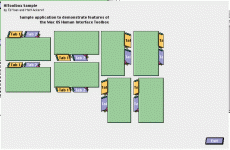
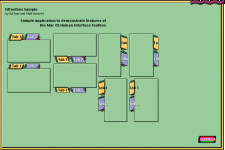
Notice the hacked AppearanceSamplePPC about box. Nothing samples all of the tab panes with text. It wasn't a good choice because I can't make that window inactive.
These should be identical to the ones Kaleidoscope displays, with the exception that I fixed some text bounding boxes. The boxes are the same as they are for Apple Platinum now. It is normal for text to not rotate on its own for the east and west tabs.
The original scheme, with Kaleidoscope running, is included for comparison.
Slowly but surely.
Check boxes and radio buttons are working now. I've never seen alternate checkbox styles activated in a theme, there's no option anywhere to turn them on, but I put them in there anyway.
Apparently the code only can convert Scherzo! now. OOPS
I have to build in a lot of exceptions, error handling, and check for scheme versions and such. I think I'll focus on this scheme for now and worry about all of that later.
My control.c file is getting enormous, I need to think about how to split that down because it will be many many times larger the way things are going.
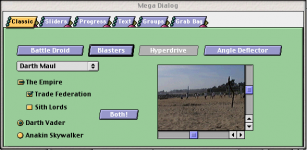
Check boxes and radio buttons are working now. I've never seen alternate checkbox styles activated in a theme, there's no option anywhere to turn them on, but I put them in there anyway.
Apparently the code only can convert Scherzo! now. OOPS
I have to build in a lot of exceptions, error handling, and check for scheme versions and such. I think I'll focus on this scheme for now and worry about all of that later.
My control.c file is getting enormous, I need to think about how to split that down because it will be many many times larger the way things are going.
I got the breakdown of control.cpp done. This is much more manageable now.
I ran into an issue with root menu item titles. In Kaleidoscope, the titles overlap by 1 pixel, by means of setting the left bound 1 pixel to the left of the default bounding box. When I attempt to do this in a theme, the extra pixel does not draw on the screen, nor will it draw if I attempt hanging off from the right side. So there's a little issue there, maybe something in the 'tinf' resource will help but I doubt it. I'll just play with it and see what happens.
I found something interesting in the Hi-Tech checkbox layo - they used a NULL type image to make the checkbox redraw, so maybe I'll try that.
I ran into an issue with root menu item titles. In Kaleidoscope, the titles overlap by 1 pixel, by means of setting the left bound 1 pixel to the left of the default bounding box. When I attempt to do this in a theme, the extra pixel does not draw on the screen, nor will it draw if I attempt hanging off from the right side. So there's a little issue there, maybe something in the 'tinf' resource will help but I doubt it. I'll just play with it and see what happens.
I found something interesting in the Hi-Tech checkbox layo - they used a NULL type image to make the checkbox redraw, so maybe I'll try that.
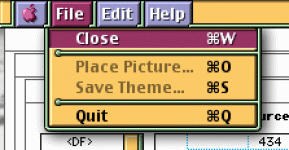
Tonight, Pop-up Buttons and Arrow Buttons are working, also extensive work was done to hush up all of the errors for non-Scherzo schemes so that it will work on all schemes again.
There's a lot left to do:
Substitute platinum with proper palette for missing items in schemes
Manage different scheme versions and default 'cinf's
Figure out where to find window background colors in newer schemes
layo
Fix ppat VH structure backgrounds (currently pattern starts from incorrect origin, must be fixed by using 'frme's. You can see this problem by converting Antique and looking at the tabs.)
All sliders
All scroll bars
Newer window frames (wnd#)
Disclosure triangle
Little Arrows
Progress bars, indeterminate progress bar
Image well
frme
Design a frame maker software module
Groups / separators
Edit Text frame
List box Frame
Dialog Content Edge
Window Header
Window Placard
I forgot to mention that I finally figured out how the 'tinf' resource works, so now the converter actually spits out a theme that runs all on its own once you run it through Rez and change the type/creator codes.
There's a lot left to do:
Substitute platinum with proper palette for missing items in schemes
Manage different scheme versions and default 'cinf's
Figure out where to find window background colors in newer schemes
layo
Fix ppat VH structure backgrounds (currently pattern starts from incorrect origin, must be fixed by using 'frme's. You can see this problem by converting Antique and looking at the tabs.)
All sliders
All scroll bars
Newer window frames (wnd#)
Disclosure triangle
Little Arrows
Progress bars, indeterminate progress bar
Image well
frme
Design a frame maker software module
Groups / separators
Edit Text frame
List box Frame
Dialog Content Edge
Window Header
Window Placard
I forgot to mention that I finally figured out how the 'tinf' resource works, so now the converter actually spits out a theme that runs all on its own once you run it through Rez and change the type/creator codes.
I ran into a glitch with popup buttons. Appearance manager uses clr# color IDs 0, 1, 2 for normal, inactive, and pressed text instead of 17, 18, 19. Because of this, popup button text shares the same color as Alert Window text! There's no fix for that short of hacking the appearance manager. I'm not that crazy.
So here it is, with the wrong text color (should be white)
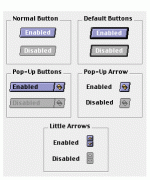
So here it is, with the wrong text color (should be white)
This is parsed directly from a wnd# resource. I have done non-stretching parts of the top and bottom.
Stretch regions are going to be tricky. Sides with 1 or 2 stretch regions should be possible. Because I can only split things in half proportionally in themes, I think that we're stuck with 2^n numbers of stretch regions, otherwise they won't be evenly spaced. Even with, say, 4 stretch regions, all of the little "islands" would have to be the same size. I can calculate anything I want in the converter program, but unfortunately I don't have math functions available directly in themes, all I can do is cut things in half. There may not be many schemes that use more than 2 stretch regions per side, though.
The Close, Zoom and Collapse boxes will require the same color table combination code as the scroll arrows before they will work properly.
This wnd# code is VERY MESSY, most of the code is switch statements. There is nothing done for stretch regions, islands, or left/right sides yet. I did it that way to avoid copy/pasting the same code chunks with little changes, but I think there comes a point where the copy/pasting has an advantage.
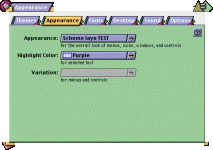
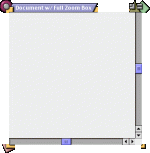
Stretch regions are going to be tricky. Sides with 1 or 2 stretch regions should be possible. Because I can only split things in half proportionally in themes, I think that we're stuck with 2^n numbers of stretch regions, otherwise they won't be evenly spaced. Even with, say, 4 stretch regions, all of the little "islands" would have to be the same size. I can calculate anything I want in the converter program, but unfortunately I don't have math functions available directly in themes, all I can do is cut things in half. There may not be many schemes that use more than 2 stretch regions per side, though.
The Close, Zoom and Collapse boxes will require the same color table combination code as the scroll arrows before they will work properly.
This wnd# code is VERY MESSY, most of the code is switch statements. There is nothing done for stretch regions, islands, or left/right sides yet. I did it that way to avoid copy/pasting the same code chunks with little changes, but I think there comes a point where the copy/pasting has an advantage.