
Thread
Ultra320 SCSI for Macs? Other Server interfaces?
I've been reading a bunch of threads about using server drives in our old Macs, so I've been looking around . . .
. . . If someone in the tech Support Brigade could contribute a howto on Server HDD types and adaptation aimed at the rest of us, it would be very helpful.
Ultra320 SCSI controller cards (some) appear to be backward compatible with SCSI 3 and SCSI 2 . . .
. . . which makes me wonder if the Ultra 320 drives would be backward compatible for earlier controllers as well . . .
. . . some are listed as "SAS, SCSI" . . . what's SAS?
So, would an Ultra320 SCSI adaptable to our toys?
__if so: how?
__if not: why?
________________________________________________________________________________________________________
Links to any previous threads about server drives would be appreciated and will be posted here in a revamped IP . . .
Problems, problems...Where do I begin?
SCSI Ultra 3 for older Mac
80 pin -> 50 pin SCSI adapter in SE/30
. . . If someone in the tech Support Brigade could contribute a howto on Server HDD types and adaptation aimed at the rest of us, it would be very helpful.
Ultra320 SCSI controller cards (some) appear to be backward compatible with SCSI 3 and SCSI 2 . . .
. . . which makes me wonder if the Ultra 320 drives would be backward compatible for earlier controllers as well . . .
. . . some are listed as "SAS, SCSI" . . . what's SAS?
So, would an Ultra320 SCSI adaptable to our toys?
__if so: how?
__if not: why?
________________________________________________________________________________________________________
Links to any previous threads about server drives would be appreciated and will be posted here in a revamped IP . . .
Problems, problems...Where do I begin?
SCSI Ultra 3 for older Mac
80 pin -> 50 pin SCSI adapter in SE/30
. . . or in this reply. [ ] ]'>
] ]'>
Server HDD info links:
This LSI Logic Ultra320 Host Adapter User Guide seems particularly helpful despite its PCIe orientation.
Server HDD thread links:
U320 2.5" SCSI HDDs in vintage Macs?
Generic HDD & SCSI Voodoo links:
Hard disk scsi problems + more problems
:lol: found it on the same page in peripherals, but additional links would be appreciated, as would be a HowTo!
] ]'>Server HDD info links:
This LSI Logic Ultra320 Host Adapter User Guide seems particularly helpful despite its PCIe orientation.
Server HDD thread links:
U320 2.5" SCSI HDDs in vintage Macs?
Generic HDD & SCSI Voodoo links:
Hard disk scsi problems + more problems
:lol: found it on the same page in peripherals, but additional links would be appreciated, as would be a HowTo!
SCSI = old-school non-mainstream interface. But I'm sure you knew that.
SCSI-3 isn't native on any Mac, which includes all versions called "Ultra", which in general means all speeds 40 MB/s or higher, but SCSI-3 devices are fully backward compatible with SCSI-2 and SCSI-1.
Then there are the physical interfaces.
"Narrow SCSI" is the internal 50-pin connection that is standard on every desktop Mac from the SE through the beige G3.
"Wide SCSI" is either the standard "desktop-style" 68-pin connection, or the server-style 90-pin "SCA" connection which includes data, power, and 'config' (aka SCSI ID jumpers) on one connection for use in hot-swap bays. Both Wide SCSI connectors can be converted to a narrow 50-pin connector with a simple adapter board. (I ran a 9 GB, 10,000 RPM 80-pin SCA Ultra160 drive in my SE/30 for a while.)
SAS is "Serial Attach SCSI", which is the SCSI command set over a serial connection rather than a parallel connection. It is very similar in concept to the PATA->SATA conversion. (And is, in fact, compatible with SATA devices.) SAS is the currently in use version of SCSI. Older parallel SCSI devices can be converted to run on SAS with a (not cheap) adapter, but I haven't yet seen an adapter to let SAS devices work on parallel SCSI (although it is theoretically possible.)
Another SCSI variant? Firewire. Yup, Firewire is SCSI. It's another "serial" implementation of SCSI, similar to SAS, although much older. And yes, SCSI devices can be converted to Firewire with fairly simple adapters. (I have one lying around somewhere, used it to use my Jaz drive on my Power Mac.)
The big problem with using newer server-grade Ultra-something SCSI drives in older Macs is power usage and heat. The drives in the earliest SCSI Macs are slow. Some were as low as 3500 RPM. That didn't draw much power, or generate much heat. (A Connor 20 MB drive of the kind used in the SE ran at 3500 RPM, had a single platter, and drew 4.2 Watts at load.) A newer server-grade drive, the Seagate Cheetah 15K.3, runs at 15,000 RPM, has four platters, and draws 12.21 Watts at idle. That extra power means a lot of extra heat. (When I used my 9 GB 15,000 RPM drive in my SE/30, I had a second power micro power supply powering it, and ran with the cover off.)
SCSI-3 isn't native on any Mac, which includes all versions called "Ultra", which in general means all speeds 40 MB/s or higher, but SCSI-3 devices are fully backward compatible with SCSI-2 and SCSI-1.
Then there are the physical interfaces.
"Narrow SCSI" is the internal 50-pin connection that is standard on every desktop Mac from the SE through the beige G3.
"Wide SCSI" is either the standard "desktop-style" 68-pin connection, or the server-style 90-pin "SCA" connection which includes data, power, and 'config' (aka SCSI ID jumpers) on one connection for use in hot-swap bays. Both Wide SCSI connectors can be converted to a narrow 50-pin connector with a simple adapter board. (I ran a 9 GB, 10,000 RPM 80-pin SCA Ultra160 drive in my SE/30 for a while.)
SAS is "Serial Attach SCSI", which is the SCSI command set over a serial connection rather than a parallel connection. It is very similar in concept to the PATA->SATA conversion. (And is, in fact, compatible with SATA devices.) SAS is the currently in use version of SCSI. Older parallel SCSI devices can be converted to run on SAS with a (not cheap) adapter, but I haven't yet seen an adapter to let SAS devices work on parallel SCSI (although it is theoretically possible.)
Another SCSI variant? Firewire. Yup, Firewire is SCSI. It's another "serial" implementation of SCSI, similar to SAS, although much older. And yes, SCSI devices can be converted to Firewire with fairly simple adapters. (I have one lying around somewhere, used it to use my Jaz drive on my Power Mac.)
The big problem with using newer server-grade Ultra-something SCSI drives in older Macs is power usage and heat. The drives in the earliest SCSI Macs are slow. Some were as low as 3500 RPM. That didn't draw much power, or generate much heat. (A Connor 20 MB drive of the kind used in the SE ran at 3500 RPM, had a single platter, and drew 4.2 Watts at load.) A newer server-grade drive, the Seagate Cheetah 15K.3, runs at 15,000 RPM, has four platters, and draws 12.21 Watts at idle. That extra power means a lot of extra heat. (When I used my 9 GB 15,000 RPM drive in my SE/30, I had a second power micro power supply powering it, and ran with the cover off.)
Nothing of the sort! It was the standard interface since its inception . . . in the world of MiniComputers . . . but I'm sure you knew that! [
] ]'>I'm not worried about heat output, power input or even the slothlike data transfer rate and borked connector in Apple's mis-implementation of the SCSI standard on the Mac.
I'll be running SCSI 2 in a couple of Radius Studio Array Boxen! [
 ] ]'>
] ]'>
Well, go for it, then!
(Yes, on a site dedicated to microcomputers, I do use microcomputer usage terms. And SCSI wasn't even fully "mainstream" in minicomputers, as many of them used customer interfaces - "minicomputers" were on the decline when SCSI was becoming standardized. I suppose it became the standard right at the end of the minicomputer era.)
(Yes, on a site dedicated to microcomputers, I do use microcomputer usage terms. And SCSI wasn't even fully "mainstream" in minicomputers, as many of them used customer interfaces - "minicomputers" were on the decline when SCSI was becoming standardized. I suppose it became the standard right at the end of the minicomputer era.)
:approve: I am, BIGtime! Unfortunately the SAS, SCSI pair I was watching turned out to be SAS only.
Gotta start searchin' for Ultra320 Drive Bundles!
IIRC, SCSI was the first of the ANSI(?) standards for HDDs, even though it was specified as a general purpose Small Computer Systems Interface. "Small" meaning "Mini" of course.
Thanks much for the primer on MicroComputer SCSI history and its applicability here!
Gotta start searchin' for Ultra320 Drive Bundles!
It did/was, my dad was head of the senior design group at PRIME Computer during their heyday and later took over the Peripherals Division.
IIRC, SCSI was the first of the ANSI(?) standards for HDDs, even though it was specified as a general purpose Small Computer Systems Interface. "Small" meaning "Mini" of course.
Thanks much for the primer on MicroComputer SCSI history and its applicability here!
Some UWSCSI HD's have a small jumper for SE mode that would work on a 50 pin SCSI chain.
Subject: U320 2.5" SCSI HDDs in vintage Macs?
It may be best to search for U160 drives instead.
aka Single Ended
One other factor that server drives are known for is their noise output. Running in an external box though, you would have the opportunity to do some noise reduction mods. For example, if you chose 2.5" SCSI drives, you could do the old aluminium sheet heatsink sandwich and mount them on rubber feets or bungee in the 3.5" bays.I'm not worried about heat output, power input / I'll be running SCSI 2 in a couple of Radius Studio Array Boxen! [
A couple of useful links:
All About 68k SCSI Hard Drives! Some notes by Tyler Sable
PowerBook SCSI drives and IDE adapters by macdan
... which means the 15mm server drives would fit, but the necessary adapter/s might not, and heat would be a much bigger issue inside a PowerBook as well.
Excellent guys, this is what I like: getting links to all the pertinent threads and a bunch of outside source material into one good directory for sticky-notin' at the top of the forum. :b&w:
For the SuperIIsi™ I'll be using just one Fast SCSI 2 HDD off the Rocket 33's DaughterCard. There's plenty of room to mount the single SCSI Slot Loader CD Mechanism in my collection to pop cds in-n-out of the cooling vent crack in the front . . .
. . . if only that %$#^%$%%$^% little PO$ (box) WORKED!

I'm all over that already, the Radius StudioArray seems to have been designed for a pair of half height 5.25" HDDs in a RAID config. There's PLENTY of cubic in there for 3.5" noise-n-vibration dampnation in those suckers!
For the SuperIIsi™ I'll be using just one Fast SCSI 2 HDD off the Rocket 33's DaughterCard. There's plenty of room to mount the single SCSI Slot Loader CD Mechanism in my collection to pop cds in-n-out of the cooling vent crack in the front . . .
. . . if only that %$#^%$%%$^% little PO$ (box) WORKED!
Trash80toHP_Mini,
Your questions are too general.
What toys are you talking about? IIxx family? SE? Quadras? NuBus PowerMacs? PCI PowerMacs? Internal or external? Bootable? The only drive in chain or one of several? What OS? What formatter?
Each case have to be examined separately, I'm affraid. The newer your Mac is, the less problems you'll encounter.
From my own experience, spanning from Q650 to PM9600.
1. Seagate's are best. Quantum and IBM less so.
2. Drives with custom firmware could be problematic.
3. FWB software is mandatory. ATTO Express ProTools is very good addition.
4. On NuBus - Jackhammer is best. ATTO SEIV not so.
5. On PCI - Adaptec 2940UW is best, ATTO acceptable. (Tip: use cheap 2940UW's from PC's, resolder EEPROM and reflash them with Mac firmware, when needed)
6. On 68k Macs - watch 2GB boot drive limit.
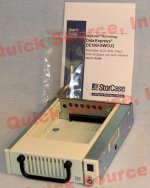
7. External DataExpress DE100i-SWCU2 hot-swap enclosures are very good, i use them when I need to mount SCA drive quickly (just 4 screws) Note - these need to be equipped with isolator board to be really hot-swappable on a Mac, but work fine otherwise - i.e. you have to reboot.
8. SCA to UW adapters were discussed previously
The SAS drives in my POWER6 run *hotttt* (15K RPM doesn't help). You wouldn't like me when I'm ang...I mean, you wouldn't want them in a typical computer chassis without a lot of airflow, and you need something on the other end that can take the throughput.
History rehashings:
Strictly speaking, the ANSI standard for SCSI wasn't ratified until 1986, so being "first" didn't mean much; technically the Mac Plus isn't compliant with the ratified standard and Apple's 25 pin cabling system continued to violate it for as long as Macs were being made with SCSI built-in. SCSI is descended from SASI, "Shugart Associates System Interface", developed by the company in the late 1970's and presented publicly in September 1981; the draft standard was renamed "SCSI" in early 1982, replacing "Shugart Associates" with "Small Computer" in order to render it company-neutral, and while it was indeed used in the minicomputer realm early on it didn't exactly set the world on fire.
The informal standard for hard drive interfaces between the late 1970's and the mid-80s was the raw ST-506/412 "standard" based on the Shugart/Seagate hard drive models of the same name. It's worth noting that most early "SCSI" hard drives were in fact ST-412-style drives cabled to accessory SASI/SCSI daughter boards housing a complete MFM/RLL interface plus microcontroller, making them *considerably* more expensive, complicated, and power-hungry than a bare drive. Since microcomputers place a premium on being physically compact and inexpensive inserting SCSI between the host and the drive would have in most cases translated to pointless cost and overhead, which means that prior to Apple adapting its brain-damaged version of the standard for the Plus the cost-sensitive parts of the industry mostly avoided it like the plague. Most of the theoretical benefits of SCSI with regard to lower CPU overhead are completely wasted when you're running single-tasking operating systems anyway, as most microcomputers did at the time, and in fact Apple's implementation of SCSI fails to leverage most of those advantages on both hardware and software levels.
Arguably by the time IDE came along SCSI *should* have been cheap enough for wide-scale adoption (the host interfaces and drive electronics were getting down to the single-chip levels of integration for both standards), but SCSI was by that time so shoehorned into its "premium" niche it just didn't happen. (Perhaps if the Macintosh Plus and its descendants had been sold at more mass-market price points history would have been different, but it also didn't help that SCSI cabling was confusing and error-prone while IDE was designed specifically to be hard to screw up. Such is the cost of flexibility.)
On PCI Macs, you have the option of IDE, SATA, USB and Firewire, so one wonders why one would even bother with adding a SCSI card.
1. Read my OP - "..spanning from Q650 to PM9600."
2. Flexibility and speed. Especially 10 -15 years ago. Narrow drives started dissapearing at that time and move to UW drives seemed logical. Besides, when working in enviroment where clients pay you by hour, moving large amounts of data /waiting while program writes new file to slow drive would be at client's expense and make them very unhappy.
2. Flexibility and speed. Especially 10 -15 years ago. Narrow drives started dissapearing at that time and move to UW drives seemed logical. Besides, when working in enviroment where clients pay you by hour, moving large amounts of data /waiting while program writes new file to slow drive would be at client's expense and make them very unhappy.
Keep in mind with some of those 2.5" SCSI Drives (later SCSI). Some of them used 12 Volts, especially the faster RPM models. Much like the WD Raptors and other SATA 2.5"/SAS 2.5" drives, they almost always required 12v, which the powerbooks did not provide
(I still get a kick of the people on forums complaining that when they did somehow manage to show-horn a 2.5" WD Raptor into their laptop, for "Some" reason their drive won't spin up...)
(I still get a kick of the people on forums complaining that when they did somehow manage to show-horn a 2.5" WD Raptor into their laptop, for "Some" reason their drive won't spin up...)
IIRC, it was a standard option, at least mine came with one. I'd have to dig out the invoice to check to see if it was an Apple Part, like the ZIP Installation Kit (that they weren't supposed to sell for user installation [}
 ] ]'> ) or something I had added in from a second source when I bought the Graphite Gift. [] ]'>
The same still applies, but other than a couple of my legacy HDDs, there'd be little point to adding the card for mass storage in today's world. I'd wanted to get a SATA Card to put in the DA, but alas, that'll have to go into the QS'02 with the rest of the goodies from the DA.
Well, I've got some on the way:
Lot of 2 Ultra3 (U160) 36GB Quantum/Maxtor 10KRPM ATLAS III SCSI Drives
Maybe these will work in one of the Radius Studio Array Boxen off the Rocket33/SCSI II Card in a RAID config, dunno, it was worth a shot at $19.99 shipped
I figured 15k RPM was a just tad overkill for a 68040 system of any pedigree. )
)
However, I doubled down my bets for the internal HDD for the Radius 81/110
Compaq 36GB SCSI 235065-002 A3201 15K U160 Hard Drive
That one was $19.90 all on its ownsome, but the Radius 81/110/G3 BEAST deserves to be LOUD! [}] ]'>
If it needs 24V, it'll get it!
Lot of 2 Ultra3 (U160) 36GB Quantum/Maxtor 10KRPM ATLAS III SCSI Drives
Maybe these will work in one of the Radius Studio Array Boxen off the Rocket33/SCSI II Card in a RAID config, dunno, it was worth a shot at $19.99 shipped
I figured 15k RPM was a just tad overkill for a 68040 system of any pedigree.
) However, I doubled down my bets for the internal HDD for the Radius 81/110
Compaq 36GB SCSI 235065-002 A3201 15K U160 Hard Drive
That one was $19.90 all on its ownsome, but the Radius 81/110/G3 BEAST deserves to be LOUD! [}
] ]'>If it needs 24V, it'll get it!
1. I was talking about today.
2. We were talking about storage.
:?:
I have found that carefully-chosen 10k and 15k SCSI drives are actually quite quiet and cool-running. I've had especially good luck with the Cheetah drives with fluid-dynamic bearings, and some of the later Hitachi UltraStar drives. I had two 72GB UltraStar 10K300 drives in RAID 1 in a quiet workstation... could hardly tell it was on, with the usual mods to reduce drive noise.
Remember that the same bearing and motor upgrades that make desktop drives quiet also make server drives have longer MTBF. Cooler-running is also a reliability improvement. Not all server drives are quiet, but they're not all screamers either.
Remember that the same bearing and motor upgrades that make desktop drives quiet also make server drives have longer MTBF. Cooler-running is also a reliability improvement. Not all server drives are quiet, but they're not all screamers either.
I've edited the links to relevant threads I've searched so far into the OP. one more relevant question here.
80 pin -> 50 pin SCSI adapter in SE/30
Do the Ultra 160 and (when voluntarily complient) the Ultra 320 Drives step down into Fast SCSI 2 mode when using these adapters on a Fast SCSI 2 Controller? My working assumption would be that they do, as the spec. for Ultra 3 160 required backward compatibility, but confirmation would be nice!
As always, more links to relevant information and relevant existing threads posted, especially hard won experiences related here are all requested, troops. :approve:
80 pin -> 50 pin SCSI adapter in SE/30
Do the Ultra 160 and (when voluntarily complient) the Ultra 320 Drives step down into Fast SCSI 2 mode when using these adapters on a Fast SCSI 2 Controller? My working assumption would be that they do, as the spec. for Ultra 3 160 required backward compatibility, but confirmation would be nice!
As always, more links to relevant information and relevant existing threads posted, especially hard won experiences related here are all requested, troops. :approve:
Those Ultra160/320 drives have to switch down to (Fast) SCSI-2 in order to work with our vintage Macs, for sure...
Besides all Ultra160 (and some Ultra320) drives supporting narrow (8-bit) transfers, some drives need to have that narrow mode enabled or forced via jumpers. IBM's DCHS drives (4.5 GB, 68-pin and SCA versions; quite loud and hot-running ) are among them.
As already mentioned (can't recall the thread, sorry!) I like very much the Seagate-made Compaq/HP BD07285A25 (73 GB, 10Krpm, Ultra-320, SCA; very quiet, moderate power reqs and reasonably cool -- got one of these shoehorned on my LC475!) and they'll work without any jumper tinkering (on the drive) with an adapter like the first one shown in your previous link (the same type I usually use)
On the other hand, got recently a Fujitsu MAN3367MC (36 GB, Ultra-160, SCA; no jumpers) but it refused to work at all with my usual adapters However, a "better" adapter (Siemens branded) with termination resistor packs did the trick, and at 12 EUR it wasn't that expensive either...
In short: those kinds of disks you mention will work down to SCSI-2, but check for jumper settings and/or use a good, terminated adapter -- I presume in order not to leave the unused high byte floating, so the auto switching circuits will be able to work fine.
Besides all Ultra160 (and some Ultra320) drives supporting narrow (8-bit) transfers, some drives need to have that narrow mode enabled or forced via jumpers. IBM's DCHS drives (4.5 GB, 68-pin and SCA versions; quite loud and hot-running
) are among them.As already mentioned (can't recall the thread, sorry!) I like very much the Seagate-made Compaq/HP BD07285A25 (73 GB, 10Krpm, Ultra-320, SCA; very quiet, moderate power reqs and reasonably cool -- got one of these shoehorned on my LC475!) and they'll work without any jumper tinkering (on the drive) with an adapter like the first one shown in your previous link (the same type I usually use)
On the other hand, got recently a Fujitsu MAN3367MC (36 GB, Ultra-160, SCA; no jumpers) but it refused to work at all with my usual adapters
However, a "better" adapter (Siemens branded) with termination resistor packs did the trick, and at 12 EUR it wasn't that expensive either...In short: those kinds of disks you mention will work down to SCSI-2, but check for jumper settings and/or use a good, terminated adapter -- I presume in order not to leave the unused high byte floating, so the auto switching circuits will be able to work fine.
I am setting up a tower this week with a MDD logic board, and thinking about what to do about drives. It is a server-type tower case and drive access is a pain unless accessed from the front. I could do some kind of PATA or SATA rack or backplane, but it would involve buying stuff I can't afford right now. Can't spend any money.
But I do have an ATTO ExpressPCI UL3D card which I've never used. I have a pile of oldish Compaq (yuck) drives which could work with this. And Compaq backplane and cage assemblies to slot them into. Assuming that the backplane relegates all SCSI handling duties to the controller, I suppose it should work. But, like I said, it's Compaq stuff, so who knows? The power supply is 550 Watts so it should be ok for a few drives.
If it works, it'll probably be noisy. The servers these came out of sounded like VTOL aircraft. Too bad there are so few solid state SCSI drives, I don't understand why, they should work just fine. The ATTO is supposedly supported for Mac OS 9.22 and 10.4, which should have me covered. Also, I've never before tried setting up a Mac to boot from a non-native SCSI bus. Hopefully I can try this tomorrow.
But I do have an ATTO ExpressPCI UL3D card which I've never used. I have a pile of oldish Compaq (yuck) drives which could work with this. And Compaq backplane and cage assemblies to slot them into. Assuming that the backplane relegates all SCSI handling duties to the controller, I suppose it should work. But, like I said, it's Compaq stuff, so who knows? The power supply is 550 Watts so it should be ok for a few drives.
If it works, it'll probably be noisy. The servers these came out of sounded like VTOL aircraft. Too bad there are so few solid state SCSI drives, I don't understand why, they should work just fine. The ATTO is supposedly supported for Mac OS 9.22 and 10.4, which should have me covered. Also, I've never before tried setting up a Mac to boot from a non-native SCSI bus. Hopefully I can try this tomorrow.
Some updates on my previous post...
Those HP BD07285A25 drives are indeed great -- head seeks are extremely quiet and quick, draw a moderate amount of power (0.8A @ 12V, although a hefty 1.2A @ 5V) and, if properly formatted, they'll work fine even on '030 machines.
But I have to correct about them running reasonably cool... they can get very hot, but it'll take quite a long time -- and they'll stay warm even several hours after shutoff. Looks like they have some thermal inertia...
Still, I'm afraid that all these SCSI-3 drives, when connected to a "lower" interface via an adapter, go into some sort of crippled mode with much less performance than the host's "narrow" interface would allow, not to say the drive's mechanics!
For instance: I've just installed one of these wonderful HP drives inside my 7600/G3/450, to the internal (Fast-SCSI, 10 MB/s) bus, with a common SCA-50 pin adapter. While everything is working flawlessly and the benefit of a very low access time is clearly perceived, according to HDT Benchmark it peaks at a very pedestrian 3.3 MB/s I was expecting such a 73 GB 10000 rpm drive to top out the interface at 10 MB/s.
On the other hand, the older Quantum Viking 4.5 GB (7200 rpm, native 50-pin) in my dad's 7500 does peak at 8.5 MB/s on the internal bus. If connected to the external port, it goes up right to the interface's theoretical limit (5 MB/s).
Not sure if a "better" (high-byte terminated, etc) adapter would help... I've got one of these for a Fujitsu MAN3367MC (36 GB, Ultra-160, SCA; won't work with regular adapters) and it performed a bit better on the aforementioned machine, peaking at about 3.7 MB/s, but still way below the combo's possibilities...
Those HP BD07285A25 drives are indeed great -- head seeks are extremely quiet and quick, draw a moderate amount of power (0.8A @ 12V, although a hefty 1.2A @ 5V) and, if properly formatted, they'll work fine even on '030 machines.
But I have to correct about them running reasonably cool... they can get very hot, but it'll take quite a long time -- and they'll stay warm even several hours after shutoff. Looks like they have some thermal inertia...
Still, I'm afraid that all these SCSI-3 drives, when connected to a "lower" interface via an adapter, go into some sort of crippled mode with much less performance than the host's "narrow" interface would allow, not to say the drive's mechanics!
For instance: I've just installed one of these wonderful HP drives inside my 7600/G3/450, to the internal (Fast-SCSI, 10 MB/s) bus, with a common SCA-50 pin adapter. While everything is working flawlessly and the benefit of a very low access time is clearly perceived, according to HDT Benchmark it peaks at a very pedestrian 3.3 MB/s
I was expecting such a 73 GB 10000 rpm drive to top out the interface at 10 MB/s.On the other hand, the older Quantum Viking 4.5 GB (7200 rpm, native 50-pin) in my dad's 7500 does peak at 8.5 MB/s on the internal bus. If connected to the external port, it goes up right to the interface's theoretical limit (5 MB/s).
Not sure if a "better" (high-byte terminated, etc) adapter would help... I've got one of these for a Fujitsu MAN3367MC (36 GB, Ultra-160, SCA; won't work with regular adapters) and it performed a bit better on the aforementioned machine, peaking at about 3.7 MB/s, but still way below the combo's possibilities...
Regarding backwards compatibility to older SCSI modes:
It is my impression that this varies from one specific drive model to the next, and that it is important to find and read the manufacturer's support notes to confirm for each drive.
It is my impression that this varies from one specific drive model to the next, and that it is important to find and read the manufacturer's support notes to confirm for each drive.
Correct. Find the drive datasheet and read it. It's a pain, but like dropping a bomb from orbit, it's the only way to be sure -- without spending money.
For example, I'm currently considering these:
http://www.ebay.com/itm/110917812596?ssPageName=STRK:MEWAX:IT&_trksid=p3984.m1423.l2649
http://www.ebay.com/itm/130729532247?ssPageName=STRK:MEWAX:IT&_trksid=p3984.m1423.l2649
I found the datasheet here:
http://www.seagate.com/files/staticfiles/support/disc/manuals/enterprise/savvio/10K/100293075d.pdf
And it indicates that SCSI-2 support is built-in.
If I get them, I'll probably use them with this:
http://www.ebay.com/itm/110753860737?ssPageName=STRK:MEWAX:IT&_trksid=p3984.m1423.l2649
although I'm tempted to contact the seller and ask him if the termination can be set to only terminate the upper 8 bits. If the only option is to terminate the full bus, then such an adapted drive would need to go at the end of the SCSI cable, and in practice, pretty much mean that you could only use one at a time, or two if you install one internally and one externally.
If someone has found a better/less expensive SCA adapter, I'd like to know. Searching the web in general, the terminated SCA adapters I found were more expensive. I found one or two on Ebay and/or on Amazon which were cheaper and claimed to be terminated, but a close examination of the photographs revealed that there were no components on the circuit board which could be providing termination.
Anyway, I'm not sure there's any point in my buying those to hedge against the future. I have a few IDE/SCSI adapters. And a small stock of IBM 2 GB 50 pin drives (kind of loud, though). But the SCA adapter for these little SCSI drives is cheaper than the IDE/SCSI adapter was even at its cheapest.
Here are some results from my attempts to connect a Hitachi U320 10K drive to my Mystic:
1) The U320 drive won't work at all with my SCA -> 50pin adaptor. The adaptor works fine with other SCA drives. The U320 drive works fine with a SCA -> 68pin adaptor, both attached to a JackHammer Wide SCSI card and with a 68 -> 50pin adaptor and onboard SCSI.
Any insight on this one is welcome. Both SCA adaptors are the "fully passive" type.
2) The U320 drive isn't bootable in the Mystic. When booted off a 7.1.1 floppy, the drive doesn't even show up in SCSIProbe. It mounts fine (and is smokin' fast!) when the Mystic is booted off another hard drive with System 7.5.5.
I suspect this is because the Mystic has a 53C96 SCSI chip that supports 5MB/s synchronous SCSI, but the ROM driver for it only runs the SCSI bus in asynchronous mode. After booting System 7.5.5, SCSI Manager 4.3 is active and the SCSI bus is run in synchronous mode. I'm remembering correctly that 7.5.5 has SCSI Manager 4.3 for Quadras baked in, right?
Sometime soon I plan to copy the SCSI Manager 4.3 extension onto my 7.1.1 boot floppy. I expect it "should" work in 7.1, since the AV quadras shipped with 7.1 and they have SCSI Manager 4.3 in ROM. If the drive magically shows up after I put the SCSI Manager 4.3 extension on there, then the hypothesis is confirmed.
1) The U320 drive won't work at all with my SCA -> 50pin adaptor. The adaptor works fine with other SCA drives. The U320 drive works fine with a SCA -> 68pin adaptor, both attached to a JackHammer Wide SCSI card and with a 68 -> 50pin adaptor and onboard SCSI.
Any insight on this one is welcome. Both SCA adaptors are the "fully passive" type.
2) The U320 drive isn't bootable in the Mystic. When booted off a 7.1.1 floppy, the drive doesn't even show up in SCSIProbe. It mounts fine (and is smokin' fast!) when the Mystic is booted off another hard drive with System 7.5.5.
I suspect this is because the Mystic has a 53C96 SCSI chip that supports 5MB/s synchronous SCSI, but the ROM driver for it only runs the SCSI bus in asynchronous mode. After booting System 7.5.5, SCSI Manager 4.3 is active and the SCSI bus is run in synchronous mode. I'm remembering correctly that 7.5.5 has SCSI Manager 4.3 for Quadras baked in, right?
Sometime soon I plan to copy the SCSI Manager 4.3 extension onto my 7.1.1 boot floppy. I expect it "should" work in 7.1, since the AV quadras shipped with 7.1 and they have SCSI Manager 4.3 in ROM. If the drive magically shows up after I put the SCSI Manager 4.3 extension on there, then the hypothesis is confirmed.
I hopped onto FleaBay just to check prices. WOW. $6 + Free shipping for a brand new 36GB 15k RPM Ultra320 drive. Snagged one. Basically free + shipping. This puppy is going into my DP 1Ghz QuickSilver. Zoom!
[Not mine] http://www.ebay.com/itm/Fujitsu-36GB-SCSI-MAS3367NC-15K-U320-Hard-Drive-/170925501321
Zoom![Not mine] http://www.ebay.com/itm/Fujitsu-36GB-SCSI-MAS3367NC-15K-U320-Hard-Drive-/170925501321
I gave up on the 7.1.1 + SCSI Manager 4.3.1 + Sync-only U320 drive test. I'd overwritten my boot floppy with an 8.1 boot floppy and didn't want to re-overwrite it. I put a different 10K drive in the Mystic just to get this project closer to completion.
I can confirm that the SCSI Manager 4.3.1 extension does work with System 7.1.1 on the Mystic! Running Photoshop 3 under 7.1.1 without SCSI Manager 4.3, the efficiency indicator shows sync IO. After installing the SCSI Manager 4.3.1 INIT and rebooting, the little dagger appears next to the scratch efficiency showing that has begun using asynchronous IO calls.
Another interesting result is losing large-block throughput by installing SCSI Manager 4.3.1. I was getting about 6MB/s in the ATTO Performance utility without SCSI Manager 4.3.1. After installing the INIT, the results are hard-capped at 5MB/s. I suspect that this speed decrease is as a result of running the SCSI bus at the 5MB/s synchronous mode when the SCSI Manager 4.3.1 INIT is active.
The Finder is much more responsive during file copies, though -- so overall performance should be higher even though bulk throughput is lower.
I can confirm that the SCSI Manager 4.3.1 extension does work with System 7.1.1 on the Mystic! Running Photoshop 3 under 7.1.1 without SCSI Manager 4.3, the efficiency indicator shows sync IO. After installing the SCSI Manager 4.3.1 INIT and rebooting, the little dagger appears next to the scratch efficiency showing that has begun using asynchronous IO calls.
Another interesting result is losing large-block throughput by installing SCSI Manager 4.3.1. I was getting about 6MB/s in the ATTO Performance utility without SCSI Manager 4.3.1. After installing the INIT, the results are hard-capped at 5MB/s. I suspect that this speed decrease is as a result of running the SCSI bus at the 5MB/s synchronous mode when the SCSI Manager 4.3.1 INIT is active.
The Finder is much more responsive during file copies, though -- so overall performance should be higher even though bulk throughput is lower.
I was just on their page and was wondering if these might be a good choice:
http://www.ebay.com/itm/SCSI-SCA-80-Pin-F-50-Pin-M-Internal-Adapter-/330436901004
Do these seem suitable for my Fast SCSI II Cards a/o for straight up Mac MoBo SCSI?
The higher profile adapters with the 68 pin connector on board tend to get in each other's way when installing pairs inside a case.