Home Forums 68kMLA Help!! Radius Thunder IV GX 1360 issues — #11
Post #11 by adh1197
Source Forum68kMLA
CategoryTroubleshooting
Post DateFri, 24 Feb 2012 - 23:20
Original URLhttps://68kmla.org/bb/threads/help-radius-thunder-iv-gx-1360-issues.24811/
Post
Is the ScreenShot for the Radius Card in B&W or in Color and what resolution is displayed?
It is a color image. Resolution is something other than 640x480. Not sure which resolution however.

Do you have any documentation? In which slot are you installing the card?
No documentation and I have tried all NuBus slots in both of my Macs with the same results.

On point 4, The VRAM is soldered directly to the card. I can provide a picture of the card, but I am unsure which chips represent the VRAM.
They're soldered on in droves on a card like that, if they're little flat rectangular SMT Packages they're harder to replace. If they're vertical elongated boxes in a thru-hole package with the pins in a Z pattern, they're far easier to replace.
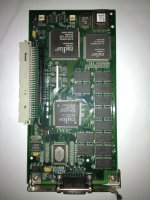
The chips that I think are the RAM look like they would be impossible to replace, at least by me. They don't appear to be thru-hole setups. Please refer to pictures:
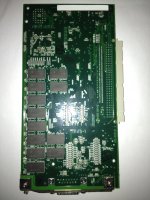
1360_back_a.JPG

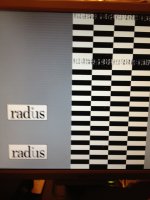
My PRAM batteries are good. I have loaded the Radius software but it appears that the card is configured through the Monitors control panel. Even taking this into consideration I am reluctant to view this as a configuration problem due to the images I am seeing on the display directly at startup, see below. (The images are from 2 separate start-ups.)
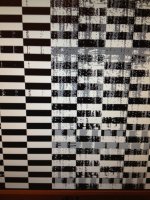
screen_at_post_2.JPG

screen_at_post.JPG

1360_front_a.JPG

mp.ls