
Success! There are probably several ways to do this, but I basically made a disk image of the hard drive of my Classic II with Disk Copy 6. You need to boot from another drive to do this successfully, and I found that making ANOTHER .img file from the mounted disk image on another old Mac (I used a beige G3 running 9.2.1), which rebuilt the desktop file of the disk image, worked. I had encountered a lot of trouble with the desktop file/folder of the disk image using other methods. You then copy the .img file to the jailbroken ipod using scp in the Terminal from a newer machine.
Boots, everything seems to work, within the limits of minivmac itself.
My emulator is using the Plus ROM, but I think I may stick a Mac II on there and test, mainly in order to have access to more memory.
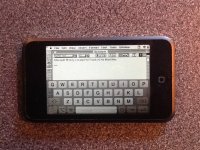
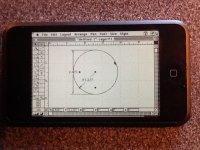
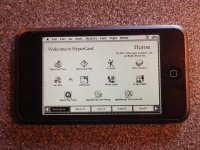
What I discover is that the ipod touch is well suited to "clickable," mouse-driven applications like Hypercard, assuming you are using something ready-made. The keyboard is a temperamental little beastie. Speed in HyperCard 2.4.1 is not blisteringly fast (not sure whether this is because of emulation of the Plus or something else), but it is very usable. Graphics applications also work well, being suited to the drawing metaphor. ClarisDraw was happy, but Claris CAD in particular is very, very nice to use on the thing, and is pleasantly fast (but then, it dates from the Plus era).
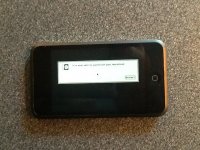
Screenshots follow (with apologies for iPad 2 camera quality).
EDIT: Not sure why my iPad inverted images on posting, but you'll cope, I am sure. On my MacBook, clicking on the image turns it up rightside.
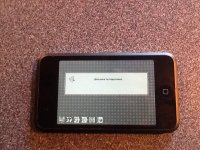
Boots, everything seems to work, within the limits of minivmac itself.
My emulator is using the Plus ROM, but I think I may stick a Mac II on there and test, mainly in order to have access to more memory.
What I discover is that the ipod touch is well suited to "clickable," mouse-driven applications like Hypercard, assuming you are using something ready-made. The keyboard is a temperamental little beastie. Speed in HyperCard 2.4.1 is not blisteringly fast (not sure whether this is because of emulation of the Plus or something else), but it is very usable. Graphics applications also work well, being suited to the drawing metaphor. ClarisDraw was happy, but Claris CAD in particular is very, very nice to use on the thing, and is pleasantly fast (but then, it dates from the Plus era).
Screenshots follow (with apologies for iPad 2 camera quality).
EDIT: Not sure why my iPad inverted images on posting, but you'll cope, I am sure. On my MacBook, clicking on the image turns it up rightside.