

Eudora Batch Find 1.0.1

Eudora Batch Find
Communication · v1.0.1
| Filename | eudora-batch-find-101.hqx |
|---|---|
| Size | 267.1 KB (273560 bytes) |
| Mac OS | System 7 |
| Downloads | 14 |
Enjoying MacTrove?
Anonymous downloads are free and unlimited.
Create a free account to track favorites,
contribute metadata corrections, and join the
community chat.
About
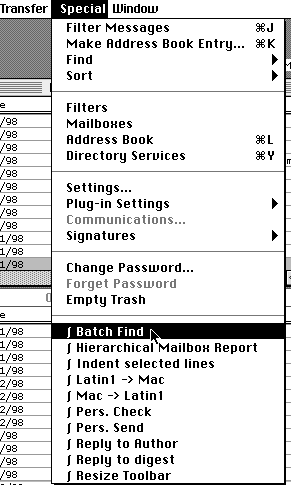
this is a small update to Eudora Batch Find, a little utility written in AppleScript that offers batch search for the email program Eudora (versions 1.5 and above). It lets you search for a string within a subset or all of your mailboxes in one go and will display all matches in a list. A click on a match will then show the start of the message, open that message's window in Eudora or create a new message with a reply.
Note that you need to install some Scripting Additions before you can run this AppleScript (apart from the one included); a html file with download addresses is part of the distribution. All the necessary Scripting Additions are free. They are: Dialog Director v0.7, Jon's Commands and GTQ Library (from which only the Sort command is needed).
This utility is free; AppleScript source is included (as text file).
What's new in version 1.0.1 (changes since version 1.0)
- The package also includes a version that should run on System 7.0. It doesn't show its dialogs floating above all Eudora windows; if you prefer it this way, you can run this version under Systems later than 7.0.
- For the AppleScript versions with floating dialogs: it's now possible to close the Batch Find application even when its dialogs are no longer visible because Eudora is not open anymore (or when the Batch Find application is in front while its dialogs are displayed above Eudora's windows). Just press Command-Period to close Batch Find. If you have Eudora 3.1 or later, you can use the plug-in "Quit Batch Find" included in this archive.
Screenshots
File Info
This file is part of the MacTrove archive. See the Thank You page for the upstream mirrors we rely on. It is BinHex encoded — use The Unarchiver to decode it.

