
Thread
Power Mac G4 Cube
Hello everyone.
This is my first writing on this site.
First, let me starting by letting you know that im not good in english, as you see.
My question is something about strange sound.
My 512k working fine everything when it powered on, including starting bong.
but there is some sound on the analog board.
its not clicking sound and like "tick-ti-tick".
some coil?? or another parts may not good condition??
thanks for reading.
This is my first writing on this site.
First, let me starting by letting you know that im not good in english, as you see.
My question is something about strange sound.
My 512k working fine everything when it powered on, including starting bong.
but there is some sound on the analog board.
its not clicking sound and like "tick-ti-tick".
some coil?? or another parts may not good condition??
thanks for reading.
Realized I hadn't posted it here. Recently got a Cube via Craigslist. In great shape, no visible cracks/mold lines/whatever you want to call them. Had a few minor scuffs in the plastic, but those buffed out. 450 MHz, LOUD 60 GB hard drive. (Sheesh, wasn't this thing supposed to be quiet?!) I immediately maxed the RAM from my RAM drawer, and put in an AirPort card. Sadly, I don't seem to own the proper size Torx driver to remove the hard drive! It had been running 10.3. Out of pure nostalgia's sake, I put Mac OS X Public Beta on. (Since my very first experience with OS X was Public Beta running on a Cube at work.) And I have 10.4 on a FireWire drive. (For some reason, I can't get Leopard to boot, it says "PowerMac5,1 model not recognized," yet I've seen others claim Leopard works on the Cube...)
I have since acquired a Cube-specific 1 GHz CPU upgrade (lower-power, it's an under clocked 1.2 GHz G4, so it should be able to be passively cooled still,) and a Mac-flashed, passively-cooled GeForce 6200LE. But now I need to get an ADC-to-DVI adapter, since I really do want to continue running my ADC Studio Display on it. (I'd kill to find the original 22" Cinema Display that had a DVI port...) Until then, I'm sticking with the Rage Pro 128.
Only one downside: one USB port is missing the black plastic bit that holds the contacts. The port functions fine, but it does mean I have to be EXTRA careful plugging things in to that port, since the contacts bend enough that it is now possible to plug a USB plug in upside-down!
I have since acquired a Cube-specific 1 GHz CPU upgrade (lower-power, it's an under clocked 1.2 GHz G4, so it should be able to be passively cooled still,) and a Mac-flashed, passively-cooled GeForce 6200LE. But now I need to get an ADC-to-DVI adapter, since I really do want to continue running my ADC Studio Display on it. (I'd kill to find the original 22" Cinema Display that had a DVI port...) Until then, I'm sticking with the Rage Pro 128.
Only one downside: one USB port is missing the black plastic bit that holds the contacts. The port functions fine, but it does mean I have to be EXTRA careful plugging things in to that port, since the contacts bend enough that it is now possible to plug a USB plug in upside-down!
Perhaps someone with more knowledge would provide a better answer, but I have heard this sound, and it seems to be normal.
Good luck.
c
Good luck.
c
Yes I have also heard the sound, both my Macintosh Plus computers, 512k and 128k all make the sound, its a crackly sort of tick ee tick snap snap sound lol
Is it the floppy drive?
No not coming from floppy, seems like analog board
Does the computer stay on when its doing this?
I am thinking it does, if you do not adjust it, soon it will soon not even power up.
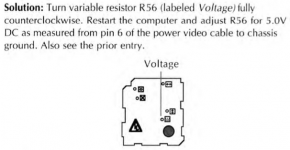
also there is probably some High-Resistance bad/cold soldered joints.
You want to get some solder wick or a vacuum desoldering iron, and go through
all the typical joints on the AB.
Mainboard hedder
CRT Connection hedder
Deflection hedder
Replace C1, at the least. as preventive.
and "[SIZE=10pt]vacuum-desolder linearity coil L1. Use 100% [/SIZE][SIZE=9pt]fresh [/SIZE][SIZE=10pt]solder (don't add solder; don't just reheat the joint). "[/SIZE]
http://www.mouser.com/ProductDetail/Panasonic/ECW-FD2W395K/?qs=sGAEpiMZZMv1cc3ydrPrF5m%252btQWx%252bSdKfqDEEG59TPQ%3d
I am thinking it does, if you do not adjust it, soon it will soon not even power up.
also there is probably some High-Resistance bad/cold soldered joints.
You want to get some solder wick or a vacuum desoldering iron, and go through
all the typical joints on the AB.
Mainboard hedder
CRT Connection hedder
Deflection hedder
Replace C1, at the least. as preventive.
and "[SIZE=10pt]vacuum-desolder linearity coil L1. Use 100% [/SIZE][SIZE=9pt]fresh [/SIZE][SIZE=10pt]solder (don't add solder; don't just reheat the joint). "[/SIZE]
http://www.mouser.com/ProductDetail/Panasonic/ECW-FD2W395K/?qs=sGAEpiMZZMv1cc3ydrPrF5m%252btQWx%252bSdKfqDEEG59TPQ%3d
header*
HDR
btw i was gonna send you a IIsi soon, did you already have one?
lol, this one will be fun for you.
lol, this one will be fun for you.
I read you can check the voltage from the floppy connector on the back of the motherboard, is this correct?
Perhaps someone with more knowledge would provide a better answer, but I have heard this sound, and it seems to be normal.
Good luck.
yep.
thanks for your replying.
yep. i did check the voltage of floppy port, and adjust voltage lever, but nothing was changed.
when i had made a screen brighten, the tik sound was going up.
i will check the coil as your comment.
thanks.
when i had made a screen brighten, the tik sound was going up.
i will check the coil as your comment.
thanks.
when i had made a screen brighten, the tik sound was going up.
i will check the coil as your comment.
thanks.
yep. i did check the voltage of floppy port, and adjust voltage lever, but nothing was changed.
when i had made a screen brighten, the tik sound was going up.
i will check the coil as your comment.
thanks.
i need to be acclimatize to this site, i can’t understand the method for replying to someone’s comment.
-_- ;;
-_- ;;
I agree Gooddi, it can be difficult at times. If I am going to quote somebody, I usually put in 3 to 5 blank returns to create empty lines and then put the cursor in the middle of the blank lines before hitting the "Quote" button. Then I put the cursor on the last line under the quote-box and put my text there.
As for the ticking noise - try disconnecting the floppy drive before powering up, and see it the noise goes away. If not, I'm suspecting the usual suspects on the Analog Board - L1, R1, Q1, C1, Connector to the logic board and T1. Also like Uniserver said, their solder joints.
As for the ticking noise - try disconnecting the floppy drive before powering up, and see it the noise goes away. If not, I'm suspecting the usual suspects on the Analog Board - L1, R1, Q1, C1, Connector to the logic board and T1. Also like Uniserver said, their solder joints.
I found the Classic Mac Repair Notes pdf, has a lot of great advise, such as where to test the voltage on the floppy connector. If you search the forums you will find a thread with the pdf, just a little help.