Home Documents Macintosh Introduction To MacApp 2.0 And Object Oriented Programming Draft
Introduction To MacApp 2.0 And Object Oriented Programming Draft

Introduction To MacApp 2.0 And Object Oriented Programming Draft
Macintosh · 1989 · PDF
FilenameIntroduction_to_MacApp_2.0_and_Object-Oriented_Programming_draft_19890414.pdf
Size14.46 MB
Year1989
Subsection developer / MacApp_2.0
Downloads4
Enjoying MacTrove? Anonymous downloads are free and unlimited. Create a free account to track favorites, contribute metadata corrections, and join the community chat.
Reader
Introduction To MacApp 2.0 And Object Oriented Programming Draft
/
Loading…
OCR / Text contents
Macintosh® Introduction to MacApp 2.0 and Object-Oriented Programming_ ( .. , • (! Draft April 14, 198<) Developer Technical Publications © Apple Computer, Inc. 1989 S APPLE COMPUTER, INC. This manual and the software described in it are copyrighted, with all rights reserved. Under the copyright laws, this manual or the software may not be copied, in whole or part, without written consent of Apple, except in the normal use of the software or to make a backup copy of the software. The same proprietary and copyright notices must be affixed to any permitted copies as were affixed to the original. This exception does not allow copies to be made for others, whether or not sold, but all of the material purchased (with all backup copies) may be sold, given, or loaned to another person. Under the law, copying includes translating into another language or format. You may use the software on any computer owned by you, but extra copies cannot be made for this purpose. The Apple logo is a registered trademark of Apple Computer, Inc. Use of the "keyboard" Apple logo (Option-Shift-K) for commercial purposes without the prior written consent of Apple may constitute trademark infringement and unfair competition in violation of federal and state laws. © Apple Computer, Inc., 1989 20525 Mariani Avenue Cupertino, CA 95014-6299 (408) 996-1010 Apple, the Apple logo, A/UX, I.aserWriter, MacApp, and Macintosh are registered trademarks of Apple Computer, Inc. APDA, AppleTalk, MPW, Finder, MultiFinder, ResEdit, and Rez are trademarks of Apple Computer, Inc. Adobe Illustrator is a trademark of Adobe Systems Incorporated. ITC Garamond and ITC Zapf Dingbats are registered trademarks of International Typeface Corporation. Microsoft is a registered trademark of Microsoft Corporation. POSTSCRIPT is a registered trademark of Adobe Systems Incorporated. UNIX is a registered trademark of AT&T Information Systems. Simultaneously published in the United States and Canada. Contents Figures and tables ix Preface xiii Prerequisites xv Hardware xv · Software xv What you should already know xvi Other books you should have xvii What this manual contains xvii How to use this manual xviii Nomenclature and typographic conventions xix Conventions in the MacApp code xix Graphical conventions xx Where to get information xxii About APDA xxii About Developer Programs xxii 1 Why MacApp? 1 What is MacApp? 3 Programming without MacApp 4 Programming with MacApp 5 The division of labor 5 The benefits of MacApp 7 ill 2 An Introduction to Object-Oriented Programming 9 The big picture 11 Record types and record variables 12 Classes and Instances 13 Flow of control in object.oriented programs 17 Classes 27 Inheritance 28 Method definitions 31 Override methods 32 Objects 34 An instance method 3S Inheritance and override methods 37 Override methods that don't call their inherited method 37 Override methods that do call their inherited method 38 Privacy between instances 41 Ramifications of …

Showing first 3,000 characters of 342,808 total. Open the full document →
Home Documents Macintosh MacApp 2.0b5 Printing Release Notes
MacApp 2.0b5 Printing Release Notes

MacApp 2.0b5 Printing Release Notes

Macintosh · 1988 · PDF
FilenameMacApp_2.0b5_Printing_Release_Notes_19880803.pdf
Size1.42 MB
Year1988
Subsection developer / MacApp_2.0
Downloads2
Enjoying MacTrove? Anonymous downloads are free and unlimited. Create a free account to track favorites, contribute metadata corrections, and join the community chat.
Reader
MacApp 2.0b5 Printing Release Notes
/
Loading…
OCR / Text contents
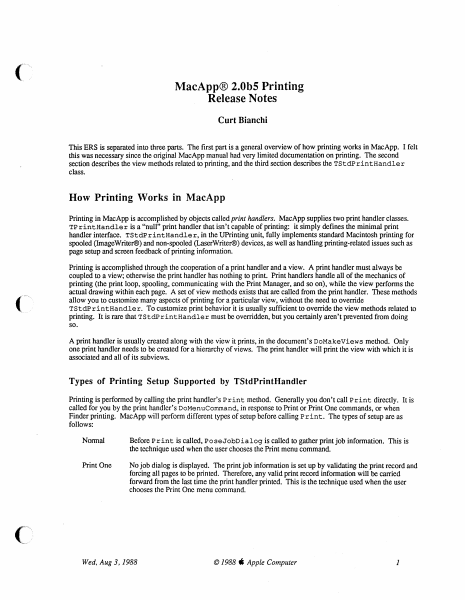
MacApp® 2.0bS Printing Release Notes Curt Bianchi This ERS is separated into three parts. The first part is a general overview of how printing works in MacApp. I felt this was necessary since the original MacApp manual had very limited documentation on printing. The second section describes the view methods related to printing, and the third section describes the TStd.PrintHandler class. How Printing Works in MacApp Printing in MacApp is accomplished by objects called print handlers. MacApp supplies two print handler classes. TP r intHandle r is a "null" print handler that isn't capable of printing: it simply defines the minimal print handler interface. TStdPrintHandler, in the UPrinting unit, fully implements standard Macintosh printing for spooled (ImageWriter®) and non-spooled (LaserWriter®) devices, as well as handling printing-related issues such as page setup and screen feedback of printing infonnation. Printing is accomplished through the cooperation of a print handler and a view. A print handler must always be coupled to a view; otherwise the print handler has nothing to print. Print handlers handle all of the mechanics of printing (the print loop, spooling, communicating with the Print Manager, and so on), while the view performs the actual drawing within each page. A set of view methods exists that are called from the print handler. These methods allow you to customize many aspects of printing for a particular view, without the need to override TStd.PrintHandler. To customize print behavior it is usually sufficient to override the view methods related to printing. It is rare that TStdP rintHandler must be overridden, but you certainly aren't prevented from doing so. A print handler is usually created along with the view it prints, in the document's DoMakeViews method. Only one print handler needs to be created for a hierarchy of views. The print handler will print the view with which it is associated and all of its subviews. Types of Printing Setup Supported by TStdPrintHandler Printing is performed by calling the print handler's Print method. Generally you don't call Print directly. It is called for you by the print handler's DoMenuCommand, in response to Print or Print One commands, or when Finder printing. MacApp will perform different types of setup before calling Print. The types of setup are as follows: Normal Before Print is called, PoseJobDialog is called to gather print job information. This is the technique used when the user chooses the Print menu command Print One No job dialog is displayed. The print job information is set up by validating the print record and forcing all pages to be printed. Therefore, any valid print record information will be carried forward from the last time the print handler printed. This is the technique used when the user chooses the Print One menu command. ( ") , Wed, Aug 3, 1988 © 1988 ti Apple Computer 1 Finder The page setup and job dialogs may be posed before printing. The use of th…

Showing first 3,000 characters of 39,230 total. Open the full document →

Home Documents Macintosh MacApp 2.0 Globals
MacApp 2.0 Globals

MacApp 2.0 Globals

Macintosh · 1988 · PDF
FilenameMacApp_2.0_Globals_19881003.pdf
Size1.47 MB
Year1988
Subsection developer / MacApp_2.0
Downloads2
Enjoying MacTrove? Anonymous downloads are free and unlimited. Create a free account to track favorites, contribute metadata corrections, and join the community chat.
Reader
MacApp 2.0 Globals
/
Loading…
OCR / Text contents
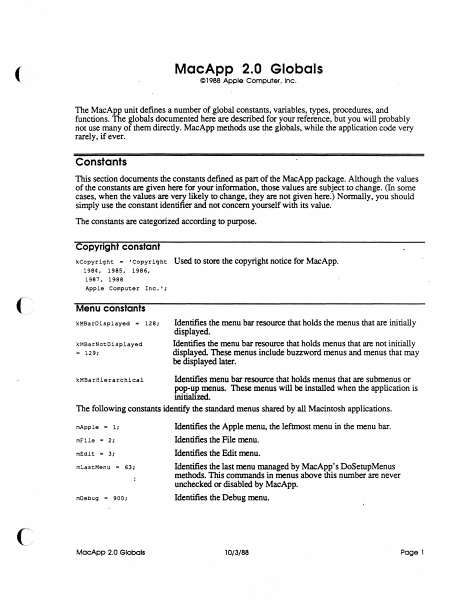
MacApp 2.0 Globals ( © 1988 Apple Computer. Inc. The MacApp unit defines a number of global constants, variables, types, procedures, and functions. The globals documented here are described for your reference, but you will probably not use many of them directly. MacApp methods use the globals, while the application code very rarely, if ever. Constants This section documents the constants defined as part of the MacApp package. Although the values of the constants are given here for your information, those values are subject to change. (In some cases, when the values are very likely to change, they are not given here.) Normally, you should simply use the constant identifier and not concern yourself with its value. The constants are categorized according to purpose. Copyright constant kcopyright = •copyright 1984, 1985, 1986, 1987, 1988 Apple Computer Inc.•; Used to store the copyright notice for MacApp. Menu constants kMBaroisplayed "' 128; kMBarNotDisplayed 129; = Identifies the menu bar resource that holds the menus that are initially displayed. Identifies the menu bar resource that holds menus that are not initially displayed. These menus include buzzword menus and menus that may be displayed later. Identifies menu bar resource that holds menus that are submenus or pop-up menus. These menus will be installed when the application is initializ.ed. The following constants identify the standard menus shared by all Macintosh applications. kMBarHierarchical mApple "' l; mFile 2; mEdit = 3; mLastMenu = 63; mDebug = 900; Identifies the Apple menu, the leftmost menu in the menu bar. Identifies the File menu. Identifies the Edit menu. Identifies the last menu managed by MacApp's DoSetupMenus methods. This commands in menus above this number are never unchecked or disabled by MacApp. Identifies the Debug menu. (~. MacApp 2.0 Globals 10/3/88 Page 1 Command numbers The command numbers listed here are passed to your methods, generally to gTarget.DoMenuCommand. Most are passed as a result of the user picking a menu command; . command numbers are also used for other types of commands, such as typing or mouse commands. When the description says "MacApp catches this," that means that the MacApp DoMenuCommand methods will handle those command numbers, often by calling application methods. cNocommand Command number representing no command. MacApp catches this. cAboutApp Identifies the About <AppNme>... command. MacApp catches this. File menu commands Identifies the New command MacApp catches this. (See also cNew = 10; cNewLaat.) cNewLast = 19; csave = 30; cClose = 31; cSaveAs = 32; cSaveCopy = 33; cRevert = 34; cOpen = 20; cOpenLast = 29; cPageSetup = 176; cPrintOne = 177; cPrint = 178; cPrintToFile • 179; cPrFileBase a 176; cPrFileMax = 195; cPrViewBase = 201; cPrViewMax = 250; cQuit = 36; MacApp 2.0 Globals Identifies the last New command. MacApp provides a range of New commands for applications that have different documen…

Showing first 3,000 characters of 37,431 total. Open the full document →

Home Documents Macintosh The MacApp Interim Manual Draft 4
The MacApp Interim Manual Draft 4

The MacApp Interim Manual Draft 4

Macintosh · 1988 · PDF
FilenameThe_MacApp_Interim_Manual_draft_4_19880614.pdf
Size21.19 MB
Year1988
Subsection developer / MacApp_2.0
Downloads5
Enjoying MacTrove? Anonymous downloads are free and unlimited. Create a free account to track favorites, contribute metadata corrections, and join the community chat.
Reader
The MacApp Interim Manual Draft 4
/
Loading…
OCR / Text contents
, •® Macintosh® The MacApp® Interim Manual (:' Working Draft 4 (APDA) June 14, 1988 ©Apple Computer, Inc. 1988 S APPLE COMPUTER, INC. This manual and the software described in it are copyrighted, with all rights reserved. Under the copyright laws, this manual or the software may not be copied, in whole or in part, without written consent of Apple, except in the normal use of the software or to make a backup copy of the software. The same proprietary and copyright notices must be affixed to any permitted copies as were affixed to the original. This exception does not allow copies to be made for others, whether or not sold, but all of the material purchased (with all backup copies) may be sold, given, or loaned to another person. Under the law, copying includes translating into another language or format. You may use the software on any computer owned by you, but extra copies cannot be made for this purpose. ©Apple Computer, Inc., 1988 20525 Mariani Avenue Cupertino, CA 95014 (408) 996-1010 Apple, the Apple logo, LaserWriter, Lisa, MacApp, and Macintosh are registered trademarks of Apple Computer, Inc. APDA, MPW, MultiFinder, RESEDIT are trademarks of Apple Computer, Inc. ITC Avant Garde Gothic, ITC Garamond, and ITC Zapf Dingbats are registered trademarks of International Typeface Corporation. Microsoft is a registered trademark of Microsoft Corporation. POSTSCRIPT is a registered trademarlc of Adobe Systems Incorporated. Varityper is a registered trademark, and VT600 is a trademarlc, of AM International, Inc. Simultaneously published in the United States and Canada. 6/14/88 Table of Contents Preface About This Manual ix Prerequisites x Hardware x Software x What you should already know x1 What this manual contains xii How to use this manual xii Notation xiii Conventions in the MacApp code xiv Other books you should have xiv 0 Chapter 1 Why MacApp? 1 What is MacApp? 2 Programming without MacApp 3 Programming with MacApp 4 The division of labor 5 The benefits of MacApp 7 Chopter2 An Introduction to Object-Oriented Programming 9 The big picture 10 Record types and record variables 12 Object classes and object instances 13 Flow of control in object-oriented programs 18 Working Draft 4 (APDA) 6/14/88 MacApp 2.0 Tutorial Object classes 30 Inheritance 31 Method definitions 35 Override methods 36 Object instances 39 An instance method 40 Override methods 43 Override methods that don't call their inherited method 43 Override methods that do call their inherited method 44 Privacy between instances 47 Ramifications of object-oriented programming 47 Chapter3: Object Pascal 49 Object Pascal file organization 50 Object class definitions 55 Field declarations 56 Method declarations 56 Override method declarations 58 Object Instances 59 Record handles and record instantiations 59 Instantiation through record variables 59 Instantiation through record pointers 60 Instantiation through record handles 60 Object references and object insta…

Showing first 3,000 characters of 484,615 total. Open the full document →

Home Documents Macintosh MacApp 2.0b5 View Architecture Release Notes
MacApp 2.0b5 View Architecture Release Notes

MacApp 2.0b5 View Architecture Release Notes

Macintosh · 1988 · PDF
FilenameMacApp_2.0b5_View_Architecture_Release_Notes_19880803.pdf
Size3.95 MB
Year1988
Subsection developer / MacApp_2.0
Downloads2
Enjoying MacTrove? Anonymous downloads are free and unlimited. Create a free account to track favorites, contribute metadata corrections, and join the community chat.
Reader
MacApp 2.0b5 View Architecture Release Notes
/
Loading…
OCR / Text contents
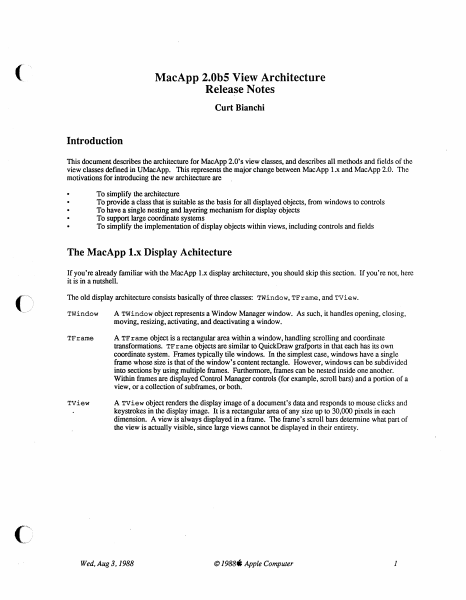
( MacApp 2.0bS View Architecture Release Notes Curt Bianchi Introduction This document describes the architecture for MacApp 2.0's view classes, and describes all methods and fields of the view classes defmed in UMacApp. This represents the major change between MacApp 1.x and MacApp 2.0. The motivations for introducing the new architecture are To simplify the architecture To provide a class that is suitable as the basis for all displayed objects, from windows to controls To have a single nesting and layering mechanism for display objects To support large coordinate systems To simplify the implementation of display objects within views, including controls and fields The MacApp 1.x Display Achitecture If you're already familiar with the MacApp 1.x display architecture, you should skip this section. If you're not, here it is in a nutshell. The old display architecture consists basically of three classes: TWindow, TF rame, and TView. TWindow A TWindow object represents a Window Manager window. As such, it handles opening, closing, moving, resizing, activating, and deactivating a window. TFrame A TFrame object is a rectangular area within a window, handling scrolling and coordinate transformations. TFrame objects are similar to QuickDraw grafports in that each has its own coordinate system. Frames typically tile windows. In the simplest case, windows have a single frame whose size is that of the window's content rectangle. However, windows can be subdivided into sections by using multiple frames. Furthermore, frames can be nested inside one another. Within frames are displayed Control Manager controls (for example, scroll bars) and a portion of a view, or a collection of subframes, or both. TView A TView object renders the display image of a document's data and responds to mouse clicks and keystrokes in the display image. It is a rectangular area of any size up to 30,000 pixels in each dimension. A view is always displayed in a frame. The frame's scroll bars determine what part of the view is actually visible, since large views cannot be displayed in their entirety. Wed, Aug 3, 1988 © 1988S Apple Computer 1 -o MDemoTeHt.p PROGRAM DemoText; USES {$LOAD Mac I ntf.LOAD} MemTypes, QuickDraw, OSI ntf, Tooll ntf, Pack I ntf, {$LOAD UMscApp.LOAD} UObject, ULfat, UMacApp, {$LOAD} UPri nti ng, tQ:. ~MN, ~ MDemoTeHt.p TWindow TFrame Niew PROGRAM DemoText; USES {$LOAD Mee I ntf.LOAD} MemTypes, QuickDraw, OSlntf, Toollntf, Pecklntf, {$LOAD UMecApp.LOAD} UObject, Ulist, UMecApp, {$LOAD} UPri nti ng, UTEView, UDemoText; VAR gDemoTextApplication: TDemoTextA ppli ceti on; {$S Main} BEGIN I nitTool box( 8); I nit Printing; New(gDemoTextApplication); gDemoTextApplicetion .I De moTextAppl ication; gDe moTextAp plication.Run; END. Figure l: Old MacApp Display Architecture Wed.Aug 3.1988 © 1988 S Apple Computer 2 Figure 1 shows a typical text edit window and the MacApp objects used to build it. Here, the TWindow object displays the grow icon (…

Showing first 3,000 characters of 107,410 total. Open the full document →

Subscribe to MacApp_2.0
mp.ls