Home Documents Lisa 17 Lisa Development System Internals Documentation Feb84
17 Lisa Development System Internals Documentation Feb84

17 Lisa Development System Internals Documentation Feb84
Lisa · 1984 · PDF
Filename17_Lisa_Development_System_Internals_Documentation_Feb84.pdf
Size3.83 MB
Year1984
Subsection toolkit_3.0 / Package_2_Examples
Downloads3
Enjoying MacTrove? Anonymous downloads are free and unlimited. Create a free account to track favorites, contribute metadata corrections, and join the community chat.
Reader
17 Lisa Development System Internals Documentation Feb84
/
Loading…
OCR / Text contents
DeveJopn18I1t SystBl11 DOCUMENTA TION ., DeveJq:ment TOOls Grotp FIRST CRAFT--FetuuBty 1984 Preface The purpose of this document is to explain the internal structures and algorithms used by the Lisa's run-time environment and development tools, and the internal library units (such as OBJIOLIB) that are related only to Lisa systems software. It is actually a collection of documents and memos, any of which can be used separately, all relating to different aspects of the system. This is a reference document for programmers working on the following: * Maintaining or enhancing existing lisa development software. * Writing compilers or utilities for the Lisa Workshop, either on contract with Apple or as third-party independants. * .riting assembly-language programs that will interfaced with our compiled code. How will they benefit from this document? * It will save the people maintaining tools the trouble of looking through the code themselves to find information. * It will save outside programmers, who don't have access to the code, from calling us to ask questions about things that ,ehave to look up in the code. * Perts of it will be included es e reference section in technical contracts that we assign to outside programmers. * It will provide assembly-language programmers with such specifics as register conventions, parameter-passing techniques, and memory layouts used by the conmpiler for different types of arrays and structures. * It cen be used to trein new systems softwere programmers on the existing internals of the system. Contents Lisa Development Software Documentation: A Road Map Pascal Compi ler Directives Pascal Code-Cruncher's Handbook The Last Whole Earth Text File Format Pascal's Packing Algorithm PASLIB Procedure Interface PPaslibC Unit: Privileged PASLIB Calls Execution Environment of the Pascal Compiler Intrinsic Units Mechanism (overview) IUManager (old and "spring release" versions) Object Fi Ie Formats Inbterface to OBJIOLIB Format of .SYMBOLS File Shell-Writer's Guide 17/~. L Lisa Development Software Documentation: A Road Map Irtroduction Thh roed map was designed to help you to rind your w~ around the verious documents describing program development for the Lisa. It will help you decide which software you need to learn more about, which software you can ignore for the moment, and how you should proceed in stuctying the rest of the technical documentation. General CWerview cI the Erwirormertl Available lhere are 8., many way~ of writing programs as t.here are creative programmers. However, Apple supports only three general $tyles of programs that you can Yflite for the Lhe.: those written for 1) the Workshop environment, 2) the QuickPort environment, and 3) the ToolKit erwironment. Programs written tor eny of these environments can use most of the. same units and libraries, but there ere lome important differences of which you should be ewere. The Workshop (Figure 1) provides e simple non-window, character and gr…

Showing first 3,000 characters of 130,540 total. Open the full document →
Home Documents Lisa Craig A Brief History Of Apple Computers Work With The Pascal Language
Craig A Brief History Of Apple Computers Work With The Pascal Language

Craig A Brief History Of Apple Computers Work With The Pascal Language

Lisa · 1992 · PDF
FilenameCraig_-_A_Brief_History_of_Apple_Computers_Work_with_the_Pascal_Language_1992.pdf
Size6.45 MB
Year1992
Subsection pascal_monitor
Downloads3
Enjoying MacTrove? Anonymous downloads are free and unlimited. Create a free account to track favorites, contribute metadata corrections, and join the community chat.
Reader
Craig A Brief History Of Apple Computers Work With The Pascal Language
/
Loading…
OCR / Text contents
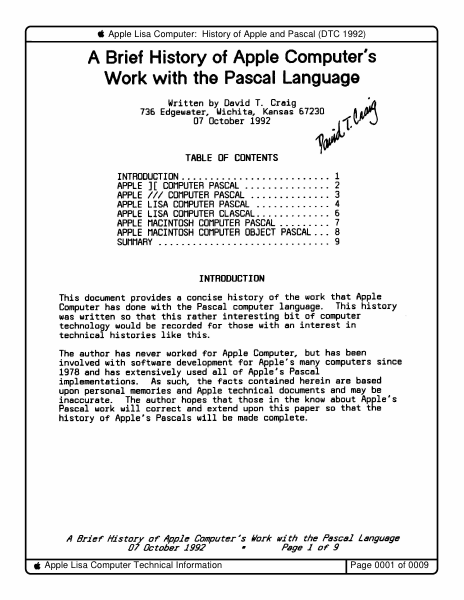
Apple Lisa Computer: History of Apple and Pascal (DTC 1992) A Brief History of Apple Computer's Work with the Pascal Language Written by David T. Cr8ig 736 Edgewater, Wichita, Kansas 67230 07 October 1992 ft ~· ~~"(.~ TABLE OF CONTENTS INTRODUCTION . . . . . . . . . . . . . . . . . . . . . . . . . . 1 APPLE ] [ COMPUTER PASCAL . . . . . . . . . . . . . . . 2 APPLE/// COMPUTER PASCAL .............. 3 APPLE LISA COMPUTER PASCAL . . . . . . . . . . . . . 4 APPLE LISA COMPUTER CLASCAL ............. 6 APPLE MACINTOSH COMPUTER PASCAL ......... 7 APPLE MACINTOSH COMPUTER OBJECT PASCAL . . . 8 SUMMARY . . . . . . . . . . . . . . . . . . . . . . . . . . . . . . 9 INTRODUCTION This document provides a concise history of the work that Apple Computer has done with the Pascal computer language. This history was written so that this rather interesting bit of computer technology would be recorded for those with an interest in technical histories like this. The author has never worked for Apple Computer, but has been involved with software development for Apple's many computers since 1978 and has extensively used all of Apple's Pascal implementations. As such, the facts contained herein are based upon personal memories and Apple technical documents and may be inaccurate. The author hopes that those in the know about Apple's Pascal work will correct and extend upon this paper so that the history of Apple's Pascals will be made complete. A Brief' History of' Apple Computer's /lark with the Pascal Language 07 October 1992 • Page 1 of' 9 Apple Lisa Computer Technical Information I Page 0001 of 0009 Apple Lisa Computer: History of Apple and Pascal (DTC 1992) APPLE ][ COMPUTER PASCAL Apple first became involved with the Pascal language for its Apple ][ computer series around 1978. At this time Apple's software development efforts were based upon the BASIC and 6502 assembly languages. The key players in bringing Pascal to the Apple ][ were Bill Atkinson and Jef Raskin. Atkinson convinced Apple's management that the Pascal language would be much better for Apple's own software development activities than either BASIC or 6502 assembly. Atkinson and Raskin licensed the Pascal language and development system from the University of California at San Diego (UCSD) and began an internal Pascal development group. Apple's ][ Pascal system included a Pascal compiler, modal editor, 6502 assembler, a powerful filer, and several utility programs (e.g. program segment mapper). The system was controlled via a command line user interface. The Apple ][ Pascal compiled to P-Code which was based upon byte codes and a stack architecture. This P-Code was interpreted by an interpreter written in 6502 assembly. 6502 assembly language routines could also be linked with P-Code programs. Identifiers in ][ Pascal were recognized only up to 8 characters, a painful limitation which Apple did not remove until its Macintosh MPW Pascal. Pascal's memory use was restricted to 64k bytes due t…

Showing first 3,000 characters of 18,045 total. Open the full document →

Home Documents Lisa The Pascal Development System Manual Feb82
The Pascal Development System Manual Feb82

The Pascal Development System Manual Feb82

Lisa · PDF
FilenameThe_Pascal_Development_System_Manual_Feb82.pdf
Size4.07 MB
Subsection pascal_monitor
Downloads3
Enjoying MacTrove? Anonymous downloads are free and unlimited. Create a free account to track favorites, contribute metadata corrections, and join the community chat.
Reader
The Pascal Development System Manual Feb82
/
Loading…
OCR / Text contents
THE PASCAL DEVELOPMENT SYSTEM MANUAL BillSchottstaedt Ext. 2379 16-Feb-82 The Pascal Development System Manual 16-Feb-82 TABLE OF CONTENTS The Monitor • ., 1 The Pascal Compiler • • 7 .. The Linker • 15 The Assembler. LisaBug • • 23 ., ., • 37 The Symbolic Debugger • 47 The Filer. • 53 The Editors The Lisa Editor " The UCSD Editor. " 59 63 " " Utilities • 71 Segmentation and Intrinsic Unit Management IUManager • • '72 ChangeSeg • •• .., ., 74 SegMap • • • ., • • 74 System Configuration Configure • Contrast SetSP • ChangeMem • Flip4 • MoveSoroc • .. File Transfer FileDiv • FileJoin ·.. ·· .. .. Source File Debugging Diff " FindID Pret ty Lis t " PascalRef " . . . . "•" 757675 . . •• "7676 " • '76 • 77 " "77 . Object File Debugging DumpOBJ " DumpHex " • " • Patch " OBJDiff " ByteDiff GXRef • • 78 " 80 " 81 " 82 " 87 88 89 " 90 " 90 " 90 16-Feb-82 The Pascal Development System Manual Hardware Debugging LisaTest . . . • • • • • .• • • • 91 Performance Measurement Perform • • • • • Coverage Analysis • • • • • • • • • 93 • • • • • • 94 Document Compiler Script • • • • • • • • • • • • • • ~ 96 Other Terminal Emulator • • • • • • • • • • 98 Error Mes sages • • • • • • • • • • • • • • • 101 16-Feb-82 The Pascal Development System Manual MONITOR The ~tonitor is an operating system for the Lisa computer. Its user interface is patterned after that of the UCSD system on the Apple II. There are several possible system configurations. A standard one is: I Disk I +--------+ I Sorpc I I Disk I 1 for I I Debugger I +------1+-...----+ (or a hard disk) +---------+ +----+- 1 +- --+ I I+-- I J v +---------+ I Apple II 1<1- I +----------+ I v +-----.. --+ I I I I Soroc t or I Apple II I monitor 1 ......---------+ I UART I I -I ->1 I I LISA 1 I I I --+ I +---------+ I Corvus I I or I Profile I I +--------+ --------+ II I Keyboard +---------+ The hard disk can be connected directly to the Lisa, or it can be accessed through the Apple II. It can also be omitted. BOOTING THE MONITOR To boot from a diskette based Apple II, first power up the Apple II with the male boot diskette in drive #4:. Insert the female boot in drive #5: and power up the Lisa. The female boot volume can also reside on a hard disk. SYSTEM.STARTUP on the male boot volume automatically executes MONBOOT, the program that starts up the Monitor on the Lisa. If you type space during the boot process, MONBOOT is not executed. If you type 'D' during the boot process, the debugging version of the Monitor is booted. Page 1 16-Feb-82 The Pascal Development System Manual The Moni tor comes up on the Lisa scret!n. If you want it to appear on the Apple II monitor or the Soroc (~onnected to the UART port, change the MON.STARTUP program as follows: 1) for the Apple window: remo",e MON. STARTUp· 2) for the Lisa window (the dE~fault): transfer MONSTARTl.OBJ to MON.STARTUP 3) for the UART window: transj:er MONSTART2.0BJ to MON.STARTUP …

Showing first 3,000 characters of 157,990 total. Open the full document →
Home Documents Lisa The LisaTalk Report V01 N02
The LisaTalk Report V01 N02

The LisaTalk Report V01 N02

Lisa · 1985 · PDF
FilenameThe_LisaTalk_Report_V01_N02_1985_Winter.pdf
Size62.93 MB
Year1985
Subsection lisaTalkReport
Downloads3
Enjoying MacTrove? Anonymous downloads are free and unlimited. Create a free account to track favorites, contribute metadata corrections, and join the community chat.
Reader
The LisaTalk Report V01 N02
/
Loading…
OCR / Text contents
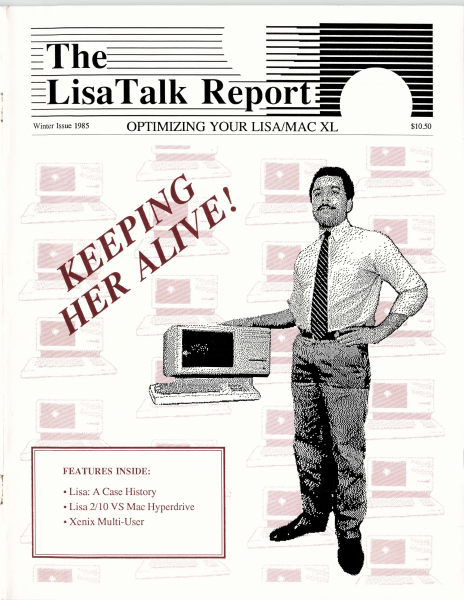
The--- - .- I l ~ ...- Winter Issue 1985 OPTIMIZING YOUR LISA/MAC XL . ." ' \·::·:·:":....: FEATURES INSIDE: • Lisa: A Case History • Lisa 2/10 VS Mac Hyperdrive •Xenix Multi-User $10.50 =----!IPll.._E The-~LisaTalk Reporf :if OPfIMIZING YOUR LISNMAC XL Publishers: The NetWorkers-The LisaTalk Report President: Lewis Guice VP-Operations: Roxane M. Schwabe, VP-Finance: John A. Zimmerman Limited Partner: Robert W. Johnson Administrative Assistant: Carole Crawford Staff Assistant: Dan Schwabe Editor in Chief· - The LisaTalk Report is published on a quarterly basis by The NetWorkers-The LisaTalk Report in Marin County of California. Copyright 1985, The NetWorkers-The LisaTalk Report, all rights reserved. Business and Editorial Offices: 21 Canyon Road, San Anselmo, California 94960. Telephone (for Marin County businesses and residents outside Marin County): (415) 258-9152. Telephone (for San Francisco businesses and residents): (415) 550-1710. The NetWorkers Financial Office is located at 345 Lorton Avenue, Suite 200, Burlingame, California 94010. Telephone: (415) 258-9152. Lewis Guice Associate Editor: Roxane M. Schwabe Assistant Editor: Patricia Dines Contributing Editors: Diane Bums Joan D. Dickey Patricia Dines John C. Draper Rob Graner Gary Ingram Samuel Neulinger David Redhed Robert Reed Fred Reitberger S. Venit Art & Production: The NetWorkers-The LisaTalk Report TechArt of San Francisco, Kim Payne and Diane Bums Tribute To The Lisa - Photographs by Joel Abramson The LisaTalkReport is an independent journal, not affiliated in any way with Apple Computer, Inc. Apple is a registered trademark of Apple Computer, Inc. Lisa and Mac XL are trademarks licensed to Apple Computer, Inc. All other product names are trademarks of those companies indicative of the possessive. Some of the views expressed by contributors may not be representative of the views held by The NetWorkers-The LisaTalk Report. For Writer's Guidelines or for Advertising Rates, write: The NetWorkers-The LisaTalk Report, 21 Canyon Road, San Anselmo, California, 94960, or call (415) 258-9152. U.S. SUBSCRIPTION rates are $42.00 per year for four quarterly issues. Single copy price is $10.50. For subscriber service questions, write: The NetWorkers-The LisaTalk Report, 21 Canyon Road, San Anselmo, California, 94960. Printed in the United States of America. Copyright 1985, The NetWorkers-The LisaTalk Report. All rights reserved. POSTMASTER: Send address changes to: The N etWorkersThe LisaTalk Report, 21 Canyon Road, San Anselmo, California, 94960. On The Cover: Lewis Guice and the orphan Lisa Computer, photograph by Joel Abramson, digitized by TechArt, San Francisco, California. In This Issue: All text within this issue of The LisaTalk Report was produced using PageMaker, by Aldus Corporation, and printed in its entirety on the Apple LaserWriter printer. Text within each article and columns was formatted using the Times 10-point font. The LisaTalk Report• Winter…

Showing first 3,000 characters of 253,326 total. Open the full document →
Home Documents Lisa Workshop Users Guide 3.0 Release Notes
Workshop Users Guide 3.0 Release Notes

Workshop Users Guide 3.0 Release Notes

Lisa · PDF
FilenameWorkshop_Users_Guide_3.0_Release_Notes.pdf
Size0.66 MB
Subsection workshop_3.0
Downloads3
Enjoying MacTrove? Anonymous downloads are free and unlimited. Create a free account to track favorites, contribute metadata corrections, and join the community chat.
Reader
Workshop Users Guide 3.0 Release Notes
/
Loading…
OCR / Text contents
Workshop User1s Guide 3.0 Release Notes These release notes reflect changes and additions to the Lisa Workshop Environment 3.0 release software. The notes update the the following chapters: Chapter 2, The File Manager; Chapter 4.. The Editor; Chapter 5" The Pascal Compiler; Chapter 6" The Assembler; Chapter 7.. The Linker; Chapter 8.. The Debugger; and Appendix D. . Common Problems. Please look over the notes and place them with the corresponding chapters in your binder for easy reference. TIJe FIle Hanager Chapter 2 The File Manager overview Of a&QeS to me FDe McI.ager The significant Changes to the Flle Manager Involve: • The Operating system·s new hierarChical catalog structure. • TrcrlSfer operations onto more ttsl one micro diskette. • Password protection. • The new OS deVice names. The Operating System uses new physical device names, bUt still supports the Old names as device aliases. YOU can specify a device using eltner the name or the alias; the OS refers to devices by name. The table shows new names. DevIce NEmes Sld Phases DevIce #10#1 RS232A ser1al Port A #10n RS232B senal POrt B #11 PARN>ORT Parallel COmector (LIsa 1) #12 lPPER or PAR.APORT Bullt-In hard disk (LIsa 2) #13 LOWER Micro diskette drive #15#1 ALTC~E Alternate console #15#2 MAI~E Maln console #x SLOTx Peripheral at expa'lSlon slot x #x#y SLOT~y Per1pheral at expansion slot x, connector y #x#y#z SLOT~yCEVZ Peripheral at expansion slot X, connector y, deVice z MCatalog COO..aMl Files on a voltme can now be arranged under catalogs and SUbCatalogs. The AtkCatalog command lets you create new catalogs. The pathname you specify for a catalog shOUld refer to a volume that has been Inltiallzed using the Release 3.0 SOftware. TIle hyp/len is the catalog delimiter" so a file name referring to a file In a catalog might look lil<e -vol-cat-flle or -vol-catt-cat2-f1le, and so on. A fUe name of the form cat-file is Interpreted relative to the current prefix and thUs might refer to -vol-cat-flle or -vol-catt-cat-flle, depending on Whether the prefix is set to a voltme or to a catalog. A catalog specified by a pathname without a volume part will be created using the current main prefix. There is no special command to put a fUe In a catalog. once a catalog nas been created, new files get put into it in two ways: f\btes 2-1 TIle File ft1anager • If the new file's name Is specified by a fUll patlTtCme with volU'Tle and catalog parts, the file Is put In the specified catalog. (A catalog rrust exist before a file can be put Into It.) • If the new file's name Is a partial patlTtCme wltnout a volt.me part, and the current prefix Is a catalog, the file Is put In the prefix catalog (or a Sltlcatalog, If the file's patlTtCme inclUdes a catalog part~ When the OS tries to find a file glven a partial patlTtCme, the file wUl be fOll1d only if (1) the pathname has no catalog part and Is located in the prefix volt.me or catalog, or (2) the patlTtCme has a catalog part corresponding to a path…

Showing first 3,000 characters of 25,476 total. Open the full document →
Home Documents Lisa 050 4009 H 3of5
050 4009 H 3of5

050 4009 H 3of5

Lisa · PDF
Filename050-4009-H-3of5.pdf
Size0.53 MB
Subsection hardware / Lisa_CPU
Downloads8
Enjoying MacTrove? Anonymous downloads are free and unlimited. Create a free account to track favorites, contribute metadata corrections, and join the community chat.
Reader
050 4009 H 3of5
/
Loading…
OCR / Text contents
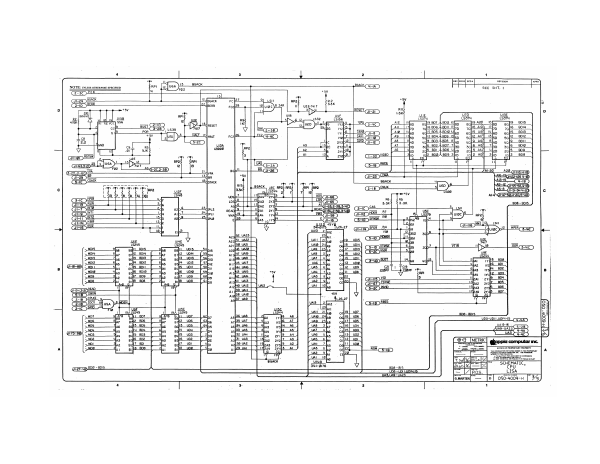
a P=] = Ea Pen Si eae 1 +5v 15] facack Feet 91 isu Ape. Ri2 +5v ., BERR Fco}28 lyige)@tak | uf uzern7 7 *3* - WW shy RESET =a) D us uF a UNE u70 UIZE Ro. Nes isise _ iar isa —_ Te 2 TB FE one a2_|ig od 802 I6fe5 19 £20. Meret sy wep54 ee ripe Tm ae HALT Fc2}#8 tep2 + BL Ci=io) Ue avap2 TARE (SI=I2 UI3a a3 Sil UL s3__fig | Te a he =a 5 Al ia eb? Eo 25 . ae ay 7 are Cs shy _ Gam S fasjuee> Dir, 2] fo TS aD NS haa 2 cp 8G Ci-26 (esORTETO N= —— ‘ yea 7" ar Gras 28 5 BR oy GES ae Ok lptack, ws — | Ta Bee BGACK usc np2t peak’ | “Teer Gap ” i pests ae regres | el ee iD c Re eric ws, = os zy 00s Gres. TR 4 Ge Y Losp® Shas 2x 10⁸ (65 ie RIBES Se asp '3ba2 aval AS G65 2-35 5-1 as > ads ach doe gg Pa tubs 4 ens ‘dy aibZ 24drpu 9 6 rrul2 WR F=5°) Tee 13d, ee 2di.0 p20. Shas vay —~£Gi=ie) 2d | Bo Vp T = m afd j 28.27 SFER_ AY Tied vas 2 ap Gee i+ se uses 23 2a: = lar EOS i ‘AzapSt WAZ ‘uAII | 21] ‘o7f!S__UoIs, 5210 i} vey CRT ais [2 ofS OS) TER i gl en MTS uss _[25I ogi7 ws ar a elu uae |] welsh, fis wie : 7 Jue use wf }15 vow d Ae rare wets? soe] CDE | [chs an : 5 ‘eps uae Ty was | 12 ws car fi igh UAIS +5y ums [7 oof twos ae = B fo yaw ' uss [8 be at of avo =, 2 ie TTTeY mzeltolre 2 cle fad sd rae aoa uae |] use ] val ho} SD oD ieee 25 eos so ua _— All = t7bay yup. BO? as wai | ey, ig 26 '37_UAS 1,2 — Ne uy 7 fai Gas We 15 lat \ S25 fis] 2 ont | vor of Lwor | eh, pees Premera) cf] 0s: 2 we fe fs. uaT fre neha 7] ws se 7 Is ws [re su ws romene TaNT3 oefis| wos che pd uy fips vfsus YAS ie as 1s [ws PSSST | 1S_uD: E ‘auf 32 UA tibat avi [2—AL 0213} woz. uouc) af 16 ue sivas) 7A r2[ uo C i aN a computer inc. she poh? ul POR BET ye ea Cer Salt [u00 epic Aa ip woe aifP2 ual Aad 2yu}3_At es RS ROW (Sig zemmunnconcseen creme | A aa 2 i Se 5 ~<a ce MO TOMA es DORMER COMMONS ny’ VAI __10) ROHS ARE SR RRR fn mous on marr ‘BGACK tu =~ SCHEMATIC, Earp BOS = BOIS Sues) B00 -a15 cpu pe = Up UOTE TS — LISA . VA3,UAS = UA23. TERT = Los0-4009- |” 35)
Home Documents Lisa Lisa Do It Yourself Guide
Lisa Do It Yourself Guide

Lisa Do It Yourself Guide

Lisa · 1990 · PDF
FilenameLisa_Do-It-Yourself_Guide.pdf
Size1.09 MB
Year1990
Subsection sun_remarketing
Downloads3
Enjoying MacTrove? Anonymous downloads are free and unlimited. Create a free account to track favorites, contribute metadata corrections, and join the community chat.
Reader
Lisa Do It Yourself Guide
/
Loading…
OCR / Text contents
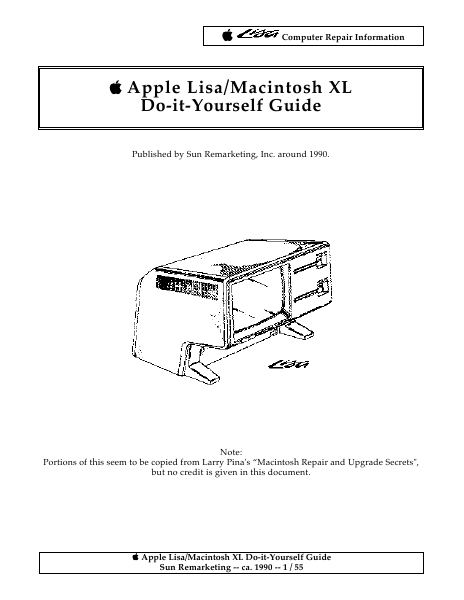
Computer Repair Information Apple Lisa/Macintosh XL Do-it-Yourself Guide Published by Sun Remarketing, Inc. around 1990. Note: Portions of this seem to be copied from Larry Pina's “Macintosh Repair and Upgrade Secrets", but no credit is given in this document. Apple Lisa/Macintosh XL Do-it-Yourself Guide Sun Remarketing -- ca. 1990 -- 1 / 55 Computer Repair Information Table of Contents Identifying the Models Lisa/XL Disassembly Procedure Automatic Startup Test Lisa/Mac XL Test Diskette Built-in Service Mode Mechanical Problems with the 3.5 Inch Disk Drive Hard Drive Repairs MacWorks Plus 800K Disk Drive Upgrade Expansion Card Upgrades Internal Hard Drive Upgrades Memory Upgrades Video Upgrades-External Monitors Video Upgrades-Internal Monitor-Macintosh XL Screen Kit Summary Appendix A-General Troubleshooting Apple Lisa/Macintosh XL Do-it-Yourself Guide Sun Remarketing -- ca. 1990 -- 2 / 55 Computer Repair Information Many people believe that Lisas and Macintosh XL's are exactly the same computer. In truth, Lisas and XL's only look the same. There are two different models in the series. The Macintosh XL (a.k.a. Lisa 2/10) is the newest model. Since there are differences between the models, it's important to determine which Lisa/Mac XL you own before beginning any upgrade or repair work. Identifying the Models This section lists the official hardware configurations. Hardware means a specific combination of drives, boards, and so on. By identifying what hardware is inside the box, you can easily determine which model of the Lisa you own. Table 1 provides a checklist. The next section provides illustrated disassembly instructions so that you can match your particular hardware configuration against the list. Lisa 2: The Lisa 2 has one 3.5-inch 400K disk drive, different disk drive controller circuitry, and a redesigned front panel to accommodate the single 3.5-inch drive opening. A 400K floppy controller, labeled the "Lisa Lite Adapter," is mounted inside the disk drive cage. The System I/0 board is socketed for an AMD 9512 arithmetic processor. It has nickel-cadmium battery backup for the real time clock. One 512K memory board is standard. The mother board has a mouse connector, two serial connectors, and an external parallel connector. The power supply is rated 1.2 A. Lisa 2/10: The Lisa 2/10 has a completely different motherboard. The mouse connector is different. There's no external parallel connector on the back of the computer. Instead, there's an internal parallel connector and a 10MB internal I hard drive. An interrupt switch has been added. The system I/0 board is also different. There's no socket for the AMD 9512 coprocessor. There's no nickel-cadmium battery backup for the real time clock. The disk drive controller is different. An extra chip on the 1/0 board replaces the Lisa Lite Adapter which was formerly located in the drive cage. The disk drive cabling is different. The wiring harness is different. The power supply is diffe…

Showing first 3,000 characters of 67,731 total. Open the full document →

Home Documents Lisa Daniels The Architecture Of The Lisa Personal Computer
Daniels The Architecture Of The Lisa Personal Computer

Daniels The Architecture Of The Lisa Personal Computer

Lisa · 1984 · PDF
FilenameDaniels_-_The_Architecture_of_the_Lisa_Personal_Computer_198403.pdf
Size1.17 MB
Year1984
Subsection development_history / articles
Downloads3
Enjoying MacTrove? Anonymous downloads are free and unlimited. Create a free account to track favorites, contribute metadata corrections, and join the community chat.
Reader
Daniels The Architecture Of The Lisa Personal Computer
/
Loading…
OCR / Text contents
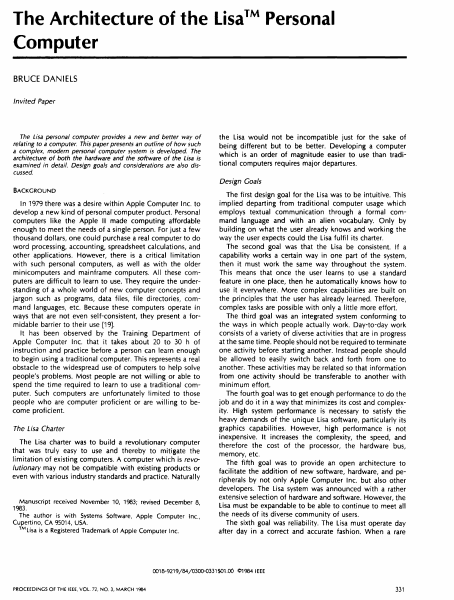
The Architecture of the LisaTM Personal Computer BRUCE DANIELS Invited Paper The Lisa personal computer provides a new and better way of relating to a computer. This paper presents an outline of how such a complex, modern personal computer system is developed. The architecture of both the hardware and the software of the Lisa is examined in detail. Design goals and considerations are also dis- the Lisa would not be incompatible just for the sake of being different but to be better. Developing a computer which is an order of magnitude easier to use than traditional computers requires major departures. cussed. Design Goals BACKGROUND The first design goal for the Lisa was to be intuitive. This In 1979 there was a desire within Apple Computer Inc. to develop a new kind of personal computer product. Personal computers like the Apple II made computing affordable enough to meet the needs of a single person. For just a few thousand dollars, one could purchase a real computer to do word processing, accounting, spreadsheet calculations, and other applications. However, there is a critical limitation with such personal computers, as well as with the older minicomputers and mainframe computers. Al I these computers are difficult to learn to use. They require the understanding of a whole world of new computer concepts and jargon such as programs, data files, file di rectories, command languages, etc. Because these computers operate in ways that are not even self-consistent, they present a formidable barrier to their use [19]. It has been observed by the Training Department of Apple Computer Inc. that it takes about 20 to 30 h of instruction and practice before a person can learn enough to begin using a traditional computer. This represents a real obstacle to the widespread use of computers to help solve people's problems. Most people are not willing or able to spend the time required to learn to use a traditional computer. Such computers are unfortunately ii mited to those people who are computer proficient or are willing to become proficient. The Lisa Charter The Lisa charter was to build a revolutionary computer that was truly easy to use and thereby to mitigate the limitation of existing computers. A computer which is revolutionary may not be compatible with existing products or even with various industry standards and practice. Naturally Manuscript received November 10, 1983; revised December 8, 1983. The author is with Systems Software Apple Computer Inc., 1 Cupertino, CA 95014, USA. ™Lisa is a Registered Trademark of Apple Computer Inc. implied departing from traditional computer usage which employs textual communication through a formal command language and with an alien vocabulary. Only by building on what the user already knows and working the way the user expects could the Lisa fulfi I its charter. The second goal was that the Lisa be consistent. If a capability works a certain way in one part of the system, then it must work the same way …

Showing first 3,000 characters of 57,404 total. Open the full document →

Home Documents Lisa Level II COBOL Users Guide Jun84
Level II COBOL Users Guide Jun84

Level II COBOL Users Guide Jun84

Lisa · 1982 · PDF
FilenameLevel_II_COBOL_Users_Guide_Jun84.pdf
Size0.48 MB
Year1982
Subsection xenix / cobol
Downloads3
Enjoying MacTrove? Anonymous downloads are free and unlimited. Create a free account to track favorites, contribute metadata corrections, and join the community chat.
Reader
Level II COBOL Users Guide Jun84
/
Loading…
OCR / Text contents
T LEVEL II COBOL • USER'S GUIDE sea. THE SANTA CRUZ OPERATION 500 CHESTNUT STREET, P.O. BOX 1900, SANTA CRUZ, CA 95061 • (408) 425-7222 • TWX: 910-598-4510 sca SACZ ***************************************************************** LEVEL II COBOL Version 2.0 Installation Guide UNIX Operating System Implementation ***************************************************************** Document Release 1.0 May 29, 1984 Date of Printing: June 1, 1984 This document has been prepared for the exclusive use of the client. None of the material herein may be reproduced, copied or distributed in any manner, including electronically, without prior written approval of The Santa Cruz Operation, Inc. Copyright (c) 1982, 1984 The Santa Cruz Operation, Inc. TABLE OF CONTENTS NOTICE i PREFACE ii 1. INSTALLATION 1-1 Instructions 1-1 Contents .1-3 Example 1-5 2. INSTALLING IN AN ALTERNATE DIRECTORY 2-1 3. INCORPORATING USER SUBROUTINES . 3-1 Instructions· 3-1 Summary 3-2 Example 3-3 NOTICE COBOL is an industry language and is not the property of any company or group of companies, or of any organization or group of organizations. No warranty, express&d or implied, is made by any contributor or by the CODASYL Programming Language Committee as to the accuracy and functioning of the programming system and language. Moreover, no responsibility is assumed by any contributor, or by the committee, in connection herewith. The authors and copyright holders of the copyrighted material used herein: FLOW-MATIC (Trademark for Sperry Rand Corporation) Programming for the Univac I an-d,II, Data Automation Systems copyrighted 1958, 1959, by Sperry Rand Corporation; IBM Commercial Translator Form No. F28-8Q13, copyright@d 1959 by IBM; FACT, DS127A5260-2760, copyrighted 1960 by MinneapolisHoneywell. have specifically authorized the use of this material in whole or in part, in the COBOL specifications. Such authorization extends to the reproduction and use of COBOL specifications in programming manuals or similar publications. Note that the following are registered trademarks: LEVEL II (L/II) COBOL is a trademark of Micro Focus Ltd. FORMS-2 is a trademark of Micro Focus Ltd. CIS COBOL is a trademark of Micro Focus Ltd. UNIX is a trademark of Bell Laboratories. DEC is a trademark of Digital Equipment Corporation. ADM-3A is a trademark of Lear Siegler, Inc. DPPX is a trademark of IBM Corporation. -i- PREFACE This manual describes the procedures for installing the LEVEL II COBOL Version 2.0 Compiler and Run Time System. Audience This manual is intended for UNIX system administrators responsible for installing LEVEL II COBOL on their systems. Familiarity with UNIX is assumed. Contents This manual contains the following sections and appendices: Chapter.1. flINSTALLATION", which describes the basic installation procedure. Chapter "INSTALLATION 2. describes how to install IN AN ALTERNATE DIRECTORY", which the LEVEL II COBOL system in …

Showing first 3,000 characters of 18,255 total. Open the full document →

Home Documents Lisa Cosey Lisa 1.75 Boot ROM Program Reference Specification 1.0
Cosey Lisa 1.75 Boot ROM Program Reference Specification 1.0

Cosey Lisa 1.75 Boot ROM Program Reference Specification 1.0

Lisa · 1983 · PDF
FilenameCosey_-_Lisa_1.75_Boot_ROM_Program_Reference_Specification_1.0_19830816.pdf
Size1.24 MB
Year1983
Subsection hardware / 1983_Whopper
Downloads3
Enjoying MacTrove? Anonymous downloads are free and unlimited. Create a free account to track favorites, contribute metadata corrections, and join the community chat.
Reader
Cosey Lisa 1.75 Boot ROM Program Reference Specification 1.0
/
Loading…
OCR / Text contents
- LISA 1.75 BOOT ROM Prograrn Reference Specification · Version 1.0 I . . ·~ • ~110'11"'+ 1h .a.··--t.:,·-""•.., .•.•..,,,, ' 1Qi=!~ ... _.....,.._. . Geor.g.e Cossey .. AppleCorn/)llf:erCOQfidential , ·, ' LISA 1.75 Eioot ROM,. Prngrarn Referen9e Specification T·able of Cc>ntents 1 Ird r.o.r:/ur:·t i an. 1. 1 Genera.1 ........................•........................... 4 1. 2 svstern Dia.gnostics 4 1.: · Stanciard User ................ ·............................... ~1 1. 4 Adv~ncect User :: 1. 5 Hard~~ere Drivers ~, ,) c: j • • • • • • • • • • • • .. ~ • • • • "' .. • • • - .. • • .. . .. .. .. ~ • • ~ M .. 1_. 4. 0 s:~~opor t Envir.ornerrt 4. 1 Support Software 4.1.1 System 4.1.2 Utilities 4 .1. 3 Generation and installation procedures o 5 6 6 4. 1. 4 Required hardware b 4. 1. : Processor Type anc! memory size ....................... 7 4 .1. 6 Optional hardware a.nd peripherals 7 1 5. 0 Pertormsrrce Cr·i tert.s . . pereme . t'' ers ................................. '-> •:;) .. . 1 p rogrern t. . iming ~ 6. ,._, ., Oual i ty .'1ssur.ance Test Des.es. ................................. e 7. OD.e-t.5:iledPr.oduct Description . 7. 1 Primary Operatiori ......................................... 9 " 7. 2 Dia.gnostic.Testing ........................................ ·1 7. 3 Comparison· of Lisa 1.0 vs 1. 75 diagnostics .............. ;. .. 10 3. O Sys·tcm lni tislizstion " a. 1 MMU Mapp i·n g . . . .. . . . . ~ '. . . . : . ·. ·: . . . ~ . . ·. . . . . . . . . . . . . . _. . . . . . . . . 11 8 . 2 Memory · . · 11 8.3 Contrast 11 7 8 . 4 Speaker vol 1Jme 11 8. 5 Keyboard/Mouse interface ................................ 12 .• 8. 6 Configuration check · 12 9.C! Boot Osvices · 12 9. 1 Boot ROM protocols .....................· ................... ·13 9. 2 Hard disk boot'ing . " . · · 13 9. 3 Floppy disk t)ooting 13 q: . .4..- I ,,IQ expansions . l o t'·b oo t:. .. mg ·................................ 14. 9. s Int erna.l slot booting. 14 Page 2 ~ <' :·i /·:~0l7.t .t.01.. ~·~i·C"{/e.s· ~ :o. 1 C_; ;;t c.mer ~i-iode. ~ .... 1 =. . .J. _.' . :s .........< ·"'o ;:.:·v:.[·.e.r;t/1 . 1.<~~ Merno1rv rne.p .......................................... .:. 9 ROM rout i nes f' or ex t er nal use .:iD,1:.~e ...: . .:11'..r .c Error codes .............. ; ........................... ~-::. I .. f I P8.ae 3 l LIS A 1. 7: eoot M'.Ot-..'1,.. Proqr1:irn Reference ·specifiCi3.tion 1 1 _O Introduction The t:oot PtJM in th€~ Lisa L 75 svstem must provide a nurntier of fea.tures. t joe:s 3. i:·:::i.:si c -:li aanostj.c check of" t r1e svst em to assure t r1at the r1•:ii~•i1-.1 8i-e s "'~ork.in9 properl·y· .- It provides a specia.l it service'' mode for debw~i use in ca.se of ·:i. f·:~.ilure in ;:i_ny th1~ diagnostics e.nd that f'ailure prevents tr1e loacUng of more eY. tensive cha.gnost:ics ~ It ini tial.izes the .hardware to ;:t known state - The E3oot c;:-c1·1 loacfs a boot pri:igram from the user selected boot c…

Showing first 3,000 characters of 34,871 total. Open the full document →

Subscribe to Lisa
mp.ls