Home Documents Lisa 01 Contents
01 Contents

01 Contents

Lisa · PDF
Filename01_Contents.pdf
Size0.38 MB
Subsection toolkit_3.0 / Package_2_Examples
Downloads8
Enjoying MacTrove? Anonymous downloads are free and unlimited. Create a free account to track favorites, contribute metadata corrections, and join the community chat.
Reader
01 Contents
/
Loading…
OCR / Text contents
Read This First I Contents of Package II elaseal and ToolKit This guide .ill serve as an overvie. o~ the documents contained in Package II. Please read this entire guide before you start reading the docu.ents. Contents: .. Summary of Contents Packaging and Release Infor..tion Clascal Docllll8l1tation - ToolKit Se~s (I self-paced ToolKit course) ToolKit Reference Hanual Debuooing ToolKit Applications Using Phrase Files ToolKit Flo. of Control Diagr. . - ToolKit Interfaces Building Blocks Lisa User Interfeoe Guidelines Converting fr. TK7D to the Finel ToolKit A lord About Cross-Referencing 5ee1\ON '/p.' Packaging and Release Infol1l8tion 1. In thI, package you IhoUld have the followIng piece,: I. In~tallition Instruction~ b. The Introduction to Cla.cal Hanual. c. Clascal Syntax Diagr_. d. The Lisa ToolKit Self-Paced Training. e. The Lisa Applications ToolKit Reference "anual. f. Hore on Debugging. g. A Phrase File ~t h. A Printing Document i. A Class Hierarchy DocuMent j. lIlbject, lIlr., and ~ interfaces. k. lIlialog docunentation .-.d interface. 1. UText docl.IIIentation" and interface for UText. and. WnivText.. . m.lfstings of SamPle"ToolKit progra.6 n. DocllRentation on converting frOlll older versions of the ToolKit to ToolKit 3. O. o. Icon editor documentation. p. lisa User Interface 6uidelines. q. Lisa Internals. r. A Flow of Control DiagraM (poster). s. Five (5) ToolKit Release Diskettes. 2. To use the ToolJCit, you need to have the folltMfing: a. A one _gabyte Lisa with A least one 5 t1egabyte profile. Two 5 t1egabyte profiles or one built-in 10 t1egabyte hard disk is better. Ie stronoly discourage using just one 5 t1egabyte profile; a single profile leaves very little space 1n which to work. b. The Lisa Office Syst., version 3. o. c. The lisa hrkshop develOpMent environMnt. version 3. o. 3. ToolKit 3. 0 HelHSe Notes.. This IIeIK) describes the ToolKit release you were sent and how to·install it on your MChine along with the other software you have purchased. Please read it carefully and CCJRpletely and follow the instructions exactly. This will give your 1/ p. z. Lisa the standard ToolKit davalopaent configuration a'ld .aka it aasier to find problellS if they occur. Clasoal Docu.entation 1.M IntrodUCtion to C16SC~1. This explains the elaseal language and why we are using it to ~la.ent the ToolKit. (read this first) 2. C1~SC6l Synt6X Di6gT'" This short MnUal contains all the syntax diagrallS for Clascal. ToolKit Sea-ents (a salf-paced ToolKit coursa) The ToolKit Segments are a self-paced tutorial explaining most of the concepts you need to know to use the ToolKit. You should read this section after you have ..stered the elaseal documentation above. The segments start out with the very Simple ToolKit concepts and build t.Ottards IDOre complicated ·subjects as "your knoWledge of the "ToolKit grad. Included with the 8egnents are listings of actual ToolKit salllPle programs. These sMIPle proor- are also included on the disks w…

Showing first 3,000 characters of 12,469 total. Open the full document →
Home Documents Lisa Pascal Reference Manual
Pascal Reference Manual

Pascal Reference Manual

Lisa · 1983 · PDF
FilenamePascal_Reference_Manual_1983.pdf
Size12.44 MB
Year1983
Subsection workshop_2.0
Downloads2
Enjoying MacTrove? Anonymous downloads are free and unlimited. Create a free account to track favorites, contribute metadata corrections, and join the community chat.
Reader
Pascal Reference Manual
/
Loading…
OCR / Text contents
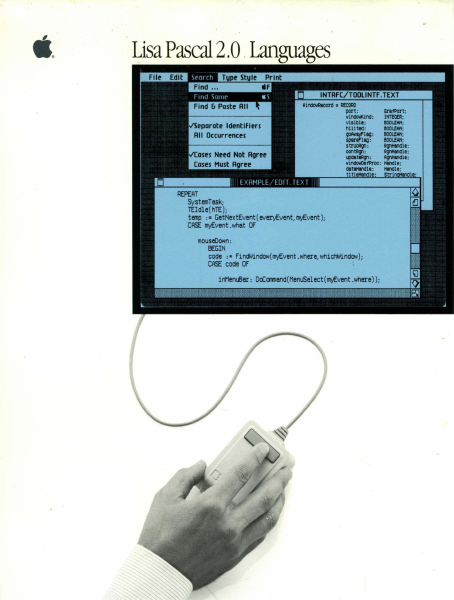
Lisa Pascal 2.0 .Languages windlMllcorcl • A!COAD port: wil'lCllMl.ind: visiDII: nil i tiel: orafPOrt; IHT!G!R; IIOOLLIIN; IIOOLLIIN; ~IIQ: IIOOLLIIN; 5PII'I"IIQ : IIOOLLIIN; I tl'IlCA!JI : I9'fWlCIII; contf9l: I9'fWlCIII; I4*tIRIJl: I9'fWlCIII; windOloOefPrDo: HIndle; Clatlltlndll: ~AT SystemTask; TEldle( hTE); temp :. GetNextEvent(everyEvent,myEvent); CASE myEvent.what OF mouseOown: EEGIN code :. FindWindow(myEvent.where,whichWindow); CASE code OF Pascal Reference Manual for the Lisa 1M 029-0)91-A Licensing R8(JJiremenu for Software Devel~n Apple has a low-cost licensing program, which permits developers of software for the Lisa to incorporate Apple-developed libraries and object code files into their products. Both in-house and external distribution require a license. Before distributing any products that incorporate Apple software, please contact Software Licensing at the address below for both licensing and technical information. 01983 by PiJple Computer, Inc. 20525 MarianI Avenue CUpertino, California 95014 (408) 996-1010 Apple, Lisa, and the Apple logo are trademarks of Apple Computer, Inc. Simultaneously published in the USA and Canada Reorder .AWle Product #f\600101 (Complete Pascal package) #A6LOlll (Manuals only) CUstooler Satisf~tioo If you discover physical defects in the manuals distributed ",ith a Lisa product or in the media on which a software product is distributed, ~ple will replace the documentation or media at no charge to you during the 90-day period after you purchased the product. Procl.ct Revisions Unless you have purchased the product update service available through your authorized Lisa dealer, Apple cannot guarantee that you will receive notice of a revision to the software described in this manual, even if you have returned a registration card received with the product. You should check periodically ",ith your authorized Lisa dealer. Limitatloo on Wanmties and Liability All implied warranties concerning this manual and media, including implied warranties of merchantability and fitness for a particular purpose, are limited in duration to ninety (90) days from the date of original retan purchase of this product Even though Apple has tested the software described in this manual and reviewed its contents, neither Apple nor its software suppliers make any warranty or representation, either express or implied, with respect to this manual or to the software described in this manual, their quality, performance, merchantability, or fitness for any particular purpose. fl.s a result, this software and manual are sold "as is," and you the purchaser are assuming the entire risk as to their quality and performance. In no event will Apple or its software suppliers be liable for direct, indirect, special, incidental, or consequential damages resul ting from any defect in the software or manual, even if they have been advised of the pOSSibility of such damages. In particular, they shall have no liability for any pro…

Showing first 3,000 characters of 500,000 total. Open the full document →
Home Documents Lisa Guide To The Operating System 5.2 Jul82
Guide To The Operating System 5.2 Jul82

Guide To The Operating System 5.2 Jul82

Lisa · 1982 · PDF
FilenameGuide_to_the_Operating_System_5.2_Jul82.pdf
Size2.81 MB
Year1982
Subsection os
Downloads3
Enjoying MacTrove? Anonymous downloads are free and unlimited. Create a free account to track favorites, contribute metadata corrections, and join the community chat.
Reader
Guide To The Operating System 5.2 Jul82
/
Loading…
OCR / Text contents
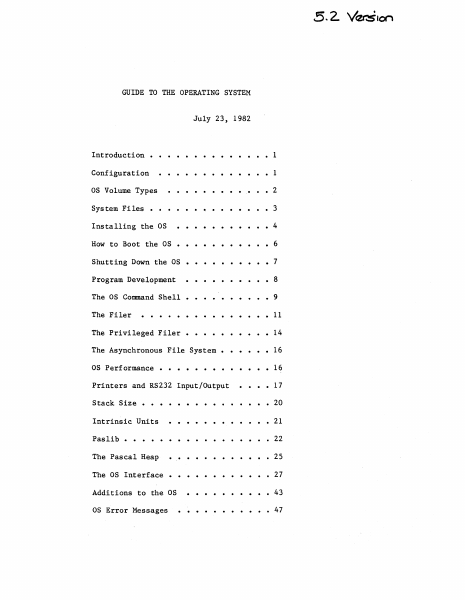
GUIDE TO THE OPERATING SYSTEM July 23, 1982 ..... Introduction • 1 Configuration 1 as Volume Types • 2 System Files • • • • • • Installing the as How to Boot the as 3 • • • •• 4 • 6 Shutting Down the as • • • • • • 7 Program Development 8 The as Command Shell • • • • • • 9 The Filer 11 The Privileged Filer • 14 The Asynchronous File System • 16 as Performance • • 16 Printers and RS232 Input/Output 17 Stack Size • Intrinsic Units . . . . 20 21 Paslib • • • 22 The Pascal Heap • 25 The as Interface 27 Additions to the as 43 as Error Messages 47 Guide to OS Confidential INTRODUCTION This document explains how to use the 5.2 release of the Operating System. It includes all relevant material from prior releases and also describes the new features of this release. The User's Guide does not explain each feature of the OS in detail; instead, it explains operations such as installing and booting the system, and presents the details of the Command Shell and Filer commands (see the Operating System Reference Manual for a complete description of the Operating system). Because the Operating System Reference Manual is not updated for each new release, the User's Guide also contains explanations of any new features or calls that may not fit into the above topics. The User's Guide assumes that the Operating System Reference Manual that you have is dated March 1, 1982. This release of the Operating System boots from a Profile or Twiggy rather than the'Apple II. The standalone OS is installed and operates differently than the as that boots from the Apple in several ways. Please read the paragraphs below that explain the environment that this version of the OS supports before attempting to install and run it. CONFIGURATION The standalone OS boots from either a Profile or a Twiggy. Most people will boot the standalone OS from a Profile, and use another hard disk for the Monitor. The standalone as restricts how you can use the various devices. The OS treats the Corvus as a source of Monitor files, not as an OS volume; the Apple, the Disk-II floppies and the Sanyo screen are totally inaccessible from the OS; the Lisa screen and keyboard are reserved for Applications. Therefore, readlns and writelns can only be seen on your Soroc~ WARNING: YOU NEED A SOROC, TO USE THE STANDALONE OS! Attach the So roc to channel A of the Lisa; this channel is the second from the left when you are standing in front of the system. When the OS boots from a Profile, that Profile must be attached to the parallel port (the connector farthest to the right when viewed from the front). This port is 'PARAPORT' to the OS and '&3' to the Monitor. Your other hard disks are attached to the N-Port card, which must (for now) be in Slot 2 (the middle slot). Starting from the bottom of the N-Port card, the ports are named '&4', '&5', and '&6' by the monitor, and 'SLOT2CHANl', 'SLOT2CHAN2', and 'SLOT2CHAN3' by the as. The monitor gives preference to disks attach…

Showing first 3,000 characters of 112,670 total. Open the full document →
Home Documents Lisa Level II COBOL RTS Release Notes Jul84
Level II COBOL RTS Release Notes Jul84

Level II COBOL RTS Release Notes Jul84

Lisa · 1984 · PDF
FilenameLevel_II_COBOL_RTS_Release_Notes_Jul84.pdf
Size0.11 MB
Year1984
Subsection xenix / cobol
Downloads3
Enjoying MacTrove? Anonymous downloads are free and unlimited. Create a free account to track favorites, contribute metadata corrections, and join the community chat.
Reader
Level II COBOL RTS Release Notes Jul84
/
Loading…
OCR / Text contents
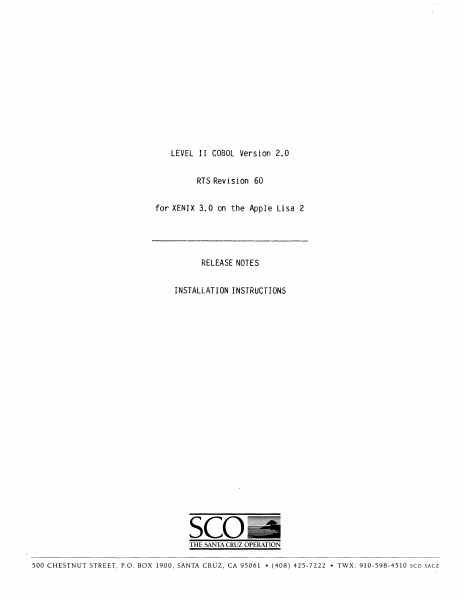
LEVEL II COBOL Version 2.0 RTS Revision 60 for XENIX 3.0 on the Apple Lisa 2 RELEASE NOTES INSTALLATION INSTRUCTIONS seo_ THE SANTA CRUZ OPERATION 500 CHESTNUT STREET, P.O. BOX 1900, SANTA CRUZ, CA 95061 • (408) 425-7222 • TWX: 910-598-4510 sca SACZ Page 1 Installation Instructions for the Apple Lisa Note: See the LEVEL II COBOL Installation details about the installation prooess. Guide for oomplete Depending upon the size of the hard disk on your system and the amount of space available, you might run into problems while extraoting or installing this distribution. The fully installed version of High Performance L/I! COBOL uses about 1000 blooks of disk space, but to extract all the files from the floppies and install the software requires approximately 2600 free blocks on the filesystem used. Extracting the software from the floppies takes up about 1600 blocks, but this space may be reclaimed after installation and verification of the software. The command to extract all the files from the floppies is: II tar xv The 'tar' command will prompt you to put in the second volume the distribution after it has extracted the first floppy. of If you do not have 2600 free blocks on your disk, you may extract only those files that are necessary for the installation. To do this use the following 'tar' command instead of the one above: I tar xv install lib lib.hiperf bin demo ncg These files will use about 1100 blocks of disk space. The "install" shellscript is provided to facilitate installation of the LIII COBOL system; you should inspect it for commands that would overwrite existing files or directories on your system. If "install" will not destroy anything that you need to preserve, run it. # sh install To install the Native Code Generator, 'cd' to the ncg directory, and run the install script provided. , cd neg I sh install I cd •• If you have purchased the development tools, insert the development tools floppy, and extraot it using the tar command. I tar xv They may be installed with the following oommands: , cd anlm , sh install , od •• /forms2 , sh install , cd •• Installation Instructions for ·the Apple Lisa After installation and verification, all files extracted with the 'tar' command may be removed. Page 2 that were If your terminal is not correctly handled 1n the /usr/lib/cobol termcap file, you will need to produce a new entry. See the "Terminal Configuration Issues" Appendix of your Operating Guide for details. 6 Jul 1984 LEVEL II COBOL Version 2.0 RTS Revision 60 tor JENIX" 3.0 on the Apple Lisa 2 To verlfy the RTS Revision you have received, execute the RTS directly with no arguments. After installation, this means executing: $ lusr/lib/cobol/rts2 This release is derived from the Micro Focus COBOL product line which is certified to the High Level by the GSA and contains the High-Performance Compiler and the Native Code Generator (NCG). Some of the experimental features also should still be considered Beta-test: 1…

Showing first 3,000 characters of 3,884 total. Open the full document →

Home Documents Lisa Lisa 1.75 Boot ROM
Lisa 1.75 Boot ROM

Lisa 1.75 Boot ROM

Lisa · PDF
FilenameLisa_1.75_Boot_ROM_19830802.pdf
Size0.38 MB
Subsection hardware / 1983_Whopper
Downloads3
Enjoying MacTrove? Anonymous downloads are free and unlimited. Create a free account to track favorites, contribute metadata corrections, and join the community chat.
Reader
Lisa 1.75 Boot ROM
/
Loading…
OCR / Text contents
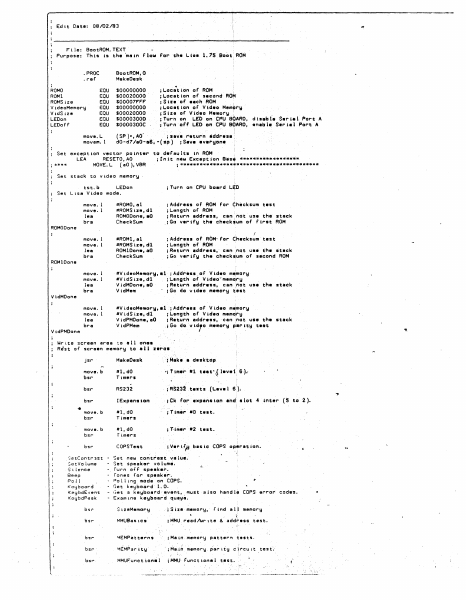
Edit Date: 08/02/83 File: BootROM.TEXT Purpose: rti is is the ·ma in flow for th• L ht• 1.15 Boot. ROM .PROC BootROM,0 MakeOesk . raf' ROMO ROMl ROMSize VideoMemory VidSize LED on LEDof f' EQU EOU EQU e:au EQU e:au EOU move.L movem. 1 $00000000 $00020000 $00007F"FF" $00000000 $00020000 $00003000 S0000300C . ;Location of ROM ;Location of second RO~ ;Size of each ROM . ;Locatton of Vtdeo Mem~ry 1Siz• of Video Memo~y • ; Turin on LEO on CPU BQAFm, disab(e Serial Port A ; Turin oft LEO on CPU BOARD, enable Serial Port A (SP)+ 1 AO" ;s•v• return •ddrasa: d0-d7/a0-a6,·(sp) ;Save everyone Set exception vector pointer to def~ults lft ROM LEA RESETO,AO ;tnit new E•c•ption Bas; ****************** ; **** MOVE.L (aO),VBR ; ****************************************** Set stack to video memory LED on tst.b Set Lisa Video mode. ; T1Jrn on CPU board LltD move. 1 move. 1 lea bra ttROMO,al #ROMSize,dl ROMOOone,aO Check Sum ;Address of ROM for dh~cksum test ;L1tngth of' ROM ;Return address, can riot use the stack _;Gu verify the check~um of First ROM move. l move. I lea bra #ROMl,al #RQMSize,dl ROMlOone,aO Check Sum ;Address or ROM-for Checksum test ; Lttngth of ROM ; Re1turn address, can ,not use the stack ;Ga verify the check~um of second ROM move. l move. I lea bra #VideoMemory,al ;Address.of Video m~mory #V idS iZ•, dl ; L11ngth of Video'·mem~ry VidMOone,aO ;Return address, can ~ot use ihe stack VidMem ;G~ do video memory ~est move. l move. 1 lea bra #V ideoMemarf:h al. ; .A,ddl"'ess of V idea me',mory #V idS ize, dl ; Le1ngth of V idea memoiry VidPMOone,aO ;Return address, can not usa the stack V idPMem ; Go1 do v id'o memory par" tty test ROMODone I ROMlOone VidMOone VidPMOontS Write ~creen area ~o ell ones Rest of screen memory to all zero• jsr MakeOesk ; Make a duktop move.b bsr #l,dO Timers •;timer #l Ust",{ leva·1. 6 -).· bsr RS232 ; RS232 tests (Level 6 ). bsr IE>epansion ;Ck for e>Cpansion end slot 4 inter (5 to 2). '* move.b #l,dO Timers ;Ttmer •0 test. bsr move.b bsr ttl,dO Timers ; T·imer •2 test. bsr COPSTest ; Vel" trµ basic COPS op.rat ion. •J e t Cont r l s t ~etVolume Si Lenee Beep Po 11 K'eybo;:ird Ke':jbdEvent KeybdPeek · .. Set ne~ co~trast value. - Set speaker volume. - furn of F speaker. - rones for speaker~ - ?cll1ng mode on COPS. - Get keyboard t.O. - Get a keyboard event, must also handle COPS error codes. - Examine keyboard que\le. . r Ind all memory bsr SizeMemory . ; $ i:1e memory, bsr MMUBas 1cs ; MMIJ rl!lad/\ir 1te & address test. bsr ~EMPatterns ;Main memor~ pattern tests. bsr ~~M~artty ;M•in memory ~artiy clrcu1t test' bsr MMUFunct1.onal ;.MMU ~unctional test. Floppy dr-tverF'lappy dr-tver Floppy driver Flopp!:I dr-iver bsr -·Read • sect.or. - Eject a disk. - Sae if disk t• tn. - Debug commends r-equired by ~ield.Service. IWMChip ;;IWM, floppy drive~ chip, t.est. I Built-in hard disW dr-tver - Re~d stet~s or selft•st. Built-in hard disk driver • See if disk…

Showing first 3,000 characters of 15,417 total. Open the full document →

Home Documents Lisa LabeList
LabeList

LabeList

Lisa · 1985 · PDF
FilenameLabeList_1985.pdf
Size1.09 MB
Year1985
Subsection office_system
Downloads3
Enjoying MacTrove? Anonymous downloads are free and unlimited. Create a free account to track favorites, contribute metadata corrections, and join the community chat.
Reader
LabeList
/
Loading…
OCR / Text contents
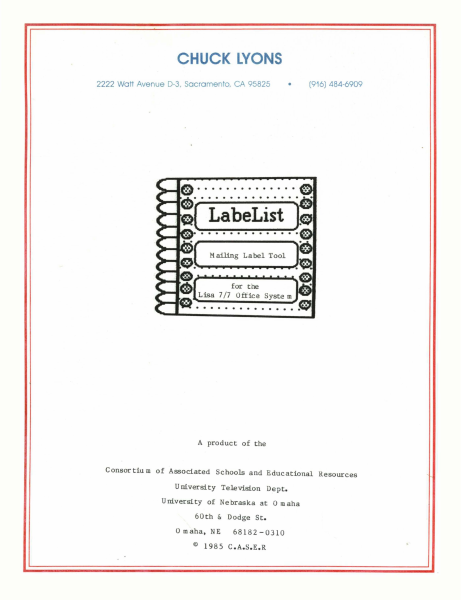
CHUCK LYONS • 2222 Watt Avenue D-3, Sacramento, CA 95825 (916) 484-6909 A product of the C onsor tiu m of Associated Schools and Educational Resources University Television Dept. University of Nebraska at a m aha 60th & Dodge St. a maha, NE © 68182 -0310 1985 C.A.S.E.R ........... Mailing Label Tool ....... ,.------------------'~ A product of the C onsor tiu m of Associated Schools and Educational Resources University Television Dept. University of Nebraska at 0 m aha 60th & Dodge St. Omaha, NE © 68182 -0310 1985 C.A.S.E.R Cop yright Notice: This manual is copyrighted. All rights are reserved. This docu m ent may be copied and reproduced for the purchaser's own use. Limited Warranty: The Consortiu m of Associated Schools and Educational Resources warrants this product to be free fro m defects in material and work m anship for a period of ninety (90) days fro m the date of original purchase. The Consortiu m of Associated Schools and Educational Resources agrees to repair or, at our option, replace any defective unit without charge. Other than the above, the Consortiu m of Associated Schools and Educational Resources makes no warranties, either express or implied, regarding the enclosed co m puter software package, its m erchanta bility or its fitness for any particular purpose. In no event will the Consortiu m of Associated Schools and Educational Resources be liable for direct, indirect, incidental, or consequential da mages resulting fro m any defect or the possibility of such da m ages. The exclusion of implied warranties is not per mitted by so me states. The above exclusion may not apply to you. This warrany provides you with specific legal rights. There may be other rights that you may have which vary fro m state to state. ® "APPLE COMPUTER, INC. MAKES NO WARRANTIES, EITHER EXPRESS OR IMPLIED, REGARDING THE ENCLOSED COMPUTER SOFTW ARE PAC K AGE, IT S MER C HAN TAB IL IT Y 0 R IT S FIT N E S S FOR ANY PARTICULAR PURPOSE. THE EXCLUSION OF IMPLIED WARRANTIES IS NOT PERMITTED BY SOME STATES. THE ABOVE EXCLUSION MAY NOT A P PLY TOY 0 U. THIS WAR RAN TY PRO VID E S YOU WIT H S PE C IFI C LEG A L RIG H T S. THE REM A Y BE 0 THE R RIG H T S T HAT YOU MAY HAVE WHICH VARY FROM STATE TO STATE." Quickdraw, hardware interface for mouse control, all OS files necessary for a bootable diskette, the workshop shell, and special diskette manufacturing routines are copyrighted progra m s of Apple Com puter, Inc. licensed to the Consortiu m of Associated Schools and Educational Resources to distribute for use only in co m bination with LabeList. Apple Software shall not be copied onto another diskette (except for archive purposes) or into me m ory unless as par t of the execution of LabeList. When LabeList has co m pleted execution Apple Software shall not be used by any other program. Apple, Lisa, and the Apple logo are trade marks of Apple Computer, Inc. Rolodex is a trade m ark of Rolodex Corp. S Y ste m Re q uir e me nts .The LabeLi…

Showing first 3,000 characters of 33,445 total. Open the full document →

Home Documents Lisa 02 An Introduction To Clascal Jul84
02 An Introduction To Clascal Jul84

02 An Introduction To Clascal Jul84

Lisa · PDF
Filename02_An_Introduction_To_Clascal_Jul84.pdf
Size2.17 MB
Subsection toolkit_3.0 / Package_2_Examples
Downloads8
Enjoying MacTrove? Anonymous downloads are free and unlimited. Create a free account to track favorites, contribute metadata corrections, and join the community chat.
Reader
02 An Introduction To Clascal Jul84
/
Loading…
OCR / Text contents
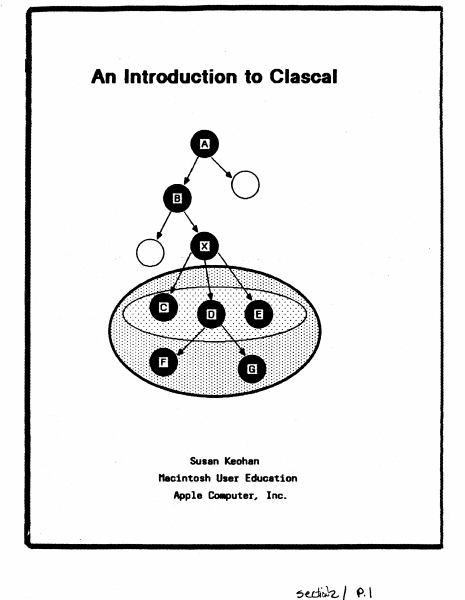
An Introduction to Clascal Susan Keohan nacintoshUser Education Apple Co.puter, Inc. Preface This is a conceptual introduction to ClascaL not a reference manual. Example programs and syntax diagrams follow the text. The purpose of this document is to introduce experienced Pascal programmers to the concepts necessary to make the transition from a traditional procedure-oriented environment to Clascal's . object-oriented environment. This document assumes you are familiar with Lisa Pascal and QuickDraw. All programs and program fragments are boldface in this document. for example, thisShape.Erase is a program fragment. Table of Contents Introduction ...... . Comparing Pascal and Clascal Pascal. Clascal Class Types. Objects Methods 1 1 ••2 ••4 . , ,. 8 ·.9 12 SELF. 16 Class Hierarchy and Inheritance Assignment Checking and Typecasting . . Creating and Freeing Objects StPERSELF and Extensibility ..... . Clascal vs. Pascal .....•.. Clascal and the Lisa Applications ToolKit. .hen to Use the Clascal Extensions Advanced Topics .... The Example Programs 17 20 21 22 25 26 26 27 30 .. J./~ AI7 InlrDtb:fion to CI6SC61 "1y198*, An Introduction to Clascal Introduction ellsoll is I set of extensions to Lisl Pasoal that adds objects and classes of objects to the language. The sesaantic extensions of elascal were inspired by the language s.Blltalk 76. The syntactic extensions were influenced by the language SillJII 67.. It is not necessary to know s.alltalk or Simula before learning elascal. elascal differs little fro. Pascal syntactically. The ..jor difference between the languages is in progr_ing technique. bn you write a Pascal proor., your procedure and fooction specifications are separate fro. your data structure specifications. When a Pasoal proor. is rCA data is passed to a procedure or function, and the procedure or function acts on the data. In elascal the data structures of an object and its procedures and functions'ar~ specified together 1n a class declaration. Ihen the program is rWl, objects are created. These objects use the functions and procedures that the program.er specified when defining the data structure. All the operations that an object eM perf0111 are defined by the object's class. As a result, progr.. modularity is i~roYed. In Pascal, to add new variations to an old data type, you ..st either define new types inc~atible rith the old type, or. edit existing code to add new cases to a variant record type and to procedures that act on that type. In ClasoaL you can define subclasses of existing classes without editing existing code Met without introducing incDq)atible types. As a result, progr_ extensibility is illproved. CCJIIparing Pasc.l and Clascal Clascal is a superset of Lisa Pascal. Because the readers of this doc\IIent are Pascal progr...ers, CI.scal oonoepts are CGIIPIred to Pascal concepts throughout. this doouIent. As a Pascal progrlllller, you should have little difficulty adjusting to ClesoaL because III)St of w…

Showing first 3,000 characters of 62,562 total. Open the full document →

Home Documents Lisa A6L0142 LisaDraw
A6L0142 LisaDraw

A6L0142 LisaDraw

Lisa · 1983 · PDF
FilenameA6L0142_LisaDraw_1983.pdf
Size7.75 MB
Year1983
Subsection office_system
Downloads4
Enjoying MacTrove? Anonymous downloads are free and unlimited. Create a free account to track favorites, contribute metadata corrections, and join the community chat.
Reader
A6L0142 LisaDraw
/
Loading…
OCR / Text contents
LisaDraw A610142 LisaDraw 029-0113-A Guide to Lisa Manuals Set up your Lisa following the setup procedures in the Lisa accessories box or in Appendix 1, Setup Procedures, in the Lisa Owner's Guide. Go through Section A, LisaGuide, in the Lisa Owner's Guide, for an introduction to the Lisa. If your dealer or service representative did not set your system Preferences so that the Lisa knows what external devices are attached, follow the instructions in Section D, Desktop Manager Reference Guide, under Set, in the Lisa Owner's Guide. ~ Go to Section A, Getting Started, in the manual for each office tool that you want to learn, for the essentials of using that tool. Go to Section S, Lisa Fundamentals, in the Lisa Owner's Guide, for the background information you need before beginning long-term work on the Lisa. You are now ready to start dOing your own work on the Lisa: • If you want self-paced instructions for using a tool, go to Section S, Tutorial, in that tool manual. • If you want instructions for performing specific tasks with a tool, go to Section C, Reference Guide, in that tool manual. For specific instructions on filing and desktop management, go to Section D, Desktop Manager Reference Guide, in the Lisa Owner's Guide. For more information on the Lisa hardware, tips on caring for the Lisa, and suggestions for troubleshooting when the system isn't working properly, go to the other sections of the Lisa Owner's Guide. LisaDraw Customer Satisfaction If you discover physical defects in the manuals distributed with a Lisa product or in the media on which a software product is distributed, Apple will replace the documentation or media at no charge to you during the 90-day period after you purchased the product. In addition, if Apple releases a corrective update to a software product during the 90-day period after you purchased the software, Apple will replace the applicable diskettes and documentation with the revised version at no charge to you during the six months after the date of purchase. In some countries the replacement period may be different; check with your authorized Lisa dealer. Return any item to be replaced with proof of purchase to Apple or to an authorized Lisa dealer. Limitation on Warranties and Liability All implied warranties concerning this manual and media, including implied warranties of merchantability and fitness for a particular purpose, are limited in duration to ninety (90) days from the date of original retail purchase of this product. Even though Apple has tested the software described in this manual and reviewed its contents, neither Apple nor its software suppliers make any warranty or representation, either express or implied, with respect to the software described in this manual, ©1983 by Apple Computer, Inc. 20525 Mariani Avenue Cupertino, California 95014 (408) 996-1010 its quality, performance, merchantability, or fitness for any particular purpose. As a result, this software is sold "as is," and…

Showing first 3,000 characters of 221,805 total. Open the full document →

Home Documents Lisa 050 4012 H 10
050 4012 H 10

050 4012 H 10

Lisa · PDF
Filename050-4012-H-10.pdf
Size0.44 MB
Subsection hardware / Lisa_CPU
Downloads7
Enjoying MacTrove? Anonymous downloads are free and unlimited. Create a free account to track favorites, contribute metadata corrections, and join the community chat.
Reader
050 4012 H 10
/
Loading…
OCR / Text contents
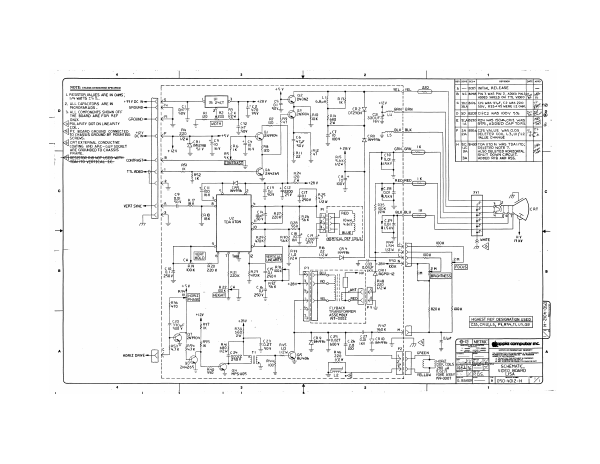
° ( ss row] sor Terson eo NOTE: uwusss orwenwse srecineD Yeu hve. _-220 1 [—|eces|iniriat RELEASE = v B [4C |6096| PIN 3 waS PIN 2, ADDED PING, | RESISTOR VALUES ARE IN OHMS, vec u fboed seco on! I viDeo pes | 2, ALLCAPACITORS AREIN — * Bu K € [a0.ja176[ci4 was 476F, C2 was 220 MICROFARADS « GROUND=— cay BAN H BRN Bal (Sov, R3324S WERE 1.2 OMM, LD 3. ALL COMPONENTS SHOWN OFF a t pe BN, ; EE THE BOARD ARE FOR REF RIO 4 OTZ30H'T cai fe Lu > po |ezoscric2 was cov 5% [as leeelB ot Ce 18V & cazsolRz4 was ison,criz was] [el G]POLARITY DOT ON LINEARITY TAL |RSS ADDED CAP TORS] [%8| 5 C F |2a |b354C25 VALUE WAS 0.03 PC BOARD GROUND CONNECTED TO CHASSIS GROUND BY MOUNTING 5¢4am aay JogLETED Cone L3,UifL2 SCREWS. VALUE ¢ CRT EXTERNAL CONDUCTIVE COATING AND ARC—GAP SOCKET ARE GROUNDED TO CHASSIS FRAME. H Bc [pyoqroan7oN was TpAUTO:| |e] uc} DELETED NOTE 7. 3A) [ALSO DELETED HORIZONTAL | Bite |— SHUT DOWN CIRCUIT. 3a] _ [ADDED Ris AND RSS. FRAHEVERTCAE EE, CONTRAST Tm mF VERT SYNC <j RIB a) u2 A = TDA li70N + CAS = og Sf INOS xl DZS = x LF cy Lx ey Lx w look A < Ee 22 1N4936 . 7 iz VERT Mew [ae o o 10 _ 3 2m Mee ae Ral A236 P00 8 220K 470K ]250v B32 Sek FLYBACK = TRANSFORMER bal val! ASSEMBLY 0002 [HiGHEST REF DESIGNATION USED] R47 C33, CRI2,L5, P3,R54, TI, U3,08 F 360K M av 25 27 ike 0.027 |c24 0.01 te fry eoov ASD Kv is | T (pp ic computer inc. f = ROOT |p SCHEMATIC, VIDEO_BOARD LISA HORIZ one fx] YELLOW YOKE ASSY 159-0007 Hl GREEN ae ! HORIZ [ic | DEF. COILS Fae \ 280 4A i 0.62. 7 is. Baxe]—— [o]oso-4oi2-H | 1
Home Documents Lisa 07 Phrase File Document
07 Phrase File Document

07 Phrase File Document

Lisa · PDF
Filename07_Phrase_File_Document.pdf
Size0.56 MB
Subsection toolkit_3.0 / Package_2_Examples
Downloads4
Enjoying MacTrove? Anonymous downloads are free and unlimited. Create a free account to track favorites, contribute metadata corrections, and join the community chat.
Reader
07 Phrase File Document
/
Loading…
OCR / Text contents
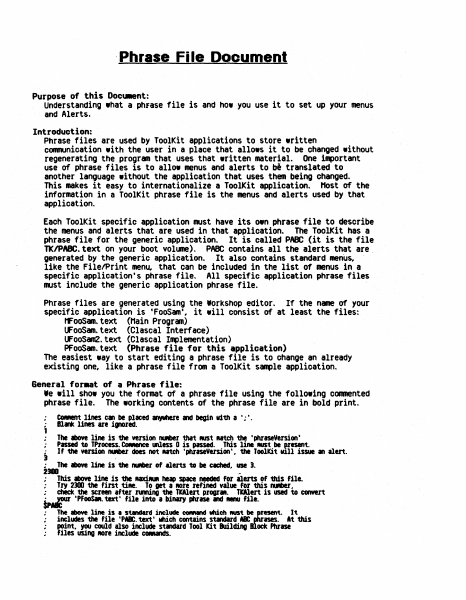
.Phrase Fi Ie Document Purpose of this Docu.ent: Understanding what a phfase file is and how you use it to set up your menus and Alerts. Introduction: Phrase files are used by ToolKit applications to store written communication with the user in a place that allows it to be changed without regenerating the program that uses that written material. One important use of phrase files is to allow menus and alerts to translated to another language without the application that uses them being changed. This makes it easy to internationalize a ToolKit application. Host of the information in a ToolKit phrase file is the menus and alerts used by that application. b' Each ToolKit specific application must have its own phrase file to describe the menus and alerts that are used in that application. The ToolKit has a phrase file for the generic application. It is called PABC (it is the file TKIPABC.text on your boot volume). PABC contains all the alerts that are. generated by the generic application. It also contains standard menus, like the FilelPrint men~ that can be included in the list of menus in a specific application's phrase file. All specific application phrase files must include the generic application phrase file. Phrase files are generated using the Workshop editor. If the name of your specific application is 'FooSam', it will consist of at least the files: MFoOSam.text (Main Program) UFooSam.text (Clascal Interface) UFooSam2.text (elascal Implementation) PFooSam.text (Phrase file for this application) The easiest way to start editing a phrase file is to change an already existing one, like a phrase file from a ToolKit sample application. General for.at of a Phrase file: Ie will show you the fonmat of a phrase file using the following commented phrase file. The working contents of the phrase file are in bold print. • CO_ent lines can be placed If¥'hele and begin vi'th a';'. • The above line is the version IUIber tha't MISt utch the 'phraseVersion' Passed to TProcess. CONIlnee &Ness 0 is passed. This line MISt be F-esent. If the version IUIber does not AItCh 'phraseVersion'. the Toolkit vl11 issue an alert. 1 Blank lines are i.,..red. • ; J : 2_ . The above line is the IUIber of alerts to be etched.. use 3. ~ This above line is the uxillUR heap space needed for alerts of this file. • Try 2300 the fint tile. To get a fIOre refined value for this fUIber .. ; chick the screen after nmina the TWert progrll.. TWert is used to convert tp~ ·PFooSM. text' file into a binary phrase and . . . file. • : • • # The above line is • s~d include COfIMnd wch RUSt be~esent. includes the file 'pa. text' web contains standard a point.. Y(KI could also include standard Tool Kit Building files using ROre include CCNands. It At this ock Phrase ISIS. 1. lisIIIIrftl ; , ; ; ; . . . The tbOYt two 11ntS should IIVIYS be '1000', theft the naM of your .,llCltlGn ., ~ Mnt it soelled in ~ to the user. Other applic.tion .lerts cen be 1ncluded below here, …

Showing first 3,000 characters of 20,667 total. Open the full document →

Subscribe to Lisa
mp.ls