Home Documents Lisa Using The Debugger
Using The Debugger

Using The Debugger

Lisa · PDF
FilenameUsing_the_Debugger.pdf
Size1.33 MB
Subsection development_history / memos
Downloads2
Enjoying MacTrove? Anonymous downloads are free and unlimited. Create a free account to track favorites, contribute metadata corrections, and join the community chat.
Reader
Using The Debugger
/
Loading…
OCR / Text contents
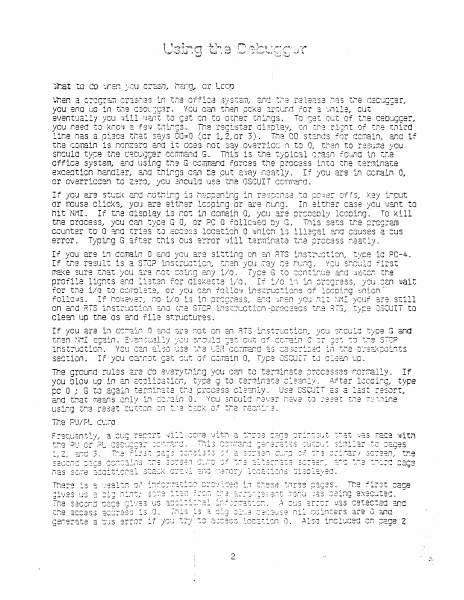
’ 7 Vat om da tey vy PN oo aes Ros a Wat tO co wren enen @ orecram ¢ syst ‘é cecugc¢er, you ena uc in te ¢ “cee. scar. une cut eventually you 4 ¢ Q So ot tne cenugger., ycu need tO Kne m regh: of tne tnird line nas a ol says i L2, { demain, and if the comain is nonzero and 1 eS! aa resume you snculd tyra the CRELGG ramen mL YOLCal Found in ine office system, end using tne G cc@mmand forces tne orecess LO the tarminate exceoticn nendlsr, and things can ce cut ayay neatly. If you are in cemain 0, or ovarridden to z3r0, you snculd use tne ASQUIT corrmerd, i incut Tf you are stuck “2y you went ta or mouse Clicks, 5 $ lesp In aither cas in comain Q, YOu : are @ proceoly leests r Po tr you ara eitn: nit NMI. If the disol isn g. To Kill tne orocess, hae can tyo2 GQ, 9 0 folley Tnis sats the orcerem counter vo Q and tries ta access location 0 unin’ 3 illegal and causes a cus error. Typtr rg G a tnis ous error yill terminate the oroecess neatly. If you are and you are sitting o instru otion, tyre If the res td instruotica, wren yeu make sure non S pent tinue and y profile li tan in orcgress, for tna i/ 2 follows. fe ‘ on and ATS instruct yee OSQUIT to cleen up the os and fils tructuras t tren MMI ; instruction. You can cl as section. corain 0, Tyre % cu 2 gt 3 ass Uo Sh Fu vatatal SSbene nas sere <5 fines ay 23 2 Farst cage ug a sects Sus 2 Scutsa. $205ra seted and BoC28$ 2 Go anc maP me eataed ceed ar a= Tate 2 Dus srrer Unc uc on rege 2 8 a peoiets: SS Pag. fe20 TOOTS TOUT aT ‘a wage Ving cy w sy orm u worualsa3 o12e3 ioarions is eceuse MMI, fcara Y3 S90" The tnird secs of Oings cf inforration. Te First is a TIgist « OF@yl, =nen a cisassemoly of tne instructions surr mally a por chic of tha C disolayed ugien ore) ararnais SV Any sia. oa G 7 eer B eR] To find cut shat the orcees cojscting ta, 2 start oy at SUBEMCLS +34, the iscaties at tra too of tne radi Star aise ay, Lockin at the d disasseroly (ark ge 3) CUS-92 and at 796 Sut not an +94, it tu mas alreecy at a wot as aireedy acvenced cast) the iageretic A being acs sy 4, and the instruoticn ceing exscured i3 at ab. This is sarked 6 cn og2 3. Locking 2 cen $632 that 49 lecks Ck but AL is Q. caused tie bus error. Ther2 is also some other ner ormaticn cn nega 3. Register 36 coints t the stack frame (rarks cn 26g2 3). Matcning the acaress conteaired in AG with the steck disalay, 8, can find the garcretars to SUSFMCLS. The address is marked 2. ihe first 2 G3 at wet aceress Link ne calling stack frame anc the return pe for irs calling ov Tae FolLovirg ~ ar 002 caramecers in REVEESE orcar (warxsd 3). See ora “3g9tion cn 3 fOr Tora catails, Cne we Using mp2 FU end Pl canrencis. Thasa a G3 use a. . Par SLT I2ocEen2 OT Sigeetnant rescar ly. Tey ¢ not m2 CONN, id ca used Sacaiy fol oF 2 Cug so the ert ‘solay is oreserved. IF you co a Sta Ql is sretty dean, tha sta Kk Orayl can wice cut the error ats ON ang alienate screen less valueoia. Fir Ta322 Peg ine sama cus evroer. The first comm…

Showing first 3,000 characters of 12,418 total. Open the full document →
Home Documents Lisa Ludolph Filer Application Communication Protocol
Ludolph Filer Application Communication Protocol

Ludolph Filer Application Communication Protocol

Lisa · PDF
FilenameLudolph_-_Filer_Application_Communication_Protocol_19830103.pdf
Size0.84 MB
Subsection development_history / memos
Downloads3
Enjoying MacTrove? Anonymous downloads are free and unlimited. Create a free account to track favorites, contribute metadata corrections, and join the community chat.
Reader
Ludolph Filer Application Communication Protocol
/
Loading…
OCR / Text contents
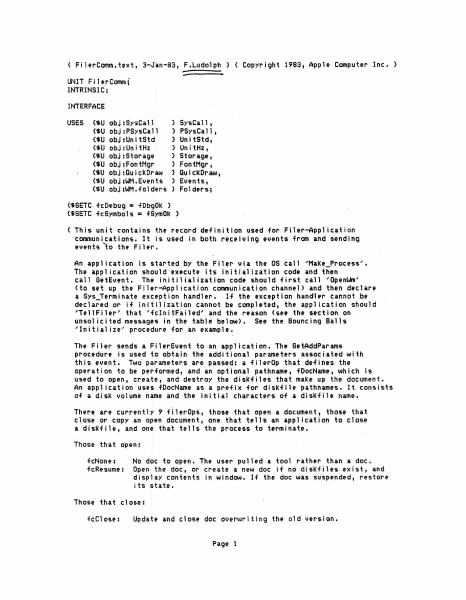
< FnerComm.text, 3-Ja.n..,a3, F.Ludolph l < Copyright 1·983, Apple Compubr lnc. > UN l T F i1 erCornra f INTRINSlC; INTERrAt:E USES {$U obj:$ysCall <-.u obj :.PSysCa:11 ) SysCall, ) PSy$Ca l 1 , (.$0 obj :Uni tStd ) Utt i t:Std, (:S\J obJ tUn it Hz > Un i tttz, ($U obj JStorage l Storage 1_ ($U obhrontMgr J FontMgr, ('$1J obj:Qu i ck Draw } Qui ckl)rw, {$UobJ:WM.Event• > Ev:enb, <SU C)bJ;WM.fo.lders l Folders; ($6£'TC fcDebug = +DbgOk j {$SETC f.cS)'mbOls == +$)'1110k l ( Th.is unit contains the record dtflni ti on used for Fiter-Appli~ation communications. It is uslKI in both receiving ev.ent• fram and s.ndtng ennh to the Filer. · An applicatio11 is t.h.rted by tbe Fiter- via the OS call 'Hak.tt...Procn'.s". The application should ex·ecuh· I ts i'nitl al i:atio11 code and then .. cal 1 GetEvent. The inJtiHalinHon code should Hrst call 'Open~' (to $It up the Filer-Appl icatfort cotlli'llunicatiotl channel> and then dwclare I: Sys~T•rminah uccttption handler. H thtt txeeption handhr cannot.bt declared or H initilltation c:annot be completed, the a9pl icaHon should 'Te HF Iler" that ifdni tF~JhcV and the ruson <se-e th• stet ion on unsoli c i te d message& in the tab le belO'W >. See the Sounc t nQ Balls 'In it i a Hu' procedure for an e-xainple. The f::ilu• sef!ds a FilerEvent to an application. The GHAddParams procedure is used to o.bhfn the additional parameters at;,$.Qciated with this •vent. TwO: parameters are pas.$td.f a fllerOp that dt'.fin&s the operation to be performed, and an optional patl;t11ame, fDocName, 1.1Jhicb Ls usitd to open, create, al\d destroy the .di skfl tes that make up the document. An application 1.1s:ts 'fDocName a-s a preiix for disk-file patbnames. It consist-s of ·a dis.k volume n·ame and the initial characters of a disl(file name. Thel'"e are currently 9 f'.i1er0ps., thou that .open a document, t,hose that 1nose or c:apy an open document, on• that tells an application tn tlo$e a di s.IH ile 1 arid one tha·t tel h tht prous5 to termina. te. Those ttiat Qpen= fc:None1. No doc: to open! The us.er pulled a tool .ra.thtr• than a doc. +cResume: Open the doc, or c:rute a new do.c if n<>.dhkfiles exist, and display conhnh. in window. H the ddt was ~u~:pended, restore its state·. Thou that close; 'fcCl Qse: Page 1 Update doc into new disKiiles and close. The source doc is unchar1ged and remains open. fcPu·t: Update and close doc to new location (fl)ocName). Destl"OY the old version. fcShredi Close the .doc as In fcSus.pend, if possible, or just close the diskfiles, if possible. Filer will delete them later. fcSuspend: Close doc, keep edits stpera.te, uve docu!"ent., state. fcCopy: fcDf.Close: Close the disl<file <not document> using the refnum provided else app will be terminatid. <User is removing a diskette.) Terminate; fcTerminate: Terminate the process and suspend any open docs (act.ua11y there shouldn't be art'Y open when this is received). An fcResume/fcNone is sent when: 1) the user pul 1s a docu…

Showing first 3,000 characters of 15,244 total. Open the full document →

Home Documents Lisa Dines The Lisa A Case History
Dines The Lisa A Case History

Dines The Lisa A Case History

Lisa · 1985 · PDF
FilenameDines_-_The_Lisa_A_Case_History_1985.pdf
Size0.80 MB
Year1985
Subsection development_history / articles
Downloads2
Enjoying MacTrove? Anonymous downloads are free and unlimited. Create a free account to track favorites, contribute metadata corrections, and join the community chat.
Reader
Dines The Lisa A Case History
/
Loading…
OCR / Text contents
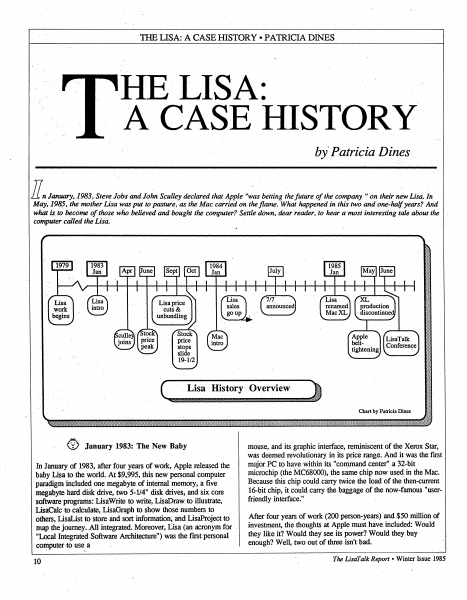
TIIB LISA: A CASEHISTORY •PATRICIA DINES HE LISA: A CASE HISTORY by' Patricia Dines. ll.n January;.1983; Steve Jobs and John Sculley declared that Apple "~as betting the future of the company" on their new Lisa. Jn May, 1985, the mother Lisa was put to pasture, as the Mac carried on the flame. What happefied in this two and one~haljyears? And what is to become of those who believed and bought the computer? Settle down, dear reader, lo hear a most interesting tale about the computer called the Lisa. · I -:·:· 1111 :Ill price :?f: ,~,a Applo belttightening . I I ,,,,. (~ ~ 0 January 19$3: The New Baby In January of 1983, after four years of work, Apple released the baby Lisa to the world..At $9,995, this new personal computer paradigm includ~ one megabyte of internal memory, a five megabyte hard diSk drive, two 5-1/4" disk drives; and six core software programs: LisaWrite to write, LisaDraw to illustrate, LisaCalc to calculate, LisaGraph to show those numbers to others, LisaList to store and sort information, and LisaProject to · map the journey. ;All integrated; Moreover, Lisa (an acronym for "Local Integrated Software Archi~ture") was the first personal com,puter to use; a 10 mouse, and its graphic interface, reminiscent of the Xerox Star, was deemed revolutionary in its price range. And it was the first major PC to have within its "command center" a 32-bit microchip (the MC68000), the same chip now used in the Mac. Because this chip could carry twice the load of the then-current 16-bit chip, it could carry the baggage of the now-famous "userfriendly interface." After four years of work (200 person-years) and $50 million of investment, the thoughts at Apple must have included: Would they like it? Would they see its power? Would they•buy enough? Well, two out of three isn't bad. The Lisdl'alk Report• Winter Issue 1985 THE LISA: A CASE HISTORY •PATRICIA DINES (1) Hey, Mikey ~ they liked it! In March, 1983, John Eckhouse commented, "Consumer interest [in the Lisa] remains high, as evidenced by the tremendous crowds that have gathered around Lisa at the few recent trade shows where it has been exhibited." Many a user saw for the first time a computer such as they had only imagined - one they actually felt excited about using. In the six months after the introduction, Apple's stock rose from 33-5/8 to 62-5/8. (2) And - they saw its power. "The arrival of the Lisa has revealed a new dimension in the processing of research data," said Apple User magazine. Said D. R. Goodman of the Bay City Business Journal, "Apple's Lisa featured advanced 'software integration'; but more important, Lisa was innovative in 'demystifying' the technology. Apple promised to make computing ·accessible to ordinary people, no matter how technologically naive - an advance that was expected to revolutionalize the industry." "family" of 32-bit computers, seeming to add stability to the . prospects of the Lisa. Yet even then Mac's name was starting to surface. B…

Showing first 3,000 characters of 22,684 total. Open the full document →

Home Documents Lisa Malloy UnitHz Specification The Standard Storage Manager
Malloy UnitHz Specification The Standard Storage Manager

Malloy UnitHz Specification The Standard Storage Manager

Lisa · PDF
FilenameMalloy_-_UnitHz_Specification_The_Standard_Storage_Manager_19830311.pdf
Size1.55 MB
Subsection development_history / memos
Downloads2
Enjoying MacTrove? Anonymous downloads are free and unlimited. Create a free account to track favorites, contribute metadata corrections, and join the community chat.
Reader
Malloy UnitHz Specification The Standard Storage Manager
/
Loading…
OCR / Text contents
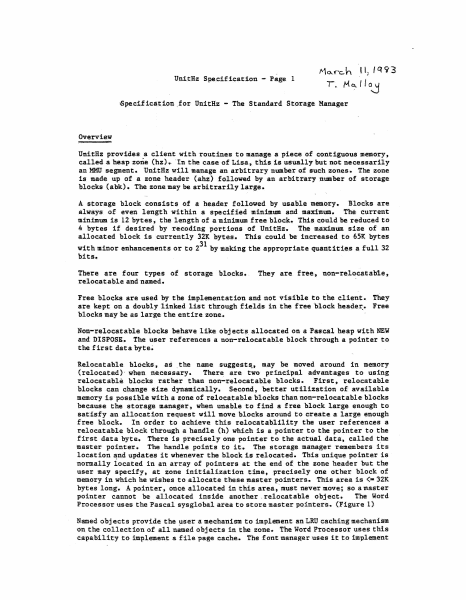
~10...---ch U'nit1lz Specificatio.n - Page l u, , q 93 r. M~llo~ 6pecif icat:1on .for UnitRz ... The Standard Stot:age 'Manager Overview UnitBz p?,"ovides a client: with routines .to manage a piece of contiguous mem.ory,. called a heap zotie (hz).. ·rn the case of 'Lisa, :this is usually but not necessarily an MMU segment .. UnitB.z will mall&ge an arbitra.ry number Qf such zones-.. The zone. is: made up of a zone beader (aMJ followed by au arbittary number .Qf storage blocks (a:bk). The zone may be arbitrar.ily large. A storage block consists Qf a: header followed by usable memory. Blacks are ;t1ways of even: length within a specif.fed min.am and maximunt. The curren"t minim.um ts 12 bytelh the length ()f a m.±nimum f.ree block. This could be reduced to 4 bytes if desired by re¢oding portions of Unitiz. 'the aaxim\1111 size of an allocated block i:s currently J2K bytes. This could be increased to 65K bytes with mi.nor enhancements or to 231 bf ma.king the appropriate quaittitie.s a full 32 bits" There al:'e four types of storage. blocltih. relocatable and nam.ed. They are free, non-relocatahtet Free blocks are used by the implementation and not '1'isible to the c1ient. They are kep:t: on a doubly ibked list through fields in tbe free ·1110.ck header.. Free blocks maf be as large the entire. zone. Non.. relocatable blocks behave like objects. allocated on a Paeca.l he•P with NEW and DISPQS:X,. The user references a non-relocatable block through a pointet: to the first data byte~ · Relocatable blocks, as . the name suggests;, lil.ll.Y •be moved aroun.d in mem.ory (relocated)- when necessary. There are two prineipal advantages to using relocatabl.e blocks rather than non•relocatable bloclts. First, relocatable blocks can change size dynamieally. Second,. better utilization of available memory is possible vitb a zone of reloca.table blocks than non-relocatable bloclti!J because the storage m.anager 1 ~hen unable to find a free bll)ck l.ar.ge enough to satisfy an allocation request will move bl.oeks around t.o create a large enough free block. ln order to achieve this relGeatablility the user ref et:ences a relocatable bloek tb:tough a l'landle (h) which is a pointer to the pointer tc the first data byte. There is precisely one pointer to. the actu.al data, called t,he 111.aster pointer.. The handle points to it.. The storage manager remembers its location ~nd U.pdates it whenever the block is :teloeated. Thi.s uniqul!! po:Lni:er. is normally located in an array o~ po.inters at the end ol the zone header but the user may specify, at Z«>ne irtiti&lfaation the, precisely one <>tber block of menipry in wh:tch he wishes to alloea;te these ~aster po.inters. This atea is <• 32K bytes long.. .A pointe'l', once allocated in this area, l'IPlSt never move; so a maste; pointer cannot be allocated inside another ,relocatable object. The Wo;d Processor uses the Pascal sysglobal area to store master pointers. (Figure l) Named objects ptovid:e the user a m…

Showing first 3,000 characters of 24,424 total. Open the full document →

Home Documents Lisa Birss The Integrated Software And Hardware Of The Apple Lisa
Birss The Integrated Software And Hardware Of The Apple Lisa

Birss The Integrated Software And Hardware Of The Apple Lisa

Lisa · 1984 · PDF
FilenameBirss_-_The_Integrated_Software_and_Hardware_of_the_Apple_Lisa_1984.pdf
Size1.51 MB
Year1984
Subsection development_history / articles
Downloads3
Enjoying MacTrove? Anonymous downloads are free and unlimited. Create a free account to track favorites, contribute metadata corrections, and join the community chat.
Reader
Birss The Integrated Software And Hardware Of The Apple Lisa
/
Loading…
OCR / Text contents
The integrated software and user interface of Apple's Lisa by EDWARD W. BIRSS Apple Computer, Inc. Cupertino, California ABSTRACT In 1979 Apple began to develop Lisa, a workstation to enhance the productivity of office workers. The hardware was built around a Motorola 68000, a bit-mapped display, and a mouse. The user interface is intuitive, using real-world concepts rather than computer concepts. It is easy to learn, and provides for both novice users still learning the system and users that have mastered the system. The user interface is modeless and consistent. The uniformity of the user interface supports transferable learning—the ability to learn an operation once and apply it over and over again in another application in a different context. The user interface also supports data interchange among documents of the same or different types. This interchange of data, coupled with the multitasking operating system and the multiple windows of the Lisa, permits the use of several tools to perform a task that one tool alone could not accomplish. The Lisa user interface and its applications provide an environment that allows the user to concentrate on what is to be accomplished rather than on how to accomplish it. In this way, Lisa provides tools to improve the productivity of the office worker. 319 The Integrated Software and User Interface of Apple's Lisa INTRODUCTION Apple Computer formed the Lisa team in 1979 to develop a personal computer that would dramatically improve the productivity of typical office workers (professionals, managers, and their assistants). To accomplish this goal, a hardware and software solution radically different from current personal computer offerings was required. At that time, personal computers had the functionality but lacked the capacity, speed, and ease of use necessary to reach a market of users who did not want to learn the details of how a computer worked. Inspired by SMALLTALK1 the Lisa team developed a system that has the functionality and speed users require, and additionally has a common user interface that supports gradual learning and promotes interchange of data among the same or different applications. The combination of multiple tools with a consistent user interface and data interchange among applications permits the user to work with several tools concurrently to accomplish a particular task. LISA HARDWARE The Lisa is a Motorola 68000-based personal computer with 512 or 1024 Kbytes of main memory, a memory management unit, a bit-mapped display, a detachable keyboard, a mouse, a built-in 400-Kbyte floppy disk drive, and a 5- or 10megabyte Winchester disk (see Figure 1). This hardware provides the functionality, speed, and ease of use required to support the Lisa user interface. The 68000 microprocessor was not the first choice. Development began on a home-grown bit-sliced system to provide the computing power. When the 68000 became available in sample quantities, we evaluated it and found it had…

Showing first 3,000 characters of 32,280 total. Open the full document →

Home Documents Lisa Workshop Users Guide Alpha
Workshop Users Guide Alpha

Workshop Users Guide Alpha

Lisa · 1983 · PDF
FilenameWorkshop_Users_Guide_Alpha_198301.pdf
Size3.75 MB
Year1983
Subsection development_history / memos
Downloads4
Enjoying MacTrove? Anonymous downloads are free and unlimited. Create a free account to track favorites, contribute metadata corrections, and join the community chat.
Reader
Workshop Users Guide Alpha
/
Loading…
OCR / Text contents
--------------------~--~~---~-------------------~----------- To: Nellie Conners, Di~rJ< van Nouhuys, Bill Libby, Sheila Mulligan, Bar·ry .Haynes, Rorii Johnston, Fred F'orsmant Pete Cressmant Keri Doyle, DicK Young, Steve LucKau From: Larry Roth Subject: Date: Review of the WorKshop 25 February, Manual 1903 Attached you will find a copy of the Workshop manual in its current state for your review. Please return comments to me as scJon as possible, by March 7. I think 1:his manual wou)d be much more useful with more examples,. Please looK for places that could use examples, then supply the exampl~ needed, or tell me where to find it. Because of the short notice involved in getting this review out, the chapters are Mot all in the best of states. Please note the following: o I have received comments for chapters 6 and 8 <The Assembler arid The Debugger> that I have not yet incorporated. · o Chapter 9 <U$ing S:xec. Files> is not complete, outline of all I plan to cover is there. o Chapter 10 <The Utilities> is not complete. The format is not correct either. S:ach utility write up will contain three sections, as follows: Purpose : A two to four line statement capa.bili ties of the utility. but the of the function and Dialog : A print out of a typical dialog with the user, showing Rrompts and responses. Explanation : This section explains all the things you might need to Ktiow about the utility and using it. This is similar in scope and function to the current write ups we have on the utilities. Tha.nK yc>u for your attention to this matter. USER...-SGUIDE l..-...IORJ-C:::SHOP Larry Rot~ 29 Ja.nuary 1983 Alpha Draft COt-..ITENTS 1 • INTRODUCTI ctl The Workshop provides tools for- prc)gram deve'loprnent. It provides f ac i 1 it i es for editing, 1anguage proc:ess i ng, and debugging, as we 11 as commands for managing files and con~=igur-ing the system. The system a 1 so inc 1udes many other u ti 1 it i es. THE FI LE MANAGER The Fi 1 £r Manager- a 11 ows you to manage cLnd man i pu 1 ate f i 1es and volumes. 2. 3. THE SYSTEM MANAGER The System Manager allows you to set default parameters for the Lisa, and manage processes. and configuration 4. THE EDITOR The Edi tor· a 11 ows you to ere ate and mc•d if)• text ~; i 1 ec:.• These text f i 1 es are used as input to the Comp i 1 er and the Assembl t~r. 5 THE PASCAL Cet1PJ LER I The Compiler translates Pascal source codi~ into c•bject code. Translation requires two steps: fir~~t the compiler translates Pascal into I-code; then the code Generator translates the I-code into obj Ht code. 6. THE ASSEMBLER The Assembler translates assembly language progr·ams into object code. 7. THE LINKER The Linker combines object code files into executable programs. 8. THE DEBUGGER The Debugger allows you 'to examine memory, set brn.Kpoin1:s, other run-time debugging functions. 9 USING EXEC Fl LES E:xec files allow you 'to execute automatically. I 10 I a s1~ries of commands and per…

Showing first 3,000 characters of 178,334 total. Open the full document →

Home Documents Lisa Daniels Lisas Alternative Operating System Computer Design
Daniels Lisas Alternative Operating System Computer Design

Daniels Lisas Alternative Operating System Computer Design

Lisa · 1983 · PDF
FilenameDaniels_-_Lisas_Alternative_Operating_System_-_Computer_Design_198308.pdf
Size5.07 MB
Year1983
Subsection development_history / articles
Downloads3
Enjoying MacTrove? Anonymous downloads are free and unlimited. Create a free account to track favorites, contribute metadata corrections, and join the community chat.
Reader
Daniels Lisas Alternative Operating System Computer Design
/
Loading…
OCR / Text contents
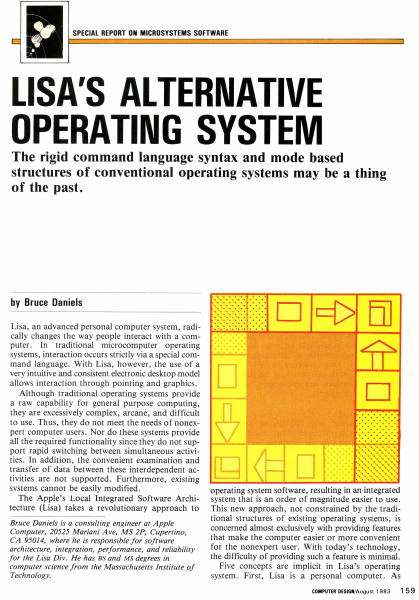
SPECIAL REPORT ON MICROSYSTEMS SOFTWARE LISA'S ALTERNATIVE OPERATING SYSTEM The rigid command language syntax and mode based structures of conventional operating systems may be a thing of the past. by Bruce Daniels Lisa, an advanced personal computer system, radically changes the way people interact with a computer. In traditional microcomputer operating systems, interaction occurs strictly via a special command language. With Lisa, however, the use of a very intuitive and consistent electronic desktop model allows interaction through pointing and graphics. Although traditional operating systems provide a raw capability for general purpose computing, they are excessively complex, arcane, and difficult to use. Thus, they do not meet the needs of nonexpert computer users. Nor do these systems provide all the required functionality since they do not support rapid switching between simultaneous activities. In addition, the convenient examination and transfer of data between these interdependent activities are not supported. Furthermore, existing systems cannot be easily modified . The Apple's Local Integrated Software Architecture (Lisa) takes a revolutionary approach to Bruce Daniels is a consulting engineer at Apple Computer, 20525 Mariani Ave, MS 2P, Cupertino, CA 95014, where he is responsible for software architecture, integration, performance, and reliability for the Lisa Div. He has BS and MS degrees in computer science from the Massachusetts Institute of Technology. . . ..... .. ......... ........... ........ ·.·.·.·.·.·.·.·.· . ................................... . . ..... .. D c::[> El] operating system software, resulting in an integrated system that is an order of magnitude easier to use. This new approach, not constrained by the traditional structures of existing operating systems, is concerned almost exclusively with providing features that make the computer easier or more convenient for the nonexpert user. With today's technology, the difficulty of providing such a feature is minimal. Five concepts are implicit in Lisa's operating system. First, Lisa is a personal computer. As COMPUTER DESIGN/August 1983 15 9 EDIT FILE/PRINT TYPE STYLE ARRANGEMENT LINES SHADES UNDO ARCHITECTURE ~ CALCULATOR ,D/ ~ CUT COPY PASTE CLEAR I /~ .) 0 " ~ WASTEBASKET ! " ". EJ @ MY DISK CLIPBOARD Jo]! [;!] 1 D D D D STRUCTURE OS DESKTOP MANAGER WASTE· BASKET What is the Lisa? Lisa represents over 200 person years and $50 million of development effort. Its intellectual inspiration came from the Smalltalk language and operating system developed at the Xerox Palo Alto Research Center. This system's pioneering use of graphics and a mouse to present the fundamental concepts of overlapping pieces of paper on an electronic desktop marked a departure in computer operating software. Taking the Smalltalk concepts, Apple spent three years refining them, adding innovations, and reducing costs. Hardware is based on the MC68000 micr…

Showing first 3,000 characters of 17,325 total. Open the full document →

Home Documents Lisa Tesler UI Standards Addenda
Tesler UI Standards Addenda

Tesler UI Standards Addenda

Lisa · 1981 · PDF
FilenameTesler_-_UI_Standards_Addenda_19810215.pdf
Size0.81 MB
Year1981
Subsection development_history / memos
Downloads4
Enjoying MacTrove? Anonymous downloads are free and unlimited. Create a free account to track favorites, contribute metadata corrections, and join the community chat.
Reader
Tesler UI Standards Addenda
/
Loading…
OCR / Text contents
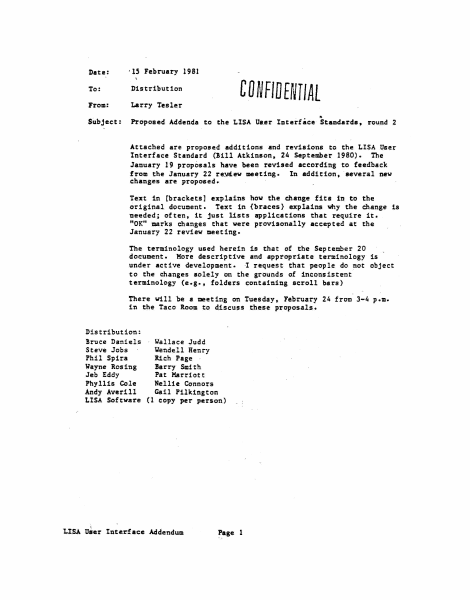
Date: ' lS February 1981 To: Distribution From: Larry Tesler Subject: Proposed Addenda to the LISA Uur Interface Standards, round 2 CD NFID EfVIIAL .. Attached are proposed additions and revisions to the LISA User Interface Standard (!ill Atkinson, 24 September 1980). The January 19 proposals have been reviled according to feedback from the Ja'tluary 22 re!J(ew meeting. In addition. several new changes are proposed. Text in [brackets] explains how the change fits in to the original de>cument. Text in {braces) explains why the change is needed; often, it just lists applications that require it. 11 0K" marks changes that were provisonally accepted at the January 22 review meeting. The terminology used herein is that of the September 20 document. More descrip tfve and appropriate terminology is under active development. I request that people do not object to the changes solely on the grounds of inconsistent terminology (e.g., folders containing scroll bars) There vUl be a meeting on Tuesday, February 24 from 3-4 p.m. in the Taco Room to discuss these proposals. Distribution: !ruce Daniels Wallace Judd Steve Jobs Uendell Henry Phil Spira Rich Page ;Jayne Rosing Barry Smith Jeb Eddy Pat Harriott Phyllis Cole Nellie Connors Andy Averill Gail Pilkington LISA Software (1 copy per person) LISA User Interface Addendum Page l 2. MOUSE AND CURSOR {to avoid too many shapes} OK (replace il'i~dle paragraph about cursor changes by: l The cursor may take on different shapes to indicate its current function. To give the user additional varning of what will happen when the button is pressed, additional feedbac:k may be given u long as it is definitely noticeable without being annoying. For.example. uhen the cursor is over a scroll arrow (section 19), the box around the arrow could fill in black While the button was up. and the arrow itself could fill in black while the button was dovn. The Terminology Committee (a joint co11UDittee of Publications, Marketing. and Softvare.) will specify the cursor shapes as well as other user feedback. The soundness of thei·:f' choices will be verified by user tests. [delete last sentence about motion of the u:icuse with the button upJ 3. POINTING; CLICKING; DRAGGING WITH THE HOUSE {clarification) OK (add: 1 The 1/2 second is measured from the release of one click t:o the press of the next click. 5. MEMORY {correction} OK A LISA computer will have at least 256 {not 128] K.bytes of main memory. of which 32K is dedicated to the display. 14. THE ACTIVE FOL.DER {to be more obvious to user} OK One folder is distinguished by its title tab being displayed in inverse video [not a thicker outline}, and by having tvo or more {not just twol light gray scroll bars. {rest unchanged] 1.5. MAKING A FOLDER ACTIVE (to clarify and to agree with section 29} OK [add:] When a folder first becomes active, it is brought in 19front" of all other folders so that nothing obscuTe111 it. Later. however, ·1t may be obscured by the Dialog…

Showing first 3,000 characters of 13,608 total. Open the full document →
Home Documents Lisa Wrege Lisas Design Popular Computing
Wrege Lisas Design Popular Computing

Wrege Lisas Design Popular Computing

Lisa · 1979 · PDF
FilenameWrege_-_Lisas_Design_-_Popular_Computing_198303.pdf
Size7.60 MB
Year1979
Subsection development_history / articles
Downloads3
Enjoying MacTrove? Anonymous downloads are free and unlimited. Create a free account to track favorites, contribute metadata corrections, and join the community chat.
Reader
Wrege Lisas Design Popular Computing
/
Loading…
OCR / Text contents
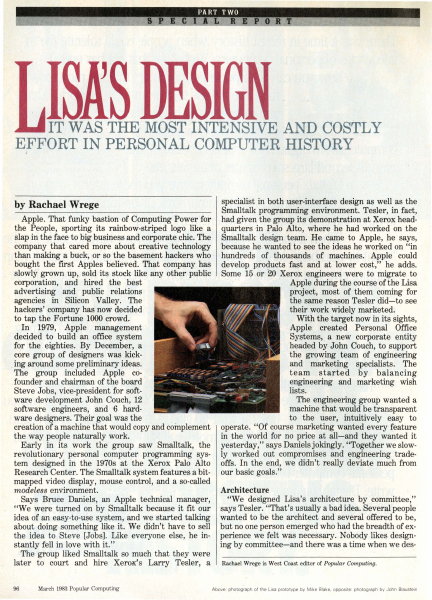
IT WAS -THE· MOST INTE·NSIVE AND COSTLY EFFORT IN PERSONAL COMPUTER HISTORY ,i specialist in both user-interface design as well as the Smalltalk programming environment. Tesler, in fact, Apple. That funky bastion of Computing Power for had given the group its demonstration at Xerox headthe People, sporting its rainbow-striped logo like a quarters -in Palo Alto, where he had worked on the slap in the face to big business and corporate chic. The Smalltalk design team. He came to Apple, he says, company that cared more about creative technology 'because he.wanted to see the ideas he worked on "in than making a buck, or so the basement hackers who · hundreds · of . thousands of machines. Apple could bought the first Apples believed. That company has develop products fast and at lower cost," he adds. slowly grown up, sold its stock like any other public . Some 15 .or 20 Xerox engineers were to migrate to corporation, and hired the best , ·· · Apple during the course of the Lisa advertising and public relations project, most of them coming for agencies in Silicon Valley. The the same reason Tesler did-to see hackers' company has now decided their work widely marketed. to tap the Fortune 1000 crowd. With the target now in its sights, In 1979, Apple management Apple created Personal Office decided to build an office system Systems, a new corporate entity for the eighties. By December, a headed by John Couch, to support core group of designers was kickthe growing team of ·engineering . ing around some pr~liminary ideas. and marketing specialists. The The group included Apple coteam started by balancing .founder and chairman of the board engineering and marketing wish lists. Steve Jobs, vice-president for softThe engineering group wanted a ware development John Couch, 12 machine that would be transparent software engineers, and ·6 hardto the user, intuitively easy to ware designers. Their goal was the creation of a machine that would copy and complement operate. "Of course marketing wanted every feature the way people naturally work. in the world for no price at all-and they wanted it Early in its work the group saw Smalltalk, the yesterday," says Daniels jokingly. "Together we slowrevolutionary personal computer programming sys- ly worked out compromises and engineering tradetem designed in the 1970s at the Xerox Palo Alto offs. In the end, we didn't really deviate much from Research Center. The Smalltalk system features a bit- our basic goals." mapped video display, mouse control, and a so-called Architecture modeless environment. "We designed Lisa's architecture by committee," Says Bruce Daniels, an Apple technical manager, "We were turned on by Smalltalk because it fit our says Tesler. "That's usually a bad idea. Severalpeople idea of an easy-to-use system, and we started talking wanted to be the architect and several offered to be, about doing something like it. We didn't have to sell but no one person emerged who had the breadth of exthe idea to Ste…

Showing first 3,000 characters of 17,982 total. Open the full document →
Home Documents Lisa Perkins Inventing The Lisa User Interface
Perkins Inventing The Lisa User Interface

Perkins Inventing The Lisa User Interface

Lisa · 1980 · PDF
FilenamePerkins_-_Inventing_the_Lisa_User_Interface_199704.pdf
Size24.30 MB
Year1980
Subsection development_history / articles
Downloads2
Enjoying MacTrove? Anonymous downloads are free and unlimited. Create a free account to track favorites, contribute metadata corrections, and join the community chat.
Reader
Perkins Inventing The Lisa User Interface
/
Loading…
OCR / Text contents
art i c I e Frank Luclol INVENTING THE USER INTERFACE Macintosh user interface is a direct descendant of rst ~eveloped and used on Apple's Lisa computer. Iex:I-oased system that presented the user with a blank ~" · king cursor, the Lisa displayed an electronic desktop, he user manipulated directly to tell the computer electronic desktop, with its windows, menu bar, . part of the original design; rather, it was the . result of a 4-year-long' process of refining goals and developing, ~~~-.--~~~~--~--~, testing, and synt esizing many alternative ideas. In fact, the iconic deskto · was first tried in 1980 and discarded! The final result (Fig- ~ ure ·1) cot .anly_mage computers easier to use, it made them fun. Ill The system will provide one standard method ofinteracting with a user in handling text, numbers, and graphics... The system will adhere to the concept of "gradual learning': .. A user must be able to do some important tasks easily and with minimal instruction or preparation... The more sophisticated ftatures will be unobtrusive until they are needed Errors will be handled consistently in as friendly a manner as possible, and the user will be protected from obvious errors... ... A "Set-up" program will allow the user to customize several system attributes in order to "personalize" interaction with the system... in order to make the system uniquely personal for the user without interfering with the interface standards... {It should allow) a user to put whatever he/she is doing on "hold" in order to answer the phone, look up an address, or respond to an asynchronous interrupt (time for a meeting, mail received on the network, etc). .. In addition, the use ofgraphics in general user interaction will set Lisa apart from its competitors and will go a long way toward making the system friendly, easy and enjoyable to use. 'Intuitive icons" can be designed to indicate certain messages to the user. .. ., The authors were members of the software team that designed and implemented Lisa's system software and applications. Rod Perkins joined the team in early 1979, shortly after the start of the project, to work on applications and prototypes of the early ideas about the appearance and workings of windows, dialogue boxes, and menus. Dan Keller and Frank Ludolph began working on Lisa in late 1980 and were resp0nsible for what eventually became the .Desktop Manager with folders and icons. ~-'"!1!P and Guiding Principles -. • new machine, first proposed in late 1978, to be designed for general office use-a high-quality, easy-to-use computer for secretaries, managers, and professionals that would give the individual more independence performi~ multiple tasks without disrupting the office. The ease-of-use goal evolved during 1979 as the software team tried many ideas. Requirements, developed jointly by marketing and engineering, enumerated the following goals [4]. Lisa must be fun to use. It will not be a system that is used by someone "because…

Showing first 3,000 characters of 39,288 total. Open the full document →
Subscribe to development_history
mp.ls