Home Documents Lisa Dines The Lisa A Case History
Dines The Lisa A Case History

Dines The Lisa A Case History
Lisa · 1985 · PDF
FilenameDines_-_The_Lisa_A_Case_History_1985.pdf
Size0.80 MB
Year1985
Subsection development_history / articles
Downloads2
Enjoying MacTrove? Anonymous downloads are free and unlimited. Create a free account to track favorites, contribute metadata corrections, and join the community chat.
Reader
Dines The Lisa A Case History
/
Loading…
OCR / Text contents
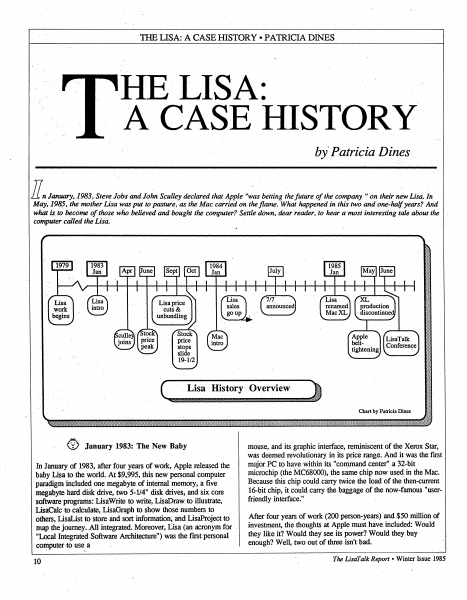
TIIB LISA: A CASEHISTORY •PATRICIA DINES HE LISA: A CASE HISTORY by' Patricia Dines. ll.n January;.1983; Steve Jobs and John Sculley declared that Apple "~as betting the future of the company" on their new Lisa. Jn May, 1985, the mother Lisa was put to pasture, as the Mac carried on the flame. What happefied in this two and one~haljyears? And what is to become of those who believed and bought the computer? Settle down, dear reader, lo hear a most interesting tale about the computer called the Lisa. · I -:·:· 1111 :Ill price :?f: ,~,a Applo belttightening . I I ,,,,. (~ ~ 0 January 19$3: The New Baby In January of 1983, after four years of work, Apple released the baby Lisa to the world..At $9,995, this new personal computer paradigm includ~ one megabyte of internal memory, a five megabyte hard diSk drive, two 5-1/4" disk drives; and six core software programs: LisaWrite to write, LisaDraw to illustrate, LisaCalc to calculate, LisaGraph to show those numbers to others, LisaList to store and sort information, and LisaProject to · map the journey. ;All integrated; Moreover, Lisa (an acronym for "Local Integrated Software Archi~ture") was the first personal com,puter to use; a 10 mouse, and its graphic interface, reminiscent of the Xerox Star, was deemed revolutionary in its price range. And it was the first major PC to have within its "command center" a 32-bit microchip (the MC68000), the same chip now used in the Mac. Because this chip could carry twice the load of the then-current 16-bit chip, it could carry the baggage of the now-famous "userfriendly interface." After four years of work (200 person-years) and $50 million of investment, the thoughts at Apple must have included: Would they like it? Would they see its power? Would they•buy enough? Well, two out of three isn't bad. The Lisdl'alk Report• Winter Issue 1985 THE LISA: A CASE HISTORY •PATRICIA DINES (1) Hey, Mikey ~ they liked it! In March, 1983, John Eckhouse commented, "Consumer interest [in the Lisa] remains high, as evidenced by the tremendous crowds that have gathered around Lisa at the few recent trade shows where it has been exhibited." Many a user saw for the first time a computer such as they had only imagined - one they actually felt excited about using. In the six months after the introduction, Apple's stock rose from 33-5/8 to 62-5/8. (2) And - they saw its power. "The arrival of the Lisa has revealed a new dimension in the processing of research data," said Apple User magazine. Said D. R. Goodman of the Bay City Business Journal, "Apple's Lisa featured advanced 'software integration'; but more important, Lisa was innovative in 'demystifying' the technology. Apple promised to make computing ·accessible to ordinary people, no matter how technologically naive - an advance that was expected to revolutionalize the industry." "family" of 32-bit computers, seeming to add stability to the . prospects of the Lisa. Yet even then Mac's name was starting to surface. B…

Showing first 3,000 characters of 22,684 total. Open the full document →
Home Documents Lisa Birss The Integrated Software And Hardware Of The Apple Lisa
Birss The Integrated Software And Hardware Of The Apple Lisa

Birss The Integrated Software And Hardware Of The Apple Lisa

Lisa · 1984 · PDF
FilenameBirss_-_The_Integrated_Software_and_Hardware_of_the_Apple_Lisa_1984.pdf
Size1.51 MB
Year1984
Subsection development_history / articles
Downloads3
Enjoying MacTrove? Anonymous downloads are free and unlimited. Create a free account to track favorites, contribute metadata corrections, and join the community chat.
Reader
Birss The Integrated Software And Hardware Of The Apple Lisa
/
Loading…
OCR / Text contents
The integrated software and user interface of Apple's Lisa by EDWARD W. BIRSS Apple Computer, Inc. Cupertino, California ABSTRACT In 1979 Apple began to develop Lisa, a workstation to enhance the productivity of office workers. The hardware was built around a Motorola 68000, a bit-mapped display, and a mouse. The user interface is intuitive, using real-world concepts rather than computer concepts. It is easy to learn, and provides for both novice users still learning the system and users that have mastered the system. The user interface is modeless and consistent. The uniformity of the user interface supports transferable learning—the ability to learn an operation once and apply it over and over again in another application in a different context. The user interface also supports data interchange among documents of the same or different types. This interchange of data, coupled with the multitasking operating system and the multiple windows of the Lisa, permits the use of several tools to perform a task that one tool alone could not accomplish. The Lisa user interface and its applications provide an environment that allows the user to concentrate on what is to be accomplished rather than on how to accomplish it. In this way, Lisa provides tools to improve the productivity of the office worker. 319 The Integrated Software and User Interface of Apple's Lisa INTRODUCTION Apple Computer formed the Lisa team in 1979 to develop a personal computer that would dramatically improve the productivity of typical office workers (professionals, managers, and their assistants). To accomplish this goal, a hardware and software solution radically different from current personal computer offerings was required. At that time, personal computers had the functionality but lacked the capacity, speed, and ease of use necessary to reach a market of users who did not want to learn the details of how a computer worked. Inspired by SMALLTALK1 the Lisa team developed a system that has the functionality and speed users require, and additionally has a common user interface that supports gradual learning and promotes interchange of data among the same or different applications. The combination of multiple tools with a consistent user interface and data interchange among applications permits the user to work with several tools concurrently to accomplish a particular task. LISA HARDWARE The Lisa is a Motorola 68000-based personal computer with 512 or 1024 Kbytes of main memory, a memory management unit, a bit-mapped display, a detachable keyboard, a mouse, a built-in 400-Kbyte floppy disk drive, and a 5- or 10megabyte Winchester disk (see Figure 1). This hardware provides the functionality, speed, and ease of use required to support the Lisa user interface. The 68000 microprocessor was not the first choice. Development began on a home-grown bit-sliced system to provide the computing power. When the 68000 became available in sample quantities, we evaluated it and found it had…

Showing first 3,000 characters of 32,280 total. Open the full document →

Home Documents Lisa Daniels Lisas Alternative Operating System Computer Design
Daniels Lisas Alternative Operating System Computer Design

Daniels Lisas Alternative Operating System Computer Design

Lisa · 1983 · PDF
FilenameDaniels_-_Lisas_Alternative_Operating_System_-_Computer_Design_198308.pdf
Size5.07 MB
Year1983
Subsection development_history / articles
Downloads3
Enjoying MacTrove? Anonymous downloads are free and unlimited. Create a free account to track favorites, contribute metadata corrections, and join the community chat.
Reader
Daniels Lisas Alternative Operating System Computer Design
/
Loading…
OCR / Text contents
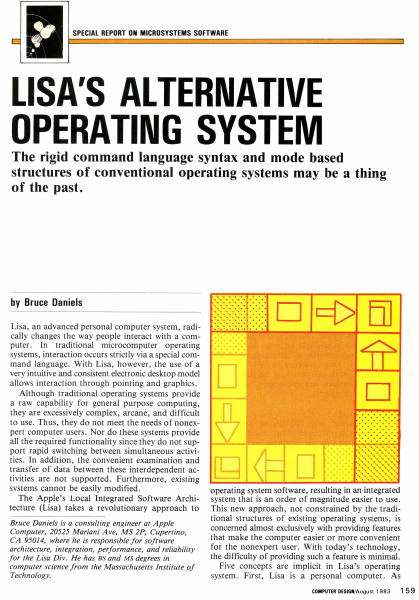
SPECIAL REPORT ON MICROSYSTEMS SOFTWARE LISA'S ALTERNATIVE OPERATING SYSTEM The rigid command language syntax and mode based structures of conventional operating systems may be a thing of the past. by Bruce Daniels Lisa, an advanced personal computer system, radically changes the way people interact with a computer. In traditional microcomputer operating systems, interaction occurs strictly via a special command language. With Lisa, however, the use of a very intuitive and consistent electronic desktop model allows interaction through pointing and graphics. Although traditional operating systems provide a raw capability for general purpose computing, they are excessively complex, arcane, and difficult to use. Thus, they do not meet the needs of nonexpert computer users. Nor do these systems provide all the required functionality since they do not support rapid switching between simultaneous activities. In addition, the convenient examination and transfer of data between these interdependent activities are not supported. Furthermore, existing systems cannot be easily modified . The Apple's Local Integrated Software Architecture (Lisa) takes a revolutionary approach to Bruce Daniels is a consulting engineer at Apple Computer, 20525 Mariani Ave, MS 2P, Cupertino, CA 95014, where he is responsible for software architecture, integration, performance, and reliability for the Lisa Div. He has BS and MS degrees in computer science from the Massachusetts Institute of Technology. . . ..... .. ......... ........... ........ ·.·.·.·.·.·.·.·.· . ................................... . . ..... .. D c::[> El] operating system software, resulting in an integrated system that is an order of magnitude easier to use. This new approach, not constrained by the traditional structures of existing operating systems, is concerned almost exclusively with providing features that make the computer easier or more convenient for the nonexpert user. With today's technology, the difficulty of providing such a feature is minimal. Five concepts are implicit in Lisa's operating system. First, Lisa is a personal computer. As COMPUTER DESIGN/August 1983 15 9 EDIT FILE/PRINT TYPE STYLE ARRANGEMENT LINES SHADES UNDO ARCHITECTURE ~ CALCULATOR ,D/ ~ CUT COPY PASTE CLEAR I /~ .) 0 " ~ WASTEBASKET ! " ". EJ @ MY DISK CLIPBOARD Jo]! [;!] 1 D D D D STRUCTURE OS DESKTOP MANAGER WASTE· BASKET What is the Lisa? Lisa represents over 200 person years and $50 million of development effort. Its intellectual inspiration came from the Smalltalk language and operating system developed at the Xerox Palo Alto Research Center. This system's pioneering use of graphics and a mouse to present the fundamental concepts of overlapping pieces of paper on an electronic desktop marked a departure in computer operating software. Taking the Smalltalk concepts, Apple spent three years refining them, adding innovations, and reducing costs. Hardware is based on the MC68000 micr…

Showing first 3,000 characters of 17,325 total. Open the full document →

Home Documents Lisa Wrege Lisas Design Popular Computing
Wrege Lisas Design Popular Computing

Wrege Lisas Design Popular Computing

Lisa · 1979 · PDF
FilenameWrege_-_Lisas_Design_-_Popular_Computing_198303.pdf
Size7.60 MB
Year1979
Subsection development_history / articles
Downloads3
Enjoying MacTrove? Anonymous downloads are free and unlimited. Create a free account to track favorites, contribute metadata corrections, and join the community chat.
Reader
Wrege Lisas Design Popular Computing
/
Loading…
OCR / Text contents
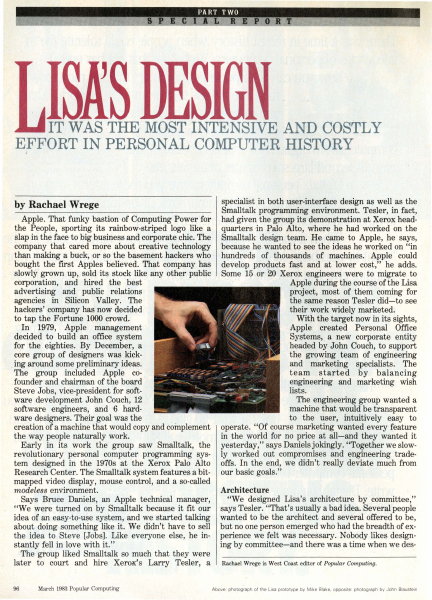
IT WAS -THE· MOST INTE·NSIVE AND COSTLY EFFORT IN PERSONAL COMPUTER HISTORY ,i specialist in both user-interface design as well as the Smalltalk programming environment. Tesler, in fact, Apple. That funky bastion of Computing Power for had given the group its demonstration at Xerox headthe People, sporting its rainbow-striped logo like a quarters -in Palo Alto, where he had worked on the slap in the face to big business and corporate chic. The Smalltalk design team. He came to Apple, he says, company that cared more about creative technology 'because he.wanted to see the ideas he worked on "in than making a buck, or so the basement hackers who · hundreds · of . thousands of machines. Apple could bought the first Apples believed. That company has develop products fast and at lower cost," he adds. slowly grown up, sold its stock like any other public . Some 15 .or 20 Xerox engineers were to migrate to corporation, and hired the best , ·· · Apple during the course of the Lisa advertising and public relations project, most of them coming for agencies in Silicon Valley. The the same reason Tesler did-to see hackers' company has now decided their work widely marketed. to tap the Fortune 1000 crowd. With the target now in its sights, In 1979, Apple management Apple created Personal Office decided to build an office system Systems, a new corporate entity for the eighties. By December, a headed by John Couch, to support core group of designers was kickthe growing team of ·engineering . ing around some pr~liminary ideas. and marketing specialists. The The group included Apple coteam started by balancing .founder and chairman of the board engineering and marketing wish lists. Steve Jobs, vice-president for softThe engineering group wanted a ware development John Couch, 12 machine that would be transparent software engineers, and ·6 hardto the user, intuitively easy to ware designers. Their goal was the creation of a machine that would copy and complement operate. "Of course marketing wanted every feature the way people naturally work. in the world for no price at all-and they wanted it Early in its work the group saw Smalltalk, the yesterday," says Daniels jokingly. "Together we slowrevolutionary personal computer programming sys- ly worked out compromises and engineering tradetem designed in the 1970s at the Xerox Palo Alto offs. In the end, we didn't really deviate much from Research Center. The Smalltalk system features a bit- our basic goals." mapped video display, mouse control, and a so-called Architecture modeless environment. "We designed Lisa's architecture by committee," Says Bruce Daniels, an Apple technical manager, "We were turned on by Smalltalk because it fit our says Tesler. "That's usually a bad idea. Severalpeople idea of an easy-to-use system, and we started talking wanted to be the architect and several offered to be, about doing something like it. We didn't have to sell but no one person emerged who had the breadth of exthe idea to Ste…

Showing first 3,000 characters of 17,982 total. Open the full document →

Home Documents Lisa Perkins Inventing The Lisa User Interface
Perkins Inventing The Lisa User Interface

Perkins Inventing The Lisa User Interface

Lisa · 1980 · PDF
FilenamePerkins_-_Inventing_the_Lisa_User_Interface_199704.pdf
Size24.30 MB
Year1980
Subsection development_history / articles
Downloads2
Enjoying MacTrove? Anonymous downloads are free and unlimited. Create a free account to track favorites, contribute metadata corrections, and join the community chat.
Reader
Perkins Inventing The Lisa User Interface
/
Loading…
OCR / Text contents
art i c I e Frank Luclol INVENTING THE USER INTERFACE Macintosh user interface is a direct descendant of rst ~eveloped and used on Apple's Lisa computer. Iex:I-oased system that presented the user with a blank ~" · king cursor, the Lisa displayed an electronic desktop, he user manipulated directly to tell the computer electronic desktop, with its windows, menu bar, . part of the original design; rather, it was the . result of a 4-year-long' process of refining goals and developing, ~~~-.--~~~~--~--~, testing, and synt esizing many alternative ideas. In fact, the iconic deskto · was first tried in 1980 and discarded! The final result (Fig- ~ ure ·1) cot .anly_mage computers easier to use, it made them fun. Ill The system will provide one standard method ofinteracting with a user in handling text, numbers, and graphics... The system will adhere to the concept of "gradual learning': .. A user must be able to do some important tasks easily and with minimal instruction or preparation... The more sophisticated ftatures will be unobtrusive until they are needed Errors will be handled consistently in as friendly a manner as possible, and the user will be protected from obvious errors... ... A "Set-up" program will allow the user to customize several system attributes in order to "personalize" interaction with the system... in order to make the system uniquely personal for the user without interfering with the interface standards... {It should allow) a user to put whatever he/she is doing on "hold" in order to answer the phone, look up an address, or respond to an asynchronous interrupt (time for a meeting, mail received on the network, etc). .. In addition, the use ofgraphics in general user interaction will set Lisa apart from its competitors and will go a long way toward making the system friendly, easy and enjoyable to use. 'Intuitive icons" can be designed to indicate certain messages to the user. .. ., The authors were members of the software team that designed and implemented Lisa's system software and applications. Rod Perkins joined the team in early 1979, shortly after the start of the project, to work on applications and prototypes of the early ideas about the appearance and workings of windows, dialogue boxes, and menus. Dan Keller and Frank Ludolph began working on Lisa in late 1980 and were resp0nsible for what eventually became the .Desktop Manager with folders and icons. ~-'"!1!P and Guiding Principles -. • new machine, first proposed in late 1978, to be designed for general office use-a high-quality, easy-to-use computer for secretaries, managers, and professionals that would give the individual more independence performi~ multiple tasks without disrupting the office. The ease-of-use goal evolved during 1979 as the software team tried many ideas. Requirements, developed jointly by marketing and engineering, enumerated the following goals [4]. Lisa must be fun to use. It will not be a system that is used by someone "because…

Showing first 3,000 characters of 39,288 total. Open the full document →

Home Documents Lisa Tesler The Legacy Of The Lisa Macworld
Tesler The Legacy Of The Lisa Macworld

Tesler The Legacy Of The Lisa Macworld

Lisa · 1983 · PDF
FilenameTesler_-_The_Legacy_of_the_Lisa_-_Macworld_198509.pdf
Size2.57 MB
Year1983
Subsection development_history / articles
Downloads3
Enjoying MacTrove? Anonymous downloads are free and unlimited. Create a free account to track favorites, contribute metadata corrections, and join the community chat.
Reader
Tesler The Legacy Of The Lisa Macworld
/
Loading…
OCR / Text contents
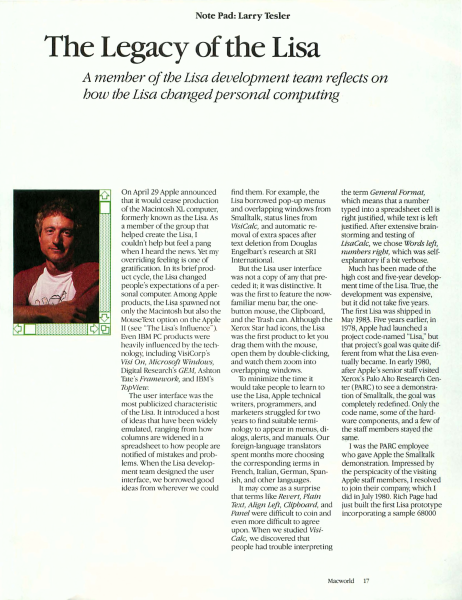
Note Pad: Larry Tesler The Legacy of the Lisa A member of the Lisa development team reflects on how the Lisa changed personal computing On April 29 Appl announced char ic would cease production of che Macintosh XL computer, formerly known as che Lisa. As a member of ch group that helped create che Lisa, I c uldn'c help but feel a pang w hen I heard the news. Yer my verriding fe ling is one of gratifi cation. In its brief product cycle, the Lisa changed people's expectaci ns of a personal computer. A mong Apple products, che Lisa spawned not only the Macintosh but also che MouseText opti n on che Apple II (see "The Lisa·s Influence'} Even I BM PC pro ducts were heavil y influenc d by che cechnology, including VisiCor p's Visi On, Microsoji \'(lfndows, Digital Research's GEM, As hron Tace·s Frameu ork, and IBM 's Top View. The user interface wa the most publiciz d characterist ic of the Lisa. Ir introduced a host of ideas thac have been w idely emulated, ranging from how column s are wid ned in a spreadsheet ro how people are notified of mistakes and problems. When the Lisa developm nt team d signed the user interface, we I arrowed good ideas from wherever we could find them. For example, the Lisa borrowed pop-up menus and overlapping w indows from Smalltalk, status lines from VisiCalc, and automatic remova l of extra spaces afc r text deletion from Douglas Engelban's research at RI I mernacional. But the Lisa user inter face was not a copy of any chat preceded it; it was distinctive. It was ch firsc to feature the nowfarn ili ar menu bar, the onebutton mouse, the Clipboard, and che TJ·ash can . Although the Xerox tar had icons, the Lisa was the first prod uct to lee you drag them w ith the mouse, open them by double-clicking, and watch them zoom into overlapping w indows. Tu minimize the time it would take people to learn to use che Li a, Apple technical writer., programmer , and marketers struggled for two years to find suitable termi nology to appear in menus, dialogs, alerts, and manuals. Our foreign-language translaror spent months more choosing the corresponding terms in French Ita lian, German , Spanish, and other languages. It may come as a suq ri se that terms like Revert, Plain Text, Align Le.ft, Clipboa rd, and Panel we re difficult to coin and even more difficult to agree upon. When we stud ied VisiCa/c, we discovered chat people had trouble imerpreting the term General Format, which means that a number ryped into a spreadsheet cell is right justified, w hile texc is left justified. After extensive brainstorming and testing of LisaCalc, we cho e Words left, numbers rigbt, which was sel fexplanator y if a bit verbose. Much has been made of the high cost and five-year develop ment time of the Lisa. True, the development was expensive, but it did not take five years. The first Lisa was shipped in May 1983. Five years earlier, in 1978, Apple had launched a project code-nam ed "Lisa," bur that project's goal was quite different from w ha…

Showing first 3,000 characters of 8,539 total. Open the full document →

Home Documents Lisa Smith The Past Present And Future Of The Macintosh Desktop Semaphore Signal
Smith The Past Present And Future Of The Macintosh Desktop Semaphore Signal

Smith The Past Present And Future Of The Macintosh Desktop Semaphore Signal

Lisa · 1986 · PDF
FilenameSmith_-_The_Past_Present_and_Future_of_the_Macintosh_Desktop_-_Semaphore_Signal_198603.pdf
Size0.08 MB
Year1986
Subsection development_history / articles
Downloads2
Enjoying MacTrove? Anonymous downloads are free and unlimited. Create a free account to track favorites, contribute metadata corrections, and join the community chat.
Reader
Smith The Past Present And Future Of The Macintosh Desktop Semaphore Signal
/
Loading…
OCR / Text contents
The Past, Present, and Future of the Macintosh Desktop Dan Smith Interview, Semaphore Signal March, 1986 To a first-time user, perhaps the most striking thing about the Macintosh is its use of the desktop metaphor: the folders and other icons intended to help make the Macintosh a user-friendly machine. For a perspective on where those ideas came from, how they were further developed by Apple, and what they might lead to in the future,we interviewed Dan Smith, an Apple Principal Software Engineer. Signal: Give us a brief history of your career at Apple. Smith: I've been at Apple for a little over five years now. I initially signed on to the Lisa project to work on what we called the Desktop Manager, essentially the equivalent of the Finder on the Macintosh. I worked on that for about two years,until the whole Lisa project was near completion. Then I became User Interface Coordinator for the Lisa project, then switched to a consulting role for theMacintosh, since Mac picked up about halfway into the Lisa development stage. I took some time off from the Macintosh and Lisa to start working on some future projects, did that for about nine months, then got pressed back into service to do a program development environment for the Macintosh, which is what I'm working on right now. Signal: Were you the desktop programmer? What was the organization responsible for the desktop and the other Lisa software? Smith: The effort was split up into a couple of different groups. There was the desktop group. Two of us actually did the implementation. I programmed the user interface portion, and Frank Ludolph did a fair amount of the lower level implementation. Then there was the applications group, and that was split up into essentially the different applications that came out: LisaDraw, LisaWrite, and so on. There was also an operating system group, which did the much lower level software. Signal: How did the ideas for the desktop originate, and how were they incorporated into your design? Smith: That's a pretty interesting story. When I started at Apple, the idea of the desktop hadn't really quite been born. In fact, it was thought we'd do something fairly simple, and it would be a one-person job for a couple of months and it would be over. It was a little later in the project that we realized the desktop was going to be a central part of the entire system. The idea of an iconic form didn't come along until quite late into the development of the product. We started off with something that was pretty Smalltalk-like. There was a notion of a thing called a browser, which is essentially a table you could flip through, listing the documents you had in a hierarchical fashion. But the whole initial desktop was essentially technically oriented. We went through iteration after iteration. I remember doing prototype after prototype, and trying them on several groups of people, getting it to be more and more useable. But a number of us were not happy with what we were gettin…

Showing first 3,000 characters of 29,183 total. Open the full document →

Home Documents Lisa Perkins Inventing Lisa Interface CPSR Email
Perkins Inventing Lisa Interface CPSR Email

Perkins Inventing Lisa Interface CPSR Email

Lisa · 2000 · PDF
FilenamePerkins_-_Inventing_Lisa_Interface_CPSR_email_199606.pdf
Size0.46 MB
Year2000
Subsection development_history / articles
Downloads2
Enjoying MacTrove? Anonymous downloads are free and unlimited. Create a free account to track favorites, contribute metadata corrections, and join the community chat.
Reader
Perkins Inventing Lisa Interface CPSR Email
/
Loading…
OCR / Text contents
Apple Lisa Computer Technical Information The Story Behind the Lisa (and Macintosh) Interface Source: http://home.san.rr.com/deans/lisagui.html 23 April 2000 -----------------------------------------------------------------------* Cover message * Inventing the Lisa Interface * Goals and Guiding Principles * The Beginnings of the Lisa * The Early User Interface * Outside Influences * A Shift in Thinking * The Desktop Metaphor * The Role of User Testing * Arriving at an Interface * The Early Days of the Desktop Manager * Desktop Icons Rejected! * A Document Browser * The 20 Questions Filer * "Son of Dataland" * The IBM Contribution * Today's Desktop Model * Citations * Pictures of Lisa UI Prototypes -----------------------------------------------------------------------_________________________________________________________________________ Cover message Date: From: To: Subject: Mon, 17 Jun 1996 17:13:10 -0700 "Rod Perkins" "Multiple recipients of list cpsr-history@cpsr.org" Inventing the Apple Lisa; original paper. Although the Macintosh receives the recognition for creating Apple's desktop metaphor, the development of Lisa user interface pre-dates the Mac. Many of the concepts developed for the Lisa were used in the Mac's design. Other Lisa features are creeping into the UI in 1996 as Apple implements multi-processing and protected memory. Although the Lisa was not a commercial success, without the early work done by the Lisa team, there would not be the Macintosh we know today. I was among the first software engineers to work on the applications for the Lisa and its user interface. Myself, and two others from the Lisa "Filer" team wrote a paper in 1989 that described how the Lisa's UI was designed. The paper was to be a chapter in the book, "The Art of Human-Computer Interface Design", edited by Brenda Laurel, Addison-Wesley, 1990. However, as someone pointed out earlier, Apple was actively litigating against Microsoft at the time, so it was though better not to have the paper published. The paper included screen shots that pre-dates the legendary visits to Parc by Steve and other people from Apple. No doubt the Parc visits provided inspiration but its was not "standard myth that Apple lifted the user interface of the Lisa and Mac in whole from the Star". I included the text of the paper below. The Story Behind the Lisa (and Macintosh) Interface -- 1 of 20 Apple Lisa Computer Technical Information _________________________________________________________________________ Inventing the Lisa Interface Frank Ludolph Ludolph@aol.com Rod Perkins rod@aviodigital.com Dan Smith dkeller@palm.com Today's familiar Macintosh user interface is a direct descendent of the interface first developed and used on Apple's Lisa computer. Instead of a text-based system that presented the user with a blank screen and blinking cursor, the Lisa gave the user a picture of an electronic desktop, a picture that the user manipulated directly to tell the computer…

Showing first 3,000 characters of 34,902 total. Open the full document →

Home Documents Lisa Daniels The Architecture Of The Lisa Personal Computer
Daniels The Architecture Of The Lisa Personal Computer

Daniels The Architecture Of The Lisa Personal Computer

Lisa · 1984 · PDF
FilenameDaniels_-_The_Architecture_of_the_Lisa_Personal_Computer_198403.pdf
Size1.17 MB
Year1984
Subsection development_history / articles
Downloads3
Enjoying MacTrove? Anonymous downloads are free and unlimited. Create a free account to track favorites, contribute metadata corrections, and join the community chat.
Reader
Daniels The Architecture Of The Lisa Personal Computer
/
Loading…
OCR / Text contents
The Architecture of the LisaTM Personal Computer BRUCE DANIELS Invited Paper The Lisa personal computer provides a new and better way of relating to a computer. This paper presents an outline of how such a complex, modern personal computer system is developed. The architecture of both the hardware and the software of the Lisa is examined in detail. Design goals and considerations are also dis- the Lisa would not be incompatible just for the sake of being different but to be better. Developing a computer which is an order of magnitude easier to use than traditional computers requires major departures. cussed. Design Goals BACKGROUND The first design goal for the Lisa was to be intuitive. This In 1979 there was a desire within Apple Computer Inc. to develop a new kind of personal computer product. Personal computers like the Apple II made computing affordable enough to meet the needs of a single person. For just a few thousand dollars, one could purchase a real computer to do word processing, accounting, spreadsheet calculations, and other applications. However, there is a critical limitation with such personal computers, as well as with the older minicomputers and mainframe computers. Al I these computers are difficult to learn to use. They require the understanding of a whole world of new computer concepts and jargon such as programs, data files, file di rectories, command languages, etc. Because these computers operate in ways that are not even self-consistent, they present a formidable barrier to their use [19]. It has been observed by the Training Department of Apple Computer Inc. that it takes about 20 to 30 h of instruction and practice before a person can learn enough to begin using a traditional computer. This represents a real obstacle to the widespread use of computers to help solve people's problems. Most people are not willing or able to spend the time required to learn to use a traditional computer. Such computers are unfortunately ii mited to those people who are computer proficient or are willing to become proficient. The Lisa Charter The Lisa charter was to build a revolutionary computer that was truly easy to use and thereby to mitigate the limitation of existing computers. A computer which is revolutionary may not be compatible with existing products or even with various industry standards and practice. Naturally Manuscript received November 10, 1983; revised December 8, 1983. The author is with Systems Software Apple Computer Inc., 1 Cupertino, CA 95014, USA. ™Lisa is a Registered Trademark of Apple Computer Inc. implied departing from traditional computer usage which employs textual communication through a formal command language and with an alien vocabulary. Only by building on what the user already knows and working the way the user expects could the Lisa fulfi I its charter. The second goal was that the Lisa be consistent. If a capability works a certain way in one part of the system, then it must work the same way …

Showing first 3,000 characters of 57,404 total. Open the full document →
Home Documents Lisa IBM RC8384 Schild PICTUREWORLD A Concept For Future Office Systems
IBM RC8384 Schild PICTUREWORLD A Concept For Future Office Systems

IBM RC8384 Schild PICTUREWORLD A Concept For Future Office Systems

Lisa · PDF
FilenameIBM_RC8384_Schild_-_PICTUREWORLD_A_Concept_for_Future_Office_Systems_198007.pdf
Size0.89 MB
Subsection development_history / articles
Downloads3
Enjoying MacTrove? Anonymous downloads are free and unlimited. Create a free account to track favorites, contribute metadata corrections, and join the community chat.
Reader
IBM RC8384 Schild PICTUREWORLD A Concept For Future Office Systems
/
Loading…
OCR / Text contents
RC 8384 (#36518) 7/ 30/80 39 pages Computer Science Research Report PICTUREWORLD: A Concept for Future Office Systems l·J . sch i l d L• R • Po ~-1 e r M. K<irnaugh IBM Thom~s J. Watson Research Center Yorktown Heights, N.Y. 10598 ,. ~~ Research Divisi on San Jose · York town . Zurich Copies may be requested from: IBM Thomas J. Watson Research Center Distribution Services 36-068 Post Office Box 218 Yorktown Heights, New York 10598 1 RC 8384 (#36518) 7/30/80 Computer Science 39 pages PICTUREWORLD: A Concept for Future Offlce Systems IL Sch j 1 d * L. R. Pol•er M. Karnaugh IBM Thomas J. Watson Research Center Yorktown Helghts, N.Y. 10598 ABSTRACT: After a characterlzatlon of the work of offlce prlnclpals and a statement of some qualltatlve requlrements, the system concept called "Plctureworld" ls descrlbed. Plctureworld provldes the user with an understandable, self-promptjng lnterface whlch cilsplays lconlc r2presentatlons of famlllar offlce objects. It ls easy to learn and to remember how to command the system. Functions for an entry level system are deflned. A software organlzatlon ln terms of Plctureworld objects wlll facilitate maintenance and expansion of tl1e system. In view of large areas of lgnorance concernlng the acceptablllty and value of prlnclpal support systems, Plctureworld ls proposed 011ly as one con1po11ent of a larger progrant of research. * W. Schlld was formerly with IBM Israel. l· Introduction The anticipated widespread use of electronic systems to support the work of office principals will bring a very large group of non-programmers into frequent close interaction with information processing systems. Because the users will not be highly motivated to develop their programming skills, the design of principal support systems poses some special problems. Either the services offered must be stereotyped, narrow, and inflexible or else the user interface and the system software must provide much more competence in modeling the users' task environment and needs than has previously been attempted, The office environment already provides support devices that aid principals in stereotyped, narrow, inflexible and also non-integrated ways. These include the telephone, the file cabinet, and the hand calculator. The challenge faced by the information systems designer is to bring into being a class of systems that come much closer to meeting the principals' needs. This is not merely a question of good implementation; the functional requirements and cost-effectiveness tradeoffs are not yet well understood. This report includes a discussion of the principal and his work (Section 2), some of the qualitative functional requirements for effective principal support (Section 3), and in later sections, an approach to the designs of the user interface and the system software for a proposed experimental system. This approach will be called "Pictureworld." .. ' . We have not implemented a Pictureworld system and we make no cla…

Showing first 3,000 characters of 58,614 total. Open the full document →
Subscribe to articles
mp.ls