Home Documents Lisa Operating System Reference Manual For The LISA
Operating System Reference Manual For The LISA

Operating System Reference Manual For The LISA
Lisa · PDF
FilenameOperating_System_Reference_Manual_For_The_LISA.pdf
Size6.27 MB
Subsection workshop_beta
Downloads2
Enjoying MacTrove? Anonymous downloads are free and unlimited. Create a free account to track favorites, contribute metadata corrections, and join the community chat.
Reader
Operating System Reference Manual For The LISA
/
Loading…
OCR / Text contents
OPERATING SYSTEM REFERENCE MANUAL for the LJS/i CONT1~ Chapter 1 INTRCIJlJCTItN 1.1 1.2 1.3 1.4 The Main Functions ...............•.......•..........•.....•.............................• 1-3 using tne 00 FunctIons .•..•....•.•.....••...•........•••...........•.......•....•..•.... 1-3 The FIle system .••...•••.••••••••••••••..•..••...••••• 1-q. I •••••••••••••••••••••••••••••••••••• Process Management ...................................................................... 1-6 1.5 Memory Management .••••••••••••••••• 1-7 1.6 Exceptions and Events .................................................................... 1-7 1.7 Interprocess Communicat1on ........................................................... 1-8 1.8 Using the OS Interface .............................•..................................... 1-8 1.9 Running programs Under tne ()S ..................................................... 1-8 1.10 Writing Programs That Use tne OS .................................................. 1-8 Chapter 2 TI-E FILE SYSTEM File Names ................................................................................... 2-3 2.1 The WOrking Dlrecrory •••...•••••..•••••...•..•.......•..••.••••••..•...........••...•.. 2-4 2.2 t ................................................... 2.3 2.4 2.5 2.6 2.7 2.8 2.9 2.10 Devices ........................................................................................ 2-5 srorage Devices .•••••••••••••••.•••••..•••••••.••••••••••••••••••••••••••••.••••••••••••••• 2-5 me Volume Catalog ...................................................................... 2-6 Labels ...•••••..••••••••••• 1••.•.• 1.2-6 Logical and PhysiCal End Of FUe .•••..••••••••.•••.•••••••••••••.••.••• 2-6 I •••••••••••••••••••••••• I" I. I ••••••••••••••••••••••••••••• ow • • • • • • • • • • • F1le ~cess .•••.••..••• II ••••••••••••••••••••••••••••••••••••••••••••••••••••••••••••••••••••• 2-7 Pipes ............................................................................................ 2-8 File sys"tem Calls ................................. 2-9 1 •••••••••••••••••••••••••••••••••••••••• Chapter 3 PROCESSES 3.1 Process Structure ....... 3-4 3.2 Process H1erarchy .•..•••..••••..••••••••.•.•......•••••••••....•.•••.••••..••••••••••..••• 3-4 3.3 Process Creation ........................................................................... 3-5 Process Control ..... 3.4 3-5 3.5 Process scnedul1ng •••••••••.••••••••••••••••••••••••••••. 3-6 3.6 Proc-ess Termination .................................... '........................ '.......... 3-7 3.7 A Process Handling Example ........................ "................................. 3-7 3.8 Process system Calls ................................... 3-9 1 •••••••••••••••••••••••••••••••••••••••••• 1 •••• II I ' , •••••••••••••• I ••••••••••••••••••••••••••••••••••••• I ••••••••••••••••••••••• I ••••••••• 1 • • • • • • • • • • • • • • • • • • • • • • '• • • • • • • • • • II • • • • • • • • …

Showing first 3,000 characters of 215,280 total. Open the full document →
Home Documents Lisa Pascal Reference Manual Beta Apr83
Pascal Reference Manual Beta Apr83

Pascal Reference Manual Beta Apr83

Lisa · 1983 · PDF
FilenamePascal_Reference_Manual_Beta_Apr83.pdf
Size21.93 MB
Year1983
Subsection workshop_beta
Downloads2
Enjoying MacTrove? Anonymous downloads are free and unlimited. Create a free account to track favorites, contribute metadata corrections, and join the community chat.
Reader
Pascal Reference Manual Beta Apr83
/
Loading…
OCR / Text contents
PASCAL REFERENCE MANUAL for the Lisa .. Beta DreFt April 1983 OJstmler satlsfactlm If you discover physical defects in the manuals distribUted with a Lisa product or In the media on wtllC1'l a software prOdUCt is distr1buted, Apple wlll replace the documentation or media at no CI'large to you during the 90-day period after you purCl'lased the prodUct. In addition, if Apple releases a corrective update to a software product during the 9O-day period after you purCl'lased the software, ,A.pple w111 replace the applicable diskettes and documentation with the revised version at no charge to you during the six months after the date of purCl'lase. In some countr1es the replacement period may be different; CI'leck with your authorized Lisa dealer. Return any item to be replaced with proof of purChase to Apple or to an authOriZed Lisa dealer. Limitation on wamrrties cn:I Liabillty All implied warranties concerning this manual and media, inclUding implied warranties of merchantability and fitness for a particular purpose, are limited in duration to ninety (90) days from the date of original retail purchase of this product. Even though ,Apple has tested the software described in this manual and reviewed Its contents, neither Apple nor Its software suppllers make any warranty or representation, either express or implied, with respect to this manual or to the sOftware descrioeo In this manual, their qual1ty, performance, merCl'lantability, or fitness for any particular purpose. ~ a result, this SOftware and manual are sold "as Is," and you the purctlaser are assuming the entire risk as to their quality and performance. In no event will Apple or its software suppliers be liable for direct, indirect, special, incidental, or consequential damages resulting from any defect in the software or manual, even if they have been advised of the possibility of sUCl'l damages.. In particular, they shall have no liability for any programs or data stored in or used with Apple products, including the costs of recovering or reproducing these programs or data. The warranty and remedies set forth above are exclusive and in lieu of all others, oral or written, express or Impl1ed. No Apple dealer, agent or employee Is authorized to make any modification, extension or addition to this warranty. some states do not allow the exclusion or limitation of implied warranties or liability for incidental or consequential damages, so the above limitation or exclusion may not apply to you. This warranty gives you specific legal rights, and you may also have other rights that vary from state to state. Ucense amCqlyrlglt This manual and the software (corfl)Uter programs) described In it are copyrighted by Apple or by .Apple·s software suppllers, with all rights reserved, and they are covered by the Lisa SOftware License Agreement signed by each Lisa owner. U'lder the copyright laws and the License Agreement, this manual or the programs may not be copied, in whole or in part, withoUt th…

Showing first 3,000 characters of 451,753 total. Open the full document →

Home Documents Lisa Workshop Users Guide Beta Apr83
Workshop Users Guide Beta Apr83

Workshop Users Guide Beta Apr83

Lisa · 1983 · PDF
FilenameWorkshop_Users_Guide_Beta_Apr83.pdf
Size8.44 MB
Year1983
Subsection workshop_beta
Downloads4
Enjoying MacTrove? Anonymous downloads are free and unlimited. Create a free account to track favorites, contribute metadata corrections, and join the community chat.
Reader
Workshop Users Guide Beta Apr83
/
Loading…
OCR / Text contents
WORKSHOP USER'S GUIDE for the Lisa - Beta Dmft ApriJ 1983 CO ....... TENTS 1. INTRODUCTION The WorKshop proll i des tool s for program delJe 1opmen t. It proll ides fac iIi ties for ed it i ng, 1 anguage process i ng, and debugg i og, as we 11 as commands for managing files and configuring the system. The system al so i ncl udes many other ut iIi ties. 2. THE Fl LE MANAGER The FileManager allowsyou tomanage andmanipulate files and volumes. 3. THE SYSTEM MANAGER The System Manager allows you to set default parameters for the Lisa, and manage processes. and configuration 4. THE EDITOR The Editor allows you to create andmodif>' text files. These text file,:. are used as input to the Comp i leI' and the Assembl er. 5. THE PASCAL Cct1PI LER The Compiler translates Pascal source code into object code. Translation requires two steps: first the compiler translates Pascal into I-code; then the code Generator translates the I-code into obj«Ct code •. 6 • THE ASSEMBLER The Assembl er trans 1a tes assembl y J anguage programs into obj ect code. 7. THE LINKER The Linker combines object code fi les into executable programs. 8. THE DEBUGGER The Debugger allows you to examine memory, set breaKpoints, other run-time debugging functions. 9. USlNG EXEC FILES e:xec files allow you to execute automatically. a series of commands and perform and programs 10. THE UTI LITI ES Util ity programs are provided for debugging, configuring the system, and man i pul at i ng files. APPENDICES A. ERROR MESSAGES WorKshop· User's Guide for the Lisa Introdudion Cha.pter 1 INTRODUCTION 1.1 The Workshop •••••••••••••••••••••••••••••.••••••••••••••••••••••• 1-1 The WorKshop provides the functions necessary to develop and run programs on the Lisa. The WorKshop can be booted from either a disKette or a. Profile. 1.2 Starting the Work$hop •. . . . . . • • • • • . . . . • . . . • . . . . . . . . . . . . . . . . ... . • . . .• 1-1 The WorKshop is started by booting the Lisa from a disK· containing the WorKshop software. You can use the e:nvironments window to select one of several available environments. 1.3 The WorKshop User Interface • • • • • • • • • • • • • • • • • • • • • • • • • • • • • • • • • • • • •• 1-3 The WorKshop user interface consists of three command lines: the WorKshop command line, the File Manager, and the System Manager. 1.4 File System Organization and Naming •••••••••••••••••••••••••••••• 1-4 Files are stored on disk volumes and are accessed by specifying the volume name and the file name. 1.5 Using Utility Programs • • • • • • • • • • • • • • • •• • • • • • • • • • • • • • • • • • • • • • • • • • •• 1-7 Utility programs provide additional functions for the WorKshop. A· utility program is started by choosing the RUN command from the WorKshop command line. 1.6 How do I Write and Run a Pascal Program? .......................... 1-8 A Pascal program is written with the e:ditor. The source file must be compiled and linKed before it can be run. 1.7 How …

Showing first 3,000 characters of 217,953 total. Open the full document →

Home Documents Lisa Exec File Preprocessor Mar83
Exec File Preprocessor Mar83

Exec File Preprocessor Mar83

Lisa · 1983 · PDF
FilenameExec_File_Preprocessor_Mar83.pdf
Size1.90 MB
Year1983
Subsection workshop_beta
Downloads3
Enjoying MacTrove? Anonymous downloads are free and unlimited. Create a free account to track favorites, contribute metadata corrections, and join the community chat.
Reader
Exec File Preprocessor Mar83
/
Loading…
OCR / Text contents
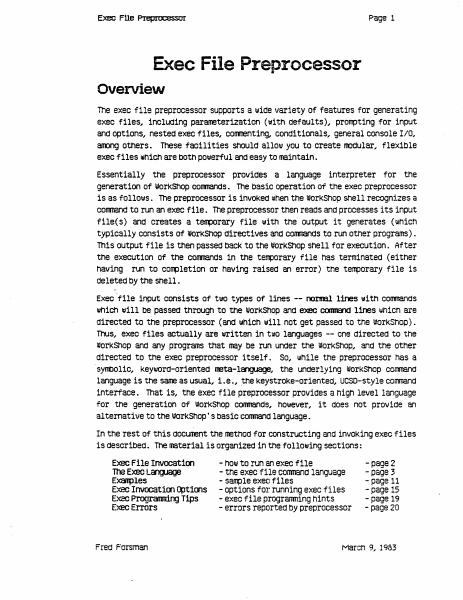
Page 1 Exec FUe Pleplo;essor Exec File Preprocessor Overview The exec file preprocessor supports a 1.111de variety of features for generating exec files, inclUding parameterization (with defaults), prorrpting for input and options, nested exec files, COITITenting, conditionals, general console IIO, aroong others. These facilities should allol.ll you to create lOOdular.. flexible exec files which are bOth pOlJlerful and easy to maintain. Essentially the preprocessor provides a language interpreter for the generation of IIJorKShop conmands. The basic operation of the exec preprocessor is as follol.lls. The preprocessor is invoked when the workShop shell recognizes a cornnand to run an exec file. The preprocessor then reads and processes its input flle( s) and creates a teflllOrary file 1111th the output it generates (which typically consists of WOrkShop directives and conmands to run other programs) . This output file 1s then passed back to the I#OrKShOp Shell for execution. After the execution of the conmands 1n the t~orary file haS terminated (either having run to completion or having raised an error) the terrporary file is deleted by the shell. Execflle input consists of tlllO types of lines -- naI1lBl lines with conmands lIIhiCh will be paSSed through to the workShop and e>eee COOII&1d lines whiCh are directed to the preprocessor (and lIIhich w111 not get paSSed to the WOrkShop). Thus, exec files actually are written in t\lO languages -- one directed to the worKShop and any programs that may be run under the worKShop, and tne other directed to the exec preprocessor i tself . So, I.IIhile the preprocessor has a ·syntlOl1c, KeYWOrd-oriented neta-l~, the underlying worKShop comnand language 1s the sane as usual, 1.e., .the KeystroKe-oriented, UCSD-style corrmand interface. That is, the exec file preprocessor provides a high level language for the generation Of worKShOp CommandS, however, it does not provide an a1 temative to the worKShop' S basic conmand language. In the rest of this cIOcunent the methOd for constructing and inVOKing exec files is described. The material is organized 1n the following sections: Exec File Invocatioo 100 Exec language E~les Exec Invocat100 ~t1oos Exec Programr1.rYJ Tips Exec Errors Fred Forsman - hOIll to run an exec file - tne exec file conmand language - sarrple exec files - options for running exec files - exec file progranming hints - errors reported by preprocessor -page 2 - page 3 - page 11 - page 15 - page 19 - page 20 March 9, 1983 Exec f!le Prepnx:essor !=Iage 2 Exec File Invocation . An invocation line for the preprocessor has the follollling form: <exec conmand> <exec file> [ «pararreter list» [ <exec options> ]] The <exec corrmand> can be either "EXECI'" or "<". The <exec file> is the name of the exec file you lIIiSh to A". TEXT" extension will be assuned if one 1s not specified; holJlever, you may override the mechanism IJIhiCh supplies the". TEXT" extension by ending your <exec file> name…

Showing first 3,000 characters of 39,736 total. Open the full document →

Subscribe to workshop_beta
mp.ls