Home Documents Lisa Lisa Operating System Reference Manual Mar82
Lisa Operating System Reference Manual Mar82

Lisa Operating System Reference Manual Mar82
Lisa · PDF
FilenameLisa_Operating_System_Reference_Manual_Mar82.pdf
Size3.48 MB
Subsection os
Downloads3
Enjoying MacTrove? Anonymous downloads are free and unlimited. Create a free account to track favorites, contribute metadata corrections, and join the community chat.
Reader
Lisa Operating System Reference Manual Mar82
/
Loading…
OCR / Text contents
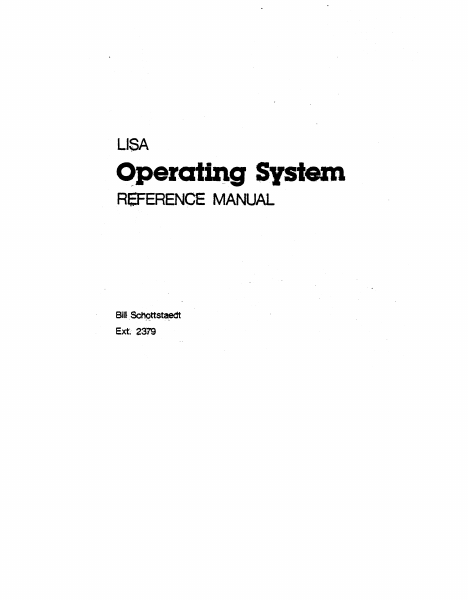
LISA C>.peratlng System RefERENCE MANUAL Bill . Schqttst~ Ext 2379 l-Mar-82 Operating System Reference Manual TABLE OF CONTENTS INTRODUCTION • • • 0 • • • • • • • • • • • • • • • • • 1 • • • • • • • • • • • • • • • 3 THE FILE SYSTEM . . · . .. .. . . .. .. • 4 PROCESSES . . . . . . . . . . . . . · . . . . . . . . 31 File System Overview • • • • F11e System Calls • • • • • • 10 Process Structure and Management • • • • • • • • • 32 Process System Calls • •• • • • • • • • • • • 37 ......• • • • • • • • • • • Memory Management Overview • • • · . . . . . . . ...... Memory Management Sys tem Calls • EXCEPTIONS AND EVENTS . . . . . . . . . . . . . . . . 63 MEMORY MANAGEMENT • 47 • 48. • 52 Excep t ions • • • • • • • • • • • • • • • • • • • •. 64 Events • • • • • .0 . • • . • • . • . • . • • . • .0 6~ The System Clock. . . . . . . . . . . . . . . . . . . 69 Exception Management System Calls • • • • e. e. • • 69 Event Management System Calls • • • • 76 Clock Sys tem Calls ~ • • • • • .• •.• • • • • • • • 84 SYSTEM CONFIGURATION AND STARTUP • . . . . . . . . . • 89 Sys tem Startup • • • • • • • • • • • .'. • • • • • g.C). Self~diagnost1cs • • • • • • • • • • • • • • • • • 90 Customizing Your System • • • • • • • • • • • • • 91 APPENDICES • • • 0 . . . . . . . . . . . . . . . . . . 93 Operating System Interface • • • • • • • • • • • • • 94 Reserved Exception Names • • • • • • • • • • • • 106 Reserved Event Types • • • • • • • • • • • • • • • • 106 Error codes • • • • • • • • • • • • • • • • • 107 l-Mar-82 Operating System Reference Manual Confidential l-Mar-82 Operating System Reference Manual Confidential INTRODUcrION The Operating System is a single user system providing concurrent processes, events, exceptions, device independent I/O in a hierarchical file sys tem, and management of code and data segmentdation. This manual is intended for applications programmers who deal directly with the Operating System. The Operating System falls naturally into four categories: file management, process management, memory management, and process communication. In each of the four chapters describing these portions of the Operating System, there is an overview of the subject that explains the terms and concepts used in the system calls. The system calls themselves are then described in some detail. A fifth chapter describes system startup procedures. The Appendices describe the Operating System interface and error codes. Page 1 l-Mar-82 Operating System Reference Manual Page 2 Confidential l-Mar-82 Operating System Reference Manual CHAPTER 1 THE FILE SYSTEM Introduction File Names • The Working Directory Devices The Volume Catalog • Labels • Logical and Physical End Of File • File Access Pipes File System Calls • • HAKE FILE • • • • • MAKE:PIPE • KILL OBJECT • • • • • • • • • • 5 • 5 • 7 • 7 • 7 • 8 • 9 • 10 • 11 • 11 • 12 • 13 • 14 • 17 • 18 • • ·. .. • • .• • • • • • • • • ·0 · • • • •…

Showing first 3,000 characters of 134,841 total. Open the full document →
Home Documents Lisa 029 0414 A Operating System Reference Manual For The Lisa
029 0414 A Operating System Reference Manual For The Lisa

029 0414 A Operating System Reference Manual For The Lisa

Lisa · 1983 · PDF
Filename029-0414-A_Operating_System_Reference_Manual_for_the_Lisa_1983.pdf
Size6.76 MB
Year1983
Subsection os
Downloads8
Enjoying MacTrove? Anonymous downloads are free and unlimited. Create a free account to track favorites, contribute metadata corrections, and join the community chat.
Reader
029 0414 A Operating System Reference Manual For The Lisa
/
Loading…
OCR / Text contents
Operating System Reference Manual for the Lisa- 029-0414-A Licensing Requirements for SOftware Developers Apple has a low-cost licensing program, which permits developers of software for .the Lisa to incorporate Apple-developed libraries and object code files into their products. Both in-hOuse and external distribution require a license. Before distributing any products that incorporate Apple software, please contact Software Licensing at the address below for both licensing and technical information. ©1983 by Apple Computer, Inc. 20525 Mariani Avenue Cupertino, California 95014 (408) 996-1010 Apple, Lisa, and the Apple logo are trademarks of Apple Computer, Inc. Simultaneously published in the USA and Canada eurtcmer Satisfaction If you discover physical defects in the manuals distributed INith a Lisa product or in the media on which a software product is distributed, f\pple will replace the documentation or media at no charge to you during the 90-day period after you purchased the product. Proc1Jct Revisions Unless you have purchased the product update service available through your authorized Lisa dealer, Apple cannot guarantee that you will receive notice of a revision to the software described in this manual, even if you have returned a registration card received with the product. You should check periodically with your authorized Lisa dealer. Limitation on Warranties and Liability All implied warranties concerning this manual and media, including implied warranties of merchantability and fitness for a particular purpose, are limited in duration to ninety (90) days from the date of original retail purchase of this product. Even though Apple has tested the software described in this manual and reviewed its contents, neither Apple nor its software suppliers make any warranty or representation, either express or implied, with respect to this manual or to the software described in this manual, their quality, performance, merchantability, or fitness for any particular purpose. As a result, this software and manual are sold "as is," and you the purchaser are assuming the entire risk as to their quality and performance. In no event will Apple or its software suppliers be liable for direct, indirect, special, incidental, or consequential damages resulting from any defect in the software or manual, even if they have been advised of the possibility of such damages. In particular, they shall have no liability for any programs or data stored in or used with Apple products, including the costs of recovering or reproducing these programs or data The warranty and remedies set forth above are exclusive and in lieu of all others, oral or written, express or implied. No f\pple dealer, agent or employee is authorized to make any modification, extension or addition to this warranty. Some states do not allow the exclusion or limitation of implied warranties or liability for incidental or consequential damages, so the above limitation or exclusion may not…

Showing first 3,000 characters of 225,190 total. Open the full document →

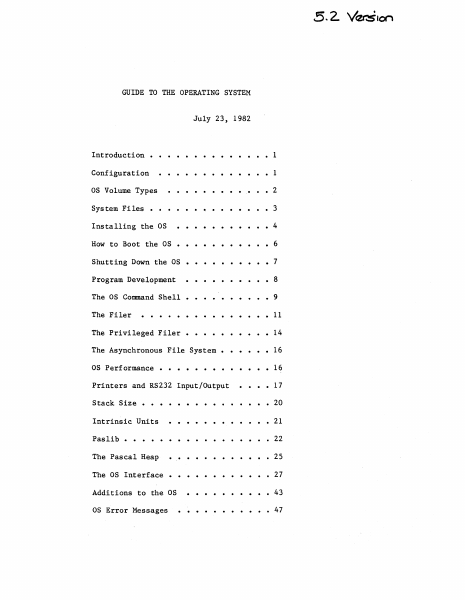
Home Documents Lisa Guide To The Operating System 5.2 Jul82
Guide To The Operating System 5.2 Jul82

Guide To The Operating System 5.2 Jul82

Lisa · 1982 · PDF
FilenameGuide_to_the_Operating_System_5.2_Jul82.pdf
Size2.81 MB
Year1982
Subsection os
Downloads3
Enjoying MacTrove? Anonymous downloads are free and unlimited. Create a free account to track favorites, contribute metadata corrections, and join the community chat.
Reader
Guide To The Operating System 5.2 Jul82
/
Loading…
OCR / Text contents
GUIDE TO THE OPERATING SYSTEM July 23, 1982 ..... Introduction • 1 Configuration 1 as Volume Types • 2 System Files • • • • • • Installing the as How to Boot the as 3 • • • •• 4 • 6 Shutting Down the as • • • • • • 7 Program Development 8 The as Command Shell • • • • • • 9 The Filer 11 The Privileged Filer • 14 The Asynchronous File System • 16 as Performance • • 16 Printers and RS232 Input/Output 17 Stack Size • Intrinsic Units . . . . 20 21 Paslib • • • 22 The Pascal Heap • 25 The as Interface 27 Additions to the as 43 as Error Messages 47 Guide to OS Confidential INTRODUCTION This document explains how to use the 5.2 release of the Operating System. It includes all relevant material from prior releases and also describes the new features of this release. The User's Guide does not explain each feature of the OS in detail; instead, it explains operations such as installing and booting the system, and presents the details of the Command Shell and Filer commands (see the Operating System Reference Manual for a complete description of the Operating system). Because the Operating System Reference Manual is not updated for each new release, the User's Guide also contains explanations of any new features or calls that may not fit into the above topics. The User's Guide assumes that the Operating System Reference Manual that you have is dated March 1, 1982. This release of the Operating System boots from a Profile or Twiggy rather than the'Apple II. The standalone OS is installed and operates differently than the as that boots from the Apple in several ways. Please read the paragraphs below that explain the environment that this version of the OS supports before attempting to install and run it. CONFIGURATION The standalone OS boots from either a Profile or a Twiggy. Most people will boot the standalone OS from a Profile, and use another hard disk for the Monitor. The standalone as restricts how you can use the various devices. The OS treats the Corvus as a source of Monitor files, not as an OS volume; the Apple, the Disk-II floppies and the Sanyo screen are totally inaccessible from the OS; the Lisa screen and keyboard are reserved for Applications. Therefore, readlns and writelns can only be seen on your Soroc~ WARNING: YOU NEED A SOROC, TO USE THE STANDALONE OS! Attach the So roc to channel A of the Lisa; this channel is the second from the left when you are standing in front of the system. When the OS boots from a Profile, that Profile must be attached to the parallel port (the connector farthest to the right when viewed from the front). This port is 'PARAPORT' to the OS and '&3' to the Monitor. Your other hard disks are attached to the N-Port card, which must (for now) be in Slot 2 (the middle slot). Starting from the bottom of the N-Port card, the ports are named '&4', '&5', and '&6' by the monitor, and 'SLOT2CHANl', 'SLOT2CHAN2', and 'SLOT2CHAN3' by the as. The monitor gives preference to disks attach…

Showing first 3,000 characters of 112,670 total. Open the full document →

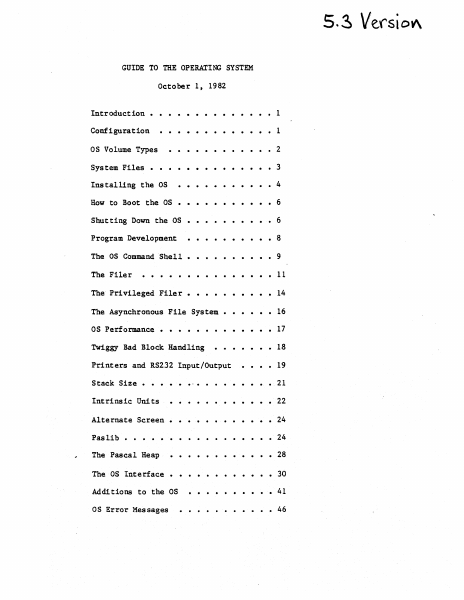
Home Documents Lisa Guide To The Operating System 5.3 Oct82
Guide To The Operating System 5.3 Oct82

Guide To The Operating System 5.3 Oct82

Lisa · 1982 · PDF
FilenameGuide_to_the_Operating_System_5.3_Oct82.pdf
Size3.14 MB
Year1982
Subsection os
Downloads3
Enjoying MacTrove? Anonymous downloads are free and unlimited. Create a free account to track favorites, contribute metadata corrections, and join the community chat.
Reader
Guide To The Operating System 5.3 Oct82
/
Loading…
OCR / Text contents
5. ~ Verst OV\ GUIDE TO THE OPERATING SYSTEM October 1 t 1982 ·....... Configuration . . . . . . . • • • • 1 OS Volume Types ·..• 2 System Files • ·.• 3 ....• • • • 4 Installing the OS How to Boot the OS ··· ··6 · Shutting Down the OS · ···· ···6 Program Development ·• . ·• •8 The as Command Shell. ·•9 The Filer • · • 11 The Privileged Filer. • · · 14 The Asynchronous File System • · • · 16 as Performance • . . . . . . . . . . . • 17 Introduction • Twiggy Bad Block Handling Printers and RS232 Input/Output Stack Size • .... • 1 • • 18 • 19 • • • 21 · . . . . . . • 22 Alternate Screen • · . . . . • • • • 24 Pas lib • • · . 24 The Pascal Heap • • • 28 ·.. Intrinsic Units The OS Interface • • • 30 Add! tions to the OS • • 41 as Error Messages • • 46 Guide to OS Confidential INTRODUCTION This document explains how to use the 5.3 release of the Operating System. It includes all relevant material from prior releases and also describes the new features of this release. The User's Guide does not explain each feature of the OS in detail; instead, it explains operations such as installing and booting the system, and presents the details of the Command Shell and Filer commands (see the Operating System 'Reference Manual for a complete description of the Operating system). Because the Operating System Reference Manual is not updated for each new release, the User's Guide also contains explanations of any new features or calls that may not fit into the above topics. The User's Guide assumes that the Operating System Reference Manual that you have is dated March 1, 1982. CONFIGURATION The OS boots from either a Profile or a Twiggy. Most people will boot the OS from a Profile, and use another hard disk for the Monitor. The OS restricts how you can use the various devices. The OS treats the Corvus as a source of Monitor files, not as an OS volume. The Lisa screen can be accessed by either the OS or the applications. The Lisa screen can display either the "main screen" that is usually reserved for applications, or the "alternate screen" that is used for Lisabug, and, read and writelns for debugging. There is a MOVESOROC program to change where application readln and writelns are to be displayed. They may be displayed on either the main screen, the alternate screen, or an external Soroc. If you use an external Soroc, you can see both the main applications screen, and the debugging screen at the same time. If you wish to use a Soroc, attach it to channel A of the Lisa. When the OS boots from a Profile, that Profile must be attached to the parallel port (the connector farthest to the right when viewed from the front). This port is 'PARAPORT' to the as and '&3' to the Monitor. Your other hard disks are attached to the N-Port card, which must (for now) be in Slot 2 (the middle slot). Starting from the bottom of the N-Port card, the ports are named '&4', '&5', and '&6' by the monitor, and 'SLOT2CHANl', 'SLOT2CHAN2', and 'SLOT2CHAN3' by the as. The monit…

Showing first 3,000 characters of 115,443 total. Open the full document →

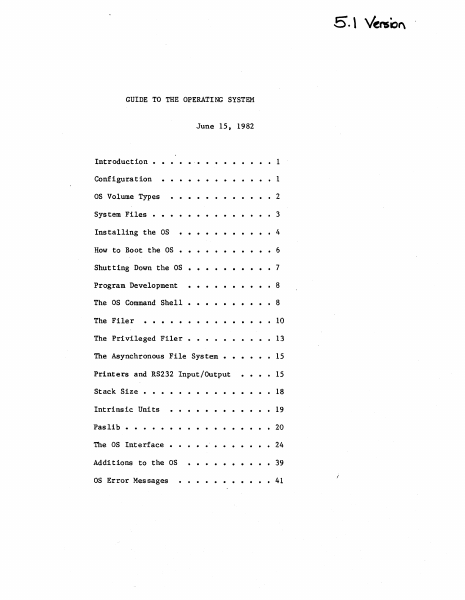
Home Documents Lisa Guide To The Operating System 5.1 Jun82
Guide To The Operating System 5.1 Jun82

Guide To The Operating System 5.1 Jun82

Lisa · 1982 · PDF
FilenameGuide_to_the_Operating_System_5.1_Jun82.pdf
Size2.43 MB
Year1982
Subsection os
Downloads3
Enjoying MacTrove? Anonymous downloads are free and unlimited. Create a free account to track favorites, contribute metadata corrections, and join the community chat.
Reader
Guide To The Operating System 5.1 Jun82
/
Loading…
OCR / Text contents
5. \ Venso" GUIDE TO THE OPERATING SYSTEM June 15, 1982 Introduction • • .'. • • • • • • • • 1 Configuration • • • • • • • • • • • • • 1 OS Volume Types •••••••••••• 2 System Files • • • • • • • • • • • • • • 3 Installing the OS •••• • • • • • • • 4 How to Boot the OS • • • • • • • • • • • 6 Shutting Down the OS • • • • • • • • • • 7 Program Development •••••••••• 8 The OS Command Shell • • • • • • • • • • 8 The Filer . . . · . . . . . . . . . 10 The Privileged Filer • • • • 13 The Asynchronous File System • • 15 Printers and RS232 Input/Output 15 · . . . . . . . . . . . 18 Intrinsic Units · . . . . . . . . . . . 19 Pas lib · . . . . . . . . . . . 20 The OS Interface · . . . . . . . . . 24 Additions to the OS · . . . . . . . . . 39 OS Error Messages . . . . . 41 Stack Size • Guide to OS Confidential INTRODUCTION This document explains how to use the 5.1 release of the Operating System. It includes all relevant material from prior releases and also describes the new features of this release. The User's Guide does not explain each feature of the OS in detail; instead, it explains operations such as installing and booting the system, and presents the details of the Command Shell and Filer commands (see the Operating System Reference Manual for a complete description of the Operating system). The User's Guide also contains explanations of any new features or calls that may not fit into the above topics because the Operating System Reference Manual is not updated for each new release. The User's Guide assumes that the Operating System Reference Manual that you have is dated March 1, 1982. The 5.1 release of the Operating System is the firs~ Operating system that boots from a Profile or Twiggy rather than the Apple II. The standalone OS is installed and operates differently than previous releases in several ways. Please read the paragraphs below that explain the environment that this version of the OS supports before attempting to install and run it. REMEMBER: Standalone mode is new to the OS group, too. We welcome your questions and appreciate suggestions. CONFIGURATION The standalone OS boots from either a Profile or a Twiggy. However, most people will boot the standalone OS from a Profile, and use another hard disk for the monitor. The Corvus can be reached from the 5.1 OS only as a source of monitor type files, not as an OS volume. The Apple is totally inac.cessible from the 5.1 OS, which rules out both Disk-II floppies and the Sanyo screen. The Lisa screen and keyboard are reserved for Applications. Readlns and writelns can only be seen on your Soroc. THEREFORE: IF YOU DON'T HAVE A SOROC, YOU WILL NOT BE ABLE TO USE THIS VERSION OF THE OS! Attach the Soroc to channel A of the Lisa; this channel is the second from the left when standing in front of the system. The Soroc driver supports When the OS boots from a Profile, that Profile must be attached to the parallel port (the connector farthest to the right.when viewed from th…

Showing first 3,000 characters of 96,360 total. Open the full document →

Subscribe to os
mp.ls