Home Documents Macintosh Microkernel White Paper
Microkernel White Paper

Microkernel White Paper
Macintosh · 1992 · PDF
FilenameMicrokernel_White_Paper_19951024.pdf
Size0.50 MB
Year1992
Subsection developer / Copland / D9_19950530
Downloads2
Enjoying MacTrove? Anonymous downloads are free and unlimited. Create a free account to track favorites, contribute metadata corrections, and join the community chat.
Reader
Microkernel White Paper
/
Loading…
OCR / Text contents
Microkernel White Paper Preliminary and Confidential Macintosh System Software Apple Computer, Inc. Copyright (©) 1992-1995 Apple Computer, Inc. ABOUT THE MICROKERNEL ...................................8 KERNEL OBJECTS AND IDS....................................................9 NAMING ......................................................................................11 EXECUTION - TASKING AND INTERRUPTS.....................12 ABOUT EXECUTION ..........................................................................................................12 ABOUT TASKS ...................................................................................................................13 ABOUT TASK SCHEDULING ..............................................................................................14 ABOUT SOFTWARE INTERRUPTS ......................................................................................15 ABOUT PRIVILEGED EXECUTION ......................................................................................16 ABOUT SYNCHRONIZATION ..............................................................................................16 ABOUT INTERRUPTS .........................................................................................................17 KERNELPROCESSES ...............................................................19 ADDRESS SPACE MANAGEMENT .......................................20 ABOUT ADDRESSING ........................................................................................................20 THE SYSTEM 7 ADDRESSING MODEL ...............................................................................21 THE MICROKERNEL ADDRESSING MODEL .......................................................................22 Multiple Address Spaces ...............................................................................................22 Areas .............................................................................................................................22 Paging ...........................................................................................................................23 Global Areas .................................................................................................................23 I/O Coordination...........................................................................................................24 Addressing And Execution ............................................................................................24 Inter-Address Space Access ..........................................................................................24 Code Fragment Manager Contexts...............................................................................25 SYNCHRONIZATION MECHANISMS ..................................26 MESSAGING...............................................................................28 MESSAGES ...........................................................…

Showing first 3,000 characters of 298,108 total. Open the full document →
Home Documents Macintosh Hw 30
Hw 30

Hw 30

Macintosh · 1992 · PDF
Filenamehw_30.pdf
Size0.41 MB
Year1992
Subsection monitor / monitor_sense
Downloads4
Enjoying MacTrove? Anonymous downloads are free and unlimited. Create a free account to track favorites, contribute metadata corrections, and join the community chat.
Reader
Hw 30
/
Loading…
OCR / Text contents
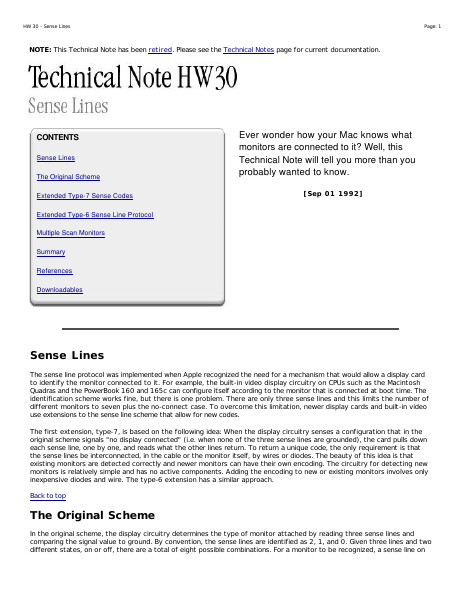
HW 30 - Sense Lines Page: 1 NOTE: This Technical Note has been retired. Please see the Technical Notes page for current documentation. CONTENTS Sense Lines The Original Scheme Extended Type-7 Sense Codes Ever wonder how your Mac knows what monitors are connected to it? Well, this Technical Note will tell you more than you probably wanted to know. [Sep 01 1992] Extended Type-6 Sense Line Protocol Multiple Scan Monitors Summary References Downloadables Sense Lines The sense line protocol was implemented when Apple recognized the need for a mechanism that would allow a display card to identify the monitor connected to it. For example, the built-in video display circuitry on CPUs such as the Macintosh Quadras and the PowerBook 160 and 165c can configure itself according to the monitor that is connected at boot time. The identification scheme works fine, but there is one problem. There are only three sense lines and this limits the number of different monitors to seven plus the no-connect case. To overcome this limitation, newer display cards and built-in video use extensions to the sense line scheme that allow for new codes. The first extension, type-7, is based on the following idea: When the display circuitry senses a configuration that in the original scheme signals "no display connected" (i.e. when none of the three sense lines are grounded), the card pulls down each sense line, one by one, and reads what the other lines return. To return a unique code, the only requirement is that the sense lines be interconnected, in the cable or the monitor itself, by wires or diodes. The beauty of this idea is that existing monitors are detected correctly and newer monitors can have their own encoding. The circuitry for detecting new monitors is relatively simple and has no active components. Adding the encoding to new or existing monitors involves only inexpensive diodes and wire. The type-6 extension has a similar approach. Back to top The Original Scheme In the original scheme, the display circuitry determines the type of monitor attached by reading three sense lines and comparing the signal value to ground. By convention, the sense lines are identified as 2, 1, and 0. Given three lines and two different states, on or off, there are a total of eight possible combinations. For a monitor to be recognized, a sense line on HW 30 - Sense Lines Page: 2 the monitor side is connected to ground to be read as a binary 0, or left unconnected to be read as a binary 1. The first seven monitors listed in Table S-1 show the required sense line states for them to be recognized using the original sense line scheme. It's worth noting that monitors using the original scheme need only have their sense lines read once to determine the monitor type. As new monitor types became available for the Macintosh, the extended sense line protocol was implemented. Back to top Extended Type-7 Sense Codes The extended sense line protocol is one of those oddities of software eng…

Showing first 3,000 characters of 9,895 total. Open the full document →

Home Documents Macintosh Repair Apple Macintosh PowerBook 100 Goughs Tech Zone
Repair Apple Macintosh PowerBook 100 Goughs Tech Zone

Repair Apple Macintosh PowerBook 100 Goughs Tech Zone

Macintosh · 2016 · PDF
FilenameRepair__Apple_Macintosh_PowerBook_100_Goughs_Tech_Zone.pdf
Size2.37 MB
Year2016
Subsection powerbook / 100
Downloads2
Enjoying MacTrove? Anonymous downloads are free and unlimited. Create a free account to track favorites, contribute metadata corrections, and join the community chat.
Reader
Repair Apple Macintosh PowerBook 100 Goughs Tech Zone
/
Loading…
OCR / Text contents
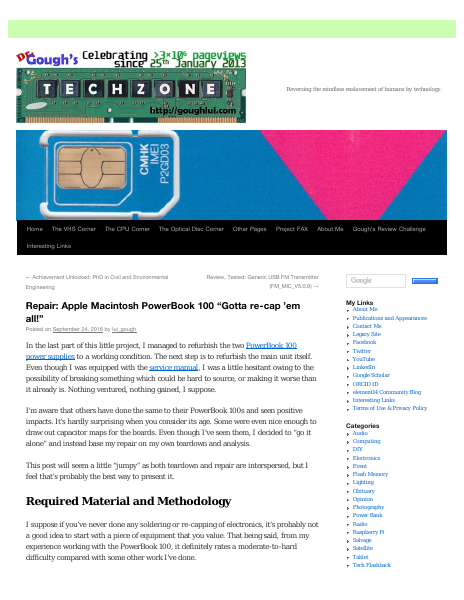
Reversing the mindless enslavement of humans by technology. Home The VHS Corner The CPU Corner The Optical Disc Corner Other Pages Project FAX About Me Gough’s Review Challenge Interesting Links ← Achievement Unlocked: PhD in Civil and Environmental Engineering Review, Tested: Generic USB FM Transmitter (FM_MIC_V5.0.9) → Repair: Apple Macintosh PowerBook 100 “Gotta re-cap ’em all!” Posted on September 24, 2016 by lui_gough In the last part of this little project, I managed to refurbish the two PowerBook 100 power supplies to a working condition. The next step is to refurbish the main unit itself. Even though I was equipped with the service manual, I was a little hesitant owing to the My Links About Me Publications and Appearances Contact Me Legacy Site Facebook Twitter YouTube LinkedIn possibility of breaking something which could be hard to source, or making it worse than it already is. Nothing ventured, nothing gained, I suppose. Google Scholar I’m aware that others have done the same to their PowerBook 100s and seen positive impacts. It’s hardly surprising when you consider its age. Some were even nice enough to draw out capacitor maps for the boards. Even though I’ve seen them, I decided to “go it alone” and instead base my repair on my own teardown and analysis. Terms of Use & Privacy Policy This post will seem a little “jumpy” as both teardown and repair are interspersed, but I feel that’s probably the best way to present it. Required Material and Methodology ORCID ID element14 Community Blog Interesting Links Categories Audio Computing DIY Electronics Event Flash Memory Lighting Obituary Opinion Photography Power Bank I suppose if you’ve never done any soldering or re-capping of electronics, it’s probably not a good idea to start with a piece of equipment that you value. That being said, from my experience working with the PowerBook 100, it definitely rates a moderate-to-hard difficulty compared with some other work I’ve done. Radio Raspberry Pi Salvage Satellite Tablet Tech Flashback In order to get the job done, the tools you should have include: Telecommunications Travel Uncategorized A set of Phillips head screwdrivers of various sizes for laptop disassembly. A fine-tipped soldering iron, preferably of the temperature regulated sort. Some solder, 60/40 tin-lead type works well. High quality desoldering braid – I personally use Chemtools branded wick, but formerly used Goot which varies a little in quality. Good wick really makes the job easier, bad wick can leave you very frustrated. Desoldering bulb (or solder sucker) – the bulb type seems to be more useful as you can “blow” the holes open or “suck” them clean, whereas the pen type is really “one shot” with one hand and hardly easy to get into position. Hot air gun (preferable, but not essential) for removing the SMD components with more ease. Foil (I didn’t have this, but I probably should have) to mask sensitive portions of the board during hot air rewo…

Showing first 3,000 characters of 33,191 total. Open the full document →

Home Documents Macintosh The Macintosh Project Selected Papers Feb80
The Macintosh Project Selected Papers Feb80

The Macintosh Project Selected Papers Feb80

Macintosh · 1980 · PDF
FilenameThe_Macintosh_Project_Selected_Papers_Feb80.pdf
Size5.68 MB
Year1980
Downloads5
Enjoying MacTrove? Anonymous downloads are free and unlimited. Create a free account to track favorites, contribute metadata corrections, and join the community chat.
Reader
The Macintosh Project Selected Papers Feb80
/
Loading…
OCR / Text contents
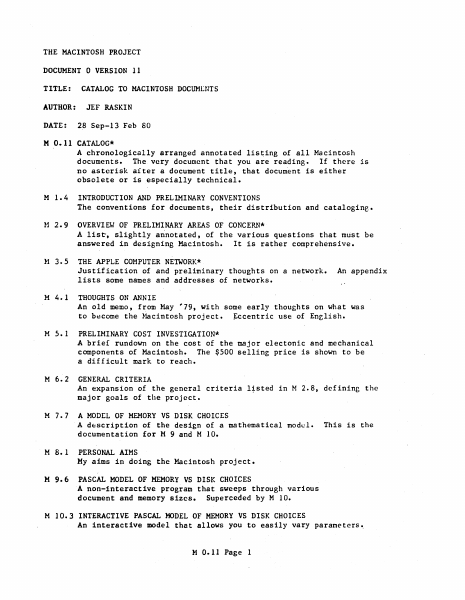
THE MACINTOSH PROJECT DOCUMENT 0 VERSION 11 TITLE: CATALOG TO MACINTOSH DOCUM[NTS AUTHOR: JEF RASKIN DATE: 28 Sep-13 Feb 80 M 0.11 CATALOG* A chronologically arranged annotated listing of all Macintosh documents. The very document that you are reading. If there is no asterisk aiter a document title, that document is either obsolete or is especially technical. M 1.4 INTRODUCTION AND PRELIMINARY CONVENTIONS The conventions for documents, their distribution and catalogine. tI 2.9 OVERVIEW OF PRELININARY AREAS OF CONCERN* A lis~, slightly a~notated, of the various questions that must be answered in designing Macintosh. It is rather comprehensive. ~1 3.5 THE APPLE COMPUTER NETWORK* Justification of and preliminary thoughts on a network. lists some names and addresses of networks. M 4. 1 An appendix THOUGHTS ON ANNIE An old memo, from May '79, with some early thoughts on what was to b~come the ~~cintosh project. ~ccentric use of Enelish. M 5.1 PRELIMINARY COST INVESTIGATION* A brief rundown on the cost of the major electonic and mechanical components of Macintosh. The $500 selling price is shown to be a difficult mark to reach. M 6.2 GENERAL CRITERIA An expansion of the general criteria l;sted in M 2.B, defining the major goals of the project. M 7.7 A MODEL OF MEMORY VS DISK CHOICES A d~scription of the design of a mathematical model. documentation for M 9 and MID. M B.l This is the PERSONAL AIMS My aims in doing the Macintosh project. M 9.6 PASCAL MODEL OF MEMORY VS DISK CHOICES A non-interactive program that sweeps through various document and memory sizes. Superceded by MID. M 10.3 INTERACTIVE PASCAL HODEL OF MEMORY VS DISK CHOICES An interactive model that allows you to easily vary parameters •. M 0.11 Page 1 M 11.0 SUMMARY OF OCTOBER 10 A few of the main points of the proj~ct as of October 10, prepared. for a meeting with Whitney, Carlson, Jobs, Markkula, Holt, Scott Roybal and Raskin. M 12.1 CONCERNS ABOUT USING THE TELEPHONE WITH PERSONAL COMPUTERS* An article written for magazine publication on the probable difficulties we might encounter working with Ma Bell. M 13.1 IMPORTANT POINTS ABOUT MACINTOSH A one page summary of the summary of October 10, prepared for the meeting of 12 October. M 14.10 THE APPLE CALCULATOR LANGUAGE* This is an extensive document, not complete as of this version of the catalog (22 October 79) which contains a primer of a good portion of the language, the BNF and other technical considerations for those portions described, and some of the justification for the language. (Read M16 before reading this document.) l-1 15.0 MASS STORAGE PRINTER/FACSIMILE DEVICE* A description and discussion of a low cost device, based on present themal or electrostatic discharge printer technology, that would provide printing, data and program storage and dissemination, facsimile transmission, and digitizing abilities to Macintosh. M 16.0 AN INTRODUCTION TO THE APPLE LANGUAGE FOR CALCULATOR USERS* An indi…

Showing first 3,000 characters of 248,273 total. Open the full document →

Home Documents NuBus Macintosh OS Ethernet Driver
Macintosh OS Ethernet Driver

Macintosh OS Ethernet Driver

NuBus · 1987 · PDF
FilenameMacintosh_OS_Ethernet_Driver_19870518.pdf
Size0.30 MB
Year1987
Subsection apple / 670-0205_3Com_Ethernet
Downloads2
Enjoying MacTrove? Anonymous downloads are free and unlimited. Create a free account to track favorites, contribute metadata corrections, and join the community chat.
Reader
Macintosh OS Ethernet Driver
/
Loading…
OCR / Text contents
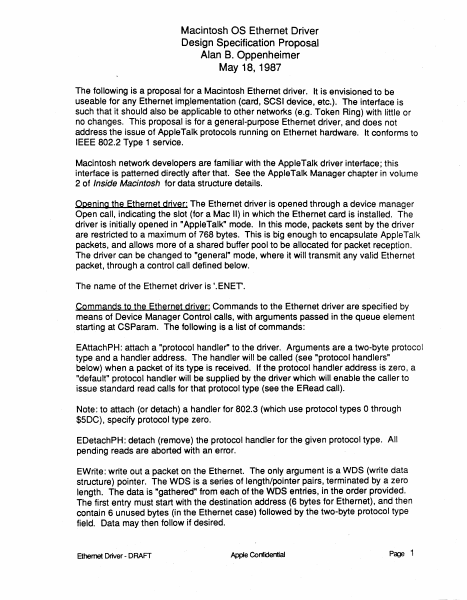
Macintosh OS Ethernet Driver Design Specification Proposal Alan B. Oppenheimer May 18, 1987 The following is a proposal for a Macintosh Ethernet driver. It is envisioned to be useable for any Ethernet implementation (card, SCSI device, etc.). The interface is such that it should also be applicable to other networks (e.g. Token Ring) with little or no changes. This proposal is for a general-purpose Ethernet driver, and does not address the issue of Apple Talk protocols running on Ethernet hardware. It conforms to IEEE 802.2 Type 1 service. Macintosh network developers are familiar with the Apple Talk driver interface; this interface is patterned directly after that. See the Apple Talk Manager chapter in volume 2 of Inside Macintosh for data structure details. Opening the Ethernet ddyer: The Ethernet driver is opened through a device manager Open call, indicating the slot (for a Mac II) in which the Ethernet card is installed. The driver is initially opened in "Apple Talk" mode. In this mode, packets sent by the driver are restricted to a maximum of 768 bytes. This is big enough to encapsulate AppleTalk packets, and allows more of a shared buffer pool to be allocated for packet reception. The driver can be changed to "general" mode, where it will transmit any valid Ethernet packet, through a control call defined below. The name of the Ethernet driver is '.ENEr. Commands to the Ethernet driver: Commands to the Ethernet driver are specified by means of Device Manager Control calls, with arguments passed in the queue element starting at CSParam. The following is a list of commands: EAttachPH: attach a "protocol handler" to the driver. Arguments are a two-byte protocol type and a handler address. The handler will be called (see "protocol handlers" below) when a packet of its type is received. If the protocol handler address is zero, a "default" protocol handler will be supplied by the driver which will enable the caller to issue standard read calls for that protocol type (see the ERead call). Note: to attach (or detach) a handler for 802.3 (which use protocol types O through $5DC), specify protocol type zero. EDetachPH: detach (remove) the protocol handler for the given protocol type. All pending reads are aborted with an error. EWrite: write out a packet on the Ethernet. The only argument is a WDS (write data structure) pointer. The WDS is a series of length/pointer pairs, terminated by a zero length. The data is "gathered" from each of the WDS entries, in the order provided. The first entry must start with the destination address (6 bytes for Ethernet), and then contain 6 unused bytes (in the Ethernet case) followed by the two-byte protocol type field. Data may then follow if desired. Ethernet Driver - DRAFT Apple Confidential Page 1 If the total length of the packet is too big (greater than 1514 bytes if "general", or 768 bytes if "AppleTalk" mode) an error is returned. If the total length of the packet is too small (less than 60 bytes for Ethe…

Showing first 3,000 characters of 7,348 total. Open the full document →
Home Documents NuBus Ethertalk Packet Formats
Ethertalk Packet Formats

Ethertalk Packet Formats

NuBus · 1987 · PDF
FilenameEthertalk_Packet_Formats_19870518.pdf
Size0.07 MB
Year1987
Subsection apple / 670-0205_3Com_Ethernet
Downloads3
Enjoying MacTrove? Anonymous downloads are free and unlimited. Create a free account to track favorites, contribute metadata corrections, and join the community chat.
Reader
Ethertalk Packet Formats
/
Loading…
OCR / Text contents
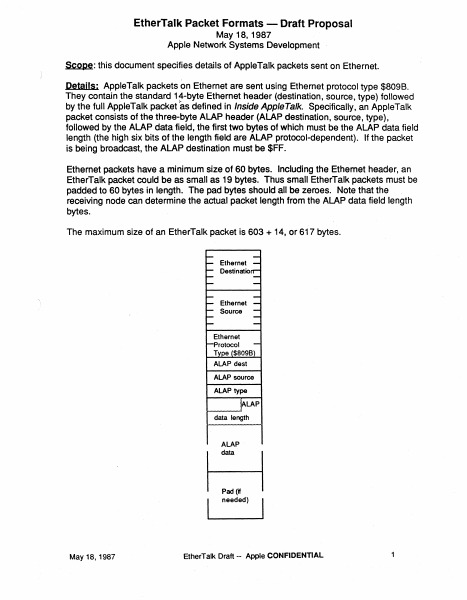
EtherTalk Packet Formats - Draft Proposal May 18, 1987 Apple Network Systems Development Scope: this document specifies details of AppleTalk packets sent on Ethernet. Details: AppleTalk packets on Ethernet are sent using Ethernet protocol type $8098. They contain the standard 1~-byte Ethernet header (destination, source, type) followed by the full AppleTalk packet as defined in Inside AppleTalk. Specifically, an AppleTalk packet consists of the three-byte ALAP header (ALAP destination, source, type), followed by the ALAP data field, the first two bytes of which must be the ALAP data field length (the high six bits of the length field are ALAP protocol-dependent). If the packet is being broadcast, the ALAP destination must be $FF. Ethernet packets have a minimum size of 60 bytes. Including the Ethernet header, an EtherTalk packet could be as small as 19 bytes. Thus small EtherTalk packets must be padded to 60 bytes in length. The pad bytes should all be zeroes. Note that the receiving node can determine the actual packet length from the ALAP data field length bytes. The maximum size of an EtherTalk packet is 603 + 14, or 617 bytes. Ethernet Oestinatio '' Ethernet Source Ethernet rotocol T e $8098 ALAP dest ALAP source ALAP type LAP data length ALAP data Pad flf needed) May 18, 1987 EtherTalk Draft -- Apple CONFIDENTIAL 1
Home Documents NuBus TFB Specification
TFB Specification

TFB Specification

NuBus · 1985 · PDF
FilenameTFB_Specification_19861107.pdf
Size2.06 MB
Year1985
Subsection apple / TFB
Downloads2
Enjoying MacTrove? Anonymous downloads are free and unlimited. Create a free account to track favorites, contribute metadata corrections, and join the community chat.
Reader
TFB Specification
/
Loading…
OCR / Text contents
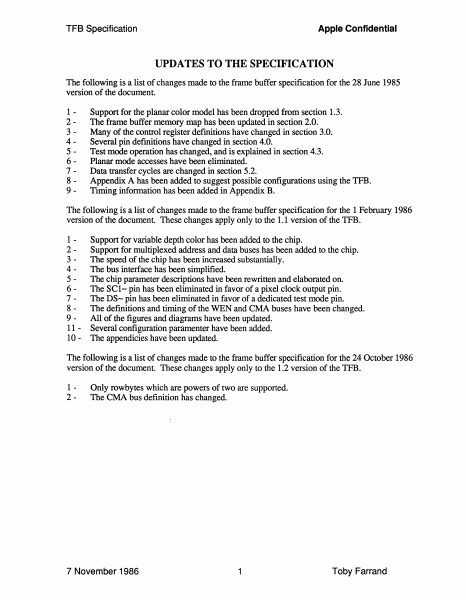
Apple Confidential TFB Specification UPDATES TO THE SPECIFICATION The following is a list of changes made to the frame buffer specification for the 28 June 1985 version of the document. 123456789- Support for the planar color model has been dropped from section 1.3. The frame buffer memory map has been updated in section 2.0. Many of the control register definitions have changed in section 3.0. Several pin definitions have changed in section 4.0. Test mode operation has changed, and is explained in section 4.3. Planar mode accesses have been eliminated. Data transfer cycles are changed in section 5.2. Appendix A has been added to suggest possible configurations using the TFB. Timing information has been added in Appendix B. The following is a list of changes made to the frame buffer specification for the 1 February 1986 version of the document. These changes apply only to the 1.1 version of the TFB. 12345678911 10 - Support for variable depth color has been added to the chip. Support for multiplexed address and data buses has been added to the chip. The speed of the chip has been increased substantially. The bus interlace has been simplified. The chip parameter descriptions have been rewritten and elaborated on. The SCl-pin has been eliminated in favor of a pixel clock output pin. The DS- pin has been eliminated in favor of a dedicated test mode pin. The definitions and timing of the WEN and CMA buses have been changed. All of the figures and diagrams have been updated. Several configuration paramenter have been added. The appendicies have been updated. The following is a list of changes made to the frame buffer specification for the 24 October 1986 version of the document. These changes apply only to the 1.2 version of the TFB. 12- Only rowbytes which are powers of two are supported. The CMA bus definition has changed. 7 November 1986 1 Toby Farrand Apple Confidential TFB Specification TABLE OF CONTENTS 1.0 INTRODUCTION 3 1.1 1.2 1.3 3 4 How to Read this Document System Configuration Features 2.0 DATA ORGANIZATION 5 3.0 CONTROL REGISTER DESCRIPTION 5 3.1 3.2 3.3 3.4 4.0 5.0 System Configuration Parameters Horizontal Timing Parameters Vertical Timing Parameters Initialization Procedure 6 9 11 12 SIGNAL DESCRIPTION 12 4.1 4.2 Inputs Outputs 13 15 Bus Operation 17 5.1 5.2 5.3 17 17 18 RAM Cycle Data Transfer Cycle Refresh Cycle 6.0 Future Directions 18 6.0 Conclusion 19 Appendix A - Application Note. 20 Appendix B - Electrical Specifications. 24 Appendix C - Pinout and Mechanical Data. 31 7 November 1986 2 Toby Farrand Apple Confidential TFB Specification 1.0 INTRODUCTION One distinguishing characteristic of Apple's computer products is the tight coupling our machines have between their memory and video systems. This tight coupling results in products which have superior graphics in terms of resolution, speed and cost. This architecture's costs are significant,however, as the video refresh…

Showing first 3,000 characters of 54,726 total. Open the full document →
Home Documents NuBus Colorboard 264 SE30 Specification Rev A1
Colorboard 264 SE30 Specification Rev A1

Colorboard 264 SE30 Specification Rev A1

NuBus · 1989 · PDF
FilenameColorboard_264_SE30_Specification_Rev_A1_19890601.pdf
Size1.76 MB
Year1989
Subsection rasterops / docs
Downloads3
Enjoying MacTrove? Anonymous downloads are free and unlimited. Create a free account to track favorites, contribute metadata corrections, and join the community chat.
Reader
Colorboard 264 SE30 Specification Rev A1
/
Loading…
OCR / Text contents
Colorboard 264/SE30 Specification Revision A1 June 1, 1989 Brad Patton RasterOps Corporation PART# XXXX-XXXX CB 264/SE30 Specification June 5, 1989 1.0 Introduction This document establishes the physical and electrical characteristics for the Colorboard 264/SE30 system. The Colorboard 264/SE30 is a high resolution, high speed, graphics display card for the Macintosh SE/30. The Colorboard 264/SE30 occupies the '030 direct slot within the SE/30. It is capable of four pixel depths and two resolutions in it's standard configuration. With the addition of a video memory expansion option the number of pixel depths becomes five. A block diagram of the Colorboard 264/SE30 is shown in Figure 1-1. This document is the property of RasterOps Corporation and is confidential. Reproduction of this document is prohibited. ADDRESS DECOD • CONTROL LOGIC ...0 VIDEO CLOCK SOURCE 30.24 MHz NI ....cc c 0 II) II) w a: c c c C'I 0 Ill (0 0 C'I 0 Ill (0 iii TMS34061 N' 01 u II. ui c ui c .100" x .100" HHcllr ~ ffi ~ ..I 0 RAM ARRAY ....z 512 x 512 x 16/48 a: VIDEO BACK END ASIC 8/24 0 u 0 C'I 0 Ill (0 264/30 Block Diagram Figure 1-1 Colorboard 264/SE30 Block Diagram 2 81473 DAC June 5, 1989 CB 264/SE30 Specification 2.0 Hardware Description 2.1 Overview The Colorboard 264/30's function is to provide the Macintosh SE/30 user with a low cost, versatile, high resolution frame buffer. The Colorboard 264/SE30 supports pixel depths of 1, 2, 4 and 8-bit in it's standard configuration with 24-bit becoming available with the addition of the video memory expansion option. Added features include RasterOps Virtual Screen, hardware zooming of 1X, 2X and 4X and hardware panning for full memory utilization and fast image enlargement. 2.2 Features Switchable Standard Resolutions of - 640 x 480 -ZZZxYYY 64K or 256K ROM Available Pixel Depths of 1, 2, 4, 8 and 24-bit {optional) Occupies SE/30's '030 Direct Slot 256 Colors Displayable from a 16.7 Million Color Palette {standard) 16.7 Million Colors Displayable {with option) 35 and 48KHz Monitors Supported Standard Current Consumption of 1.5 Amps at 5 Volts RS-343A Compatible 15-Pin D-Submininature Connector {Same as Apple) Hardware Zoom of 1X, 2X, and 4X Hardware Pan Virtual Desktop 3 CB 264/SE30 Specification June 5, 1989 FCC Class B Certified Utilizes RasterOps "Video Back End" ASIC Separate H and V Sync Signals on the Video Connector for VGA Com patabi lity 3.0 Technical Data 3.1. Absolute Maximum Ratings Supply Voltage, VCC ...............................................................5.25 Volts Operating Ambient Temperature Range .............................. O °C to 60 °C Storage Temperature ............................................................. -65 °C to 150 °C ICC (Supply Current) ...............................................................1.5 A @ 5.0 V 3.2 Reference Drawings The following items should be referenced for detailed information on the Colorboard 264/SE3…

Showing first 3,000 characters of 38,296 total. Open the full document →
Home Documents Lisa Wrege Lisas Design Popular Computing
Wrege Lisas Design Popular Computing

Wrege Lisas Design Popular Computing

Lisa · 1979 · PDF
FilenameWrege_-_Lisas_Design_-_Popular_Computing_198303.pdf
Size7.60 MB
Year1979
Subsection development_history / articles
Downloads3
Enjoying MacTrove? Anonymous downloads are free and unlimited. Create a free account to track favorites, contribute metadata corrections, and join the community chat.
Reader
Wrege Lisas Design Popular Computing
/
Loading…
OCR / Text contents
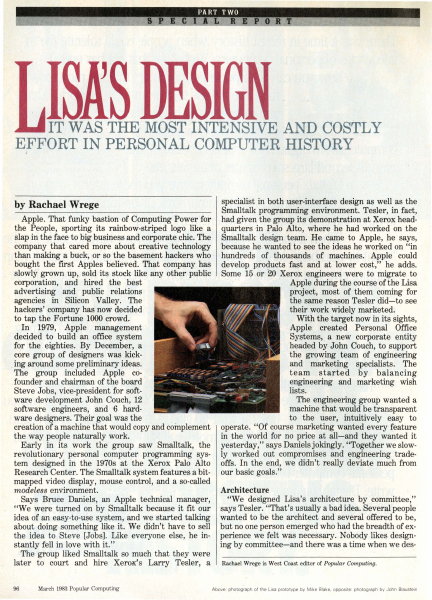
IT WAS -THE· MOST INTE·NSIVE AND COSTLY EFFORT IN PERSONAL COMPUTER HISTORY ,i specialist in both user-interface design as well as the Smalltalk programming environment. Tesler, in fact, Apple. That funky bastion of Computing Power for had given the group its demonstration at Xerox headthe People, sporting its rainbow-striped logo like a quarters -in Palo Alto, where he had worked on the slap in the face to big business and corporate chic. The Smalltalk design team. He came to Apple, he says, company that cared more about creative technology 'because he.wanted to see the ideas he worked on "in than making a buck, or so the basement hackers who · hundreds · of . thousands of machines. Apple could bought the first Apples believed. That company has develop products fast and at lower cost," he adds. slowly grown up, sold its stock like any other public . Some 15 .or 20 Xerox engineers were to migrate to corporation, and hired the best , ·· · Apple during the course of the Lisa advertising and public relations project, most of them coming for agencies in Silicon Valley. The the same reason Tesler did-to see hackers' company has now decided their work widely marketed. to tap the Fortune 1000 crowd. With the target now in its sights, In 1979, Apple management Apple created Personal Office decided to build an office system Systems, a new corporate entity for the eighties. By December, a headed by John Couch, to support core group of designers was kickthe growing team of ·engineering . ing around some pr~liminary ideas. and marketing specialists. The The group included Apple coteam started by balancing .founder and chairman of the board engineering and marketing wish lists. Steve Jobs, vice-president for softThe engineering group wanted a ware development John Couch, 12 machine that would be transparent software engineers, and ·6 hardto the user, intuitively easy to ware designers. Their goal was the creation of a machine that would copy and complement operate. "Of course marketing wanted every feature the way people naturally work. in the world for no price at all-and they wanted it Early in its work the group saw Smalltalk, the yesterday," says Daniels jokingly. "Together we slowrevolutionary personal computer programming sys- ly worked out compromises and engineering tradetem designed in the 1970s at the Xerox Palo Alto offs. In the end, we didn't really deviate much from Research Center. The Smalltalk system features a bit- our basic goals." mapped video display, mouse control, and a so-called Architecture modeless environment. "We designed Lisa's architecture by committee," Says Bruce Daniels, an Apple technical manager, "We were turned on by Smalltalk because it fit our says Tesler. "That's usually a bad idea. Severalpeople idea of an easy-to-use system, and we started talking wanted to be the architect and several offered to be, about doing something like it. We didn't have to sell but no one person emerged who had the breadth of exthe idea to Ste…

Showing first 3,000 characters of 17,982 total. Open the full document →

Home Documents Lisa Perkins Inventing The Lisa User Interface
Perkins Inventing The Lisa User Interface

Perkins Inventing The Lisa User Interface

Lisa · 1980 · PDF
FilenamePerkins_-_Inventing_the_Lisa_User_Interface_199704.pdf
Size24.30 MB
Year1980
Subsection development_history / articles
Downloads2
Enjoying MacTrove? Anonymous downloads are free and unlimited. Create a free account to track favorites, contribute metadata corrections, and join the community chat.
Reader
Perkins Inventing The Lisa User Interface
/
Loading…
OCR / Text contents
art i c I e Frank Luclol INVENTING THE USER INTERFACE Macintosh user interface is a direct descendant of rst ~eveloped and used on Apple's Lisa computer. Iex:I-oased system that presented the user with a blank ~" · king cursor, the Lisa displayed an electronic desktop, he user manipulated directly to tell the computer electronic desktop, with its windows, menu bar, . part of the original design; rather, it was the . result of a 4-year-long' process of refining goals and developing, ~~~-.--~~~~--~--~, testing, and synt esizing many alternative ideas. In fact, the iconic deskto · was first tried in 1980 and discarded! The final result (Fig- ~ ure ·1) cot .anly_mage computers easier to use, it made them fun. Ill The system will provide one standard method ofinteracting with a user in handling text, numbers, and graphics... The system will adhere to the concept of "gradual learning': .. A user must be able to do some important tasks easily and with minimal instruction or preparation... The more sophisticated ftatures will be unobtrusive until they are needed Errors will be handled consistently in as friendly a manner as possible, and the user will be protected from obvious errors... ... A "Set-up" program will allow the user to customize several system attributes in order to "personalize" interaction with the system... in order to make the system uniquely personal for the user without interfering with the interface standards... {It should allow) a user to put whatever he/she is doing on "hold" in order to answer the phone, look up an address, or respond to an asynchronous interrupt (time for a meeting, mail received on the network, etc). .. In addition, the use ofgraphics in general user interaction will set Lisa apart from its competitors and will go a long way toward making the system friendly, easy and enjoyable to use. 'Intuitive icons" can be designed to indicate certain messages to the user. .. ., The authors were members of the software team that designed and implemented Lisa's system software and applications. Rod Perkins joined the team in early 1979, shortly after the start of the project, to work on applications and prototypes of the early ideas about the appearance and workings of windows, dialogue boxes, and menus. Dan Keller and Frank Ludolph began working on Lisa in late 1980 and were resp0nsible for what eventually became the .Desktop Manager with folders and icons. ~-'"!1!P and Guiding Principles -. • new machine, first proposed in late 1978, to be designed for general office use-a high-quality, easy-to-use computer for secretaries, managers, and professionals that would give the individual more independence performi~ multiple tasks without disrupting the office. The ease-of-use goal evolved during 1979 as the software team tried many ideas. Requirements, developed jointly by marketing and engineering, enumerated the following goals [4]. Lisa must be fun to use. It will not be a system that is used by someone "because…

Showing first 3,000 characters of 39,288 total. Open the full document →

Subscribe to PDF
mp.ls