Home Documents Macintosh AUX 3.0 Networking Essentials
AUX 3.0 Networking Essentials

AUX 3.0 Networking Essentials
Macintosh · 1992 · PDF
FilenameAUX_3.0_Networking_Essentials_1992.pdf
Size7.91 MB
Year1992
Subsection a_ux / aux_3.0
Downloads3
Enjoying MacTrove? Anonymous downloads are free and unlimited. Create a free account to track favorites, contribute metadata corrections, and join the community chat.
Reader
AUX 3.0 Networking Essentials
/
Loading…
OCR / Text contents
A/UX Networking Essentials Release 3.0 limited Warranty on Media and Replacement If you discover physical defects in the manuals distributed with an Apple product or in the media on which a software product is distributed, Apple will replace the media or manuals at no charge to you, provided you return the item to be replaced with proof of purchase to Apple or an authorized Apple dealer during the 90-day period after you purchased the software. In addition, Apple will replace damaged software media and manuals for as long as the software product is included in Apple's Media Exchange Program. While not an upgrade or update method, this program offers additional protection for up to two years or more from the date of your original purchase. See your authorized Apple dealer for program coverage and details. In some countries the replacement period may be different; check with your authorized Apple dealer. All IMPLIED WARRANTIES ON THE MEDIA AND MANUMS, INCLUDING IMPLIED WARRANTIES OF MERCHANTABIIJTY AND FITNESS FOR A PARTICUIAR PURPOSE, ARE LIMITED IN DURATION TO NINETY (90) DAYS FROM THE DATE OF THE ORIGINAL RETAIL PURCHASE OF nns PRODUCT. Even though Apple has tested the software and reviewed the documentation, APPLE MAKES NO WARRANTY OR REPRESENTATION, EITHER EXPRESS, OR IMPLIED, WITH RESPECT TO SOFTWARE, ITS QUALITY, PERFORMANCE, MERCHANTABIIJTY, OR FITNESS FOR A PARTICUIAR PURPOSE. AS A RESULT, nns SOFTWARE IS SOID "AS IS," AND YOU, THE PURCHASER, ARE ASSUMING THE ENTIRE RISK AS TO ITS QUALITY AND PERFORMANCE. IN NO EVENT WILL APPLE BE IJABLE FOR DIRECT, INDIRECT, SPECIAL, INCIDENTAL, OR CONSEQUENTIAL DAMAGES RESULTING FROM ANY DEFECT IN THE SOFTWARE OR ITS DOCUMENTATION, even if advised of the possibility of such damages. In particular, Apple shall have no liability for any programs or data stored in or used with Apple products, including the costs of recovering such programs or data. THEWARRANTY AND REMEDIES SET FORTII ABOVE ARE EXCLUSIVE AND IN LIEU OF All OTHERS, ORAL OR WRITTEN, EXPRESS, OR IMPLIED. No Apple dealer, agent, or employee is authorized to make any modification, extension, or addition to this warranty. Some states do not allow the exclusion or limitation of implied warranties or liability for incidental or consequential damages, so the above limitation or exclusion may not apply to you. This warranty gives you specific legal rights, and you may also have other rights which vary from state to state. 9 Apple Computer, Inc. © 1992, Massachusetts Institute of Technology and Apple Computer, Inc. All rights reserved. No part of this publication may be reproduced, stored in a retrieval system, or transmitted, in any form or by any means, mechanical, electronic, photocopying, recording, or otherwise, without prior written permission of Apple Computer, Inc. Printed in the United States of America. The Apple logo is a registered trademark of Apple Computer, Inc. Use of the "keyboard" logo (OptionShift-K) for commercial purposes w…

Showing first 3,000 characters of 337,225 total. Open the full document →
Home Documents NuBus Horizon24
Horizon24

Horizon24

NuBus · 1993 · PDF
Filenamehorizon24.pdf
Size10.67 MB
Year1993
Subsection rasterops / docs
Downloads3
Enjoying MacTrove? Anonymous downloads are free and unlimited. Create a free account to track favorites, contribute metadata corrections, and join the community chat.
Reader
Horizon24
/
Loading…
OCR / Text contents
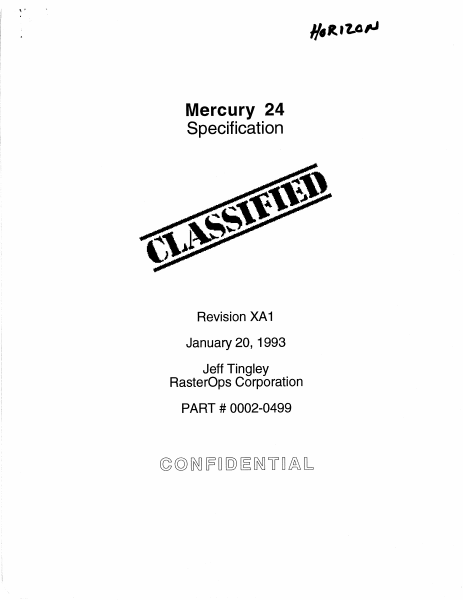
HaRivar Mercury 24 Specification Revision XA1 January 20, 1993 Jeff Tingley RasterOps Corporation PART # 0002-0499 CONFIDENTIAL Mercury 24 January 20, 1993 1.0 Introduction This document establishes the physical and electrical characteristics for the Mercury 24, The Mercury 24 is a high resolution, graphics display board for the Macintosh computer. The Mercury 24 occupies one NuBus slot in the Macintosh. It is capable of six pixel depths, multiple resolutions, and has a QuickDraw accelerator. The connectors for a MIPS co-processor or DSP based daughter board are also included. A block diagram of the Mercury 24 is shown in Figure 1-1. This document is the property of RasterOps. Reproduction of this document is prohibited. Video System Controller Synes RGS14188 8 (Venus) 3 Latched Address E § oo NuBus Interface $ (Earth) 3 2 NuBus Flash Eprom Le Mercury RGS90392 ColorBoard Data Bus a= [ NuBus Expansion ] } g [Ay 6 5 DRAM Array Display Memory L R-Bus Expansion | (Up to 256 MBytes) 1024 x 1024 x 32 BT9046-110 (4 MBytes) Clock Synthesizer Figure 1-1 Mercury 24 Block Diagram 2.0 Hardware Description 2.1 Features Switchable Resolutions of (Software Selectable stored in EEPROM or Monitor ID Selectable) - 1280 x 1024 (16-bit, 75 Hz Vertical Refresh, Non-interlaced) - 1152 x 870 (75 Hz Vertical Refresh, Non-interlaced) - 1024 x 768 (60,75 Hz Vertical Refresh, Non-interlaced) - 832 x 624 (75 Hz Vertical Refresh, Non-interlaced) - 640 x 870 (75 Hz Vertical Refresh, Non-interlaced) - 640 x 480 (66 Hz Vertical Refresh, Non-interlaced) Confidential Material 2 Mercury 24 January 20, 1993 Pixel Depths of 1, 2, 4, 8, 16, and 24-bits NuBus Block Mode Migst/Slave Compatible ~oe Yam acces) 134.2 Million Color Palette (9 bit DACs) Mercury based QuickDraw Accelerator RS-343 Video Compatible 15-Pin D-Submininature Connector (Same as Apple) Hardware Zoom of 1x, 2x, 3x... to 16x Smooth Pan independent of pixel depth 2.2 Overview The Mercury 24 is a stand alone frame buffer. It can display up to 24-bits per pixel in one of many resolutions. It is capable of integer zoom and implements smooth paning in all bit depths. The DACs are 9-bit instead of 8-bit to allow for gammas up to 2.4 without redundant colors. A Mercury based QuickDraw Accelerator is included for maximum performance. As an added feature, the Mercury 24 also supports an MIPS coprocessor or a DSP based daughter card. 3.0 Technical Data 3.1. Absolute Maximum Ratings Supply Voltage, VCC ......esesssssssesessssessesesssseeeseessesseeeeens 5.25 Volts Operating Ambient Temperature Range ...........:: 0 °C to 60 °C Storage Temperature ..........sscsscseeseees vee -65 °C to 150 °C ICC (Supply Current) 0... cessseesesssssssssssesesssesseseseeseseeeenees 40A @5.25V 3.2 Reference Drawings The following items should be referenced for information on the Mercury 24. Mercury 24 Top Assembly LM 2642 Mercury 24 Schematics 0002-0496-1 1 Mercury 24 PCB Fab 0002-0497 Mercury 24 PCA 0002-0498-10 Mercu…

Showing first 3,000 characters of 13,597 total. Open the full document →
Home Documents ADB R072589.1 Gravis Mousestick Users Guide ADB
R072589.1 Gravis Mousestick Users Guide ADB

R072589.1 Gravis Mousestick Users Guide ADB

ADB · 1989 · PDF
FilenameR072589.1_Gravis_Mousestick_Users_Guide_ADB_1989.pdf
Size2.71 MB
Year1989
Subsection Advanced_Gravis
Downloads6
Enjoying MacTrove? Anonymous downloads are free and unlimited. Create a free account to track favorites, contribute metadata corrections, and join the community chat.
Reader
R072589.1 Gravis Mousestick Users Guide ADB
/
Loading…
OCR / Text contents
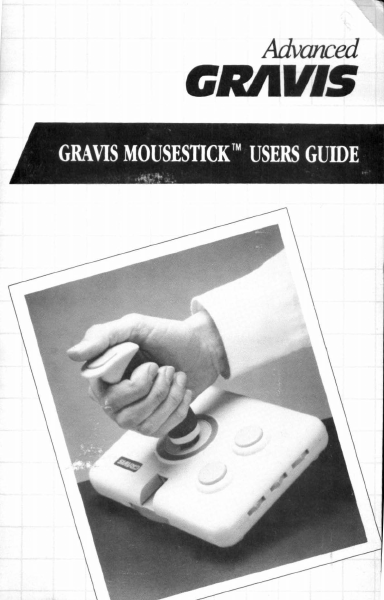
Advanced t:RAlllS GRAVIS MOUSESTICK™ USERS GUIDE ....... Gravis MouseStick™ Users Guide Macintosh™ ADB Model Copyright 1988, 1989 All Rights Reserved US Office Advanced Gravis Computer Technology Ltd. 1602 Carolina St., Suite Dl2 Bellingham, Washington 98226 Canadian Office Advanced Gravis Computer Technology Ltd. 7033 Antrim Ave. Burnaby, British Columbia V5J 4M5 Telephone: Facsimile: (604) 434-7274 (604) 434-7809 The Gravis MouseStick, Gravis MouseStick Processing Unit and all docwnentation and software supplied with these devices are copyrighted and all rights are reserved by Advanced Gravis Computer Technology Ltd. The Gravis MouseStick Processing Unit program, the MouseStick Utilities software and this Users Guide are published exclusively by Advanced Gravis Computer Technology Ltd. and are sold to the original purchaser for use only under the terms set out in the License Agreement and Limited Warranty included in this package. Information in these docwnents is subject to change without notice and does not represent any commitment on the part of Advanced Gravis Computer Technology Ltd., or its agents. The Gravis MouseStick, The Gravis MouseStick Processing Unit, the MouseStick Utilities and the Mouses tick cdev are trademarks of Advanced Gravis Computer Technology Ltd. Advanced Gravis is a trademark of Advanced Gravis Computer Technology Ud. Apple is a registered trademark of Apple Computer, Inc. Apple Ilgs and Macro Maker are trademarks of Apple Computer, Inc. Macintosh is a trademark licensed to Apple Computer, Inc. QuicKeys is a trademark of CE Software, Inc. Tempo II is a trademark of Affinity Microsystems, Ud. ©Advanced Gravis Computer Technology Ltd. 1988, 1989 All Rights Reserved Contents 1- Introduction ............................................. 1 About This Users Guide ............................................... 2 What You Need ............................................................ 5 Knowing Your Macintosh ............................................ 6 MouseStickComponents .............................................. 7 MouseStick Utilities Disk ............................................ 9 Making a Working Copy .............................................. 10 infoGuard™ ................................................................. 10 MouseStick Utilities ..................................................... 11 Custom Sets .................................................................. 12 2 - Quick Start ............................................. 15 MouseStick Utilities Installation .................................. 15 MouseSticklnstallation ................................................ 17 3 - Using the MouseStick ............................ 21 Tension Adjustment Ring ............................................. 21 Button Control Selectors .............................................. 22 Handle Grips ................................................................ 23 4 - Using the Mous…

Showing first 3,000 characters of 95,767 total. Open the full document →

Home Documents Lisa Level II COBOL Language Reference Manual Feb84
Level II COBOL Language Reference Manual Feb84

Level II COBOL Language Reference Manual Feb84

Lisa · 1978 · PDF
FilenameLevel_II_COBOL_Language_Reference_Manual_Feb84.pdf
Size21.21 MB
Year1978
Subsection xenix / cobol
Downloads4
Enjoying MacTrove? Anonymous downloads are free and unlimited. Create a free account to track favorites, contribute metadata corrections, and join the community chat.
Reader
Level II COBOL Language Reference Manual Feb84
/
Loading…
OCR / Text contents
LEVEL II COBOL LANGUAGE REFERENCE MANUAL Version 2.0 Issue 6 Micro Focus Limited February 1984 i COBOL is an industry language and is not the property of any company or group of companies. or of any organization or group of organizations. No warranty, expressed or implied, is made by any contributor or by the CODASYL Programming Language Committee as 'to the accuracy and functioning of the programming system and language. Moreover, no responsibility is assumed by any contributor, or by the committee, in connection herewith. The authors and copyright holders of the copyrighted material used herein: FLOW-MATIC (Trademark for Sperry Rand Corporation) Programming for the Univac(R) I and II, Data Automation Systems copyrighted 1958, 1959, by Sperry Rand Corporation; IBM Commercial Translator Form No. F28-8013, copyrighted 1959 by IBM; FACT, DSI27 A5260-2760, copyrighted 1960 by Minneapolis-Honeywell. have specifically authorized the use of this material in whole or in part, in the COBOL specifications. Such authorization extends to the reproduction and use of COBOL specifications in programming manuals or similar publications. MICRO FOCUS 26 WEST STREET NEW8URY TELEPHONE ( 0 6 3 5 ) 3 2 6 4 6 (10 TEL E X 8 4 8"0 4 6 M I C R 0 F G BERKSHIRE RG13 1-.JT LINES) 3 2 5 9 5 (7 LINES] FAX (0635) 33966 M LEVEL II COBOI: (LEVEL II COBOL), FORMS-2 (ANIMATOR) are trademarks of Micro Focus IBM is a trademark of IBM Corporation ~ COPYRIGHT 1978, 1984 by Micro Focus Ltd. ii 1M (FORMS-2) , and 1M ANIMATOR LEVEL II COBOL LANGUAGE REFERENCE MANUAL AMENDMENT RECORD Issue Number Dated Inserted by Signature Date 2 Oc tober 1982 - Incorporated in this reprint - 3 December 1982 - Addendum incorporated in this reprint - 4 February 1983 - Addendum 2 incorporated in this reprint- S July 1983 - Incorporated in this reprint - 6 February 1984 - Typographical corrections - iii PREFACE This manual describes the LEVEL II COBOL language for programming microcomputers. LEVEL II COBOL is based on the ANSI COBOL standard X3.23 (1974) (see Acknowledgement). It also describes the additional LEVEL II COBOL features that exploit the capabilities of microprocessors. Each release of LEVEL II COBOL is characterized by a two-digit code in the form of "Version number". "Release number within version" Note: In the remainder of this manual the full product name LEVEL II COBOL is abbreviated to L/II COBOL. AUDIENCE This manual is intended for programmers already familiar with COBOL on other equipment. MANUAL ORGANIZATION Chapters 1 through 4 of the manual apply to all users and describe basic features of the language. Chapters 5 through 7 describe language features for programming the three file organization formats supported: sequential, relative and indexed. Chapters 8 through 11 apply to all users and describe additional features and facilities available with the standard language. The appendices supply reference information pertinent to al~ systemso Th…

Showing first 3,000 characters of 500,000 total. Open the full document →

Home Documents Lisa Cossey Lisa 1.75 Diagnostic Tests
Cossey Lisa 1.75 Diagnostic Tests

Cossey Lisa 1.75 Diagnostic Tests

Lisa · PDF
FilenameCossey_-_Lisa_1.75_Diagnostic_Tests_19830727.pdf
Size3.13 MB
Subsection hardware / 1983_Whopper
Downloads3
Enjoying MacTrove? Anonymous downloads are free and unlimited. Create a free account to track favorites, contribute metadata corrections, and join the community chat.
Reader
Cossey Lisa 1.75 Diagnostic Tests
/
Loading…
OCR / Text contents
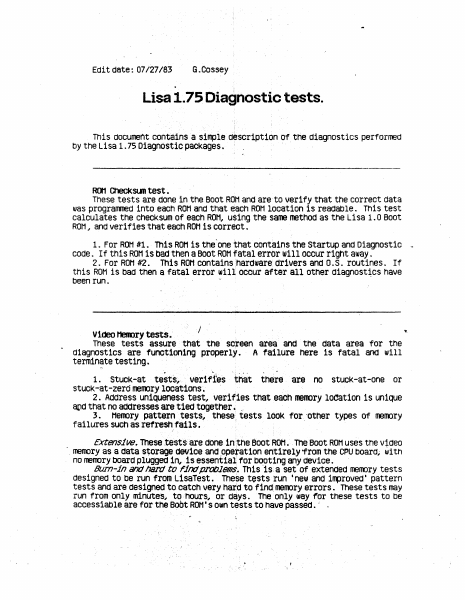
Edit date: 07/27/83 G.Cossey Lisa 1.75 Diagnostic tests. This docunent contains a sirrple description of the diagnostics perforrred by the Lisa 1. 75 Diagnostic packages. · · fDI Checksun test. These tests are done~ ln the Boot ROM and are· to ver1 fy that the correct data was progranmed into eacn1 ROM and that each ROM location is readable. This test calculates the checksum of each ROM, using the sarne method as the Lisa 1. o Boot RON,, and verifies that ectch ROH is correct. 1. For RON ltl. This ROM is the'one tnat contains the Startup and Diagnostic code. If this ROM is bad then a Boot ROM fatal error will occur right away. 2. For ROH #2. This ROH contains :nardware drivers and o. s. routines. If this ROH is bad then a fatal error will. occur after an other diagnosqcs have been run. viaeo MeRDry tests.· . I These tests assure~ that the sc;reen area and the data area ·for the A failure here is fatal ancJ will terminate testing . diagnostics are functioning properly. 1. stuck-at test~~~ veriffes that there ar.e no stucK-at-one or stuck-at-zero ireroory locations. 2. Address uniqueness test, verifies that eacn me100ry location is unique atld that no addresses are tied together. . 3. Meroory pattern tests, these tests looK for. ·other types of memory failures such as refreSh ·rails. , · 1 Extensive. These te~>ts are done in,the Boot ROH .. The Boot ROM uses tne video ·. memory as a data s~orage CleVice and .opetation entirely from the CPU board; with no nEroory board plugged 111, is essential for bOoting any device. · Burn-in and 178.rd tel rind problems. This ts. a set of extended meroory tests designed to be run from LisaTest. These tests run 'new and irrproved' pattern tests and are designed to catch very hard to find. memory errors. These tests may run from only minutes, to ·hOurs, or days. The only way for these tests to be accessiable are for the B1Jbt ROM• sown tests to have passed. · . ' .• _ V1de0c1rcu1try tests. This is a basic test of the Video circuit .. Both screen modes are timed to assure that the video is switching properly . 1. VRT /VID/CSVNC test. The hardware provides a two bits in the: status register which allows a program ta iooni tor the video signals :generated by the CPU board. This program tries to determine whether the CPU board video circuitry is working by looking at the VID ano CSVNC releat1onships. · The test checks ti:> see that the:re are transitions an the VRT (Vertical Retrace) bit in .the status register, and makes a rough extimate of the tirre between pulses on this signal . The CSVNC bit is tested for tran$1t1ons and tne VID bit is checked to make sure it is static for a solid black screen. The nufft)er of CSVNC pulses between vertical retraces is che~cKed. The third routit'.le 'first writes an al ternat1ng pattern of ls ano Os to the screen rrerory area, 45 words of then 45 words of 1, etc., until the area is filled. This will create a pattern on the screen of alternate white and blanK lines.…

Showing first 3,000 characters of 101,558 total. Open the full document →

Home Documents Macintosh D11E4 Release Notes
D11E4 Release Notes

D11E4 Release Notes

Macintosh · PDF
FilenameD11E4_Release_Notes.pdf
Size0.12 MB
Subsection developer / Copland / D11E4_19960613
Downloads5
Enjoying MacTrove? Anonymous downloads are free and unlimited. Create a free account to track favorites, contribute metadata corrections, and join the community chat.
Reader
D11E4 Release Notes
/
Loading…
OCR / Text contents
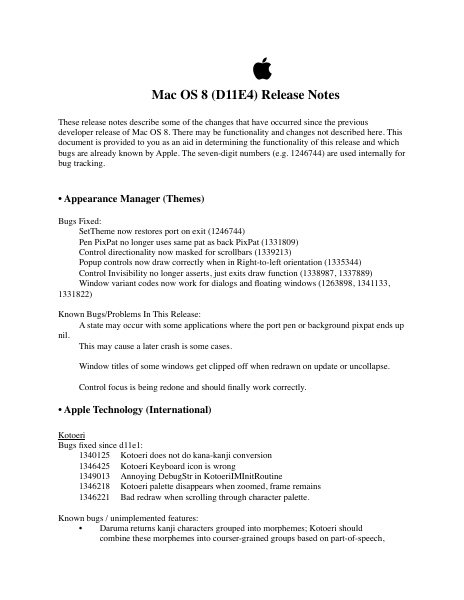
 Mac OS 8 (D11E4) Release Notes These release notes describe some of the changes that have occurred since the previous developer release of Mac OS 8. There may be functionality and changes not described here. This document is provided to you as an aid in determining the functionality of this release and which bugs are already known by Apple. The seven-digit numbers (e.g. 1246744) are used internally for bug tracking. • Appearance Manager (Themes) Bugs Fixed: SetTheme now restores port on exit (1246744) Pen PixPat no longer uses same pat as back PixPat (1331809) Control directionality now masked for scrollbars (1339213) Popup controls now draw correctly when in Right-to-left orientation (1335344) Control Invisibility no longer asserts, just exits draw function (1338987, 1337889) Window variant codes now work for dialogs and floating windows (1263898, 1341133, 1331822) Known Bugs/Problems In This Release: A state may occur with some applications where the port pen or background pixpat ends up nil. This may cause a later crash is some cases. Window titles of some windows get clipped off when redrawn on update or uncollapse. Control focus is being redone and should finally work correctly. • Apple Technology (International) Kotoeri Bugs fixed since d11e1: 1340125 Kotoeri does not do kana-kanji conversion 1346425 Kotoeri Keyboard icon is wrong 1349013 Annoying DebugStr in KotoeriIMInitRoutine 1346218 Kotoeri palette disappears when zoomed, frame remains 1346221 Bad redraw when scrolling through character palette. Known bugs / unimplemented features: • Daruma returns kanji characters grouped into morphemes; Kotoeri should combine these morphemes into courser-grained groups based on part-of-speech, but currently does not do so. • Kotoeri should call Daruma multiple times to get a more comprehensive list of canidates, but currently only calls Daruma once (so you may not see the Kanji you're looking for). • Not all of the two-byte Roman punctuation and other special characters are correctly transliterated (the table is incomplete). • The following menu items have not been implemented: Kotoeri help \ Open Dictionary > the corresponding buttons on the command palette are also non-functional Kotoeri preferences / Retrieve fixed Yomi Transliterate ... Japanese Locale Bugs fixed In This Build: 1355895 D11E4c5: "Japanese" locale file requires 'lobj' resources for 'itlc' and 1355900 D11E4c5: an assert when boot in Japanese primary 1335203 Added Mac OS 8 collate table to the end of 'itl2' table 1344067 Correct wrong region ID What’s New In This Build: Add 'spfn' locale objects. Japanese Fonts No change since d11e2 Language Analysis No change since d11e2 Daruma Engine What’s New In This Build: Once changed grammar file structure (1338777), but backed to old structure since 1338777 isn't approved yet. Fixed a bug that the analysis cannot be done when the same string is specified as the last anaysis call (1344522) Update some part of speech code of grammar…

Showing first 3,000 characters of 24,887 total. Open the full document →

Home Documents Macintosh Copland Technical Overview
Copland Technical Overview

Copland Technical Overview

Macintosh · 1995 · PDF
FilenameCopland_Technical_Overview_19950505.pdf
Size0.93 MB
Year1995
Subsection developer / Copland
Downloads4
Enjoying MacTrove? Anonymous downloads are free and unlimited. Create a free account to track favorites, contribute metadata corrections, and join the community chat.
Reader
Copland Technical Overview
/
Loading…
OCR / Text contents
ð Copland Technical Overview ð Draft Developer Press  Apple Computer, Inc. 1995 This document was created with FrameMaker 4.0.4 ð Apple Computer, Inc.  1995 Apple Computer, Inc. All rights reserved. No part of this publication may be reproduced, stored in a retrieval system, or transmitted, in any form or by any means, mechanical, electronic, photocopying, recording, or otherwise, without prior written permission of Apple Computer, Inc. The Apple logo is a trademark of Apple Computer, Inc. Use of the “keyboard” Apple logo (Option-Shift-K) for commercial purposes without the prior written consent of Apple may constitute trademark infringement and unfair competition in violation of federal and state laws. No licenses, express or implied, are granted with respect to any of the technology described in this book. Apple retains all intellectual property rights associated with the technology described in this book. This book is intended to assist application developers to develop applications only for Apple Macintosh computers. Every effort has been made to ensure that the information in this manual is accurate. Apple is not responsible for typographical errors. Apple Computer, Inc. 1 Infinite Loop Cupertino, CA 95014 408-996-1010 Adobe Photoshop is a trademark of Adobe Systems Incorporated, which may be registered in certain jurisdictions. Palatino is a registered trademark of Linotype Company. IBM is a registered trademark of International Business Machines Corporation. MacPaint and MacWrite are registered trademarks, and Clarisworks is a trademark, of Claris Corporation. NuBus is a trademark of Texas Instruments. PowerPC is a trademark of International Business Machines Corporation, used under license therefrom. UNIX is a registered trademark of Novell, Inc. in the United States and other countries, licensed exclusively through X/Open Company, Ltd. Simultaneously published in the United States and Canada. Even though Apple has reviewed this manual, APPLE MAKES NO WARRANTY OR REPRESENTATION, EITHER EXPRESS OR IMPLIED, WITH RESPECT TO THIS MANUAL, ITS QUALITY, ACCURACY, MERCHANTABILITY, OR FITNESS FOR A PARTICULAR PURPOSE. AS A RESULT, THIS MANUAL IS SOLD “AS IS,” AND YOU, THE PURCHASER, ARE ASSUMING THE ENTIRE RISK AS TO ITS QUALITY AND ACCURACY. IN NO EVENT WILL APPLE BE LIABLE FOR DIRECT, INDIRECT, SPECIAL, INCIDENTAL, OR CONSEQUENTIAL DAMAGES RESULTING FROM ANY DEFECT OR INACCURACY IN THIS MANUAL, even if advised of the possibility of such damages. THE WARRANTY AND REMEDIES SET FORTH ABOVE ARE EXCLUSIVE AND IN LIEU OF ALL OTHERS, ORAL OR WRITTEN, EXPRESS OR IMPLIED. No Apple dealer, agent, or employee is authorized to make any modification, extension, or addition to this warranty. Some states do not allow the exclusion or limitation of implied warranties or liability for incidental or consequential damages, so the above limitation or exclusion may not apply to you. This warranty gives you specific legal rights, and you may also have other…

Showing first 3,000 characters of 294,019 total. Open the full document →

Home Documents Macintosh AUX 3.0 Command Reference Section 1 G P
AUX 3.0 Command Reference Section 1 G P

AUX 3.0 Command Reference Section 1 G P

Macintosh · 1992 · PDF
FilenameAUX_3.0_Command_Reference_Section_1_G-P_1992.pdf
Size11.16 MB
Year1992
Subsection a_ux / aux_3.0
Downloads4
Enjoying MacTrove? Anonymous downloads are free and unlimited. Create a free account to track favorites, contribute metadata corrections, and join the community chat.
Reader
AUX 3.0 Command Reference Section 1 G P
/
Loading…
OCR / Text contents
NUX Command Reference Section l(G-P) Release 3.0 LIMITED WARRAN1Y ON MEDIA AND REPIACEMENT If you discover physical defects in the manuals distributed with an Apple product or in the media on which a software product is distributed, Apple will replace the media or manuals at no charge to you, provided you return the item to be replaced with proof of purchase to Apple or an authorized Apple dealer during the 90-day period after you purchased the software. In addition, Apple will replace damaged software media and manuals for as long as the software product is included in Apple's Media Exchange Program. While not an upgrade or update method, this program offers additional protection for up to two years or more from the date of your original purchase. See your authorized Apple dealer for program coverage and details. In some countries the replacement period may be different; check with your authorized Apple dealer. All IMPLIED WARRANTIES ON TIIE MEDIA AND MANUMS, INCLUDING IMPLIED WARRANTIES OF MERCHANTABIIJ1Y AND FITNESS FOR A PARTICULAR PURPOSE, ARE UMITED IN DURATION TO NINE1Y (90) DAYS FROM TIIE DATE OF TIIE ORIGINAL RETAIL PURCHASE OF THIS PRODUCT. Even though Apple has tested the software and reviewed the documentation, APPLE MAKES NO WARRANTY OR REPRESENTATION, EITIIER EXPRESS, OR IMPLIED, WITH RESPECT TO SOFIWARE, ITS QUAIITY, PERFORMANCE, MERCHANTABII11Y, OR FITNESS FOR A PARTICULAR PURPOSE. AS A RESULT, THIS SOFIWARE IS SOLD "AS IS," AND YOU, TIIE PURCHASER, ARE ASSUMING TIIE ENTIRE RISK AS TO ITS QUAIITY AND PERFORMANCE. IN NO EVENT WILL APPLE BE LIABLE FOR DIRECT, INDIRECT, SPECIAL, INCIDENTAL, OR CONSEQUENTIAL DAMAGES RESULTING FROM ANY DEFECT IN TIIE SOFIWARE OR ITS DOCUMENTATION, even if advised of the possibility of such damages. In particular, Apple shall have no liability for any programs or data stored in or used with Apple products, including the costs of recovering such programs or data. TIIE WARRANTY AND REMEDIES SET FORTH ABOVE ARE EXCLUSIVE AND IN LIEU OF All OTHERS, ORAL OR WRITTEN, EXPRESS, OR IMPLIED. No Apple dealer, agent, or employee is authorized to make any modification, extension, or addition to this warranty. Some states do not allow the exclusion or limitation of implied warranties or liability for incidental or consequential damages, so the above limitation or exclusion may not apply to you. This warranty gives you specific legal rights, and you may also have other rights which vary from state to state. S Apple Computer, Inc. © 1992, Apple Computer, Inc., and UniSoft Corporation. All rights reserved. Portions of this document have been previously copyrighted by AT&T Information Systems and the Regents of the University of California, and are reproduced with permission. Under the copyright laws, this manual may not be copied, in whole or part, without the written consent of Apple or UniSoft. The same proprietary and copyright notices must be affixed to any permitted copies as were affixed to the original. U…

Showing first 3,000 characters of 500,000 total. Open the full document →

Home Documents Macintosh Welcome To The Macintosh Development Environment
Welcome To The Macintosh Development Environment

Welcome To The Macintosh Development Environment

Macintosh · PDF
FilenameWelcome_to_the_Macintosh_Development_Environment_19831212.pdf
Size0.74 MB
Subsection developer / Developer_Pre-Release
Downloads5
Enjoying MacTrove? Anonymous downloads are free and unlimited. Create a free account to track favorites, contribute metadata corrections, and join the community chat.
Reader
Welcome To The Macintosh Development Environment
/
Loading…
OCR / Text contents
W1lcom1 to the Macintosh Development Environm1nt These first few pages are important to the first time developer as well as s1asoned Hae d1v1lopers. This is your guide to what material you have received, what is current, and how to make use of it. For existing developers: Use this guide as a checklist to make sure that you have all of the current documentation and software. Changes to the old documentation are noted by 1 ines on the right side of the page. This guide assumes that the user is operating under Monitor 12.2 or equivalent, and has th• follCMing named volumes dedicated to system use: LISA:, TLASM:, INTRFC:, OBJ:, MISC:, and MAC:. Workshop users must translate and r1compile interfaces and examples on their own. If you do not have all of the following documentation, or receivtd damaged media, please call Carol Ballard at 408 I 973 - 4067 to obtain a r1placemtnt. The new or recently modified documentation and software are marked with as hr i sks. The date listed for the software indicates the actual date of last change and does not necessarily coincid1 with the file date seen in a directory listing. Packing List You should have received the following items from Mac Technical Support: A Mac box containing: 1 Hae: 1 keyboard and cablt 1 Hous1 1 powtr cord 1 progranner's switch <a piect of tan plastic labeled RESET I INTERRUPT> 2 Mac printer cables 2 Mac 3 112• disk masters (put one asidt to initialize blank disks and to create additional work disks.> 5 blank 3-112• disks disk 1abe1 s 3 Lisa 5 114• disks To install the programmer's switch, snap it onto the left sid1 of the Mac (screen facing you) at the bottom corner, toward the rear. This will position th• plastic fingers over the internal RESET and INTERRUPT microswitches. *** The programmer's switch may already be in place. *** About the Macintosh Binders The Macintosh documentation is contained in three volumes. 12112183 Read He First 1 Volum• 1 contains: R•ad H• First <this not1> Insid9 Macintosh: A Road Hap Indtx to Ttchnical OocU111ntation Macintosh Us•r Inttrface Guidelines The Resourc1 Hanag1r: A Progranner's Guidt QuickDr..,.: A Programmer's Guide Th• Font Hanag1r1 A Progrann1r's Guidi Th• Event Manager: A Progrann1r's Guidt Th• WindCM Hanag1r1 A Programmtr's Guid• Macintosh Control Manager Prograrm11r's Guide 12/12/83 • 8/8/83 10/5/83 10/11/82 10/3/83 3/2/83 4/22/83 6/21/83 8/25/83 3/16/83 Volumt 2 contains: Tht H1nu Manag1r: A Progrann1r's Guidi The Dialog Managers A Progranmer's Guide TtxtEdit: A Programmtr's Guide Cor1Edit1 A .Programmer's Guide Thi 01sk Hanag1r: A Programm1r's Guidi The Toolbox Utiliti1s: A Programm1r'.s Guidi Macintosh Op•rating System R1f1renc1 Manual The Segment Loader: A Programmtr's Guide Th• Scrap Manag1r: A Progranntr's Guidi Th• Htmory Hanag1r: A Programmer's Guide Putting Tog1th1r A Macintosh Appl icat,on Asynchronous Serial Driver The OS Evint Hanag1r Macintosh owner's Guidi 11/1/83 11/16/83 9/28/83 8/15/83 9/26/83 5/16/83 2/28/83 6/24/83 10/2…

Showing first 3,000 characters of 23,261 total. Open the full document →

Subscribe to PDF
mp.ls