Home Documents Macintosh MacApp 2.0 Object And Method Reference
MacApp 2.0 Object And Method Reference
MacApp 2.0 Object And Method Reference

Macintosh · PDF
FilenameMacApp_2.0_Object_and_Method_Reference_19881003.pdf
Size3.02 MB
Subsection developer / MacApp_2.0
Downloads2
Enjoying MacTrove? Anonymous downloads are free and unlimited. Create a free account to track favorites, contribute metadata corrections, and join the community chat.
Reader
MacApp 2.0 Object And Method Reference
/
Loading…
OCR / Text contents
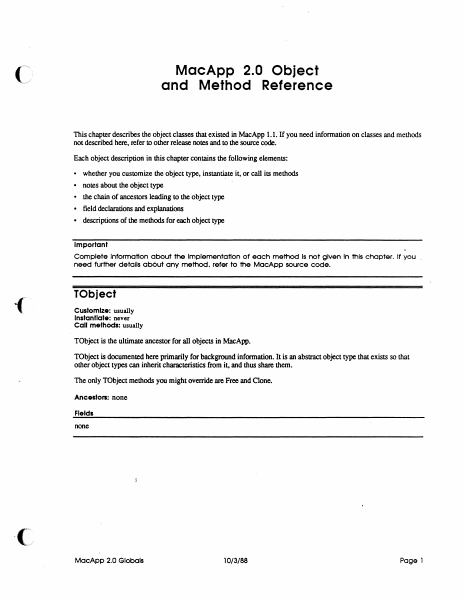
MacApp 2.0 Object and Method Reference This chapter describes the object classes that existed in MacApp 1.1. If you need infonnation on classes and methods not described here. refer to other release notes and to the source code. Each object description in this chapter contains the following elements: • whether you customize the object type. instantiate it. or call its methods • notes about the object type • the chain of ancestors leading to the object type • field declarations and explanations • descriptions of the methods for each object type Important Complete Information about the Implementation of each method Is not given In this chapter. If you need further details ab6ut any method. refer to the MacApp source code. TObject Customize: usually Instantiate: never Call methods: usually TObject is the ultimate ancestor for all objects in MacApp. TObject is documented here primarily for background information. It is an abstract object type that exists so that other object types can inherit characteristics from it, and thus share them. The only TObject methods you might override are Free and Clone. Ancestors: none Fields none MacApp 2.0 Globals 10/3/88 Page 1 Clone FUNCTION TObject .Clone: TObject; The retum value An exact copy of the calling object Purpose To clone dependent objects referred to by the fields of an object as well as cloning the object i~lf. An object is dependent on another object when the second object has the only (or the only important) reference to the first object Dependency is a relatively vague condition; when you override this method, you need to detennine what objects are dependent on SELF. The default version Calls ShallowClone, and thus clones only the object i~lf Override Sometimes Call Sometimes Free PROCEDURE TOb ject:. Free; Purpose To free the calling object and any dependent objects referred to by its fields. An· object is dependent on another object when the second object has the only (or the only important) reference to the first object Dependency is a relatively vague condition; when you override this method, you need to determine what objects are dependent on SELF. Th• default version Calls ShallowFree Override Often. Your version should free any dependent objects you have added for your customization and then call INHERITED Free so that any ancestor methods can free other dependent objects. The chain of INHERI1ED calls leads to TObject.Free, which calls TObjecLShallowFree, which frees SELF. Call Often ShallowClone FUNCTION TObject. ShalloWClone: TObject; The retum value Purpose This is the lowest-level method for copying an object Called by TObject.Oone The default version Calls HandToHand, an Inside Macintosh routine, to copy the object data Override Never Call Rarely MocApp 2.0 Globals 10/3/88 Page 2 Shallow Free PROCEDURE TObject.ShallowFxee; Purpose This is the lowest-level method for freeing an objecL Called by TObjecLFree The default version Frees t…

Showing first 3,000 characters of 78,310 total. Open the full document →
Home Documents Macintosh MacApp 2.0b5
MacApp 2.0b5

MacApp 2.0b5

Macintosh · PDF
FilenameMacApp_2.0b5_19880803.pdf
Size1.40 MB
Subsection developer / MacApp_2.0
Downloads2
Enjoying MacTrove? Anonymous downloads are free and unlimited. Create a free account to track favorites, contribute metadata corrections, and join the community chat.
Reader
MacApp 2.0b5
/
Loading…
OCR / Text contents
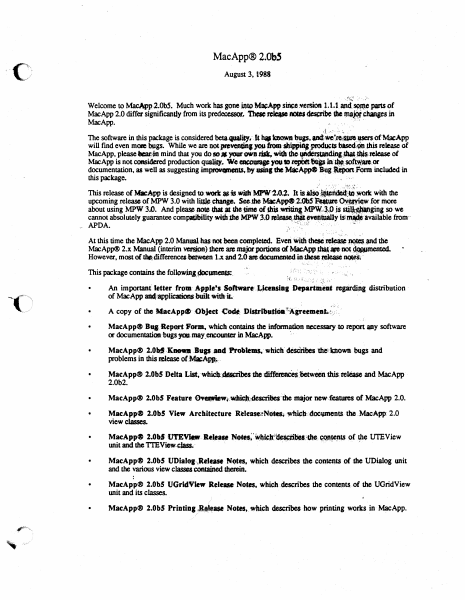
MacApp® 2.0bS August 3, l988 ,:!~t ·,: -,;h Welcome to MacApp2.0b5. Much work has gone into M~App siliee,.'\'ersion 1; 1.1 anci S4m,\C pans of MacApp 2.0 differ significandy-from its predeoessor, rcleue ~ dMs ~ Chanses in MacApp. ., .... n. **' .J ... .'- .:. :, ·- The software in this package is considered beta.qutlliq..·- k i,. bo.wJl .,., anct•·~.apcnof MacApp will find even me»e lMlgs. While we are not iw•dns )'OU·ftOlll~ producu blsecl~ .dtis release ot MacApp, please lar?in mind that you do so# your own risk, widJ tho·f¥'~;-,,_,ieJta.se of MacApp is not considered production qualq. We WOQJ8P )'OU ID JepbtttfflP in'·~.sot~a10.or documentation, as well as suggesting im~ts.by uinf she MlieAppe Bug·~ rQrl'ft included in this package. · . ... · ) '·'''·':·· ;:,i..:.t' This release of Mll:App is designed to.wort asis.wilhMPW'l.0.2~ It is~. •~dild~bi·· with the upcoming release of MPW 3.0 with ~:change. ~Jbe MacApp<9 2~0b5· ~ure ~for more about using MPW 3.0. And please -note that a dle lme of this .Wl'iQng MP\\'..·~~P js s~ginj. so we cannot absolutely guarantee compafibility widubc MPW 3.0 ~~- evettluiJ.lt islmW :available from·· ,. APDA. ,', . . '..~: .,! -· : . , '· , At this time the MacApp 2.0 Manualhas not been completed. Even "'"1t ~~ . • ~the MacApp® 2.x Manu,al (interim vas,ipn) Jhere are major portions of MaeApp_~-~ ~ However, most of thit;differencedie.lween 1.x and 2.0•doeummfeciht.thestl~ ~( This package contains the followjnJ..1»cumenlS:. • "': ': ·-": :· . , _. ,, .. :-r., ~~ . ·; .; :.~. :". : ~' ·,~'.~ ,;,:. . An important' letter rrom- .6.-p9Je!1 Softnre-.t,.,ieeasia1 Departilt'eat reprdjng distribution of MacApp ai4~licationsbuilt. widliL- • • MacApp® BUI Report Form, which contains the infOrmadon necessary to report IPY softw.are or docwnentation-. bugs yqulay_encoun= in Mac.App. · MacApp® 2.0bf'·'Knoa-Bugs.and f'f.obtems,-whiclfdesciribes 'die'tnown bugs and problems in this .tease of~.· • MacApp® 2.0bS Delta List,-whiclJ.~dta:rlbes the ~-between 1his ~ and MacApp 2.0b2. r-, '~" • MacApp® 2.0b5 Feature 0¥.-Wt:~;descritfe$:ibe major new.featuros of MacApp 2.0• • MacApp® 2.0b5 View Architecture Release~N~~ll,doc\PnenlS t1le MacApp: 2.0 view classes. • MacApp® 2.0b5 Ut'EVl«!tt: Re-. ~~·~~Jt~bM:•.~~ ()f rpe UTEView llllit and the Tl'EView.~· . -. . . -· .. • MacApp® 2.0b5 UDiatoa..,Retuse N~es. which describes the contelJlS of the UDialQ& unit and the various view cluscs conrained ~. · • MacApp® 2.0bS UGridView Release Notn. whidl describes the conteJll$ of the UGridView unit and its cJasses. · - • MacApp® 2.0b5 Printing1~ase Notes, which descnleS how printingw~in MacApp. MacApp® 2.0 Memory Management. which discusses memory management in MacApp. · Mac,ARP~ 2:0 Glooali.'· ;whleh describes global constants, variables, data types, and routines in • ~App. !.·(-, M~ci\<pp41F2:0 Obj~~'t dn·d· Method Reference, which discusses object classes that also .• existed in MacAou 1.1. To use,'"MacAw"w…

Showing first 3,000 characters of 33,069 total. Open the full document →

Home Documents Macintosh PowerBook 100 Service Source
PowerBook 100 Service Source

PowerBook 100 Service Source

Macintosh · PDF
FilenamePowerBook_100_Service_Source.pdf
Size0.88 MB
Subsection powerbook / 100
Downloads3
Enjoying MacTrove? Anonymous downloads are free and unlimited. Create a free account to track favorites, contribute metadata corrections, and join the community chat.
Reader
PowerBook 100 Service Source
/
Loading…
OCR / Text contents
K Service Source PowerBook 100 K Service Source Specifications PowerBook 100 Specifications Processor - 1 Processor CPU Addressing Motorola 68HC000, 16-bit CMOS microprocessor 15.6672 MHz 32-bit internal registers 24-bit address bus 16-bit data bus Specifications Memory - 2 Memory RAM 2 MB of 100 ns pseudostatic RAM (PSRAM) standard, expandable to 8 MB ROM 256K (two 128K by 8-bit devices); 150 ns access time; addressing supports up to 4 MB PRAM 128 bytes of parameter memory VRAM 32K of pseudostatic video display memory Clock/Calendar CMOS custom chip with long-life lithium battery Specifications Disk Storage - 3 Disk Storage Floppy Drive (Optional) 20 MB Hard Drive 40 MB Hard Drive External Macintosh HDI-20 1.4 MB drive 4.5 W startup power; 1.25 W random operation; 50 mW idle 20 MB formatted capacity Apple SCSI interface; 2.5 in. mechanism 23 msec average access time (maximum) 5.0 W startup power; 2.7 W random operation 40 MB formatted capacity Apple SCSI interface; 2.5 in. mechanism <19 msec average access time (maximum) 5.0 W startup power; 2.25–2.5 W random operation; 1.3–1.5 W idle Specifications I/O Interfaces - 4 I/O Interfaces Floppy Drive One HDI-20 floppy drive port for external 1.4 MB drive SCSI One HDI-30 SCSI port; 1.5 MB/sec. transfer rate Supports five devices maximum Apple Desktop Bus One Apple Desktop Bus (ADB) port; low-speed serial interface Serial Two RS-422 ports, one external and one internal 230.4 Kbaud minimum Asynchronous, synchronous, and AppleTalk protocols supported Internal connector supports Macintosh PowerBook Fax/Data modem Specifications Sound I/O Interfaces - 5 One sound output port for external audio amplifier Specifications I/O Devices - 6 I/O Devices Keyboard Built-in keyboard; ADB interface Dimensions: 10.6 in. length, 3.5 in. width, .5 in. depth Pitch: .73 in. horizontal; .71 in. vertical Trackball Dual-button trackball; 25 mm diameter; ADB interface Mouse (Optional) Low-power mouse; ADB interface Floppy Drive (Optional) External Macintosh HDI-20 1.4 MB floppy drive Specifications Sound and Video - 7 Sound and Video Sound Video Display Apple Sound Chip; one- or four-voice mono (one or two voices in stereo) with 4-bit digital-to-analog conversion using 22-kHz sampling rate 9 in. (229 mm) diagonal screen Film-compensated Super Twist Nematic (FSTN), backlit flatpanel display 640 by 400 pixels; 75 dpi Specifications Electrical - 8 Electrical Main Battery Backup Batteries Sealed lead-acid battery (7 V) 2.5 hrs. maximum capacity Three 3.5 V lithium cells Industry-standard CR-2430 batteries 110–220 V Frequency 50–60 Hz ADB Power Requirements Maximum current draw for all ADB devices is 50 mA (maximum of three ADB devices recommended) Specifications Power Adapter Sound Electrical - 9 Input voltage: 85–270 VAC (100/240 nominal); 48–62 Hz (50/ 60 nominal) Output voltage: 7.0–7.6 V (7.5 nominal); 5 mA–2 A (1.5 nominal) One sound output port for e…

Showing first 3,000 characters of 39,229 total. Open the full document →

Home Documents Macintosh MacApp Cookbook Draft 1
MacApp Cookbook Draft 1

MacApp Cookbook Draft 1

Macintosh · PDF
FilenameMacApp_Cookbook_draft_1_19890126.pdf
Size14.96 MB
Subsection developer / MacApp_2.0
Downloads2
Enjoying MacTrove? Anonymous downloads are free and unlimited. Create a free account to track favorites, contribute metadata corrections, and join the community chat.
Reader
MacApp Cookbook Draft 1
/
Loading…
OCR / Text contents
( ti Macintosh® MacApp Cookbook Apple Programmer's and Developer's Association 1/26189 Draft 1 MacApp Cookbook Contents Figures and tables ii Preface About the Cookbook 1 About this book 1 Other materials you'll need 1 How to use this book 2 What it contains 2 Visual cues 2 Roadmap to the MacApp documentation suite 3 Chapter 1 Introduction to the Cookbook 5 A MacApp translation guide 5 Chapter 2 The Apple Menu 6 2.1 Creating an "About Your Application" entry 2.2 Creating a separate "About ..." resource 6 2.3 Animating the "About ... " entry 6 6 Chapter 3 AppleTalk, Multiuser, and Network Considerations Using IO completion routines 8 Leaving files open for other users Chapter 4 Applications 7 8 9 3.1 Creating objects: an overview 3.2 Creating an application 10 9 i Draft 1 MacApp Cookbook 1/26189 Step 1 Initializing the Toolbox 11 Step 2 Initializing printing 12 Step 3 Assigning the application signature and the main file type 13 Step 4 Declaring a subclass of !Application 13 Step 5 Defining your application initialization method 14 Step 6 Instantiating your application class 14 Step 7 Calling your initialization method 15 Step 8 Calling the Run method 15 Continuing from here 15 3.3 Opening an application without opening a document 16 Chapter 5 Browser 17 Chapter 6 The Clipboard and Cut, Copy, and Paste 19 Creating a Clipboard view 20 Run-time summary of creating a clipboard view 20 Overview of your responsibilities 21 Step 1 Define a handle type 21 Step 2 Define a resource type 22 Step 3. Override MakeViewForAlienClipboard 22 Step 4. Override methods for your Clipboard view type 23 Step 5. Override the ContainsClipType method 23 Step 6. Override the GivePasteData method 23 Step 7. Override 'IView.WriteToDeskScrap for your Clipboard view Step 8. Create a Clipboard document, if desired 25 Step 9. Add a Show Clipboard menu item to your resource file 25 Continuing from here 27 Supporting Cut and Copy commands 28 Supporting the Paste command 29 Step 1 Call the global procedure CanPaste 29 Step 2 Define and create a paste command object 29 Step 3 Retrieve the data to be pasted 30 Continuing from here 30 Supporting a private scrap type 31 ii MACAPP COOKBOOK 25 MacAppCookbook 1/26189 Draft 1 ( Chapter 7 Collections Chapter 8 Color 33 35 Chapter 9 Compatibility 37 Checking system software 38 Checking hardware 38 Future compatibility rules 38 Converting from MacApp 1.1 to MacApp 2.0 Unit dependencies 40 Debugging 40 Document changes 41 View changes 42 Windows 43 Your views 43 TEViews and Dialog Boxes 44 Command objects 44 !Command 44 Tracking methods 44 Editing commands 45 ( Chapter 10 Controls and Control Views Chapter 11 Cursors Chapter 12 38 47 49 Changing the Cursor Shape Cursor region 50 50 Debugging in MacApp 51 Writing a Fields Method 52 Step 1 Declare a Fields method for your document class 52 Step 2 Define the Fields method 52 CONTENTS ill Draft 1 Mac.App Cookbook Step 3 Step 4 Call Inh…

Showing first 3,000 characters of 375,333 total. Open the full document →

Home Documents Macintosh YMaxBug
YMaxBug

YMaxBug

Macintosh · PDF
FilenameyMaxBug.pdf
Size0.15 MB
Subsection prototypes / 1985_YACC / firmware / yaccsbug
Downloads5
Enjoying MacTrove? Anonymous downloads are free and unlimited. Create a free account to track favorites, contribute metadata corrections, and join the community chat.
Reader
YMaxBug
/
Loading…
OCR / Text contents
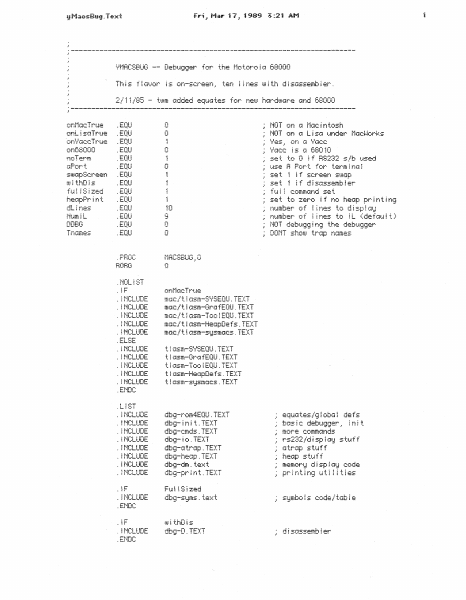
2/11/85 ·---------------------------------------------------------------------- . NOT Ofi ;] .EQU onL i si:::iTrue .EQU 0 Ci-t!! MOT on G L i s;:l 1_.1r1der t·lacJJorks \-'es.= on l::f '.bJcc \/Gee i s (=i 680 10 ... L-;;-::_; .EQU .EQU GPort 0 use A Port for terminal stoc~pSc:reen .EQU U.! ~ thD ~ s ~EQU set set fu f IS j zed .EQU .EQU .EQU nt.anber· o T ~ ~ nes .EQU number of lines to IL (default) heGpPrint dLines DDBG .EQU 0 i f screen s1.1.iGp to d i sp i GiJ NOT debu!;iz~ i n9 the debu1;J1~er· DONT shotu trGp r1Gmes .PHOC .NOL~ST iNCLUDE mGc/'t... i 1:=1sm-GrofEQU. TEXT iNCLUDE mac/tlasm-Too!EQU.TEXT mGc/tlGsm-HeGpDefs.TEXT mc.tc: l. t i osm-s1:Jsm;:.1c:s . TE):~T INCLUDE iNCLUDE .ELSE iNCLUDE tlasm-GrafEQU.TEXT ~NC:LUDE t~Gsm-TooiEQU.TEXT INCLUDE t i 1:lsm-He::::pDe f s . TEXT t ~ a:=:m-s1Jsmacs . TE)::T iNC:LUDE bENDC .Li ST iNCLUDE iNCLUDE dbg-rom4EQU.TEXT dbg- i ri i t . TEXT dbg-cmds.TEXT ~NCLUDE dtu~- ~ o . TE::(T equates/global defs basic debuqqer. init more c:ommcinds rs232/d i sp ! 1Ji:J sh~f f INCLUDE dbg-c~ tr:::ip . TE)::T ;~trap INCLUDE INCLUDE dbg-he:Jp. TEX~T dt:u;i-dm . te::,.:: t hea~p ~NCLUDE st.tiff s tt.i ff memor1::1 d i sp ~ Gi;:! code ~NCLUDE iF iNCLUDE symbols code/table .ENDC: i.sJi thDis ~NCLUDE .ENDC d ! :=:ctssemb I er 2 lF Tnames !MCLUDE dbg-trapname5.t~xt .END t~.om :Added '! = CJrt:.i::lC:C: .EQU .EQU .EQU .-.:_1 on68000 . t:.L!U 0 no Term . c.=-~u: onia/:Je:c Trt-ie i ,.'"')t...• .._., i.:.:..t··•• i nes uJ i th disassembier for :.:: 40 This or1CaBOOO' ont·hicTr·t4e' ~ oriL i sciTr·ue = ,.; Gnd Tr··ue = equ::::I tes for r./ACC and cd:uJiv=e :r NOT or·1 (:f t·iar.: i ntosh MOT on G L ! s;:~ (Mete: :::::L ) t~nch2r UGc~·~or~=~s 0 r-r.d' ::~Pc:r·t.. ~EQU stuapScreen uJ i thD is .EQU .EQU .EQU h~GpPr~nt .EQU dL ~ t-feS t·ium ~ L .EQU .EQU use A Port for terminal set i f screen st~Jap set if di s1::issemb i er f u i ~ c:omm:And set 40 DDBG nt~mber of numt=er-~ of .. : .; : •. !..OeTi:.".lU l T_} ~ MO.: r!O t debt~!;l1;l ! ni;l tne debU!;l:~er shouJ trGp n(Ames 0 Tnc.!mes .PHOC .t·iOLiST !F :_!f ~NCLUOE ffK~c: l t.. i i:ism-S\.!::;EQU . TEXT iNCLUDE mi~c: / t ~ :Jsm-GrG fEQU . TEXT m=Jc: / t ~ Gsm-Too ! EQU . TE::(T mc~c / t i Gsm-HeGpDe f s . TE)::T mGc: ,l t i Gsm-s1:Jsm::~c:s . TE:::::T -.- .. t.o!- - T .. -· · - ~NCLUDE INCLUDE INCLUDE u ~;_.n..: i r ·:_-1t: .ENDC ~NCLUDE t ! ==~sm-S\-=sEQU . TE:::::T ! t i (ls:m-Gr!::l f EQU ~ TE):~T tlasm-TooiEQU.TEXT t I iJsm-HeGpDe f s . TE)::T t ~ 1:lsm-s1:Jsma:.ic:s . TE>::T :.. : . -.. :.: : !!"-.. :"""'- i ril...LUUt. iNCLUDE ~MCLUOE iNCLUDE . ENDC JC !l INCLUDE iNCLUDE iNCLUDE on\.ti::;cc: True t I c1sm-s=·lSEQU. TEXT t i (lsm-Grc~ fEQU . TE)::T t_ l i:.'.ism- Too i EQU . TEXT !MCLUDE tiasm-HeapDefs~TEXT ~NCLUDE t i Gsm-si.Jsmc1c:s . TE:KT .ENDC : :,.-.. .Lf:: i ~ 1 dbs~-r~:!m4EQU ~ TE)::T db9- i n i t. . TE)::T eqt~(~ tes i~ !~…

Showing first 3,000 characters of 3,580 total. Open the full document →
Home Documents Macintosh Mac OS 8 Revealed
Mac OS 8 Revealed

Mac OS 8 Revealed

Macintosh · 1996 · PDF
FilenameMac_OS_8_Revealed_1996.pdf
Size3.00 MB
Year1996
Subsection developer / Copland
Downloads2
Enjoying MacTrove? Anonymous downloads are free and unlimited. Create a free account to track favorites, contribute metadata corrections, and join the community chat.
Reader
Mac OS 8 Revealed
/
Loading…
OCR / Text contents
• • • • • • • • • • • • • • • • • • • • • • • • • • • • • • • • • • • • • • • • • • • • Mac OS 8 Revealed Tony Francis Addison-Wesley Developers Press Reading, Massachusetts • Menlo Park, California • New York Don Mills, Ontario • Harlow, England • Amsterdam Bonn • Sydney • Singapore • Tokyo • Madrid • San Juan Seoul • Milan • Mexico City • Taipei Apple, AppleScript, AppleTalk, Color LaserWriter, ColorSync, FireWire, LocalTalk, Macintosh, Mac, MacTCP, OpenDoc, Performa, PowerBook, PowerTalk, QuickTime, TrueType, and WorldScript are trademarks of Apple Computer, Inc., registered in the United States and other countries. Apple Press, the Apple Press Signature, AOCE, Balloon Help, Cyberdog, Finder, Power Mac, and QuickDraw are trademarks of Apple Computer, Inc. Adobe™, Acrobat™, and PostScript™ are trademarks of Adobe Systems Incorporated or its subsidiaries and may be registered in certain jurisdictions. AIX® is a registered trademark of IBM Corp. and is being used under license. NuBus™ is a trademark of Texas Instruments. PowerPC™ is a trademark of International Business Machines Corporation, used under license therefrom. SOM, SOMobjects, and System Object Model are licensed trademarks of IBM Corporation. UNIX® is a registered trademark of Novell, Inc. in the United States and other countries, licensed exclusively through X/Open Company, Ltd. Many of the designations used by manufacturers and sellers to distinguish their products are claimed as trademarks. Where those designations appear in this book, and Addison-Wesley was aware of a trademark claim, the designations have been printed in initial capital letters or all capital letters. The author and publisher have taken care in the preparation of this book, but make no express or implied warranty of any kind and assume no responsibility for errors or omissions. No liability is assumed for incidental or consequential damages in connection with or arising out of the use of the information or programs contained herein. Library of Congress Cataloging-in-Publication Data Francis, Tony, 1956– Mac OS 8 revealed / Tony Francis. p. cm. Includes index. ISBN 0-201-47955-9 1. Mac OS 8. 2. Operating systems (Computers) I. Title. QA76.76.063F76 1996 005.4'469--dc20 96-25119 CIP Copyright © 1996 Apple Computer, Inc. Developers Press is a division of Addison-Wesley Publishing Company, Inc. All rights reserved. No part of this publication may be reproduced, stored in a retrieval system, or transmitted, in any form or by any means, electronic, mechanical, photocopying, recording, or otherwise, without the prior written permission of the publisher. Printed in the United States of America. Published simultaneously in Canada. Sponsoring Editor: Keith Wollman Project Manager: Sarah Weaver Cover design: Suzanne Heiser Text design: Kim Arney Set in 10 point Sabon by Tony Francis and Vicki Hochstedler 1 2 3 4 5 6 7 8 9 - MA - 0099989796 First printing, August 1996 Addison-Wesley books are available for bulk purchase…

Showing first 3,000 characters of 500,000 total. Open the full document →
Home Documents Macintosh Inside Macintosh Hardware
Inside Macintosh Hardware

Inside Macintosh Hardware

Macintosh · PDF
FilenameInside_Macintosh_Hardware_198502.pdf
Size21.15 MB
Downloads4
Enjoying MacTrove? Anonymous downloads are free and unlimited. Create a free account to track favorites, contribute metadata corrections, and join the community chat.
Reader
Inside Macintosh Hardware
/
Loading…
OCR / Text contents
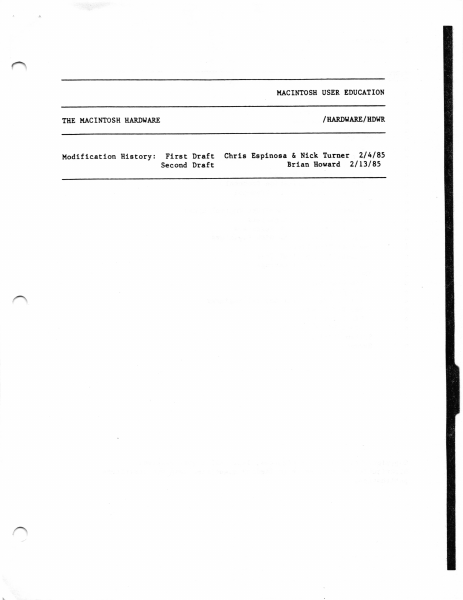
^ I.{ACIMOSB USER EDUCATION I.IIE I,IACIIIITOSH BARDI{ARE Uodtflcatlon Bletory: \. /IIARDT{ARE/NOM Flrst Draft Chrls Eeplnoea & Nlck Turuer 214185 Second Draft Brlao Eoward 2l L3l 85 2 llaclntosh Hardware TABLE OF CONTENTS 3 o n D n n n n n n n B n n n n n n n D n D D n n n About Thle Chapter Ovenrlew of the Bardware The Vldeo Interface The Sound Geuerator Dlagram The SCC DLagran The Houae Dlagrau The Keyboard aod Keypad Keyboard Conrnunlcatton Protocol Keypad Coonunlcatloo Protocol The Dlsk Interface Controlllng the Dlsk-State Control Llnes Readtng the Dlek Reglsters I{rltlng to the Dlsk Regletero Exptanatlous of the Dlek Regleters The Real-Tlne Clock Acceeslng the Clock Chlp The One-Second Interrupt The VIA VIA Reglater A VIA Reglster B The VIA Perlpheral Control Regleter The VIA Tlners D VIA Interrupte Other VIA Reglstere Systen Startup n Sunnnary D \-/ T v Copyrlght (c) f 985 Apple Couputer, Iac. All rlghte reeened. Dlstrlbutlon of thls draft ln llulted quantttles does uot conetltute publlcat lon. \-/ ABOUT TEIS CHAPTER 3 ABOUT TTIIS CtsAPTER Ttrlg chapter provldea a baatc deecrtptlon of the hardsare of the Ilactntoeh t28K and 5t2K couputere. It gtvea you tnforuatton thrt yourll need to connect other devtces to the llactntogh and to rllte devlce drtvere or other lorlcvel prograne. It r11I hclp you f lgure out wtrtch technlcal docuoente yourll need to deelgn perlpheralr; ln some cases, your1l have to obtaln detallcd apeclftctttoas froo the uanufacturera of the varloue taterface chlpa. Thte chapter 1e ortented tosard aaaeubly-language Progra@€!8r It assuoee youfre faolltar wlth the baelc operetlon of ntcroprocetaor based devlcee. Knowledge of the }lactntogh Operattng Syeteo w111 algo be he1pful. (warnlng) 0n1y the ltaclntoeh 128K and 512K 8re covered tn thle chapter. In perttcular, Dote that the neuory addreeeee and Bcreen elze are dlfferent on the Uaclntoeh XL (and Bay be dtfferent lu future verelons of the llaclntoeh). To nalntaln software coupattbtllty ecroes the ltaclntoeh 1lne, aod to allow for future changes to the hardware, you're ctrongly advlred to uee the Toolbox and Operatlng Syeten routlnes wherever posslble. To learn how your Prograe c8n deterulne rhlch hardsare eovlronment lt r e operatlng ln, Bee the descriptlon of the Eovtrons procedure ln the Operattng Syeteo Utllltlee chapter. OVERVIEI{ OF TUE EARDI{ARE The l{actntosh conputer contalos a Hotorola }tC68005 rlcroproceaaor clocLed at 7.8336 negahertz, random accesa lDenory (RAn), read-only Eenory (nOu) , and eeveral chlps that enable lt to cornuntcete slth exterual devtcee. There ere flve I-l0 devlcee: the vtdeo dteplay; the sound generator; a Synertek SY6522 Versattle loterface Adapter (VIA) for the Eouse and keyboard; a ZLLog 28530 Serlal Connruntcatlona Controller (SCC) for serlal comualcatlon; and an App1e cuetm chtp, called the II{}t (t'Integrated lfoz Hachlne") for dlsk control. The llaclntoeh uaes Demory'{ePPed I,l0, shtch Eeane that…

Showing first 3,000 characters of 65,080 total. Open the full document →
Home Documents Macintosh Macsbug 6.1 Reference
Macsbug 6.1 Reference

Macsbug 6.1 Reference

Macintosh · 1989 · PDF
FilenameMacsbug_6.1_Reference_1989.pdf
Size6.01 MB
Year1989
Subsection developer / Macsbug
Downloads2
Enjoying MacTrove? Anonymous downloads are free and unlimited. Create a free account to track favorites, contribute metadata corrections, and join the community chat.
Reader
Macsbug 6.1 Reference
/
Loading…
OCR / Text contents
('', 9. Macintosh~ MacsBug 6.1 Reference ti APPLE COMPUTER, INC. This manual and the software described in iI are c0pyrighted, with all rights reserved. Under the copyright laws, this manual or the software may not be copied, in whole or part, without written consent of Apple, except in the normal use of the software or to make a backup copy of the software. The same proprietary and copyright notices must be aff'ixed to any permitted copies as were aff'ixed to the original. This exception does not allow copies to be made far others, whether or not sold, but all cf the material purchased (with all backup copies) may be sold, given, or loaned to another person. Under the law, copying includes uamlating into another language or fonnat. You may use the software oo any computer owned by you, but extra copies cannot be made for this purpose. © Apple Computer, Inc., 1989 20525 Mariani Avenue Cupertino, CA 95014 (408) 996-1010 Apple, the Apple logo, HyperCard, ImageWriier, LiserWriier, and Macintosh are registered trademarks of Apple Computer, Inc. Apple Desktop Bus, .Extended Discipline, Finder, MPW, MultiFinder, RAMDump, ResEdit and SADE are trademarks of Apple Computer, Inc. ITC Garamond and ITC 1.apf Dingbats are registered trademarks of International Typeface Corporation. Microsoft is a registered trademark of Microsoft Corporation. PostScript is a registered trademark of Adobe Systems Incorporated. Simultaneously published in the United States and Canida. Contents Preface About ThJs Manual vii Overview ix Notation conventions x Aids to understanding x 1 MacsBug Overview 1 About MacsBug 3 Macintosh debugging 3 .MacsBug fifes 5 2 Debugging With MacsBug 7 Getting started 9 · Specifying things 12 How did I get here? 13 Controlling· program execution 14 Stopping at a particular place 15 Watching for memory to change 16 Displaying and setting memory 16 Checking the heap 17 Exertising your program 17 The dot address 17 MacsBug resources 19 Figure 2-1 MacsBug display 10 ill 3 MacsBug Commands 21 Command syntax 23 Values 23 Operators 24 Command descriptions 25 ATB-A Trap Break 26 ATC-A Trap Clear 27 ATD-A Trap Display 28 ATIIC-A Trap Heap Check 29 ATP-A Trap Playback 30 ATR-A Trap Record 31 ATSS-A Trap Step Spy 32 ATI-A Trap Trace 33 BR-Breakpoint 34 BRC-Breakpoint Clear 36 BRO-Breakpoint Display 37 BRM-Multiple Breakpoints 38 CS-Checksum 39 DB-Display Byte 40 DH-Disassemble Hexadecimal 41 DL-Display Long 42 OM-Display Memory 43 DP-Display Page 44 DSC-Extended Discipline 45 DY-Display Version 46 OW-Display Word 47 DX-Debugger Exchange 48 EA-Exit to Application 49 • ES-Exit to Shell 50 F-Find 51 G-Go 52 GT-Go Till 53 HC-Heap Check 54 HD-Heap Display 55 HELP-Help 57 HOW-Display Break Message 58 HS-Heap Scramble 59 HT-Heap Tota~ 60 HX-Heap Exchange 61 iv MacsBug 6.1 Reference HZ-Heap Zones 62 ID-Disassemble One tine 63 IL-Disassemble From Address 64 IP-Disassemble Around Addres.5 65 IR-Disassemble Until End of Procedure 66 LOG-Ing to a prin…

Showing first 3,000 characters of 148,969 total. Open the full document →

Home Documents Macintosh Inside Macintosh Vol 1
Inside Macintosh Vol 1

Inside Macintosh Vol 1

Macintosh · 1984 · PDF
FilenameInside_Macintosh_Vol_1_1984.pdf
Size26.42 MB
Year1984
Downloads4
Enjoying MacTrove? Anonymous downloads are free and unlimited. Create a free account to track favorites, contribute metadata corrections, and join the community chat.
Reader
Inside Macintosh Vol 1
/
Loading…
OCR / Text contents
~_TM •. '- , I PAC[ING SLIP INSIDE MACINTOSH DOClI1ENTATION Th1s set used to cons1st of :5 b1nders. The or1g1nal documentation has been rev1sed, and rewritten, and now f1ts 1nto 2 b1nders. The Pascal Workshop documentatIon and softw~e 15 now ava11able from your local Apple Dealer. The Apple part number 1s A6D0201 . Note - presently there Is no Information behind the Introduction, as Utl1tttes, and Other as tabs. Also In the -Road Map" section, please disregard any references to Core Edit - this does not exist. -.-------------------------------.----------------------------SOFTWARE SUPPLEMENT Note - thIs Installs on the base L1sa Pascal WorkshOp. This supplement lncludes 6 diskettes, with two documentatIon pIeces labeled • The Macintosh SUpplement to the Workshop • and • MacCom Instructions • . THIS SECTION INTENTIONALLY LEFT BLANK. WHEN AVAILABLE. IT WILL BE SUPPLIED AS PART OF THE MA CINTOSH SUPPLEMENT. MACINTOSH PUBLICATIONS Macintosh User Interface Guidelines USER.INTERFACE/NEWUIDOC See Also: Modification History: First Draft Rearranged and Revised Total Redesign Second Edition Prerelease Second Edition Hoffman 3/17/82 Espinosa 5/11/82 Espinosa 5/21/82 Espinosa 7/11/82 Espinosa 10/11/82 ABSTRACT One of the major factors in making a system pleasant and easy to use is the system's consistency. This specification's purpose is to set down our agreements about the way programs will interact with users t so that we have a common method for dealing with interface problems t and so that all software written for the Macintosh computer (in-house or by outside vendors) will be consistent with respect to the issues discus·sed here. 2 User Interface Guidelines CONTENTS UIDOC COVER OUTLINE INTRO 5 5 6 6 Introduction Software Developers' Responsibility Macintosh's Commitment About Modes 8 The Graphic Screen Icons SCREEN 9 11 11 12 13 13 14 14 15 15 15 16 16 17 Accepting User Input The Mouse Mouse Actions Double-Clicking Changing Pointer Shapes The Keyboard Character Keys Modifier Keys The COMMAND Key Special Keys Typeahead, Auto-repeat, and Audio Feedback Versions of the Keyboard The Numeric Keypad MOUSE 18 19 19 20 MODELS 21 Conceptual Models: Files Tools Documents Resources 22 22 The DeskTop Model of Organization The Desk DESKTOP 24 24 Windows Opening and Closing Windows The Active Window Document Windows Scroll Bars Multiple Windows Moving a Window Changing the Size of a Window Splitting a Window Desk Accessories Who's on Top? WINDOWS 25 25 25 27 27 28 29 30 31 Tools and Documents KEYBOARD ACCESSORY ONTOP CONTENTS Inside Documents Structure of Documents The Visual Structure Graphics in Documents Appearance of Text Typefaces, Typesize and Fonts Typestyles Proportional vs. Monospaced Fonts Standard Fonts INSIDE Working with Macintosh Direct Manipulation: Controls Buttons Check-Boxes Dials Selecting Information The Selection Selection by Command Automatic Scrolling during Selection Extending a Selection Making a…

Showing first 3,000 characters of 500,000 total. Open the full document →

Home Documents Macintosh Taligent The Power Of Frameworks
Taligent The Power Of Frameworks

Taligent The Power Of Frameworks

Macintosh · 1995 · PDF
FilenameTaligent_-_The_Power_of_Frameworks_1995.pdf
Size14.32 MB
Year1995
Subsection pink
Downloads4
Enjoying MacTrove? Anonymous downloads are free and unlimited. Create a free account to track favorites, contribute metadata corrections, and join the community chat.
Reader
Taligent The Power Of Frameworks
/
Loading…
OCR / Text contents
=~ ~hli ~i gent. For Win dow S ™ and OS/2 ® Developers THE POWER OF FRAMEWORKS CD-ROM includes frameworks for use wi th Windows and OS/2 THE POWER OF FRAMEWORKS FOR WINDOWS ™ AND OS/2 ® DEVELOPERS TALIGENT PRE S S Addison-Wesley Publishing Company Reading, Massachusetts Menlo Park, California New York Don Mills, Ontario Wokingham, England Amsterdam Bonn Sydney Singapore Tokyo Madrid Sanjuan Paris Seoul Milan Mexico City Taipei Library of Congress Cataioging-in-Publication Data The Power of frameworks: for Windows and OS/2 developers. p. cm. Includes index. ISBN 0-201-48348-3 1. Object-oriented programming (Computer science) 2. Microsoft Windows (Computer file) 3. OS/2 (Computer file) 4. Computer software-Development. 1. Taligent, Inc. QA76.64.P69 1995 005.26-dc20 95-38031 CIP Taligent, the Taligent logo, and People, Places, and Things are registered trademarks and CommonPoint, the CommonPoint logo, cpConstructor, cpProfessional, and Task Centered Computing are trademarks ofTaligent, Inc. All other trademarks belong to their respective owners. This manual and the software described in it are copyrighted. Under the copyright laws, this manual or the software may not be copied, in whole or part, without the prior written consent of Taligent. The product described in this manual may be protected by one or more U.S. and International Patents. The authors and publishers have taken care in preparation of this book, but make no expressed or implied warranty of any kind and assume no responsibility for errors or omissions. No liability is assumed for incidental or consequential damages in connection with or arising out of the use of the information or programs contained herein. Copyright © 1995 by Taligent, Inc. 10201 N. De Anza Blvd., Cupertino, California 95014-2233 U.S.A. All rights reserved. No part ofthis publication may be reproduced, stored in a retrieval system, or transmitted, in any form or by any means, electronic, mechanical, photocopying, recording, or otherwise, without the prior written permission of the publisher. Printed in the United States of America. Published simultaneously in Canada. RESTRICTED RIGHTS LEGEND: Use, duplication, or disclosure by the government is subject to restrictions as set forth in subparagraph (c) (1) (ii) of the Rights in Technical Data and Computer Software clause at DFARS 252.227-7013 and FAR 52.227-19. Sponsoring Editor: Martha Steffen Cover and text design: Taligent Technical Communications Group, Gary Ashcavai ISBN: 0-20l-48348-3 Set in lO-point New Baskerville 1 2 3 4 5 6 7 8 9 -CRS-99 98 97 96 95 First printing, September 1995 Addison-Wesley books are available for bulk purcli~es by corporations, institutions, and other organizations. For more information pleaset~ntact the Corporate, Government and Special Sales D~partment at (800) 238-9682. CONTENTS Preface ............................................................................................................... XI What you should…

Showing first 3,000 characters of 500,000 total. Open the full document →

Subscribe to Macintosh
mp.ls