Home Documents Macintosh Microkernel And Core Sys Services
Microkernel And Core Sys Services
Microkernel And Core Sys Services

Macintosh · 1996 · PDF
FilenameMicrokernel_and_Core_Sys_Services_199604022.pdf
Size1.48 MB
Year1996
Subsection developer / Copland / D11E4_19960613
Downloads3
Enjoying MacTrove? Anonymous downloads are free and unlimited. Create a free account to track favorites, contribute metadata corrections, and join the community chat.
Reader
Microkernel And Core Sys Services
/
Loading…
OCR / Text contents
K INSIDE MACINTOSH Microkernel and Core System Services K WWDC Release May 1996 © Apple Computer, Inc. 1994 - 1996 K Apple Computer, Inc. © 1996 Apple Computer, Inc. All rights reserved. No part of this publication may be reproduced, stored in a retrieval system, or transmitted, in any form or by any means, mechanical, electronic, photocopying, recording, or otherwise, without prior written permission of Apple Computer, Inc., except to make a backup copy of any documentation provided on CD-ROM. The Apple logo is a trademark of Apple Computer, Inc. Use of the “keyboard” Apple logo (Option-Shift-K) for commercial purposes without the prior written consent of Apple may constitute trademark infringement and unfair competition in violation of federal and state laws. No licenses, express or implied, are granted with respect to any of the technology described in this book. Apple retains all intellectual property rights associated with the technology described in this book. This book is intended to assist application developers to develop applications only for Apple-labeled or Apple-licensed computers. Every effort has been made to ensure that the information in this manual is accurate. Apple is not responsible for typographical errors. Apple Computer, Inc. 1 Infinite Loop Cupertino, CA 95014 408-996-1010 Apple, the Apple logo, Macintosh, and QuickTime are trademarks of Apple Computer, Inc., registered in the United States and other countries. Mac, NuBus, and QuickDraw are trademarks of Apple Computer, Inc. Adobe, Acrobat, and PostScript are trademarks of Adobe Systems Incorporated or its subsidiaries and may be registered in certain jurisdictions. QuickView™ is licensed from Altura Software, Inc. Simultaneously published in the United States and Canada. Even though Apple has reviewed this manual, APPLE MAKES NO WARRANTY OR REPRESENTATION, EITHER EXPRESS OR IMPLIED, WITH RESPECT TO THIS MANUAL, ITS QUALITY, ACCURACY, MERCHANTABILITY, OR FITNESS FOR A PARTICULAR PURPOSE. AS A RESULT, THIS MANUAL IS SOLD “AS IS,” AND YOU, THE PURCHASER, ARE ASSUMING THE ENTIRE RISK AS TO ITS QUALITY AND ACCURACY. IN NO EVENT WILL APPLE BE LIABLE FOR DIRECT, INDIRECT, SPECIAL, INCIDENTAL, OR CONSEQUENTIAL DAMAGES RESULTING FROM ANY DEFECT OR INACCURACY IN THIS MANUAL, even if advised of the possibility of such damages. THE WARRANTY AND REMEDIES SET FORTH ABOVE ARE EXCLUSIVE AND IN LIEU OF ALL OTHERS, ORAL OR WRITTEN, EXPRESS OR IMPLIED. No Apple dealer, agent, or employee is authorized to make any modification, extension, or addition to this warranty. Some states do not allow the exclusion or limitation of implied warranties or liability for incidental or consequential damages, so the above limitation or exclusion may not apply to you. This warranty gives you specific legal rights, and you may also have other rights which vary from state to state. Draft. Confidential.  Apple Computer, Inc. 4/22/96 Contents Chapter 1 About Mac OS 8 1-1 Mac OS 8 Architecture 1-3 …

Showing first 3,000 characters of 500,000 total. Open the full document →
Home Documents Macintosh Smalltalk 80 For The Macintosh Aug85
Smalltalk 80 For The Macintosh Aug85

Smalltalk 80 For The Macintosh Aug85

Macintosh · 1985 · PDF
FilenameSmalltalk_80_for_the_Macintosh_Aug85.pdf
Size2.57 MB
Year1985
Subsection smalltalk
Downloads8
Enjoying MacTrove? Anonymous downloads are free and unlimited. Create a free account to track favorites, contribute metadata corrections, and join the community chat.
Reader
Smalltalk 80 For The Macintosh Aug85
/
Loading…
OCR / Text contents
.0 ~ .- ... • ••• • • Smalltalk-80'" for the Macintosh tN TM Th(l Sm~~~~Il~k...e©} IPrr©~rr~mm~rtil~ Sys~(lm f©rr ~lhl(l fMll©~rtil~©SIhl™ August 1,1985 About this Release page 1 Installing with or without a Hard Disk page 3 Getting Started in Smalltalk-80 page 4 Differences from Other Smalltalk-80s page 5 System Sources and FileOut page 6 Tracking and Saving Changes page 7 Memory Space page 8 File System page 9 ToolBox page 10 About this Version of Smalltalk-80 page 10 Sample Smalltalk File Descriptions page 11 References page 13 APPLE MAKES NO WARRANTY OR REPRESENTATION, EITHER EXPRESS OR IMPLIED, WITH RESPECT TO THIS SOFTWARE, OR THE ACCOMPANYING MANUAL, THEIR QUALITY, PERFORMANCE, MERCHANTABILITY, COMPLETENESS OR FITNESS FOR A PARTICULAR PURPOSE. THIS IS A PRE-RELEASE VERSION OF THE PRODUCT. AS A RESULT, THIS SOFTWARE AND MANUAL ARE SOLD TO YOU "AS IS" AND YOU, THE PURCHASER, ARE ASSUMING THE ENTIRE RISK AS TO ITS QUALITY AND PERFORMANCE. IN NO EVENT WILL APPLE BE LIABLE FOR DIRECT, INDIRECT, SPECIAL, INCIDENTAL, OR CONSEQUENTIAL DAMAGES RESULTING FROM ANY DEFECT IN THE SOFTWARE OR MANUAL. THE WARRANTY AND REMEDIES SET FORTH ABOVE ARE EXCLUSIVE AND IN LIEU OF ALL OTHERS, ORAL OR WRITTEN, EXPRESS OR IMPLIED. Smalltalk-80 is a trademark of the Xerox Corporation. Macintosh and Macintosh XL are trademarks of Apple Computer, Inc. The Macintosh man and his Smalltalk balloon are copyright «> 1985 Apple Computer, Inc. all right reserved. The Smalltalk-80 Programming System for the Macintosh About this Release In response to requests from several universities, we have put together this "pre-product" release (0.2) of the Smalltalk-80 programming system which runs on the Macintosh XL and Macintosh 512K computers. We hope that this will enable more hands-on experience with Smalltalk in the universities, and that it will give other interested parties a chance to experiment with the system. Release 0.2 supplants an earlier release (March 1985) that ran only on the Macintosh XL. Two images are supplied with the new release: level 0 and level 1. Both images incorporate the following improvements: • Improved volume management capable of supporting file server access • Automatic spelling correction for variable and message names • Ability to handle multiple images on the same disk • A single interpreter works on all machines and expands to use extra memory Level 1 requires 1 MB or more of memory, and incorporates further improvements: • Total object capacity has been raised from 24K to 32K • Can expand to take advantage of 2MB memory on the XL (available from AST Research, Inc.) • Able to run on some Macintosh cC?mputers with 1MB or more of memory (available from various manufacturers, but must be contiguous and must follow ToolBox memory organization) Level 0 is a stripped-down image which will run on the Macintosh 512K. It is missing many of the classes in level 1, but it retains full support for browsing, editing, compiling …

Showing first 3,000 characters of 62,572 total. Open the full document →

Home Documents Macintosh Smalltalk 80 For The Macintosh Release 0.4
Smalltalk 80 For The Macintosh Release 0.4

Smalltalk 80 For The Macintosh Release 0.4

Macintosh · 1987 · PDF
FilenameSmalltalk-80_for_the_Macintosh_Release_0.4_19870609.pdf
Size5.40 MB
Year1987
Subsection smalltalk
Downloads10
Enjoying MacTrove? Anonymous downloads are free and unlimited. Create a free account to track favorites, contribute metadata corrections, and join the community chat.
Reader
Smalltalk 80 For The Macintosh Release 0.4
/
Loading…
OCR / Text contents
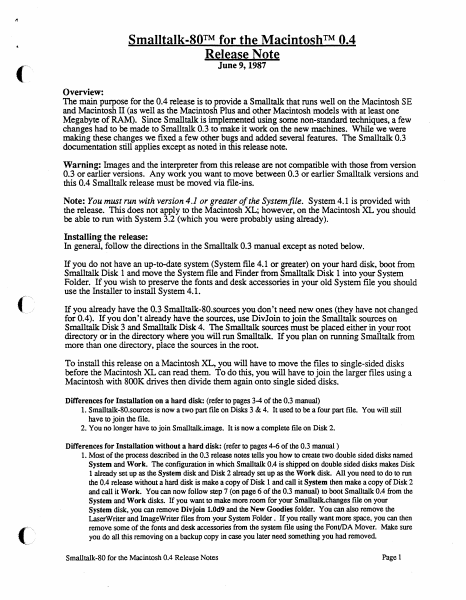
Smalltalk-SO™ for the Macintosh™ 0.4 Release Note June 9, 1987 Overview: The main purpose for the 0.4 release is to provide a Smalltalk that runs well on the Macintosh SE and Macintosh II (as well as the Macintosh Plus and other Macintosh models with at least one Megabyte of RAM). Since Smalltalk is implemented using some non-standard techniques, a few changes had to be made to Smalltalk 0.3 to make it work on the new machines. While we were making these changes we fixed a few other bugs and added several features. The Smalltalk 0.3 documentation still applies except as noted in this release note. Warning: Images and the interpreter from this release are not compatible with those from version 0.3 or earlier versions. Any work you want to move between 0.3 or earlier Smalltalk versions and this 0.4 Smalltalk release must be moved via file-ins. Note: You must run with version 4.1 or greater of the System file. System 4.1 is provided with the release. This does not apply to the Macintosh XL; however, on the Macintosh XL you should be able to run with System 3.2 (which you were probably using already). Installing the release: In general, follow the directions in the Smalltalk 0.3 manual except as noted below. If you do not have an up-to-date system (System file 4.1 or greater) on your hard disk, boot from Smalltalk Disk 1 and move the System file and Finder from Smalltalk Disk 1 into your System Folder. If you wish to preserve the fonts and desk accessories in your old System file you should use the Installer to install System 4.1. ( If you already have the 0.3 Smalltalk-80.sources you don't need new ones (they have not changed for 0.4). If you don't already have the sources, use DivJoin to join the Smalltalk sources on Smalltalk Disk 3 and Smalltalk Disk 4. The Smalltalk sources must be placed either in your root directory or in the directory where you will run Smalltalk. If you plan on running Smalltalk from more than one directory, place the sources in the root. To install this release on a Macintosh XL, you will have to move the files to single-sided disks before the Macintosh XL can read them. To do this, you will have to join the larger files using a Macintosh with SOOK drives then divide them again onto single sided disks. Differences for Installation on a hard disk: (refer to pages 3-4 of the 0.3 manual) 1. Smalltalk-80.sources is now a two part file on Disks 3 & 4. It used to be a four part file. You will still have to join the file. 2. You no longer have to join Smalltalk.image. It is now a complete file on Disk 2. Differences for Installation without a hard disk: (refer to pages 4-6 of the 0.3 manual) 1. Most of the process described in the 0.3 release notes tells you how to create two double sided disks named System and Work. The configuration in which Smalltalk 0.4 is shipped on double sided disks makes Disk 1 already set up as the System disk and Disk 2 already set up as the Work disk. All you need to do to run the 0.4 release witho…

Showing first 3,000 characters of 141,255 total. Open the full document →

Home Documents Macintosh Servant A New Shell For The Macintosh
Servant A New Shell For The Macintosh

Servant A New Shell For The Macintosh

Macintosh · 1987 · PDF
FilenameServant_A_New_Shell_for_the_Macintosh_1987.pdf
Size3.69 MB
Year1987
Subsection servant
Downloads11
Enjoying MacTrove? Anonymous downloads are free and unlimited. Create a free account to track favorites, contribute metadata corrections, and join the community chat.
Reader
Servant A New Shell For The Macintosh
/
Loading…
OCR / Text contents
Servant A New Shell for the Macintosh Frogram by Andy Hertzfeld Documentation by Scott Kronick Servant A New Shell for the Macintosh .Program by Andy Hertzfeld Documentation by Scott Kronick Copyright © 1987 by Scott Kronick All rights reserved. No part of this publication may be reproduced, stored in a retrieval system, or transmitted, in any form or by any means, electronic, mechanical, photocopying, recording, or otherwise, without the prior written permission of the author. Printed in the United States of America. Products that are known by the author to be claimed as trademarks appear in initial caps. This publication is intended for informational purposes only and is subject to change without notice. The author assumes no liability for any errors or inaccuracies that may appear in this text. Contents 1 Introduction to Servant How is the manual organized? What hardware and system versions does Servant require? How is Servant being released? Where can I send feedback about Servant? 7 Chapter 1: Exploring the New Desktop Starting Servant Using the Cursor to Push and Select Selecting More than One Icon or Selecting None Bringing the Entire Desktop into View Viewing Size and Information Formats 21 Chapter 2: Adding Special Touches Making Custom Icons and Using Folder Tricks Setting the Background and the Startup Application Making Servant Talk 33 Chapter 3: Using the Desktop and Applications Together Launching an Application Switching between an Application and the Desktop Adding Another Application Switching Tips 45 Chapter 4: Exploring Resources Understanding Resources Opening a Resource Playing with the System and its Desktop Icons 57 Chapter 5: Servant Reference Annotated List of Features Topic Index to Features Graphic Index to Features Introduction to Servant When you turn on a Macintosh and Insert a disk, you expect to see a desktop and Its icons. This is the starting point for you to work with disks and launch applications. Servant replaces the old starting point (created by the Finder program in the System Folder) with a more powerful desktop that is an accessible part of your work environment at all times. As the central application between you and your disks, Servant will: • Perform desktop tasks faster, more conveniently, and more informatively. • Allow you to keep open numerous applications and disk windows at the same time, and to switch from one to another instantly by clicking in an application or disk window. • Give you the ability to modify an application by directly accessing and editing its resources . • • • On the Impetus for Servant Servant is a replacement for Apple's Finder program. A lot of programs like spreadsheets, word processors, and database programs are constantly improving. Every month there's a new one coming out that ups the ante a little bit and forces all 1 the people who have the other ones to improve their product to make it better and better and better. That's just the best si…

Showing first 3,000 characters of 101,244 total. Open the full document →

Home Documents Macintosh Freport Supplemental Doumentation
Freport Supplemental Doumentation

Freport Supplemental Doumentation

Macintosh · 1986 · PDF
FilenameFreport_Supplemental_Doumentation_198612.pdf
Size9.01 MB
Year1986
Subsection prototypes / 1986_Freeport
Downloads4
Enjoying MacTrove? Anonymous downloads are free and unlimited. Create a free account to track favorites, contribute metadata corrections, and join the community chat.
Reader
Freport Supplemental Doumentation
/
Loading…
OCR / Text contents
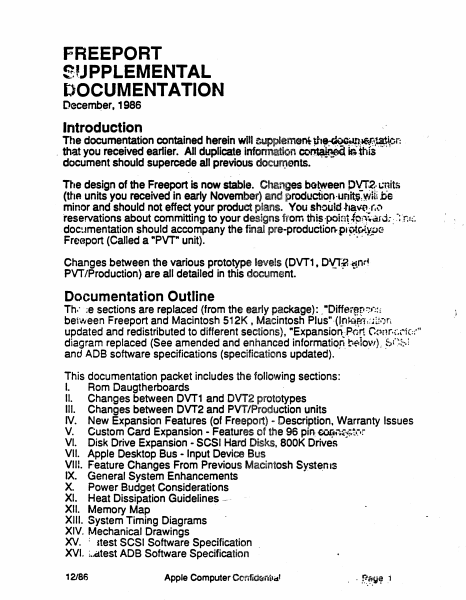
FREEPORT S'JPPLEMENTAL DOCUMENTATION Decem~er, 1986 Introduction The documentation contained herein will cupplem~nl-Jf'1~i:l(f!~r: . . that you received earlier. All duplicate infonnation co~ iA ttus document should supercede all previous doeun,ents. The design of the Freeport is now stable. Changes bot.ween .PYT:2.· Lmits (thA units you received in early November) and producti0'1·UAiti: wiii tie minor and should not effect your product plans. You sh~u!d-ha'\jt~.r,\I reservations about committing to your designs from thi~ ·poin' ipil~ar d;: ~: ·_r;.:;·• .doc~Jmentation should accompany the final .pre-production. .pr~rtti.oG Freeport (Called a •pvr unit). ·· Changes between the various prototype levels (DVT1 , DY..Tf, -~nd PVT/Production) are all detailed in this document. Documentation Outline Th.· ·;e sections are replaced (from the early package):. ·oiffer~p~~f·;::: be1ween Freeport and Macintosh 512K, Macintosh Plus"·Cl.f1J.i;~t!1·:~l~i.;n updated and redistributed to different sections), •Expansion..·,P.n!t ~'mr.f.,~ic:;-t' diagram replaced (See amended and enhanced informatio.n. !:·f!IO~l); ~f~bl and ADB software specifications {specifications updated). This documentation packet includes the following sections: I. Rom Daugtherboards II. Changes between DVT1 and DVT2 prototypes Ill. Changes between DVT2 and PVT/Production units IV. New Expansion Features (of Freeport) - Description, Warranty Issues V. Custom Card Expansion - Features of the 96 piR: ~~·~:;:;t·~·: VI. Disk Drive Expansion - SCSI Hard Disks, SOOK Drives VII. Apple Desktop Bus - Input Device Bus VIII. Feature Changes From Previous Macintosh Syst~nts IX. General System Enhancements X. Power Budget Considerations XI. Heat Dissipation Guidelines,_, XII. Memory Map · XIII. System Timing Diagrams XIV. Mechanical Drawings "X>J. = dest SCSI Software Specification . XVI. :..cttest ADB Software Specification 12186 .i I. ROM daughterboarCls Enclosed with this docum~tiJiofl are a new set of.ROMS. Also included is a new System Tools disk. JlJ~.:RQtAs will work properly in your ~VT units only. The final Freeport systemw.iU, .lflip with 256K of ROM which will plug directly into the ROM sockets on th.l::Jogic board. Because EPROMs of this size are not readily available, we. hav~(Ovided you with a ROM daughterboard that holds four EPROMs. Tak•ft;t9Qether, the four EPROMs contain the ROM image of the final 256K FreeDOrt ROM. Since you may be developiflg;expansion card produds which might interfere with the ROM daughterboard, we have also provided you with a set of masked ROMs that are electrically and mechanically identical to the final ROM. However, these ROMs have many known bugs. They are provided for your convenience only~·· 12186 Apple Computer Confidential Page 2 II. Changes between first (DVT1) and second (DVT2) prototypes • Serial Ports are now Macintosh Plus compatible (This change was previously detailed in section 8 of the •Freeport Hardware Preliminary Notes"). • 96 Pin expa…

Showing first 3,000 characters of 209,543 total. Open the full document →

Home Documents Macintosh YACC Schematics Jan85
YACC Schematics Jan85

YACC Schematics Jan85

Macintosh · 1984 · PDF
FilenameYACC_Schematics_Jan85.pdf
Size2.48 MB
Year1984
Subsection prototypes / 1985_YACC
Downloads5
Enjoying MacTrove? Anonymous downloads are free and unlimited. Create a free account to track favorites, contribute metadata corrections, and join the community chat.
Reader
YACC Schematics Jan85
/
Loading…
OCR / Text contents
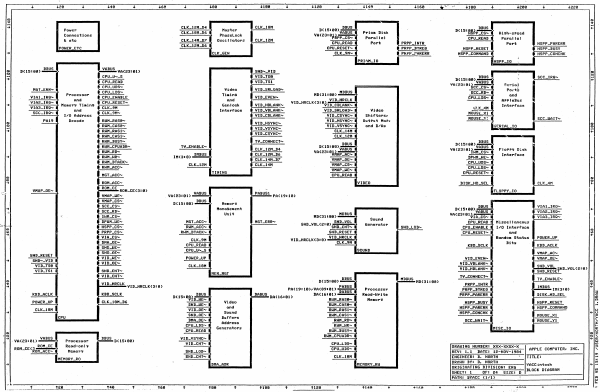
+ +20 + +40 + ve + 188 + +100 ¢ +126 + 149 + +160 +160 + 1200 ¢ v220 ° o ¢ r $ 3 CLK_12H_D4 CLK_18M DBUS BUS bs —————__ ti nm D152 G0) ees 3 — Power CikK-ienne q faster VaBUS @ Priam Disk DC15: ARR emts~ f Hioh-sPeed Connections SERRE NS PhaseLock Vac2at 043 exmmeeet erp acs~ 8 t eto cuxitann7 Ml oscitiators @ cuK_t2m dated PCC cies) LPU-READ @ Parallel CLK=12N_6 - jCRUREAD & = Port p PRPPLINTR {oe | HSPP_PARERR POWER_ETC 7? CPU_RESET~ PRPP_BTRE@ HSPP_RESET & HSPP_BUSY > CLK_GEN cl PRPP_PARERR HSPP_COMMAND & HSPP_CONCHK « Perzan0 i HSPP_10 je] peas:ea> ROUS pABUS vac23z01) a | S is cPu_u~_s DBUS : SCC_IRG~ s ° CPU_READ 0¢15: 00) FatuS ;_ bi cPu_uns~ Vacesretiscics~ q Serial HGT_ERR~ = Video VID-sRLOAD~ ae Ports cyai ipo. if Processor CPU=LDS~ Timing Dn curue mp¢siree> SEUSS -SCC_RD~ d viat_tre~ f CPU_ENABLE VID_EVEN~ éPu_Los~ & on VIA2—IRG~ and CPU_RESET~ and VID_HRCLK¢3: 03 wameRCLK LS p «APPleBus > ee Memory Timing poe Genlook VID_HBLANK~ viD_-CBLANK~ i Interface | VIAZ_IRQ & CLK_9M Cuan Uni ANI Vin spioaD~ #8 SccIROS and Tras Interface VID_VBLANK~ Video Se 10 Address SP VID_CBLANK~ Shifters? scc_uart~ 7 paig Decode RHM_RASG~ ane Output Map, : p_SCC-HAIT~ a S | RHM_CASe~ TT VEvHES and DvAs SERIAL_10 s 3 RHM_RASI~ VID-CSYHC™ < @ RuM_Casi~ a CLK_12n § RWH_BUSY~ TY-CONNECT~ Bus H pIRHH=DUSY=I pT —CONNECT™ BUS ! DC15208) semen ne ~ 288 @ RUN_cPUADR~ TWAENABLE © CLK_12M_p4 ¢15500) CAbUS vaceazo1; menue Floppy Disk RUM_RD~ eer vacea: 043 Samet Hin_cs~ IMBuS CLK_-12M_D6 jaP_AC~ i —rnatS~ § Interface + RHH_HR~ IM¢3: 8) oe CLE” WREPDoES DPHN_HE~ < RHM_DTACK~ arerien pn VHAP CSS CPU_UDS~ RWM_AcC~ ate SS CPU_LDS~ 4 TINING HAP HEX CPULRESET~ lo NGT—ACC~ CPU-READ § Se o 8 ROM_ACC~ VIDEO DISK_HD_SEL | cLKatt e E ~ 1 vnap_oe~ ROH CE pon _cE<3:0) venus Peanst FiLOPPY_10 Q vn _ue~ ¥AC23:01) —— panne PAC 19210) anne D¢15: 60) Soo Memory BUS VIAI_IRC~ * Nanagement D¢1518@> a « e Unit MDBUS vace3: a1) mes p VIABAIRG~ MD¢31100) ee Sound +10 rants~ VIA3_IRG~ MGT_ACC~ 4 MGT_ERR~ SND_VOLC2:@> SND_VOL Generator CPU_READ q Miscellaneous @usPP_cs~ RHH_ACC~ ~ SND_CNT~ SND_LOD~ CPULENABLE 170 Interface ° € PRPP_CS~ RUM_DTACK~ @ SND_RESET CPU_RESET~ g and 2 cux_on vip_uRcLK¢a:ey LIDAHRCLK | Rendoeletae POHER_UP CPU_READ > kKBD_ScLK its KBD_ACLK SND_RESET SND_OE~ cPU_Uv_s @ SOUND ~ J vnap_ac~ IN VID VID_WE~ pouer_ur vip_ever~ VHAP_OE~ Al “vin_Tse & cuxton f VIDVBLANK~ & SND_VOL. , VID-HBLANK~ @ SE FND-VOL<2:0> vo tv.connect~ I Dy ewan pn > VED CNT Bus MDBUS > TV_ENABLE~ © D¢153@0> Sateen HDC312 88> r ——— c) By SED SHRCLK. y1D_HRCLK¢320> Pagus =PRPP-INTR IMBUS be PACI9:10>/VAC9101) meee © Processor PRPP_BTREQ 1m¢37@> KBD_ACLK KBD_SCLK DBUS DABUS DAC16:01) === Read-Hrite PRPP_PARERR DISK_HD_SEL ee D158 0g? paeoremee DAC16201> Aree) ( eaeceee . ——— eo pouer_up CLK_18H_D6 Finer Video easere uspp_susy Ml HSPP_RESET CLK_18M { “VID.OE~ and "RHM_RASI~ HSPP_PARERR q HSPP_COMMAND + | SNDLOED sen “RUM_CASI~ HSPP_CONCHK moneetn « “DMAOE~ Ha arene -RUN_RD~ & Scchart~ B HOUSE_Y1 SEULDS~ …

Showing first 3,000 characters of 22,532 total. Open the full document →

Home Documents Macintosh YaccEqu
YaccEqu

YaccEqu

Macintosh · 1989 · PDF
FilenameYaccEqu.pdf
Size0.31 MB
Year1989
Subsection prototypes / 1985_YACC / firmware
Downloads5
Enjoying MacTrove? Anonymous downloads are free and unlimited. Create a free account to track favorites, contribute metadata corrections, and join the community chat.
Reader
YaccEqu
/
Loading…
OCR / Text contents
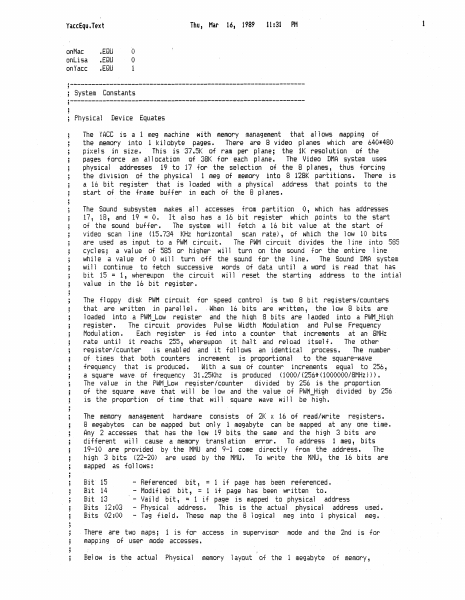
Thu, Mar YaccEqu.Text on Mac onlisa on Yacc .EQU .EQU .EQU 16, 1989 11 :31 PM 0 0 '·----------------------------------------------------------------; System Constants ;----------------------------------------------------------------Physical Device Equates The YACC is a meg machine with memory management that aliorJs mapping of the memory into 1 kilobyte pages. There are 8 video p1anes which are 640*480 pi;.~eis in size. This is 37.5K of ram per plane; the 1K resolution of the pages force an allocation of 38K for each plane. The Video DMA system uses physical addresses 19 to 17 for the selection of the 8 planes, thus forcing the division of the physical 1 meg of memory into 8 128K partitions. There is a 16 bit register that is 1oaded with a physical address that points to the start of the frame buff er in each of the 8 p1anes. The Sound subsystem makes al 1 accesses from partition O, which has addresses 17, 18, and 19 = .(i. It ai so has a 16 bit register i·Jh ich points to the start of the sound buffer. The system rJi 11 fetch a 16 bit value at the start of video scan 1ine (15.734 KHz horizontal scan rate), of ~~hich the low 10 bits are used as input to a PWM c irwi t. The PvJM circuit di vi des the line into 585 cycies; a value of 585 or higher will turn on the sound for the entire i ine whi 1e a value of 0 rJi 11 turn off the sound for the 1ine. The Sound DMA system will continue to fetch successive words of data until a word is read that has bit 15 = 1, whereupon the circuit rJi 11 reset the starting -:.iddress to the int iai vai ue in the 16 bit register. The floppy disk PliJM circuit for speed control is two 8 bit registers/counters that are written in para1 lel. . When 16 bits are written, the lm:.s 8 bits are loaded into a PWM Low register and the high 8 bits are laoded into a PWM High register. The circuit provides Pulse Width Modulation and Pulse Frequency Modu1 at ion. Each register is fed into a counter that increments at an 8MHz rate until it reachs 255, ~·Jhereupon it hait and reload itself. The other registericounter is enabied and it folim&Js an identical process. The number of times that both counters increment is proportional to the square-wave frequency that is produced • ~Ji th a sum of counter increments equa 1 to 256, a square wave of frequency 31.25Khz is produced ( 1000/ \256* ( 1000000/BMHz))) • The vaiue in the PWM_Low register/counter divided by 256 is the proportion of the square ~-Jave that rJiii be 'low and the vaiue of Pl>JM_High divided by 256 is the proportion of time that will square wave will be high. The memory management hard~111are consists of 2K ;{ 16 of read/write registers. 8 megabytes can be mapped but only 1 megabyte can be mapped at any one time. Any 2 accesses that has the l ow 19 bits the same and the high 3 bits are different v4ill cause a memory translation error. To address 1 meg, bits 19-10 are provided by the MMU and 9-1 come directly from the address. The high 3 bits (22-20) are used b…

Showing first 3,000 characters of 10,716 total. Open the full document →

Home Documents Macintosh Tlasm HeapDefs
Tlasm HeapDefs

Tlasm HeapDefs

Macintosh · 1987 · PDF
Filenametlasm-HeapDefs.pdf
Size0.18 MB
Year1987
Subsection prototypes / 1985_YACC / firmware / yaccsbug
Downloads5
Enjoying MacTrove? Anonymous downloads are free and unlimited. Create a free account to track favorites, contribute metadata corrections, and join the community chat.
Reader
Tlasm HeapDefs
/
Loading…
OCR / Text contents
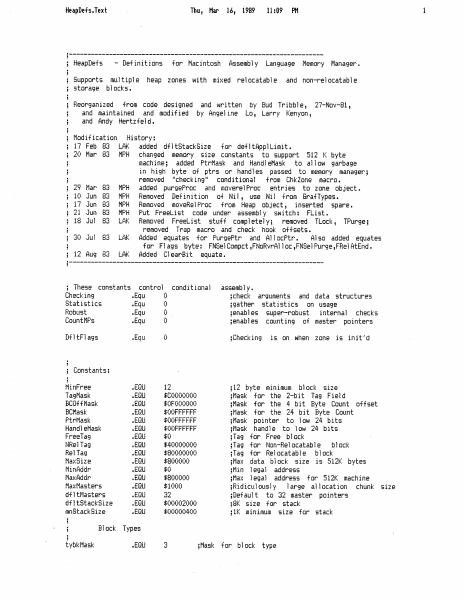
HeapDefs.Text Thu, Mar 16, 1987 11:09 PM Heaplefs - Definitions for Macintosh Assembly Language Memory Manager. Supports multiple heap zones with mixed relocatable and non-relocatable storage blocks. Reorganized from code designed and written by Bud Tribble, 27-Nov-81, and maintained and modified by Angeline Lo, Larry Kenyon, and Andy Hertzfeld. Modification History: 17 Feb 83 LAK added dfltStackSize for defltAppiLimit. 20 Mar 83° MPH changed memory size constants to support 512 K byte machine; added PtrMask and HandleMask to allow garbage in high byte of ptrs or handles passed to memory manager; removed "checking" conditional from ChkZone macro. 29 Mar 83 MPH added purgeFrec and moverelProc. entries to zone object. iG Jun 83) MPH Removed Definition of Nil, use Nil from GrafTypes. 17 Jun 83 MPH Removed moveRelProc from Heap object, inserted spare. 2i Jun 63 MPH Put FreeList code under assembly switch: FList. 18 Jul 83 LAK Removed FreeList stuff completely; removed TLock, TPurge; removed Trap macro and check hook offsets. for Flags byte: FNSelCompct ,FNoRvrAl loc ,FNSel Purge ,FRel AtEnd. 12 Aug 83° LAK Added ClearBit equate. ; These constants control conditional assembly. Checking +Equ Q ycheck arguments and data structures Statistics »Equ 6 ygather statistics on usage Robust »Equ 0 yenables super-robust internal checks CountHPs «Equ it) senables counting of master pointers DF tFlags sEqu 0 yChecking is on when zone is init’d H 3 Constants: HinFree »EGU 12 312 byte minimum block size TagMask »EQU #00000000 sMask for the 2-bit Tag Field BCOFfMask EOL SOF 000000 sMask for the 4 bit Byte Count offset BCMask »EQU $00FFFFFF yMask for the 24 bit Byte Count PtrMask »EQU SQ0FFFFFF jMask pointer to low 24 bits Hand] eMask »EQU FQOFFFFFF sMask handle to low 24 bits Freelag -EQU #0 slag for Free block NRel Tag »EGU $40000000 ylag for Non-Relocatable black RelTag »EQU $80000000 3Tag for Relocatable block MaxSize »EQU #800000 jMax data block size is 312K bytes Mindddre »EGU $0 3Min legal address MaxAddr »EBU S800000 yMax legal address for 512K machine MaxMasters »EGU $1000 sRidiculously large allocation chunk size dfl tasters »EQU 32 pDefault to 32 master pointers df] tStackSize EGU $00002000 38K size for stack anStackSize +EQU 00000400 31K minimum size for stack i H Block Types H t ybk Mask »ERU 3 yMask for block type 30 Jul 63 LAK Added equates for PurgePtr and AllocFtr. Aiso added equates HeapDets.Text tybkFree tybkNRel tybkRel Heap Zone ? BkLim PurgePtr HFstFree ZCBFree 62ZFroc MAT ocOnt Flags FOnCheck FChecking FGZAl ways FNGZResrv FN5el Compct FNoRvral loc FNGel Purge FRel AtEnd cntRel maxRel cntNRel maxNRel entEmpty cntHand]es minCBFree purgeProc sparel AllocPtr Heaplata MinZone ' 3 TagbC Handle BikData SysZoneSize AppZoneSize Structure StartPtr LimitFtr CMoreMasters -EQU EGU EGU Offsets: »EQU EGU EGU »EGU »EQU »EGU «EGU »EGU +EQU +EQU »EQU »EQU »EQU EGU »EQU »EQU »EQU »EQU »EGU »EGU «EGU »EGU »EQU EGU E…

Showing first 3,000 characters of 5,210 total. Open the full document →
Home Documents Macintosh Tlasm ToolEQU
Tlasm ToolEQU

Tlasm ToolEQU

Macintosh · 1989 · PDF
Filenametlasm-ToolEQU.pdf
Size0.75 MB
Year1989
Subsection prototypes / 1985_YACC / firmware / yaccsbug
Downloads5
Enjoying MacTrove? Anonymous downloads are free and unlimited. Create a free account to track favorites, contribute metadata corrections, and join the community chat.
Reader
Tlasm ToolEQU
/
Loading…
OCR / Text contents
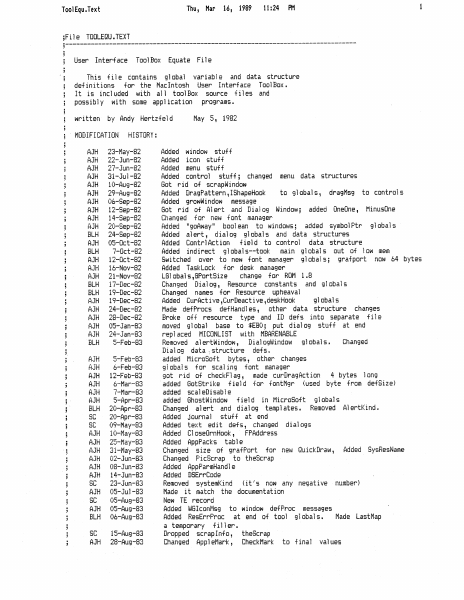
ToolEqu.Text File TOOLEQU.TEXT Thu, Mar 16, 1989 11:24 PM 1 User Interface ToolBox Equate File This file contains global variable and data structure definitions for the MacIntosh User Interface ToolBox. It is included with all toolBox source files and possibly with some application programs. written by Andy Hertzfeid May 3, 1982 MODIFICATION HISTORY: AJH AJH AJH AJH AJH AJH AJH AJH AJH AJH BLH AJH BLH AJH AJH AJH BLH BLH AJH AJH AJH AJH AJH BLH AJH AJH AJH AJH AJH AJH BLH 8c 8c AJH AJH AJH AJH AJH AJH SC AJH 6C AJH ELH $C AJH 23-May-B2 22-Jun-82 27-Jun-82 3i-Jul-B2 10-Aug-82 29-Aug-82 06-Sep-82 12-Sep-82 14-Sep-82 20-Sep-82 24-Sep-82 05-Oct-82 7-Oct-82 12-ict-B2 14-Nov-82 21-Nov-82 i?-Dec-82 i9-Dec-B2 19-Dec-82 24-Dec-82 28-Dec-82 05-Jan-83 24-Jan-83 5-Feb-83 5-Feb-83 4-Feb-83 12-Feb-83 é-Mar-83 7-Mar-83 S-Apr-83 20-Apr-83 20-Apr-83 09-May-83 i0-May-d2 25-May-83 3i-May-B3 02-Jun-83 08-Jun-83 14-Jun-83 23-Jun-83 08-Jul-83 05-Aug-83 05-Aug-83 06-Aug-83 13-Aug-83 28-Aug-83 Added window stuff Added icon stuff Added menu stuff Added control stuff; changed menu data structures Got rid of scrapWindow Added UragPattern , 1ShapeHook to globals, dragMsg to controls Added growWindow message Got rid of Alert and Dialog Window; added fneDne, MinusQne Changed for new font manager fidded “goAway" boolean to windows; added symbolPtr globals Added alert, dialog globals and data structures Added ContriAction field to control data structure Added indirect globals--took main globals out of low mem Switched over to new font manager globals; gratport now 64 bytes Added TaskLock for desk manager LGlobais,GPortSize change for ROM 1.8 Changed Dialog, Resource constants and globals Changed names for Resource upheaval Added CurActive Curfeactive ,deskHook globals Made defProcs defHandies, other data structure changes Broke off resource type and Il defs into separate file moved global base to #E80; put dialog stuff at end replaced HICONLIST with MBARENABLE Removed alertWindow, UDialogWindow globals. Changed Dialog data .structure defs. added MicroSoft bytes, other changes globais for scaling font manager got rid of checkFlag, made curfiragAction 4 bytes Jong added GotStrike field for fontMgr (used byte from defSize) added scalelisable added GhostWindow field in MicroSoft giobals Changed alert and dialog templates. Removed AlertKind. Added journal stuff at end Added text edit defs, changed dialogs Added CloseOrnHook, FPAddress Added AppPacks table Changed size of grafFort for new QuickDraw, Added SyskesNane Changed PicScrap to theScrap Added AppParmHandie Added OSErrCode Removed systemKind (it’s now any negative number) Made it match the documentation New TE record Added WGIconMsg to window defProc messages Added ResErrProc at end of tool globals. Made LastMap a temporary filler. Dropped scrapinfo, thedcrap Changed AppleMark, CheckMark to final values ToolEqu.Text : Thu, Mar 16, 1989 11:24 PM AJH = 29-Aug-83 added…

Showing first 3,000 characters of 20,343 total. Open the full document →
Home Documents Macintosh Tlsam GrafEQU
Tlsam GrafEQU

Tlsam GrafEQU

Macintosh · 1989 · PDF
Filenametlsam-GrafEQU.pdf
Size0.12 MB
Year1989
Subsection prototypes / 1985_YACC / firmware / yaccsbug
Downloads5
Enjoying MacTrove? Anonymous downloads are free and unlimited. Create a free account to track favorites, contribute metadata corrections, and join the community chat.
Reader
Tlsam GrafEQU
/
Loading…
OCR / Text contents
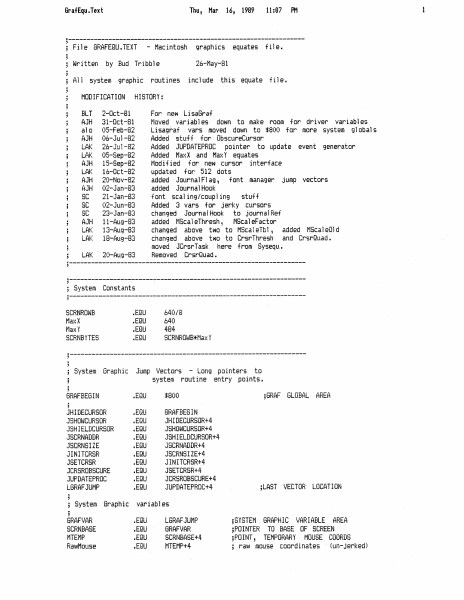
GrafEqu.Text Thu, Mar 16, 1989 11:07 PM File GRAFEQU.TEXT - Macintosh graphics equates file. Written by Bud Tribble 26-May-81 All system graphic routines include this equate file. MODIFICATION HISTORY: i 5 : 3 i 3 BLT 2-Oct-ai For new LisaGraf 3 AJH 31-Oct-81 Moved variables down to make room for driver variables 3 alo 03-Feb-82 Lisagraf vars moved down to #800 for more system globals 3 AJH 06-Jul-82 Added stuff for ObscureCursor y LAK 26-Ju1-B2 Added JUPDATEFROC pointer to update event generator 3 LAK 05-Sep-82 Added MaxX and MaxY equates : AJH 15-Sep-82 Modified for new cursor interface 3; LAK 16-Oct-82 updated for 512 dots y AJH 20-Nov-82 added JournalFlag, font manager jump vectors 3 AJH 02-Jan-83 added Journal Hook 3 $C 21-Jan-83 font scaling/coupling stuff 3 $C 02-Jun-83 Added 3 vars for jerky cursors H §C 23-Jan-83 changed JournalHook to journal Ret 3 AJH 1i-Aug-83 added MScaleThresh, MScaleFactor y; LAR 13-Aug-83 changed above two to MicaleTbl, added NScaleQld 3 LAR 18-Aug-89 changed above two to CrsrThresh and CrsrQuad. H moved JCrsrTask here from Sysequ. ; LAK 20-Aug-83 Removed CrerGuad. 3 i ; System Constants 3 SCRNROWE EGU 640/8 MaxX EGU 640 Max EGU 44 SCRNBYTES EGU SCRNROWB#Max ¥ i : ; System Graphic Jump Vectors - Long pointers to H system routine entry points. 3 GRAFBEGIN EGU #800 ;GRAF GLOBAL AREA JHIDECURSOR EGU GRAFBEGIN J5HOWCURSOR »EGU JHIDECURSOR+4 JSHIELDCURSOR EGU JSHOWCURSOR+4 ASCRNADDR EGU JSHIELDCURSOR+4 ASCRNSIZE »ERU JSCRNADDR+4 JINITCRSR EGU JSCRNSIZE+4 JSETCRER EGU JINITCRSR+4 JCRSROBSCURE »EQU ASETCRSR+4 JUFDATEPROC »EGU ACRSROBSCURE+4 LGRAF JUMF EDU JUPDATEPROC+4 ;LAST VECTOR LOCATION : ; System Graphic variables : GRAF VAR EGU LGRAFIJUMF s5YSTEM GRAPHIC VARIABLE AREA SCRNBASE EGU GRAF VAR yPOINTER TO BASE OF SCREEN MTENF -EQU SCRNBASE+4 sPOINT, TEMPORARY MOUSE COORDS RawMouse «EGU NTEMP+4 ; Faw mouse coordinates (un-jerked) GrafEqu.Text MOUSE CRSRPIN CRSRRECT THECRSR CRSRADDR CRSRSAVE CRERVIS CRSRBUSY CRSRNEW CRSRCOUPLE CRSRSTATE CREROBSCURE CRERSCALE MouseMask Mouselffset Journal Flag JSwapFont JFontInfo Journal Ret CrsrThrash JCrsrTask -EQU »EGU »EGU »EGU EGU +EQU »EQU +EQU +EQU EGU +EQU »EQU »EQU »EQU EGU EGU EGU +EQU »EGU EGU «EGU ; NOTE -- JCrsrTask GRAFEND »EGU Thu, Mar RawMouse+4 MOUSE+4 CRSRPINtE CRSRRECT+S THECRSR+48 CRSRADDR+4 CRSRSAVE+44 CRSRVIS+1 CRERBUSY+1 CRSRNEW+ 1 CRSRCOUPLE+1 CRSRSTATE+2 CRSROBSCURE+1 CRSRSCALE+3 MouseMask +4 Mouselffset+4 Journal Flagt2 J5wapFont+4 JFontInfot4 Journal Retf+4 CrsrThresht2 CrsrThresh = must JCrsrTask+4 ié, 1987 9 14:07 PM ;POINT, MOUSE COORDS USED BY CURSOR 3RECT, CURSOR PIN LIMITS sRECT, CURSOR HIT RECTANGLE 348 BYTES. CURSOR DATA, MASK, HOTSPOT LONG, ADDR OF DATA UNDER CURSOR 316 LONGS, DATA UNDER CURSOR sBYTE, CURSOR VISIBLE FLAG sBYTE, CURSOR LOCK-DUT FLAG 3BYTE, CURSOR CHANGED FLAG yBYTE, CURSOR coupled flag ;WORD, FOR NESTED CURSOR CALLS ybyte semaphore for obscure cursor sbyte c…

Showing first 3,000 characters of 3,314 total. Open the full document →
Subscribe to Macintosh
mp.ls