Home Documents Macintosh The Hypertalk Language 1.2
The Hypertalk Language 1.2

The Hypertalk Language 1.2
Macintosh · 1988 · PDF
FilenameThe_Hypertalk_Language_1.2_198807.pdf
Size15.81 MB
Year1988
Subsection developer / Hypercard
Downloads5
Enjoying MacTrove? Anonymous downloads are free and unlimited. Create a free account to track favorites, contribute metadata corrections, and join the community chat.
Reader
The Hypertalk Language 1.2
/
Loading…
OCR / Text contents
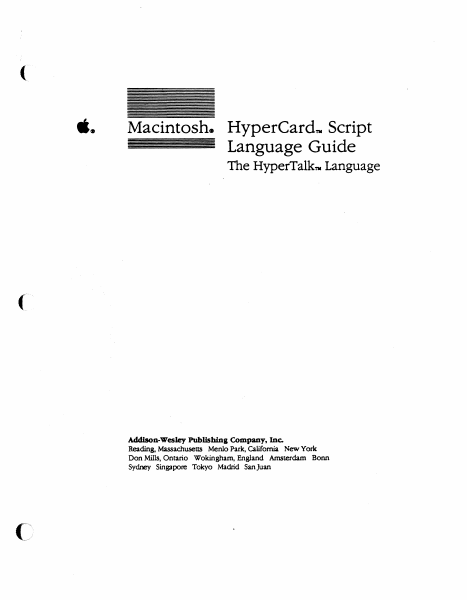
ti. Macintosh. HyperCardTll Script Language Guide The HyperTalkm Language Addison-Wesley Publlshina Company, Inc. Reading, Massachusetts Menlo Park, California New York Don Mills, Ontario Wokingham, England Amsterdam Bonn Sydney Singapore Tokyo Madrid Sanjuan ··~ S APPLE COMPUTER, INC. Copyright C 1988 by-Apple Computer, Inc. All rights reserved. No part of this publication may be reproduced, stored in a retrieval system, or transmitted, in any form or by any means, mechanical, electronic, photocopying, recording. or otherwise, without prior written permission of Apple Computer, Inc. Printed in the United States Qf America, Apple, the Apple logo, LaserWriter, Macintosh, and SANE are registered trademarks of Apple Computer, Inc. APOA, Finder, HyperCard, Hypetl'alk, MultiFinder, and Stackware are trademarks of Apple Computer, Inc. · MacPaint is a registered trademark of CLARIS Corporation. ITC Avant Garde Gothic, ITC Garamond, and ITC Zapf Dingbats are registered trademarks of International Typeface Corporation. Microsoft is a registered trademark of Miamoft Corporation. POSTSCRIPT •is a registered trademark, and Illustrator is a trademark of Adobe Systems ·incorporated. Varityper is a registered trademark, and vr(i()() is a trademark, of AM International, Inc. Simultaneously published in the United Stares and Canada. ISBN 0-201-17632-7 ABCDEFGHIJ-00-898 Fitst printing. July 1988 Contents Flgur• and tabi.t xv Preface About This Gulde xix What's in th1' book? n Notation conventions nil Chapt.- 1 HyperTalk 8mlcl 1 What is HyperTalk? 2 Objects 2 Buttons and fields 2 Cards, backgrounds, and stacks 3 Mes..ages 4 Saipts 4 Handlers 4 Message handlers 5 Function handlers 5 Where's the script? 6 The script editor 1 Manipulating text 8 Searching and printing 8 Formatting scripts 9 Unelengrh 9 Chapter summary 10 ill Chapter 2 Handling Meaag• 11 The HypetCard environment 12 Sending meMages 12 System meMages 13 Statements as messages 13 Message box messages 14 Messages resulting from commands 14 Receiving meMages 15 Object hierarchy 16 Where messages go 16 Messages to buttons and fields 17 The current hierarchy 18 The target 20 The dynamic path 21 The go command and the dynamic path 22 The send keyword and the dynamic path ·23 Handlers calling handlers 25 Subroutine calls 25 Recursion 26 Using the hierarchy 27 Sharing handlers 27 Intercepting messages 29 Parameter passing 30 Chapter summary 32 Chapter 3 Naming Obf4tcls 33 Object descriptors 34 Object names 35 Object ID numbers 35 Object numbers 36 Special ordinals 37 Object numbers and tab order 37 Special objea descriptors 37 Stack descriptors 38 Naming a stack 39 Combining object descriptors 40 Chapter. summary 40 Iv . Contents ( Chapter 4 Values 41 Soura:!S of values 42 Constants 42 Literals 42 Functions 43 Properties 43 Numbers 44 Standard Apple Numerics Environment 44 Precision 44 Number handling 45 Containers 45 Fields 45 Variables 46 The selection 47 The Message box 48 Comple…

Showing first 3,000 characters of 424,140 total. Open the full document →
Home Documents Macintosh Presenting Macaroni Draft
Presenting Macaroni Draft

Presenting Macaroni Draft

Macintosh · 1989 · PDF
FilenamePresenting_Macaroni_draft_198905.pdf
Size5.76 MB
Year1989
Subsection developer / Hypercard
Downloads3
Enjoying MacTrove? Anonymous downloads are free and unlimited. Create a free account to track favorites, contribute metadata corrections, and join the community chat.
Reader
Presenting Macaroni Draft
/
Loading…
OCR / Text contents
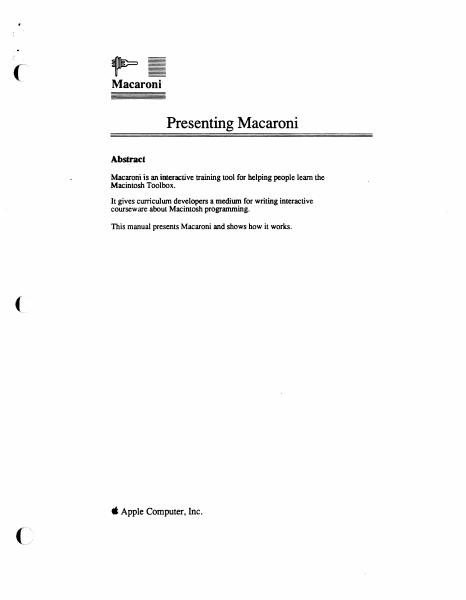
Macaroni Presenting Macaroni Abstract Macaroni is an im.eractive training tool for helping people learn the Macintosh Toolbox. It gives curriculum developers a medium for writing interactive courseware about Macintosh programming. This manual presents Macaroni and shows how it works. ( ti Apple Computer, Inc. DISCLAIMER AND LIMIT ATION OF LIABILITY (' This manual describes preliminary software that has not been fully tested or documented and is provided early in the development process for your convenience and comment. As a result, TIDS MANUAL AND THE SOFTWARE WIDCH IT DESCRIBES ARE PROVIDED "AS-IS", AND YOU ARE ASSUMING THE ENTIRE RISK AS TO ITS QUALITY OR PERFORMANCE. APPLE EXPRESSLY DISCLAIMS ALL WARRANTIES, EXPRESS OR IMPLIED, INCLUDING, BUT NOT LIMITED TO, THE IMPLIED WARRANTIES OF MERCHANTABil.ITY AND FITNESS FOR A PARTICULAR PURPOSE. APPLE DOES NOT WARRANT THAT THE FUNCTIONS CONTAINED IN THE SOFIWARE Wil.L MEET YOUR REQUIREMENTS, OR THAT THE OPERATION OF THE SOFIWARE Wil.L BE UNINTERRUPTED OR ERROR-FREE, OR THAT DEFECTS IN THE SOFl'WARE Wil.L BE CORRECTED. FURTHERMORE. APPLE DOES NOT WARRANT OR MAKE ANY REPRESENTATIONS REGARDING THE USE OR THE RESULTS OF THE USE OF THE SOFTWARE OR RELATED DOCUMENTATION IN TERMS OF THEIR CORRECTNESS, ACCURACY, RELIABil.ITY, OR OTHERWISE. NO ORAL OR WRITTEN INFORMATION OR ADVICE GIVEN BY APPLE OR AN APPLE AUTHORIZED REPRESENTATIVE SHALL CREATE OR ENLARGE ANY WARRANTY. SHOULD THE SOFl'WARE PROVE DEFECTIVE, YOU ALONE ASSUME THE ENTIRE COST OF ALL NECESSARY SERVICING, REPAIR OR CORRECTION. ALL IMPLIED WARRANTIES ON THE SOFIWARE, THIS MANUAL OR THE MEDIA ON WHICH THEY ARE WRITTEN OR RECORDED. INCLUDING ANY IMPLIED WARRANTIES OF MERCHANTABil.ITY AND/OR FITNESS FOR A PARTICULAR PURPOSE, ARE LIMITED IN DURATION TO NINETY (90) DAYS FROM THE DATE OF THE ORIGINAL LICENSING FROM APPLE. If you discover a physical defect in the media on which the Software is recorded and you obtained your copy of the defective media directly from APDA, please contact APDA customer service at once (by calling (800) 282-2732) to request a replacement of the media. IN NO EVENT Wil.L APPLE BE LIABLE FOR DIRECT, INDIRECT, SPECIAL, INCIDENTAL, OR CONSEQUENTIAL DAMAGES RESULTING FROM ANY DEFECT IN THE SOFTWARE, even if advised of the possibility of such damages. In particular, Apple shall have no liability for any programs or dala stored or used with Apple products, including the costs of recovering such programs or data. In no event shall Apple's total liability to you for all damages, losses, and causes of action (whether in conttact. tort (including negligence) or otherwise) exceed the amount paid by you for the Software. Back up your entire hard disk before using the Software. THEWARRANTY AND REMEDIES SET FORTH ABOVE ARE EXCLUSIVE AND IN LIEU OF ALL OTHERS, ORAL OR WRITTEN, EXPRESS OR IMPLIED. SOME STATES DO NOT ALLOW THE EXCLUSION OR LIMITATION OF IMPLIED WARRANTIES OR INCIDENTAL OR CONSEQUENTIAL DAMAGES SO THE ABOVE LIMITATION OR…

Showing first 3,000 characters of 65,095 total. Open the full document →

Home Documents Macintosh Hypertalk Beginners Guide
Hypertalk Beginners Guide

Hypertalk Beginners Guide

Macintosh · 1989 · PDF
FilenameHypertalk_Beginners_Guide_198902.pdf
Size7.04 MB
Year1989
Subsection developer / Hypercard
Downloads4
Enjoying MacTrove? Anonymous downloads are free and unlimited. Create a free account to track favorites, contribute metadata corrections, and join the community chat.
Reader
Hypertalk Beginners Guide
/
Loading…
OCR / Text contents
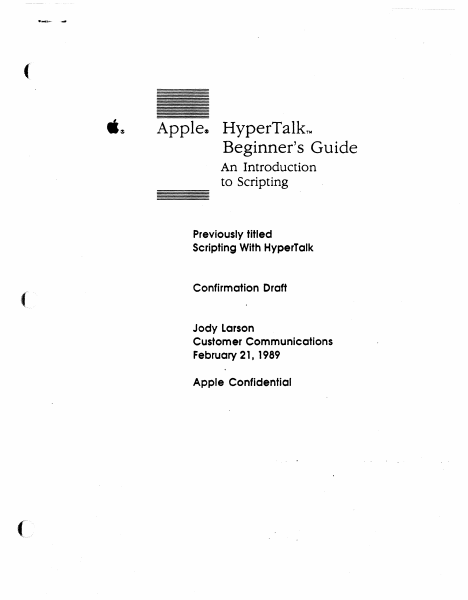
( .~ Apple~ HyperTalkTM Beginner's Guide An Introduction to Scripting Previously titled Scripting With HyperTalk ( Confirmation Draft Jody Larson Customer Communications February 21, 1989 Apple Confidential or It APPLE COMPLIER, INC Copyright e 1989 by Apple Computer, Inc. All rights reserved. No part of this publication may be reproduced, stored in a retrieval system, or transmitted, in any form or by any means, mechanical, electronic, photocopying, recording, or otherwise, without prior written permission of Apple Computer, Inc. Primed in the United States of America. © Apple Computer, Inc., 1989 20525 Mariani Avenue Cupertino, CA 950]4-6299 (408) 996-1010 Apple, the Apple logo, HyperCard, and Macintosh, are registered uademarks of Apple Computer, Inc. HyperTalk is a trademark of Apple Computer, Inc. ITC Zapf Dingbats is a registered trademark of International Typeface Corporation. Linotronic is a registered trademark of Linotype Co. POSTSCRIPT is a registered trademark, and Illustrator is a trademark, of Adobe Systems Incorpora ted. Varityper is a registered trademark, and VT600 is a trademark, of AM International, Inc. Simultaneously published III the Cniled Slates and Canada • • ( Contents Preface About This Guide vii What you need to know viii How to use this guide viii Conventions used in this guide ix For more information x Chapter 1 ( ( Getting Started 1 Start up HyperCard 2 Set your user level 3 Create a practice stack 4 Set up the background 6 Putting a title on the stack 7 Home, sweet Home 8 Making a button 9 Customizing the button 9 And now, a little scriptmg 11 Trying it out 13 Buttons for traveling 14 Making two new buttons 14 Customizing the button on the right 1S Customizing the button on the left 1S Completing the scripts 16 Fill out the stack 17 Adding a label field 17 Typing a label 18 Adding five new cards 18 A script to label all cards 19 Add a button to the Home card 21 What you've done so far 22 iii ) Chapter 2 Special Effects 25 Some visual effects 26 Adding graphics 27 The Visual command 28 Adding effects to the arrow buttons 28 Adding an effect to the Home button 30 Adding the same effect to the button on the Home card 31 More experiments with visual effects 32 Barn Door 33 Dissolve 34 The syntax of the Visual command 35 Some sound effects 32 The syntax of the Play command 33 Specifying the notes 37 Dealing with long lines 39 \X'hat you've done in this chapter 39 Chapter 3 More About Message, 41 Sending messages 42 Create a "Receiver" button 43 Send a message with the Message box 44 Create a "Sender" button 45 Action at a distance 43 Remove the handler from the button script 48 Move the handler to the card level 48 Move the handler to the background level 49 Change the handler 50 Confirming actions 53 A disappearing act 53 A command to put up an alert box 54 An additional action 56 If structures 51 Syntax summaries 59 Answer 59 Click 60 Hide 61 Send 61 Set 61 Show 62 Wait 62 \X'hat you've …

Showing first 3,000 characters of 198,742 total. Open the full document →

Home Documents Macintosh BugDesk Users Guide
BugDesk Users Guide

BugDesk Users Guide

Macintosh · 1989 · PDF
FilenameBugDesk_Users_Guide_1989.pdf
Size2.01 MB
Year1989
Subsection developer / Hypercard
Downloads4
Enjoying MacTrove? Anonymous downloads are free and unlimited. Create a free account to track favorites, contribute metadata corrections, and join the community chat.
Reader
BugDesk Users Guide
/
Loading…
OCR / Text contents
- • ·sugDesk User's Guide By Bonnie Collier Mike Chiang ti Apple Confidential ti ti APPLE COMVTER, INC. This manual and the software described within and the X-CMD used in it are CONFIDENTIAL with all rights reserved. c Apple Computer, Inc., 1988 20525 Mariani Avenue Cupertino, CA 95014 ( 408) 996-1010 Thanks to Gary Bond for thehardcopy X-CMD. If you wish to use this, please contact him directly. Apple, the Apple logo, LaserWriter, and Macintosh are registered trademarks of Apple Computer, Inc. BugDesk User's Guide t& Apple Confidential t& BugDesk User Guide................................................................................................. 1 A bout This User Guide ............................................................................... 1 Getting Started With BugDesk............................................................................. 1 How Does It Work? ...................................................................................... 1 Installation .................................................................................................................. 3 What do you need? ...................................................................................... 3 Setting Up Your BugDesk........................................................................... 3 Using BugDesk............................................................................................................ 6 Navigating Within BugDesk ...................................................................... 6 About Bug Sheets .........................................................................................? Customizing the Template ........................................................................ 9 Writing Bug Reports .................................................................................... 9 Making a White Copy of Your Bug Sheet. .......................................... .1 0 Sending Bug Reports ................................................................................... 1 1 Receiving Reports ......................................................................................... 1 1 Searching .......................................................................................................... 1 1 Printing ............................................................................................................. l 2 Sorting ............................................................................................................... 1 2 Generating Bug Summaries ...................................................................... 12 Maintenance ............................................................................................................... 1 4 Sta.ck Compaction .......................................................................................... 1 4 Upgrading ........................................................................................................ …

Showing first 3,000 characters of 43,470 total. Open the full document →

Subscribe to Hypercard
mp.ls