Home Documents Macintosh MacApp 2.0 Object And Method Reference
MacApp 2.0 Object And Method Reference

MacApp 2.0 Object And Method Reference
Macintosh · PDF
FilenameMacApp_2.0_Object_and_Method_Reference_198810.pdf
Size3.08 MB
Subsection developer / MacApp / MacApp_2.0b5
Downloads2
Enjoying MacTrove? Anonymous downloads are free and unlimited. Create a free account to track favorites, contribute metadata corrections, and join the community chat.
Reader
MacApp 2.0 Object And Method Reference
/
Loading…
OCR / Text contents
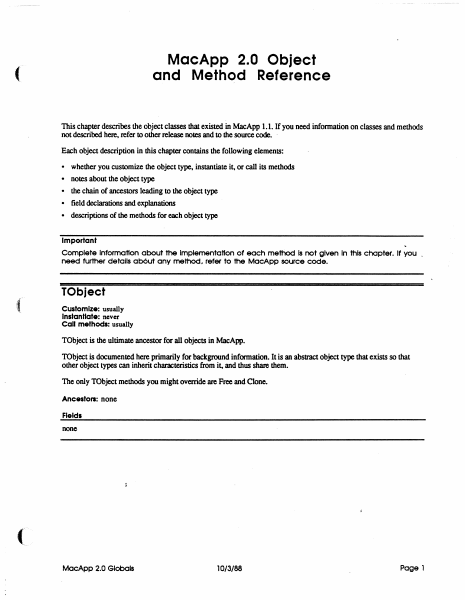
MacApp 2.0 Object and Method Reference ( This chapter describes the object classes that existed in MacApp 1.1. If you need infonnation on classes and methods not described here, refer to other release notes and to the source code. . Each object description in this chapter contains the following elements: • • • • • whether you customize the object type. instantiate it, or call its methods notes about the Object type the chain of ancestors leading to the object type field declarations and explanations descriptions of the methods for each object type Important Complete Information about the Implementation of each method Is not given In this chapter. It you _ need further details ab6ut any method, refer to the MocApp source code. TObject Customize: usually Instantiate: never Call methods: usually TObject is the ultimate ancestor for all objects in MacApp. TObject is documented here primarily for background information. It is an abstract object type that exists so that other object types can inherit characteristics from it, and thus share them. The only TObject methods you might override are Free and Clone. Ancestors: none Fields none MocApp 2.0 Globels 10/3/88 Page 1 Clone FUNCTION TOb ject. Clone: TOb ject; The return value An exact copy of the calling object Purpose To clone dependent objects referred to by the fields of an object as well as cloning the object itself. An object is dependent on another object when the second object has the only (or the only important) reference to the fU'St object Dependency is a relatively vague condition; when you override this method. you need to determine what objects are dependent on SELF. The default version Calls ShallowClone. and thus clones only the object itself Override Sometimes Call Sometimes Free PROCEDURE TObject.Free; Purpose To free the calling object and any dependent objects referred to by its fields. An' object is dependent on another object when the second object has the only (or the only important) reference to the fU'St object Dependency is a relatively vague condition; when you override this method. you need to determine what objects are dependent on SELF. The default version Calls ShallowFree Override Often. Your version should free any dependent objects you have added for your customization and then call INHERITED Free so that any ancestor methods can free other dependent objects. The chain of INHERlTED calls leads to TObjectFree. which calls TObject.ShallowFree. which frees SELF. Call Often ShallowClone FUNCTION TObject.ShallowClone: TObject; The return value Purpose This is the lowest-level method for copying an object Called by TObjectOone The default version Calls HandToHand. an Inside Macintosh routine, to copy the object data Override Never Call Rarely MacApp 2.0 Globals 10/3/88 Page 2 Shallow Free PROCEDURE ( TObject.ShallowFree; Purpose This is lhe lowest-level method for freeing an object Called by TObjecLFree The default v…

Showing first 3,000 characters of 78,076 total. Open the full document →
Home Documents Macintosh MacApp 2.0 Globals
MacApp 2.0 Globals

MacApp 2.0 Globals

Macintosh · 1988 · PDF
FilenameMacApp_2.0_Globals_1988.pdf
Size1.56 MB
Year1988
Subsection developer / MacApp / MacApp_2.0b5
Downloads2
Enjoying MacTrove? Anonymous downloads are free and unlimited. Create a free account to track favorites, contribute metadata corrections, and join the community chat.
Reader
MacApp 2.0 Globals
/
Loading…
OCR / Text contents
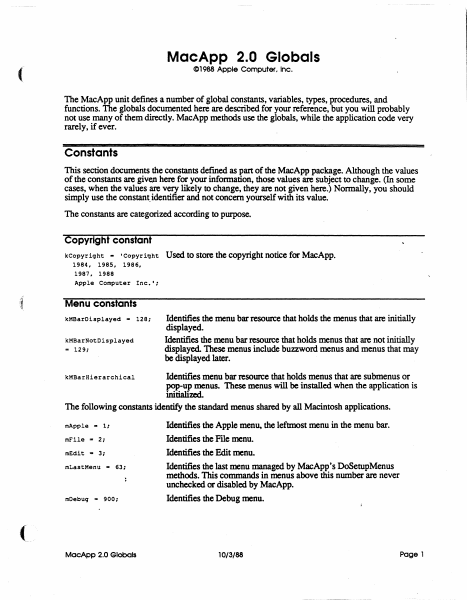
MacApp 2.0 Globals C1988 Apple Computer. Inc. ( The MacApp unit defines a number of global constants, variables, types, procedures, and functions. The globals documented here are described for your reference, but you will probably not use many of them directly. MacApp methods use the globals, while the application code very rarely, if ever. Constants This section documents the constants defmed as part of the MacApp package. Although the values of the constants are given here for your information, those values are subject to change. (In some cases, when the values are very likely to change, they are not given here.) Normally, you should simply use the constant. identifier and not concern yourself with its value. The constants are categorized according to purpose. Copyright constant kCopyriqht - 'Copyright 1984, 1985, 1986, 1987. 1988 Apple Computer Inc.'; ,t Used to store the copyright notice for MacApp. Menu constants kMBarDisplayed - 128; kMBarNotDisplayed .. 129; Identifies the menu bar resource that holds the menus that are initially displayed. Identifies the menu bar resource that holds menus that are not initially displayed. These menus include buzzword menus and menus that may be displayed later. Identifies menu bar resource that holds menus that are submenus or pop-up menus. These menus will be installed when the application is initialimL The following constants identify the standard menus shared by all Macintosh applications. kMBarHierarchical mApple - 1: mFile - 2: mEdit - 3; mLastMenu '" 63: mDebuq '" 900: MacApp 2.0 Globals Identifies the Apple menu, the leftmost menu in the menu bar. Identifies the File menu. Identifies the Edit menu. Identifies the last menu managed by MacApp's DoSetupMenus methods. This commands in menus above this number are never unchecked or disabled by MacApp. Identifies the Debug menu. 10/3/88 Page 1 Command numbers The command numbers listed here are passed to your methods, generally to gTargetDoMenuCommand Most are passed as a result of the user picking a menu command; command numbers are alsO used for other types of commands, such as typing or mouse commands. When the description says "MacApp catches this," that means that the MacApp DoMenuCommand methods will handle those command numbers, often by calling application methods. cNoCommand Command number representing no command. MacApp catches this. cAboutApp Identifies the About <AppNme>..• command. MacApp catches this. File menu commands Identifies the New command MacApp catches this. (See also cNew .. 10; cNewLast.) cNewLast - 19; cSave .. 30; cClose - 31; cSaveAs .. 32; cSaveCopy - 33; cRevert .. 34; cOpen - 20; cOpenLast .. 29; cPaqeSetup - 176; cPr intOne - 177; cPrint - 178; cPrintToFile - 179; cPrFileBase - 176; cPrFileMax .. 195; cPrViewBase .. 201; cPrViewMax .. 250; cQuit - 36; MacApp 2.0 Globais Identifies the last New command MacApp provides a range of New commands for applications that have diff…

Showing first 3,000 characters of 37,364 total. Open the full document →
Home Documents Macintosh MacApp 2.0b5 UTEView Release Notes
MacApp 2.0b5 UTEView Release Notes

MacApp 2.0b5 UTEView Release Notes

Macintosh · 1988 · PDF
FilenameMacApp_2.0b5_UTEView_Release_Notes.pdf
Size0.96 MB
Year1988
Subsection developer / MacApp / MacApp_2.0b5
Downloads2
Enjoying MacTrove? Anonymous downloads are free and unlimited. Create a free account to track favorites, contribute metadata corrections, and join the community chat.
Reader
MacApp 2.0b5 UTEView Release Notes
/
Loading…
OCR / Text contents
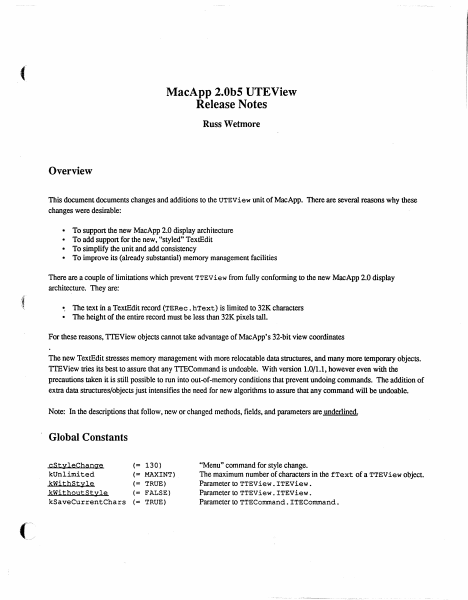
MacApp 2.0b5 UTEView Release Notes Russ Wetmore Overview This document documents changes and additions to the UTEView unit of MacApp. There are several reasons why these changes were desirable: • • • • To support the new MacApp 2.0 display architecture To add support for the new, "styled" TextEdit To simplify the unit and add consistency To improve its (already substantial) memory management facilities There are a couple of limitations which prevent TTEView from fully conforming to the new MacApp 2.0 display architecture. They are: • The text in a TextEdit record (TERec. hText) is limited to 32K characters • The height of the entire record must be less than 32K pixels tall. For these reasons, TIEView objects cannot take advantage of MacApp's 32-bit view coordinates The new TextEdit stresses memory management with more relocatable data structures, and many more temporary objects. TIEView tries its best to assure that any TIECommand is undoable. With version 1.0/1.1, however even with the precautions taken it is still possible to run into out-of-memory conditions that prevent undoing commands. The addition of extra data structures/objects just intensifies the need for new algorithms to assure that any command will be undoable. Note: In the descriptions that follow, new or changed methods, fields, and parameters are underlined. Global Constants cStyleChange kUnlimited kWithStyle kWithoutStyle kSaveCurrentChars (= 130) (= MAXINT) (= TRUE) (= FALSE) (= TRUE) "Menu" command for style change. The maximum number of characters in the fText of a TTEView object. Parameter to TTEView . ITEView. Parameter to TTEView. ITEView . Parameter to TTECommand. ITECommand. The TTEView Class The following changes have been made for TTEView: • fFont. fSize and fStyle have been replaced by a single fTextStyle record of type TextStyle. TextStyle is a data structure used by the new TextEdit. and is defined as TextStyle = RECORD tsFont tsFace tsSize tsColor END; INTEGER; Style; INTEGER; RGBColor; • TTEView. ITEView has been simplified. Some rarely used parameters have been removed (such as itsKeyCmdNumber and itsMaxChars) and others have been bunched together. A new parameter itsStyleType signifies whether the TERecord is "styled" or not. • TTEView. Inspect and TTEView. ShowDebugInfo have been replaced by the new Inspector-supported TTEView. Fields. Fields fHTE fText fSavedTEHandle fInset fKeyCmdNumber fMaxChars fTypingCommand fTextStyle fJust ificat ion fAcceptsChanges fStyleType fAutoWrap fFreeText fSpecsChang-ed fLastHeig-ht fScrol1er fLastPag-eBreak fLastLine Wed. Aug 3.1988 Handle to the actual TextEdit object. The text in the TEHandle. Saved handle from TENew. A rectangle defining the amount of pixels to inset the TERecord's viewRect from view's extent Thus, fInset defines margins around the edges of the view. Views whose text autowraps should have a bottom margin of zero. Will be used as the string number for "Undo Typing." Maximum number of cha…

Showing first 3,000 characters of 22,941 total. Open the full document →
Home Documents Macintosh MacApp 2.0b5 UDialog Release Notes
MacApp 2.0b5 UDialog Release Notes

MacApp 2.0b5 UDialog Release Notes

Macintosh · 1988 · PDF
FilenameMacApp_2.0b5_UDialog_Release_Notes.pdf
Size2.04 MB
Year1988
Subsection developer / MacApp / MacApp_2.0b5
Downloads2
Enjoying MacTrove? Anonymous downloads are free and unlimited. Create a free account to track favorites, contribute metadata corrections, and join the community chat.
Reader
MacApp 2.0b5 UDialog Release Notes
/
Loading…
OCR / Text contents
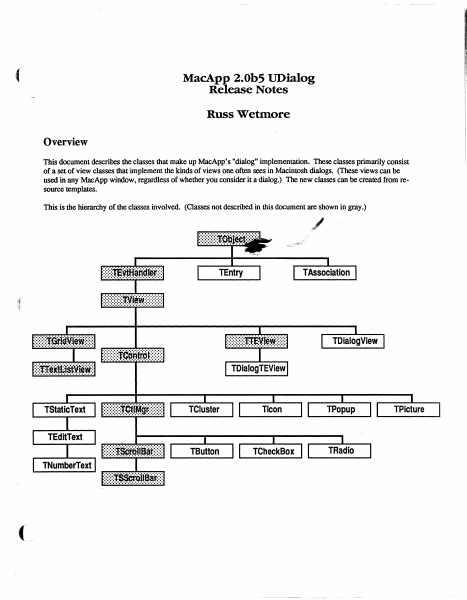
MacApp 2.0b5 UDialog Release Notes Russ Wetmore Overview This document describes the classes that make up MacApp's "dialog" implementation. These classes primarily consist of a set of view classes that implement the kinds of views one often sees in Macintosh dialogs. (These views can be used in any MacApp window, regardless of whether you consider it a dialog.) The new classes can be created from resource templates. This is the hierarchy of the classes involved. (Classes not described in this document are shown in gray.) TEntry Global Constants Choices mOKHit mCancelHit mButtonHit mCheckBoxHit mClusterHit mEditTextHit mIconHit mListItemHit mListScrollBarHit mPictureHit mPopupHit '.i~adioHit !>1hStaticTextHit .III l!lIJiiGcrollBarHit ~VSCrOllBarHit mEditTabKey mEditReturnKey mEditEnterKey mPatternHit mControlHit 1: 2: 3: 4: 5: 6: 7: = 8: = 9: = 10: = 11; = 12; 13; 14; 15: 16; = 17: 18; 19; = 20: View Template Identifiers kNoIdentifier kNoTemplate kNoResource .. , = -1; -1; Miscellaneous kYesButton kNoButton kPreferColor kControlOn kRedraw kDontRedraw kFrame ChrOO Chr1F kMaxTEWidth Wed, Aug 3,1988 = 1: = 3: = TRUE; TRUE: = TRUE: = FALSE: [adnLineTop, adnLineLeft, adnLineBottom, adnLineRight): CHR(O): CHR($lF): $2BO; ©1988 Ii Apple Computer 2 ,t Global Types IDType = ResType; adornPieces adnLineTop, adnLineLeft, adnLineBottom, adnLineRight, adnDummy, adnOval, adnRRect, adnShadow ) ; Draw a line at the top of the extent. Draw a line on the left side of the extent. Draw a line at the bottom of the extent Draw a line on the right side of the extent. Placeholder (replaces adnPatFill). Do a FrameOval using the extent Do a FrameRoundRect using the extent Draw drop-shadows against framed selections. CntlAdornment SET OF adornPieces; ControlCharSet SET OF ChrO 0 .. ChrlF ; Used by TEdi t Text for allowable control chars. Global Routines PROCEDURE InitUDialog; This routine initializes the UDialog unit. It must be called before any of the view classes in this unit can be created from • view' resources. FUNCTION NewTemplateWindow (viewRsrcID: INTEGER; itsDocument: TDocument): TWindow; This routine creates a new Twindow (or descendant) from the • view' template with the given resource ID. PROCEDURE RegisterType (typeName: Str255; protoObj: TObject); This routine registers the given object (which can be an instance of any descendant of TObject) for use by TEvtHandler and its descendants when creating views from a template. The TEntry Class This class is used by TAssociation to form a very basic and cheap text item dictionary mechanism whose main use will be substitution of text in dialog-type window items. This class will be instantiated for each key string and its replacement that is desired in a dialog. A list of these entries is kept by a TAssociation. It is a simple subclass of TObject. To duplicate the present function of ParamText, you'd use ." 0 '. f " 1 '. ." 2 f • and ." 3 • for the fIrst four key strings. ( Wed. Au…

Showing first 3,000 characters of 50,912 total. Open the full document →

Home Documents Macintosh MacApp 2.0 ViewEdit Users Guide
MacApp 2.0 ViewEdit Users Guide

MacApp 2.0 ViewEdit Users Guide

Macintosh · 1988 · PDF
FilenameMacApp_2.0_ViewEdit_Users_Guide_198808.pdf
Size3.08 MB
Year1988
Subsection developer / MacApp / MacApp_2.0b5
Downloads2
Enjoying MacTrove? Anonymous downloads are free and unlimited. Create a free account to track favorites, contribute metadata corrections, and join the community chat.
Reader
MacApp 2.0 ViewEdit Users Guide
/
Loading…
OCR / Text contents
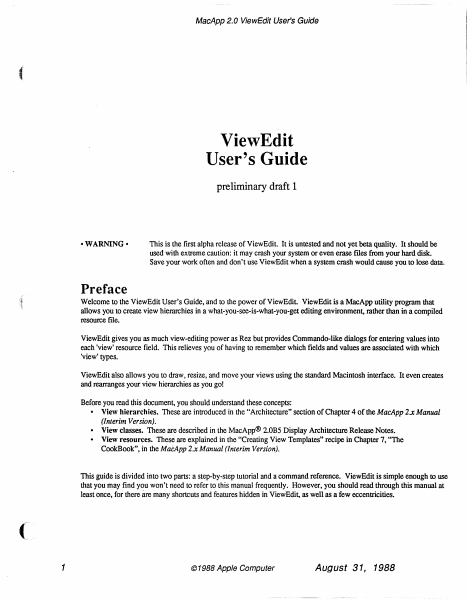
MacApp 2.0 ViewEdit User's Guide ViewEdit User's Guide preliminary draft 1 -WARNING - This is the first alpha release of ViewEdit. It is untested and not yet beta quality. It should be used with extreme caution: it may crash your system or even erase fIles from your hard disk. Save your work often and don't use ViewEdit when a system crash would cause you to lose data. Preface Welcome to the ViewEdit User's Guide, and to the power of ViewEdit. ViewEdit is a MacApp utility program that allows you to create view hierarchies in a what-you-see-is-what-you-get editing environment, rather than in a compiled resource file. ViewEdit gives you as much view-editing power as Rez but provides Commando-like dialogs for entering values into each 'view' resource field. This relieves you of having to remember which fields and values are associated with which 'view' types. ViewEdit also allows you to draw, resize, and move your views using the standard Macintosh interface. It even creates and rearranges your view hierarchies as you go! Before you read this document, you should understand these concepts: • View hierarchies. These are introduced in the "Architecture" section of Chapter 4 of the MacApp 2.x Manual (Interim Version). - View classes. These are described in the MacApp® 2.0B5 Display Architecture Release Notes. • View resources. These are explained in the "Creating View Templates" recipe in Chapter 7, "The CookBook", in the MacApp 2.x Manual (Interim Version). This guide is divided into two parts: a step-by-step tutorial and a command reference. ViewEdit is simple enough to use that you may find you won't need to refer to this manual frequently. However, you should read through this manual at least once, for there are many shortcuts and features hidden in ViewEdit, as well as a few eccentricities. 1 © 1988 Apple Computer August 31, 1988 MacApp 2.0 ViewEdil User's Guide A first look at ViewEdit This section shows you how to use ViewEdit to edit the view resources in the DemoDialogs sample application. Before you begin this tutorial, you should build the DemoDialogs sample. If you are new to MacApp and the MPW environment, Chapter 6, of the MacApp 2.x Manual (Interim Version), "How to Install and Use MacApp", will show you how to build the sample applications. . After building DemoDialogs, open the ViewEd it application by double-clicking on its icon. The resource file window The fIrst thing that you will see after starting ViewEdit is the empty "Untitled-I" window. Close this window and choose the Open command from the File menu. Then select the DemoDialogs application from the Standard File dialog. The window that appears is reminiscent of the resource file window in ResEdit. There is an icon for each type of resource in DemoDialogs. The icon for 'view' resources is always in the upper-left hand comer (and if you have a color screen, you will see it is also the only colored icon). Here is the resource file window from DemoDialogs: DemoDialo …

Showing first 3,000 characters of 63,947 total. Open the full document →

Home Documents Macintosh MacApp 2.0b5
MacApp 2.0b5

MacApp 2.0b5

Macintosh · 1988 · PDF
FilenameMacApp_2.0b5_198808.pdf
Size2.72 MB
Year1988
Subsection developer / MacApp / MacApp_2.0b5
Downloads2
Enjoying MacTrove? Anonymous downloads are free and unlimited. Create a free account to track favorites, contribute metadata corrections, and join the community chat.
Reader
MacApp 2.0b5
/
Loading…
OCR / Text contents
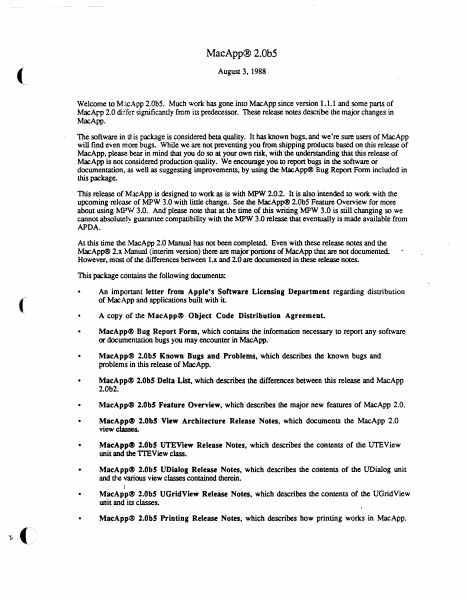
MacApp® 2.0b5 (. August 3, 1988 Welcome to MJcApp 2.0bS. Much work has gone into MacApp since version 1.1.1 and some parts of MacArI> 2.0 differ significantly from its predecessor. These release notes describe the major changes in MacApp. The software in this package is considered beta quality. It has known bugs, and we're sure users of MacApp will find even more bugs. While we are not preventing you from shipping products based on this release of MacApp, please bear in mind that you do so at your own risk, with the understanding that this release of MacApp is not considered production quality. We encourage you to report bugs in the software or documentation, as well as suggesting improvements, by using the MacApp® Bug Report Form included in this package. This release of MacApp is designed to work as is with MPW 2.0.2. It is also intended to worle with the upcoming release of MPW 3.0 with little change. See the MacApp® 2.0bS Feature Overview for more about using MPW 3.0. And please note that at the time of this writing MPW 3.0 is still changing so we cannot absolutel~ guarantee compatibility with the MPW 3.0 release that eventually is made available from APDA. At this time the MacApp 2.0 Manual has not been completed. Even with these release notes and the MacApp® 2.x Manual (interim version) there are major portions of MacApp that are not documented. However, most of the differences between l.x and 2.0 are documented in these release notes. This package contains the following documents: ( An important letter from Apple's Software Licensing Department regarding distribution of MacApp and applications built with iL • A copy of the MacApp@ Object Code Distribution Agreement • MacApp® Bug Report Form, which contains the information necessary to report any software or documentation bugs you may encounter in MacApp. • MacApp® 2.0bS Known Bugs and Problems, which describes the known bugs and problems in this release of MacApp. • MacApp® 2.0bS Delta List, which describes the differences between this release and MacApp 2.0b2. • MacApp@ 2.0bS Feature Overview, which describes the major new features of MacApp 2.0. MacApp~ 2.0bS View Architecture Release Notes, which documents the MacApp 2.0 view classes. • MacApp~ 2.0bS UTEView Release Notes, which describes the contents of the UTEView unit and the TIEView class. • MacApp@ 2.0b! UDialog Release Notes, which describes the contents of the UDialog unit and tJ-,e various view classes contained therein. • MacApp® 2.0bS UGridView Release Notes, which describes the contents of the UGridView unit and its classes. MacApp® 2.0bS Printing Release Notes, which describes how printing works in MacApp. Mac\pp~ 2.0 Memory Management, which discusses memory management in MacApp. • Mac\pp~ 2.0 GJobals, which describes global constants, variables, data types, and routines in MacApp. • MacA.pp~ 2.0 Object and Method Reference, which discusses object classes that also existed in MacApp 1.1. To use M…

Showing first 3,000 characters of 71,279 total. Open the full document →

Home Documents Macintosh MacApp 2.0b5 UGridView Release Notes
MacApp 2.0b5 UGridView Release Notes

MacApp 2.0b5 UGridView Release Notes

Macintosh · 1988 · PDF
FilenameMacApp_2.0b5_UGridView_Release_Notes_198808.pdf
Size1.05 MB
Year1988
Subsection developer / MacApp / MacApp_2.0b5
Downloads2
Enjoying MacTrove? Anonymous downloads are free and unlimited. Create a free account to track favorites, contribute metadata corrections, and join the community chat.
Reader
MacApp 2.0b5 UGridView Release Notes
/
Loading…
OCR / Text contents
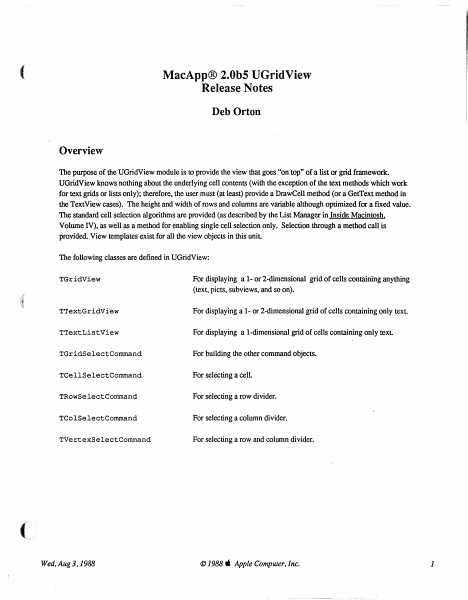
( MacApp® 2.0b5 UGridView Release Notes Deb Orton Overview The purpose of the UGridView module is to provide the view that goes "on top" of a list or grid framework. UGridView knows nothing about the underlying cell contents (with the exception of the text methods which work for text grids or lists only); therefore, the user must (at least) provide a DrawCell method (or a GetText method in the TextView cases). The height and width of rows and columns are variable although optimized for a fIxed value. The standard cell selection algorithms are provided (as described by the List Manager in Inside Macintosh, Volume IV), as well as a method for enabling single cell selection only. Selection through a method call is provided. View templates exist for all the view objects in this unit The following classes are defIned in UGridView: TGridView For displaying a 1- or 2-dimensional grid of cells containing anything (text, picts. subviews, and so on). TTextGridView For displaying a 1- or 2-dimensional grid of cells containing only text. TTextListView For displaying a I-dimensional grid of cells containing only text TGridSelectCommand For building the other command objects. TCellSelectCommand For selecting a cell. TRowSelectCommand For selecting a row divider. TColSelectCommand For selecting a column divider. TVertexSelectCommand For selecting a row and column divider. Wed, Aug 3,1988 © 1988. Apple Computer, Inc. 1 TGridView Types GridCell = Point; A cell in the grid. = (badChoice, inCell, GridViewPart Used to type mouse clicks. inRow, inColumn, inVertex); RunArrayChunk RunArray contents (private). RECORD count: size: INTEGER; INTEGER; END: RunArray = ARRAY [0 .. 100000] OF RunArrayChunk; For casting use (private). PRunArray "RunArraYi Pointer to run array (private). HRunArray "PRunArray; A handle to a run array (private). Template Types PACKED RECORD GridViewTemplate numOfRows: INTEGER; numOfCols: INTEGER; INTEGER; rowHeight: INTEGER; colWidth: INTEGER; rowInset: INTEGER; colInset: adornRows: BOOLEAN; BOOLEAN; adornCols: singleSelection: BOOLEAN; filler: O•• 8191; END; GridViewTemplateptr = "GridViewTemplate; TextGridViewTemplate itsFontFace: itsFontSize: itsFontColor: itsFontName: END; PACKED RECORD Style: INTEGER; RGBColori Str255; . TextGridViewTemplatePtr Wed. Aug 3.1988 "TextGridViewTemplate; © 1988" Apple Computer. Inc. 2 Constants ( Template identifiers for views defined in this unit 'TGridView'i kGridView = 'TTextGridView'; kTextGridView 'TTextListView'; kTextListView For setting column/row width/height in only one row/column: kOneRow 1i 1; kOneCol = Select Command Identifiers: cCellSelect = cRowSelect = cColumnSelect cVertexSelect 1; 2; 3i 4i Booleans for SetSelection: kExtend = kDontExtend = kHighlight = kDontHighlight kSelect = kDeSelect TRUEi FALSEi TRUEi FALSE; TRUE; FALSE; Booleans for CreateHighlightRgn: kWholeRect = kNotWholeRect = TRUE; FALSE; Fields fnumOfRows: fnumOfCols: fAdornRows:…

Showing first 3,000 characters of 25,035 total. Open the full document →

Home Documents Macintosh MacApp 2.0b5 View Architecture Release Notes
MacApp 2.0b5 View Architecture Release Notes

MacApp 2.0b5 View Architecture Release Notes

Macintosh · 1988 · PDF
FilenameMacApp_2.0b5_View_Architecture_Release_Notes_198808.pdf
Size4.02 MB
Year1988
Subsection developer / MacApp / MacApp_2.0b5
Downloads2
Enjoying MacTrove? Anonymous downloads are free and unlimited. Create a free account to track favorites, contribute metadata corrections, and join the community chat.
Reader
MacApp 2.0b5 View Architecture Release Notes
/
Loading…
OCR / Text contents
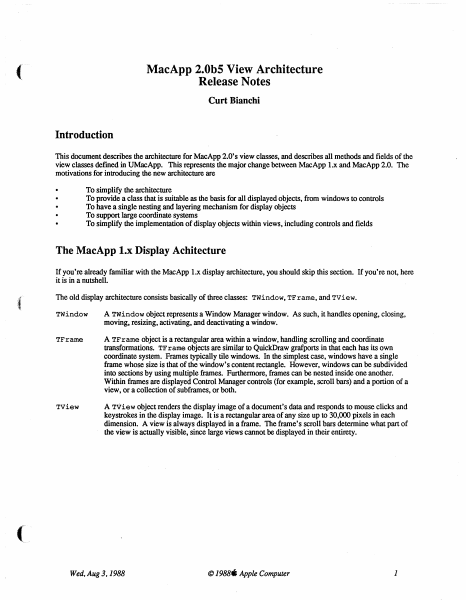
( MacApp 2.0b5 View Architecture Release Notes Curt Bianchi Introduction This document describes the architecture for MacApp 2.0' s view classes, and describes all methods and fields of the view classes defmed in UMacApp. This represents the major change between MacApp 1.x and MacApp 2.0. The motivations for introducing the new architecture are To simplify the architecture To provide a class that is suitable as the basis for all displayed objects, from windows to controls To have a single nesting and layering mechanism for display objects To support large coordinate systems To simplify the implementation of display objects within views, including controls and fields The MacApp l.x Display Achitecture If you're already familiar with the MacApp 1.x display architecture, you should skip this section. If you're not, here it is in a nutshell. :{ The old display architecture consists basically of three classes: TWindow, TFrarne, and TView. TWindow A TWindow object represents a Window Manager window. As such, it handles opening, closing, moving, resizing, activating, and deactivating a window. TFrarne A TF r arne object is a rectangular area within a window, handling scrolling and coordinate transformations. TF r arne objects are similar to QuickDraw grafports in that each has its own coordinate system. Frames typically tile windows. In the simplest case, windows have a single frame whose size is that of the window's content rectangle. However, windows can be subdivided into sections by using multiple frames. Furthermore, frames can be nested inside one another. Within fmmes are displayed Control Manager controls (for example, scroll bars) and a portion of a view, or a collection of subframes, or both. Tview A Tview object renders the display image of a document's data and responds to mouse clicks and keystrokes in the display image. It is a rectangular area of any size up to 30,000 pixels in each dimension. A view is always displayed in a frame. The frame's scroll bars determine what part of the view is actually visible, since large views cannot be displayed in their entirety. ( Wed, Aug 3.1988 © 1988. Apple Computer 1 iD MDemoTeHt.p PROGRAM DemoText; USES {$LOAD Macl ntf.LOAD} MemTypes, QuickDra'vl, OSI ntf, Tooll ntf, Packl ntf, {$LOAD UMacApp.LOAD} UObject, UList, UMacApp, {$lOAD} ~ UPrinting, mrnw, ~ MDemoTeHt. TWindow TFrame TView PROGRAM DemoText; USES {$lOAD Maclntf.lOAD} MemTypes, QuickDra'vl, OSI ntf.. Tool I nU, Packl nU, {$LOAD UMacApp.LOAD} UObject, UList, UMacApp, { $lOAD} UPri nting, UTEVie'vl, UDemoText; VAR gDemoTextApplication: TDemoTextApplication; {$S Main} BEGIN I nitTool box( 8) ; 1nitPri nti ng; Ne'vl(gDemoTextApplication) ; gDemoTextApplication.l De moTextAp plication; gDemoTextApplication.Run; END. Figure 1: Old MacApp Display Architecture Wed, Aug 3.1988 © 1988. Apple Computer 2 Figure 1 shows a typical text edit window and the MacApp objects used to build it. Here, the Twindow object displays the …

Showing first 3,000 characters of 107,247 total. Open the full document →

Home Documents Macintosh The MacApp Interim Manual
The MacApp Interim Manual

The MacApp Interim Manual

Macintosh · 1988 · PDF
FilenameThe_MacApp_Interim_Manual_198806.pdf
Size21.83 MB
Year1988
Subsection developer / MacApp / MacApp_2.0b5
Downloads5
Enjoying MacTrove? Anonymous downloads are free and unlimited. Create a free account to track favorites, contribute metadata corrections, and join the community chat.
Reader
The MacApp Interim Manual
/
Loading…
OCR / Text contents
S® Macintosh® The MacApp® Interim Manual Working Draft 4 (APDA) June 14, 1988 ©Apple Computer, Inc. 1988 S APPLE COMPUTER, INC. This manual and the software described in it are copyrighted, with all rights reserved. Under the copyright laws, this manual or the software may not be copied, in whole or in part, without written consent of Apple, except in the nonnal use of the software or to make a backup copy of the software. The same proprietary and copyright notices must be affixed to any permitted copies as were affixed to the original. This exception does not allow copies to be made for others, whether or not sold, but all of the material purchased (with all backup copies) may be sold, given, or loaned to another person. Under the law, copying includes translating into another language or fonnat. You may use the software on any computer owned by you, but extra copies cannot be made for this purpose. ©Apple Computer, Inc., 1988 20525 Mariani Avenue Cupertino, CA 95014 (408) 996-1010 Apple, the Apple logo, LaserWriter, Lisa, MacApp, and Macintosh are registered trademarks of Apple Computer, Inc. APDA, MPW, Multi.Finder, RESEDIT are trademarks of Apple Computer, Inc. ITC Avant Garde Gothic, ITC Garamond, and ITC Zapf Dingbats are registered trademarks of International Typeface Corporation. Microsoft is a registered trademark of Microsoft Corporation. POSTSCRIPT is a registered trademark of Adobe Systems Incorporated. Varityper is a registered trademark, and VT600 is a trademark, of AM International, Inc. Simultaneously published in the United States and Canada. 6/14/88 Table of Contents Preface About This Manual ix Prerequisites x Hardware x Software x What you should already know xi What this manual contains xii How to use this manual xii Notation xiii Conventions in the MacApp code xiv Other books you should have xiv ( Chapter 1 Why MacApp? l What is MacApp? 2 Programming without MacApp 3 Programming with MacApp 4 The division of labor 5 The benefits of MacApp 7 Chapter2 An Introduction to Object-Oriented Programming 9 The big picture 10 Record types and record variables 12 Object classes and object instances 13 Flow of control in object-oriented programs 18 Working Draft 4 (APDA) 6/14/88 MacApp 2.0 Tutorial Object classes 30 Inheritance 31 Method definitions 35 Override methods 36 Object instances 39 An instance method 40 Override methods 43 Override methods that don't call their inherited method 43 Override methods that do call their inherited method 44 Privacy between instances 47 Ramifications of object-oriented programming 47 Chapter3: Object Pascal 49 Object Pascal file organization 50 Object class definitions 55 Field declarations 56 Method declarations 56 Override method declarations 58 Object Instances 59 Record handles and record instantiations 59 Instantiation through record variables 59 Instantiation through record pointers 60 Instantiation through record handles 60 Object references and object instances 61 …

Showing first 3,000 characters of 495,684 total. Open the full document →

Home Documents Macintosh MacApp 2.0b5 Printing Release Notes
MacApp 2.0b5 Printing Release Notes

MacApp 2.0b5 Printing Release Notes

Macintosh · 1988 · PDF
FilenameMacApp_2.0b5_Printing_Release_Notes_198808.pdf
Size1.50 MB
Year1988
Subsection developer / MacApp / MacApp_2.0b5
Downloads3
Enjoying MacTrove? Anonymous downloads are free and unlimited. Create a free account to track favorites, contribute metadata corrections, and join the community chat.
Reader
MacApp 2.0b5 Printing Release Notes
/
Loading…
OCR / Text contents
( MacApp® 2.0bS Printing Release Notes Curt Bianchi This ERS is separated into three parts. The first part is a general overview of how printing works in MacApp. I felt this was necessary since the original MacApp manual had very limited documentation on printing. The second section describes the view methods related to printing, and the third section describes the TStdPrintHandler class. How Printing Works in MacApp Printing in MacApp is accomplished by objects called print handlers. MacApp supplies two print handler classes. TPrintHandler is a "null" print handler that isn't capable of printing: it simply defines the minimal print handler interface. TStdPrintHandler, in the UPrinting unit, fully implements standard Macintosh printing for spooled (ImageWriter®) and non-spooled (LaserWriter®) devices, as well as handling printing-related issues such as page setup and screen feedback of printing information. Printing is accomplished through the cooperation of a print handler and a view. A print handler must always be coupled to a view; otherwise the print handler has nothing to print. Print handlers handle all of the mechanics of printing (the print loop, spooling, communicating with the Print Manager, and so on), while the view performs the actual drawing within each page. A set of view methods exists that are called from the print handler. These methods allow you to customize many aspects of printing for a particular view, without the need to override TStdP rintHandler. To customize print behavior it is usually sufficient to override the view methods related to printing. It is rare that TStdPrintHandler must be overridden, but you certainly aren't prevented from doing so. A print handler is usually created along with the view it prints, in the document's DoMakeViews method. Only one print handler needs to be created for a hierarchy of views. The print handler will print the view with which it is associated and all of its subviews. Types of Printing Setup Supported by TStdPrintHandler Printing is performed by calling the print handler's Print method. Generally you don't call Print directly. It is called for you by the print handler's DoMenuCommand, in response to Print or Print One commands, or when Finder printing. MacApp will perform different types of setup before calling Print. The types of setup are as follows: Normal Before Print is called, PoseJobDialog is called to gather print job information. This is the technique used when the user chooses the Print menu command Print One No job dialog is displayed. The print job information is set up by validating the print record and forcing all pages to be printed. Therefore, any valid print record information will be carried forward from the last time the print handler printed. This is the technique used when the user chooses the Print One menu command. ( Wed. Aug 3,1988 © 1988 ti Apple Computer 1 Fmder The page setup and job dialogs may be posed before printing. The use of the dialogs …

Showing first 3,000 characters of 39,153 total. Open the full document →

Subscribe to MacApp_2.0b5
mp.ls