

Thread
Slimmed 6.0.8
Hello,
I was wondering how to slim up System 6.0.8 for rom use when it occurred to me to see if I could use finder 5.5 with system 6.0.8 and sure enough it worked! The downside is that chooser is not available, but that doesn't bother me. Anyhow, using finder 5.5 with system 6.0.8 saves you 80k. Image attached...
608.zip
I was wondering how to slim up System 6.0.8 for rom use when it occurred to me to see if I could use finder 5.5 with system 6.0.8 and sure enough it worked! The downside is that chooser is not available, but that doesn't bother me. Anyhow, using finder 5.5 with system 6.0.8 saves you 80k. Image attached...
608.zip
Interesting. That's kinda like using the Mac OS 7.6 (or 7.5.x) Finder on Mac OS 8 to lighten up its resources.
c
c
To think that saving 80k was once a significant achievement.  (not intending this as a putdown)
(not intending this as a putdown)
80k = 1-2 more games in rom...
ok why not stick with an OS that is less then 608?
maybe you don't even need system 6 at all. get the os down as less as possible then you will have that much more room for cool Games/Apps
as long as they work.
depending on what apps you are running, you might not need 608.
maybe you don't even need system 6 at all. get the os down as less as possible then you will have that much more room for cool Games/Apps
as long as they work.
Oh! Slimmed! I kept reading that wondering whether System 6 had anything to do with Ghostbusters.
I did a lot of slimming back in the day of 7.5.5 and 7.6.1, but there was a lot more to slim.
If you're running only on classic m68000 machines, then you can use ResEdit to take out all icon and pict resources with more than one bit of color.
I did a lot of slimming back in the day of 7.5.5 and 7.6.1, but there was a lot more to slim.
If you're running only on classic m68000 machines, then you can use ResEdit to take out all icon and pict resources with more than one bit of color.
I concur with JohnKlos. You can also remove Monitor Definitions (except for the one for the classic Mac) from the System File and there are a few color icons you can also delete in the Finder with ResEdit.
I assume this is for the ROM-inator kit? If you get to a slimmed down disk image with lots of games that you're happy with, would you mind sharing it? I'll use it as the new default for future kits. The one the kit ships with at the moment is more a proof of concept, and I can't recall if it has any games at all or if it's just the system files.
I have one with apps, but I figured people would want to put there own apps... I'll get back to you on this once we've figured a way to slim it up as much as we can...
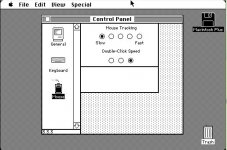
I was able to slim it down by just 2k by removing icons from the mouse control panel. I didn't see any icons in the system file that were color or any that should be removed. If somebody else wants to take a stab at trimming more be my guest. I have added some apps and games, macpaint does not work on a read-only disk so it's among what's not there.
608.zip
608.zip
How about a RAM disk? That would let MacPaint work, and it shouldn't need to be too large (maybe 50k?) so as not to hog too much system RAM.
c
c
I'm out of ideas to make it smaller... Steve, I think this is the final product...
How about this comment:
------------------------------------------------------------------------------
------------------------------------------------------------------------------
Re: Plus ROM adapter investigation
Posted: Feb 18, 2015 2:04 PMin response to: dougg3

Reply
Back on the subject of ROM image generation...
The Classic's ROM disk is so small because the ROM its self basically contains most of the System file. I'm pretty sure the ROM and the System file that originally shipped with the system are built from the same sources. Combine that with the way the Resource Manager works, that it will fall back to looking in the ROM if the resource it's looking for doesn't exist in the System file, and it should be possible to strip out any resources that are duplicated between the System file and the ROM, assuming the versions match. In other words, if you take the original software that shipped with the system and strip out any resources that already exist in the ROM, that should make a much smaller OS for inclusion in the disk image.
I'm not certain, but isn't the Classic a special case? Because, unlike all the other models in question here, it actually came from the factory with a built-in ROM disk.
c
c
Thanks 360alaska, I'll check it out. So what was the final list of things you removed from the stock 6.0.8 install?
- using Finder 5.5
- remove mouse control panel icons
- ??
What about the printer drivers, or the scrapbook file, and stuff like that? TeachText? And the color icon resources? System beep sounds?
I also agree with what Uniserver said earlier - do the games you bundled actually need system 6? You might be able to use an earlier system version, and save more space that way.
- using Finder 5.5
- remove mouse control panel icons
- ??
What about the printer drivers, or the scrapbook file, and stuff like that? TeachText? And the color icon resources? System beep sounds?
I also agree with what Uniserver said earlier - do the games you bundled actually need system 6? You might be able to use an earlier system version, and save more space that way.
Using finder 5.5 and striped icon from the mouse control panel, I didn't see anything else that should be striped... I didn't see any color icons in the system file, they likely were in the newer finder. As for a lower version os with these game I can't say because I haven't tried it, I think system 6 would be best personally...
Here's a revised ROM disk image, still using system 6.0.8. I expanded the image size to 864K (the maximum possible for the ROM-inator), and shuffled the selection of included software. I managed to fit System 6.0.8, MacDraw, MacWrite, and eight games. 5K free!
rominator-disk.zip
rominator-disk.zip
Maybe we should just remove the keyboard and general Control panels, if one needs to set the date and time they can put in a boot disk... Keeping the mouse control panel is handy for games so I would suggest keeping it...
Also, pyramid of peril doesn't work with a locked disk...
I still think some sort of RAM disk would be beneficial. It could be as large as a megabyte on a Plus, but, for obvious reasons, a reasonably sized disk on a 512k would be quite difficult (a RAM disk on a 128k is probably impossible, so it's not even worth discussing), but even a 100k disk should be enough to keep most software happy.
There are RAM disk softwares for System 6, and many of them could probably be made small enough to fit in ROM without squeezing everything else out.
Thoughts?
c
There are RAM disk softwares for System 6, and many of them could probably be made small enough to fit in ROM without squeezing everything else out.
Thoughts?
c
You could give it a try - find an existing RAM disk extension, add it to the disk image I posted, and see how much extra space it needs. I'm not convinced it would be super-useful, though, other than as a way to get a few programs running that don't like read-only disks. The traditional reason for using a RAM disk was for speed, but in this case the RAM disk wouldn't be any faster than the ROM disk.
OK, if I can get a... what's it called... a ROM-inator, I can do some testing.
It seems like it could potentially be useful if one wants to save files in a temporary area while booted from ROM (another primary use of RAM disks, I believe) and then copy it all to a floppy disk (or Floppy Emu) at shutdown or restart.
c
It seems like it could potentially be useful if one wants to save files in a temporary area while booted from ROM (another primary use of RAM disks, I believe) and then copy it all to a floppy disk (or Floppy Emu) at shutdown or restart.
c
The hardware is sold out at the moment, but you don't need it to test the idea. Just grab the disk image I posted, and try changing the contents to include your favorite RAM disk. You should be able to boot it with Mini vMac, or if you shrink the image to 800K you can put it on a locked floppy and boot a real Mac with it.
OK, I'll do that (it'd give me an excuse to use my Floppy Emu!)
c
c
Here's an updated ROM disk image, replaces Pyramid of Peril (doesn't work on a read-only disk) with Cairo Shootout.
rominator-disk.zip
rominator-disk.zip
What would it take to get AppleTalk networking happening in there?
yup pretty sure the Classic Version has appletalk
Just thinking that a bootable ROM and an Appletalk server full of software means you could run a diskless Mac.