

Thread
Plus Too: a DIY Mac clone project (128k -> Plus)
That's awesome! Nice work! In a very short time, too!
FPGAs are just amazing. They are still kind of mind-boggling to me, but I really want to learn more about them! Cool stuff.
FPGAs are just amazing. They are still kind of mind-boggling to me, but I really want to learn more about them! Cool stuff.
you could implement an ADB driver, and use an ADB keyboard/mouse, or use PS/2 keyboard/mouse, but of course either of these solutions requires a translator of some sort, if you implement the keyboard/mouse hardware exactly as laid out originally, unless of course you emulate the side the ROM/CPU wants to see, and the other side use the PS2/ADB protocol.
That is beautiful. :O
Fortunately the Mac Plus doesn't use ADB, so the mouse is pretty simple. My plan is to start by simulating mouse interrupts with buttons on the board, just to make sure it's behaving as expected. Then I'll make a PS/2 mouse module in the FPGA that receives mouse data and creates fake mouse interrupts. When I make a custom board later, I'll put a DB-9 on it so you can also connect a real M0100 mouse.
There are two versions of the Plus, the Beige version with classic Macintosh Peripherals and the Platinum version, using ADB peripherals, a larger ROM and the 800k FDD, IIRC.
The later version was manufactured and documented along with the SE/Mac II generation.
The later version was manufactured and documented along with the SE/Mac II generation.
The Beige and Platinum Plus's were completely identical as far as hardware is concerned. All Plus's had the 128k ROM (allowing for use of 800k floppies, with a built in 800k FDD) No Plus ever had ADB - they all had the RJ-12 keyboard and DB-9 mouse.
That's awesome bigmessowires.  And what a coincidence, my classic II is showing that screen again. (It does that occasionally, I think the 230MB Drive is dying.)
Watching your progress on the Plus Too is so inspiring. Makes me think about the kind of things I could try when I learn enough. (As if there's such a thing!)
I'm very excited about college this quarter because I'm taking my first programming course, "Programming Fundamentals." This will be the course's textbook. The only thing I've done with programming so far is read some programming books and maybe compile their examples. But I've never really gotten further than that because for me I need an actual project with a personal goal. (The way I taught myself HTML, JavaScript and currently PHP.) And I haven't come up with any ideas that can work with just the console. (Eg, an APNG editor.)
That's also why I'm eager to teach myself programming on the Classic Macs. You learn to program the interface instantly. No "learn the console, then find a GUI library you like and learn that." I still kinda need to find myself a goal to get started, but I'm researching one idea that looks promising. (Making a basic Stunnel clone, kind of like this.)
Anyway, I'll probably stick to software as my career. But I definitely want to dabble with hardware in the future, like some of the stuff you do.
Keep up the awesome work!
And what a coincidence, my classic II is showing that screen again. (It does that occasionally, I think the 230MB Drive is dying.)Watching your progress on the Plus Too is so inspiring. Makes me think about the kind of things I could try when I learn enough. (As if there's such a thing!)
I'm very excited about college this quarter because I'm taking my first programming course, "Programming Fundamentals." This will be the course's textbook. The only thing I've done with programming so far is read some programming books and maybe compile their examples. But I've never really gotten further than that because for me I need an actual project with a personal goal. (The way I taught myself HTML, JavaScript and currently PHP.) And I haven't come up with any ideas that can work with just the console. (Eg, an APNG editor.)
That's also why I'm eager to teach myself programming on the Classic Macs. You learn to program the interface instantly. No "learn the console, then find a GUI library you like and learn that." I still kinda need to find myself a goal to get started, but I'm researching one idea that looks promising. (Making a basic Stunnel clone, kind of like this.)
Anyway, I'll probably stick to software as my career. But I definitely want to dabble with hardware in the future, like some of the stuff you do.
Keep up the awesome work!
OOPSiE! :I I was going by 11 year old memories, I would have sworn that the Plus a friend loaned me for a project had ADB.
Thanks for correcting that error! :-x
Just as an aside, I've been looking at those projects very seriously because of an idea I've had for a homebrew 6502-based computer, and unfortunately the conclusion I've come to is that while the Propeller works as a glue/peripheral chip like that it's non-trivial to achieve "cycle-accuracy" with it. (A link to add to yours would be the "Propeddle", which is essentially an enhanced version of the 6502 laptop design targeting Commodore PET emulation:
http://www.savagecircuits.com/forums/showthread.php?677-Propeddle-Software-Defined-6502-Computer
) Anyway, if you dig into the "pPropQL" design theory you'll see that, for instance, interfacing the Prop to a 68000 as "memory" requires the insertion of a substantial amount of wait states. The Macintosh OS as written is so timing dependent I don't know if you could really get away with it. (At least if you're attempting to do things like use "real" floppy drives or the serial controller. If you're emulating those devices then dealing with the "clock skew" would probably be doable.)
On the subject of emulating the IWM I'd probably suggest it's sort of pointless to include a 19 pin floppy connector, if only because the original drives are getting so rare. (And troublesome in their old age.) Is the ultimate target of the design to produce a board that's physically compatible with the original PCB, with all the same ports in the same places and allowing the use of all the original parts and peripherals? (Of course, that would either require the ports be carried on a daughterboard or that multiple versions be produced to fit either the 128k/512k and Plus cases, respectively.) I'd worry about the ultimate cost of something like that, as when I last checked the commercial version of the Atari-ST-in-an-FPGA board that includes legacy ports was nearly $600.
No, I definitely wasn't intending to create a physically-compatible motherboard replacement that would fit in a real Mac. The inclusion of legacy keyboard, mouse, and floppy ports is just a cool feature I thought would be nice to add, but they aren't essential.
Great work. that is awsome.
You could use a system disk image and put it inside of the FPGA for now, until you work out storage solutions, and itll boot up a basic system every time.
You could use a system disk image and put it inside of the FPGA for now, until you work out storage solutions, and itll boot up a basic system every time.
:O That's astounding. Congratulations!
A little tidbit of information that may be of interest to you: the Mac Classic (essentially a re-release of the Plus) came with a bootable copy of System 6 in ROM.
Amazing!
For some reason I could never get Command-Option-X-O to work while owning a Classic. (I sold it to a member here who's Classic had died.) Maybe it had something to do with not having a clock battery. Eh, I dunno.
That's a good point about the Classic's built-in OS. I actually have a Classic here, but I never tried it. I wonder how it's implemented, and at what level? Like, does the phantom disk appear as a floppy, or a SCSI device? Does it prevent a real floppy/SCSI drive from being used at that address or drive? Does it install a new device driver?
Another interesting discovery: Benjamin Herrenschmidt has already created a mostly-working Mac Plus core for the Amiga Minimig, which is pretty similar to what I'm doing. He invited me to borrow whatever might be useful. Code is at http://git.ozlabs.org/?p=minimigmac.git I’ve been looking at several of his modules to make sure his interpretation of the docs matches mine. I want to avoid outright copying of his design modules though, since then I wouldn’t learn anything, and puzzling things out for myself is most of the fun.
Another interesting discovery: Benjamin Herrenschmidt has already created a mostly-working Mac Plus core for the Amiga Minimig, which is pretty similar to what I'm doing. He invited me to borrow whatever might be useful. Code is at http://git.ozlabs.org/?p=minimigmac.git I’ve been looking at several of his modules to make sure his interpretation of the docs matches mine. I want to avoid outright copying of his design modules though, since then I wouldn’t learn anything, and puzzling things out for myself is most of the fun.
command-option-x-o during powerup boots into the ROM system disk. I think.
Almost there now! I've conquered most of the IWM and disk encoding puzzles, GCR encoded a few sectors from a startup disk using an offline tool, and stored the encoded sector data in the FPGA's internal memory. Plus Too now boots as far as the Happy Mac icon.
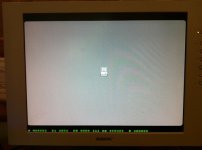
That's as far as it gets, though. After a few seconds, it returns to the question-mark disk screen, because it can't find the System file, because it's not part of the sectors I encoded. The FPGA internal memory is pretty small, and that's all I could fit.
The next step is to build an interface to load data from the SD card, instead of from FPGA memory. Once that's done, I should hopefully be able to boot all the way into the Finder and run programs.
I made a video demo if you want to see it all in action:
That's as far as it gets, though. After a few seconds, it returns to the question-mark disk screen, because it can't find the System file, because it's not part of the sectors I encoded. The FPGA internal memory is pretty small, and that's all I could fit.
The next step is to build an interface to load data from the SD card, instead of from FPGA memory. Once that's done, I should hopefully be able to boot all the way into the Finder and run programs.
I made a video demo if you want to see it all in action:
That is totally awesome BMOW!
It's so cool to watch you rebuild computer history with modern technology.
It's so cool to watch you rebuild computer history with modern technology.
Great progress! It looks like you have the mouse interface working as well. Looking forward to seeing more of this project. :b&w:
I love how technology is getting cheap enough that we get to rediscover vintage computing hardware. Between this and the ROM hack, I'm on vintage Mac cloud 9 right now. 
I can't wait to see this project boot a full disk image.
Out of curiosity, how much does the board cost, and would you be willing to sell kits once they're completed?
I can't wait to see this project boot a full disk image.
Out of curiosity, how much does the board cost, and would you be willing to sell kits once they're completed?
Awesome!!!!!! I am impressed by how quickly you have moved this project along! So do you pretty much have the entire ROM disassembled at this point to understand the entire boot process?
Thanks for the kind words. It's getting to the exciting part!
It occurs to me now that I should probably contact Paul Pratt to share what I've learned, or find some other way of preserving and sharing it. Unfortunately I can't publish my commented ROM disassembly for the same reason you can't publish the ROM contents. But I've put a lot of work into reverse-engineering a documenting the purpose of many of the routines in ROM, and it might eventually be of interest or use to someone else, so maybe there's a way I can share it.
The Altera DE1 board that I'm using is $150. It's a great place to start, but isn't perfect for this project. It has only 512K of SRAM, and no way to hook up a mouse and keyboard at the same time. It also has some other components I don't need that just raise the cost. Eventually I hope to create a custom Plus Too board with Mac-specific parts. If there's enough interest, I guess I could sell additional boards or kits, kind of like dougg3's doing with the IIci ROM design. I'm not sure how much they might cost... maybe about the same as the DE1 board.
I used a tool that's part of Mini vMac to disassmble the ROM, which provides a dump of all the CPU instructions in the ROM routines. The tool also adds trap names, some constant names, routine names, and a few comments, all of which I believe were derived by Paul Pratt from his analysis. So for example, most references to the VIA appear using the constant "VIA" instead of the literal address $EFE1FE, and several key routines have meaningful names like P_mBootBeep. That's been a tremendous help, but it still left many huge blocks of hundreds or thousands of instructions whose purpose was totally unknown to me. Most of what I've been doing during the past few weeks is digging slowly through those, trying to reverse engineer the pieces that look relevant to the boot process. As their purpose becomes clearer, I've been adding lots more comments and assigning names to previously unnamed entry points, like P_ShowHappyMac.
It occurs to me now that I should probably contact Paul Pratt to share what I've learned, or find some other way of preserving and sharing it. Unfortunately I can't publish my commented ROM disassembly for the same reason you can't publish the ROM contents. But I've put a lot of work into reverse-engineering a documenting the purpose of many of the routines in ROM, and it might eventually be of interest or use to someone else, so maybe there's a way I can share it.
Nifty! I'm actually a backer of this project on Kickstarter, which is supposed to be for Arduino stuff but it also seems like it would be useful as a cool Xilinx FPGA dev board with VGA and two PS/2 ports. It's also limited to 512K of SRAM, so it's probably not the best choice either, and it's too late to back the project now, but I just thought I'd point it out (I'm sure he's going to be selling more)!
If you ever decide to make a board/kit, count me down as interested in one! I have a Plus, but haven't tried booting it in a long time. I'm almost afraid to try...haha
Oh wow! I did some of that by hand by copying a list of traps from Inside Macintosh and doing a find/replace thing--I think it was in Perl. FDisasm seems like it's a very useful tool, much more powerful than what I was doing! I wish he had versions for some of the later Macs like the later II series...
I don't know if this is useful at all (maybe FDisasm already handles it all), but MPW comes with some Mac ROM maps. The Plus's ROM is one of them. It has a bunch of labels for routines and their addresses. MPW is long gone from Apple's site, but there is a mirror of their old FTP site here.
Oh definitely -- that has to be very tedious to comment all that! I thought commenting the sound code was tedious enough, but you're doing the entire boot process! Yikes! Haha. You're probably right about not being able to share the commented disassembly. That's too bad because it would be a useful thing for people to have, but at the same time, it definitely makes sense that you can't share it since it's Apple's copyrighted code.

I touched base with Paul, and he's going to try to merge my names and comments back into the FDisasm listing for the Plus ROM. So the next crazy Mac hacker can benefit a little from what I've learned.
So how did you figure out the IWM/GCR schemes? because thats something ive been trying to look at for the longest time, making an external floppy emulator for the IWM.
It was kind of a pain, but not too bad. The GCR stuff is almost the same as on the Apple II, which is documented in books like Beneath Apple DOS. You can find out the Mac-specific differences by looking at the MESS emulator source code, or just disassembling and reversing portions of the Sony driver from ROM. Info about the sixteen 1-bit registers in the drive is partly covered by inside Macintosh, and the rest again comes from emulators and ROM analysis. The IWM itself is not that complicated, and is pretty-well documented.
Also I think it was easier to create a replacement for the IWM and floppy than it would be to create a replacement floppy that works with a real IWM, because replacing them both means you're mostly freed from worrying about disk read/write timing concerns.
I'm happy to share what I've learned with anyone who's interested, but it's really nothing new, more just a compilation of info from a bunch of scattered sources. And as of today, my function names and comments for the Sony driver in the Mac Plus ROM have been integrated into Paul Pratt's FDisasm fdplus-0.4.0.zip, if you want to check them out.
Anyway, no one should get too excited until I can actually boot this thing into the Finder!
Also I think it was easier to create a replacement for the IWM and floppy than it would be to create a replacement floppy that works with a real IWM, because replacing them both means you're mostly freed from worrying about disk read/write timing concerns.
I'm happy to share what I've learned with anyone who's interested, but it's really nothing new, more just a compilation of info from a bunch of scattered sources. And as of today, my function names and comments for the Sony driver in the Mac Plus ROM have been integrated into Paul Pratt's FDisasm fdplus-0.4.0.zip, if you want to check them out.
Anyway, no one should get too excited until I can actually boot this thing into the Finder!
I am extremely interested in the floppy/storage type stuff. Always have been.
Breaking news hot off the internet: Plus Too works!!!
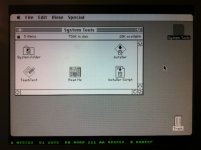
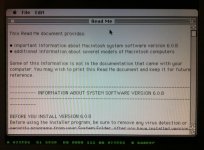
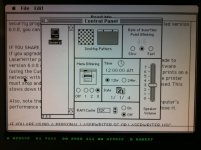
I didn't want to tackle SD card loading yet, so the GCR-pre-encoded 800K disk image resides in ROM, just above the Macintosh ROM image. The floppy drive module uses the video module's memory access time slot during hblank periods to load disk data, transparently to the CPU.
Plus Too ran for about five minutes while I took these photos, then it locked up. Not bad for the first boot.
Now, to celebrate with a cold beer!
I didn't want to tackle SD card loading yet, so the GCR-pre-encoded 800K disk image resides in ROM, just above the Macintosh ROM image. The floppy drive module uses the video module's memory access time slot during hblank periods to load disk data, transparently to the CPU.
Plus Too ran for about five minutes while I took these photos, then it locked up. Not bad for the first boot.
Now, to celebrate with a cold beer!
Have one on me as well
as well
Woohoo! Nice work!!!