
Thread
Connecting 68k Macs to LCD Monitors
Has anyone ever tried to put together a reference to what modern LCD monitors are capable of syncing with 68k Macs? Every time that I set up one of my older machines (except for my IIci and IIx, which have really nice NuBus graphics cards), I fight to find a resolution that I can get to sync with most of my LCDs. And, I do have a wide variety of LCDs, to pick from: Dell 2001fpw, Dell 2405fpw, HP 2025, and NEC MultiSync 1980SX.
You'd think that 640x480@60Hz, separate sync, would work with just about any monitor, but it seems to not always be the case. My Quadra 605 and my Power Mac 6100 are the worst behaved, in that regard.
Any advice or pointers are welcome.
Thanks!
- Alex
You'd think that 640x480@60Hz, separate sync, would work with just about any monitor, but it seems to not always be the case. My Quadra 605 and my Power Mac 6100 are the worst behaved, in that regard.
Any advice or pointers are welcome.
Thanks!
- Alex
In a nutshell, the Mac Fixed-Res 640 x 480 @ 66.6Hz setting is LCD hostile and the 60Hz settings aren't well handled, when available at all from the Mac side, by many adapters.
Most LCDs sync at only 60Hz, a common VGA, SVGA & XGA sync rate considered flickery in the world of Big CRTs for Graphics and the Mac community in general when the standards were fluid. In the new world of LCDs, it's a different story. Some are Multi-Res to a point and some of the older ones are stellar in this regard.
Quite a bit of backup info on this is available, including a breakdown of the finicky nature of Modern Multi-Res LCDs, in these threads:
IIsiColorPivotII_PDS_Card related threads:
IIsiColorPivotII_PDS_Card_HackProject™
UNDERClocking a Video Card??????
Short-n-sweet:
Get yourself a KDS/Radius Rad-5 LCD, of one variety or other of the many styles available, and you'll be able to do just about any Mac Fixed Res, or VGA/SVGA setting up to 1024 x 768 just fine.
The KDS/RadiusKDS K715s 17" COLOR LCD MONITOR was just PayPal'd for, so I'm hoping it'll do the larger 1152 x whatever Mac TPD resolutions as well when it arrives.
I'll be posting a conquest thread about my KDS/Radius collection when the 17" one gets here and a peripherals review of them all when I get the chance.
There's a big honking 19" version, that's been listed here and there, that was not quite fugly enough not to tempt me, but it has the same native res as the more elegant 17 incher I just snagged.
Three are on the way and two are already here, but one needs work. The original dark gray one is a gem. I've got one with the gray speakers and a black one without that are already in transit. [ ] ]'>
] ]'>
Most LCDs sync at only 60Hz, a common VGA, SVGA & XGA sync rate considered flickery in the world of Big CRTs for Graphics and the Mac community in general when the standards were fluid. In the new world of LCDs, it's a different story. Some are Multi-Res to a point and some of the older ones are stellar in this regard.
Quite a bit of backup info on this is available, including a breakdown of the finicky nature of Modern Multi-Res LCDs, in these threads:
IIsiColorPivotII_PDS_Card related threads:
IIsiColorPivotII_PDS_Card_HackProject™
UNDERClocking a Video Card??????
Short-n-sweet:
Get yourself a KDS/Radius Rad-5 LCD, of one variety or other of the many styles available, and you'll be able to do just about any Mac Fixed Res, or VGA/SVGA setting up to 1024 x 768 just fine.
The KDS/RadiusKDS K715s 17" COLOR LCD MONITOR was just PayPal'd for, so I'm hoping it'll do the larger 1152 x whatever Mac TPD resolutions as well when it arrives.
I'll be posting a conquest thread about my KDS/Radius collection when the 17" one gets here and a peripherals review of them all when I get the chance.
There's a big honking 19" version, that's been listed here and there, that was not quite fugly enough not to tempt me, but it has the same native res as the more elegant 17 incher I just snagged.
Three are on the way and two are already here, but one needs work. The original dark gray one is a gem. I've got one with the gray speakers and a black one without that are already in transit. [
] ]'>Thanks, Trash. That reason is why I have the NEC MultiSync 1980sx, as it's manual implied that it was truly a multisynchronous LCD, and should then sync to any source, within the possible clocks of the panel. However, I've found that not to be the case.
I'll start looking for a KDS/Radius LCD, though. Personal experience is definitely helpful, in this case. Much more, it seems, than the monitor specifications.
I'd love to find a VGA-to-VGA scan converter, though. That would handle all cases. The good ones seem to be pretty expensive, though. And, some, I can't find a price on, at all, like this one, which definitely supports Mac modes/frequencies: http://www.gomax-electronics.com.tw/product_show.php?show=138.
Thanks!
- Alex
I'll start looking for a KDS/Radius LCD, though. Personal experience is definitely helpful, in this case. Much more, it seems, than the monitor specifications.
I'd love to find a VGA-to-VGA scan converter, though. That would handle all cases. The good ones seem to be pretty expensive, though. And, some, I can't find a price on, at all, like this one, which definitely supports Mac modes/frequencies: http://www.gomax-electronics.com.tw/product_show.php?show=138.
Thanks!
- Alex
I have a few IBM T85A LCD panels which I use with my Macs. They like 1280 X 1024 @ 60 Hz the best but it also does 72Hz, 75Hz and 76Hz. Plus other frequencies at other resolutions. It even supports 832 X 624 @ 75 Hz. The color/brightness evenness on these panels is amazing. Unfortunately, the back lights are not as bright as they could be. They're good enough, but I'm tempted to try replacing the tubes to see if they're aged and dimmed or if this is as bright as they ever were.
http://support.lenovo.com/en_US/product-and-parts/detail.page?&LegacyDocID=VLAR-42RKN3
See the table of resolutions near the bottom.
User's Guide:
http://download.lenovo.com/ibmdl/pub/pc/pccbbs/options/t85aug.pdf
The T84H is similar but lacks two of the 1280 X 1024 frequencies. However, it has a DVI port, which is admittedly, not very useful in 68K Macs, but is nice if you want to have a modern computer and a legacy computer connected at the same time.
http://support.lenovo.com/en_US/product-and-parts/detail.page?&LegacyDocID=MIGR-4QDSS3
The page for the T85A claims that
I built these brackets

so that I could mount the thing on a wall mount. More images here:
http://www.prismnet.com/~trag/LCD_Bracket/
If you get a T85A somewhere you can have a mounting bracket for the cost of shipping. For reasons, I built 20 of the brackets, but I only have five of the panels. I did manage to sell one bracket on Ebay to (IIRC) a guy in Brazil many years ago.
Oh, look. You can get 100 of the later T860 model (fewer resolutions supported)
http://support.lenovo.com/en_US/downloads/detail.page?DocID=PD005055
for $2500 if you're in or near Connecticut:
http://www.ebay.com/itm/USED-LCD-Monitors-17-18-LOT-of-100-IBM-SAMSUNG-and-OTHERS-/110868023992?pt=Computer_Monitors&hash=item19d03fcab8
http://support.lenovo.com/en_US/product-and-parts/detail.page?&LegacyDocID=VLAR-42RKN3
See the table of resolutions near the bottom.
User's Guide:
http://download.lenovo.com/ibmdl/pub/pc/pccbbs/options/t85aug.pdf
The T84H is similar but lacks two of the 1280 X 1024 frequencies. However, it has a DVI port, which is admittedly, not very useful in 68K Macs, but is nice if you want to have a modern computer and a legacy computer connected at the same time.
http://support.lenovo.com/en_US/product-and-parts/detail.page?&LegacyDocID=MIGR-4QDSS3
The page for the T85A claims that
But if that thing's back meets the VESA mounting standard, it must be some part of the standard which no-one else ever used.
I built these brackets
so that I could mount the thing on a wall mount. More images here:
http://www.prismnet.com/~trag/LCD_Bracket/
If you get a T85A somewhere you can have a mounting bracket for the cost of shipping. For reasons, I built 20 of the brackets, but I only have five of the panels. I did manage to sell one bracket on Ebay to (IIRC) a guy in Brazil many years ago.
Oh, look. You can get 100 of the later T860 model (fewer resolutions supported)
http://support.lenovo.com/en_US/downloads/detail.page?DocID=PD005055
for $2500 if you're in or near Connecticut:
http://www.ebay.com/itm/USED-LCD-Monitors-17-18-LOT-of-100-IBM-SAMSUNG-and-OTHERS-/110868023992?pt=Computer_Monitors&hash=item19d03fcab8
Trash's Radius/KDS suggestion got me looking at other monitors that claim Mac support, and I noticed that my HP 2025 supports 832 x 624 @ 75 Hz and 1152 x 870 @ 75 Hz:
http://h18004.www1.hp.com/products/quickspecs/11484_div/11484_div.html
I'll have to see if I can get my current 8- or 10- switch adapters set to one of those resolutions. I can't seem to find a source for the Enhance Liberty adapters that he mentioned in the linked posts. Neither of my current adapters (Curtis and Viewsonic) have dials, but claim similar number of resolution/refresh rate combos as supported.
Thanks!
- Alex
http://h18004.www1.hp.com/products/quickspecs/11484_div/11484_div.html
I'll have to see if I can get my current 8- or 10- switch adapters set to one of those resolutions. I can't seem to find a source for the Enhance Liberty adapters that he mentioned in the linked posts. Neither of my current adapters (Curtis and Viewsonic) have dials, but claim similar number of resolution/refresh rate combos as supported.
Thanks!
- Alex
Several of the DIP switched models also work quite well.
Video Adapter Docs Scan Dump
. . . the MacVDO Docs make a great primer on the subject. [ ] ]'>
] ]'>
I recommend anything Radius, they pretty much developed Mac Video that went beyond the 9" Periscope in their role as Apple's principle OEM.
Video Adapter Docs Scan Dump
. . . the MacVDO Docs make a great primer on the subject. [
] ]'>I recommend anything Radius, they pretty much developed Mac Video that went beyond the 9" Periscope in their role as Apple's principle OEM.
How is the screen sharp/clearness @ 800x600 running on a 15" native 1024x768 screen, or a 17" native 1280x960? Are every LCD the same or is there any we should keep away from/or get?
I think the best option would be buying a 20" LCD on a native 1600x1200 resolution, because the 1:1 pixel ratio with 800x600 makes it nearly perfect.. Anyone have any experience with that?
It may be a bit more expensive and big though, you can't really use it for what's worth..
I think the best option would be buying a 20" LCD on a native 1600x1200 resolution, because the 1:1 pixel ratio with 800x600 makes it nearly perfect.. Anyone have any experience with that?
It may be a bit more expensive and big though, you can't really use it for what's worth..
It depends on the individual LCD screen, and how it does the interpolation... but don't expect miracles at any resolution other than the nominal one. My Acer monitor is not very good at this, though  For the 1600x1200 monitor, it depends too of the interpolating algorithms: a "nearest neighbour" approach may give perfect sharpness (scaled 2x), but some models could smooth it out anyway. BTW, all 17" (and 19") non-wide LCDs I know of are native 1280x1024 (5:4 ratio)
Vintage Macs have no "panoramic" modes, thus the best one for my Acer is 1024x768, which only has to be interpolated horizontally, while the vertical resolution matches the panel's resolution (768 lines). Unfortunately, this wasn't a classic Mac resolution, which went from 832x624 (16") to 1152x870 (21") -- both supported at 75 Hz by my Acer, but far from ideal sharpness. More recent machines (Quadra 700, LC475...) with a suitable adapter do support 1024x769 (aka 19")
For the 1600x1200 monitor, it depends too of the interpolating algorithms: a "nearest neighbour" approach may give perfect sharpness (scaled 2x), but some models could smooth it out anyway. BTW, all 17" (and 19") non-wide LCDs I know of are native 1280x1024 (5:4 ratio)Vintage Macs have no "panoramic" modes, thus the best one for my Acer is 1024x768, which only has to be interpolated horizontally, while the vertical resolution matches the panel's resolution (768 lines). Unfortunately, this wasn't a classic Mac resolution, which went from 832x624 (16") to 1152x870 (21") -- both supported at 75 Hz by my Acer, but far from ideal sharpness. More recent machines (Quadra 700, LC475...) with a suitable adapter do support 1024x769 (aka 19")
I use an HP L2025 (http://h18004.www1.hp.com/products/quickspecs/11484_na/11484_na.html), and it looks pretty darned good at 832x624, and 1152x870. This is a 20" LCD, 4x3 aspect ratio, that has a native resolution of 1600x1200.
The only standard Mac resolution that it won't do is 640x480@66Hz.
- Alex
The only standard Mac resolution that it won't do is 640x480@66Hz.
- Alex
I have a couple of NEC 15" LCDs about the same vintage as the MultiSync 1980sx. They support resolutions at up to 1024x768, and I've never had trouble using them with any of my Macs.
I also have an eMachines 19" widescreen that I picked up cheap last year, I got a nice surprise when I read the documentation (after buying it) and discovered that actually supports the vintage Apple oddball resolutions, such as 832x624 and 1152x870! And it puts black bars on the sides of the image rather than stretching it out. I never thought I'd find myself saying good things about an Acer/eMachines product, but well - there you go.
For what its worth, I have no idea as to model numbers and can't get them, all this stuff is at my parents' place, which is interstate.
I also have an eMachines 19" widescreen that I picked up cheap last year, I got a nice surprise when I read the documentation (after buying it) and discovered that actually supports the vintage Apple oddball resolutions, such as 832x624 and 1152x870! And it puts black bars on the sides of the image rather than stretching it out. I never thought I'd find myself saying good things about an Acer/eMachines product, but well - there you go.
For what its worth, I have no idea as to model numbers and can't get them, all this stuff is at my parents' place, which is interstate.
I guess I just have to try some of myself and see. The strange thing though is that some of the 68k machines support 1152x870, but not 1024x768. Why is that? 1024x768 is less, and if the machine have enough ram to make 1152x870 work, why not 1024 too? :-/
I've also seen 'hacks' like multi-resolutions.hqx where you could set a resolution yourself, but I don't know if this works on 68k machines. The source code was gives to a few people over at system7today (so it may be recompilable to 68k? If it's not too much ASM in it), but nobody have posted in the project thread for about 4 years now..
I don't know, but maybe the multi-resolutions extension can force it do to 1024x768 well.. or make it wide screen..
I've also seen 'hacks' like multi-resolutions.hqx where you could set a resolution yourself, but I don't know if this works on 68k machines. The source code was gives to a few people over at system7today (so it may be recompilable to 68k? If it's not too much ASM in it), but nobody have posted in the project thread for about 4 years now..
I don't know, but maybe the multi-resolutions extension can force it do to 1024x768 well.. or make it wide screen..
This question needs to be reworded. It is not about particular Macs but about particular video cards, which may or may not be built-in.
Ability for a video card to work with a monitor (assuming that it accepts analog input) is based on the following:
* Sync on green is weird, but it is the standard for some built-in Mac graphics cards. Work around it using an adapter that converts sync on green into something more acceptable, or use a different graphics card.
* Other sync methods have their own quirks.
* The video card needs to work with 60Hz at 640 * 480. 60Hz was the resolution for the first VGA monitors and cards, but most IBM clone manufacturers whacked it up to 70Hz for ergonomic reasons. However 60Hz is the baseline and everything should work.
* The video card needs to work with 60Hz at any resolution or some resolutions. Third party cards are more likely to achieve this than built-in graphics.
* Mac 15 pin video --> VGA 15 pin cable adapters behave differently. Collect different ones and record the switch settings for future reference.
Ability for a video card to work with a monitor (assuming that it accepts analog input) is based on the following:
* Sync on green is weird, but it is the standard for some built-in Mac graphics cards. Work around it using an adapter that converts sync on green into something more acceptable, or use a different graphics card.
* Other sync methods have their own quirks.
* The video card needs to work with 60Hz at 640 * 480. 60Hz was the resolution for the first VGA monitors and cards, but most IBM clone manufacturers whacked it up to 70Hz for ergonomic reasons. However 60Hz is the baseline and everything should work.
* The video card needs to work with 60Hz at any resolution or some resolutions. Third party cards are more likely to achieve this than built-in graphics.
* Mac 15 pin video --> VGA 15 pin cable adapters behave differently. Collect different ones and record the switch settings for future reference.
http://www.microcenter.com/single_product_results.phtml?product_id=0378636
i bought this back in the fall when it was 49 bucks, from microcenter.
looks like they are 64 bucks now,
its a great monitor, it will handle anything i throw at it!
LCI/II/III q605 / Mac IIsi / PM 6100 / 7500/100
i have a vga to db-15 adaptor with dip switches,
the IIsi will only work with the first dip setting on for 640x480,
the rest will multi sync with the second to last dip set to on.
i bought this back in the fall when it was 49 bucks, from microcenter.
looks like they are 64 bucks now,
its a great monitor, it will handle anything i throw at it!
LCI/II/III q605 / Mac IIsi / PM 6100 / 7500/100
i have a vga to db-15 adaptor with dip switches,
the IIsi will only work with the first dip setting on for 640x480,
the rest will multi sync with the second to last dip set to on.
The big question mark is the method of VGA Adaptation:
Even switched converters have their own quirks, while the switchless variety are mostly for PowerMacs, being from the MultiSync Ubiquity Era. That's a guess based upon what I've experienced in passing. I haven't read up on or tested this hypothesis.
IIfx couldn't get anything out of the Apple 24 AC Card that I sent him as part of a trade, other than baseline 640 x 480 until he bought a different adapter. Now it zooms along at all kinds of resolutions like mine do.
Even switched converters have their own quirks, while the switchless variety are mostly for PowerMacs, being from the MultiSync Ubiquity Era. That's a guess based upon what I've experienced in passing. I haven't read up on or tested this hypothesis.
IIfx couldn't get anything out of the Apple 24 AC Card that I sent him as part of a trade, other than baseline 640 x 480 until he bought a different adapter. Now it zooms along at all kinds of resolutions like mine do.
The monitor sense codes were very well thought, IMHO. First a bunch (0-6) of fixed resolutions, and the detected code (7) in the absence of monitor did halt video out. Then came the extended codes, read off a different method... from what would be seen by older cards as "7" (i.e., no monitor), avoiding damage to the unsupported monitor -- fixed freq. was rather common back in the day. 16" (832x642, 75 Hz) and 19" modes (1024x768, 75 Hz) were implemented this way.
But the funniest part was Multi-sync support: there were some extended codes for them, but the "regular" code supplied by these monitors was not 7, but 6 -- incidentally, the same as baseline 640x40 @ 66 Hz (aka 13"). Even if not supported by some certain card-OS combos, these MS monitors would work at least at that base resolution. Great!
All PPCs supported multi-sync monitors, of course; but some 68k too -- the Quadra 700, for instance. Not with any System Software, anyway.
Somewhat tangentially, I believe Apple went off from mainstream/industry standards because their "propietary" systems were easier to use: remember the fuzz of IRQ and DMA of ISA cards, compared to the (unusal back then) Plug-n-Play NuBus... even the much debated SCSI vs. IDE question has more to do with this, rather than actual performance -- which wasn't that great on Apple's DMA-less SCSI implementation :-/ I remember seeing a friend's PC (I never had such thing :b&w: ) where the number of sectors/heads/cylinders had to be set manually on the BIOS xx( And "they" had no possibilty of external HDs until the advent of USB, and then so at the sluggish 1.1 speeds... But as soon as Logical Block Addressing à la SCSI became common on IDE disks, Apple started using them for our convenience (and their profit)
But the funniest part was Multi-sync support: there were some extended codes for them, but the "regular" code supplied by these monitors was not 7, but 6 -- incidentally, the same as baseline 640x40 @ 66 Hz (aka 13"). Even if not supported by some certain card-OS combos, these MS monitors would work at least at that base resolution. Great!
All PPCs supported multi-sync monitors, of course; but some 68k too -- the Quadra 700, for instance. Not with any System Software, anyway.
Somewhat tangentially, I believe Apple went off from mainstream/industry standards because their "propietary" systems were easier to use: remember the fuzz of IRQ and DMA of ISA cards, compared to the (unusal back then) Plug-n-Play NuBus... even the much debated SCSI vs. IDE question has more to do with this, rather than actual performance -- which wasn't that great on Apple's DMA-less SCSI implementation :-/ I remember seeing a friend's PC (I never had such thing :b&w: ) where the number of sectors/heads/cylinders had to be set manually on the BIOS xx( And "they" had no possibilty of external HDs until the advent of USB, and then so at the sluggish 1.1 speeds... But as soon as Logical Block Addressing à la SCSI became common on IDE disks, Apple started using them for our convenience (and their profit)
Oh, yes. Into the Pentium era (I think some were auto-detecting by this time), if you wanted to install a new hard drive, you better copy down the sectors/heads/cylinder numbers written on the drive before putting it in the machine. Then configure the BIOS at start up so it would recognize the drive. Then run DOS so you could run Fdisk to partition the disk and then initialize it and assign it a fixed drive letter. Woe unto you if you were in a network environment in which networked volumes started at F: and you had a more than three hard drive devices (two hard drives and one optical drive, e.g.).
Blech.
The differences were compelling in those days, unlike now, where I often prefer to use my Windows XP laptop over using my OSX desktop machine. I can't really see an ease of use advantage in one over the other. In OSX Apple made everything just as much of a pain in the posterior as it is in Windows.
There was a top tip in that rant, Jeff. For lots of drives the BIOS parameters are on the label on the top side, so write them down before you install the disk. Then write them down in that exercise book that you use to record all of your installation procedures.
Auto hard disk detection was probably a Pentium II-era feature. You had the option of LBA (Logical Block Addressing) for automatic detection or the painful way. The two cannot be mixed and you can't reliably swap a disk between different PCs.
When installing a disk in a vintage PC, assigning a drive letter is and was a bad thing to do. Let the horrible device make its own horrible decisions. Then sort out the horrible software that looks for a particular drive letter.
Drive letter F: was a choice determined by Novell in the late 1980s. Drive F: was the NetWare logon server volume and in common NetWare usage, it was used for the home directory. Smarter people re-mapped other drive letters to the NetWare home directory so that it was possible to log on to more than one NW server. But the last letter on the line was drive E:.
To be fair to Novell, they made that choice (late 1980s?) when it seemed unlikely that letters A to E would be filled. I think that they changed the drive F: logon volume requirement with NetWare 4 (early/mid 1990s) but that was not a solution for people with lots of old clients. And too late.
Microsoft twigged the problem too. LASTDRIVE in CONFIG.SYS specified the last allowable drive letter, and in non-Novell environments LASTDRIVE was Z. I didn't spend too much time with Microsoft's server offerings before Windows 2000 so I can't comment much, but with Windows 2000 it was clear that you mapped backwards from Z.
I guess that we are all right and all wrong.
The eras described below are very approximate and experience would vary depending on whether you bought PC junk or not.
Early 386 and prior: Cylinder Head and Sectors needed to be entered manually most of the time. Automatic CHS identification was emerging.
Early 486 and prior: Cylinder Head and Sectors needed to be entered manually some of the time. The BIOS could not always work them out for you. See http://en.wikipedia.org/wiki/Cylinder-head-sector
Later 486 (VL-Bus times) and early Pentium 1: The BIOS would make an even better stab at determining CHS values. If you installed a big disk, say 500MB+, manual assistance was required.
1996 onwards, so presumably later Pentium 1: LBA addressing was invented. Automatic identification started to work properly.
The eras described below are very approximate and experience would vary depending on whether you bought PC junk or not.
Early 386 and prior: Cylinder Head and Sectors needed to be entered manually most of the time. Automatic CHS identification was emerging.
Early 486 and prior: Cylinder Head and Sectors needed to be entered manually some of the time. The BIOS could not always work them out for you. See http://en.wikipedia.org/wiki/Cylinder-head-sector
Later 486 (VL-Bus times) and early Pentium 1: The BIOS would make an even better stab at determining CHS values. If you installed a big disk, say 500MB+, manual assistance was required.
1996 onwards, so presumably later Pentium 1: LBA addressing was invented. Automatic identification started to work properly.
Not to nudge this back onto topic or anything . . .  )
)
. . . I just ordered the last (hopefully) of my Radius LCD Collection. It's another 15" LCD, this time it's the RAD-5q variant. Same Mac/PC Compatibility, but an interesting case design that lends itself to a certain hack in the planning stages.
These things are great!
) . . . I just ordered the last (hopefully) of my Radius LCD Collection. It's another 15" LCD, this time it's the RAD-5q variant. Same Mac/PC Compatibility, but an interesting case design that lends itself to a certain hack in the planning stages.
These things are great!
Trash wrote:
The price of diversification was loss of focus and Radius were in trouble financially from late 1992 onwards. Radius fizzled out rather than ending abruptly. The SuperMac brand name was licensed to Umax for its range of PowerPC Mac clones in 1996, and support for legacy graphics cards and accelerators was spun off to a company called Radius Vintage (now defunct). In January 1999, Radius was relaunched as Digital Origin, specialising in digital video editing products, only to be purchased by Media 100 in December 1999. Pivot display technology was retained by Portrait Displays, a spin off company founded by Radius in 1993.
I'm presuming that your monitor is from Korean Data Systems (KDS). How does the Radius branding work?
Give us a hand then. My notes about the end of Radius:
The price of diversification was loss of focus and Radius were in trouble financially from late 1992 onwards. Radius fizzled out rather than ending abruptly. The SuperMac brand name was licensed to Umax for its range of PowerPC Mac clones in 1996, and support for legacy graphics cards and accelerators was spun off to a company called Radius Vintage (now defunct). In January 1999, Radius was relaunched as Digital Origin, specialising in digital video editing products, only to be purchased by Media 100 in December 1999. Pivot display technology was retained by Portrait Displays, a spin off company founded by Radius in 1993.
I'm presuming that your monitor is from Korean Data Systems (KDS). How does the Radius branding work?
Yep, IIRC, the monitor business was apparently sold off to Korea Data Systems Co., LTD.
Mac Implementation seems spotty in terms of the connectors, the first one I picked up was the sweet little KDS Radius RAD-5b. It's allegedly Black, but it's actually just a couple of shades darker than PowerBook Duo Gray. It has a metal plate covering the DA-19 port moulded into the back bezel and has only the HD-15 connector implemented.
While almost the entire series seems to have been tagged with the Rad-5, 7 and 9 model numbers, 15, 17 and 19 inch diagonals respectively, the Radius Branding on the front bezels seems to have been a bit spotty.
So far, I've received three beautiful, and beautifully working, LCDs along with one non-functional, but probably repairable LCD and one that might be a dumped lemon, but I got all my money back for that one.
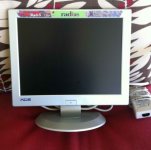
This is a non-functional unit that had tested as good, (w/pic of it working posted in the auction) from a reputable seller who was very concerned that it didn't work when received. But it was well packed and shipped in good faith, no problem! Haven't had a chance to crack the case for testing yet, but the AC adapter works fine.
While there's no logo on the lower right, somehow I think they were pushing the LCD's Radius heritage, the banner sticker is a little worn though.
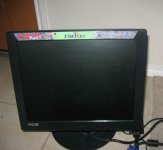
This is a beautifully working Black Rad-5 specimen, same model as the silver version above. It's a true, glossy black rather than the PB Grayer shade, so it matches up with modern KBDs and mice quite nicely.
While there's no logo on the lower right, the Radius marketing sticker is in perfect condition.
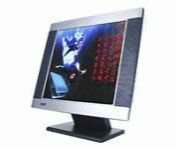
This is a non-functional unit I received without the AC Adapter, in MUCH too small a box with a dinged corner. This from a 100% rated, but very low feedback seller who never responded regarding my problems with the LCD. I opened a case and got a prompt refund, which funded this latest order. One day I'll figure out how to get money back out of my PayPal Account, but there's no hurry with so many wonderful toys available on eBay! [] ]'> Stock photo + low volume feedback = not a chance ever again!
You can't see it in the stock photo, but it has a beautiful monochrome blue Radius logo on the corner opposite the KDS logo.
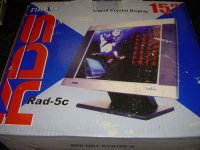
Heh! found the one I was watching that sold (used) in the box! Forgot to bid. :-/
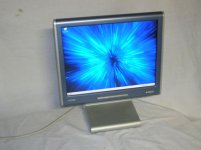
Latest acquisition, funded by the returned money from the no-goodnik mentioned above, who shall remain unidentified per the rules.
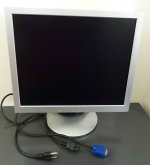
This is the prettiest and most useful of my KDS Radius LCD collection. I'm not sure if they'd dropped the Radius marketing ploy by this time or not. I'll have to check dates of mfr. on all the units when I get the "last one" here and tested. This one has 17" @ 1280 x 1024 x 24bits of Radius Heritage goodness and the 1152 x 8xx pixel settings scale very nicely on it.
This is the one that started it all, I saw that beautiful gray coloring on an LCD with a Radius Logo and just had to have it! It's lovely and it has earned its keep and then some as the monitor of choice in my quest to build the SuperIIsi™ Hack and for testing in the Radius Color Pivot II/IIsi VidCard Hacks Project. I love the design's relatively thin bezel surrounding the LCD.
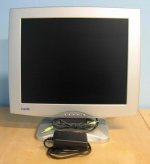
This is the 19" beast I'm hoping someone else grabs before I can no longer resist temptation. The only thing holding me back (besides the $$$$$$$$$ ) is the fact that the resolution is the same as my 17" beauty. Still, it's a great LCD Monitor to pair with an older Mac . . .
. . . thank goodness it doesn't have the Radius Logo on the corner . . . }
There are some White Rad-5 LCDs kicking around on eBay with speakers built into the base, but their design doesn't appeal to me.
Were you looking for some other kind of help? :?:
Mac Implementation seems spotty in terms of the connectors, the first one I picked up was the sweet little KDS Radius RAD-5b. It's allegedly Black, but it's actually just a couple of shades darker than PowerBook Duo Gray. It has a metal plate covering the DA-19 port moulded into the back bezel and has only the HD-15 connector implemented.
While almost the entire series seems to have been tagged with the Rad-5, 7 and 9 model numbers, 15, 17 and 19 inch diagonals respectively, the Radius Branding on the front bezels seems to have been a bit spotty.
So far, I've received three beautiful, and beautifully working, LCDs along with one non-functional, but probably repairable LCD and one that might be a dumped lemon, but I got all my money back for that one.
This is a non-functional unit that had tested as good, (w/pic of it working posted in the auction) from a reputable seller who was very concerned that it didn't work when received. But it was well packed and shipped in good faith, no problem! Haven't had a chance to crack the case for testing yet, but the AC adapter works fine.
While there's no logo on the lower right, somehow I think they were pushing the LCD's Radius heritage, the banner sticker is a little worn though.
This is a beautifully working Black Rad-5 specimen, same model as the silver version above. It's a true, glossy black rather than the PB Grayer shade, so it matches up with modern KBDs and mice quite nicely.
While there's no logo on the lower right, the Radius marketing sticker is in perfect condition.
This is a non-functional unit I received without the AC Adapter, in MUCH too small a box with a dinged corner. This from a 100% rated, but very low feedback seller who never responded regarding my problems with the LCD. I opened a case and got a prompt refund, which funded this latest order. One day I'll figure out how to get money back out of my PayPal Account, but there's no hurry with so many wonderful toys available on eBay! [
] ]'> Stock photo + low volume feedback = not a chance ever again!You can't see it in the stock photo, but it has a beautiful monochrome blue Radius logo on the corner opposite the KDS logo.
Heh! found the one I was watching that sold (used) in the box! Forgot to bid. :-/
Latest acquisition, funded by the returned money from the no-goodnik mentioned above, who shall remain unidentified per the rules.
This is the prettiest and most useful of my KDS Radius LCD collection. I'm not sure if they'd dropped the Radius marketing ploy by this time or not. I'll have to check dates of mfr. on all the units when I get the "last one" here and tested. This one has 17" @ 1280 x 1024 x 24bits of Radius Heritage goodness and the 1152 x 8xx pixel settings scale very nicely on it.
This is the one that started it all, I saw that beautiful gray coloring on an LCD with a Radius Logo and just had to have it! It's lovely and it has earned its keep and then some as the monitor of choice in my quest to build the SuperIIsi™ Hack and for testing in the Radius Color Pivot II/IIsi VidCard Hacks Project. I love the design's relatively thin bezel surrounding the LCD.
This is the 19" beast I'm hoping someone else grabs before I can no longer resist temptation. The only thing holding me back (besides the $$$$$$$$$ ) is the fact that the resolution is the same as my 17" beauty. Still, it's a great LCD Monitor to pair with an older Mac . . .
. . . thank goodness it doesn't have the Radius Logo on the corner . . . }
There are some White Rad-5 LCDs kicking around on eBay with speakers built into the base, but their design doesn't appeal to me.
Were you looking for some other kind of help? :?:
Used EIZO L365 monitors are available for a few bucks, still. Shape and colour of the case matches well the ancient Mac's design. Supported resolutions are from 640x480 up to the native resoulution of 1024x768, which is nice to use with the image diagonal of 15" (37.5 cm). It has VGA and DVI input connectors and inbuilt stereo speakers. Some of the non-Sony CRT equipped Apple displays use a connecting cable with a VGA-style DSub connector at one end and a Mac-style DSub connector at the other end. The L365 + such cable make a perfect companion for old Macs. Find details in the FlexScan L365 User's Manual.
That was MORE than enough information, Trash. But thanks a lot for the photos that show the Radius branding.
I am coming from a UK perspective and Radius didn't have much presence outside graphics shops or science. Radius was not a brand name that monitor purchasers would have recognised in, say, 1990. Would have that perception been different in the USA? KDS assumed that, but what do Americans recall?
I am coming from a UK perspective and Radius didn't have much presence outside graphics shops or science. Radius was not a brand name that monitor purchasers would have recognised in, say, 1990. Would have that perception been different in the USA? KDS assumed that, but what do Americans recall?
Radius wasn't well known here in the States as a consumer or even prosumer brand. I'm not sure they ever even made a mid-market model CRT Monitor, maybe the Pivots?
Dunno, they were always high-end, high-cost of entry displays for productivity in the most demanding markets. The Radius FPD & TPD, with their interfaces wedged onto the 68000 "PDS" in the Plus, gave Aldus PageMaker (and CAD packages for the Mac) a leg up in turning desktop publishing into a workable solution. This combination dragged the Mac into profitability for Apple. When the SE hit the market with a "real" 68000 PDS, Radius was right there, leading the way with Co-Pro equipped 68020 Accelerators. By the time the FDHD ROMs/Upgrade Kit hit the Mac II, Radius was already hip deep in the 68040 Rocket Project.
I wouldn't doubt that Radius OEM'd more Apple Portrait Displays and Apple Two Page Displays than they sold under their own branding. In the days of the development of the Mac's Video Output Standards, it was a Radius/Apple project from what I recall. It'd be interesting to find out how many of the TriniTrons with Apple Logos on board were OEM'd by Radius? Dunno, several other mfrs. joined the fray and diluted the market. Radius wound up snapping them up as they failed during the climb of high volume SVGA CRT offerings out of the gutter and into the "usable" category in terms of quality of output and size. ViewSonic, NEC and Sony itself come to mind. It was pretty much all over for Radius by the time the 17" SVGA CRT started to become the "standard" for business computers.
I didn't pay much attention to the VidCap offerings that wound up Radius' main line of development for long term survival, but I made my living running their Acelerators and using their B1G@$$ Displays. [] ]'>
edit: I'm fairly certain that KDS wanted the Radius Brand (and probably their LCD Controller Technology) for its High-End reputation. A couple of the comrades from oz commented on how great these were when they were in their prime and the period specific reviews I've read have all pretty much been raves.
Dunno, they were always high-end, high-cost of entry displays for productivity in the most demanding markets. The Radius FPD & TPD, with their interfaces wedged onto the 68000 "PDS" in the Plus, gave Aldus PageMaker (and CAD packages for the Mac) a leg up in turning desktop publishing into a workable solution. This combination dragged the Mac into profitability for Apple. When the SE hit the market with a "real" 68000 PDS, Radius was right there, leading the way with Co-Pro equipped 68020 Accelerators. By the time the FDHD ROMs/Upgrade Kit hit the Mac II, Radius was already hip deep in the 68040 Rocket Project.
I wouldn't doubt that Radius OEM'd more Apple Portrait Displays and Apple Two Page Displays than they sold under their own branding. In the days of the development of the Mac's Video Output Standards, it was a Radius/Apple project from what I recall. It'd be interesting to find out how many of the TriniTrons with Apple Logos on board were OEM'd by Radius? Dunno, several other mfrs. joined the fray and diluted the market. Radius wound up snapping them up as they failed during the climb of high volume SVGA CRT offerings out of the gutter and into the "usable" category in terms of quality of output and size. ViewSonic, NEC and Sony itself come to mind. It was pretty much all over for Radius by the time the 17" SVGA CRT started to become the "standard" for business computers.
I didn't pay much attention to the VidCap offerings that wound up Radius' main line of development for long term survival, but I made my living running their Acelerators and using their B1G@$$ Displays. [
] ]'>edit: I'm fairly certain that KDS wanted the Radius Brand (and probably their LCD Controller Technology) for its High-End reputation. A couple of the comrades from oz commented on how great these were when they were in their prime and the period specific reviews I've read have all pretty much been raves.
Trash wrote:
We could make a good guess based on serial numbers. For the 17" Trinitrons, my guess is that they were OEMed by Sony (I sent my last one to recycling years ago, so I can't check). The same would apply to large displays used by Sun, RasterOps, SuperMac et al.
Sony made every Trinitron Tube, but I'm not sure when Apple started manufacturing their own displays using CRTs from vendors/parts suppliers like Sony. Radius OEM'd the Large Grayscale Displays for Apple, dunno who made the tubes for those.
Sony wouldn't be considered the OEM for the display mfr's you mentioned unless they made the entire package, which seems doubtful to me. There was too much variation in feature sets and quality of the remainder of the parts used to build these displays.
Dunno, just an interesting question to me. The only 17" Trinitron I have ever had is a Sony!)
Who used the shadow mask tube technology, Matsushita?
Sony wouldn't be considered the OEM for the display mfr's you mentioned unless they made the entire package, which seems doubtful to me. There was too much variation in feature sets and quality of the remainder of the parts used to build these displays.
Dunno, just an interesting question to me. The only 17" Trinitron I have ever had is a Sony!
) Who used the shadow mask tube technology, Matsushita?
Sony UK sent a van to pickup AppleVision 1710s when we had a collection that needed servicing. I suspect that Sony were heavily involved in the manufacture but I don't have the time to investigate further.
Shadow mask seems to have emerged at Mitsubishi (see http://www.google.com/patents/US4973879) but it was later used with aperture grills. ViewSonic used the tech well in the late 1990s and I recall them using Mitsubishi branding.
Apple sold a 15" shadow mask monitor in the mid 1990s that was reasonable -- not Sony quality, not a goldfish bowl. I think Hitachi were the OEM.
Shadow mask seems to have emerged at Mitsubishi (see http://www.google.com/patents/US4973879) but it was later used with aperture grills. ViewSonic used the tech well in the late 1990s and I recall them using Mitsubishi branding.
Apple sold a 15" shadow mask monitor in the mid 1990s that was reasonable -- not Sony quality, not a goldfish bowl. I think Hitachi were the OEM.
I've got a 6100 (regrettably, out of order) that I've used before with an older Dell 15" monitor (I can go find the model # if anyone cares). I think it was one of the resolution s mentioned below, 832x624 or 1152x870 that worked at maybe 70/75hz. One of those somewhat generic adapters with the 8+ dip switches -- works both for my LCII and the Performa. My adapter came with a little pamphlet explaining the switch settings and required a bit of fiddling to find the right one (probably ought to label that come to think of it).
Something tells me that it's the older models with smaller screens that work the best. I know my 19" won't go lower than 800x600 if that. Really, if you have old macs, you might as well use a CRT (if you can't easily find an LCD) since it will probably tolerate those odd resolutions and frequencies better.
If we just make a list of all the monitors everyone has that works and at what resolutions and frequencies that would probably cover some ground.
Something tells me that it's the older models with smaller screens that work the best. I know my 19" won't go lower than 800x600 if that. Really, if you have old macs, you might as well use a CRT (if you can't easily find an LCD) since it will probably tolerate those odd resolutions and frequencies better.
If we just make a list of all the monitors everyone has that works and at what resolutions and frequencies that would probably cover some ground.
It's probably an UltraSharp 1707 or 1708.
Really, any UltraSharp 170xFP or 150xFP would be worth investigating and buying. For those who want to purchase new, the Dell P170 and P190 are more or less the same display, but at 17 and 19-inch sizes, instead of 15 and 17-inch sizes.
I have a 1505FP that I eventually intend to hook up to my 840av or Q610, using that should be nearly identical to using the original 15-inch LCD Apple Studio Display.
Really, any UltraSharp 170xFP or 150xFP would be worth investigating and buying. For those who want to purchase new, the Dell P170 and P190 are more or less the same display, but at 17 and 19-inch sizes, instead of 15 and 17-inch sizes.
I have a 1505FP that I eventually intend to hook up to my 840av or Q610, using that should be nearly identical to using the original 15-inch LCD Apple Studio Display.
I picked up several 15" Dell E153FPF monitors from a company that was going out of business, as well as an E170S. I've tried both models on my Quadra 840AV with one of those adapters that has the dip switches, and nothing seems to work. I've gone thru the gamut of settings on the dip switches (it has the switch settings printed on the back).
Anyone have any luck getting these screens to work on old Macs?
Anyone have any luck getting these screens to work on old Macs?
I just got 2 Phillips 150S5FG LCD monitors for $17 each. They appear to work perfectly with a regular dip switch adapter.
1024x768 @ 60Hz-75Hz, VGA connector, internal power supply, white in color. Match pretty well. Looks great using my Precision Color Pro 24X, full 1024x768 @ Millions.
1024x768 @ 60Hz-75Hz, VGA connector, internal power supply, white in color. Match pretty well. Looks great using my Precision Color Pro 24X, full 1024x768 @ Millions.
I had a 486 DX2-66 with auto detection, that was one of the earliest though. Previously you'd just enter the information printed on top of the drive, it was not particularly hard, but certainly less elegant than the Apple hardware of the era. Both systems had advantages and disadvantages. I was always a PC guy back in the day, but I do love the vintage Macs, they were in many ways ahead of their time.
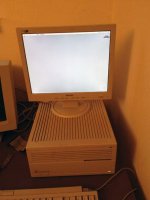

When my ps3 gave me crap about a burned DVD, used the powerbook g3 hooked to a 46" tv and it was just fine }
Although I haven't tried a 68k mac hooked to an LCD yet, a while back we had a Atari Falcon hooked to an LCD TV via a rigged composite cable my buddy soldered up. )
)
Has anyone tried the Apple Multiscan 15 display cable? I ask because the Multiscan 15 is VGA in the back but the cable converts it to the Apple Video Port. I have one unit, but two cables and I think this could be the most painless option to connect an LCD monitor.
http://vintagecomputer.com/dauphin-dtr-1-pen-tablet.html
NIB off eBay for a song from someone who had a batch of them. I followed Pen Computing back in the day. Vertical market solutions have always been intriguing to me. We've come a very long way . . . hardware and gui-wise . . .
. . . but a KBD is still a necessity. :lol:
It looks like someone else has already made good use of a similar KBD in a display hack!
http://www.ebay.com/itm/ws/eBayISAPI.dll?ViewItem&item=200866277029
NIB off eBay for a song from someone who had a batch of them. I followed Pen Computing back in the day. Vertical market solutions have always been intriguing to me. We've come a very long way . . . hardware and gui-wise . . .
. . . but a KBD is still a necessity. :lol:
It looks like someone else has already made good use of a similar KBD in a display hack!
http://www.ebay.com/itm/ws/eBayISAPI.dll?ViewItem&item=200866277029
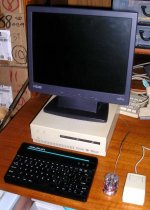
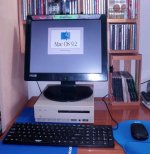
Yep that's the Apple CD-SC. It wasn't working and the ATOM NetTop board was in need of a home, so it almost took up residence in there. I think the case is back in the project box with its bits, slated to for reassembly.
It looked like a Snow White Design Language Mac Mini to me at the time, so naturally, I was looking for a set of black peripherals. Couldn't find my black Belkin mini-mouse, so the tiny clear one stood in for it, the tombstone mouse is there for scale. I think the ATOMICmini has finally found a home in the ZipPlus, dunno, I've got another six months to go before that project is overdue for completion, the ATOM, not the ZipPlus . . .
. . . the MoBo I got eighteen months ago. :I
It looked like a Snow White Design Language Mac Mini to me at the time, so naturally, I was looking for a set of black peripherals. Couldn't find my black Belkin mini-mouse, so the tiny clear one stood in for it, the tombstone mouse is there for scale. I think the ATOMICmini has finally found a home in the ZipPlus, dunno, I've got another six months to go before that project is overdue for completion, the ATOM, not the ZipPlus . . .
. . . the MoBo I got eighteen months ago. :I
This doesn't get enough attention. The sense code implementation is the main reason a lot of LCD monitors won't work with Compacts, even when they are nominally capable of appropriate sync rates. The Mac video chip is programmed to be adaptive, but to shut down if it doesn't recognise an acceptable static pattern on the 3 sense lines. Monitors with advanced VGA standard implementation will try to send a serial ID code over just one of those sense lines, and that can spook the Mac adapter into shutting down or sending the wrong sync signals. The monitors that work will be the ones that have VGA firmware that can detect an adapter mode that requires the deprecated passive ID sense codes, and to switch off the serial ID signal.
It's a mystery to me how the dip-switch adapter plugs handle this without any active electronics. They have to fool the Mac into believing the monitor has acceptable specs, and then rely on the monitor firmware to recognise the sync and adapt resolution to match. That's probably why success is a bit hit and miss.
Rick
I've just found another 17" LCD that works straight up and no fuss
Samsung Syncmaster 740A. ($15 from recycler)
This is a really good unit with telescopic stand for height adjustment and good onscreen menu.
Whatever upscaling it did, it had no problem at all with the 66Hz sync.
I wonder if we should start a list somewhere (a wiki, perhaps?) where people can add to the list any LCD monitors that they have been able to connect with a basic adapter. It could save others quite a bit of time and encourage saving of such monitors.
[bTW - mods.. when I access the wiki pages I just see plain text with basic HTML format, no style-sheet presentation. Is there a problem with the style-sheet or forum software there??]
Samsung Syncmaster 740A. ($15 from recycler)
This is a really good unit with telescopic stand for height adjustment and good onscreen menu.
Whatever upscaling it did, it had no problem at all with the 66Hz sync.
I wonder if we should start a list somewhere (a wiki, perhaps?) where people can add to the list any LCD monitors that they have been able to connect with a basic adapter. It could save others quite a bit of time and encourage saving of such monitors.
[bTW - mods.. when I access the wiki pages I just see plain text with basic HTML format, no style-sheet presentation. Is there a problem with the style-sheet or forum software there??]
I've got three 14" lcds (1024x768 native) that I use with my Macs. The last one I bought I paid $10 for from a pawn shop - it's a Dell. The others are an HP & a no-name. They all worked well with my Quadra 605.
I've found that the issue is usally with the adapter not the monitor. For the Q605 make sure you have 1 MB VRAM (two video modules installed) and it will do 1024 x 768 with no issues. Both Sys 7.5.5 & OS 8.1. If you hare having issues get a different video adapter with switches & set them for 1024x768.
I've found that the issue is usally with the adapter not the monitor. For the Q605 make sure you have 1 MB VRAM (two video modules installed) and it will do 1024 x 768 with no issues. Both Sys 7.5.5 & OS 8.1. If you hare having issues get a different video adapter with switches & set them for 1024x768.
I must admit, this topic has me hugely confused!
I'm thinking about getting an LCD monitor for my LC475, both to take advantage of higher resolutions and against the inevitable day when my CRT packs in. The gist of this thread (from what I can make out) is that many LCD monitors don't work properly with 68k Macs, even with the appropriate Mac/VGA adapter. Is this the case?
I have my eye on an old Dell E151FPp monitor on ebay (1024x728 @ 75Hz native resolution). Is this likely to work, or will it require technical jiggery pokery?
I'm thinking about getting an LCD monitor for my LC475, both to take advantage of higher resolutions and against the inevitable day when my CRT packs in. The gist of this thread (from what I can make out) is that many LCD monitors don't work properly with 68k Macs, even with the appropriate Mac/VGA adapter. Is this the case?
I have my eye on an old Dell E151FPp monitor on ebay (1024x728 @ 75Hz native resolution). Is this likely to work, or will it require technical jiggery pokery?
Many VGA LCDs only sync @ 60Hz, which is a problem with many Macs which don't put out a 60Hz resolution. MultiSync type LCDs work with traditional Mac resolutions/sync rates.
You've got me curious about your report on the Q605:
As for 1024 x 768 @ 75Hz, Macs can run this @ 60, 67 & 75 Hz rates, depending on the Mac. Some will output @ 75Hz while others won't IIRC. A lot depends upon when the Mac was introduced. VGA and Mac resolutions/sync rates developed in parallel, converging as time passed. In much of the 68k Mac history, 60Hz was considered flickery on a CRT, which isn't an issue for LCDs. By the Quadra era VGA resolutions began to be supported by Macs.
edit: has anyone got a link to Mac resolution/scan rate chart? The closest thing I could find online was:
http://home.earthlink.net/~gamba2/vid-mon-matrix.html (bottom of page)
You've got me curious about your report on the Q605:
Did you try running it at 800 x 600?re. the 605 said:
As for 1024 x 768 @ 75Hz, Macs can run this @ 60, 67 & 75 Hz rates, depending on the Mac. Some will output @ 75Hz while others won't IIRC. A lot depends upon when the Mac was introduced. VGA and Mac resolutions/sync rates developed in parallel, converging as time passed. In much of the 68k Mac history, 60Hz was considered flickery on a CRT, which isn't an issue for LCDs. By the Quadra era VGA resolutions began to be supported by Macs.
edit: has anyone got a link to Mac resolution/scan rate chart? The closest thing I could find online was:
http://home.earthlink.net/~gamba2/vid-mon-matrix.html (bottom of page)
For the sense pin and extented sense pin codes visit http://lam.kilu.de/lam2/sense.htm, please.
To make any supported display resolution available in System 7.1 (and probably some other System versions), use "Activate all Resolutions", an extension which permits to access any resolution by the usual monitor control panel.
To make any supported display resolution available in System 7.1 (and probably some other System versions), use "Activate all Resolutions", an extension which permits to access any resolution by the usual monitor control panel.