

Thread
Making a G4 FW800 OS9 bootable.
Okay, so I just got taken to beginner school by the mod. Good call, Bunsen. Turning off extensions on startup allowed the boot to complete.
We are OS 9 live!
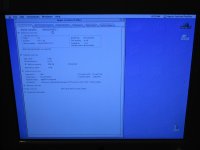
Couple of notes:
1) I'm running a MDD June 2003 single 1.25Ghz CPU/board combo inside what was originally a FW800 box. I'm using one 256MB stick of PC2600 RAM that was on the FW800 board.
2) I booted from my retail Tiger install disk, wiped and partitioned the drive, and installed Tiger.
3) I used the MDD OS9 disk to install an OS9 system folder. According to the documentation on that disk, the OS9 install is for Classic support only under OSX and will not support booting in OS9. But it does.
4) It crashes on startup unless extensions are off.
So all that's left is to find the extensions conflict.
Video-driver conflict has been suggested. I will look into that possibility and keep you all posted.
ok keep it commin… my dad is bringin me my mdd 1.25 dp tonight.
I've been remoting into it, but now ill have it in my grubby little hands.
ill try my ibook 9.22 disk tonight!
I've been remoting into it, but now ill have it in my grubby little hands.
ill try my ibook 9.22 disk tonight!
If you've ever used Ex Post Facto to install a not-officially-supported version of OS X on a machine, you know how I feel right now.
If you're looking for an OS 9 box, there definitely is merit to getting a machine that can boot from a retail OS 9.
They're much more common than whatever machine-specific install disk you need to make your machine behave properly.
If you're looking for an OS 9 box, there definitely is merit to getting a machine that can boot from a retail OS 9.
They're much more common than whatever machine-specific install disk you need to make your machine behave properly.
I tried the "call Applecare" last year. My very first call, I got someone who said "sure, I just need the serial number so I can figure out which model you have." (And it was going to be $10 shipping *PER DISC* in the set.) Sadly, I didn't have the serial number on me.
I called four more times over the next week, and never got anyone who knew anything about that. I tried many different departments, education, business, consumer. On one call, I was transferred around four times. The best answer I got later was "use Sheepshaver."
I called four more times over the next week, and never got anyone who knew anything about that. I tried many different departments, education, business, consumer. On one call, I was transferred around four times. The best answer I got later was "use Sheepshaver."
Okay, so I'm able to boot with all extensions on. I switched out the PC2700 RAM that was causing AHT to failboot, and put in the one 256MB PC2600 stick that passed AHT. So I'm at stock RAM levels right now, but, whatever.
After I did that I turned off all the extensions and worked up to a maximum successful set . . . which turned out to be all of them. I should have tried booting again with extensions after the RAM switch. Oh well. It works now anyways.
The problem is, the system folder I got from the install CD is gutted. No AppleTalk control panel. No Mouse control panel. No File Sharing extension. That's for starters, as they're what I need right now.
So, I'm in the process of cataloging everything (all control panels, extensions, etc.) in the system folder including version numbers.
I'm then going to catalog the system folder in my Wallstreet PDQ (a 9.2.2 International update downloaded from Apple and added to a 9.1 UK retail install).
I will see what the differences are an start adding things to the gutted system folder on my MDD and see what works and what crashes.
I will then take this hybridized, bastard, Borgified system folder, and *archive it*. I will then test it for a month or two using lots of software.
If everything works, I'll have me a new, custom OS 9.2.2 install for 2003 MDD machines.
I'll keep you all posted.
Update: File Sharing is live on the MDD-Borg, and it and the Wallstreet are now talking to one another.
After I did that I turned off all the extensions and worked up to a maximum successful set . . . which turned out to be all of them. I should have tried booting again with extensions after the RAM switch. Oh well. It works now anyways.
The problem is, the system folder I got from the install CD is gutted. No AppleTalk control panel. No Mouse control panel. No File Sharing extension. That's for starters, as they're what I need right now.
So, I'm in the process of cataloging everything (all control panels, extensions, etc.) in the system folder including version numbers.
I'm then going to catalog the system folder in my Wallstreet PDQ (a 9.2.2 International update downloaded from Apple and added to a 9.1 UK retail install).
I will see what the differences are an start adding things to the gutted system folder on my MDD and see what works and what crashes.
I will then take this hybridized, bastard, Borgified system folder, and *archive it*. I will then test it for a month or two using lots of software.
If everything works, I'll have me a new, custom OS 9.2.2 install for 2003 MDD machines.
I'll keep you all posted.
Update: File Sharing is live on the MDD-Borg, and it and the Wallstreet are now talking to one another.
interesting… did you have to delete that ATI accelerator extension to get it to boot with extensions on?
This whole experience has gotten me thinking about how useful it would be to have an online wiki for the various versions and pieces of System 9.x.
It would list:
All the various versions of OS 9.x and when and how they were released.
Photos of CDs with part numbers, etc.
Box scans with system requirements, etc.
And, under each version of OS 9.x.x it would give a complete breakdown of what was in the system folder, control panels, extensions, etc. with version numbers.
And, it would have detailed information on important system components (like control panels and extensions). When they were first released, what they did, and which versions were used in which systems.
It would also have discussions of MacOS 9 compatibility with various software and of which machines were compatible with which versions and of how the OS was implemented differently between Old World and New World machines.
What a fantastically useful project that would be.
It would list:
All the various versions of OS 9.x and when and how they were released.
Photos of CDs with part numbers, etc.
Box scans with system requirements, etc.
And, under each version of OS 9.x.x it would give a complete breakdown of what was in the system folder, control panels, extensions, etc. with version numbers.
And, it would have detailed information on important system components (like control panels and extensions). When they were first released, what they did, and which versions were used in which systems.
It would also have discussions of MacOS 9 compatibility with various software and of which machines were compatible with which versions and of how the OS was implemented differently between Old World and New World machines.
What a fantastically useful project that would be.
To my knowledge, there was no ATI Accelerator extension, although I'm not looking at it ATM. I didn't have to turn off or disable any extensions to get it to work.
Well, another incompatibility with OS 9 pops up.
It won't go to sleep properly. It goes to sleep, but the fans keep running (and as we all know, MDD fans are not quiet). It says there's a piece of hardware installed that's not compatible with sleep, and checking the system profiler, it appears to be a PCI card, of which there are none installed.
Could it be the graphics card itself? It's the GeForce4 MX, I think. It's whatever was the installed card on my FW800 board, and that being the lowend model, I think that's the one. I'll check later to be sure.
Any other ideas?
It won't go to sleep properly. It goes to sleep, but the fans keep running (and as we all know, MDD fans are not quiet). It says there's a piece of hardware installed that's not compatible with sleep, and checking the system profiler, it appears to be a PCI card, of which there are none installed.
Could it be the graphics card itself? It's the GeForce4 MX, I think. It's whatever was the installed card on my FW800 board, and that being the lowend model, I think that's the one. I'll check later to be sure.
Any other ideas?
Could also be a USB device, eg. mouse/keyboard/printer not causing it to sleep
The AGP card always appears as a "PCI" card in the Profiler. As long as the video card is in the AGP slot, it should be able to sleep fine. Byrd is right; check USB devices.
Hi,
Hmm... this sounds familiar.
While it's possible that a USB device could cause it not to sleep, in my experience with an Nvidia GeForce 4MX on my Quicksilver, it won't sleep unless the proper drivers are in place.
When you go to the Monitors control panel, does it list various resolutions for your display, or only one?
If only one, the missing drivers are the problem. The OS 9.2.2 you installed may be working simply because it didn't have the drivers included in the package (I've found that images of OS 9.2.2 which are intended solely for use in Classic mode, it doesn't include much in the way of display drivers (presumably because they're not necessary in Classic mode)); OS 9.2.2 will still work just fine without them, of course (although I've found that (re)drawing of UI elements is slow at higher resolutions (it seems to default to the monitor's native resolution when there's no drivers)).
I think you can download the Nvidia drivers from Other World Computing (filename is nvidia3.1.sit, I think).
I'm glad it's working otherwise, though! Good job!!
c
Hmm... this sounds familiar.
While it's possible that a USB device could cause it not to sleep, in my experience with an Nvidia GeForce 4MX on my Quicksilver, it won't sleep unless the proper drivers are in place.
When you go to the Monitors control panel, does it list various resolutions for your display, or only one?
If only one, the missing drivers are the problem. The OS 9.2.2 you installed may be working simply because it didn't have the drivers included in the package (I've found that images of OS 9.2.2 which are intended solely for use in Classic mode, it doesn't include much in the way of display drivers (presumably because they're not necessary in Classic mode)); OS 9.2.2 will still work just fine without them, of course (although I've found that (re)drawing of UI elements is slow at higher resolutions (it seems to default to the monitor's native resolution when there's no drivers)).
I think you can download the Nvidia drivers from Other World Computing (filename is nvidia3.1.sit, I think).
I'm glad it's working otherwise, though! Good job!!
c
If I am not mistaken, if you do NOT have one of the original MDD video cards installed, OS 9 will go wonky. Mine did with my 256MB nVidia FX5200. Mine would only display at 640x480? (I can't remember) and 256 colors. I put back in the original Radeon 9000 Pro, and it was fine.
EDIT - Wait... didn't the MDD come with the GeForce 4MX as an option?
EDIT - Wait... didn't the MDD come with the GeForce 4MX as an option?
Ha! CC_333 wins the prize! Monitors shows only 1024x768 as an option, so even if it's not the sleep problem, I definitely need a driver update.
I know USB devices can cause the problem, in particular my thumb drive, but I've already dealt with that one, so I'm pretty sure it's the video card.
Update: The driver in question is called the Apple NVIDIA Driver and it was published by Apple. Apple NVIDIA Driver 3.0 v1.1 (Apr, 2002) can still be had from Apple's website.
http://support.apple.com/kb/DL1150
Update 2: The installer won't run on my machine, however.
I know USB devices can cause the problem, in particular my thumb drive, but I've already dealt with that one, so I'm pretty sure it's the video card.
Update: The driver in question is called the Apple NVIDIA Driver and it was published by Apple. Apple NVIDIA Driver 3.0 v1.1 (Apr, 2002) can still be had from Apple's website.
http://support.apple.com/kb/DL1150
Update 2: The installer won't run on my machine, however.
I thought so! The symptoms you were describing seemed very familiar.
That's because you need version 3.5 of the drivers. 3.0 v1.1 (Apr, 2002) is meant to update older versions of OS 9 drivers on older models of computer using older models of Nvidia cards. The card from the MDD (particularly the 2003 model) needs version 3.5 or else it won't work. I speak from experience, because I spent hours trying to find those drivers when I got that card (and it was actually for a Sawtooth model, not Quicksilver. My mistake. However, the information and experience still apply.)
There's actually a mention of a similar problem (with a link to the drivers) on this forum over here.
c
The Netboot image I mentioned on the previous page has 3.5.x nvidia drivers. You would probably have had the system up and running in one go if you'd used that.
But then you'd have missed out on the journey
But then you'd have missed out on the journey
Just to be technical, that's because AGP *IS* PCI, just with some extensions and a faster-pumped bus.
All of you are being super helpful. I couldn't ask for a better community.
The 3.5 drivers dropped into the system folder and were recognized as extensions and placed accordingly. They do not cause a crash.
They also don't do any good. Still limited to 1024x768 in the Monitors control panel, still got fans running during sleep, still have a message in the system profiler that I have a PCI card incompatible with low-power mode. I also verified that it is a GeForce4 MX.
Trying the NetBoot now.
Update: After I add Disk Copy to the OS 9 "install" currently on the MDD.
Update 2: NetBoot 9 System folder = flashing question mark. I'll try a couple different MacOS ROM files and see if any of them make a difference.
The 3.5 drivers dropped into the system folder and were recognized as extensions and placed accordingly. They do not cause a crash.
They also don't do any good. Still limited to 1024x768 in the Monitors control panel, still got fans running during sleep, still have a message in the system profiler that I have a PCI card incompatible with low-power mode. I also verified that it is a GeForce4 MX.
Trying the NetBoot now.
Update: After I add Disk Copy to the OS 9 "install" currently on the MDD.
Update 2: NetBoot 9 System folder = flashing question mark. I'll try a couple different MacOS ROM files and see if any of them make a difference.
Hmm the Mac OS ROM is only 9.6.1. I must have been confusing it with the eMac disc as I could have sworn it was 10.2.x. Maybe drop in a newer one.
Yeah, I actually dropped in the new ROM before I tried it the first time. I'll keep fiddling, but unless I can get my hand on better disks, I'm about to call this a failed experiment.
The best disc is probably the eMac one trag posted the link to previously. 9.2.2, ROM 10.1.1, ATI and nVidia drivers (3.5.2 for the latter). Unless you can get the actual restore disc set for a June 2003 MDD.
Okay, so I played around some more and got the NetBoot image to work. Same deal in the monitors control panel, 1024x768 only. I did test my copy of Syndicate, and it runs at 640x480 in the middle of the screen with black bars all around (although the menu bar stays at the top where it belongs). This is the exact same performance I get on my 700Mhz eMac running on a clean install from its original disks.
This is actually just the performance I want, graphics-wise. So since color depth is adjustable to 256 colors and the software will run low-res programs properly, I may be fine.
Still have the sleep problem, though, even with the NetBoot system folder. So . . .
The way I see it, I can make this work and continue playing around and collating system folders to get a "best" build.
My other options are:
1) find an inexpensive Quicksilver or equivalent that I can run from a retail version of 9.1 or 9.2.1. This solution is attractive for several reasons.
2) find a set of original June 2003 MDD disks. This also is attractive, but perhaps harder to accomplish. Also not guaranteed to do what I want since my machine isn't, after all, a pure June 2003 MDD.
3) Try getting an older graphics card like a GeFrorce2 and see if that solves the sleep problem. An interesting experiment, but not as desirable a solution as the other two.
I'm definitely going to look into beefing up my records in regards to what exactly went into the various System 9 builds. This is information from which we could all benefit. More on that later.
And I'll keep you all posted on this project. Software tests coming next week.
This is actually just the performance I want, graphics-wise. So since color depth is adjustable to 256 colors and the software will run low-res programs properly, I may be fine.
Still have the sleep problem, though, even with the NetBoot system folder. So . . .
The way I see it, I can make this work and continue playing around and collating system folders to get a "best" build.
My other options are:
1) find an inexpensive Quicksilver or equivalent that I can run from a retail version of 9.1 or 9.2.1. This solution is attractive for several reasons.
2) find a set of original June 2003 MDD disks. This also is attractive, but perhaps harder to accomplish. Also not guaranteed to do what I want since my machine isn't, after all, a pure June 2003 MDD.
3) Try getting an older graphics card like a GeFrorce2 and see if that solves the sleep problem. An interesting experiment, but not as desirable a solution as the other two.
I'm definitely going to look into beefing up my records in regards to what exactly went into the various System 9 builds. This is information from which we could all benefit. More on that later.
And I'll keep you all posted on this project. Software tests coming next week.
True, but it seems more like Apple just wanted to gloss over the differences between slots rather than be pedantic about the underlying bus protocol.
http://www.dvwarehouse.com/Apple-eMac-System-Install-Disk-10.2.4-603-2803-p-37448.html
oh here was that link to the 15 dollar emac cd, they are talking about.
i bought one.
oh here was that link to the 15 dollar emac cd, they are talking about.
i bought one.
Software testing update:
Oni
MDD 1.25Ghz SP G4
OS 9.2.2: Ran installer. App started, opening cutscenes played. When it cut to the main menu, all I had was a black screen. Music played, but had to force quit. Couldn't see the cursor after the force quit, and had to randomly click around the screen to hit the quit button. Could not play.
OS 10.4 Tiger: App runs just fine in classic mode. No opening cutscenes, but menu shows up full-screen, and the game runs extremely smoothly with maxed-out graphics settings. (1024x768, 32-bit color). Appears to be a bug when coordinating keyboard and mouse movement that leaves me running in a straight line. Also got a hard crash after about ten minutes of playing.
Wallstreet PDQ 300Mhz G3
OS 9.2.2: Ran installer. App refused to launch. OpenGL error. Couldn't get the hardware acceleration to work. I assume it's a problem with the RageProLT.
eMac 700Mhz G4
OS 9.2.2: Had trouble getting the CD mount, and when I did, the installer crashed. I think it may be residual problems from the time sitting outside and the soaking the CD drive received. Will try installing over AppleTalk and report back.
- - - - - - - -
More to come.
Also, in use, the MDD really does feel like a machine designed for OSX. In OSX, I have the ability to adjust both color depth and resolution on the monitor. In OS 9, I can only adjust color depth. In OSX, the machine sleeps properly. In OS 9, the fan never stops. In OSX, the CD eject button on the keyboard works. In OS9, it doesn't. Some of these issues are probably fixable. But in OSX, they just work.
But at this point, I'm curious to see how high-end OS 9 apps like Oni perform on slower G4 machines like the 700Mhz eMac. If performance is good enough, I would probably recommend that a person looking for an OS 9 box choose something designed and optimized for OS9. One clue would be a machine with a button on the CD door to open the drive. That would mean anything pre-Quicksilver.
Thoughts?
Oni
MDD 1.25Ghz SP G4
OS 9.2.2: Ran installer. App started, opening cutscenes played. When it cut to the main menu, all I had was a black screen. Music played, but had to force quit. Couldn't see the cursor after the force quit, and had to randomly click around the screen to hit the quit button. Could not play.
OS 10.4 Tiger: App runs just fine in classic mode. No opening cutscenes, but menu shows up full-screen, and the game runs extremely smoothly with maxed-out graphics settings. (1024x768, 32-bit color). Appears to be a bug when coordinating keyboard and mouse movement that leaves me running in a straight line. Also got a hard crash after about ten minutes of playing.
Wallstreet PDQ 300Mhz G3
OS 9.2.2: Ran installer. App refused to launch. OpenGL error. Couldn't get the hardware acceleration to work. I assume it's a problem with the RageProLT.
eMac 700Mhz G4
OS 9.2.2: Had trouble getting the CD mount, and when I did, the installer crashed. I think it may be residual problems from the time sitting outside and the soaking the CD drive received. Will try installing over AppleTalk and report back.
- - - - - - - -
More to come.
Also, in use, the MDD really does feel like a machine designed for OSX. In OSX, I have the ability to adjust both color depth and resolution on the monitor. In OS 9, I can only adjust color depth. In OSX, the machine sleeps properly. In OS 9, the fan never stops. In OSX, the CD eject button on the keyboard works. In OS9, it doesn't. Some of these issues are probably fixable. But in OSX, they just work.
But at this point, I'm curious to see how high-end OS 9 apps like Oni perform on slower G4 machines like the 700Mhz eMac. If performance is good enough, I would probably recommend that a person looking for an OS 9 box choose something designed and optimized for OS9. One clue would be a machine with a button on the CD door to open the drive. That would mean anything pre-Quicksilver.
Thoughts?
Oni runs pretty well on my 7300 with 500MHz G3 and Rage Orion.